
Apple has been busy this week rolling out updates to two of its most popular creative apps — Logic Pro and Pixelmator Pro. The updates bring meaningful new features to musicians, producers, photo editors and designers alike. The rest of the iWork lineup got minor updates, too.
Apple brings new Logic Pro and Pixelmator Pro creative tools
The updates to Logic Pro and Pixelmator Pro outlined below are free for existing users. Both updated apps are available separately or as part of the Apple Creator Studio prescription bundle for creative professionals.
Logic Pro gets smarter sound tools and a new sound pack
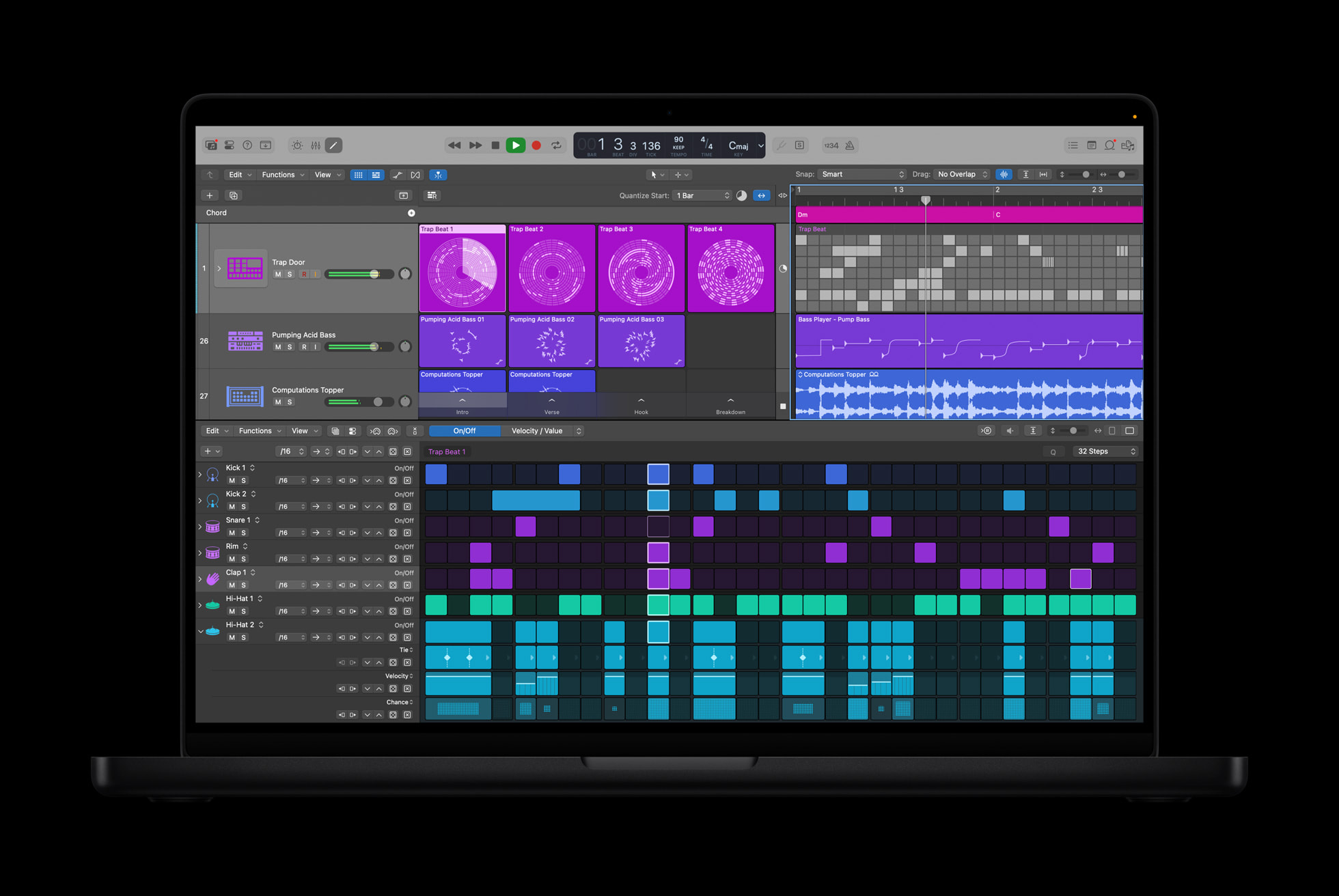
Photo: Apple
The latest Logic Pro for Mac 12.2 update strengthens the app’s already powerful toolkit in several notable ways — notably creative workflow and distribution upgrades.
From Apple’s release notes on new features:
-
Reinstalls legacy content missing in the initial release of Logic Pro 12 with the Logic Pro Legacy Patches, Logic Pro Legacy Instruments, and Logic Pro Legacy Loops sound packs. Learn how to install legacy content.
-
Logic Pro can now export Spatial Audio projects as encoded Dolby Digital Plus with Dolby Atmos and Dolby AC-4 L4 mp4 files.
On the sound library side, Logic Pro now includes a Step Reflex: Modern Garage pack. It features two-step beats, deep basslines, synths and more. The update also adds an option to export a shareable file to preview how a spatial audio mix will sound when streamed on Apple Music. That last feature should help producers finishing tracks destined for Apple Music’s Dolby Atmos catalog.
Pixelmator Pro adds mockups, RAW support, and workflow shortcuts
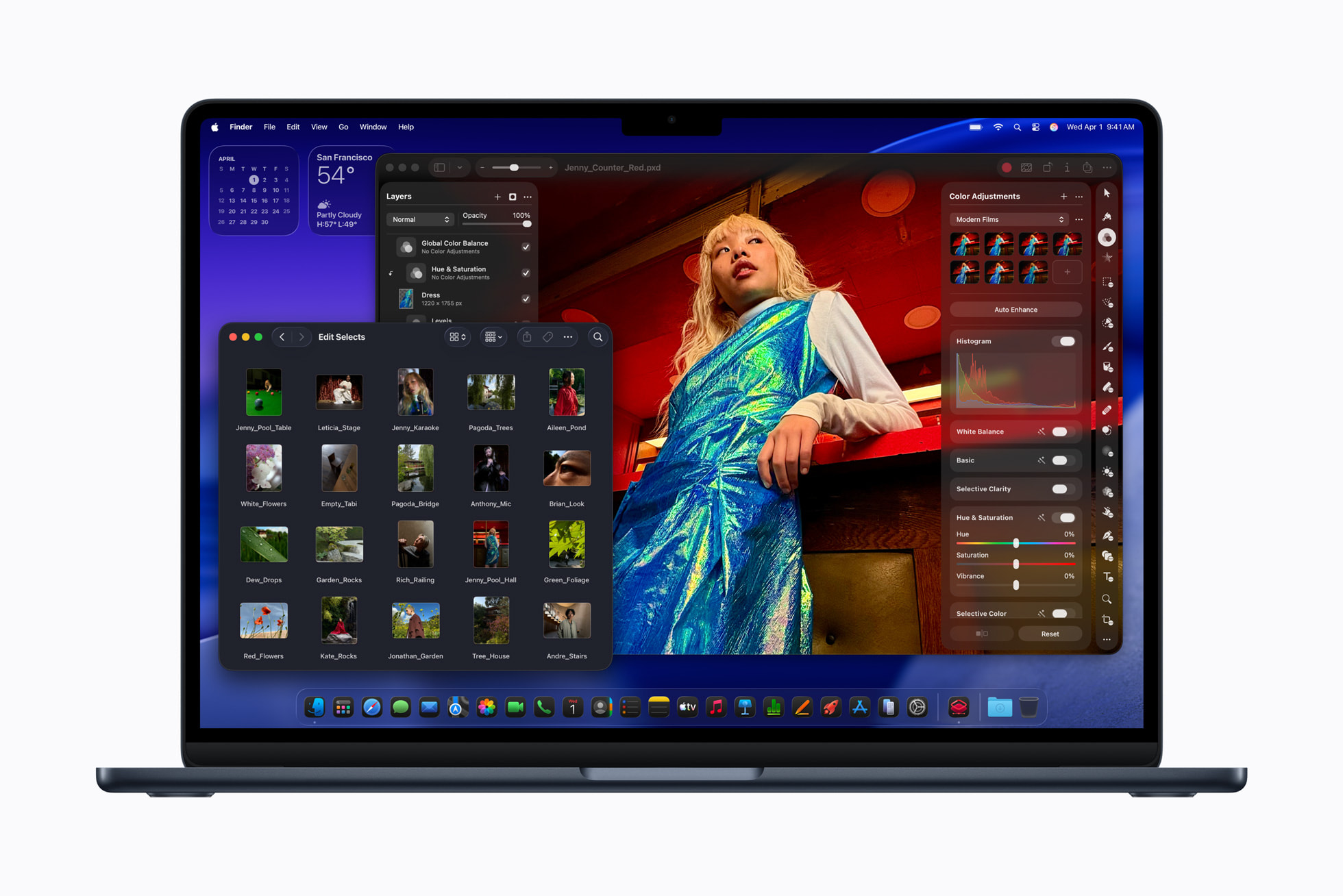
Photo: Apple
Pixelmator Pro has also received a fresh round of improvements. Version 4.2, arriving two months after the release of version 4.0, includes expanded RAW support and new iPhone 17 mockups.
The update adds full support for compressed RAW images from Sony Alpha ILCE-7M5, FUJIFILM GFX 100S II, and FUJIFILM GFX 100RF cameras. That makes it a more capable tool for professional photographers working with high-end hardware.
And for designers, workflow improvements arrive. Users can now change layer opacity using number keys 1 through 9 in all supported tools. And they can cycle through layer blend modes using Shift-Plus and Shift-Minus keyboard shortcuts. The iPad version of Pixelmator Pro adds the ability to touch and hold an image on the canvas to instantly compare before and after edits from Color Adjustments and Effects tools.
Both apps are available as standalone purchases or as part of Apple Creator Studio bundle ($12.99/month subscription).

David Snow, an expert on Apple hardware and software, writes on a variety of technological and cultural topics for Cult of Mac. They include Apple news, technology buying guides, and features about computer setups and Apple TV shows and movies.
With 30 years of experience covering technology and other subjects, he has written and edited for numerous print and online publications, including CMP Media, TechTV.com, CNET, Wired News, Red Herring magazine, Law.com, The National Law Journal and Law Technology News magazine. Among other roles, he served as executive editor of the Law.com network of websites and editorial director, technology, for ALM Media.
Snow graduated with a B.A. from Syracuse University with majors in magazine journalism and psychology. While there, he worked as a reporter for The Daily Orange newspaper and associate editor of Equal Time magazine.
Founder of the blog At the Waterline, he can be reached on X (formerly Twitter) via @atthewaterline and on Mastodon via @dsnow.

