Mobile menu toggle

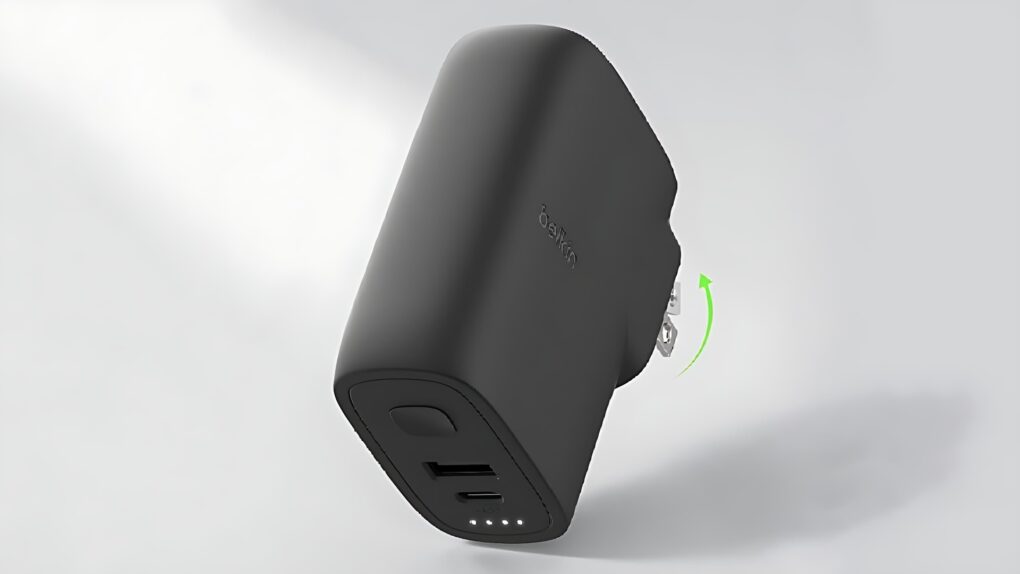
Get a deal on a Belkin power bank/wall charger I use daily

By

Belkin BoostCharge Hybrid Wall Charger 25W + Power Bank 5K deal
Save on a 2-in-1 iPhone wall charger that’s also a power bank.
Photo: Belkin/Cult of Mac

Few of the products I review end up in my gear bag, but one that made the cut is the Belkin BoostCharge Hybrid Wall Charger 25W + Power Bank 5K. What I love about it is that when I have this accessory with me, I know I can recharge my iPhone, whether I have access to a wall socket or not. That’s because it’s both an external battery and a wall charger in one. It’s even reasonably portable.

Even better, a deal knocks 15% off the price.

FCC leaks reveal Apple’s next Vision Pro headset and upcoming Macs and iPads

By

FCC leaks of Apple products
FCC's wireless certification test result documents show a familiar-looking diagram.
Photo: FCC

The Federal Communications Commission accidentally exposed Apple’s plans for several unreleased products, including an updated Vision Pro headset, new MacBook Pro models and refreshed iPad Pro tablets, on Tuesday. The FCC leaks of Apple products mark the latest in a series of premature disclosures from the regulatory agency that have frustrated Apple’s typically secretive product launch strategy.

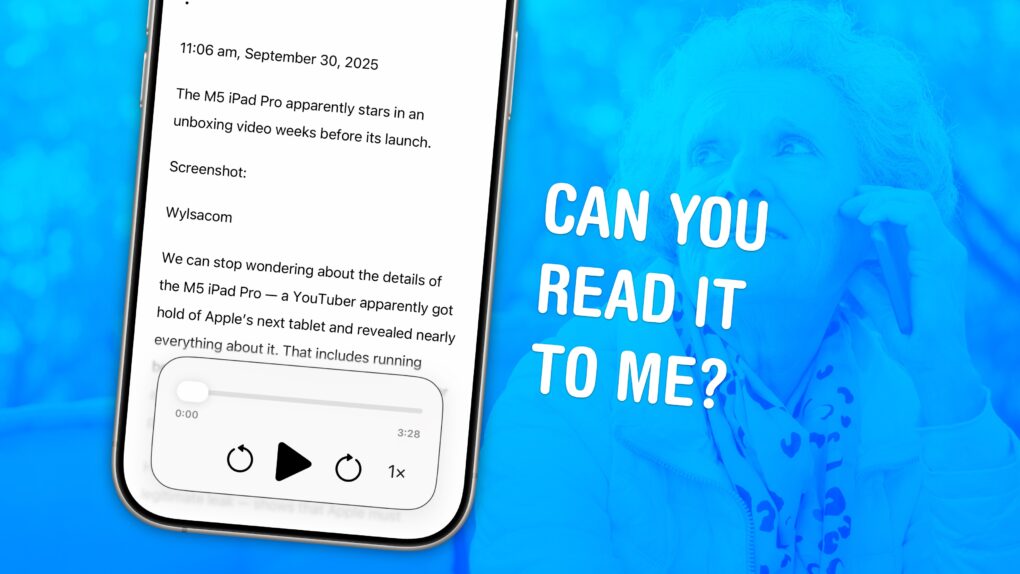
Make your iPhone read text out loud

By

Image of an iPhone with the words
Your iPhone can read text from websites and iMessages (and even words in photos). Here's how to make it happen.
Image: D. Griffin Jones/Cult of Mac

You can have your iPhone read out loud any text on its screen with a useful accessibility feature called Accessibility Reader. Apple designed this feature for people who have trouble reading small text, but you will find it handy even if you don’t — in lots of situations.

For instance, your iPhone can read recipes aloud while your hands are busy cooking. Or you can quickly hear how to pronounce a word you don’t know — that’s what I use Accessibility Reader for most often. You can even hear what you’re typing as you write.

The potential applications for everyday use are incredibly broad. Here’s how to use Accessibility Reader and all of the iPhone’s Read & Speak features. 

Price drop: This app lets you swipe left to delete unwanted iPhone photos

By

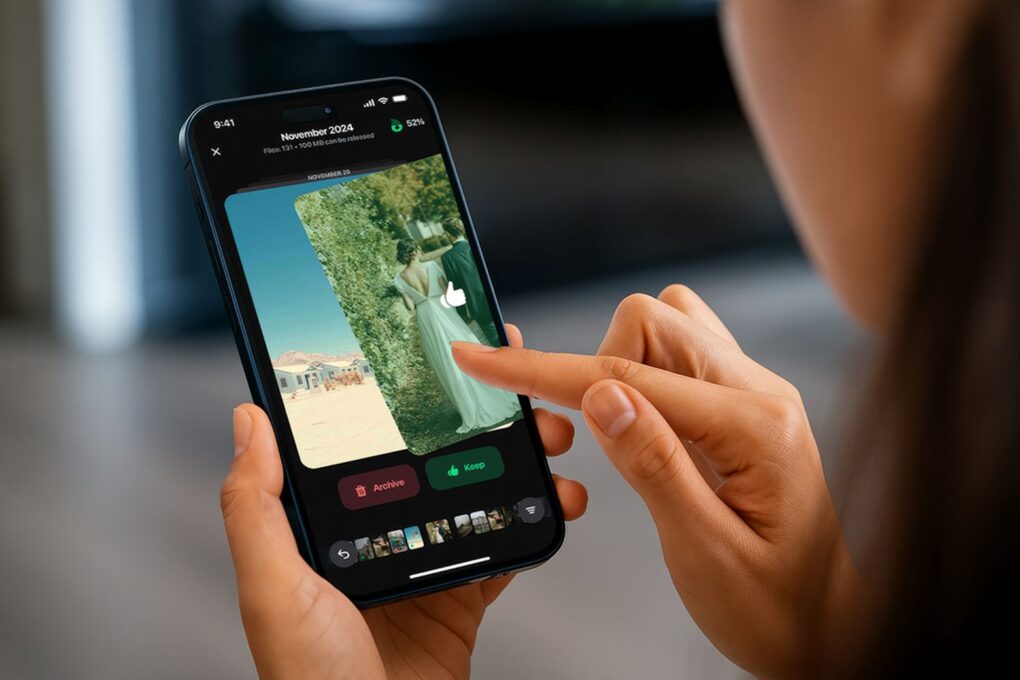
Swiping through photos on an iPhone.
Save 71% on this decluttering app for iPhones!
Photo: Cult of Mac Deals

Delete unwanted iPhone photos the easy way with Cleaner Kit, the app that’s going viral on TikTok for making it fun to free up storage space on your device. It lets you swipe through photos like a Tinder feed so you can trash the ones you don’t want to keep.

But that’s not all. It also lets you clean up your email, merge duplicate contacts and more. Similar iPhone storage cleaner apps charge outrageous subscription fees. But Cleaner Kit offers a lifetime subscription for just $24.99 with code SAVE5 — a massive discount off the MSRP of $104.97.

Audio experts blind-test 6 premium headphones — you won’t believe which pair wins

By

Cheapest pair wins in blind test of 6 premium headphones
When the blindfold goes on, brand perception slips considerably.
Photo: ChatGPT

When stripped of branding, features and design, how do premium headphones actually sound? Wired put this question to the test by having audio pros blind-test six popular over-ear headphones.

The results not only shocked the panelists, they validated one of my favorite pairs of “budget” headphones. They won the test, coming out above top contenders from the likes of Sony, Bose and, yes, Apple. 

Early unboxing video leaks M5 iPad Pro (and blistering benchmarks)

By

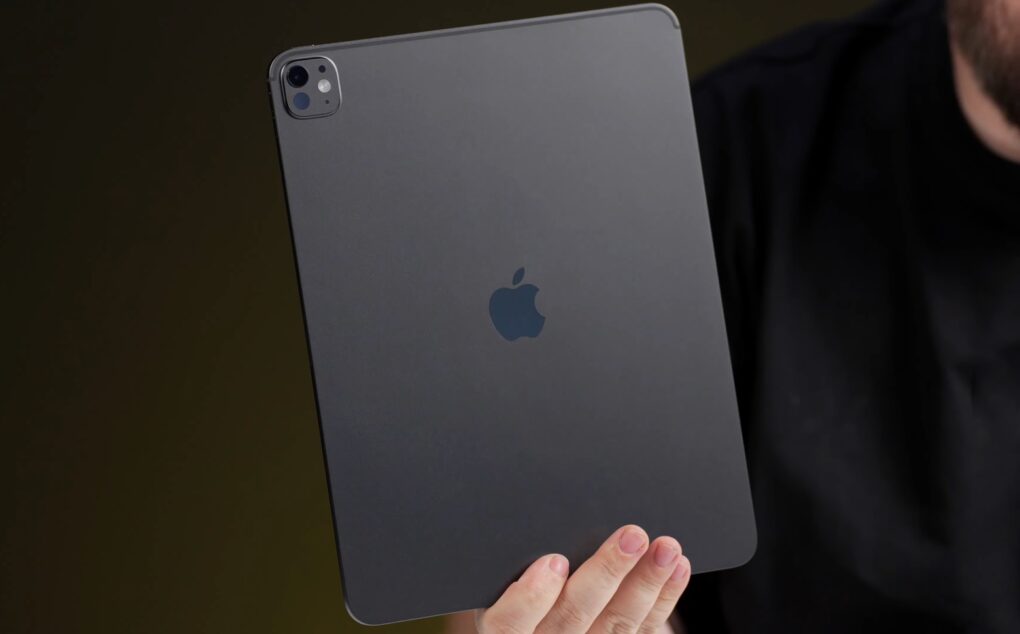
M5 iPad Pro unboxing
The M5 iPad Pro apparently stars in an unboxing video weeks before its launch.
Screenshot: Wylsacom

We can stop wondering about the details of the M5 iPad Pro — a YouTuber apparently got hold of Apple’s next tablet and revealed nearly everything about it. That includes running benchmark tests on the unreleased processor and finding a huge jump in graphics performance.

His time with the tablet — assuming this is a legitimate leak — shows that Apple must consider the previous M4 iPad Pro to be an excellent device because all that changed seems to be the newer, faster M5 processor.

Today in Apple history: Macs get that iSyncing feeling

By

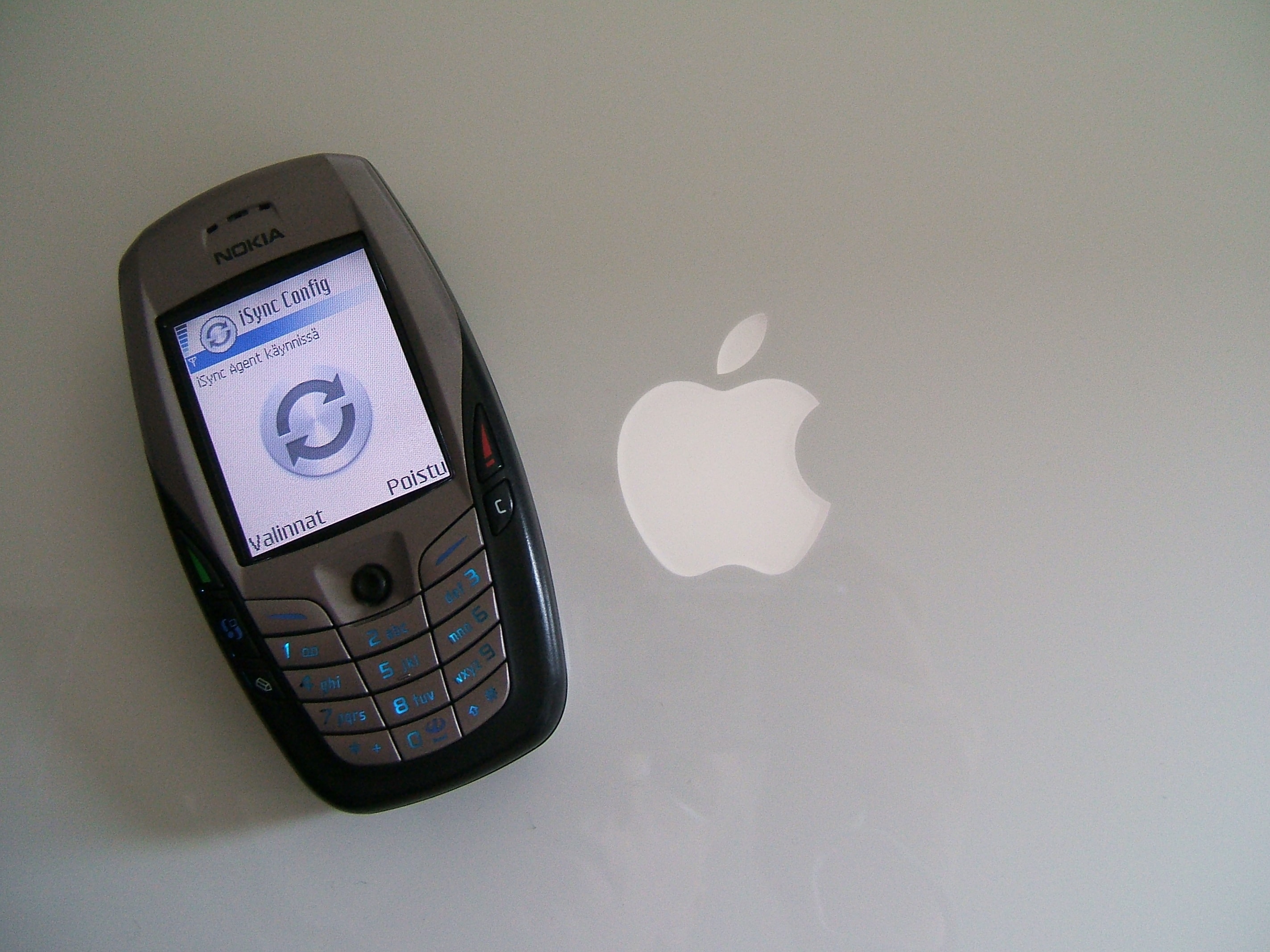
Today in Apple history: Macs get that syncing feeling as Apple launches iSync. It was a killer app for its time.
iSync let Macs sync with a variety of other devices.
Photo: Juska Wendland/Flickr CC

September 30: Today in Apple history: Apple introduces iSync, letting Macs sync to cellphones and iPods September 30, 2002: Apple introduces iSync, a tool that lets Mac users synchronize their address books and calendars with their cellphones, iPods and Palm OS-compatible handheld organizers via Bluetooth.

“iSync is the beginning of something really big,” Apple CEO Steve Jobs says in a press release announcing the iSync public beta. “With the push of a button, iSync synchronizes the address book and calendar on your Mac with those on your mobile phone.”

It represents a big leap forward in the ability of computers and mobile devices to talk with one another. And it hints at some of Apple’s later advances.

Digital driver’s license access grows, with North Dakota joining 10 other states

By

North Dakota drivers license
Put your North Dakota driver’s license on your iPhone today.
Image: North Dakota DOT

North Dakota became the latest state to let residents add a digital version of their driver’s license to their iPhone and Apple Watch. After recent additions, a total of 12 states or territories now support digital IDs.

Currently, digital IDs are most useful for travelers, as they’re widely accepted at Transportation Security Administration security checkpoints.

Compact new Powerbeats Fit earbuds add comfort and durability

By

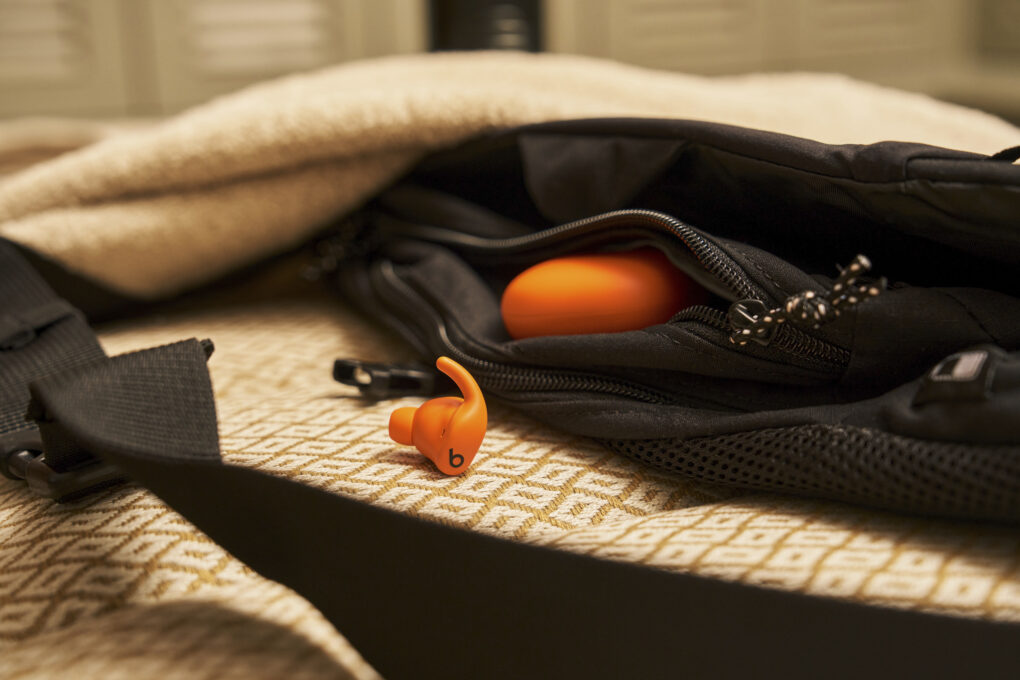
Beats Powerbeats Fit earbuds
Powerbeats Fit showing in orange.
Photo: Beats

Beats launched Powerbeats Fit earbuds on Tuesday, bringing a new design to the company’s sports-oriented audio devices. The new earbuds are the successors to the popular Beats Fit Pro earbuds.

The redesigned model brings enhanced comfort, improved durability and a more compact design while maintaining its predecessor’s $199.99 price point, Beats said. 

“Reintroducing Beats Fit Pro as Powerbeats Fit — alongside Powerbeats Pro 2 — unifies our lineup under a name synonymous with athletic performance and gives customers a clearer choice between two distinct, fitness-first form factors,” said Oliver Schusser, Apple’s vice president of Music, Sports and Beats. “Powerbeats Fit combines the best of Beats Fit Pro with next-level comfort, durability, and portability — making it a worthy addition to the Powerbeats family.”

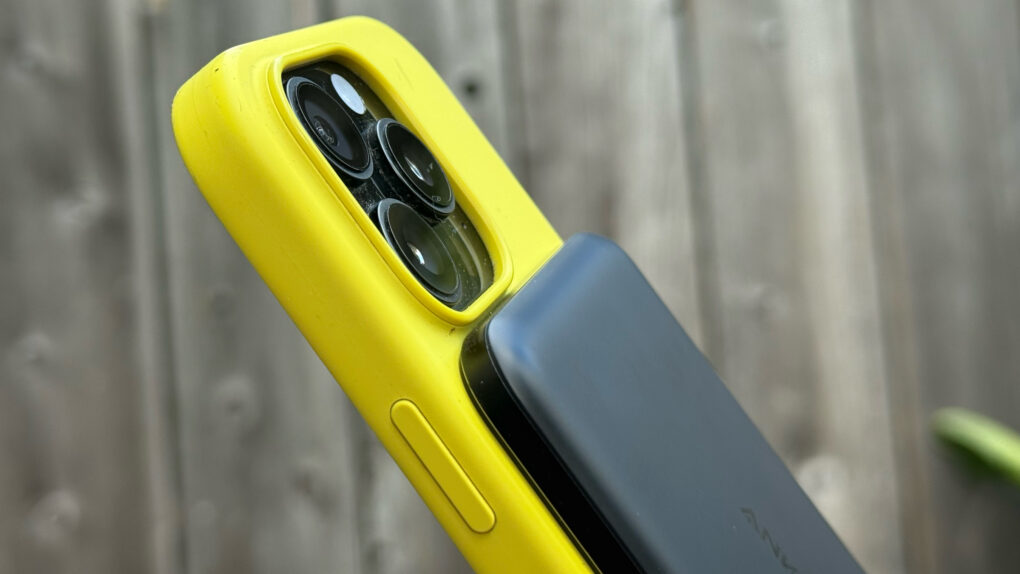
Anker’s Nano Power Bank is the iPhone battery pack Apple should have made [Review] ★★★★★

By

Photo showing Anker Nano Power Bank on back of iPhone 16 Pro in bright yellow silicone case★★★★★
Anker's slender new power bank can give your iPhone the battery boost it needs.
Photo: Lewis Wallace/Cult of Mac

With the Anker Nano Power Bank (5K, MagGo, Slim), thin is definitely in. Measuring just 0.34 inches deep, the Qi2 power bank attaches magnetically to MagSafe iPhones and delivers enough juice to get you through a frantic afternoon on the go.

At just 5,000 mAh, it won’t take modern iPhone batteries all the way to 100%. But it will power up a dead iPhone from zero to 20% in a little over 20 minutes. And it does so while attached comfortably to the phone, without the excessive heat generated by some competing power banks.

New Logitech MX Master 4 mouse brings haptic feedback and Actions Ring

By

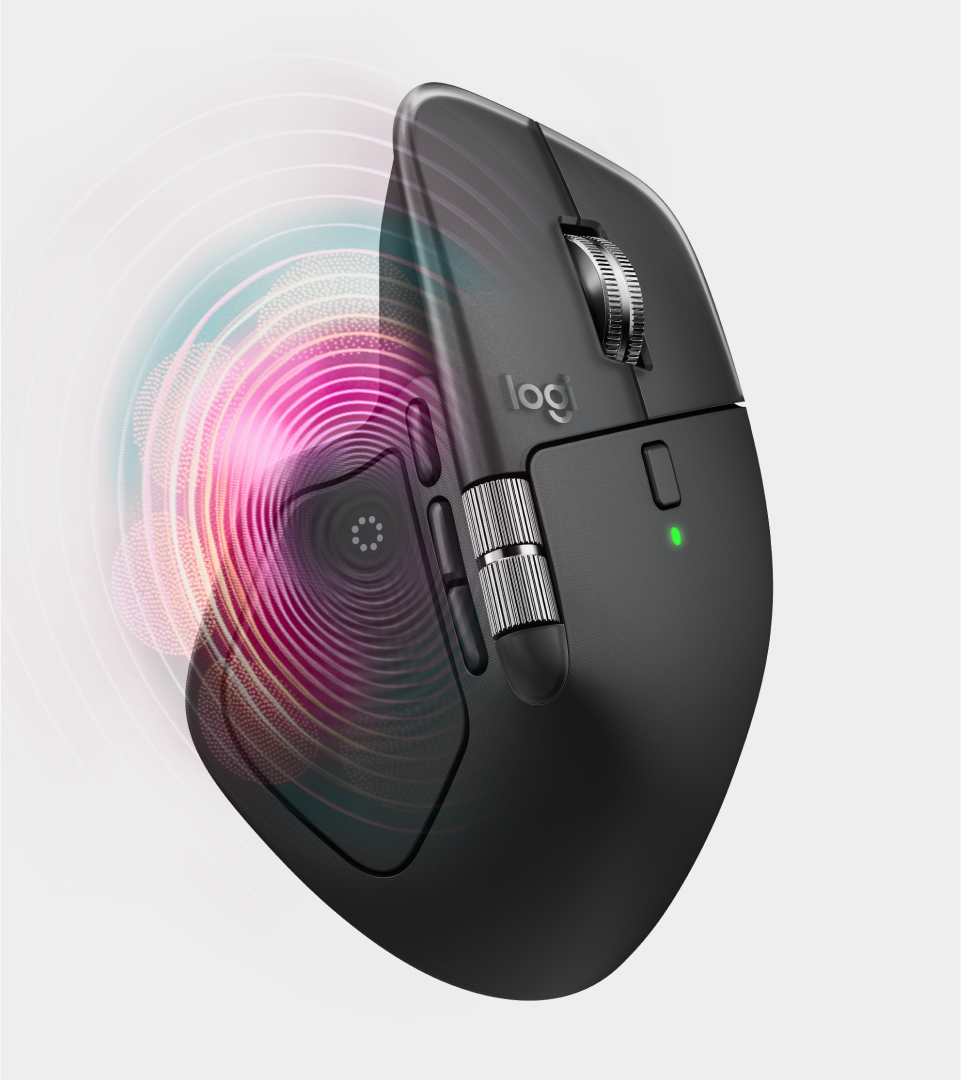
Logitech MX Master 4 wireless mouse
Haptic feedback is a new feature.
Photo: Logitech

The new Logitech MX Master 4 wireless mouse upgrades what many consider to be the best productivity mouse on the market, the popular Logitech MX Master 3/3S. At $119.99, the latest iteration introduces haptic feedback and an innovative Actions Ring overlay designed to streamline workflows for creative professionals, developers and power users across the Mac ecosystem.

This collaboration tool makes it easy to fine-tune images and videos

By

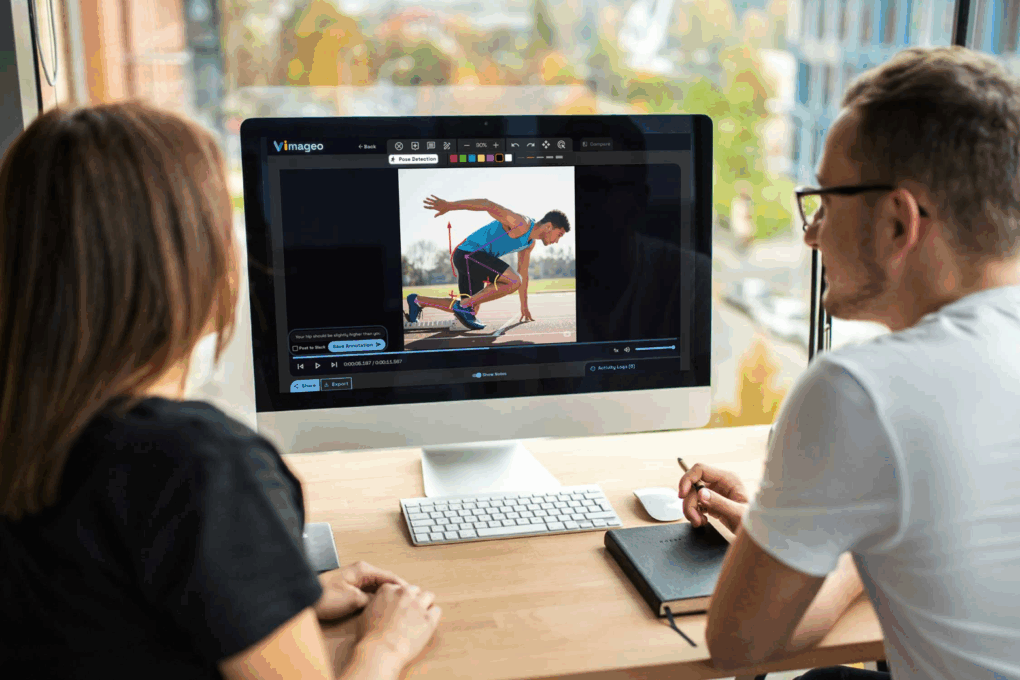
Two people discussing a video on a Mac using the Vimageo image collaboration platform.
Get your team on the same page the easy way with Vimageo.
Photo: Cult of Mac Deals

If you’ve ever tried to gather feedback on a creative project, you already know the nightmare of image collaboration: endless email threads, vague “move this thing over there” notes, and half-baked screenshots that raise more questions than answers. It wastes time, slows down projects, and makes you want to throw your MacBook out the window.

Vimageo can help. This powerful yet easy-to-use platform is built specifically for giving and receiving clear, actionable feedback on videos and images. Instead of piecing together comments from random tools or chasing down clarifications, Vimageo keeps everything in one clean, organized space. And right now, you can secure a lifetime subscription to Vimageo for just $39.99.

Adobe Premiere video editor launches on iPhone

By

Adobe Premiere on iPhone hero image
Precise editing from your phone.
Image: Adobe

Adobe Premiere, the powerful video editing suite used for years on Macs, just arrived on the iPhone. Now you can cut together your next video using Premiere’s professional tools, right from your phone.

The Adobe Premiere iPhone app, released Tuesday, offers precision editing, automatic captions, stock music and more.

It doesn’t come with the big price tag of the desktop Adobe suite — in fact, it’s free. You only have to pay if you want access to its Firefly AI features, like its generative sound effects and Image Expand tool.

Premiere is available today for iPhone and iPad from the App Store.

Why Apple should bring back the iPod

By

AI image of a person holding a hypothetical new iPod, with AirPods in their ears.
Everything old could be new again.
Image: ChatGPT

Bring back the iPod! Apple should start manufacturing its dedicated music player again. With iPhones increasingly banned from schools, a simple entertainment device could fill the gap.

That said, creating a new iPod for the streaming era would not be as simple as bringing previous models back to life.

WhatsApp now plays nice with iPhone Live Photos

By

Live Photos WhatsApp
You can now share Live Photos on WhatsApp.
Photo: WhatsApp/Rajesh Pandey/Cult Of Mac

WhatsApp now supports sharing Live Photos. The feature began rolling out a few days ago, and Meta officially confirmed its release in an announcement on September 29.

With this improvement, you can directly share Live Photos with your friends over WhatsApp without converting them into GIFs or videos first.

How to scan QR codes on iPhone: 3 easy ways to get the info you need

By

Image of an iPhone with a QR code and the words
Scan QR codes faster with these tips.
Image: D. Griffin Jones/Cult of Mac

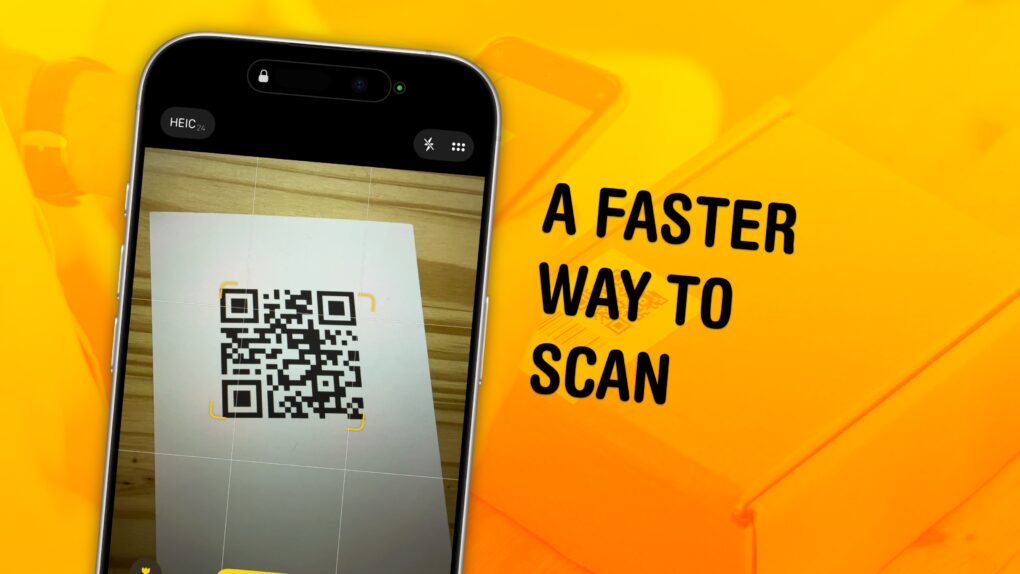
You can scan a QR code directly from your iPhone — you don’t need to download a third-party app to get the information you need. Apple even gives you three ways to do it. You can scan a QR code using your iPhone’s camera, using a shortcut in Control Center, or directly from an image in your Photos library

As QR codes become increasingly prevalent, it’s good to know these methods. If you’re in a restaurant and you want to open the digital menu or join the Wi-Fi network, you don’t want to fiddle with installing a third-party app.

To learn three ways you can scan a QR code using your iPhone, keep reading or watch our short video.

Apple goes on nasty bug hunt with fresh iOS and macOS updates

By

iOS 26.0.1
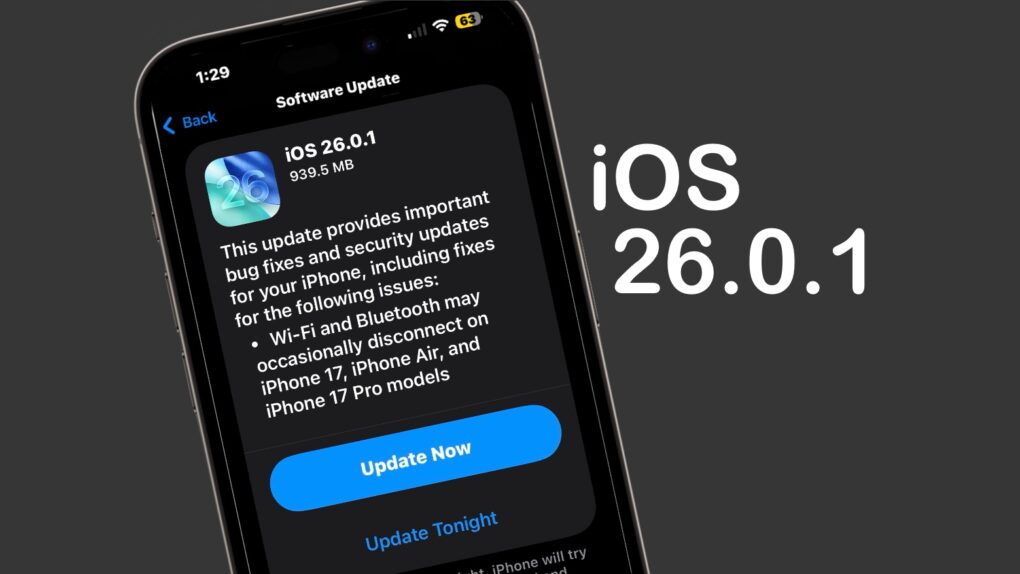
iOS 26.0.1 includes multiple bug fixes for iPhone 17 users.
Image: Cult of Mac

iOS 26.0.1 and macOS Tahoe 26.0.1 launched on Monday, bringing a range of bug fixes to the major operating system upgrades introduced earlier this month. That includes taking care of multiple issues in the new iPhone 17 series — some quite serious. 

In addition, iPadOS 26.0.1, watchOS 26.0.2, tvOS 26.0.1 and visionOS 26.0.1 all went to users on Monday.

Apple Foundation Models framework brings on-device AI to third-party apps

By

Apple Foundation Models framework
Apple’s Foundation Models framework lets developers of apps like SmartGym, Stoic and VLLO create new intelligence features. They can do it by tapping into the on-device large language model at the core of Apple Intelligence.
Photo: Apple

Apple released its Foundation Models framework to developers with iOS 26, iPadOS 26 and macOS 26. It enables third-party apps to tap into the same on-device large language model that powers Apple Intelligence, the iPhone giant said Monday. 

“We’re excited to see developers around the world already bringing privacy-protected intelligence features into their apps,” said Susan Prescott, Apple’s vice president of Worldwide Developer Relations. “The in-app experiences they’re creating are expansive and creative, showing just how much opportunity the Foundation Models framework opens up.”

Today in Apple history: Logic Pro 7 shows Apple is still serious about creatives

By

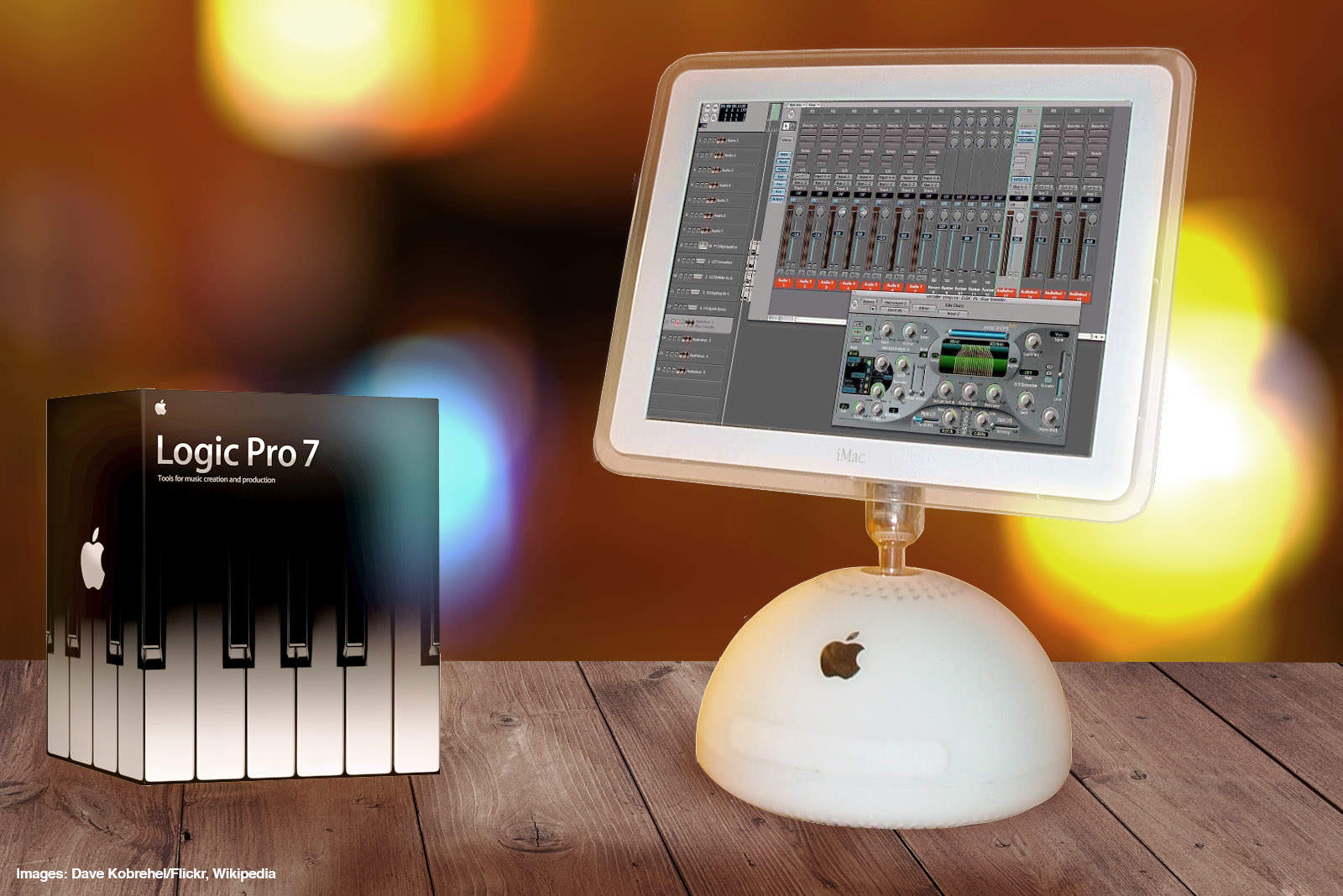
Logic Pro 7 was a great music creation tool for Apple fans.
Photo: Ste Smith/Cult of Mac

September 29: Today in Apple history: Logic Pro 7 launch shows Apple is still serious about creatives September 29, 2004: Apple launches Logic Pro 7, its professional music creation and audio production software. The update brings new tools and a streamlined interface in line with other Apple software.


“From beginners to pros, Apple is broadening the market with a complete line of music creation and production tools,” says Rob Schoeben, Apple’s VP of applications marketing, in a press release. “With Logic Pro 7, we’re taking professional music creation to the next level with the industry’s most advanced feature set for pro audio.”

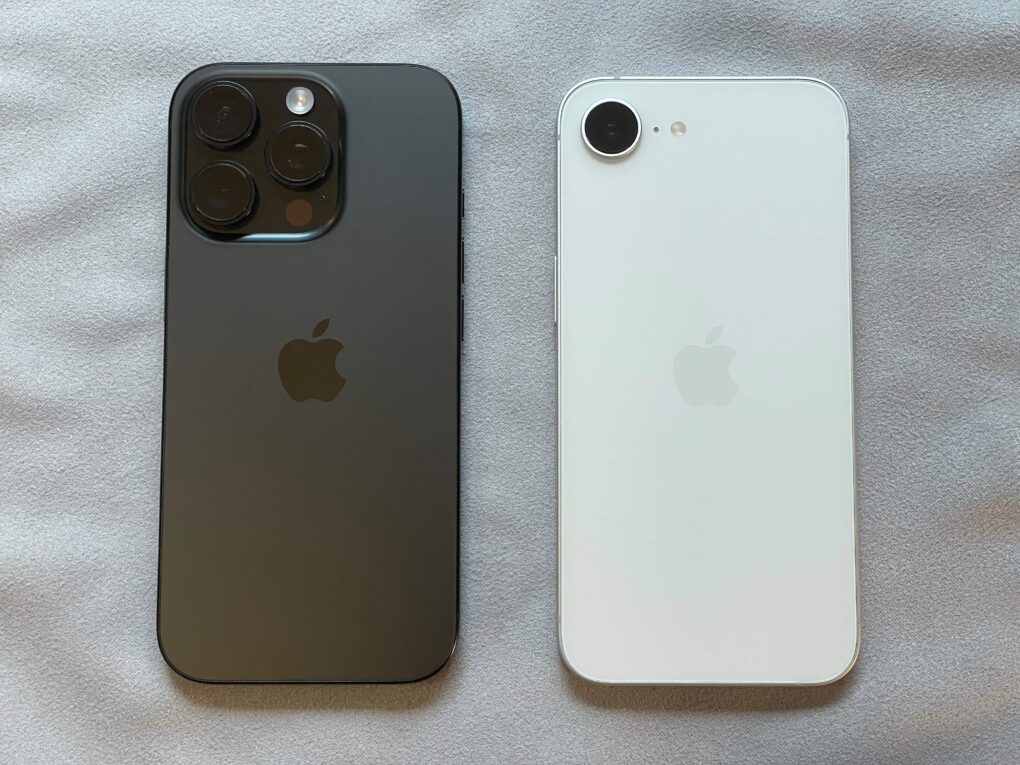
FCC leaks confidential iPhone 16e schematics

By

FCC leaks iPhone 16e schematics
Thanks to the leaked schematics, competitors can find out a lot about iPhone 16e, right, without reverse engineering.
Photo: D. Griffin Jones/Cult of Mac

The Federal Communications Commission appeared to inadvertently expose detailed electrical schematics for Apple’s iPhone 16e, despite the company’s explicit request to keep the documents confidential. The leak, discovered Monday, looks like a breach of the regulatory agency’s confidentiality protocols and could potentially benefit Apple’s competitors.

Bad Bunny will headline Apple Music Super Bowl LX Halftime Show

By

Bad Bunny will headline Apple Music Super Bowl LX Halftime Show
Bad Bunny, Apple Music's 2022 Artist of the Year, will perform at Super Bowl LX.
Photo: Apple Music

Three-time Grammy Award winner Bad Bunny will headline the 2026 Apple Music Super Bowl LX Halftime Show. The game will air on NBC, bringing the Puerto Rican superstar to one of the world’s biggest entertainment stages.

“What I’m feeling goes beyond myself,” Bad Bunny said in a press released issued by the NFL  on Sunday. “It’s for those who came before me and ran countless yards so I could come in and score a touchdown. This is for my people, my culture, and our history. Ve y dile a tu abuela, que seremos el HALFTIME SHOW DEL SUPER BOWL.”

The game will take place at Levi’s Stadium in Santa Clara, California, on February 8, 2026.

Make your iPhone filter out those damn spam texts

By

How to block spam text messages
Your iPhone can save you from text message spam. You just have to ask it to.
Photo: ChatGPT/Cult of Mac

iOS 26 includes an anti-spam feature that can protect you from getting bombarded with text message spam on your iPhone. You just have to activate it.

It’s easy. Here’s what to do to save yourself from the hassle and potential cost of spam texts.

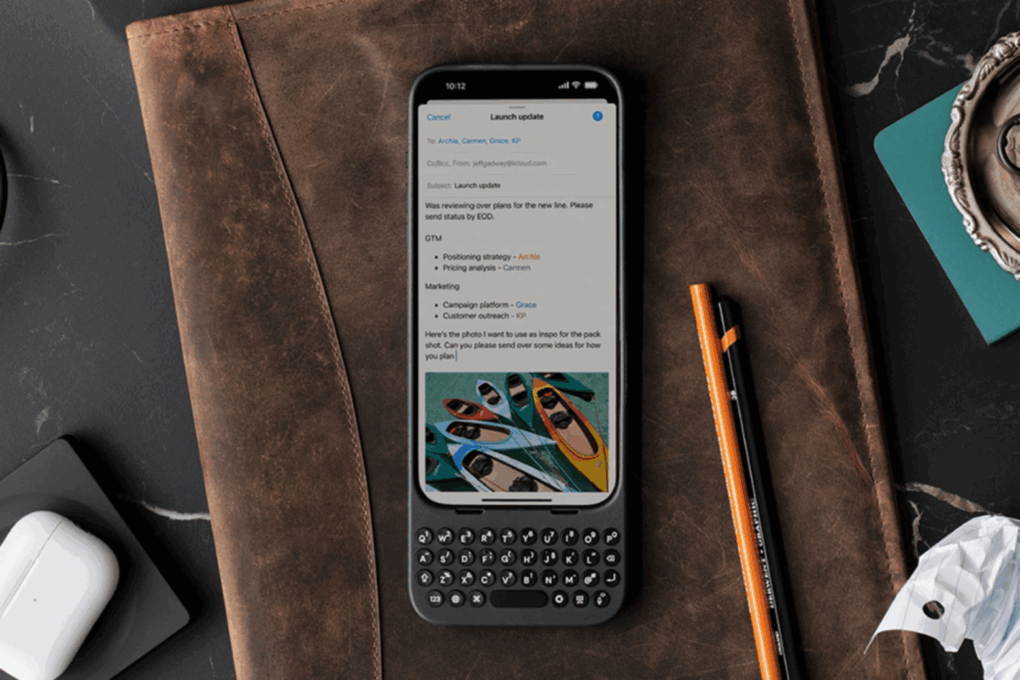
This iPhone keyboard case gives you that BlackBerry feel

By

Photo of an iPhone with Clicks keyboard case on it
Get a 28% discount on this keyboard case for your iPhone.
Photo: Cult of Mac Deals

If you ever wished your iPhone had real buttons, you need to meet Clicks — the premium iPhone keyboard case that blends nostalgia with next-gen design. On sale for just $99, this premium accessory frees up your iPhone screen and lets you type on physical keys like a BlackBerry.

Remember those?!?