It’s easy to make apps avoid the MacBook notch Image: Cult of Mac
If your favorite app doesn’t work well with the screen notch in your MacBook Pro or MacBook Air, there is a solution. Apple created a “Scale to fit below built-in camera” setting that always puts the app into the space below the notch when in full-screen mode.
And it can be set for individual apps. Here’s how.
Four emerging filmmakers find a lot to love in shooting with iPhone 16 Pro Max. Photo: Apple
Four talented Indian filmmakers push creative boundaries, showing how iPhone 16 Pro Max does movies right and demonstrating how Apple’s latest technology democratizes high-quality filmmaking, Apple said Tuesday in a feature story. The emerging auteurs’ work is part of the 2025 MAMI Select: Filmed on iPhone program.
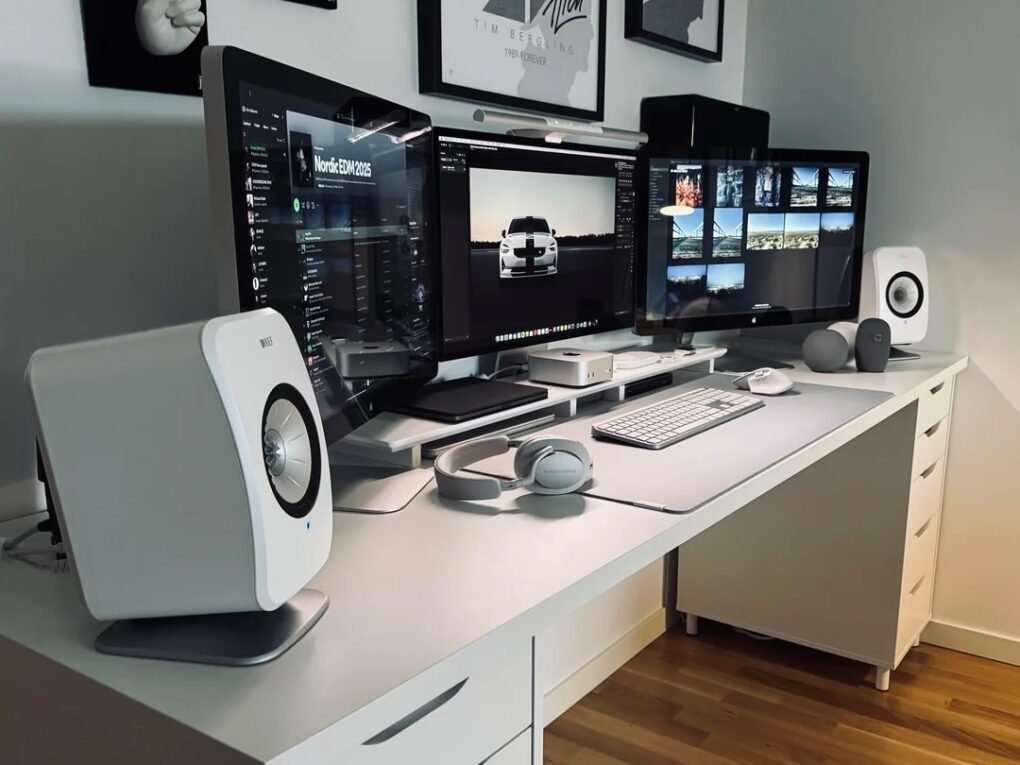
This user loves the color reproduction on their Thunderbolt displays. Photo: [email protected]
Have you ever run multiple displays with different resolutions? Today’s featured Mac mini setup sports older Apple Thunderbolt Displays (2.5K resolution, aka 2560 x 1440p) flanking a newer Studio Display (5K, or 5120 x 2880p). Seems like that might cause a touch of seasickness looking back and forth between them all the time — or maybe a sticky mouse cursor — but it doesn’t bother the user at all. For them, it’s all about the excellent color reproduction across the board.
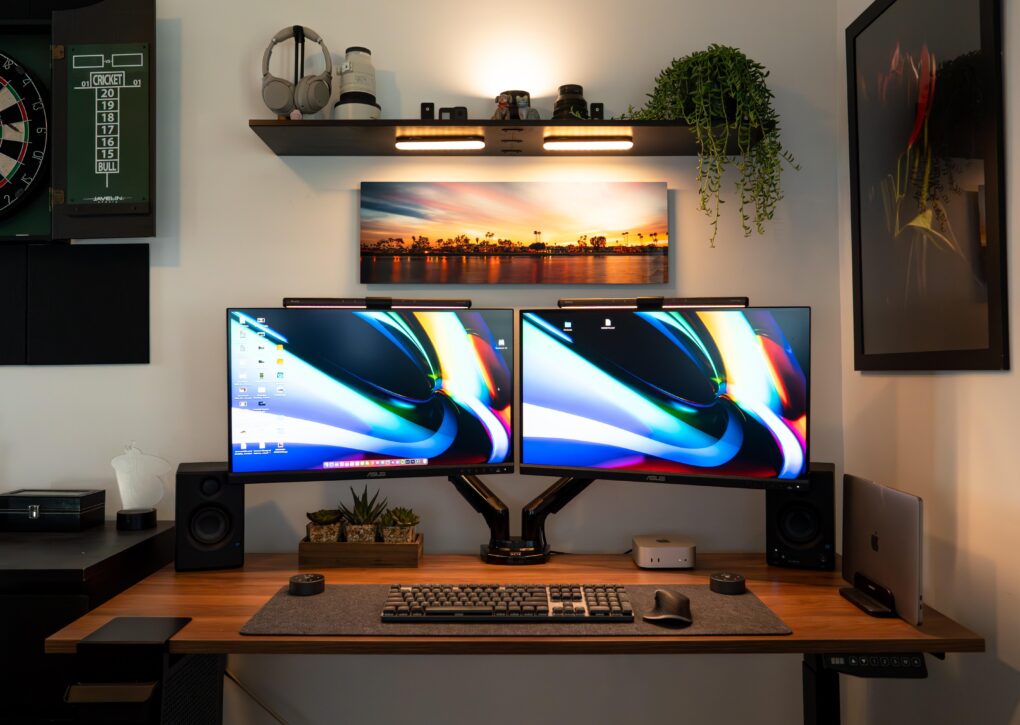
The good-looking and symmetrical setup features a pair of Asus displays nicely mounted on arms. Photo: [email protected]
Few things take a computer setup up a few notches more than a good monitor mount — especially when it features dual arms positioning dual displays well off the desk. Today’s M4 Mac mini setup enjoys a pair of solidly affordable 4K Asus displays mounted on a Huanuo Dual Monitor Stand with two highly adjustable arms for optimal positioning.
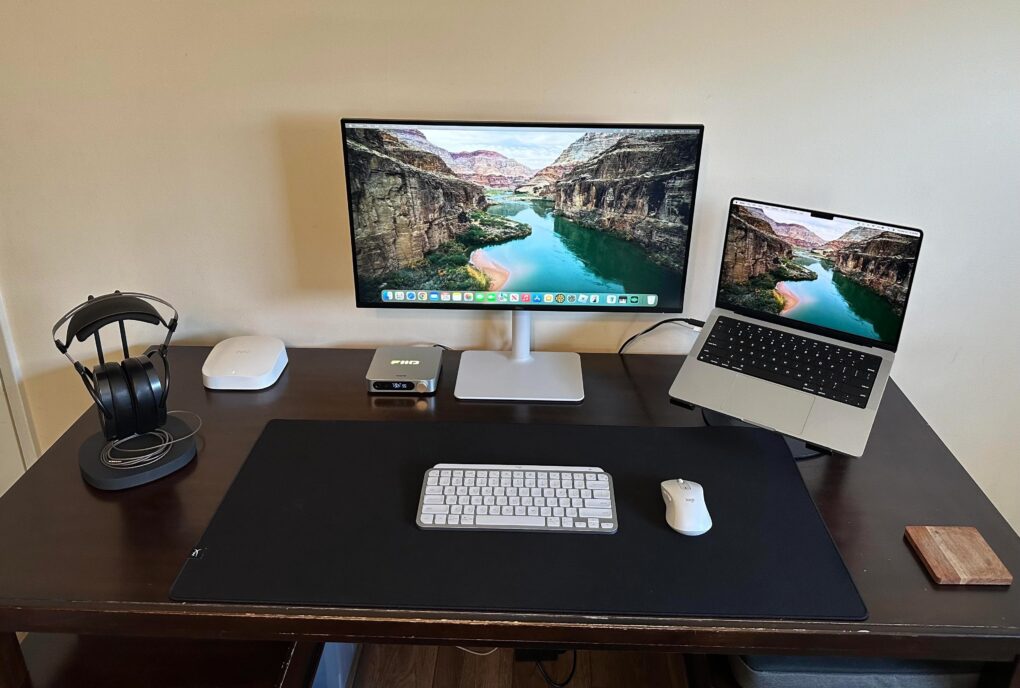
The Dell 4K display is new to this MacBook Pro setup. Photo: [email protected]
This setup is simple but effective. The MacBook Pro workstation user added a Dell display that brings the setup to a whole new level, with a spacious screen sporting 4K resolution visuals.
With the possibility of big price hikes looming, those looking to upgrade might want to act fast. Photo: Apple
President Donald Trump’s newly announced 54% tariff on Chinese imports sent shock waves through the tech industry, with Apple potentially facing billions in additional costs. This raises an urgent question for consumers: Should you rush to buy that new iPhone or MacBook before prices skyrocket?
You might want to accelerate the timing of that upgrade you had in the back of your mind. But those who aren’t desperate to upgrade might benefit from playing the waiting game. See the ins and outs below.
Using a dual laptop stand, this user loves how easy it is to switch between MacBook Pro and MacBook Air with Studio Display. Photo: [email protected]
Hooray for (super-) simple solutions. Today’s MacBook Pro and MacBook Air user runs both laptops with Studio Display. But how does he switch between them? Sure, he could employ cabling and software fixes to run both at once, but in this case simple hardware in the form of a dual vertical laptop stand comes to the rescue.
M5 iPad Pro may only be a few months away from launch. Photo: D. Griffin Jones/Cult of Mac
Apple’s M5-equipped iPad Pros reportedly already entered “late testing” stages inside the company and should go into mass production in the second half of 2025.
And, sticking to its regular upgrade cycle, Apple also will refresh the MacBook Pro lineup with the M5 chip later this year.
Get a refurbished MacBook Pro with Touch Bar at almost half tag price! Photo: Cult of Mac Deals
This MacBook Pro refurb is a great way to get a high-end machine with insane battery life on the cheap.
For just $550 (nearly half off) you get a 13-inch M1 MacBook Pro for $100 less than Walmart is selling a brand-new M1 MacBook Air.
These machines are almost identical except the Pro has an internal CPU fan that allows the M1 chip to perform at its maximum.
“You’re getting the same computer with a better cooling system for sustained performance for $100 less, so it’s a steal,” said Cult of Mac writer D Griffin Jones in our internal Slack.
Plus, this MacBook Pro boasts the infamous Touch Bar (which some people love) plus an extra high-performance Thunderbolt 4 port.
It's not like it's an incomplete setup, either. Photo: [email protected]
Today’s MacBook Pro setup so excels at saving space it fits more into its little nook under a staircase than many people, including me, fit in setups without that constraint. In addition to the usual, they’ve even got multiple game systems, two printers and a book collection in there. And the user still rocks a version of my previous laptop, the great M1 Pro MacBook Pro. No doubt it’s still good for a few more years.
Apple deals abound in Amazon's Big Spring Sale through March 31. Photo: Amazon
Amazon is famous for its Prime Day and Black Friday deals, but it also runs the Amazon Big Spring Sale, on now. It ends Monday, March 31, unless extended. That wouldn’t be too surprising, given that the mega retailer often extends its sales. So it’s another chance for you to score savings on all sorts of Apple gear, including MacBook Pro, MacBook Air, Mac mini, iPad Pro, iPad Air, Apple Watch, AirPods Pro 2 and more. Click on our posts to all the best deals, below.
★★★★☆
The Alogic Roam 21000mAh Power Bank keeps your gadgets going on the go. Photo: David Snow/Cult of Mac
Anyone who constantly moves around with multiple devices knows finding a reliable power bank for laptop charging can be a challenge. After more than a week of using the new Alogic Roam 21,000mAh Power Bank, I’m ready to share my hands-on experience with the premium charger. Is it worth the investment? Yes. Let’s dive in, and I’ll tell you why.
This mechanical keyboard for gaming will run you only about $40. Photo: Newmen
For people who have only used membrane keyboards in office and at home, whether Magic Keyboard or similar wares from the likes of Logitech, mechanical keyboards can be a tempting world to check out — especially for gamers (because mechanical keystrokes hit at the same time won’t cancel each other out). And mech-keeb customization can be fun. But where to start? Today’s MacBook Pro and gaming PC setup puts forward an excellent candidate for an affordable mechanical keyboard.
He said he and his wife are rarely in the setups room at the same time. Coincidence? Maybe. Photo: [email protected]
In my setups coverage across social media, I see plenty more man caves and she sheds for solitary dwelling than dual setups meant for spouses working side by side. No surprise there, right? And yet dual setups for couples pop up occasionally, like today’s double workstation with 2 MacBooks.
This setup uses and inexpensive KVM switch and Thunderbolt 3 dock to switch between MacBook Pro and gaming PC. Photo: [email protected]
In a world where people love their Macs for some uses and their PCs for others — especially gaming — a setup KVM switch comes in mighty handy. That’s because it lets you easily switch between Mac and PC using the same peripherals, like keyboard, video (displays) and mouse. That spells K-V-M.
Now I'm ready to record, podcast and sound better on calls. Photo: David Snow/Cult of Mac
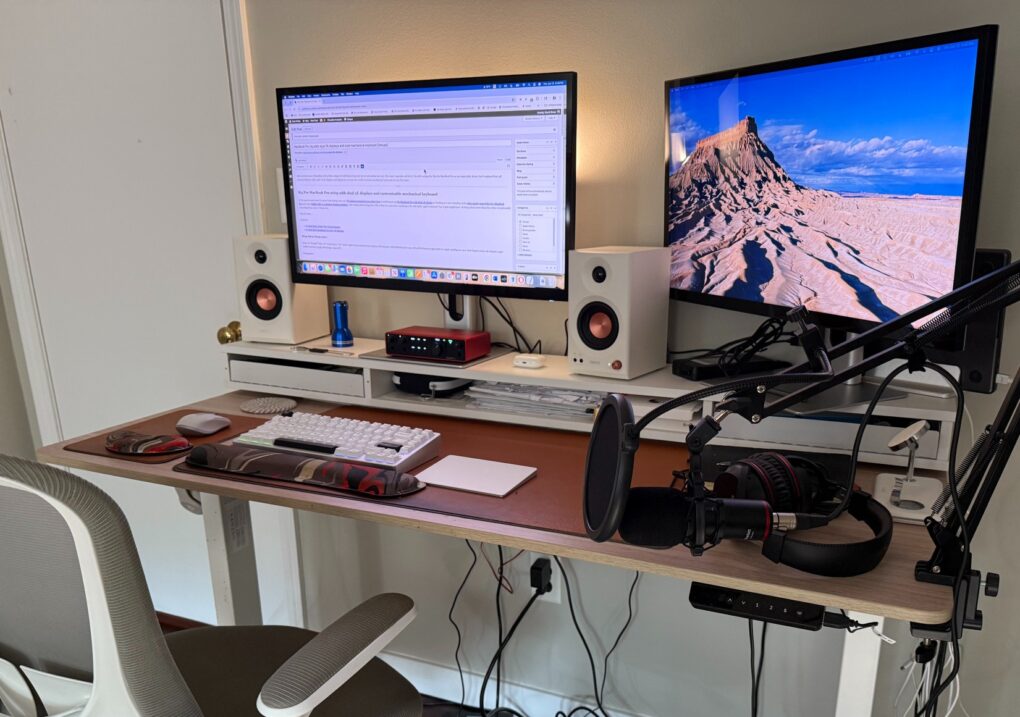
After finally incorporating a proper pair of speakers into my evolving MacBook Pro setup in late 2024 — following years of writing Cult of Mac setups articles, often with a focus on high-quality audio gear I shamelessly envied — I just upped my rig’s audio ante again. And this time it’s mainly from the input perspective. I added a new Focusrite Scarlett 2i2 audio interface, a condenser microphone mounted on an arm and, ridiculously, two more pairs of over-ear headphones (I already have too many cans and earbuds).
If you miss the Touch Bar and don't care about Apple Intelligence, you're in luck. Photo: Cult of Mac Deals
The only thing standing between most people and their first MacBook Pro (or a much-needed upgrade) is the price. But have you ever thought about grabbing a refurbished MacBook? We only sell ones verified to be in like-new, fully working condition. Take, for instance, this 16-inch refurbished MacBook Pro from 2019 that features the now-discontinued Touch Bar.
It's a beautiful computer setup full of beautiful audio gear. Photo: [email protected]
A physically beautiful computer setup is a wonder to behold. And one loaded with primo audio gear truly turns me green with envy. So today’s PC setup with desktop and laptop machines got my attention both for its aesthetic and the fact that it sports a raft of cool components. They include a very useful item I’ve never seen before: a WiiM Ultra Music Streamer and Digital Preamp.
That's an LG smart TV as a main display. To the right of it is a converted iPad HDMI display and a Beelink Mini PC in a 3D-printed housing with a 7-inch touchscreen. Photo: [email protected]
When does a computer setup have everything? Never, really. Each one is a perpetual work in progress. But today’s fine example claims to have everything and it actually comes pretty close in some ways. It features MacBook Pro, MacBook Air, Beelink Mini PC with external touchscreen, gaming PC, big smart TV external display and an original iPad used as an HDMI display. And the other gaming-centric peripherals and knickknacks in the picture are pretty cool, too.
The user loves using his M4 Mac mini with the Samsung ultra-wide 4K display. Photo: [email protected]
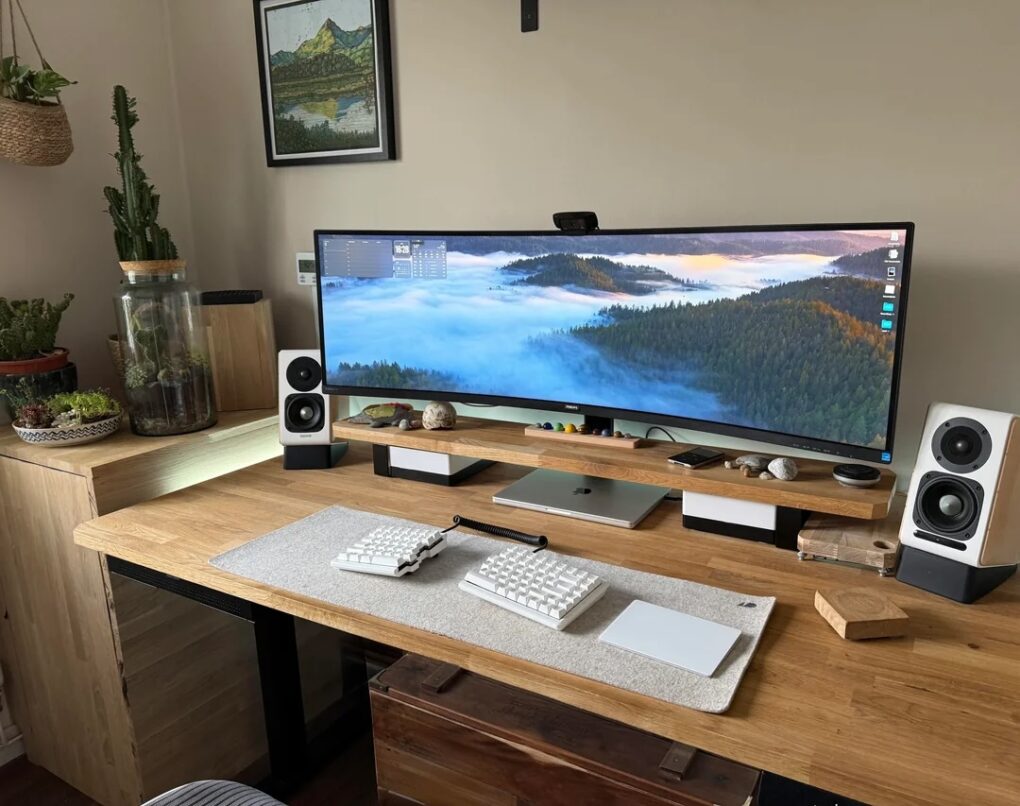
In the world of computer setups, I see lots of people with two displays, loads of people with one ultra-wide display and tons of people arguing over which is best. Today’s M4 Mac mini user loves his Samsung ultra-wide monitor, which is one I haven’t seen often. But it looks like a keeper for both Mac and PC setups. And it’s deeply discounted right now.
Say what you want about high-quality wired headphones and earbuds. This user finds AirPods Pro 2 irresistibly convenient. Photo: David Snow/Cult of Mac
In a face-off like wireless earbuds vs. wired earbuds and headphones, most self-described audiophiles will insist wired wins. But Bluetooth headphones and earbuds have come a long way in recent years in terms of solid audio quality and reliable connectivity. That’s a big part of the reason why today’s featured MacBook Pro setup user chooses AirPods Pro 2 almost all of the time, despite owning excellent wired headphones and in-ear monitors. It really just comes down to convenience.
Which do you want more, that OLED smart TV display or the wallpaper on it? Photo: [email protected]
Everybody loves a big, beautiful external display in a computer setup — and this LG OLED TV monitor is a great way to go. Today’s setup is built around a 42-inch LG OLED TV plugged into a MacBook Pro.
Also: See if you can guess what the cool-looking desktop wallpaper showing on the display pictures. Answer below.
You've got to see Apple's AI-powered robotic lamp in action! Image: Apple/Cult of Mac
This week on Cult of Mac’s podcast: Our first glimpse at Apple’s AI-powered robotic lamp makes us giddy with hope for the secret iPad-on-a-stick project we’ve been skeptical about in the past. The surprisingly lifelike Apple robo-lamp looks just like Pixar’s Luxo Jr. How cute is that?!?
Join us for the conversation about the future of Apple robotics. (We really want the lamp.)
Also on The CultCast:
Apple’s M5 chip is coming soon. How good will it be? And what product will it appear in first?
Griffin tells us all about Apple’s new Invites app, which makes party planning simple and elegant.
Erfon provides an update on his recent MacBook Pro and iPad Pro purchases. The 14-day return window is about to slam shut — and he’s not sure he’s keeping either of them! He explains why.
We weren’t sure we could top the Andy Warhol banana iPhone case, but Zugu’s iPad case with a built-in dead man’s switch is right up there on the “crazy products we love” list.
Listen to this week’s episode of The CultCast in the Podcasts app or your favorite podcast app. (Be sure to subscribe and leave us a review if you like it!) Or watch the video live stream, embedded below.
A pair of of these wireless speakers will typically blow away speakers built into setup gear like laptop or monitor speakers. Photo: Edifier
If you don’t have big bucks to spend on high-end, audiophile-worthy speakers and headphones to use in your computer setup, you can’t really go wrong with uber-affordable Edifier audio gear. Today’s featured M2 MacBook Pro setup — an exotic entry from Nepal, no less — keeps the tunes flowing through a nice set of Edifier bookshelf speakers and a comfortable pair of over-ear noise-canceling headphones. They simply get the job done well — without breaking the bank.