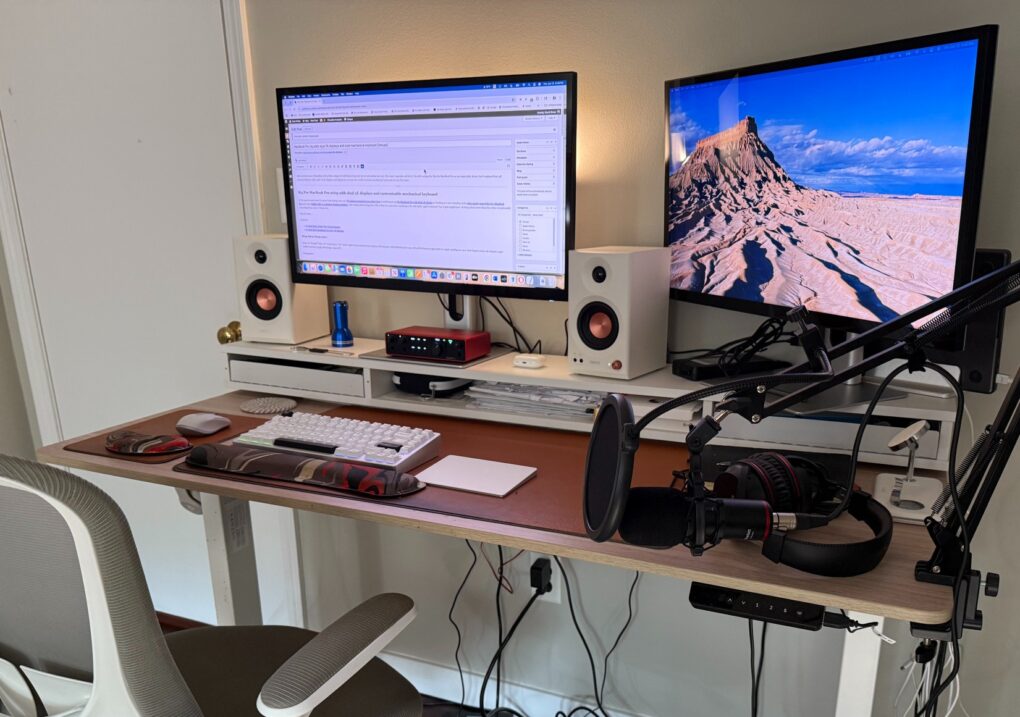
After several years of covering the Cult of Mac setups beat, I still rarely write about my own. But major new upgrades call for it. Since a spate of recent changes, I’m still rocking the M4 Pro MacBook Pro as my main daily driver. But I replaced dual 4K external displays with a pair of 5K touchscreen displays. And I dipped my toe into the world of serious mechanical keyboards for the first time.
M4 Pro MacBook Pro setup adds dual 5K displays and customizable mechanical keyboard
Alogic's innovative new Studio Display competitor combines 5K resolution with touchscreen functionality. Also includes USB-C power delivery and a highly adjustable stand.
- Super clear 5K resolution
- 10-point multitouch screen
- Adjustable stand included
- Unremarkable speakers
- No Thunderbolt port

In the past several years I’ve gone from typing away on a PC laptop propped up on a dusty box to switching to an M1 MacBook Pro with dual 4K display to landing at a new standing desk with a nicely-spec’d M4 Pro MacBook Pro and a pair Edifier MR3 2.0 Monitor desktop speakers. Has writing about setups for Cult of Mac for years had anything to do with that fairly rapid evolution? Yes, it just might have. Writing about more than 600 other exceptionally cool setups has a way of doing that to a person.
Now my standing-desk workstation adds a pair of high-resolution displays from Australia and a very solid mechanical keyboard from an up-and-coming company with operations in the Netherlands, Taiwan and China. With 5K displays like Apple’s Studio Display and highly customizable mechanical keebs becoming more popular by the minute, I don’t want to find myself left behind, do I?
Dual 5K displays: Alogic Clarity 5K Touch Monitor
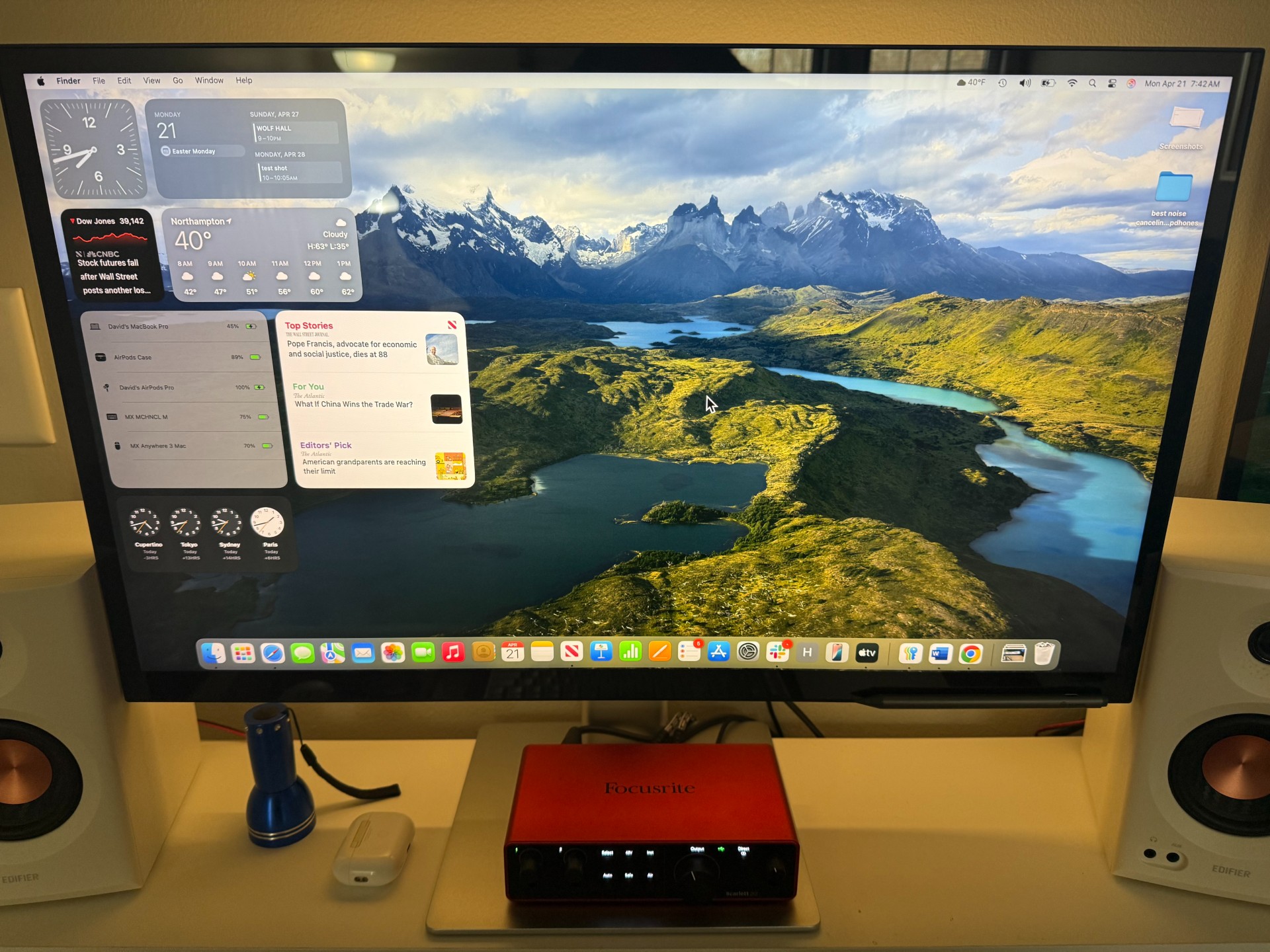
Photo: David Snow/Cult of Mac
I replaced a pair of 27-inch 4K displays — an Alogic Clarity Pro 4K Touch Monitor and a Dell UltraSharp U2720Q 4K Monitor — with two 27-inch 5K displays. They’re both Alogic Clarity Pro 5K Touch Monitors.
Why make the move? I love the clarity of 5K resolution but, like pretty much everyone, I find the 5K Studio Display pricey and the 6K Pro Display XDR totally out of reach. I like the idea of using my displays as touchscreens, though I haven’t yet formed the habit (but I have the appropriate stylus!). Two 27-inch monitors feels like a sweet spot, workflow-wise. And I gave Alogic’s version 5 stars in a review I wrote. The display is excellent and I feel a bit more future-proofed than I did at 4K.
By the way, the difference in resolution between the two sets is 3840 x 2160 pixels at 4K, often referred to as ultra high definition (UHD), and 5120 x 2880 pixels at 5K, sometimes referred to as UHD+.
And an unexpected consequence of the switch came up when my monitor light wouldn’t perch on the new displays. But when it fell behind a display and landed upside down on the stand, it proved itself a serviceable backlight, illuminating the wall behind the displays. That works out OK, especially because my standing desk features a light under the desk shelf that can brighten the desktop a bit.
Wobkey Rainy 75 mechanical keyboard
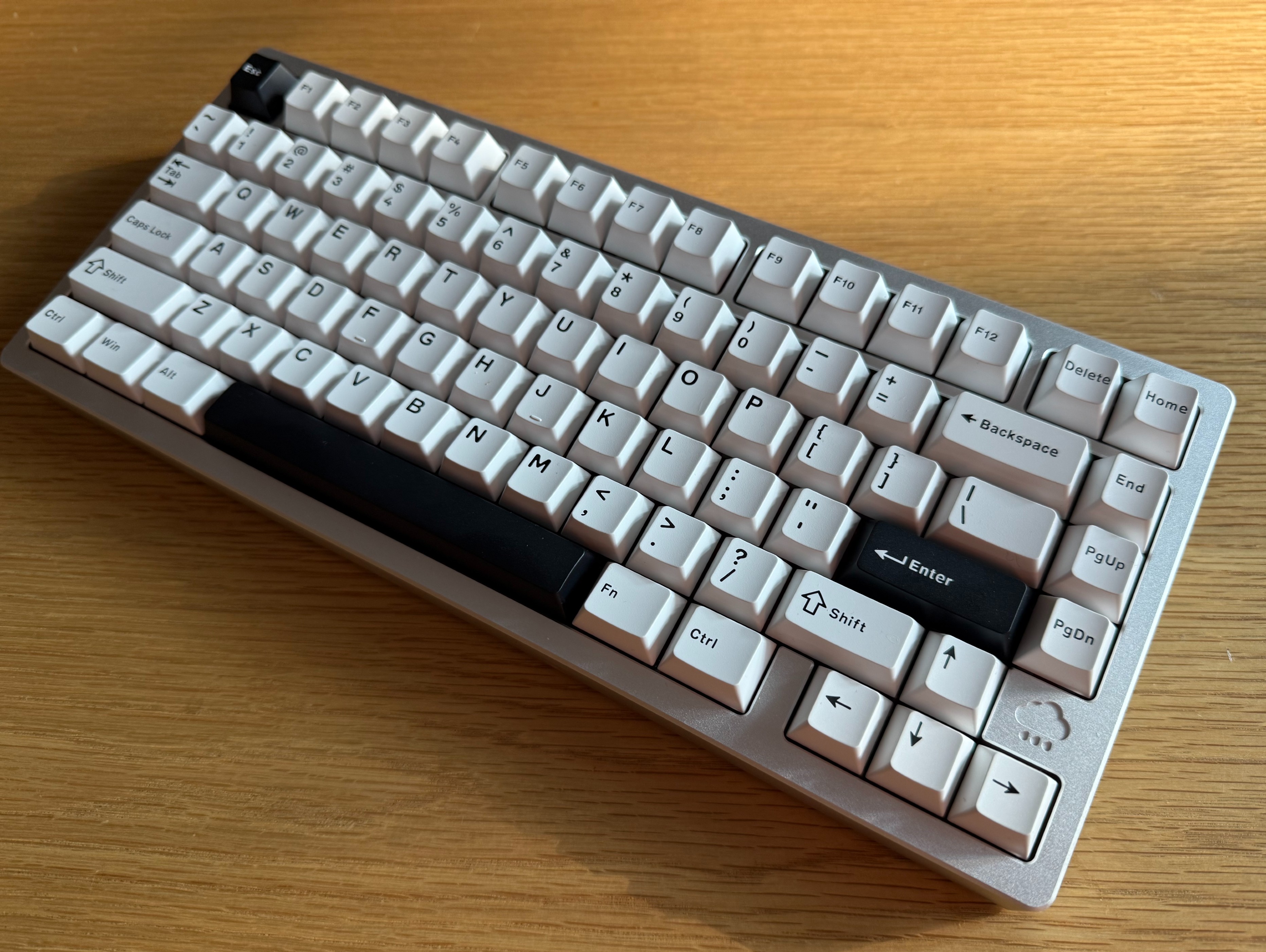
Photo: David Snow/Cult of Mac
My other addition takes the form of a Wobkey Rainy 75 Silver Pro Mechanical Keyboard. It’s another review item, highly recommended despite a few quirks. It looks like it’ll put my trusty and well-worn Logitech MX Mechanical Mini for Mac on the bench for now. The Mini’s good, but it can’t touch the Rainy for solid build quality or typing feel. And the Mini’s battery needs recharging often at this point, unless I simply switch to using it wired most of the time.
And in addition to serving as a backup for the Rainy, the Mini could be a go-to travel mate. It’s a little smaller, features low-profile keys and weighs much, much less than the super-robust Rainy, which weights just under 4.5 pounds. When I work away from home, I’ve sometimes chucked the Mini in my luggage along with my MacBook Pro and my Logitech MX Anywhere 3 wireless mouse.
Shop these items now:
This Mac, Windows and Linux-compatible CNC aluminum mechanical keeb feels solid and sturdy and offers great typing sounds. It features triple-mode connectivity, RGB lighting and VIA/QMK customization.
- Solid build quality, premium feel and sound
- 3 connectivity modes
- Customizable (RGB lighting and key mapping)
- It's hefty; not very portable
- VIA/QMK customization can be tricky
- No Mac keycaps

Computer:
Displays and monitor light:
Input devices:
Wrist rests, desk mat, mouse pad:
Audio:
- Edifier MR3 2.0 Monitor Speaker System
- Beats Studio Pro over-ear headphones
- AirPods Pro (2nd generation)
Furniture and charger:
- Silybon Ergonomic Office Chair
- Fezibo Electric Standing Desk and Monitor Stand
- Journey Nova 3-in-1 Wireless Charging Station
If you would like to see your setup featured on Cult of Mac, send some high-res pictures to [email protected] (landscape-oriented iPhone pics usually work fine). Please provide a detailed list of your equipment. Tell us what you like or dislike about your setup, and fill us in on any special touches or challenges.

David Snow, an expert on Apple hardware and software, writes on a variety of technological and cultural topics for Cult of Mac. They include Apple news, technology buying guides, and features about computer setups and Apple TV shows and movies.
With 30 years of experience covering technology and other subjects, he has written and edited for numerous print and online publications, including CMP Media, TechTV.com, CNET, Wired News, Red Herring magazine, Law.com, The National Law Journal and Law Technology News magazine. Among other roles, he served as executive editor of the Law.com network of websites and editorial director, technology, for ALM Media.
Snow graduated with a B.A. from Syracuse University with majors in magazine journalism and psychology. While there, he worked as a reporter for The Daily Orange newspaper and associate editor of Equal Time magazine.
Founder of the blog At the Waterline, he can be reached on X (formerly Twitter) via @atthewaterline and on Mastodon via @dsnow.

