Mobile menu toggle

iPhone - page 322

Hotel Trades Landlines For iPhones – A Transition That Could Be Easier Than You’d Expect

By •

Vancouver hotel ditches traditional phones for iPhones - a process that may be easier than you'd expect.
Vancouver hotel ditches traditional phones for iPhones - a process that may be easier than you'd think.

The Opus hotel in Vancouver made a somewhat shocking announcement last week. The hotel was ripping the landline phones out of its rooms and replacing them with iPhones. While that seems extravagant, it’s actually a rather brilliant plan.

The hotel, which already offers guests an iPad that can act as a concierge service, points out that offering guests, particularly international guests, an iPhone adds a lot of value. In addition to the value for customers, Apple’s free iOS management tools could make implementing such a program simple and relatively inexpensive – beyond the cost of the iPhones themselves anyway.

Tones, A Full-Featured Ringtone Editor That Runs On The iPhone Itself

By •

wpid-Photo-09072012-1156.jpg
Using Tones might actually be more fun than hearing the result.


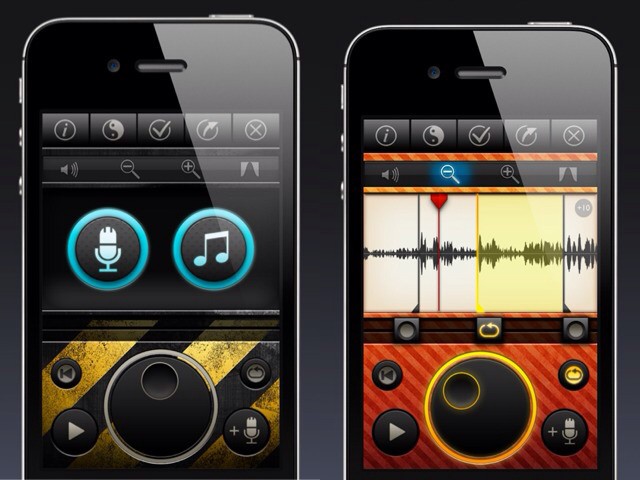
Tones looks to be just about the coolest way to create custom ringtones for your iPhone that I have seen. Then again, I haven’t seen many as I’m not a thoughtless teenager who thinks that other people want to hear his crappy music every time a call comes in.

Better still, Tones puts iPhone ringtone editing just where it should be: on the iPhone itself.

Apple Could Announce New iPhone, New iPad & New Apple TV At ‘Crowded’ Event This Fall [Report]

By •

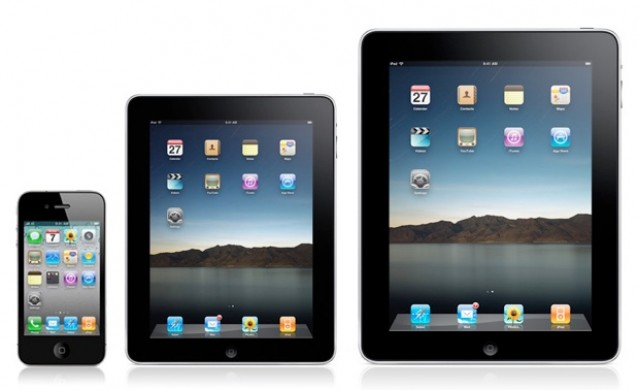
The iPad mini is on its way.
One analyst believes the iPad mini will launch for $299 this fall.

Although a new iPhone didn’t show its face during Apple’s WWDC keynote back in June, the Cupertino company did release a number of new products, including refreshed MacBook Airs, MacBook Pros, and Mac Pros; a new “next generation” MacBook Pro, and more. But according to one analyst, the Cupertino company’s fall event will be even bigger, with a new iPhone, a new iPad, and a new Apple TV all on their way.

Cube, A $35 Plastic Box For Your iPhone [Kickstarter]

By •

cult_logo_featured_image_missing_default1920x1080

Let me tell you a story. Many years ago, I was a cocktail bartender in a busy London bar. I had just gotten a brand new dumb-phone (a Siemens if I remember correctly), a little silver candy-bar of crap, but it was my candy-bar of crap, and I’d owned it only a few hours.

On shift, I switched the phone to silent and put it in a rocks glass on the backbar, behind my station. The bottom shelf of the backbar had a small lip at the front. Partway through the busy shift I needed some Kahlua (for a Vodka Espresso, not a White Russian). I grabbed the bottle and the base caught the shelf-edge and sheared clean off. The Kahlua – of course – was dumped into the glass with my brand new phone.

I was lucky: this was before the days of moisture sensors and a quick wash later and I got a new handset from the store. Today, you might not fare so well.

Which is why I have mixed (no pun intended) opinions of the Cube.

O2’s Upcoming ‘TU Go’ App Will Let You Make & Receive iPhone Calls On Your iPad

By •

With TU Go, you won't need to find your iPhone in the bottom of your bag to make & receive calls.

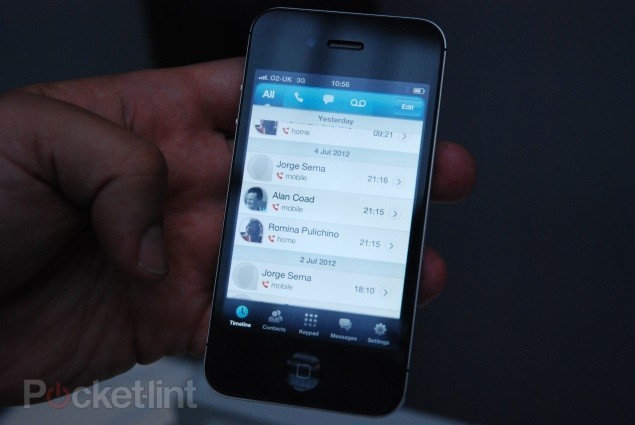
There’s no denying that the iPad is far to big to be a telephone, but there are times when it would be nice to make calls on the device. For example, I’ve previously used Skype to make a call on mine while my iPhone was being updated. But a new smartphone app called ‘TU Go’, on its way from U.K. carrier O2, will allow you to use a device connected to your iPhone — such as an iPad — to make and receive calls from your existing phone number.

Twitter App For iPhone Getting Huge New Update?

By •

9to5Twitter2

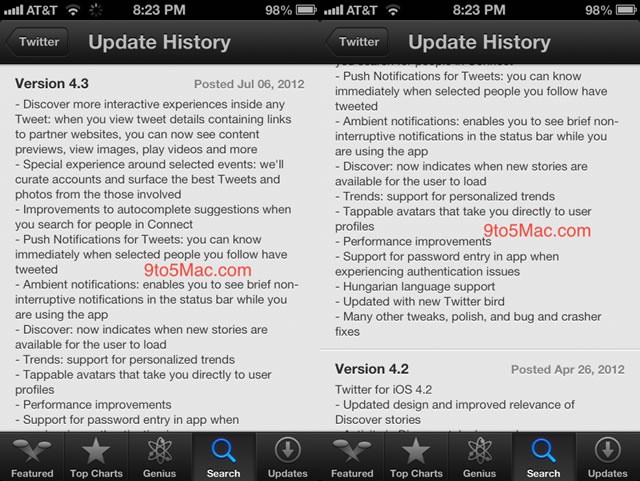
As reported by Marc Gurman over at 9 to 5 Mac, Twitter’s official iPhone app is getting a big update soon.

The beta iOS 6 App Store has mistakenly loaded some app update screens for the new Twitter client, version 4.3. Twitter’s apps have been lagging farther and farther behind recently, due to changes in Twitter’s mobile API and third-party apps that include more power features than the official ones. The changes are substantive, however, in the upcoming Twitter app, as shown in the leaked release notes.

Why the ‘Boycott Apple’ Movement is Dumb

By •

boycottapple3

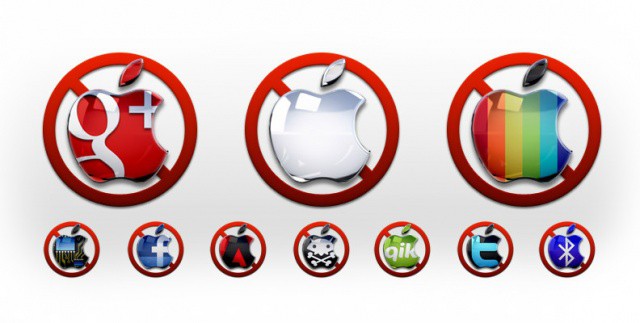
The #BoycottApple hashtag was trending hard on Google+ last week.

No, I’m not talking about the boycott-Apple-to-save-Chinese-workers, the boycott-Apple-because-they-discriminate-against-Iranians or even the boycott-Apple-because-they-support-gay-marriage movements.

I’m talking about the boycott-Apple-because-they’re-using-the-courts-to-compete-against-Android-devices movement.

Specifically, the call to boycott is based on anger over Apple’s successful attempt to ban both the Samsung Galaxy Nexus phone and the Galaxy 10.1 tablet. An appeals court temporarily lifted the ban on the phone yesterday, but upheld the tablet ban.

Here’s why the call for a boycott is misguided and futile. 

Why I Love My Jailbroken iPhone

By •

Part of my iPhone's Home screen.

Click here to see Cult of Mac's full jailbreak archives!

I’ve been jailbreaking my iOS devices for a couple of years now, and to be perfectly honest, I’ve thought about going back to the stock version of iOS many times. Sometimes I’ll ask myself if it’s really worth jailbreaking my iPhone. iOS 5 brought a lot of features that were only available for jailbreakers previously, and iOS 6 is adding several more.

Before the jailbreak for iOS 5.1.1 came out, I was considering abandoning Cydia, the jailbreak’s App Store equivalent, for good. I didn’t think I needed to jailbreak anymore.

And in most cases, you don’t really need to jailbreak ever. But since the iOS 5.1.1 jailbreak, I’ve fallen in love with my jailbroken iPhone 4S all over again. Here’s why.

This Week’s Must-Have iOS Games: Dead Trigger, Astronaut Spacewalk & More [Roundup]

By •

Screen Shot 2012-07-06 at 23.31.10
There's something for everyone in this week's must-have games roundup.

Kicking off this week’s must-have games roundup is a fantastic first-person shooter from the creators of Shadowgun, in which you must take down hoards of bloodthirsty zombies before they take control of planet Earth. We also have a wonderfully unique astronaut simulator called Astronaut Spacewalk, plus lots more.

Apple Plans To Invade The Mobile Payment Industry One Step At A Time [Report]

By •

One day your iPhone and wallet will be one.

We’ve all been waiting with bated breath for Apple to take the mobile payment industry by storm and bring it to the mass consumer market. For years, there have been whispers that Apple is working on its own approach to reinventing mobile payments, including the possibility of a NFC-equipped iPhone. When Apple unveiled Passbook in iOS 6 last month, the company announced its first real foray into mobile payments by partnering with select companies for handling virtual goods like coupons and airline tickets.

According to a new report on The Wall Street Journal, Apple’s Passbook is only a shadow of things to come. The company is “deliberately” working on its own mobile payment system, and while the rest of its competitors scramble to test the waters, Apple is sitting back and developing the right strategy.

Pandora Updates iPhone App With New Design, Lyrics, Sharing, And More

By •

PandoraNew

Popular online streaming music service Pandora started it all. They grew out of the Music Genome Project in January of 2000 and haven’t looked back. Pandora has a web streaming option, is built into many home and car audio products, and, of course, can be found on iOS devices like the iPhone and iPad. While their algorithms can be hit and miss in my experience, they’re still the go-to app when Spotify, Grooveshark, or Rdio don’t quite cut it.

Today, Pandora updated its iPhone app with several new features and a nice face lift to boot.

Which Industries Could Apple Conquer Next? We’ll Tell You On Our All-New CultCast

By •

cultcast-site-promo-pic.jpg

Apple has already conquered the world of PCs, mobile phones, tablets, and soon, television. But Steve Jobs had aspirations of dominating more than just the world of computers, and on our newest CultCast, we’ll tell you where we’d love to see Apple head next.

And then: we’ve been iffy on ever seeing an iPad Mini, but we now have reason to believe that the mystical device will indeed see the light of day. Don’t buy that Kindle Fire just yet!

All that and more on The CultCast. Go on and hit the ‘ol subscribe button here, or download Apple’s brilliant new Podcasts app and effortlessly stream The CultCast whenever you’d like!

Show notes ahead!

The Alarm Clock Is The iPhone’s Real Killer App

By •

Forget the laptop or the BlackBerry... the device the iPhone most often replaces is the alarm clock on your nightstand.

U.K. carrier O2 decided to survey its users to determine which devices iPhones or other smartphones commonly replace in the lives of its customers. The most commonly replaced device turned out to be one of the more low-tech devices in daily life – the alarm clock.

54% of O2’s iPhone and smartphone customers have relegated their alarm clocks to the dustbin of history.

The second most commonly replaced device was also a time-keeping device: the watch.

How To Hack Your iPhone To Add Wireless Charging [Video]

By •

Look! No wires.
Look! No wires.

If you’re waiting for Apple to add wireless charging to the iPhone, you could be waiting some time. We’ve been hearing rumors of its introduction for a number of years now, but five generations in, it’s yet to arrive. If you’re a skilled solderer, however, you could always add wireless charging to your iPhone yourself.

That’s what Tanveer did. He took apart a wireless charging case for the iPhone and installed its components into the iPhone 4S. Now all he has to do to charge it is place it down on a USB charging mat.

Checkmark Is The Reminders App Apple Should Have Made

By •

cult_logo_featured_image_missing_default1920x1080

As usual, Lonelysandwich (aka. Adam Lisagor)’s video is hilarious and makes you want to buy the product right away (remember the Jambox?). Checkmark is a soon-to-be-released iPhone app which makes setting (and forgetting – for now) location-based reminders easy, and effective.

Sick of forgetting to pick up that [insert household item here] every damn time you visit the grocery store? You need Checkmark.

Is Amazon Taking On Apple’s iPhone With Its Very Own Smartphone Plans? [Rumor]

By •

Interesting tag-line, really.
What Amazon hopes to say to the smartphone market.

Amazon has taken the next great leap in competition with Apple. Jeff Bezos and company, not resting with their Kindle Fire bargain tablet, has apparently been working on its own smartphone device, reportedly with Focxonn International, the phone maker based in China that Apple has had some press about lately.

Citing “people with knowledge of the matter,” Bloomberg reports that Amazon is also acquiring wireless technology patents to help it get a leg up on the current patent infringement lawsuit frenzy. If the rumors are true, could Amazon bring a third horse to the race?

Why Companies Need An iOS Czar

By •

Many companies need someone to handle all the employee devices and apps coming into the office.

One interesting challenge that’s emerging for companies out of the bring your own device (BYOD) and iPad-at-work trends is deciding who’s responsible for setting and enforcing policies when it comes to employee-owned devices. The immediate assumption is that it should be the IT department, but what group within IT? Security, network management, and user support teams can all make a claim that it should be them.

There’s even the question of whether or not IT is even the right department to take ownership of the situation. Some HR executives are claiming that this is an employee policy issue and therefore their responsibility. Some finance chiefs are claiming that they should own mobile devices if there’s going to be any expense sharing with employees or a stipend that helps users purchase devices for work.

In a growing number of organizations, there’s talk about creating a new position or a dedicated team to handle everything mobile – iPhones, iPads, Android handsets, in-house and public app stores, and anything else related to iOS, mobile, or BYOD. In other words, a mobility chief, or iOS Czar. 

Q Card Case For iPhone Is A Rubber Wallet Case That’s Hard Not To Like [Review]

By •

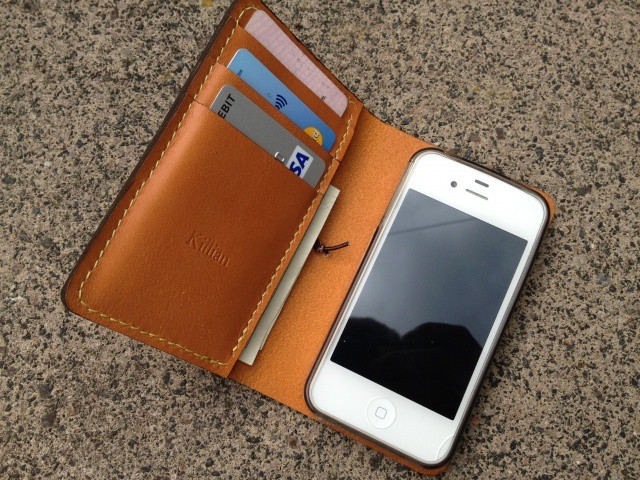
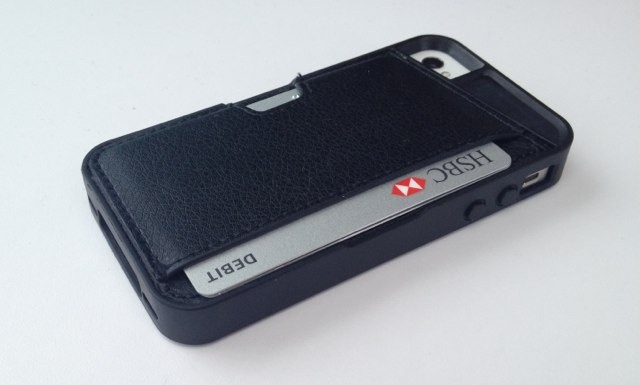
Keep your credit cards safe with the Q Card Case for iPhone.

I’ve reviewed a number of iPhone wallet cases this year, and I’ve already mentioned that I’m a fan of combining my device with my credit cards and cash so that I can leave my bulky billfold at home. But the Q Card Case from CM4 is a little different to those I’ve already taken a look at.

First, it’s not a leather folio that looks a little like a book. Instead, it’s made mostly from rubber — like a lot of simple iPhone cases — and it features a leather pocket on its rear that comfortably holds up to three cards, plus a few bills.

That simple, soft-touch design means it’s not as bulky as traditional leather wallet cases — despite holding the same number of cards as most — and it’ll slip easily into and out of your pockets.

Ten Must-Have iPad And iPhones Apps For Small Business Owners [Feature]

By •

With the right apps the iPad and iPhone are the best tools available for small businesses.
With the right apps, the iPad and iPhone are the best tools available for small businesses.

Much of the discussion about the iPhone and iPad in business focuses on larger enterprise companies and organizations. While the devices are clearly have a lot to offer in the big business arena, the iPhone and iPad are also excellent tools for smaller companies. The versatility of iOS devices, the iPad in particular, lets small business owners perform many crucial tasks like tracking expenses, generating invoices, and planning new projects quickly and easily from a single device.

The App Store is full of apps that can help launch, manage, and grow a business of any size. Many business apps useful to small business are fairly well-known. Square’s mobile payment system (and PayPal’s competing solutions) get a fair amount of coverage in mainstream and tech media stories, for example. There are, however, many great apps for small business users in the App Store that don’t get that kind of publicity.

If you’re a small business owner (or employee), here are ten amazing apps that you may not know about which can help you run your business more easily and efficiently.

Sync Your Lightroom Collections With Your iPad, Automatically [How-To]

By •

cult_logo_featured_image_missing_default1920x1080

I love having my photos on my iPad, but I hate using iPhoto to get them there. To be honest, I just hate iPhoto, along with its more complicated and even more sluggish cousin, Aperture. I use Lightroom, and up until last week I was exporting photos from there into iPhoto just to sync them. Not only was this a headache, but it was a waste of space.

Now, you can tell iTunes to sync any folder of photos to the iPad, but with a little bit of effort things can be made much more elegant. By setting up Lightroom correctly, we can have any changes to our photos mirrored to the iPad at the touch of a button, and the whole process is near-automatic.

Siri Gets Apple Sued In China

By •

Was Siri inspired by a Chinese chat bot called Xiaoi Bot?

Apple is very quick to jump on rival companies who infringe upon its patents, and the company is currently embroiled in a number of legal battles with the likes of Samsung and HTC. But sometimes, Apple is on the receiving end of these complaints. In China, the Cupertino company is being sued for infringing upon a voice assistant patent with its Siri feature.

Turn Your iOS Device Into A Classic Console With The GameDock [Kickstarter]

By •

Turn your iOS device into a classic console with the GameDock.

If you’re reluctant to spend $99 on an Apple TV just to enjoy your iOS games on your HDTV over AirPlay, check out this Kickstarter project for the GameDock by Cascadia Games, the team behind Cavorite for iOS. It plugs into your TV via a HDMI connection and allows you to “play classic games the way they were meant to be played,” in full 1080p. It even has two USB ports on the front so that you can hook up a pair of retro gamepads.