Boost Mobile will join Cricket as a prepaid choice for the iPhone.
Cricket Wireless became the first prepaid carrier to offer the iPhone yesterday, but it’s unlikely it’ll be the last. One source claims that both the iPhone 4 and the iPhone 4S will also be arriving on Boost Mobile later this year.
10 mobile mistakes can ruin a company or developer's reputation
Apple’s meticulous focus on design and usability is one of the hallmarks of its products. That attention to detail is evident in almost every Apple product, but iOS devices epitomize Apple minimalist approach and its goal of removing any barrier between the user and a great user experience. Unfortunately, not all iOS developers or mobile web developers get to that same level of minimal and effortless design.
There are probably hundreds of small ways that developers can miss the mark when designing iOS apps or creating content designed for mobile devices, but Gartner research director Johan Jacobs notes that most mobile app/experience design failures boil down to ten common mistakes.
Dolphin's latest update means you'll never have to type out a password again.
Dolphin is widely regarding as one of the best third-party web browsers for the iPad, and it’s a particular favorite of mine, firmly stuck to the first page of my home screen on all of my iOS devices. With version 5.0 for the iPad, Dolphin gets even better, with the ability to save passwords; autocomplete browsing history, bookmarks, and searches; share URLs via email, and more.
SOTI MobiControl offers PC and mobile management options
May is Mobile Management Month at Cult of Mac, where we will be profiling a different mobile management company every weekday. You can find all previous entries here and read our Mobile Management manifesto here.
SOTI provides an interesting mix of mobile device and PC management solutions. On the desktop, it offers Windows PC management as well as remote access and screen sharing tools useful to many help desks. From a mobile perspective, it provides a range features including device and app management. Its on-device software and SDK support a range of useful features for iOS devices including two-way chat with users and remote access options. MobiControl SDK also includes a file sync solution for managing content and internal enterprise app data on iPhones and iPads.
Well what do we have here. With rumors saying that the next iPhone will feature a taller, 4-inch display, a video has surfaced from Japanese site Macotakara detailing the new screen dimensions on video. After getting its hands on what appears to be the parts that have been floating around in the wild for the last few days, Macotakara’s video shows off a 4.07-inch front panel that could easily house the larger display everyone has been talking about.
The hardest part of vacationing, for me, isn’t the crowds or the time in airports, or long lines at travel destinations. That’s what I have an iPhone for, anyway, right? Killing time? What’s most difficult in my world is the deal searching. Getting the best hotel, car, airfare deals is tricky and time consuming, and I just wish I could hand it all off to an assistant and be done with it.
Fortunately, there is an app to help with this sort of thing.
DC Copy is a universal app which lets you avoid iTunes.
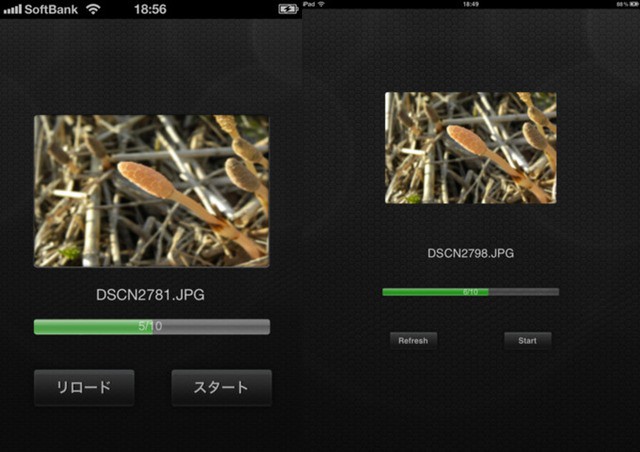
DC Copy is a new app that does one thing. It lets you copy your photos and videos to your iPhone’s camera roll via iTunes? "What?!" I hear you shout. "We can do that already!"
Well, yes, you kinda can, but it’s a testament to the true horror of using iTunes that this app exists at all, and that — furthermore — you’ll probably be downloading it by the end of this short post.
In a recent article over at The Wall Street Journal, Nokia’s challenges trying to make a dent in the iPhone 4S with the Lumia 900 are highlighted by some pretty grim numbers: Nokia makes more than $200 less on each Nokia Lumia 900 sold compared to Apple’s profit on an iPhone 4S.
Netflix aims to make its iOS app easier to use and manage
Netflix announced an updated version of its iOS app on Thursday for customers in the U.S. and Canada. The update is centered around improving the overall user experience while streaming movies and TV shows to an iPad, iPhone, or iPod touch. One important improvement beyond that, however, is the ability to control mobile data use and avoid expensive overage fees.
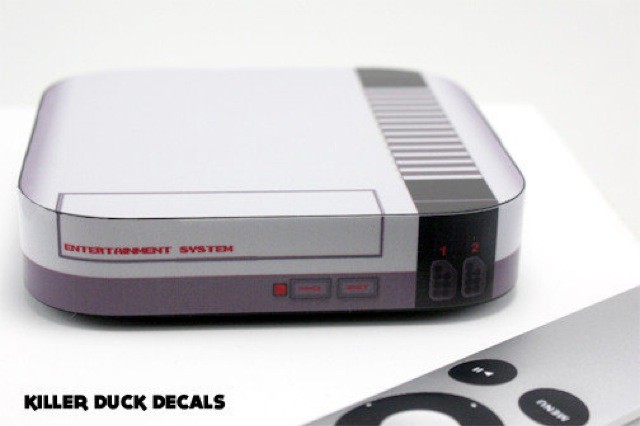
Face it. Your Apple TV is boring. It looks just like every other Apple TV, everywhere in the world. Sure, you might say it doesn’t matter, that the whole point of the little puck is to get out of the way and let you watch TV shows and movies, but that shows a lack of imagination. What you need, my friend, is a set of decals. And not just any old decals. You need decals that make your Apple TV look like a NES console.
Lifesquare uses QR code stickers, iPhone app to provide emergency workers with health data.
Healthcare has been a natural fit for the iPad and, to a slightly smaller extent, the iPhone. iOS devices can provide interaction with electronic records and other patient information as well as offer access to reference guides, medical images like X-rays, and even remote diagnoses via FaceTime.
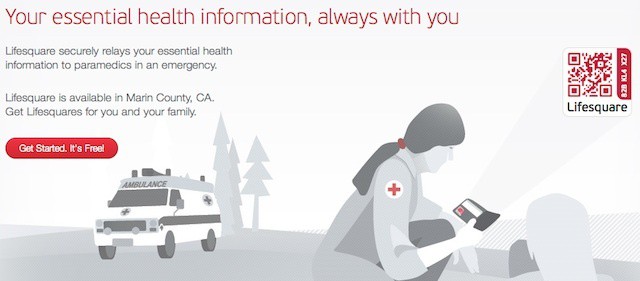
A new program being tested in California’s Marin County aims to bring some of those abilities to paramedics in the field. The program, which equips paramedic teams with iPhones via a specialized QR reader app, is a joint venture with Silicon Valley startup Lifesquare. Its aim is to allow paramedics instant access to patient information using QR codes stickers.
Cricket's 7 million U.S. customers will be able to buy the iPhone next month.
Today Leap Wireless, parent company to Cricket, announced that it has partnered with Apple to bring the iPhone to the U.S. prepaid market for the first time. Starting June 22nd, customers will be able to buy iPhone 4 and iPhone 4S models from Cricket on a prepaid wireless plan. The iPhones have been substantially subsidized by Cricket, indicating that the carrier is taking a financial hit to hop on the Apple bandwagon.
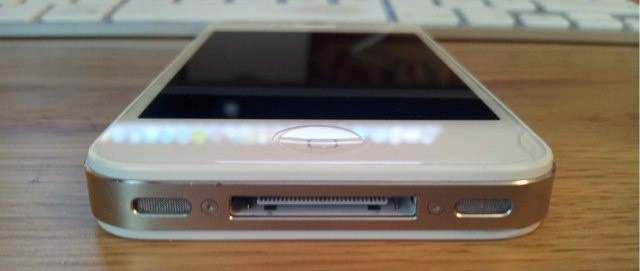
Who wants a whole this big in the bottom of their iPhone?
A pair of new job listings on Apple’s website confirm that the company is seeking two engineers to overhaul the existing 30-pin dock connector currently employed by its iOS devices. The listings strengthen rumors Apple will introduce a new dock connector with its sixth-generation iPhone later this year, that will be significantly smaller than its predecessor.
The Trygger is a William Blake joke just waiting to happen
If William Blake was alive today, and was pitching an iPhone case on Kickstarter, he might have called it The Trygger. Alas, he dies in 1827, long before either the iPhone or Kickstarter were invented, leaving the fate of the Trygger in the hands of Scott Phillips and Joel Kamerman.
The Trygger is a bumper-style case with a very clever sliding back which houses a polarizing filter. And if you have a nagging feeling that polarizers are the new fisheyes in the world of iPhone accessories, you’d be right — we covered a clip-on polarizer just last week.
It's impossible to get bored of Angry Birds Space with all these levels!
Angry Birds Space is continuing to make its $0.99 price tag look like an absolute bargain with yet another update that brings a brand new, food-themed planet with ten brand new levels to iPhone, iPad, and iPod touch.
Personal clouds can cause professional headaches in the workplace
One of the challenges that the BYOD and consumerization trends are creating for IT departments is employee use of public and/or personal cloud services. We’ve covered some of the big challenges this presents in terms of data security and ownership as well as the potential business continuity problems stemming from multiple versions of documents stored across different cloud services by multiple employees.
IT concerns may be more common and well-known, but there are cloud-related issues that employees need to consider as well – particularly if they use a work email address to register for a service, access a service from work, or use a service to store or transfer work-related files.
Problem: Your iPhone takes amazing pictures, but when the sun is shining, you can’t see the damn screen. Solution: a giant eyepiece that sucks onto the iPhone’s screen and offers you a viewfinder shielded from the light of the sun. It’s called the Daylight Viewfinder, and it is coming to you via Kickstarter.
Roambi packages your personal or business information as easy-to-use interactive reports
As technology and always-connected devices become more pervasive in our daily lives, companies, think-tanks, government agencies, non-profits, and other organizations have access tremendous new pools of information about virtually anything on the planet. The challenge of such a “big data” world is how to aggregate that information, analyse it, make substantive conclusions, and then package in a useful form.
Making sense of data and communicating the results in a concise and effective manner is such a big challenge that many organizations will pay research firms and think-tanks to analyse and package data form them – often as static snapshots with pages of text and charts and accompanying PowerPoint files.
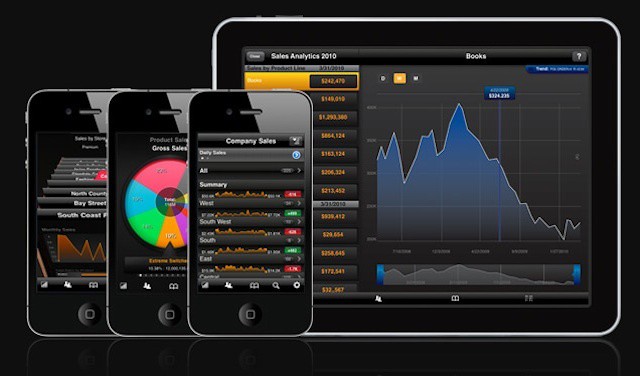
The ability to access real-time data in a useful way is one of the things that makes MeLLmo’s iPad app Roambi a great business intelligence tool. Today, however, the company announced that it’s taking Roambi a step further and allowing companies to turn the Roambi’s dynamic and interactive data dashboards into full-fledged iOS apps in their own right and market them in the App Store.
This time last week we had very little idea of what the new iPhone may look like. Sure, we had rumors and claims that gave us something to go on, but none of them were supported by any evidence. But in the space of just a few days, we’ve seen several front and back panels from a number of different sources, which have today been backed up by what is purported to be a leaked blueprint for the next-generation iPhone.
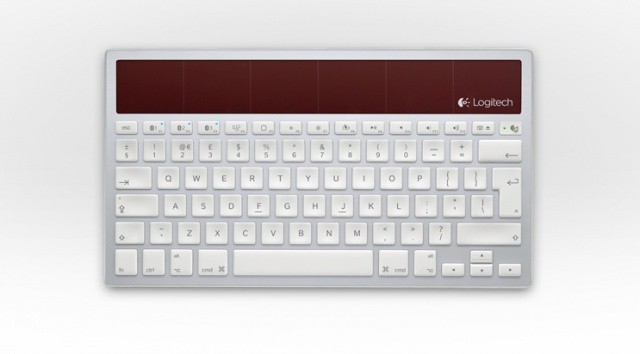
I love my Apple Wireless Keyboard, but I don’t love changing its darn batteries every couple of weeks. But the Logitech K760 Wireless Solar Keyboard could soon be taking its place on my desk. Powered entirely by ambient light (it doesn’t even need batteries as a backup), the K760 will run for three months on a full charge with eight hours of use a day.
It’s ideal for those with Mac and iOS devices, because it allows you to connect to three devices simultaneously and quickly switch between them using the function keys.
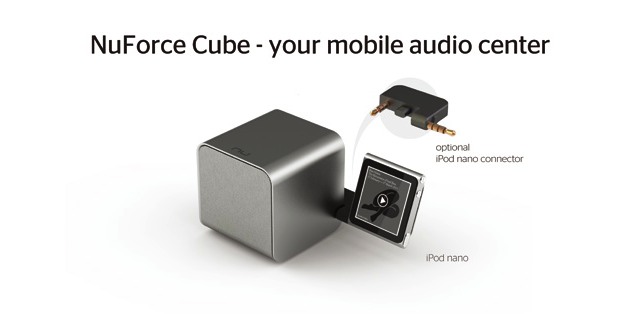
Imagine a JawBone JamBox, complete with its cute combination packaging/display case. Now imagine that it has been shrunken down into a two-inch cube. Further, try to picture a box that has had the Bluetooth radio extracted and replaced by a high-end DAC (digital analog converter) and a quality headphone amp. Now, keep this picture on your head as you reach around and pat yourself on the back and hear the theme from Rocky in your head.
Congratulations — you have successfully imagined the NuForce Cube, whilst simultaneously engaging all three of your main sensory systems.
Cook believes Walt Mossberg and Kara Swisher were too soft on Tim Cook during the D10 interview this week.
During the Q&A session at D10 today Apple CEO Tim Cook was asked an interesting question about how his company names its products. While many have speculated as to why Apple called the fifth-generation iPhone the “4S” back in October, Cook confirmed that the smartphone was named after its flagship feature, Siri.
Apple names its products each generation by either a flagship feature or design change. When a certain product establishes itself, naming conventions are usually dropped altogether, like the iMac and iPod Shuffle.
FileWave offers desktop and iOS device application management
May is Mobile Management Month at Cult of Mac, where we will be profiling a different mobile management company every weekday. You can find all previous entries here and read our Mobile Management manifesto here.
FileWave is a new entrant into the mobile management space but a longtime player in many business and enterprise environments. FileWave offer multi-platform file and application deployment and licensing management for all desktop systems across an organization. The company has a very impressive track record for both IT-managed and self-service provisioning and deployment that has made it a solid enterprise solution for companies with Macs, Windows PCs, and Linux desktops. More recently, the company has begun offering iOS device management functionality. For Apple-oriented businesses, the combination of desktop and mobile device application management makes FileWave a choice well worth considering.
So, you may be thinking of traveling to far off places this summer, blithely jetting off to other countries, bringing your iPhone hither and yon to take pictures, check email, call your friends to brag about the nice weather, and play some Angry Birds while on the long plane rides. Unfortunately, using that beautiful iPhone in other countries could see you coming home with more that just a sunburn and jet lag.
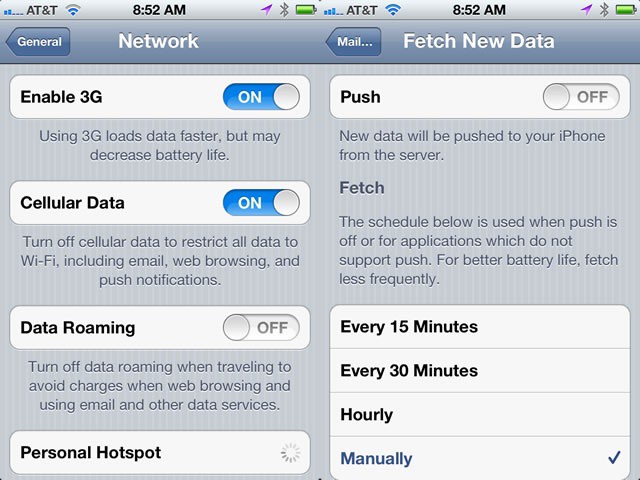
If you use your iPhone and access its network capabilities, you could be seeing a bill of hundreds, even thousands, of dollars. Here’s how to avoid having to take out a second mortgage to pay your bill.
Technicolor says there's not much difference between The Emerald City and Cupertino: both use their tech.
If you’ve ever seen an old color movie like The Wizard of Oz you’ve probably seen the “Filmed In Glorious Technicolor” crawl. In fact, for years, Technicolor was synonymous with seeing color on film and on your screens, and for good reasons: Technicolor was ingenious.
Despite the fact that no one had invented film stock that could actually capture color, the French company had figured out a way to make color movies by splitting the light being recorded with a prism into red, green and blue light, then recording those individual color spectrums onto separate strips of black-and-white film. Once these strips of film were colored and combined, the result was life-like color recorded on black-and-white film.
Pretty cool, huh? In the days of digital cinema, though, Technicolor has fallen on hard times. In fact, their entire company is unprofitable, with the exception of one department that keeps 220 staff on hand. It’s the patent licensing department, and their only job is to rip open new iPhones, iPads and Macs the second they come out and start looking for infringements.