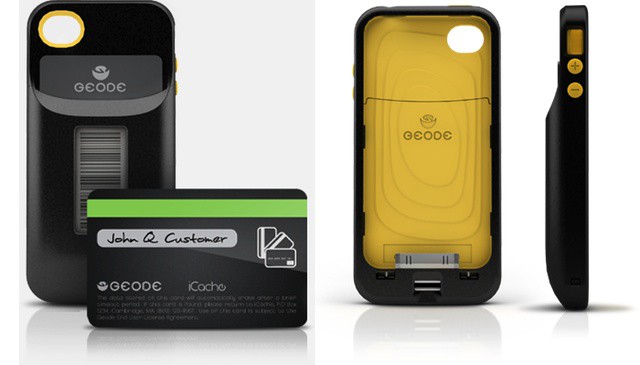
Geode replaces all your credit cards with one iPhone-controlled card
I never thought I’d get excited about boring credit cards, but Geode is an incredibly neat little kit which turns your iPhone into a payment system that can be used anywhere. And not some fancy NFC-style POS terminals, either. The Geode works anywhere you can use a regular credit card.
WoW will hit the App Store, just as soon as its developer has an epiphany.
Blizzard, the company behind the hugely popular MMO World of Warcraft, has revealed that is constantly looking at ways in which it can bring its title to the iPhone, and admits that it would be “foolish” not to explore the possibility. It promises that as soon as it has perfected the mobile experience, we’ll know about it.
As a business owner, I love being able to take payments on my iPhone or iPad when I’m on the go — like at my booth during Seattle Comic Con. That’s one of the reason’s I’m a big Square fan. But while Square has a beautiful design and makes taking credit card payments a snap, it lacks a lot of features real businesses need.
Enter USAePay, which, like Square, also offers iPhone and iPad-compatible credit card readers. But together with their iOS app, USAePay provides many features Square doesn’t. And it’s for that reason, I decided to take USAePay for a spin; here’s what I found.
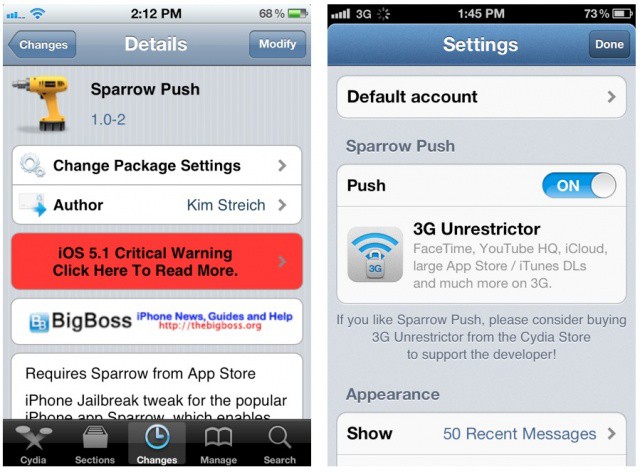
Sparrow Push brings badge notifications to the iPhone's newest email app.
A new jailbreak tweak adds push notifications to the popular iPhone email app called Sparrow. We’ve already shown you a roundabout way to get push for Sparrow with the Boxcar app on a non-jailbroken iPhone, but you can now easily enable notifications with a Cydia tweak called Sparrow Push.
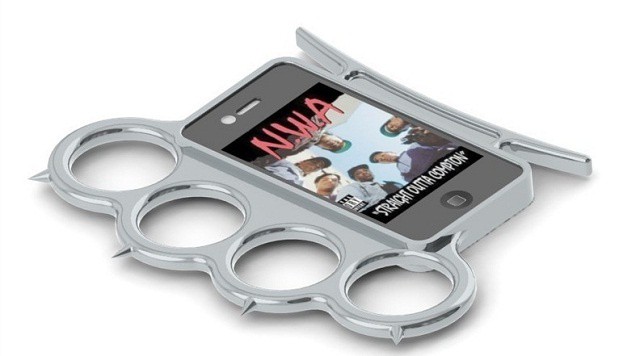
Nothing comes between me and my iPhone thanks to the iKnucks case
This brass knuckles iPhone case isn’t straight out of Compton, it IS Compton. Meet the iKnucks – the iPhone case that doubles as a set of vicious brass knuckles. What better way to protect yourself from muggers than slipping this mean puppy around your fingers and throwing some haymakers?
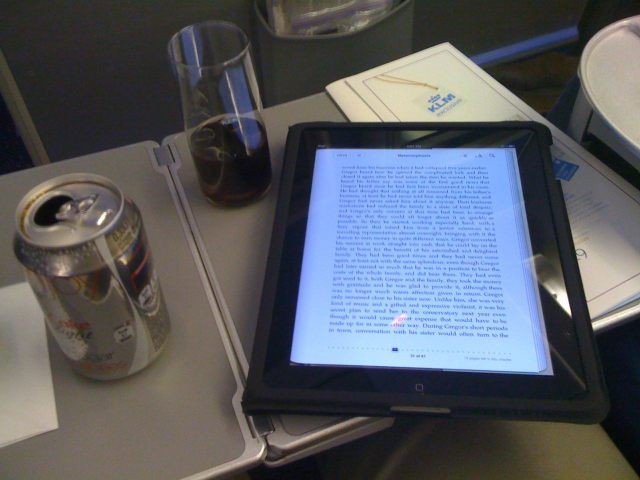
iPad ban during takeoff/landing being reconsidered
Anyone who’s ever flown is familiar with the “please turn off all electronic devices” speech that flight attendants give after closing the airplane door and again shortly before landing. The ban on electronic devices of all kinds exists out of fear that devices might interfere with the planes navigation and other systems, even if the device doesn’t include any sort of radio antenna.
The ban on electronic devices has come under fire recently as the F.A.A. has been certifying the use of iPads in the cockpit during all phases of flight (including takeoff and landing) by various commercial airlines as a replacement for hefty “flight bags” of paper manuals and charts.
In a move that will music to the ears of Words With Friends addict Alec Baldwin, the agency is looking at allowing the use of electronic devices by passengers during takeoff and landing
The most common question I heard after the new iPad launch wasn’t about the retina display, or how I liked the camera. People didn’t ask which games were the best, or how fast it was. The number one thing people wanted to know was whether they should upgrade their iPad 2 to the new iPad. The answer is simple: No, you don’t need the new iPad if you have an iPad 2. But that doesn’t mean the new iPad is a disappointment.
Have you ever wanted to deliver awesome presentations using Keynote but wanted to set yourself apart from the pack? Well, with Slidevana you can not only do that, but you can do it in less time. That way you can focus on nailing that presentation down so that you look as good as your slidedeck.
And thanks to Cult of Mac Deals, you can save 50% off Slidevana for Keynote, iPad and iPhone for a limited time.
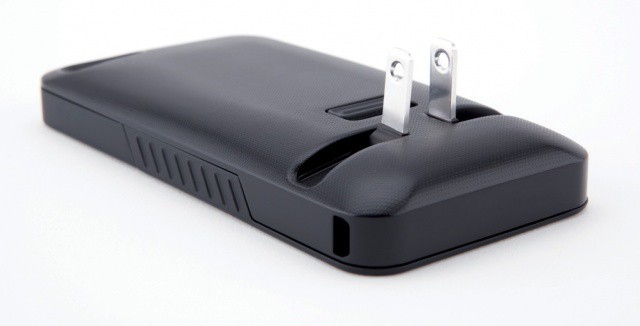
JuiceTank eliminates wires by allowing your to plug your iPhone right into the wall.
No one enjoys frantically searching for their iPhone charger when they get that dreaded low battery warning. But with the JuiceTank case, you needn’t worry about ever losing your charger, because you can plug your iPhone directly into the mains socket.
Easy to use, and lots of great features. What's not to like?
There is, you may be aware, a new iPad launching today, along with its fancy new camera. That’s great and all, but what if you a) don’t want one b) live outside the first wave of launch countries or c) just don’t care?
Then why not make a little improvement to the camera already in your iPhone or iPod Touch, with a little app called CameraSharp which, today at least, is free? CameraSharp is an app with a single purpose: to make taking photos easier.
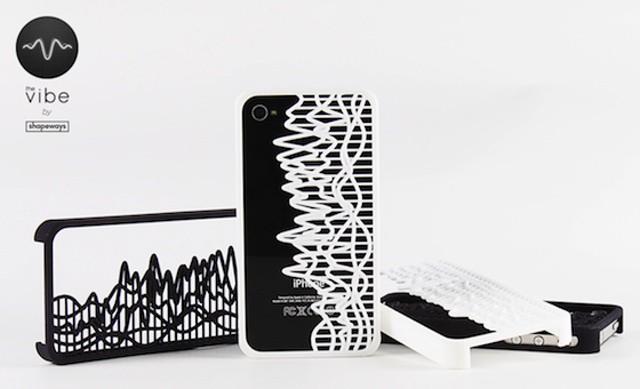
Make a custom iPhone case showing any sound wave you like, frozen in time
Until now, most of the 3-D printed items I have seen have been slightly scratchy, brittle-feeling plastic prototypes sent to me by Kickstarter pitch-men.
But now Shapeways has teamed up with SoundCloud to bring us this cool-looking iPhone case which really shows the potential of 3-D printing. Using a custom app, you can freeze the sound-wave of your favorite piece of music and have it immortalized in a plastic case.
Boxcar notifies you of almost anything, including email
Sparrow for iPhone is great. And I mean hands-down, why-the-hell-isn’t-Apple’s-mail-app-this-good? kind of way. I like it so much, in fact, that I am even using it pixel-doubled on my iPad.
But there’s just one problem: no push, and no notifications. To enable local notifications, Sparrow would have to store your e-mail login details on its servers, and deal with all the responsibility that that brings.
The first version of Sparrow for iPhone included a clever workaround to let it poll for mail in the background, but Apple crashed its ban-hammer down on this wrongful use of the network event APIs.
But there’s a workaround, using the excellent BoxCar app and some simple setting up of your Gmail account.
The Retina-ready iPad game Namco demoed onstage at Apple’s media event last week has gone live in the App Store. Sky Gamblers: Air Supremacy costs $5 as a universal download for the iPhone and iPad.
Like Skies of Glory and other 3D flight simulators, Sky Gamblers uses your iOS device’s accelerometer and gyroscopes to control your fighter jet in the air. The graphics looked stunning onstage last week, so we can’t wait to try this game on our new iPads this weekend!
Police forensics training for Macs in Middletown, Delaware.
If you’ve ever taken apart an Apple device, you know what delicate work it can be.
Imagine trying to extract incriminating child pornography photos from a laptop and you’ll understand why tools that help you see what’s on the device before opening it up are increasingly important in law enforcement.
Could the iPad make the iPhone as pointless as this old rotary-dial telephone?
I have a confession to make. I have never owned an iPhone. It’s not that I don’t want the most amazing pocket computer ever made. It’s just that I don’t want a phone. Or rather, I don’t want the contract that comes along with it.
For years I carried an iPod Touch, and then the iPad came along, with its monthly, non-contract 3G tariffs. Since then, I still hankered after an iPhone, mostly for its great camera, but also its portability. But right now I use an iPad 2 for everything, even listening to music on the go.
With the launch of the new iPad, though, I think Apple just destroyed any chance of me buying an iPhone. Here’s why I’m going to buy an iPod Touch instead.
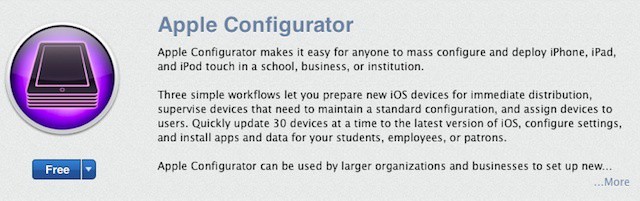
Virtually everyone who’s ever used an Apple product has an Apple ID. This user account for all things Apple is most commonly used with the iTunes Store and the iOS and Mac App Stores. It’s used to both authorize purchases and to allow you to access content or run apps after they’re downloaded. Apple’s philosophy is that every person should have their own Apple ID and that each of us should use our individual Apple ID (and only that Apple ID) on each of our devices – iPads, iPhones, iPods, Macs, even PC’s running iTunes or other Apple software.
That’s a great concept, but it creates a big challenge when iOS devices are used in business or school environments. When someone configures an iOS device for an employee or student with a selection of apps and other content (like iBooks 2 textbooks), they need to use an Apple ID. But once that device is deployed, the end user may need or want to purchase additional apps or other materials.
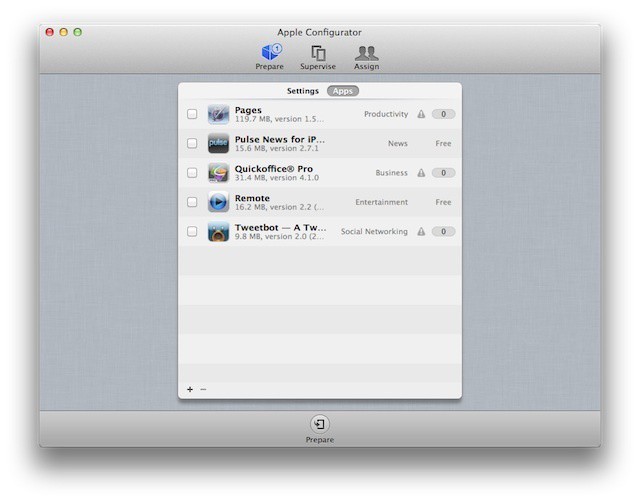
This is often a stumbling block for business-owned devices. And it’s something that Apple has finally begun to address with Apple Configurator.
In the latest patent war saga, a Dutch court ruled that Samsung cannot assert 3G patents against Apple products using Qualcomm’s baseband chips — as Samsung has a licensing deal with the U.S. chipmaker — thus denying their bid to ban the sales of the iPhone and iPad in the Netherlands. However, Samsung didn’t consider the ruling a complete loss as the Hague court also ruled that Samsung could seek damages over the use of Intel chips. While Apple doesn’t use Intel chips, this gives Samsung ammunition against those that do.
Oh, man. If you use this thing, the laydeez will totally love you
I thought it was impossible to do anything dorkier than wearing a Bluetooth headset all day long, because you’re, like, so important that you’ll be getting a call any minute now. Well, it turns out that I was wrong. Check out the Tomko Transceiver for iPhone, a plug-in handset that makes your iPhone work like a CB radio.
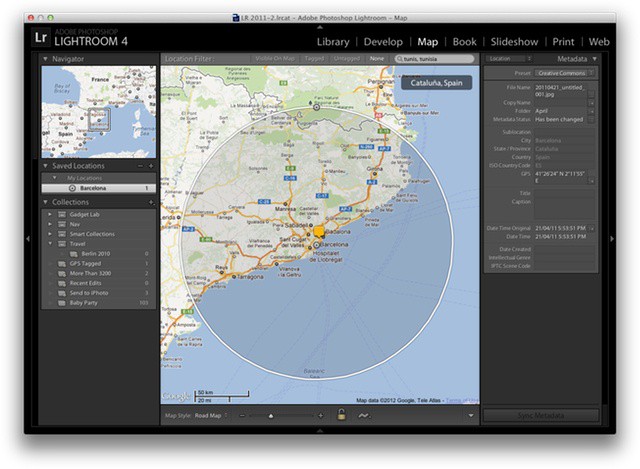
Lightroom 4 lets you easily geotag photos taken with an ordinary camera
Before our full review next week, here’s a great little how-to guide on using geotagging in Lightroom 4. Adobe’s photo-editing and cataloging app has caught up with iPhoto and Aperture in its latest version, and you can now view any photos with embedded GPS co-ordinates on an in-app map. This means any of your iPhone photos can be browsed by location, which is a surprisingly useful tool.
But what if you want to reverse tag your photos? Say your camera doesn’t have GPS, but you have a track log recorded on a GPS device or with an iPhone app. How do you put this data together in a useful way? Below, Adobe’s Terry White shows us how.
It's hard to believe a clean cut, law abiding youth like this would smoke marijuana, isn't it?
You only need to look at the bloodshot eyes, crunchy appearance and tossled hair of famed PS3 and iPhone hacker George “geohot” Hotz to realize that this is a mind which works best when jerkied in the cannabinoid vapours inhaled from a tightly packed magic jaybone. He’s a viper from birth, and we wouldn’t have him any other way.
But the cops would. That’s why they arrested him for cannabis possession while driving to SXSW to deliver a speech on hacking.
Apple Configurator - Is it right for your school or business?
One of the first things most IT folks will think about Apple Configurator is that it’s pretty limited compared to some of the mobile device management suites on the market (including Apple’s Profile Manager in Lion Server). MDM suites are designed to make device management as easy, automatic, and wireless as possible. Most include robust monitoring and reporting features – virtually all can use Apple’s push notification system to update a managed device at any time.
Configurator, on the other hand, requires connecting each iOS device to a Mac using a USB cable to perform any administrative tasks like configuring device settings, assigning a device to a user, installing apps, or updating iOS. That means that Configurator isn’t appropriate for a lot of businesses or workplace situations. Yet, for some organizations, Configurator is a more ideal tool than most MDM suites because of its hands-on approach.
So, what kinds of environments is Apple Configurator suited to?
Whenever I share a screenshot of my jailbroken iPhone the number one question I’m always asked is, “How did you get rid of your carrier name like that??” The answer is actually a very simple one, as there are a host of Cydia tweaks that will let you hide your iPhone’s carrier name and other status bar elements.
If you’re itching to clean up your own status bar, here’s what you need.
There’s so much that’s impressive about the technology we all carry in our pockets that it’s easy to take it for granted. But one of the things that constantly amazes me when I see it in action is instant language translation.
Vocre (pronounced voh-creee) is a translation app that’s not new on the App Store, but has one important new feature: it’s free.
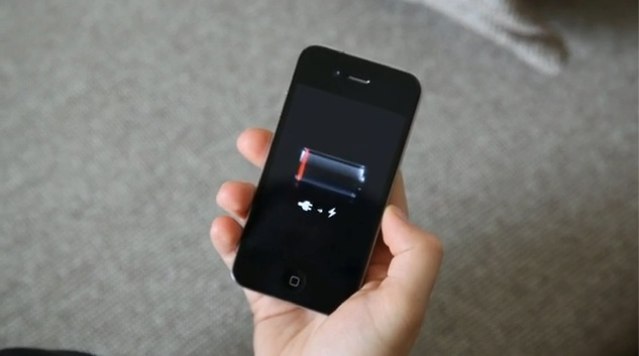
Even under iOS 5.1 the iPhone 4S struggles to stay awake.
On Monday, we asked iPhone 4S readers how Apple’s latest iOS 5.1 software has impacted their battery life. The new handset is notoriously poor at staying alive for a whole day, but those pesky bugs affecting its battery life were, according to Apple, quashed in the recent software update.
Nearly 6,000 readers voted in our poll, and here are the results.
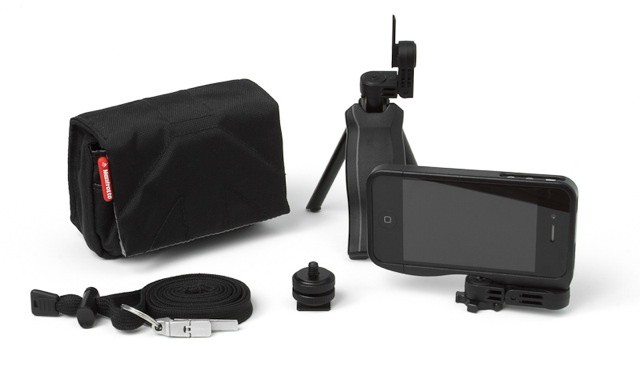
The Gymbl Pro is a combo case and tripod for your iPhone 4/S, released last year to great success on Kickstarter. The polycarbonate case has a slot which marries up to a folding, pocket-sized tripod which also doubles as a handgrip. But what of poor Gymbl owners who have a yen to tote their iPhone around their necks like some kind of modern day Flava Flav? Well Gordon Fowler, the man behind the Gymbl, has you covered.