Mobile menu toggle

Search results for: wwdc

WWDC: Apple In Talks For Online Movie Rentals?

By

post-381-image-8253d669517f2235d066400722d148a8-jpg

Steve Jobs has made a hobby out of letting the world know that people aren’t interested in renting their music. We hear you loud and clear, Steve. One thing Steve has never claimed, however, is that people don’t like renting movies, as Netflix and Blockbuster will attest.
On the eve of his WWDC keynote, the Financial Times claims that Steve is about to put Apple at the forefront of the digital movie rental business:

A film would cost $2.99 for a 30-day rental. Its digital rights-management software would allow films to be moved from a computer to at least one other device such as the video iPod or iPhone. The software would prevent movies being copied.

Interesting notion. After all, Apple has gone through hell trying to sign up movie studios to sell their films through iTunes. A lot more companies than Disney and Paramount will leap in if this is legit.
Via MacRumors.

Technorati Tags: , ,

Prediction: Multitouch Input Pad at WWDC?

By

post-779-image-de76498366636ce0c9f687882a6be064-jpg

I predict Steve Jobs will introduce a multitouch mousepad at WWDC tomorrow morning — and that finger input will be one of the “top secret” features of Leopard.

The multitouch pad will look like a standard mousepad, but it’ll be finger sensitive, like the touchpads on most notebooks. But instead of one finger, it’ll be sensitive to multi-finger gestures and commands, like the iPhone.

The pad will completely replace the mouse, allowing users to control the Mac with their fingers — moving the cursor, selecting files and double clicking with a quick double tap of the index finger.

The pad will also respond to a whole new vocabulary of gestures, like Mouse Gestures in Firefox, which execute common commands (backwards, forwards, reload) with a sweep of the mouse. Using your fingers, you’ll open files by twisting to the left, as though turning an imaginary dial. Twist your fingers to the right to close the file.

The pad will be USB powered, and will have “soft buttons” for common commands like cut and paste, and delete.

Jobs will unveil multitouch at WWDC to give Mac programmers time to incorporate gesture commands into their software before Leopard’s release in October.

Of course, this is pure speculation. I’ve no evidence whatsoever this is going to happen. I’ve no idea if it’s even realistic. Can developers incorporate an entirely new UI into their software in a few months? Will people even want it? Don’t forget, the QWERTY keyboard is still around. People don’t like whacky new interfaces.

Still, Jobs made a big deal of the multitouch finger interface of the iPhone, proclaiming it the third great “revolutionary” interface after the mouse and the scroll wheel. It seems natural we should be using our fingers to interact with computers.

Others are doing it. Microsoft has it’s Surface table, and I saw a new HP TouchSmart PC at the weekend, which is controlled by a large touch screen. A woman was playing Solitaire on the screen with her fingers, and it worked really well. I was quite impressed.
 Www.Shopping.Hp.Com Shopping Images Products Rn635Aa 400

Apple is already making moves towards gesture interfaces. The touchpads on MacBooks support two finger scrolling. And there’s the iPhone.

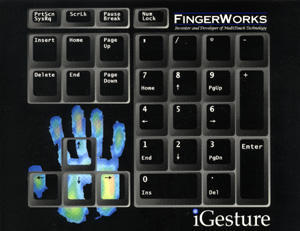
Part of the iPhone’s multitouch interface is based on the work of two University of Delaware professors, John Elias and Wayne Westerman. Elias and Westerman owned a company called FingerWorks that sold a multitouch Touchstream keyboard and an iGesture Numeric Keypad, which worked like the multitouch mousepad described above.

Apple bought FingerWorks in early 2005, along with the professors’ patents, which look like an entire platform for finger-based interfaces.
For one thing, using your finger seems to help with RSI, according to FingerWorks’ testimonials:

“I’ve been a LP user for about 8 months. It’s been the best thing that’s ever happened to me in the world of computers. I’m a mechanical engineer and I use it for 2D and 3D CAD drafting, as well as ‘normal’ office type use. Also, I’m a Linux and Windows user, and I love how it works easily in both environments.

I have RSI in both my left and right forearms and wrists. Since using the Touchstream, I’ve reduced pain considerably, and I am able to do work with much less pain.”


New Macs at WWDC? (Well, Yeah)

By

post-381-image-8253d669517f2235d066400722d148a8-jpg

Analyst Gene Munster (not to be confused with Herman) today predicted that Apple will roll out new MacBook Pros and iMacs at the Worldwide Developer Conference in June. That’s not the world’s edgiest guess, given that it’s been almost nine months since either product line was updated. What is rather shocking is Munster’s baffling logic for the update:

Munster added that he “expects” new MacBook Pros (1, 2) to make a
showing at the developer conference and that it’s “also possible” that
Apple will introduce a redesigned iMac. He notes that on average, the
Cupertino-based company has updated its professional notebooks every
182 days, with the most recent generation having launched 209 days ago
(data presumably gathered via help from the MacRumors buyer’s guide).
Similarly, he said, iMacs have traditionally seen updates every 168
days but the current generation is now a whopping 257 days old.

Wow, and I thought it was just that Intel had new processors on the market and Apple’s just about last to roll out hardware sporting the chips. I am mildly interested in the rumor that the iMac would actually be redesigned and not just refreshed. Looking back at it, the timing might be right. The iMac G4 was on the market for about 30 months, and we’re now at 33 months for the iMac G5 enclosure. I think Apple is more than due for a real new design statement on its computers, so this will be one to watch.

Image via Wikipedia
Via Engadget

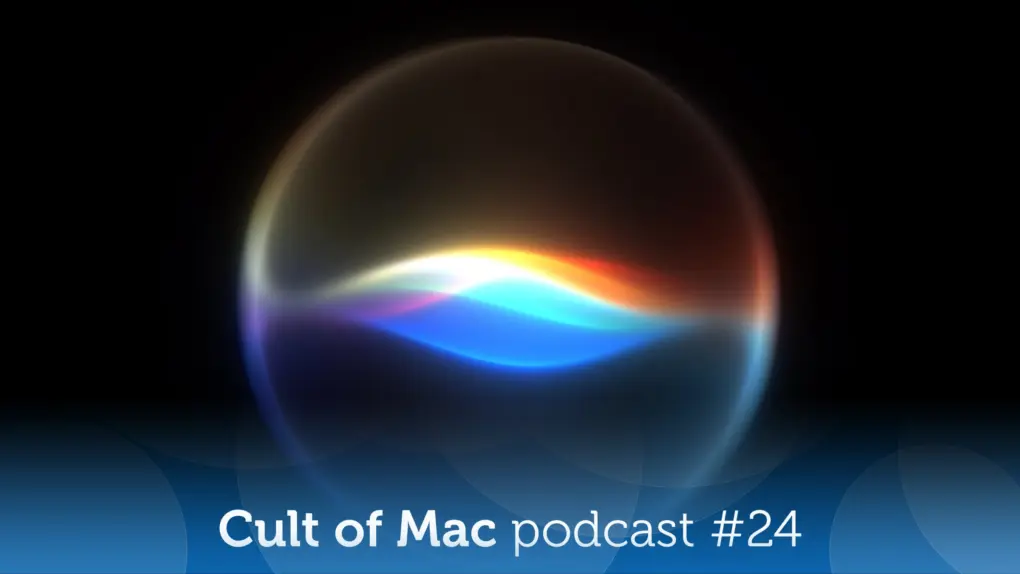
Siri AI: This time Apple means it! [Cult of Mac podcast No. 24]

By

Image of Siri AI logo on black background with the words,
After whiffing a couple years ago, Apple hits it out of the park with Siri AI.
Image: Cult of Mac

Apple WWDC26: This week on the Cult of Mac podcast: For once, Siri doesn’t leave us exasperated! After a week of WWDC26 surprises, we’re genuinely stoked about the promise of Siri AI.

Also on the Cult of Mac podcast:

  • The good news doesn’t stop with Siri. Loads of new Apple Intelligence features look useful and thoughtfully implemented.
  • Apple faces off against the European Union, and it looks like EU iPhone and iPad users will pay the price.
  • We talk about the new features coming in iOS 27, macOS 27 and watchOS 27.
  • And finally we wrap up with the results of our WWDC26 predictions game.

Listen to this week’s episode of the Cult of Mac podcast in the Podcasts app or your favorite podcast app. (Be sure to subscribe and leave us a review if you like it!) Or watch the video live stream, embedded below.

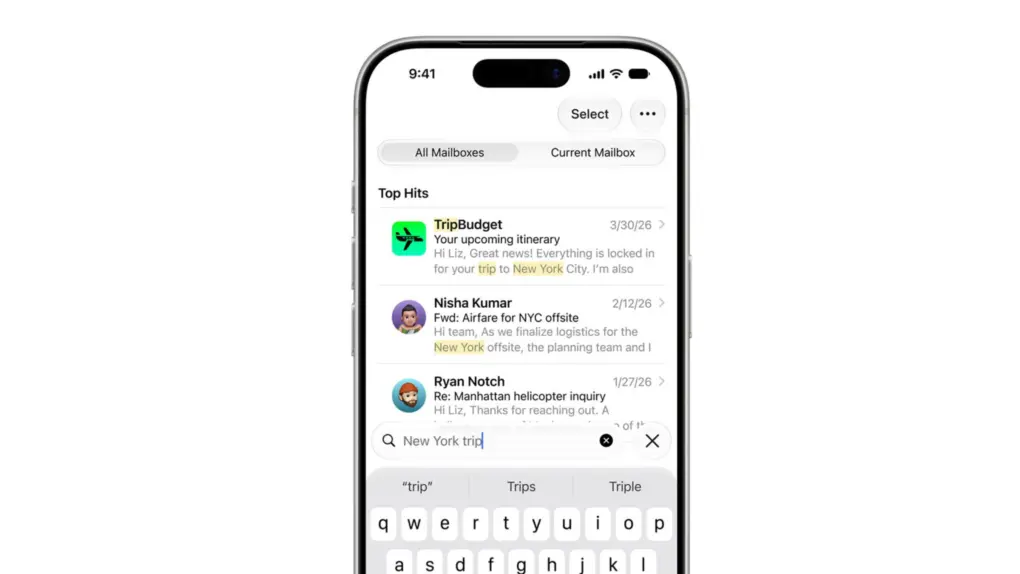
Apple is fixing the Mail app’s broken search in iOS 27

By

A photo of Apple's Mail app for the iPhone used in a story about the iOS 27's Mail app update.
Apple Mail gets a ground-up search overhaul in iOS 27.
Image: Apple

Apple WWDC26: Apple Mail’s search has been broken for years, and everyone knows it. But iOS 27 should fix that.

When it arrives later this year, it will bring a completely rebuilt Mail search with features such as a new on-device index, relevance ranking and the ability to reindex old emails. The emails you know exist but can never find? Your iPhone will finally be able to surface them.

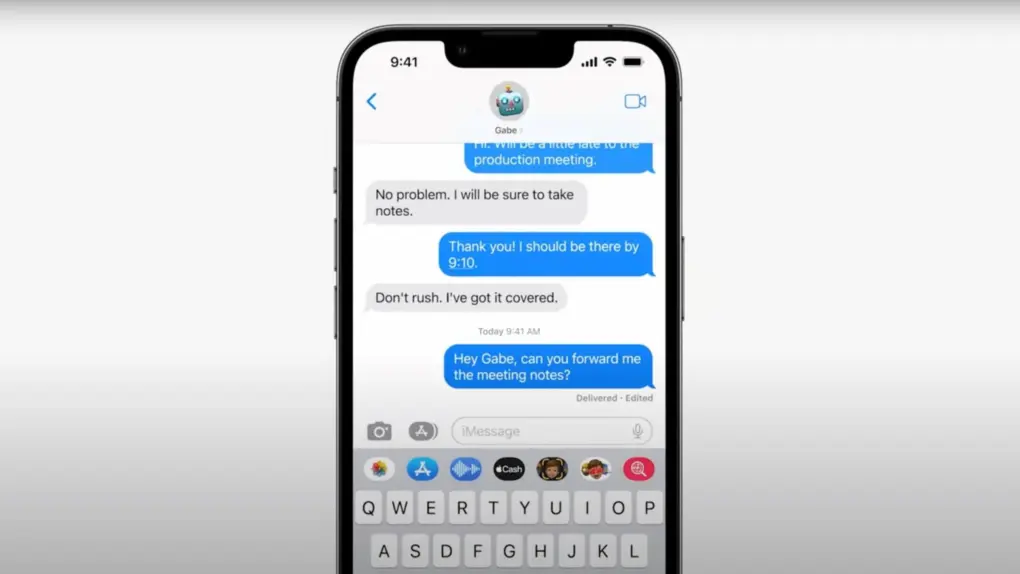
iOS 27 finally fixes the Messages app’s most annoying buttons

By

A photo of Apple's Messages app used in a story about new features coming with IOS 27.
Messages in iOS 27 gets smarter, safer, and a whole lot less frustrating.
Photo: Apple
Apple WWDC26: If you ever accidentally hit the microphone button in the Message app and started recording your voice, Apple finally fixed that problem in iOS 27. Justin Bieber publicly complained about it last year, and as it turns out, Apple was paying attention.

With iOS 27, Apple is not only ending the dictation button problem but also adding some new features to the Messages app. You’ll also get AI-powered smart suggestions, a new drawing tool, improved child safety features and performance fixes.

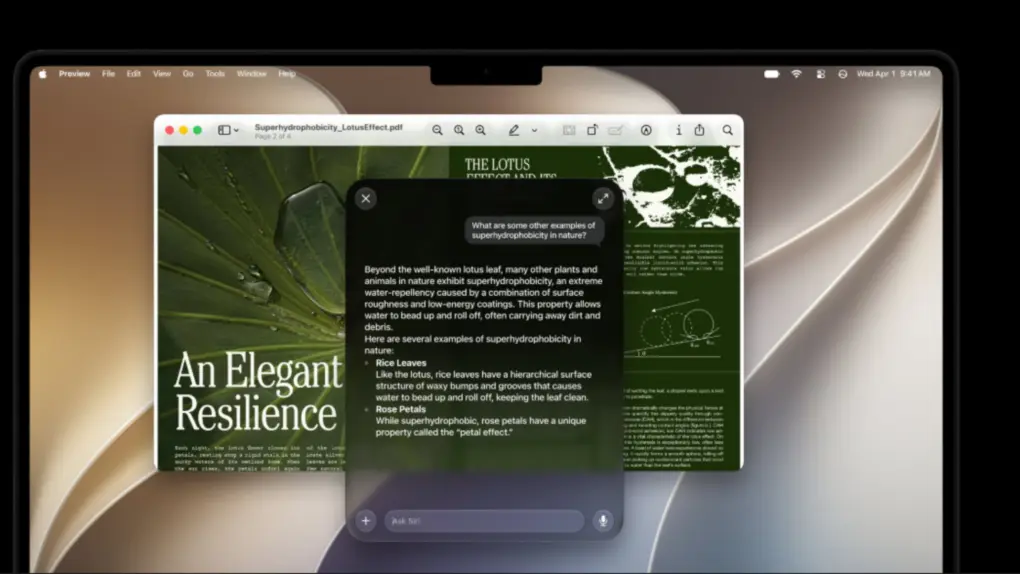
macOS 27 Golden Gate is last update to support Intel apps

By

A photo of macOS 27 used in a story about macOS 28 discontinuing support for Intel only apps.
Apple is finally closing the book on Intel app support with macOS 27 Golden Gate.
Photo: Apple

Apple’s planned goodbye to Intel is almost here, and it’s not about the hardware. macOS 27 Golden Gate will be the last version of macOS to support apps built for Intel-era chips using Rosetta 2, the software layer that’s been keeping older software alive on Apple silicon. Next year, when Apple announces macOS 28, that safety net will disappear completely.

This affects even M-series Mac users who upgraded years ago. If any of the apps you use haven’t been updated with native Apple silicon support, they are likely alive because of Rosetta 2. These apps now have roughly one year before they stop running.

7 exciting Apple Maps features coming to iPhone in iOS 27

By

every notable Apple Maps upgrade in iOS 27
Apple Maps' Flyover feature gets a lot more realistic.
Photo: Apple

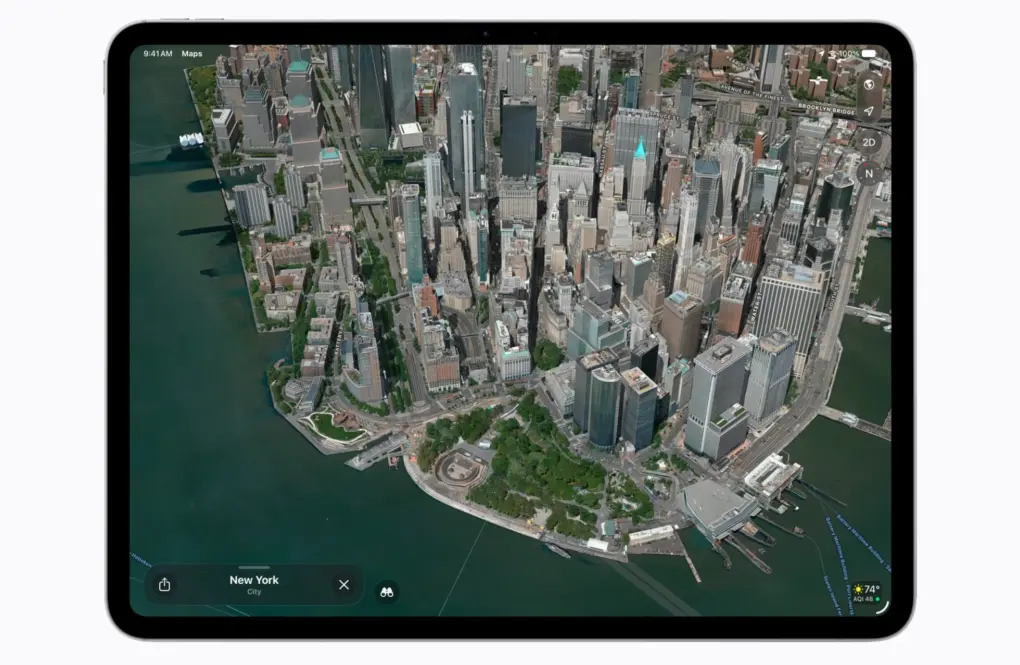
Apple WWDC26: Once a bit of a sketchy upstart, Apple Maps has become one of the best iPhone navigation apps. And upcoming iOS 27 — previewed at WWDC 2026 this week — pushes it even further. Here’s every notable Apple Maps upgrade in iOS 27.

Today in Apple history: Safari lands on Windows with a ‘meh’

By

Image of Steve Jobs demoing Safari on Windows
Safari on Windows did not become the smash hit Apple hoped for.
Photo: Apple

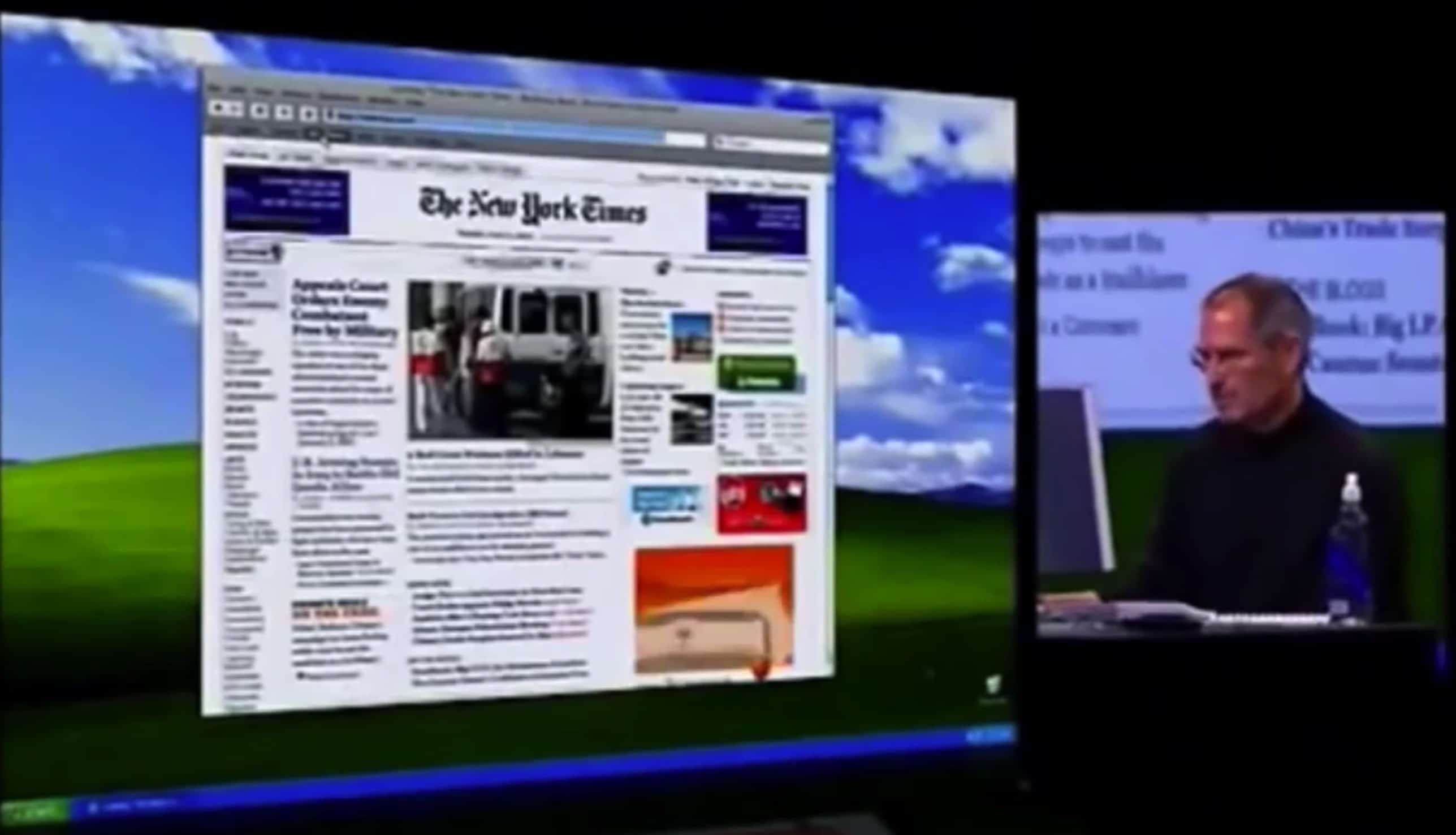
June 11: Today in Apple history: Safari lands on Windows with a meh June 11, 2007: At Apple’s Worldwide Developers Conference, CEO Steve Jobs unveils Safari 3 for Windows, bringing the company’s web browser to PCs for the first time.

Apple pitches Safari as the world’s fastest and easiest-to-use web browser, capable of rendering web pages up to twice as fast as Internet Explorer and 1.6 times faster than Firefox.

“We think Windows users are going to be really impressed when they see how fast and intuitive web browsing can be with Safari,” Jobs says in a press release announcing the launch. “Hundreds of millions of Windows users already use iTunes, and we look forward to turning them on to Safari’s superior browsing experience too.”

Changes in macOS Golden Gate hint at a touchscreen MacBook

By

Black and white photo of someone touching a MacBook screen to scroll a webpage.
Please, only touch the screen if it’s a touchscreen.
Photo: Pavel Danilyuk/Pexels

A few changes in macOS Golden Gate 27 hint towards Apple introducing a Mac with a touchscreen quite soon. Apple added a bunch of developer tools that allow apps to differentiate touch input from mouse input. Liquid Glass elements also behave differently when you interact with them on a touchscreen — they bounce and glow more prominently, just like iOS. 

Officially, these changes are for Sidecar, the feature that lets you use an iPad as a touchscreen Mac display. But Apple’s own documentation also states that these new features are “not just for the Sidecar display.”

What else could that be…? Maybe the touchscreen MacBook that’s rumored to launch later this year. 

1 61 62 63 64 65 309