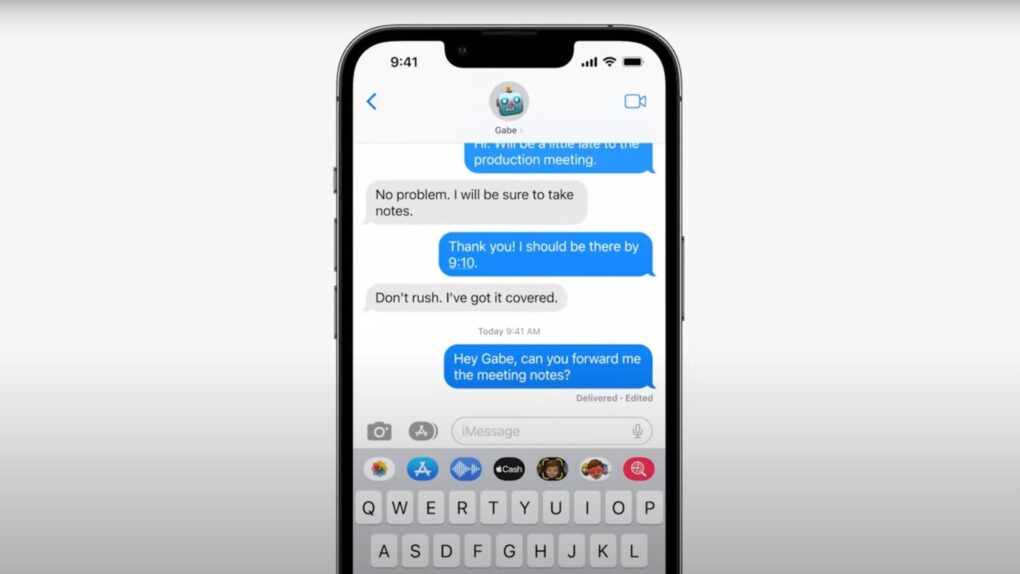
 If you ever accidentally hit the microphone button in the Message app and started recording your voice, Apple finally fixed that problem in iOS 27. Justin Bieber publicly complained about it last year, and as it turns out, Apple was paying attention.
With iOS 27, Apple is not only ending the dictation button problem but also adding some new features to the Messages app. You’ll also get AI-powered smart suggestions, a new drawing tool, improved child safety features and performance fixes.
iOS 27 brings Apple Intelligence to Messages
Apple’s Messages app has spent years accumulating features while retaining some surprisingly clumsy quirks, including a microphone button that has trapped countless users in accidental voice recordings. With iOS 27, Apple is finally smoothing out those rough edges.
The update, available as a developer beta now and coming to iPhones later this year, pairs long-overdue usability fixes with a new wave of Apple Intelligence features. The upgrades turn Messages into a smarter, more proactive communication hub that can suggest actions, surface relevant content and even mimic your writing style. It serves as a reminder that Apple’s AI strategy will quietly reshape the apps millions of people use every day.
Aside from fixing that mic button, the biggest upgrade to iOS 27’s Messages app is one-tap suggestions powered by Apple Intelligence. iOS 27 will show shortcuts below relevant messages. For instance, you might see reminders or notes based on what someone said. Or the app might show photos to share based on keywords, contacts and locations.
Smart Reply Suggestions also gain improvements, with the feature now understanding your personal writing style so it can sound more like you.
Apple listened to Justin Bieber and fixed his complaint https://t.co/O4gJdwEG1f pic.twitter.com/ijXA9r0KVf
— Aaron (@aaronp613) June 9, 2026
The new iMessage Drawing option
iOS 27 also brings a new iMessage option called Drawing that allows users to quickly send a doodle in a conversation. It also features the same Markup tools found in Notes and Preview.
It will become available on all iPhones getting the iOS 27 update, but it feels a bit off. A foldable iPhone is expected later this fall, and a drawing canvas in the Messages app would make a lot more sense on that big display.
Apple also improved the reliability of the Messages app in iOS 27. Soon, failed messages will automatically retry. Plus, syncing will be faster across devices, and offloaded media will show thumbnails.
Another small but useful feature is that you’ll be able to search conversations by phone number or a contact’s nickname.

Anurag Chawake is a tech-focused writer specializing in smartphones, apps and consumer technology. His interest in computers began during the Windows 98 era, eventually leading him to explore everything from operating systems to mobile devices and PC hardware. Anurag previously contributed to The Indian Express, covering Apple, Android, gaming and the broader technology landscape.

