Mobile menu toggle

Safari - page 11

Become a Safari search master with quick iOS tip

By •

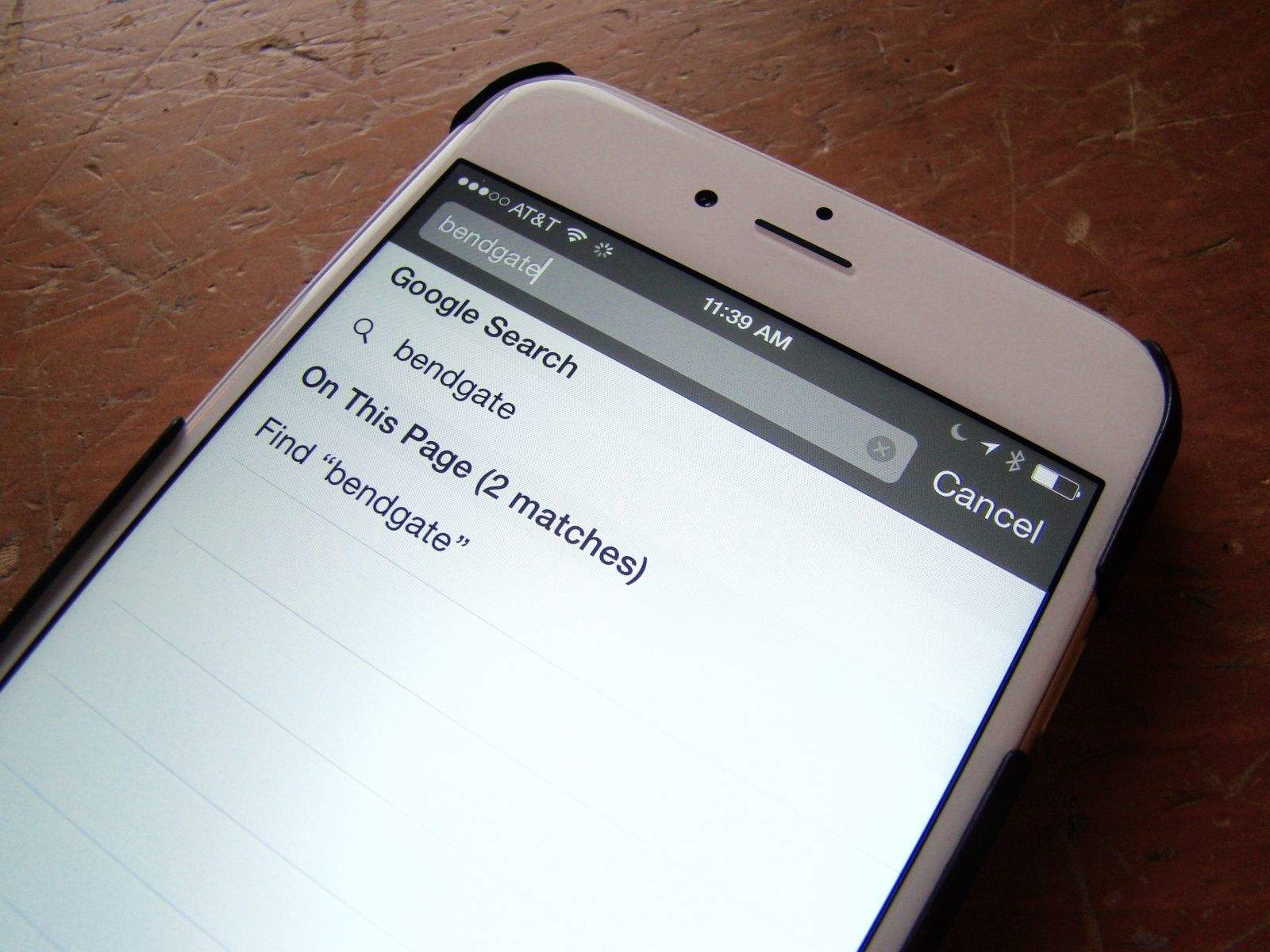
Searching within Safari pages is pretty easy, but well-hidden. Photo: Rob LeFebvre

On the Mac, it’s super-easy to search for a word or phrase within the currently loaded page. You simply hit Command-F on your keyboard and Safari, Chrome or any other web browser will open up a little field to type your search terms into.

But what about when you’re using mobile Safari on your iPhone or iPad? How do you find a specific word or phrase there?

It’s pretty simple, but not super-intuitive. Here’s our recipe for finding search terms on your iPhone’s version of Safari.


Apple is working on fix for newly discovered ‘FREAK’ security bug

By •

This login screen for a Quanta Computer database led to sensitive documents containing details on upcoming Apple products. Photo: Jim Merithew/Cult of Mac
The Freak bug went unnoticed for over a decade. Photo: Jim Merithew/Cult of Mac

A newly discovered security bug has secretly left Safari users on both iOS and OS X vulnerable to attacks on hundreds of thousands of websites for years.

The ‘FREAK’ security flaw was exposed today by a group of nine researchers who discovered web browsers could be forced to use an intentionally-weakened form of encryption. FREAK effects iPhones, Macs, and Android browsers, but Apple’s spokesman says the company will release a fix next week.

Yahoo really wants to replace Google search in Safari

By •

Yahoo is stepping up its security game. Photo: Yahoo
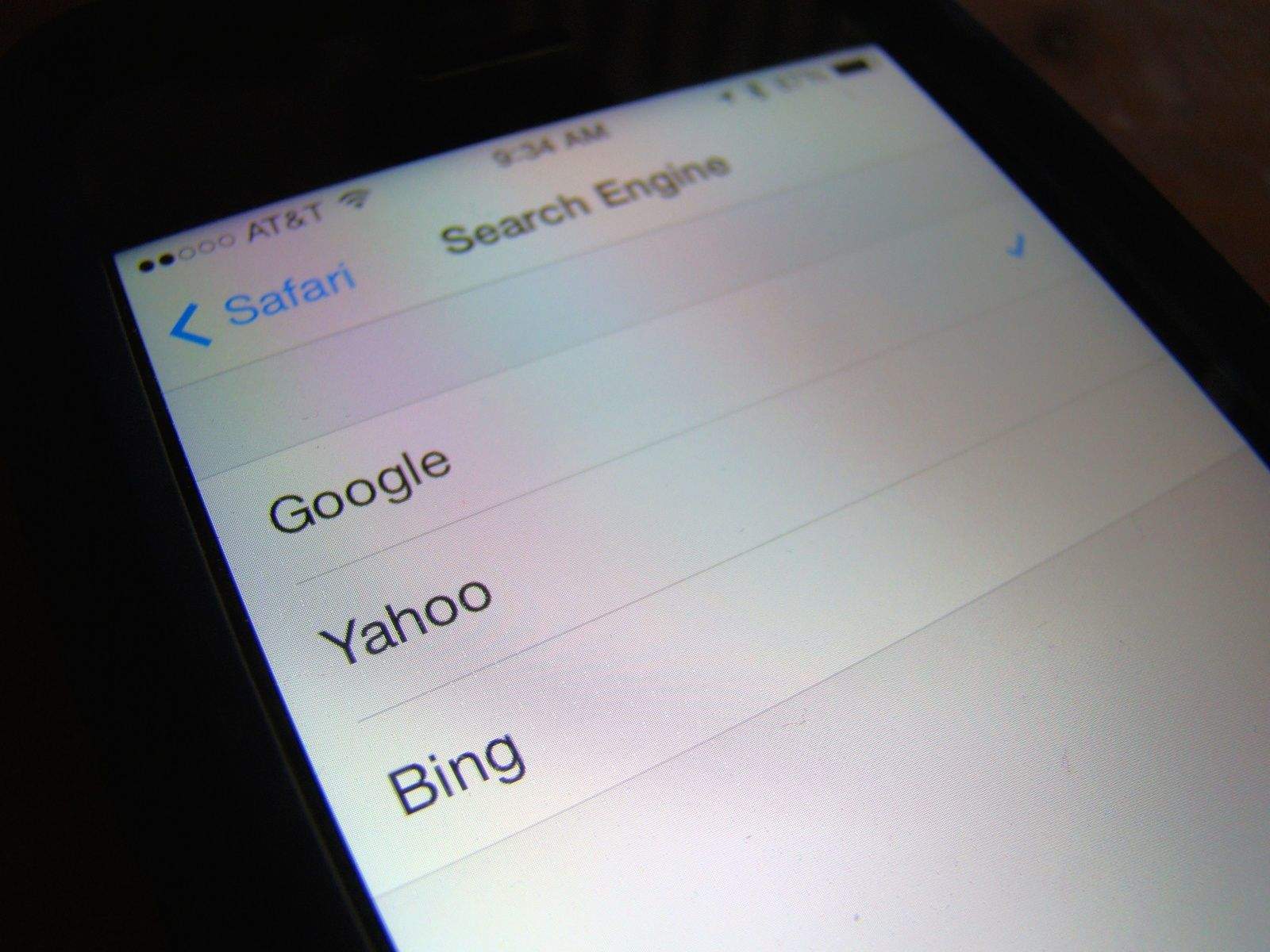
Yahoo has been vying for the default search spot in Safari, and 2015 might be the year it finally happens. Photo: Yahoo

Thanks to contractual obligations that are purportedly ending this year, Google’s days as Safari’s search provider could be numbered. And Yahoo wants to take its spot.

During Yahoo’s quarterly earnings call yesterday, Marissa Mayer reiterated her interest in being Safari’s main search engine. “The Safari platform is basically one of the premier search deals in the world if not the premier search deal in the world,” she said in response to a question about Yahoo’s plans for search.

How to access Google’s killer Inbox service on Safari

By •

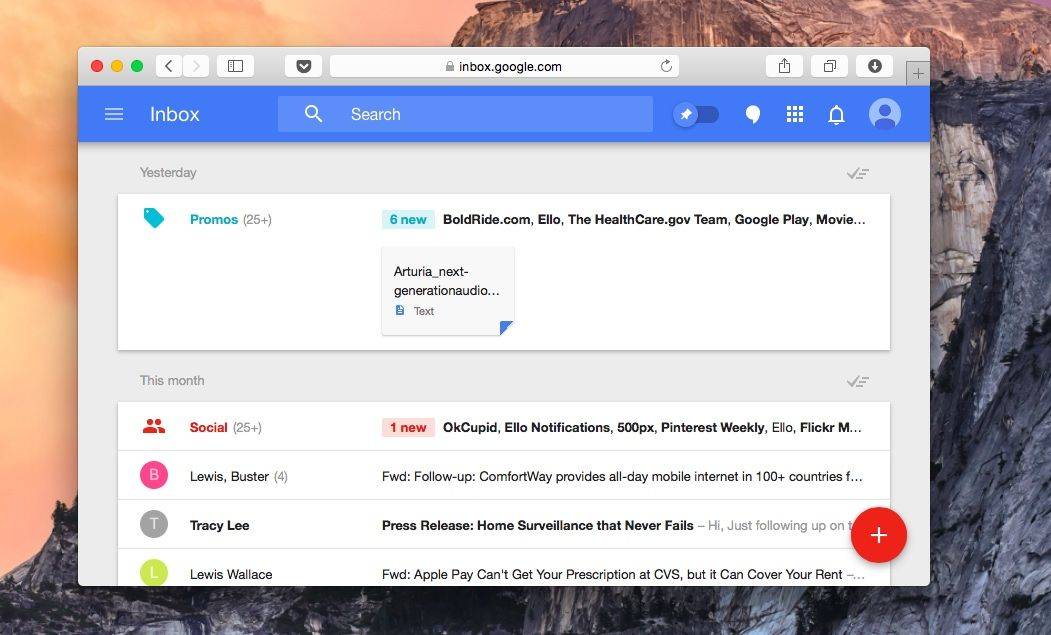
Google Inbox is now on the Mac. Photo: Buster Hein/Cult of Mac
Google Inbox is now works in Safari. Photo: Buster Hein/Cult of Mac

Google’s new Inbox app is a godsend for people like me who seem to teeter on the brink of inbox bankruptcy weekly, but there’s one problem with the killer Gmail manager: it’s not only available on iOS, Chrome, and Android.

The Inbox team might not be in a hurry to bring its service to Safari, but if you want don’t want to defect to Chrome just manage play with Inbox, our friend Rishi at Zinx has discovered how to access Inbox from Safari.

Here’s how to do it:

All the tiny tweaks Apple sneaked into iOS 8

By •

iOS8

We’re still busying digesting all the new stuff Tim Cook and Craig Federighi announced yesterday with iOS 8, and even though we’re ridiculously excited about major backend features like HomeKit, iCloud Photo Library and Metal, 24 hours of tinkering around with the OS has revealed a lot of hidden gems that went unmentioned.

Along with the host of new iOS 8 features, Jony Ive and the Human Interface team have been busy adding dozens of tiny tweaks to the UI as well as tossing in a few smaller features you probably didn’t notice.

Take a look at these 11 tweaks Apple sneaked into iOS 8 without telling anyone:

Marissa Mayer Wants Yahoo To Be Safari’s Default Search Engine

By •

marissa_new4

Having seen its shares jump recently, Yahoo CEO Marissa Mayer has another plan she hopes will continue her company’s turnaround: convincing Apple to adopt Yahoo as the default search engine for Safari on iOS.

Yahoo has reportedly been working on two secret projects designed to build “a viable mobile search engine and monetization platform to convince Apple to make Yahoo the default search engine on its Safari browser on the iPhone and iPad,” according to a new report from Re/code.

Codenamed “Fast Break” and “Curveball,” the projects will be the subject of an upcoming presentation Mayer will make to Apple at some point in the near future — with the aim of getting the company to ditch Google as its search partner.

Map Street Addresses Right Inside Safari [OS X Tips]

By •

Maps in Safari

When you want to look up a street address in Safari, you may still be using an old workflow: copy the address from the web page, paste it into the search bar, and then use Google Maps.

With OS X Mavericks, you might even have gone a step further and pasted the address into Apple’s Maps app, and then sending the directions to your iPhone.

There’s another way, though, which offers more immediate gratification: opening the address in Safari.

OS X Mavericks 10.9.2 Beta 2 Is Now Available For Developers

By •

osx10921


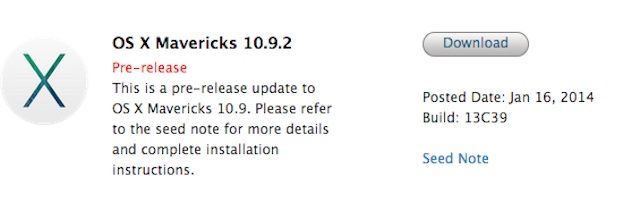
Apple released the second beta build OS X 10.9.2 to developers today, nearly a month after the first beta was released. Developers can grab Build 13C39 from the Mac Dev Center, or by running a software update if you’re already running the first beta.

The seed notes don’t list any new features, but ask devs to focus on Mail, Messages, graphics drives, VoiceOver, VPN and SMB2. The last beta added FaceTime over audio to the Messages and FaceTime apps.  Apple also seeded the first beta of Safari 6.1.2 to developers that looks like it’s mostly filled with bug fixes.


Source: Apple

Allow Mobile Safari To Store Passwords For All Sites [iOS Tips]

By •

Safari Passwords

When you browse the web with mobile Safari, you’ll come across sites that ask you to create a login, and that usually requires a password.

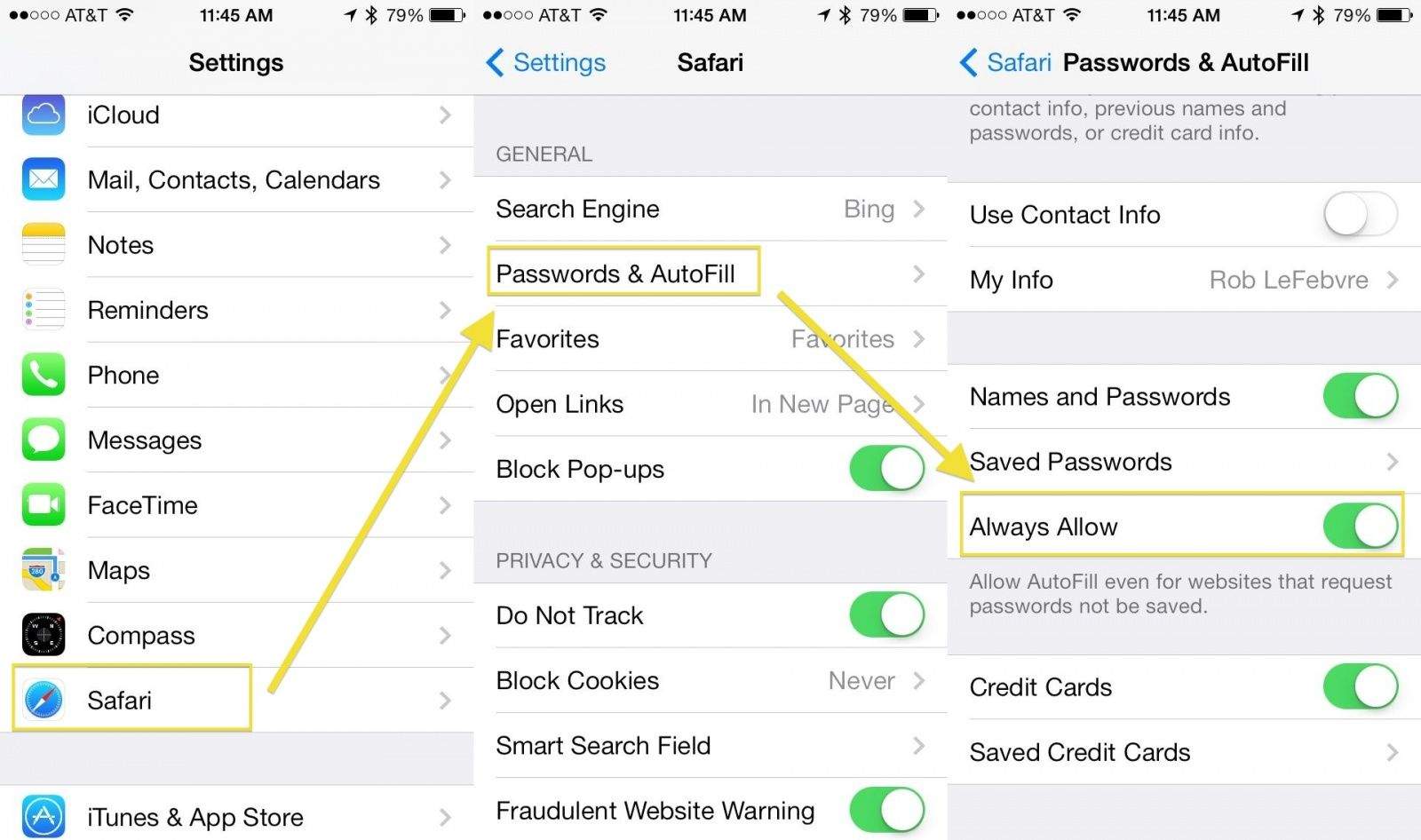
You can save your passwords in mobile Safari automatically, but there are some sites that request passwords not be saved. There’s a workaround, though, if you feel like you should be able to save whatever passwords you darn well please, and it’s buried in the Settings app.

Look Before You Leap – Preview Links On Your iPhone or iPad [iOS Tips]

By •

Preview Link

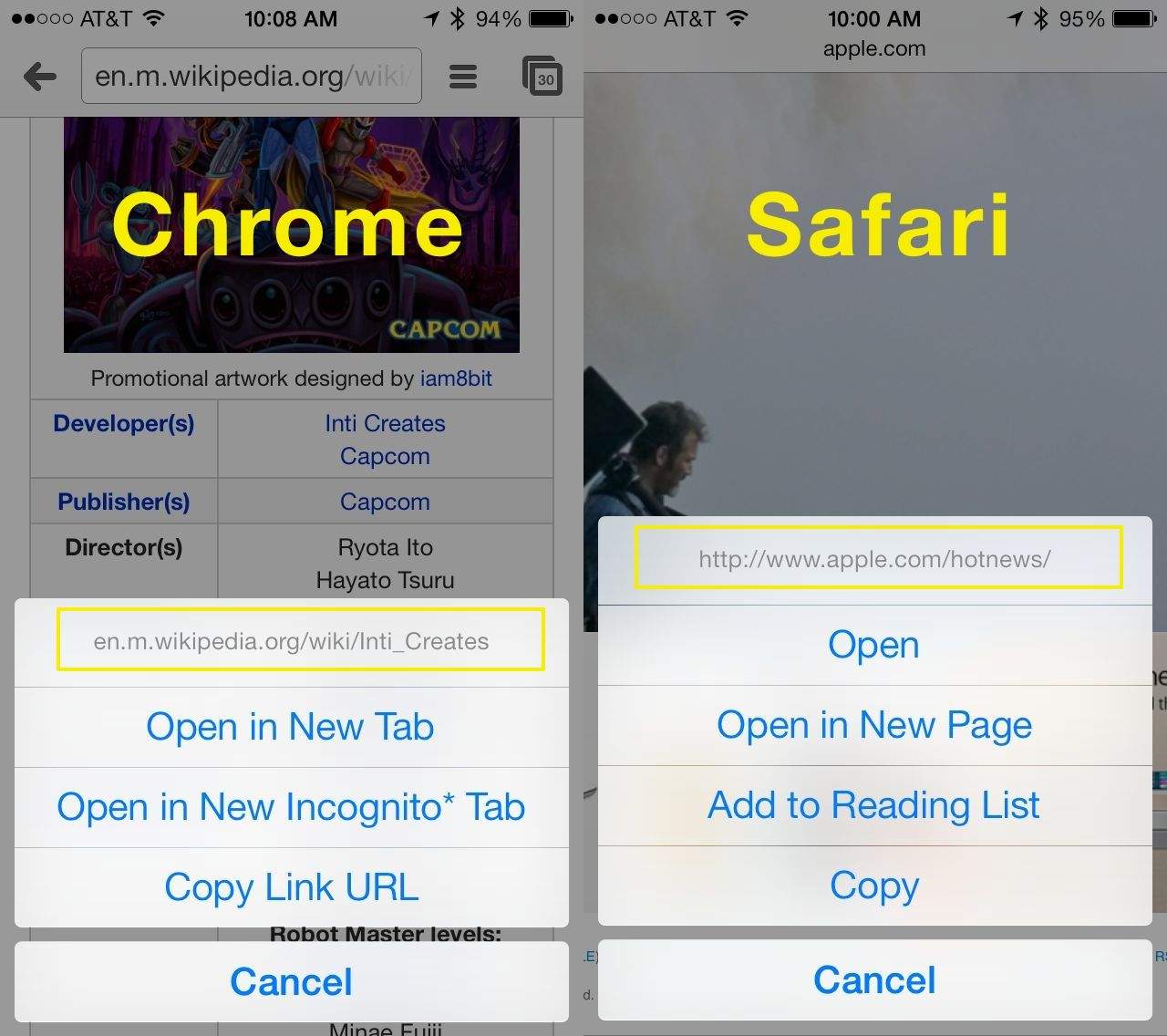
The web is full of all kinds of links, both clearly labeled ones as well as links with varying degrees of treacherousness (Rick Roll, we’re looking at you). While finding yourself sent to a video of Rick Astley may be fairly innocuous, there are times when you’re on the web and you come across a link that could possibly do something more serious.

That’s where the mobile web browsers in iOS 7 come in. I’ve tried this trick in both Safari and Chrome, but there may be other, less popular browsers that do the same thing: your mileage may vary.

Enable Flash For Specific Websites With Safari [OS X Tips]

By •

safari security prefs 2

Ugh, Flash content, right? It slows everything down, and buries content within inaccessible Flash movies, and forces you to install and keep updating the plugin, even if you don’t need it.

Honestly, I hope Flash goes the way of the dodo, and HTML5 takes over. If I had my druthers, I’d disable Flash on my Mac

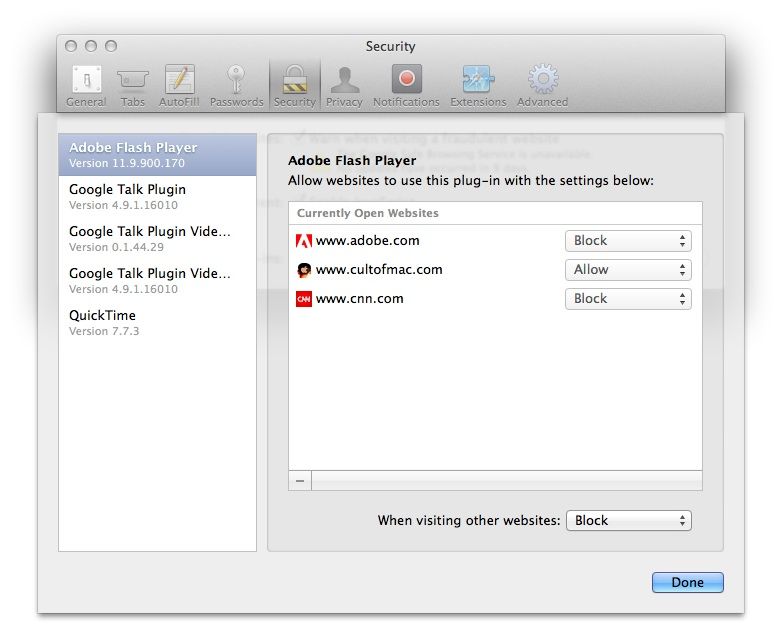
Until then, however, there are some sites where you actually need to enable Flash to see the content. So, instead of completely dumping Flash in a fit of pique, you can enable it in Safari only for specific sites.

Add Web Clips To Evernote From Your iPad For Free [iOS Tips]

By •

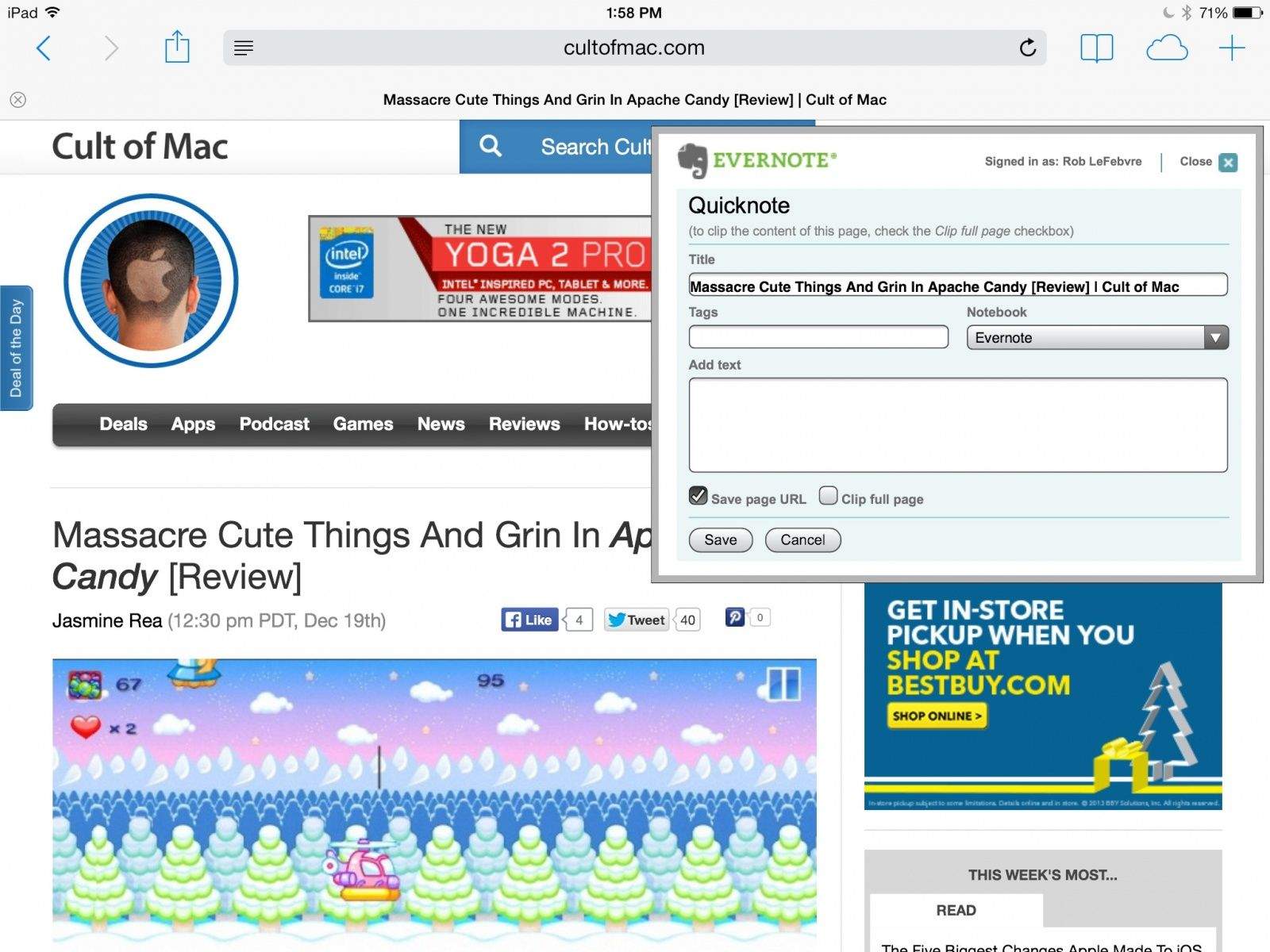
popup add to evernote

There isn’t a built-in way to add extensions to mobile Safari or Chrome on your iOS device, so it’s not possible to add the amazing (and free) Evernote web clip extension like you can on the Mac.

There are third-party apps that will add anything in your clipboard to Evernote, but the best one (Everclip) cost money, and you need to copy the web URL to your clipboard, and then launch the app.

If you want a quick way to add webpage clips to your Evernote file system from within your mobile browser, all you need to do is use Javascript. This works really well on the iPad, but the iPhone 5 I tested it with had some sizing and formatting issues, so your mileage may vary.

Safari File Reveals Your User IDs & Passwords In Plain Text

By •

safari_loophole_03

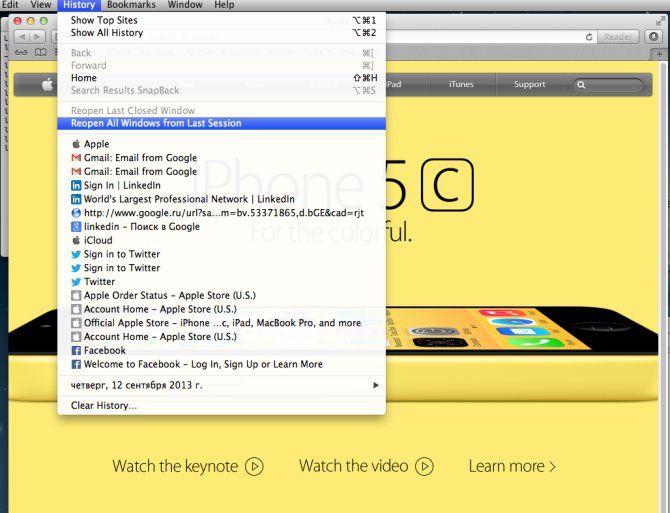
The peeps behind Kaspersky Labs’ Securelist blog have uncovered an Easter Egg in Safari, which they claim lists user IDs and passwords in plaintext.

The problem relates to Safari’s retention of browser history as used in the “Reopen All Windows from Last Session” feature — which enables users to easily revisit sites they opened during previous Safari sessions.

Rearrange, Pin Or Delete Safari Top Sites Thumbnails With Ease [OS X Tips]

By •

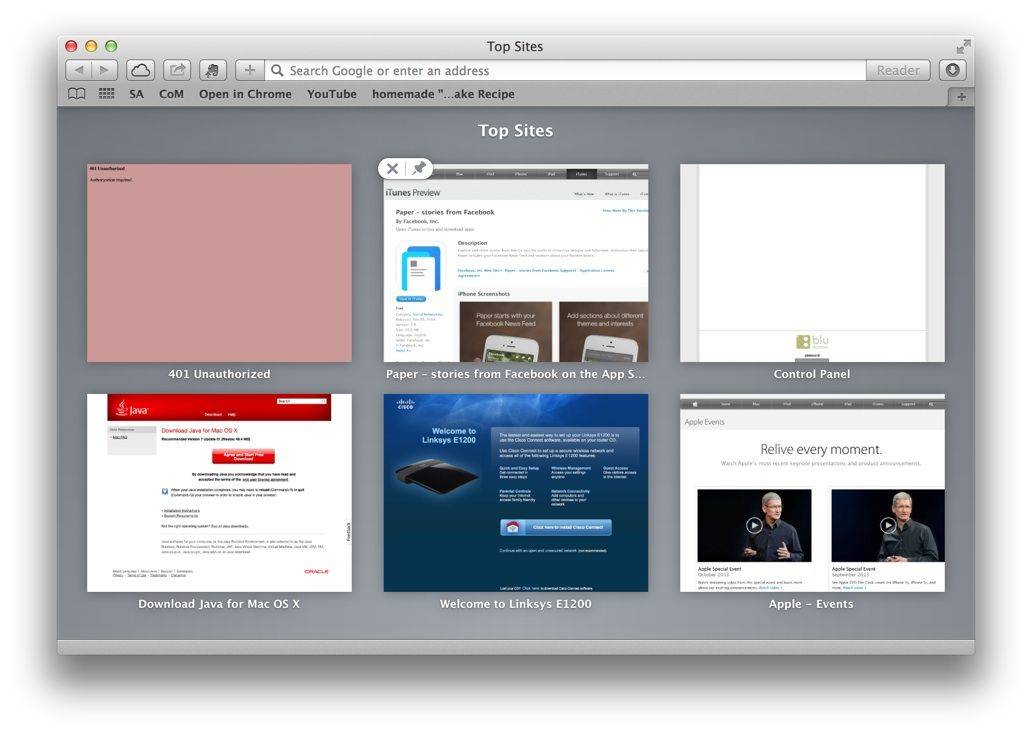
Safari Top Sites

When you launch Safari these days, you’ll get the Top Sites page, showing all the sites you visit most frequently in Safari. If you’ve disabled this default view, you can get to it with a quick Option-Command-1 in Safari.

Did you know, however, that you can rearrange these Top Sites more to your liking? You can even delete sites you don’t want appearing there, as well.

Enable Do Not Track, Block Cookies, For Better Mobile Safari Privacy [iOS Tips]

By •

Privacy Mobile Safari

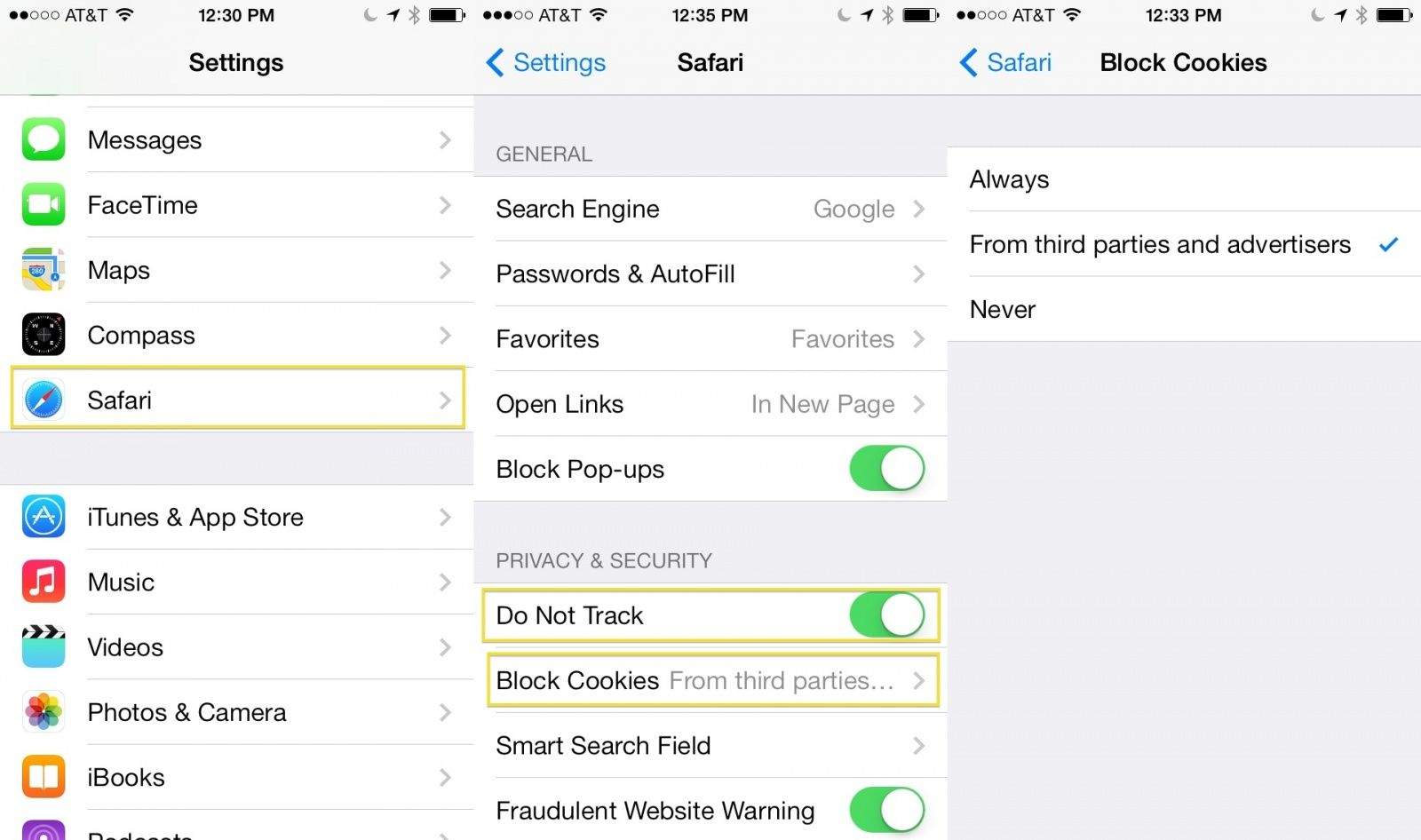
While other web browsers exist and thrive on iOS, Safari is the one Apple includes with it’s iOS system software, and it’s probably the one most of us use often, no small thanks to the fact that it’s integrated at the system level. Every click through, unless third-party apps (like Mailbox) allow something different, takes us to Safari as our main browser.

Therefore, if you’re looking for ways to protect more of your privacy, you’ll want to enable the Do Not Track feature in mobile Safari, as well as possibly block cookies, which are bits of code that store your preferences on website servers for return visits.

Chrome For iOS Updated With AutoFill And Improved Image Search

By •

Chrome for iOS  just got faster.
Chrome for iOS just got faster.
Photo: Google

iOS users that long for something other than Safari will be delighted to know that Google has released a free update for Chrome for iOS.

The new updated includes an Autofill feature that lets users complete forms with just a few clicks, similar to the autofill feature Apple introduced in iOS 7 with iCloud Keychain. Along with some stability enhancements and bug fixes, Google has also improved image searches by adding the ability to long press on an image to search for related images.

Here are the release notes:

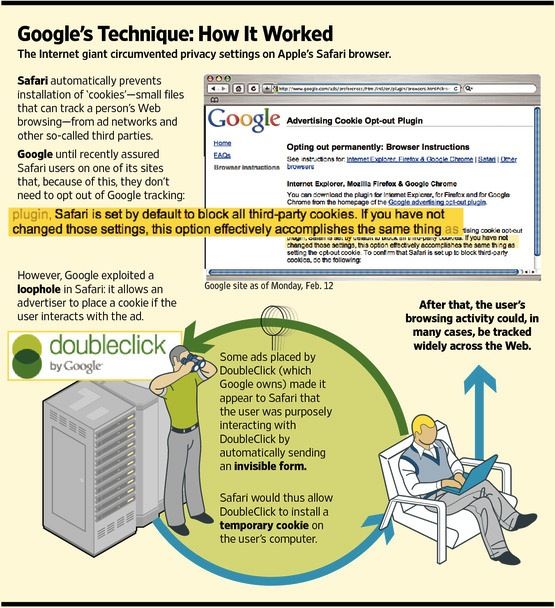
Google Finally Settles ‘Safarigate’ Tracking Controversy With 37 States

By •

googletracking

The fines just keep mounting for Google. In the wake of last year’s Safarigate, in which Google was revealed to be tracking millions of iOS & Mac Safari users against their knowledge, Google first agreed to pay a $22.5 million fine to the FTC, the largest such fine in history. But it’s not stopping there, with Google now agreeing to pay $17 million to settle the issue with 37 states.