Mobile menu toggle

Get Safari Magic Mouse Gestures Back In Mavericks [OS X Tips]

By

Magic Mouse

Magic Mouse gestures let you use swipes and taps on the mouse itself to do things like go back a page when browsing in Safari.

Unfortunately, some folks who have upgraded to Mavericks may have noticed that their Magic Mouse gestures no longer work.

Luckily, there’s a quick way to re-enable this feature, if you miss it.

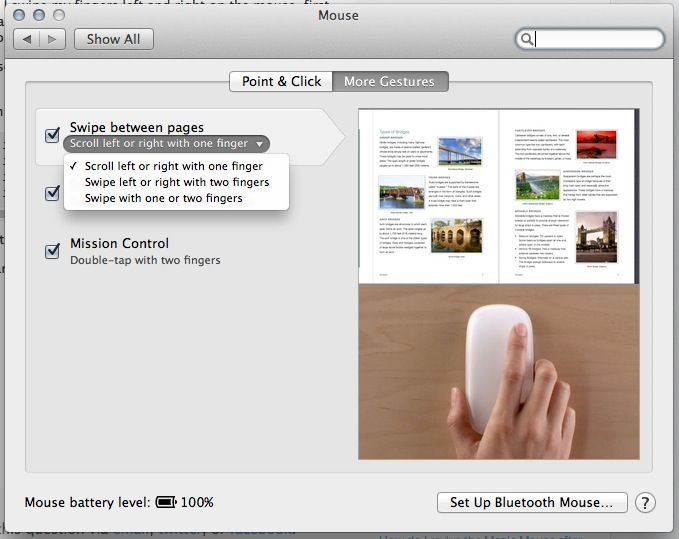
Launch System Preferences from the Applications folder or the Dock, and click on the Mouse icon. Click on the More Gestures tab and then click on Swipe Between Pages.

Now when you use Safari with your Magic Mouse, you’ll be able to use gestures yet again. Hoorah!

Via: Macworld UK
Image: Stack Exchange

  • Subscribe to the Newsletter

    Our daily roundup of Apple news, reviews and how-tos. Plus the best Apple tweets, fun polls and inspiring Steve Jobs bons mots. Our readers say: "Love what you do" -- Christi Cardenas. "Absolutely love the content!" -- Harshita Arora. "Genuinely one of the highlights of my inbox" -- Lee Barnett.

3 responses to “Get Safari Magic Mouse Gestures Back In Mavericks [OS X Tips]”

  1. tool022611 says:

    Mine never changed after I upgraded to mavericks.

  2. zak_issac says:

    If apple say’s it should be turned off, Who am I to disagree.. :D
    I’ll get used to the default settings.. It usually is for the best..

  3. robraden says:

    BetterTouchTool does a better job. I have three finger swipe left/right set up to switch tabs left & right, and three finger swipe up/down set up to take me to the top or bottom of a page. Gestures like that are a million times more helpful than the basics Apple gives us, and they’re easy to set up using BetterTouchTool. BTT has become an app I couldn’t do without. If I’m not mistaken, it’s free, but even if it cost $50 I’d still recommend it. It’s literally THAT good.

Leave a Reply

