Mobile menu toggle

iPhone full again? This $35.99 photo backup stick fixes it instantly.

By

Photo of a Photo Backup Stick Omega Universal inserted into a laptop.
This 64GB photo backup stick is now on sale at 40% of its retail price!
Photo: Cult of Mac Deals

iPhone or Mac overloaded with pictures? The Photo Backup Stick Omega Universal from Paraben Consumer Software offers a quick fix. It’s a smart thumb drive for photo storage with USB-C, Lightning and micro USB connectors so it works with all your devices.

It comes in 64GB and 128GB models, and makes it easy to free up space across your Apple devices. And right now, it’s on sale for just $35.99 (MSRP $59.99).

Boring Pluribus merch doesn’t do brainy Apple TV show justice

By

Product shot of
Items with just the Pluribus show title look the most boring, but not by much.
Photos: Sony Pictures

Not every Apple TV show gets merchandise like T-shirts and hats, but Vince Gilligan’s oddly original sci-fi head-scratcher Pluribus — the most-watched Apple TV show ever — just did. Too bad the merch is on the lame side.

One of the most weirdly refreshing sci-fi dramas in recent history deserves better than what Sony Pictures is peddling.

Speed up your Mac workflow with Hot Corners, the feature pro users swear by [Pro Tip]

By

Mac Hot Corners
If you don’t use a trackpad or Magic Mouse, you can set up Hot Corners to zip around your Mac.
Image: D. Griffin Jones/Cult of Mac

Pro tip bug Mac Hot Corners are shortcuts for your mouse. Enable the Hot Corners feature, and you can throw your mouse cursor to the corner of the screen (the easiest place to hit) to perform quick actions. You can instantly lock the screen, start a screensaver, show the desktop, show all windows and more.

If you use your Mac with a standard two-button PC mouse instead of Apple’s Magic Trackpad or Magic Mouse, Hot Corners can replace the multitouch gestures that you miss out on. The Mac’s built-in Hot Corners feature provides a quick and easy way to navigate your computer, and I recommend that you turn them on and use them.

It’s official — Google Gemini will power Siri’s major AI overhaul

By

It’s official — Google Gemini will power Siri’s major AI overhaul
No longer just a rumor, Google Gemini will be at the heart of Apple's AI-infused Siri.
Image: Apple/Google/Cult of Mac

Google’s Gemini AI is set to power the long-promised overhaul of Apple’s Siri voice assistant, turning months of speculation into confirmation after Apple made the partnership official in a statement released Monday.

Apple worked for years on its own large language models to provide Siri with a much-needed intelligence boost. But in the end, Cupertino had to outsource the AI technology to Google, another tech giant with which it both competes and cooperates.

Today in Apple history: iPod drives profits to new heights

By

iPod
The iPod was kind of a big deal in 2005.
Photo: Jim Merithew/Cult of Mac

January 12: Today in Apple history: iPod drives Apple profits to new heights January 12, 2005: Apple reports record earnings for the preceding three months, fueled by impressive iPod sales during the holiday period and demand for the latest iBook laptop. The hardware boom drives a fourfold increase in profits for the company.

Apple brags that it has sold a total of 10 million iPods so far — and rightly so. The massive popularity of the portable music player drives Apple to its highest earnings yet.

“We are thrilled to report the highest quarterly revenue and net income in Apple’s history,” said Apple CEO Steve Jobs in a press release. “We’ve sold over 10 million iPods to date and are kicking off the new year with a slate of innovative new products including iPod shuffle, Mac mini and iLife ’05.”

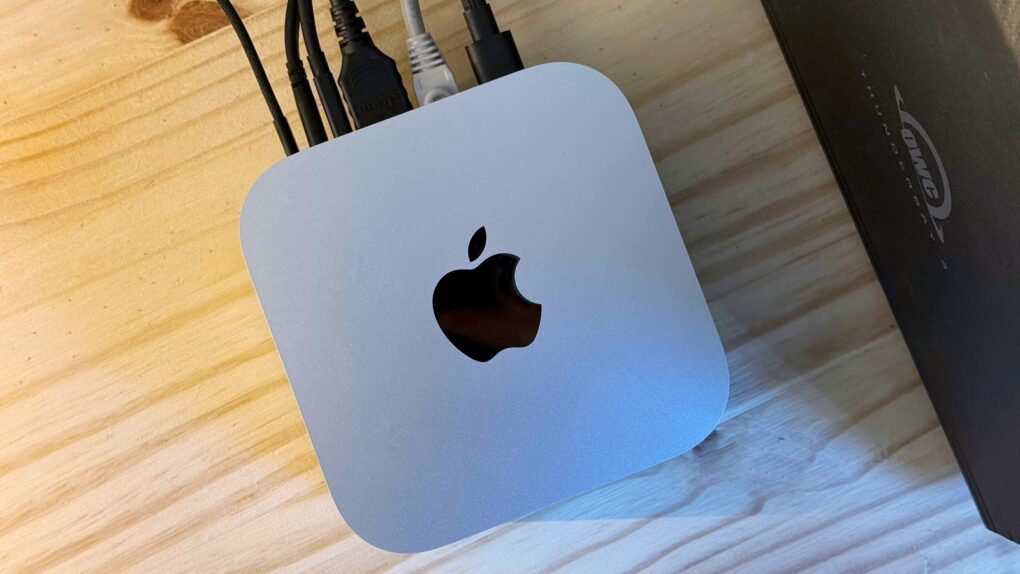
Grab these great M4 Mac mini savings while they last

By

Mac mini deal
M4 Mac mini is tiny and so is the price (especially with this deal).
Photo: Apple/Cult of Mac

Apple’s tiny yet powerful M4 Mac mini is an amazing deal at any time, and a sale on the desktop computer makes it an even better value. You can get the latest model with 16GB of unified memory and a 256GB SSD for only $499. That’s 17% off the list price. Plus Amazon deals apply to a range of specs. And you can get the M4 Pro model for $129 off, or 9% ($1,399.99 $1,269.99). 

Mac mini is a great option for someone needing their first computer. Especially at this low, low price.

Apple streaming services break records

By

Apple Services: Apple Music, iCloud, Apple TV and more
A variety of Apple services did remarkably well in 2025.
Image: Apple

Apple Music and Apple TV just had their biggest month ever. That strong streaming performance added to a banner year for the collection of products that go under the heading of Apple services.

“2025 was a record-breaking year for Apple Services, marked by remarkable growth, global expansion, and continuous innovation,” said Eddy Cue, Apple’s senior vice president of services, in a press release Monday.

Apple TV scores 3 Golden Globe wins — but 3 hit shows strike out

By

Seth Rogen's big night at the Golden Globes went a little better than the episode of The Studio that centered on the awards show.
Photo: Apple TV

Apple TV celebrated a successful night at the 83rd Annual Golden Globe Awards, taking home three awards Sunday for its hit Hollywood-spoof comedy The Studio and its sci-fi phenom Pluribus. But some of the streamer’s other hit shows came up short in the awards ceremony.

Today in Apple history: iPod shuffle randomizes our music

By

Photo showing front and back of the iPod shuffle
The iPod shuffle did away with the display (and celebrated randomness).
Photo: Apple

January 11: Today in Apple history: iPod shuffle randomizes our music January 11, 2005: Steve Jobs introduces the iPod shuffle, an entry-level music player that lacks a display. The device randomly shuffles the audio files it holds, but lets users easily skip songs they don’t like. 

The first iPod to use flash memory, the iPod shuffle plugs directly into a computer using USB 2.0 and comes in 512MB and 1GB configurations. It’s smaller and cheaper than ever, making Apple’s music player even more approachable to average consumers.

“iPod shuffle is smaller and lighter than a pack of gum and costs less than $100,” said Apple CEO Steve Jobs in a press release. “With most flash-memory music players users must use tiny displays and complicated controls to find their music; with iPod shuffle you just relax and it serves up new combinations of your music every time you listen.”

3 big upgrades might make iPhone 17e a below-budget badass

By

AI image of possible design of iPhone 17e used to illustrate a story about rumored upgrades coming to the Apple smartphone
Rumors indicate the iPhone 17e will look very much like the iPhone 17.
AI image: ChatGPT/Cult of Mac

A new iPhone 17e could be right around the corner, and rumors suggest Apple’s next budget model will be a sizable jump over last year’s. Expect it to dump the old screen notch as well as boast other enhancements that bring Apple’s budget handset closer to the more premium options.

In short, those looking for a bargain on a new iPhone should keep their eye out for the 17e.

Do you prefer your iPhone folded or bestickered? [Cult of Mac podcast No. 2]

By

AI image of a folding iPhone, with the words
Samsung's creaseless folding screen could be coming to Cupertino.
Image: Cult of Mac

This week on the Cult of Mac podcast: Did the world just get its first glimpse at the folding iPhone’s screen? And how the heck does anybody bend glass?!?

Also on the Cult of Mac podcast:

  • Plastering the iPhone 17’s camera plateau with tiny stickers is a thing.
  • A new auction lets you bid on some truly bizarre Steve Jobs artifacts, and we’re generally amazed. Will people pay for Jobs’ old 8-tracks and bow ties?
  • Special guest (and frequent Cult of Mac contributor) Graham Bower explains how he vibe-coded his new strength-training app, Reps & Sets 26. It’s an inspirational tale!
  • And finally, we pay tribute to the best Apple setups we saw last year.

Listen to this week’s episode of the Cult of Mac podcast in the Podcasts app or your favorite podcast app. (Be sure to subscribe and leave us a review if you like it!) Or watch the video, embedded below.

And, as a reminder, you can still hear our friend and colleague Erfon Elijah on The CultCast.

Use this tool to get the best results from dozens of popular AIs, all for one low price

By

ChatPlayground AI promotional image with text
Access multiple AI apps with a lifetime subscription to ChatPlayground AI, now 85% off!
Image: Cult of Mac Deals

ChatPlayground AI gives you easy access to more than 40 of the top AI models across 25 apps, all in one place — and all for one low price. It includes big names like ChatGPT, Claude, DeepSeek, Llama, Perplexity and Gemini, and it lets you send one prompt to multiple AIs simultaneously.

That means you can compare results to find the right AI tool for the job at hand, without jumping from one AI app to another. If you’re a heavy AI user, it will save you time as well as money.

Normally $619, a lifetime subscription to ChatPlayground AI’s Unlimited plan is on sale now for only $79.

Today in Apple history: Steve Jobs introduces original MacBook Pro

By

The original MacBook Pro brought innovative features (and stirred up a bit of controversy).
Photo: Apple

January 10: Today in Apple history: Steve Jobs introduces the MacBook Pro January 10, 2006: Steve Jobs unveils the original 15-inch MacBook Pro, Apple’s thinnest, fastest and lightest laptop yet.

Building on the previous PowerBook G4 laptop, the new laptop adds dual-core Intel processors for the first time. The MacBook Pro immediately makes waves in the tech community. And did we mention its awesome MagSafe connector?

Best iPhone accessories from CES 2026

By

AI image of an iPhone on a convention floor table, used to illustrate a story about best iPhone accessories at CES 2026
CES 2026 saw the launch of some amazing iPhone accessories.
AI image: Google Gemini/Cult of Mac

CES 2026 showcased how iPhone accessory makers can innovate while offering deep integration with Apple’s ecosystem. Think slimmer and safer iPhone power banks, smarter MagSafe add-ons, and even an accessory that makes your desk less cluttered.

Plus, Apple’s Find My tech is making its way into everyday carry items, while physical keyboards — typically considered a bulky and impractical iPhone accessory — have become more modular, wireless and easier to live with.

Check out the iPhone accessories from CES 2026 that stood out for all the right reasons.

This iMac-inspired Apple Watch concept brings back Cupertino’s iconic colors

By

Retro concept art of an Apple Watch with an iMac G3 design
Apple fans are loving this juicy retro Apple Watch concept.
Image: SaffyCreatives

A cool, colorful Apple Watch concept that borrows the design language of the original iMac is drawing raves on Instagram.

The instantly recognizable design features translucent plastic in the bright shades of the nonconformist computers that saved Apple’s bacon in the late 1990s.

Adjust iPhone photo blur after you take the shot [Pro Tip]

By

Adjust The Portrait Mode Blur Effect on iPhone
Add more blur to the background or bring it into focus.
Image: King of Hearts/Wikimedia Commons/D. Griffin Jones/Cult of Mac

Pro tip bug You can adjust the background blur of a Portrait mode photo on iPhone and Mac — even after you’ve taken the picture.

Because the iPhone stores the depth data that it uses to create the blur effect along with the image itself, you can adjust how blurry or clear the background looks. It’s super-easy to get just the right amount of aesthetically pleasing background blur, aka bokeh, to make your images look perfect.

Why would you want to tweak the background blur on your iPhone photo? A blurrier background, under the right conditions, can make for a very dramatic picture. It can effectively emphasize the subject of your shot. Or, you might want to turn up the blur to intentionally hide details behind you. On the other hand, if you’re in a photogenic location, you might want to decrease the blur so you can see more of the gorgeous background scenery.

Either way, I’ll show you how to edit Portrait mode’s background blur in photos on iPhone and Mac.

Turn fuzzy footage into 4K magic with this AI video enhancer for Mac

By

Image of a Mac running Macxvideo AI video enhancer
Save on this AI video enhancer designed to shine on Macs.
Photo: Cult of Mac Deals

Macxvideo AI video enhancer makes everything look better. Whether you’re editing iPhone footage, making a screencast, or digging up an old family video from a dusty hard drive, this Mac app gives you a seriously powerful upgrade — without bloated subscription fees or a steep learning curve. It’s an easy, affordable way to enhance video quality.

Right now, you can grab lifetime access to Macxvideo AI for one Mac for just $24.99 (regularly $69.95). You simply pay one flat price, with no recurring charges and no catches. Just lifelong access to Mac-compatible AI video enhancement tools to make all your projects look extra-professional.

Breakthrough device could blaze path for Apple Watch blood glucose tracking

By

preevnt isaac blood glucose device
Shown here with a charger, the PreEvnt Isaac device measures breath and can be worn on a necklace.
Photo: PreEvnt

Apple has spent years and millions of dollars trying to crack one of wearable technology’s biggest health challenges: noninvasive blood glucose monitoring for Apple Watch. Now, a promising new gadget at CES 2026 — the PreEvnt Isaac Non-Invasive Glucose Monitor — might offer a roadmap for how this long-awaited feature could finally arrive.

Today in Apple history: Steve Jobs unveils the iPhone

By

Photo of Steve Jobs holding an iPhone in front of an Apple logo during the first iPhone demo on January 9, 2007.
Steve Jobs introduces the smartphone that changed smartphones.
Photo: Apple

January 9 Today in Apple history January 9, 2007: Apple CEO Steve Jobs gives the world its first look at the iPhone onstage during the Macworld conference in San Francisco. The initial reaction to that first iPhone demo is mixed. But Jobs is confident that Apple has created a product that people want — even if they don’t know it yet.

The palm-size device combines an iPod, a phone and a PDA. The iPhone unveiling excites many Apple fans but critics remain skeptical.

iPhone 4 is back: Why Gen Z embraces Apple’s retro classic

By

AI image of a person holding an iPhone 4, used to illustrate a story about why Gen Z embraces Apple's retro classic handset.
Surprise! iPhone 4 is popular again, this time with Gen Z.
AI image: Gemini/Cult of Mac

If you see someone using an iPhone 4, don’t think you’re hallucinating. Members of Gen Z have dusted off the 15-year-old handset and put it back into action.

It’s part of a trend toward retro tech, so it might be time to pull your old gadgets out of storage to see if you can turn them into cash. Or maybe starting using the devices yourself, now that they are cool again.

6 incredibly useful apps are hiding in your Mac — here’s how to use them

By

Useful Mac Apps: No Downloading Required
Nothing to download or install — you’ve already got ’em.
Image: D. Griffin Jones/Cult of Mac

If you work on a Mac, these six useful apps can help you get that work done faster. And you don’t need to take time to download them or figure out if they’re worth the price — you already have these apps on your computer.

Stickies can help you stay organized with digital Post-It notes. Digital Color Meter is an essential tool for graphic design. Dictionary is the fastest way to look up words and synonyms. Screen Sharing can remotely control other computers on your network. Grapher is a highly advanced plotting tool. And finally, Screenshot is an easy-to-use interface for taking screenshots and screen recordings.

I’ll walk you through how to use these useful Mac apps that you probably haven’t heard of.

Make marvelous diagrams with Microsoft Visio Pro, now less than $10

By

Create more cohesive data diagrams on Windows with Microsoft Visio Pro for only $29.99.
Take advantage of premade templates, starter diagrams and stencils with Microsoft Visio Professional.
Photo: Cult of Mac Deals

Whether for flowcharts, floor plans or org charts, diagrams prove incredibly useful for illustrating how data fits together. Microsoft Visio Professional 2021 helps you build polished visualizations faster.

An incredible limited-time deal means you can grab lifetime access to this Windows app for only $9.97 (originally $249.99).

Today in Apple history: HP’s iPod comes out of the blue

By

Photo of the iPod+HP, a Hewlett-Packard-branded iPod.
The HP-branded iPod flopped, but it was still a savvy business move for Apple.
Photo: Keegan/Wikipedia CC

January 8: Today in Apple history: Apple iPod + HP debuts January 8, 2004: The clumsily named iPod+HP, a Hewlett-Packard-branded iPod, debuts at the Consumer Electronics Show in Las Vegas.

Shown off by Hewlett-Packard CEO Carly Fiorina, the prototype device is blue, the color used for HP’s branding. By the time it arrives on the market later that year, however, the digital music player is the same shade of white as the regular iPod. The device doesn’t hang around for long, either.

iOS 26 still struggles to gain traction with iPhone users [Updated]

By

iOS 26 still struggles to gain traction with iPhone users
It seems the typical iPhone user response to iOS 26 is, "Nope."
AI image: ChatGPT/Cult of Mac

UPDATE: This article was based on incorrect data from StatCounter resulting from a change on policy by Apple.  The web analytics firm fixed the problem and now reports that iOS 26 adoption is just below average: about 53%. This article is kept only for archival purposes.

Only a tiny percentage of iPhone users have installed iOS 26, according to data from a web analytics service. The adoption rate is far less than previous iOS versions at this same point months after their releases.

The data only reveals how few iPhone users run Apple’s latest operating system upgrade, not why they’ve chosen to avoid it. But the most likely candidate is the new Liquid Glass look of the update.