The latest Vision Pro headset boosts processing power and improves comfort. Photo: Leander Kahney/Cult of Mac
A chaotic rollout, undertrained staff and a $3,500 headset nobody could sell: a new book excerpt reveals the human cost of Apple’s retail decline through its struggles to sell Vision Pro.
★★★★☆
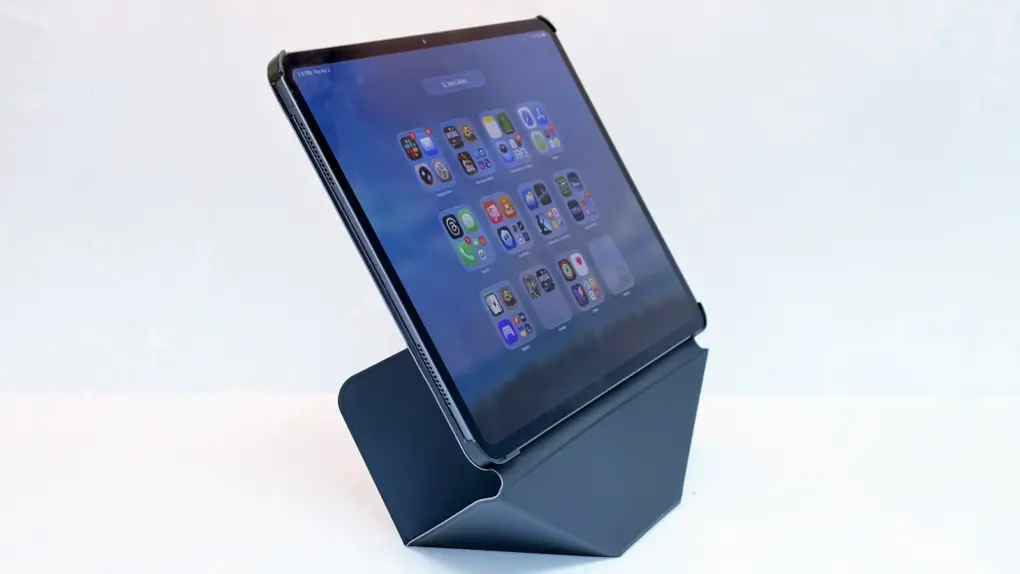
The Moft Dynamic Folio Case protects your iPad, and is also a brilliant stand for it. Photo: Ed Hardy/Cult of Mac
The Moft Dynamic Folio Case does tricks other iPad case/stand combinations can’t. Most notably, it can lift the iPad up several inches, making the screen easier to see.
Beyond that, the accessory can be folded into shapes that support the tablet at a range of angles. It can even hold your iPhone next to your iPad. It’s very flexible, and it protects the tablet, too.
I’ve been using Moft’s latest for several weeks. That’s a lot to like here.
Forget hassling with multiple tools and/or services to wrangle PDFs. This tool does it all! Image: Midjourney/Cult of Mac
You can edit, convert and sign PDFs directly in your web browser — no downloads, no uploads — with PDFToolKit. It makes dealing with PDFs easy and secure.
Apple unveiled the Ultra 3, which retails for $799, last September during its Awe Dropping event. It’s a high-end wearable aimed at extreme athletes (and people who just like its rugged looks and long battery life).
Maximize your stock portfolio with this AI investing app. Photo: Cult of Mac Deals
Without an AI investing app, trading in today’s unpredictable market can feel like throwing darts blindfolded. (Pro tip: Don’t try that unless you’re Mike Tyson.) One day, stocks are up; the next, they’re crashing. Not to mention, every so-called expert has a different opinion.
Sterling Stock Picker changes the game. This AI-driven platform taps OpenAI to take the guesswork out of investing, using advanced technology to guide you toward smarter financial decisions.
Whether you’re looking for long-term growth, dividend stocks or high-risk/high-reward opportunities, this AI investing app helps you navigate the stock market with clarity. And speaking of good investments, you can lock in a lifetime subscription to Sterling Stock Picker for just $55.20 with code SAVE20. That’s a massive 85% off the original price of $486.
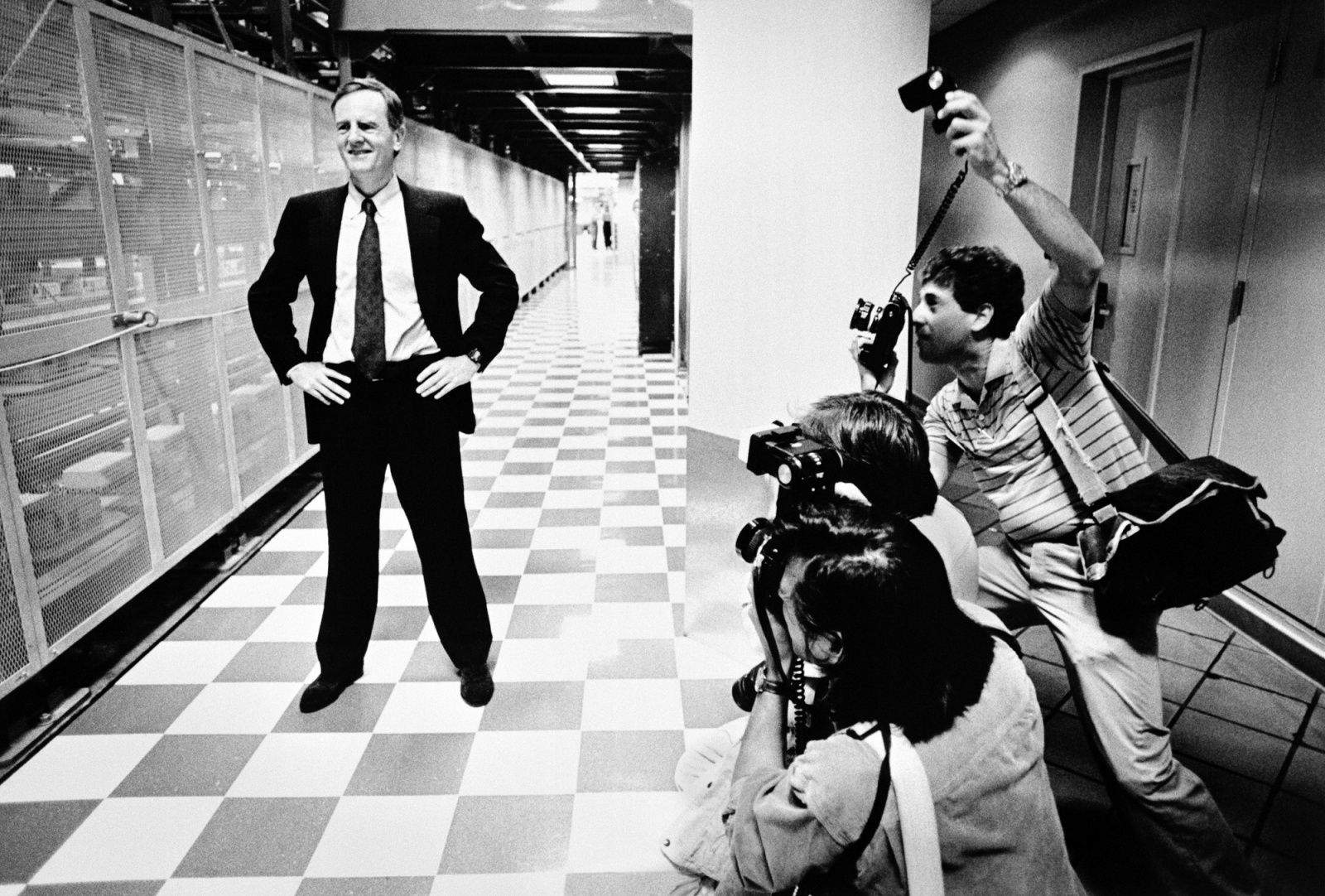
April 6, 1939: John Sculley is born in New York City. He will grow up to be hailed as a business and marketing genius, eventually overseeing Apple’s transformation into the most profitable personal computer company in the world.
After a remarkable stint as president of Pepsi-Cola, Sculley will take over as Apple’s third CEO in 1983. He will run Apple for a 10-year period, guiding the creation of the revolutionary Newton MessagePad.
During Sculley’s decade at the helm, Apple will sell more personal computers than any other company. But most people still remember him for his role in kicking Apple co-founder Steve Jobs out of Cupertino.
The next iPhone might really nail the design of a foldable. Image: Majin Bu
A new set of leaked images purporting to show Apple’s long-rumored folding iPhone surfaced online Sunday, offering what a tipster claims is a closer look at the device’s final design.
The camera hump has supposedly shrunk considerably. Take a look:
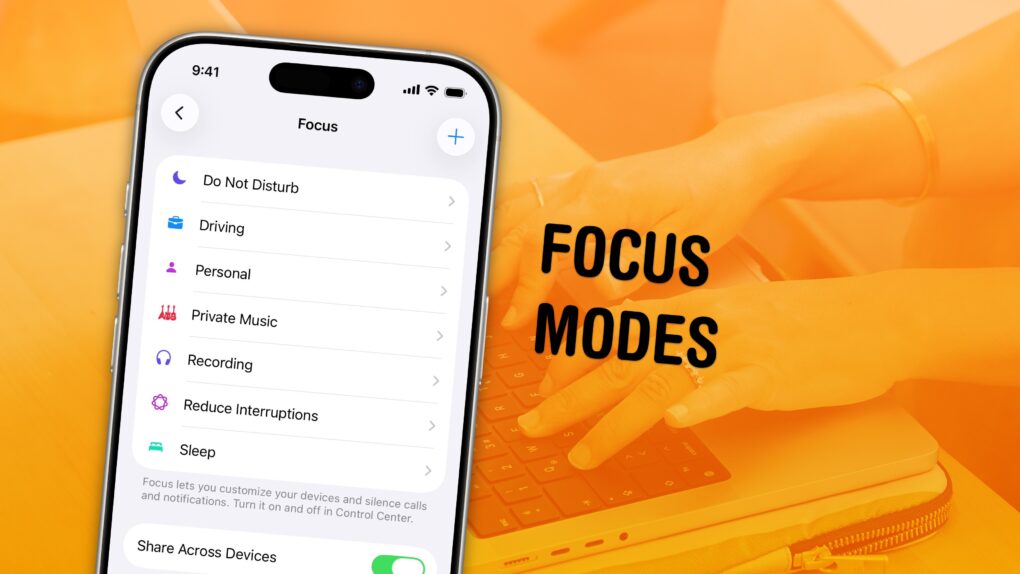
Keep your distractions at bay with Focus modes — easier to set up than ever now. Image: D. Griffin Jones/Cult of Mac
Apple’s Focus modes are a powerful way to change how your iPhone, iPad and Mac look and feel whether you’re driving, sleeping, relaxing or working. It’s all about fully immersing yourself in whatever you’re doing.
You can change all kinds of things: from who can reach you and which apps send notifications to custom Lock Screens, Home Screens and more. The tools can totally transform how your phone looks and works based on context. You don’t need all the same apps and widgets on your Home Screen while you’re at work or yoga as you do at home.
Setting up a Focus with rich customization makes your phone more personal. Keep reading to find out how.
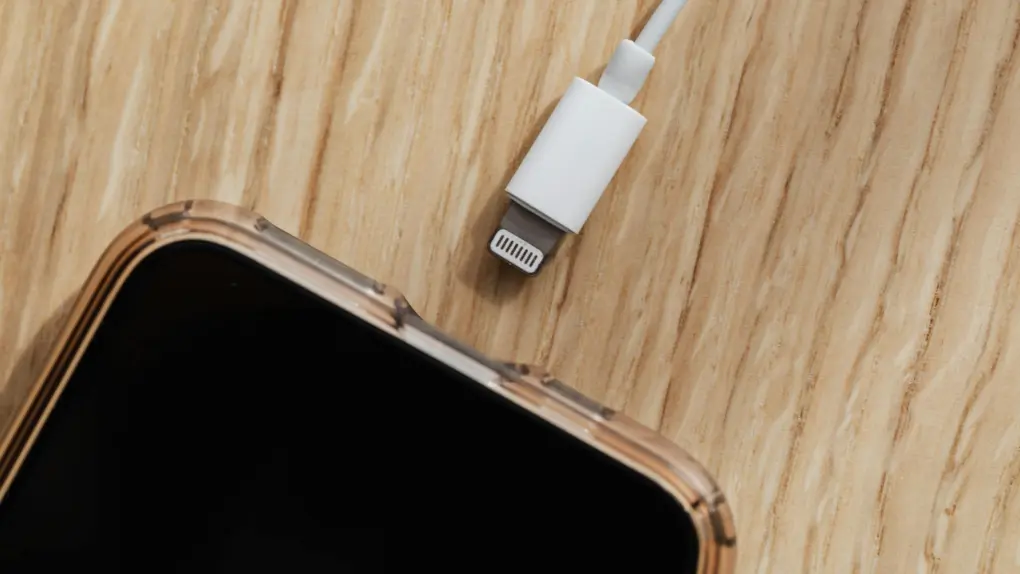
"Juice jacking" may not be much of a threat, but it's easy to avoid just in case. Photo: Kaboompics, Pexels.com
You’re at the airport, phone battery at 8%, and a USB charging port is right there. You plug in — and your iPhone flashes an alert asking whether to allow an accessory to connect. Should you panic? Are you at risk of “juice jacking?” Probably not. But you should know what that allow-accessory message means, and how to make sure you’re charging safely.
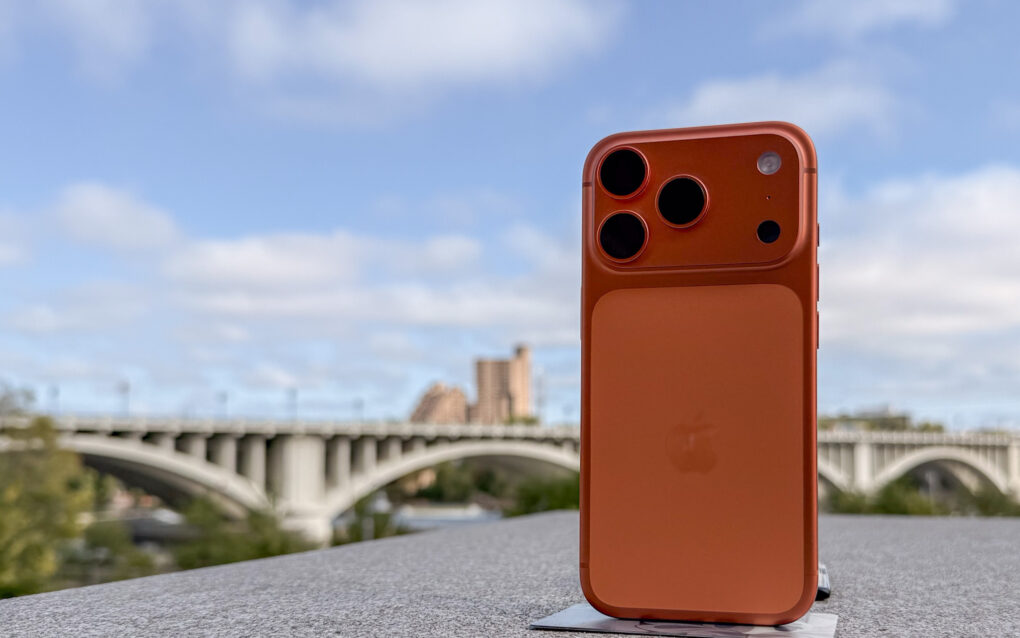
The iPhone 17 boldly goes were no smartphone has gone before. Photo: Ian Fuchs/Cult of Mac
The iPhone 17 Pro Max has achieved something no smartphone has done before: capturing photos of Earth from outer space. NASA has shared three stunning images taken by astronauts part of the Artemis II mission.
This is the first time astronauts have used a smartphone to capture photos of the Earth.
Apple's first 50 years took fans like us on a mighty wild ride. Image: Cult of Mac
This week on the Cult of Mac podcast: The hoopla surrounding Apple’s 50th birthday makes us reflect on the company’s most important products of all time. Contrary to what you might think, most did not become hits right out of the gate.
Also on the Cult of Mac podcast:
And then there are the personally most important Apple products. We reveal our first, transformative encounters with Apple computers.
Griffin offers his first impressions of AirPods Max 2. Long story short, the headphones sound awesome, the hardware is interesting and yet perplexing, and the Smart Case is still a disaster.
Apple killed the Mac Pro on the same day we published a roundup of the best Mac Pro setups. We hope the two events weren’t related.
Listen to this week’s episode of the Cult of Mac podcast in the Podcasts app or your favorite podcast app. (Be sure to subscribe and leave us a review if you like it!) Or watch the video version, embedded below.
Turning your big ideas into ready-to-publish books doesn't need to be a hassle. Photo: Cult of Mac Deals
Finishing a book takes time, patience and a whole lot of follow-through — but AI-powered book writing software BookBud.ai can help.
Many would-be authors start drafting something, but never actually get it ready for readers. BookBud.ai gives you a way to move past that wall by smoothing out the hardest parts of the writing and publishing process. And for a limited time, you can get a lifetime subscription to BookBud.ai for just $99 (regularly $1,200).
DarkSword looms over iPhones that haven't been updated. AI image: ChatGPT/Cult of Mac
Your iPhone is at serious risk of getting hacked if you haven’t updated it recently. Apple and security researchers warn that a sophisticated hacking tool known as DarkSword can compromise iPhones through malicious websites.
The fix is easy and available for every iOS device since 2015. Plus, it doesn’t require you to install iOS 26 or put Liquid Glass on your handset.
Eliminate the pain of taking notes during meetings so you can stay focused. Image: Midjourney/Cult of Mac
With MeetScribe, your work doesn’t start when the meeting ends. The AI meeting assistant automatically and accurately generates clean notes, pithy summaries, and action items so you don’t need to do the dirty work.
And right now, you can secure lifetime access to MeetScribe for just $67. That’s an 88% discount off the regular price of $584.
Apple and Microsoft had a long and storied history together. Photo: Fulvio Obregon
April 4, 1975: Microsoft is founded by childhood friends Bill Gates and Paul Allen. The software company destined to become a tech behemoth — and a major Apple frenemy.
A few years later, Microsoft will break through to the mainstream with Excel and Word, becoming a key developer of Macintosh software. Then comes the Windows operating system, looking suspiciously Apple-like. After Windows arrives, Microsoft and Apple will embark upon a long-running feud.
★★★★☆
The purple AirPods Max 2 are gorgeous. Photo: D. Griffin Jones/Cult of Mac
AirPods Max 2 are the surprise update to Apple’s premium over-the-ear headphones. Now offering feature parity with the regular AirPods 4 and AirPods Pro 3 — thanks to the H2 chip inside — the headphones’ $549 price tag makes some kind of sense.
The design and controls remain unchanged from the originals, for better and worse. That includes the silly “Smart Case.” But the signature beautiful, booming sound and excellent noise cancellation are better than ever. If you’ve never tried AirPods Max before — only the lesser AirPods and maybe a few pairs of cheaper headphones — you are well and truly unprepared for the remarkable music these cans will pump into your ears.
You don’t need to be a big audiophile to love the AirPods Max 2. But considering how Apple has mistreated the product line so far, you have to be a little bold to buy them yourself.
M5 refresh around the corner? Photo: Ed Hardy/Cult of Mac
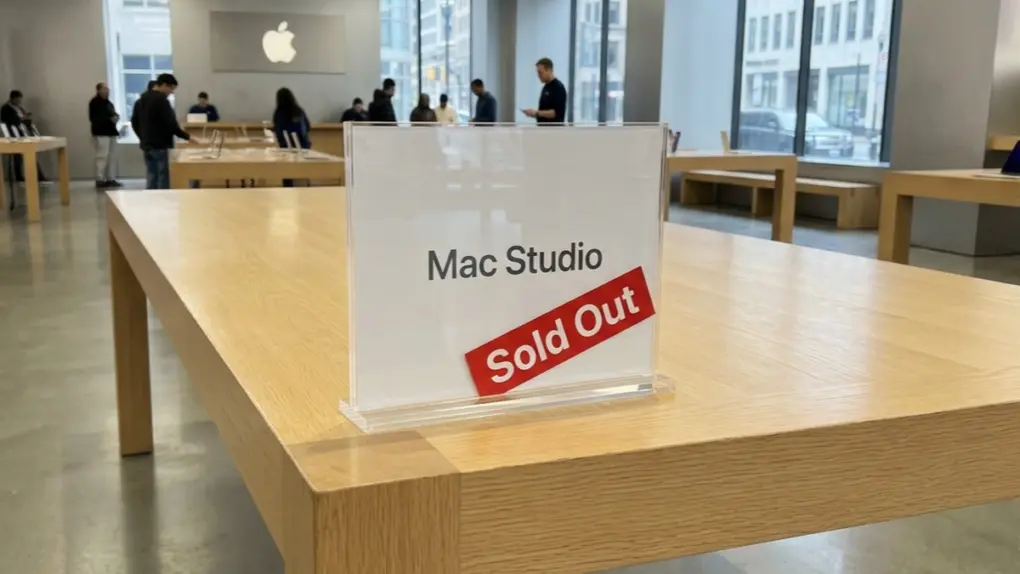
Getting your hands on a Mac mini or Mac Studio might be harder than expected. Delivery times for even the basic configurations now stretch to four weeks, with high-end models showing lead times of up to five months.
Apple either appears to be struggling to meet demand or gearing up for an imminent M5 refresh.
Save on essential Microsoft software for Mac or PC. Photo: Cult of Mac Deals
Not a fan of monthly fees for software like Microsoft 365? This deal lands you a lifetime license to Microsoft Office Home & Business 2024 for Mac or PC.
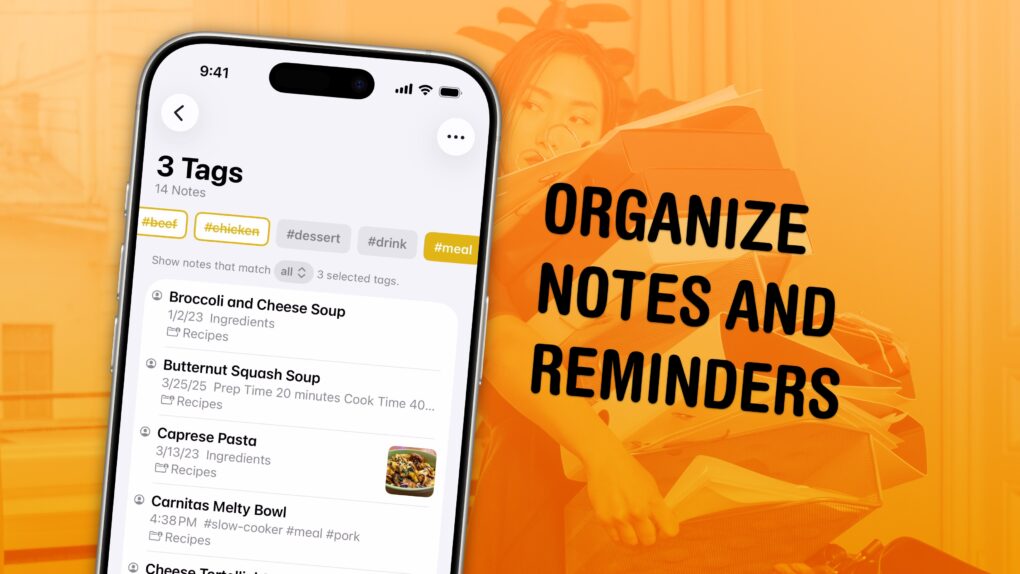
Sort out your digital library of tasks and notes. Image: D. Griffin Jones/Cult of Mac
I have a bunch of pro tips to help you organize the Notes and Reminders piling up in your iPhone. Apple has added tons of powerful new features over time, making them comprehensive tools for all the goings-on in your life.
With tagging, you can quickly filter and search through a big folder of notes or a long to-do list. You can easily put together a bunch of filters by date, location and tag to create a smart list of everything that needs your attention in Reminders. You can even set up template Reminders lists that you can copy at any time.
Mark Wahlberg and Kit Harington star in The Family Plan 2. But maybe leave it off your viewing queue. Photo: Apple TV
Apple TV built a reputation as a quality-first streamer. It gave us Severance, Ted Lasso, Slow Horses, and the first Best Picture Oscar from a streamer, 2022’s CODA. But even Apple can’t promise a universal guarantee of quality. Over the years, a handful of originals have landed with a thud, panned by critics, dismissed by audiences or both. See the eight worst-reviewed Apple TV shows and movies below.
Apple's iPad charger is bit rubbish. You can get a far better one. AI image: Apple/Perplexity/Cult of Mac
The charger that came with your iPad Pro or iPad Air is wasting your time. Your tablet could be charging almost twice as fast (up to three times as fast for the latest iPad Pro). Plus, the included charger is not well-designed for travel.
Here’s what’s going on, along with recommendations for better options.
Boost your devices' security with a VPN and password manager bundle. Photo: Cult of Mac Deals
The FastestVPN & Security Lifetime Bundle gives you two essential tools for safeguarding your data — a VPN and a password manager — all for one low price.
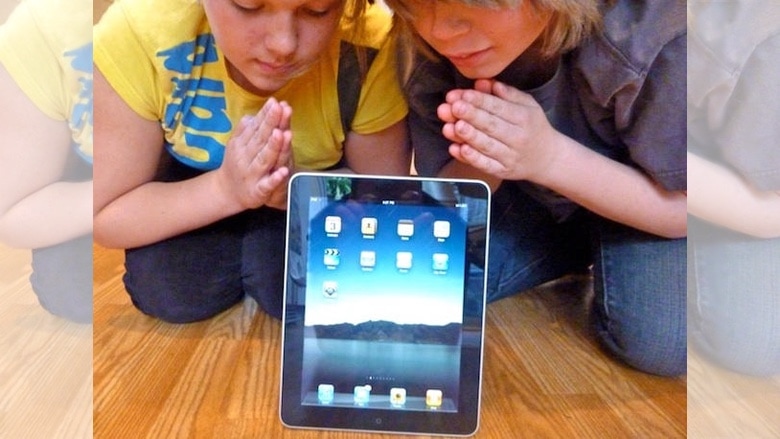
On launch day, people were very excited about the first iPad. Photo: Leander Kahney/Cult of Mac
April 3, 2010: The first iPad hits store shelves after months of anticipation. The tablet Apple CEO Steve Jobs called “magical and revolutionary” at its unveiling earlier in the year quickly becomes a major success.
Following years of rumors, Jobs initially showed off Apple’s first tablet on January 27, 2010. But now, the wait for the iPad is finally over … at least for people in the United States. (The iPad’s international debut won’t happen until May.)





 April 6, 1939: John Sculley is born in New York City. He will grow up to be hailed as a business and marketing genius, eventually overseeing Apple’s transformation into the most profitable personal computer company in the world.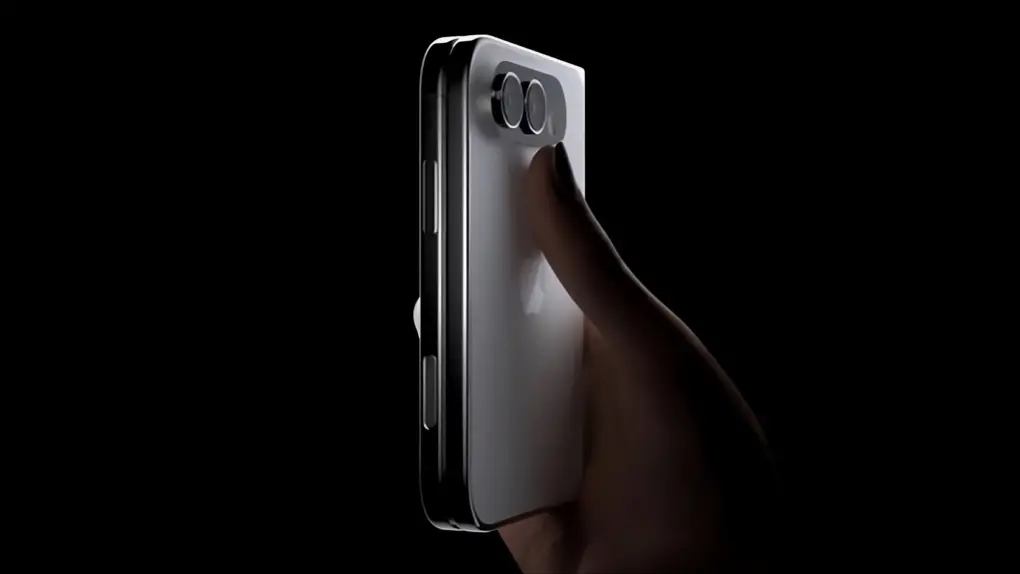

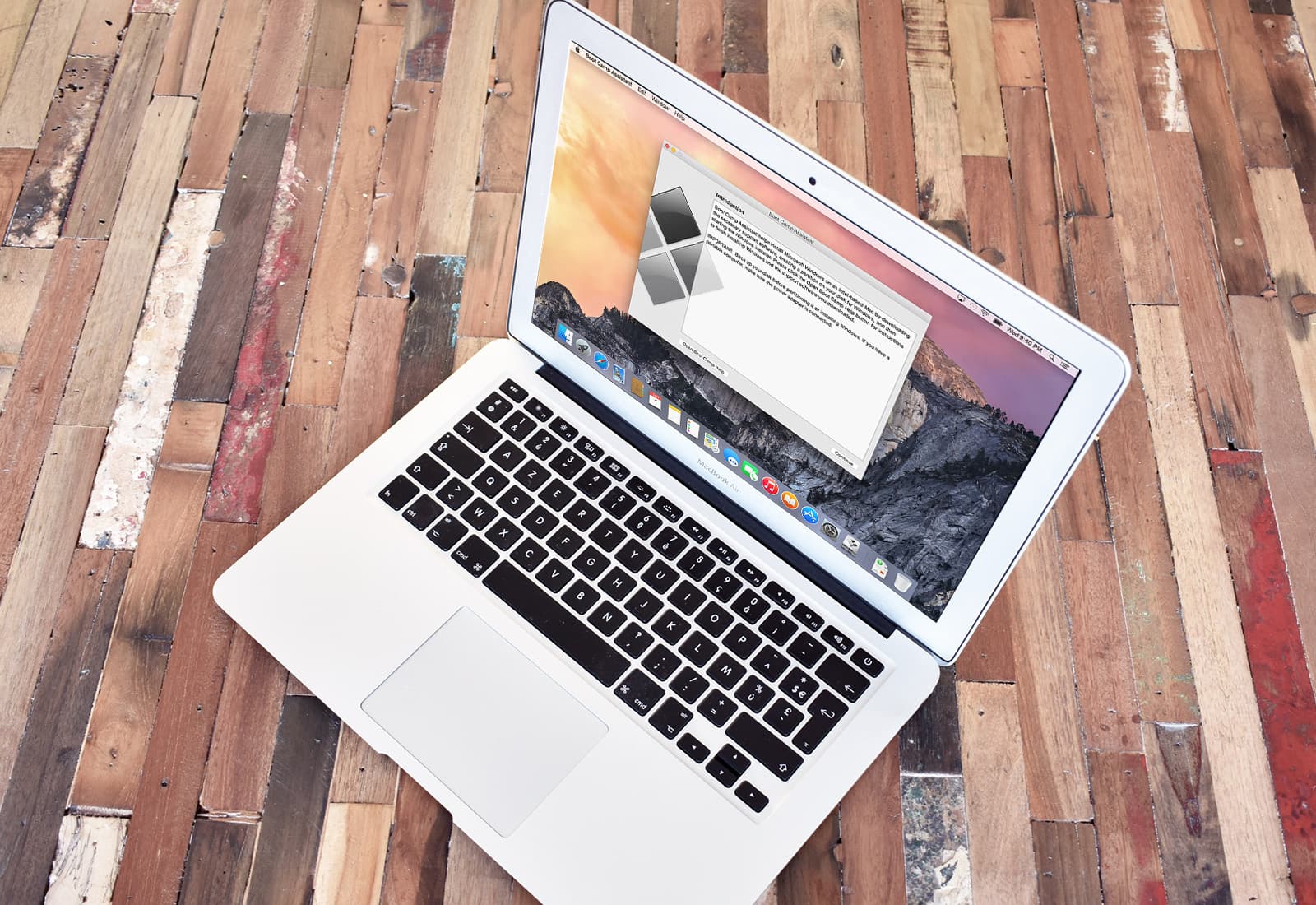
 April 5, 2006: Apple introduces the public beta of Boot Camp, software that allows users with an Intel-based Mac to run Windows XP on their machines.


 April 4, 1975: Microsoft is founded by childhood friends Bill Gates and Paul Allen. The software company destined to become a tech behemoth — and a major Apple frenemy.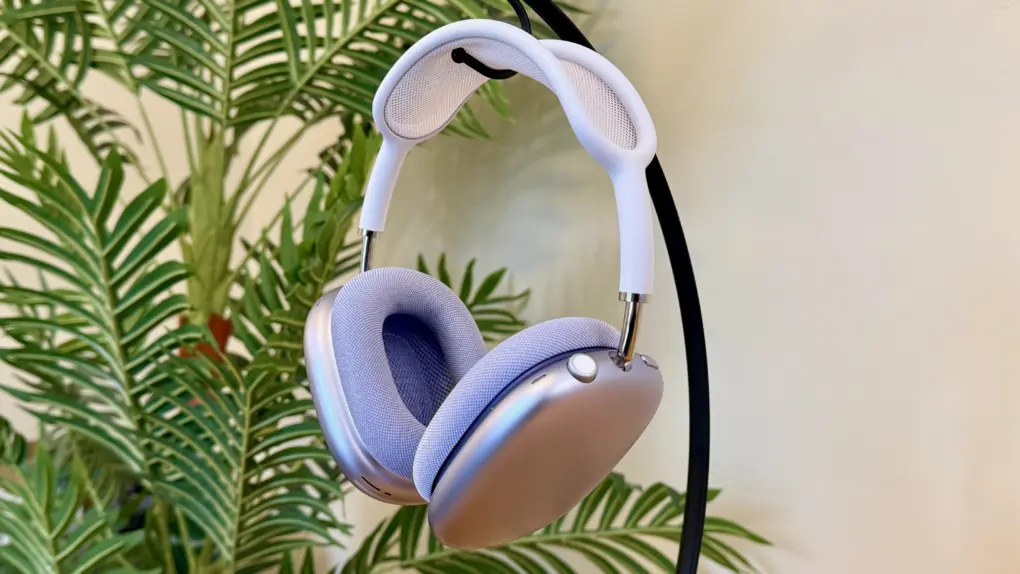





 April 3, 2010: The first iPad hits store shelves after months of anticipation. The tablet Apple CEO Steve Jobs called “magical and revolutionary” at its unveiling earlier in the year quickly becomes a major success.