Mobile menu toggle

Invasion season 3: Now the real war starts [Now streaming!]

By •

Invasion season 3
Invasion season three debuts August 22 on Apple TV+. Watch the new trailer.
Photo: Apple TV+

Ready to face the end of the world as we know it? The new 10-episode season of Apple TV+’s epic alien onslaught series Invasion streams its first episode Friday. A new one follows each Friday through October 24.

And you can watch the recently released Invasion season three trailer below. It shows the evolving face of the alien menace. And it looks like the horrific inroads the extraterrestrials made in seasons one and two of Invasion, seemingly slowed by a determined but disconnected human effort, might be just a preview of much worse to come.


Try Røde’s studio-worthy wired on-ear headphones for $99 [Review] ★★★★☆

By •

Rode NTH-50 headphones review★★★★☆
The headphones and cable bring some serious quality.
Photo: David Snow/Cult of Mac

While Røde built its reputation on microphones, the Australian company’s first on-ear wired headphones deliver surprising audio quality for everything from studio monitoring to casual listening. This Røde NTH-50 headphones review finds the $99 wired cans challenge what we expect from professional headphones at this price point.

Is Røde’s entrance into the headphone market worth your attention? Let’s find out if these newcomers deserve a spot in your audio setup.

Create brilliant infographics without lifting a finger

By •

Photo of infographics generator InfographsAI on a smartphone screen.
Get lifetime access to this AI infographics generator and skip the freelance designer.
Photo: Cult of Mac Deals

An AI-powered infographics generator can save you tons of time when pulling together these specialized — and extremely effective — images for visual communication.

If you have ever tried designing an infographic from scratch, you know how quickly it can eat up your time (and your patience). Between formatting data, picking the right color palette, and wrangling fonts, it’s way more complicated than it should be.

That’s where InfographsAI comes in — and it’s currently available for a lifetime price of just $49.99 (regularly $360). No subscriptions, no recurring fees, and no more losing your mind trying to create infographics on your own.

How to use the new Games app for iPhone, iPad and Mac

By •

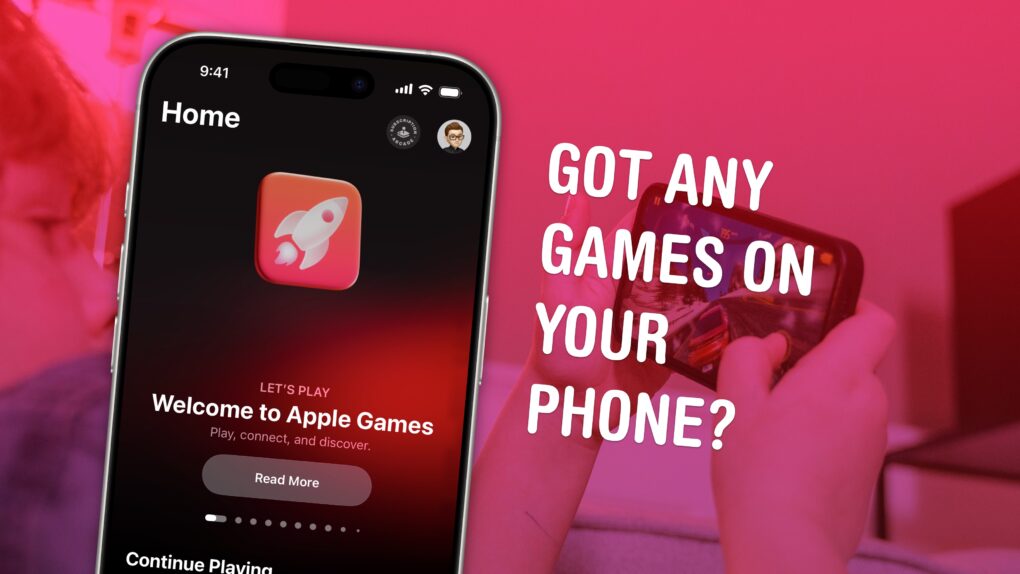
Image of Apple Games with the caption, “Got Any Games On Your Phone?”
Launch games and find new ones in Apple Games.
Image: D. Griffin Jones/Cult of Mac

The Games app is a new all-in-one destination for gaming on your Apple devices. You can create a custom profile, track your achievements, and add friends (and set challenges for them). It’s also a quick way to launch games you’re playing and discover new ones.

It doesn’t entirely replace Game Center, a few vestiges of which reamin in the Settings app. But if you care at all about iPhone gaming, you should check out the new Games app. It’ll help you find new games to play and let you know about exciting events in your old favorites.

Here’s everything you need to know about Apple’s new Games app.

My favorite USB-C wall charger is 30% off

By •

Easily track PlugBug wall charger with built in Find My support
PlugBug works hard to be always findable.
Photo: Twelve South

The Twelve South PlugBug wall charger includes a feature that every travel accessory should have: Apple Find My support. So not only can it power two devices at up to 50W, you can be sure you won’t accidentally leave it in your hotel room.

To make the accessory even more enticing, a deal knocks 30% off the usual cost, dropping it below $50.

Ingenious iPad charger leaves USB-C available for other accessories [Review] ★★★★★

By •

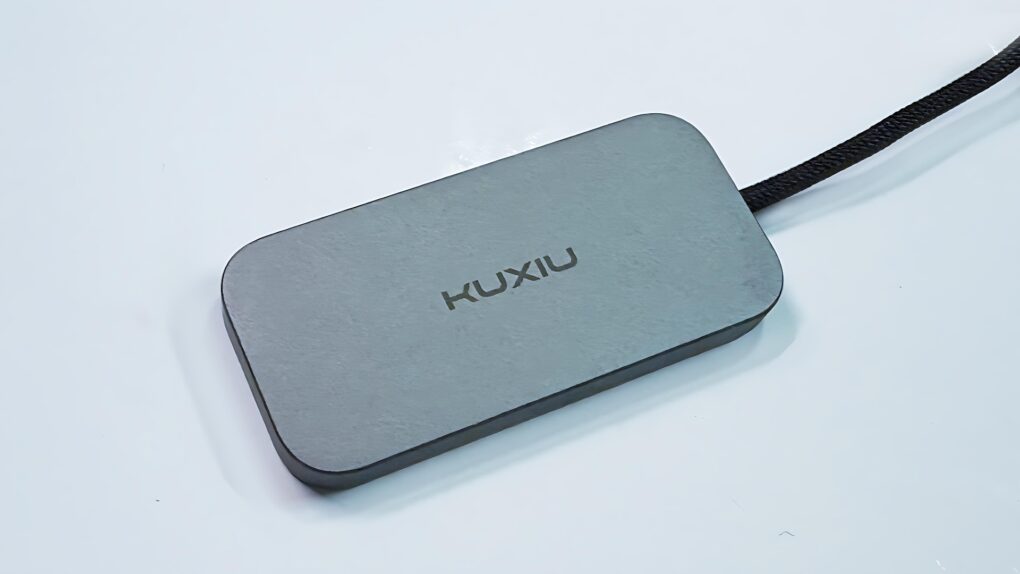
Kuxiu M30 Magnetic Smart Connector Charger for iPad Pro/Air★★★★★
Charging your iPad doesn’t mean taking up the USB-C port with the Kuxiu M30.
Photo: Ed Hardy/Cult of Mac

The Kuxiu M30 Magnetic Smart Connector Charger for iPad Pro/Air helps solve the irritating problem of limited iPad ports. It clings to the back of Apple tablets and charges them without taking up the computer’s sole USB-C port. It also reduces wear on the port.

I put the 35W charger through testing in my home office and came away quite satisfied.

And it’s on sale: 20% off!

Apple TV+ price jumps a whopping 30%

By •

The Apple TV+ logo with the words
Somebody's gotta pay for all that original content.
Image: Cult of Mac

The price for streaming Ted Lasso season 4 and other hits from Apple TV+ took a considerable jump on Thursday. The U.S. monthly fee went to $12.99, up from $9.99.

While that’s a 30% increase, it’s also the first to the streaming service in two years.

These smart sunglasses let you taste the future for less than $70

By •

Photo of two people wearing smart sunglasses.
Find out what camera-equipped smart sunglasses can do with this eye-popping deal.
Photo: Cult of Mac Deals

These affordable smart sunglasses come with a camera that lets you snap photos and record video. They also let you listen to music and podcasts, take phone calls, and even conjure up the AI wiles of ChatGPT via a simple voice command. And they cost less than a pair of earbuds!

Normally, these smart sunglasses would set you back $99.99. But right now, they’re on sale for just $69.99.

Touch ID could come to Apple Watch

By •

Apple Watch 10 review
Do you want Touch ID on the Apple Watch?
Photo: David Snow/Cult of Mac

Apple wants to bring Touch ID to the Apple Watch. Leaked internal code indicates the company is exploring bringing biometric authentication to its smartwatch.

The idea is likely still in internal evaluation, with no clarity on if or when Apple will move forward with it.

Why Google’s Pixelsnap system in Pixel 10 benefits iPhone users

By •

Pixelsnap for iPhone
Your next iPhone accessory could be from Google’s Pixelsnap line.
Image: Google/Cult of Mac

The newly announced Google Pixel 10 includes Pixelsnap, a system that lets wireless chargers and other accessories cling magnetically to the back of the phone. If that sounds familiar, that’s because Pixelsnap is another name for Apple’s MagSafe system for iPhones.

But this is not yet another example of Google stealing a good idea from Apple. Instead, Apple helped make MagSafe into the Qi2 standard so other companies would build it into their handsets. And that’s what Google did, though it felt the need to rebrand Qi2 as Pixelsnap. Whatever the name, the more handsets with Qi2, the more iPhone users benefit.

Install these iPhone, Mac and iPad security patches right now

By •

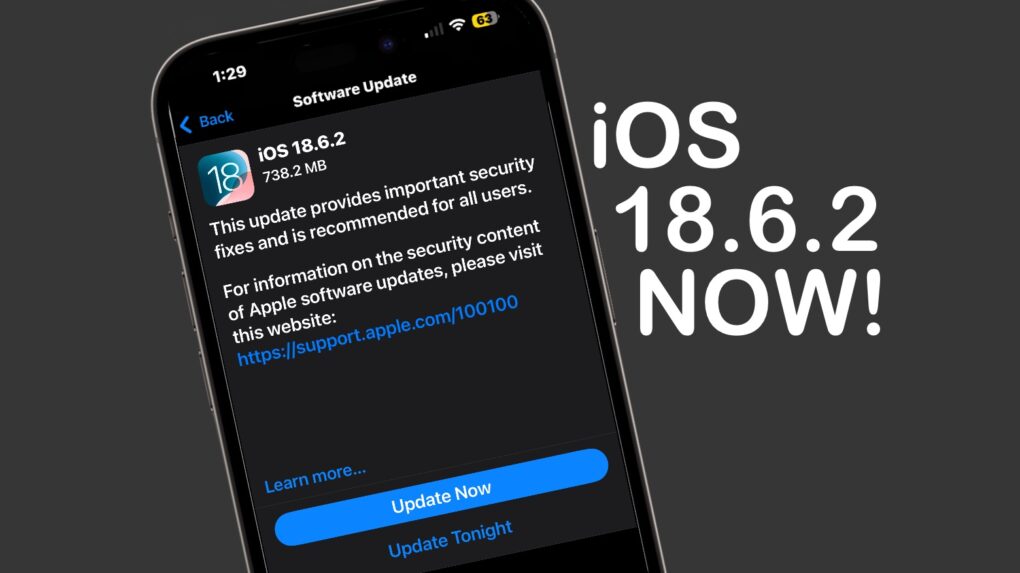
iOS 18.6.2 needs to be installed now
iOS 18.6.2 needs to be installed now. The same goes for macOS 15.6.2 and iPadOS 18.6.2.
Image: Apple/Cult of Mac

Apple released iOS 18.6.2, macOS Sequoia 15.6.2 and iPadOS 18.6.2 on Wednesday, warning that the updates close security vulnerabilities already exploited by hackers.

While the patches include no new features, they are nevertheless highly recommended for iPhone, Mac and iPad users.

Price drop: This app makes learning a new language fast, easy and fun

By •

Photo of a hand holding an iPhone with AI language learning app MosaLingua on the screen.
The road to multilingualism is 97% off right now with MosaLingua!
Photo: Cult of Mac Deals

AI language learning app MosaLingua can speed up your mastery of nearly a dozen languages. It’s designed for busy people who want to make steady progress without carving out hours each day.

MosaLingua’s lessons are short and to the point, with most taking just 10 minutes to complete. Its advanced tools make learning a new language fun. And instead of sitting down for a whole language session, you can brush up whenever you have time.

Sound bueno? Right now, you can secure a lifetime subscription to MosaLingua for just $85.97 (regularly $4,085).

New iPhone ad will tug at your heartstrings

By •

New iPhone Action mode ad will tug at your heartstrings
For those with Parkinson’s, simply recording video can be challenging. Action Mode can help.
Photo: Apple/Cult of Mac

There’s an unexpected benefit to Action mode in the iPhone camera. A feature intended for taking exciting video also benefits those who can’t hold the camera still because of Parkinson’s.

A video Apple released Tuesday demonstrates the benefits, and a follow-up video explains how those with hand tremors can take advantage of Action mode.

Apple’s new TechWoven iPhone cases might suck less than FineWoven [Updated]

By •

FineWoven replacement for iPhone 17 cases
Apple's new synthetic fabric iPhone cases will take the name "TechWoven," apparently.
Photo: Majin Bu

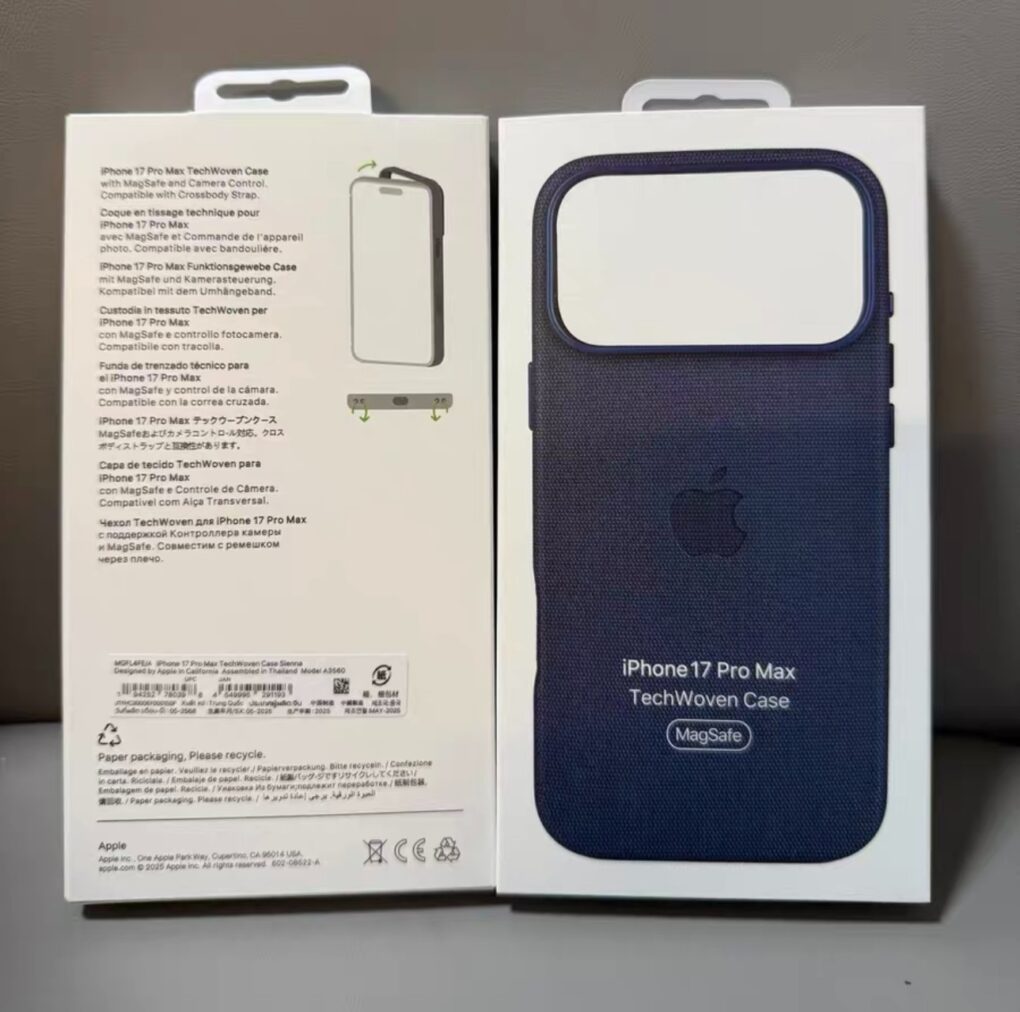
Apple will replace its much-maligned (and quickly abandoned) FineWoven material for iPhone cases with a new synthetic fabric for the iPhone 17 lineup, according to a new leak Tuesday. And on Wednesday a new name — “TechWoven” — and images of Apple packaging came to light. The new MagSafe cases might feature a cross-body strap and lanyard support, too

The new material appears to be Apple’s next attempt to create a leather alternative for iPhone cases, following the company’s 2023 decision to eliminate leather products from its lineup for environmental reasons. The resulting FineWoven came under heavy fire from users for poor durability and its tendency to show wear quickly.

The leaker Majin Bu followed up on his Tuesday post with a post Wednesday indicating the name “TechWoven” and showing images of Apple product boxes for the MagSafe cases.. See below.

Double the fun: 10 best dual-monitor setups

By •

Asus displays
The good-looking and symmetrical setup features a pair of Asus displays nicely mounted on arms.
Photo: [email protected]

Some people take an orthodox view of external computer displays and opt for just one with proper windows management. For the rest of us, the best dual-monitor setup we can afford is the best way to go for plenty of screen real estate without going overboard. Check out some of the greatest two-display rigs from setups coverage over the past few years below.

For safety’s sake, put a 130-decibel siren and powerful LED strobe on your keychain

By •

Marketing image shows how you can use 2-in-1 Personal Safety Alarm with Apple Find My Smart Tracking on an iPhone
Grab this two-in-one safety gadget before you need it.
Photo: Cult of Mac Deals

This affordable personal alarm combines personal security with smart tracking — and it’s small enough to fit on your keychain. You can activate its powerful siren and bright LED light if you find yourself in any type of emergency. It can alert nearby people or maybe even scare off whatever is threatening you.

Plus, the Two-in-One Safety Alarm works with Apple’s Find My network, so you can quickly locate it if you happen to misplace whatever you attach it to. And with this deal, this tiny safety gadget costs less than a single AirTag!

Normally $39.99, this little piece of EDC emergency gear is now on sale for just $23.99. And you can save even more if you buy a two-pack.

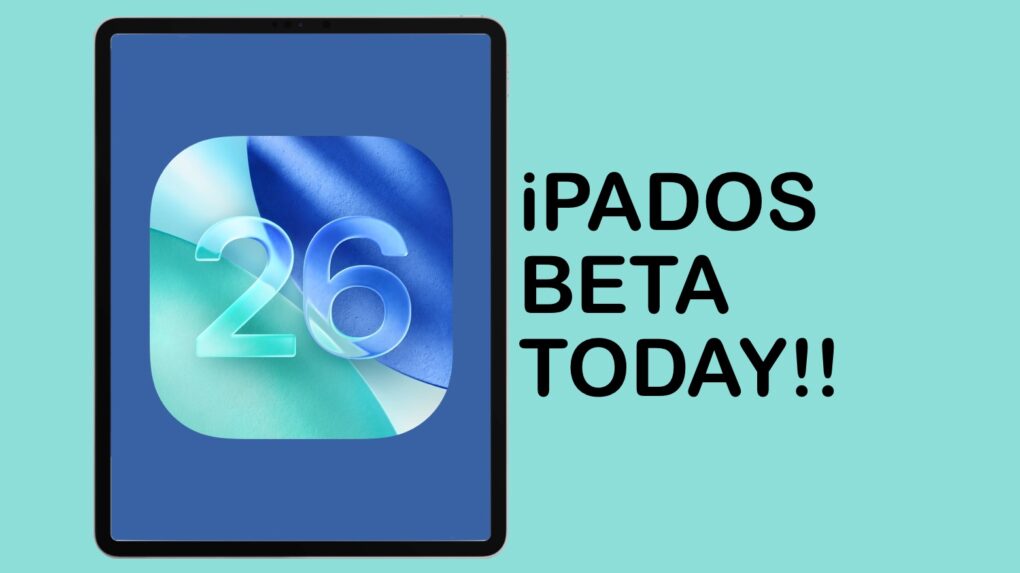
Why you should install the iPadOS 26 beta on your iPad today

By •

Why you should install the iPadOS 26 beta on your iPad today
iPadOS 26 includes huge changes. Don’t wait to try them!
Graphic: Ed Hardy/Cult of Mac

iPadOS 26 brings the most profound changes to the iPad ever, making the tablet far more Mac-like. And you can go ahead and install the massive upgrade, even though it’s still in beta testing.

I’ve thoroughly tested the most recent beta version, and I find it quite stable. It’s not perfect, but if you don’t need your tablet in life-or-death situations, you could dive in and try the revamped iPad multitasking system, Liquid Glass and other enhancements.

Montana becomes 11th state to allow driver’s licenses in Apple Wallet

By •

Montana digital driver’s license
Get your Montana digital driver’s license today!
Image: Montana Motor Vehicle Division

Montana became the eleventh U.S. state or territory to support digital driver’s licenses and IDs stored in the Wallet app on iPhone or Apple Watch on Tuesday.

The major advantage is speeding up the process of moving through security checkpoints at airports, though there are other uses, too.

New 8TB Thunderbolt 5 SSD transfers data at a blazing 48GBps

By •

OWC Express 1M2 80G
OWC Express 1M2 80G holds up to 8TB, or put in your own NVMe M.2 SSD.
Photo: OWC

Professionals who need an SSD with terabytes of storage and crazy-fast data transfers have a new option: the OWC Express 1M2 80G. The drive offers up to 8TB of capacity, and because it uses Thunderbolt 5, the SSD offers 48GBps real-world data transfers.

It’s available in a range of storage capacities, or users can insert their own NVMe M.2 SSD.

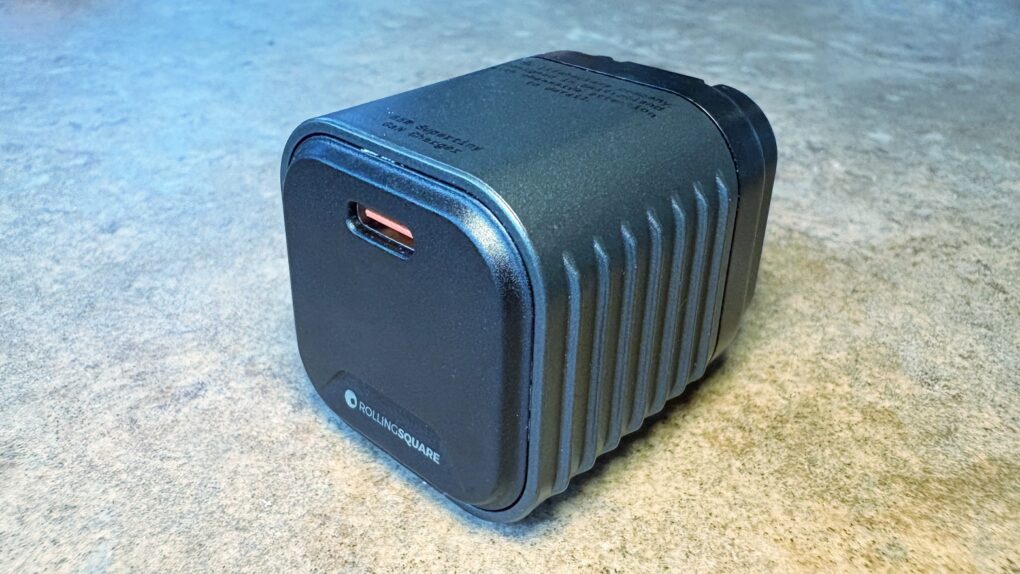
Supertiny USB-C charger pumps out big power [Review] ★★★★☆

By •

Rolling Square Supertiny review★★★★☆
We went hands-on with the wee little Rolling Square Supertiny.
Photo: Ed Hardy/Cult of Mac

Rolling Square claims, “Supertiny is the smallest 65W GaN Charger ever.” It’s definitely very small, but can still quickly power up a MacBook or other full-size computer.

I put the claims to the test and came away impressed. I do have one caution, though.

UK abandons demand for secret backdoor into US iPhone accounts

By •

Apple Privacy
The U.K. won’t try to violate your privacy.
Image: Apple/D. Griffin Jones/Cult of Mac

The United Kingdom government gave up its demand for a backdoor into encrypted Apple iCloud accounts.

Tulsi Gabbard, the U.S. director of national intelligence, announced the change late Monday. The DNI had been fighting the attempt to violate the privacy of Americans since word of the U.K.’s plan first came to light.

iOS 26 beta 7: All the new features and changes

By •

iOS 26 Beta 7
The latest iOS 27 beta is light on changes.
Photo: Rajesh Pandey/Cult Of Mac

Apple continues testing iOS 26, releasing the seventh beta build to developers on August 18, Monday. This is the third consecutive beta from the company in three weeks.

Unlike the last few beta builds, iOS 26 beta 7 doesn’t pack any major changes. Check out everything new in the build below.