Mobile menu toggle

iPhone - page 272

Photojojo’s $20 iPhone Polarizer, And Why You Want It

By •

1361275610.jpg

Question: What’s the only (non-gimmicky) photographic filter that can’t be duplicated in software? That’s right, you smart genius you! It’s the polarizer. A polarizer will do two things for your photography: it’ll increase the saturation of the colors in your pictures, and it’ll cut out unwanted reflections from glass and water. And Photojojo will now sell you one that’ll clip right onto your iPhone.

Get Things Done With The Mac Essentials App Bundle [Deals]

By •

CoM- Essentials Bundle

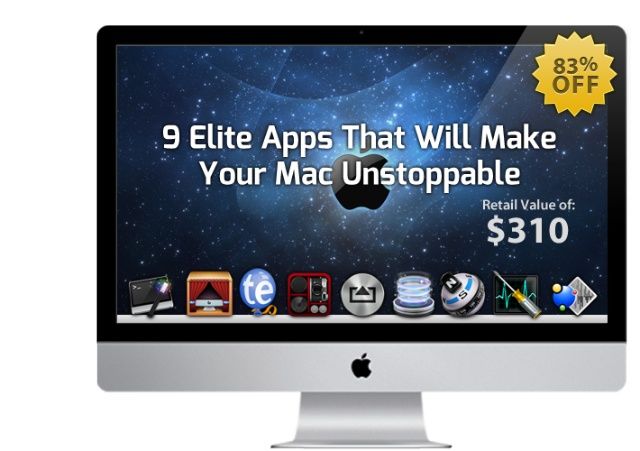
Got a new Mac? Trying to get the most out of it – or perhaps the one you’ve had for a few months? There are countless tools out there than can help – but rarely can so many of them be found in a bundle such as this: The Mac Essentials Bundle.

Cult of Mac Deals has assembled 9 apps that can take your productivity on your Mac to the next level…and we’re offering it at a fraction of the regular price. You can get The Mac Essentials Bundle for only $49.99 for a limited time – that’s 84% off the price you’d pay for all of these apps separately!

Track All Your Stuff On Your Mac Using Your iPhone With Home Inventory

By •

Sure, it's boring, but way better than not knowing what you have when you need to.

Yep, you heard it right. Home Inventory is the boringly-named Mac app that will let you create and manage an inventory of the items in your home, using your iOS device as a photo input device. Sounds cool, right? Well, ok, but it at least sounds interesting, yeah?

Keeping track of your stuff is pretty useful, especially if you have to fill out an insurance claim or police report in case of theft. Home Inventory will keep all of it in a database, easily accessible from your Mac or iOS device via a free standalone app, the equally cleverly named Home Inventory Mobile Backup.

Is CamFind Four Times More Accurate Than Google Goggles? [Kickstarter]

By •

post-216399-image-3a6cb6b1eb0a2ad4eac6bf887e0e7386-jpg

That’s what CamFind‘s developers are claiming — that the app is at least four times more accurate than Google Goggles at recognizing and then searching for the subject of a photo you’ve taken with your iPhone.

If you’re unfamiliar with the two-year-old Google Goggles function (integrated within the Google Search app) the idea is pretty simple. Just snap a photo with your iPhone, and the app tries to recognize what you’ve taken a photo of. Once identified, you can then initiate a Google search for that item.

Prolific Teenage Dev Releases Jailbreak Tweak To Help Fund Cancer Research

By •

Jailbreak development for a good cause.

Filippo Bigarella is a prolific and respected developer in the jailbreak community. The Italian teenager has released no less than 20 jailbreak tweaks and hacks in Cydia, the jailbreak alternative to the App Store. His work (e.g., Springtomize) has appeared numerous times on sites such as this one. To put it simply, he makes some of the best jailbreak tweaks there are. He’s also a full-time student.

Bigarella has released yet another jailbreak tweak that animates the iPhone’s app icons. The tweak itself is pretty simple, but the reason behind its release is special: funding pediatric cancer research.

Limit Ad Tracking And Reset The Advertising Identifier [iOS Tips]

By •

Ad Tracking

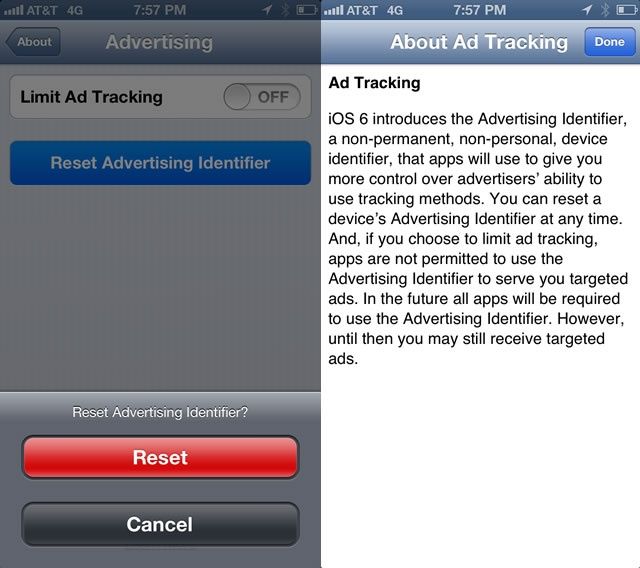
In iOS 6.1, Apple switched from using the unique identifier in the actual hardware of its iOS devices (UDID) to the more software-centric Advertising Identifier. This way, advertisers can track user behavior for the purpose of serving them relevant ads anonymously, and those very same users can reset and even turn off that tracking feature. It gives us users just a bit more control over who sees and can use our data, even the anonymous kind that advertisers track.

If you want to control your own advertising destiny on your iOS device, here’s how.

Mango Case Is Like A Pair Of House Slippers For Your iPhone 5

By •

1361196871.jpg

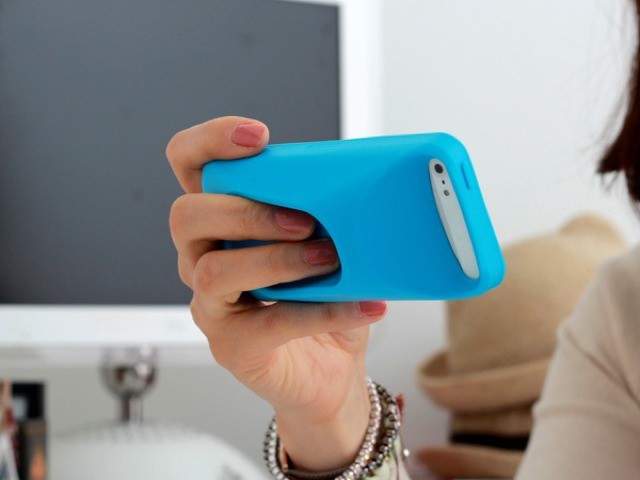
Take a look at this iPhone case that turns your svelte, pocket-friendly computer into a big, bloated plastic boat. You might scoff. I did. But then I realized that at home I lay my iPhone on tables and tatamis ay more often than I carry it in my pocket. And I am constantly picking it up to check the web, or to play music and podcasts before putting it back on a (most likely wet) kitchen table.

So this Mango thing actually looks pretty neat.

Auxo Designer Shows Off Awesome New App Switching Concept For iPhone [Video]

By •

app-switching-concept

Auxo, a wonderful app switcher from interface designer Sentry, has become a must-have tweak for jailbroken iPhones since it hit Cydia back in December. But it seems Sentry has plenty of other ideas up his sleeve when it comes to improving the multitasking experience on iOS.

He’s released a new concept for switching between apps on the iPhone that’s unlike anything you’ve seen before. Check out the video below.

Sprint Finally Turns On LTE In San Francisco, New York City and Washington D.C.

By •

post-216355-image-a241cfb9f731d7ea8b1d5a43173a6363-jpg

Sprint has been racing to catch up with Verizon and AT&T with LTE coverage over the past couple of months, and while they don’t have nearly as much coverage as the two cellular giants, they’re starting to get LTE into some of the most important U.S. metropolitan markets now.

This morning Sprint activated their LTE coverage for San Francisco, however it’s not in full bloom just yet.

Dolphin Browser For iOS Gets Big Improvements In Latest Update

By •

Screen Shot 2013-02-18 at 16.06.03

Dolphin, one of the best and most popular third-party web browsers for iOS, has today been updated with a number of improvements that are sure to quash some of the biggest issues and annoyances users have been experiencing of late. Not only does it fix Evernote text formatting, but it also addresses an issue that caused the save password dialog to appear when it didn’t need to, and more.

Make Your App Idea Come To Life With The iOS App Builder Course [Deals]

By •

CoM - Code

The app industry is growing incredibly fast and that means opportunity is here. And now you have the opportunity to learn everything it takes to get your app idea to market without having to type a single line of code.

This course is for those looking to outsource their idea so they can get their iPhone app idea to the market quickly and save a boatload of cash doing so. Why develop one app at a time when you can streamline and skyrocket productivity and earn more money? With this Cult of Mac Deals offer, you’ll earn the secrets now — with over 58 lectures and 4.5 hours of content for only $69 – that’s 76% off!

Haze Is A Gorgeous New App For Checking The Weather On Your iPhone

By •

Haze promo

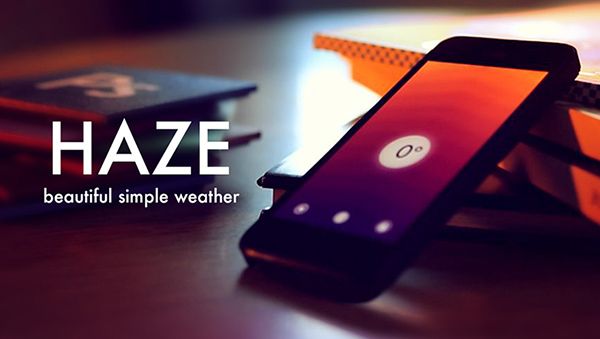
Weather apps are a dime a dozen these days. iOS designers have proven that they know how to create beautiful, intuitive weather apps like Dark Sky, Solar, Today Weather, Weather Neue, Check the Weather, and so on.

One of the earlier weather iPhone apps with a unique, beautiful design was Outside. The same company behind Outside, Robocat, has released a totally new weather app in the App Store today called Haze.

Apple To Release Fix For iOS 6.1 Security Issues Next Week [Rumor]

By •

iPhone Self Improvement

Yesterday it was discovered that a bug in iOS 6.1 allows users to bypass the iPhone lockscreen without entering in the proper PIN. We’ve seen bugs like this in the past, and Apple has always been quick to shut them down.

Apple has already told us that they will fix the iOS 6.1 lockscreen bug in a future update, and according to a new rumor, that update will hit devices sometime next week.

Apple Might Speed Up Lightning Transfers By Offering Full USB 3.0 Support On iOS Devices [Rumor]

By •

apple-lightning-stock-1024_large_verge_medium_landscape

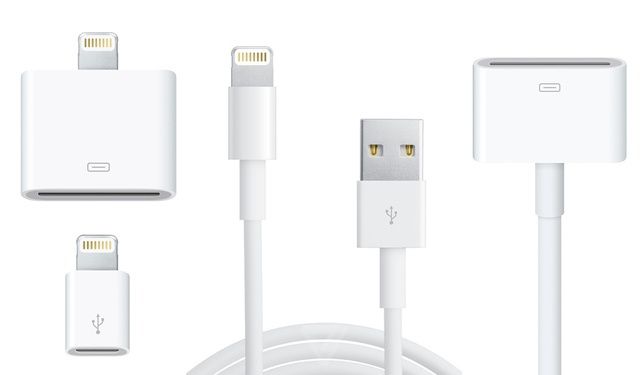
Even though Apple’s new Lightning connector is super easy to use and quicker than the old 30-pin connectors, it could be better. Right now, the Lightning port on iOS devices doesn’t transfer data at USB 3.0 speeds, even though it’s thought to be able to support it.

A recent listing on Apple’s jobs site might be clueing us in that Apple wants to boost transfer speeds on iOS devices by adding USB 3.0 support.

Gene Munster Says He Doesn’t Know What Apple Has Planned For April, But It’s Something!

By •

This guy really believes that Apple is making a HDTV.

Earlier this week the web was assaulted with a bevy of horrible Apple rumors from analyst Peter Misek. Along with claiming that Apple was going to have an Apple TV SDK event in March, Misek said Apple’s 4.8-inch iPhone will launch next year, and that iPhone 5 sales are slipping.

It only took a few minutes before Misek’s B.S. was shot down, so rather than launching his own barrage of crappy Apple TV rumors, Piper Jaffray’s analyst, Gene Munster, decided to tell investors he has no idea what Apple’s got up it’s sleeve right now, but there’s surely something.

Bump App Updated – Now Share Files With Computers, Too

By •

post-216053-image-a181fd4c96d797c4e17a5e483cd0c2f2-jpg
Now with more computer!

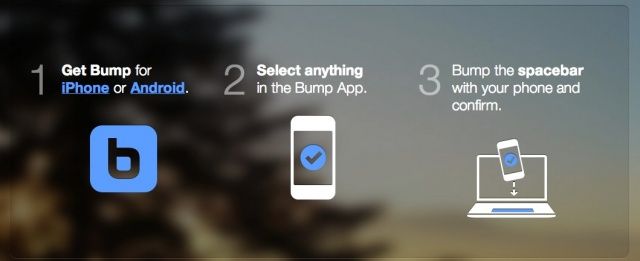
Bump, the free, easy file sharing app for Android and iOS, has just updated to version 3.5.6 on both the Apple iTunes App Store and the Google Play Store. The new version of the app will let users share any files on their smartphone or tablet with a computer. Previously, Bump users were only able to share files from mobile device to mobile device.

Apple Says It Will Fix iOS 6.1 Lockscreen Bug In Future Update

By •

iPhone passcode

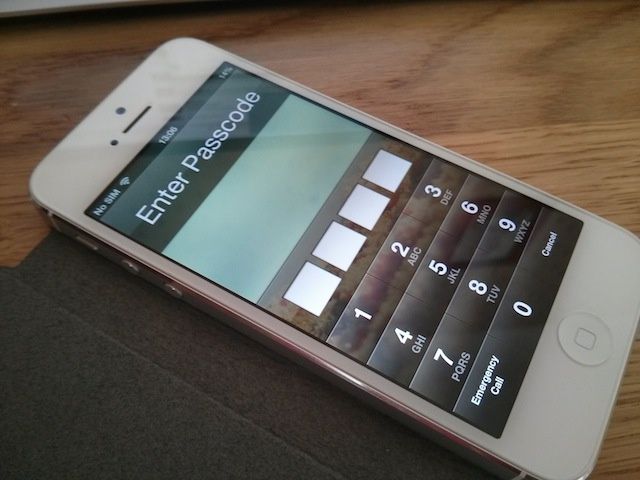
Earlier today we told you about a lockscreen bug in iOS 6.1 that allows someone to get past your passcode and into your contacts and photos. The process of replicating the bug is pretty tedious, but it’s still a nasty security bug Apple needs to fix.

The good news is that Apple is aware of the lockscreen flaw, and the company has confirmed that it will be fixed in a future iOS update.

Five iPhone Dating Horror Stories That Will Make You Glad You Don’t Have A Date This Valentine’s

By •

Has your iPhone ever caused trouble between you and your significant other?

iPhone use and dating don’t really mix very well. Even if you follow our Gentleman’s Guide To Using Your iPhone On A Date, you’ll still probably do something really dumb if you try to pull out an iPhone on a date. Their feelings might get hurt. Heck, your feelings might get hurt. You’re both going to walk away more sexually frustrated than ever. It’s a bad idea.

Yes, there are apps out there that can help you get some action on Valentine’s Day, but the regular apps on your iPhone are probably going to destroy the hard work you put in.

Here are five stories that should encourage you to just leave your iPhone at home on Valentines Day.