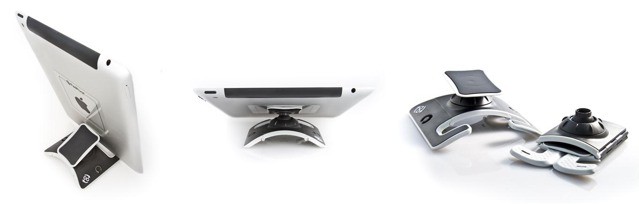
PadPivot is one of those gadgets which at first appears completely absurd, but then grows on you as you see what it can do. It starts off looking like an over-engineered solution for an non- problem: putting an iPad on your lap. But then you see it stick, prop, and fold, and it all starts to look rather compelling.
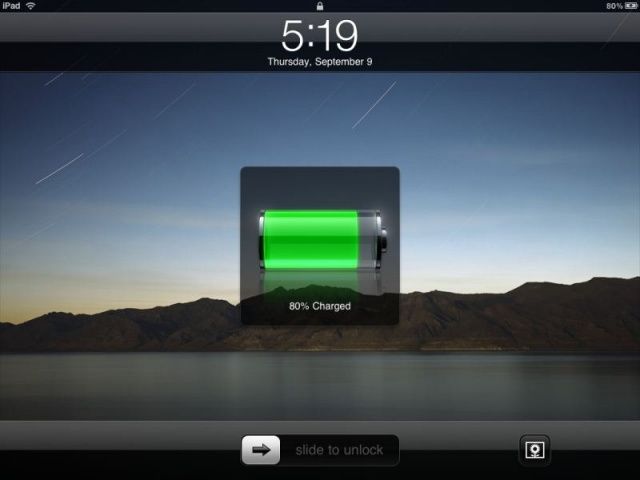
Plug in your iPhone or iPad and charge it up, and you’ll notice that while the first 80% or so will go by pretty fast, they actually kind of suck at charging up that last 20%, taking a lot more time to do so than it feels like they should.
There’s a reason for this. Charging batteries up to “full” is a complicated process. There’s no real way to tell if a battery is completely “full” so all you can do is measure the voltage, which (and this is a vast simplification) tells you how much resistance is being met when you try to put more electricity into the battery.
That’s why it takes so long for an iPhone to charge that last 20%. It charges full blast until it measures a certain voltage, then goes into what’s called “trickle mode” to slowly allow small sips of electricity into the battery until it thinks, based upon some software calculations, that the battery is more or less full. But a new algotihm could make the time it takes to charge your iPhone or iPad go by a lot faster.
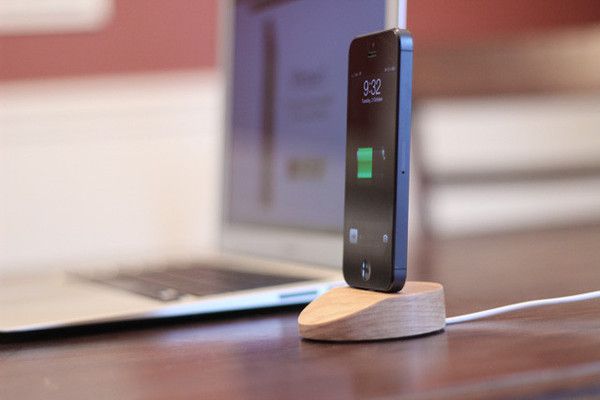
Luckily, you now have an option. Coming in an attractive hardwood version or a choice of either regular or black aluminum, the Lightning Dock is a no-fuss, no-frills dock that works with or without a case and depends on the incredible strength of the new Lightning Connector to keep the iPhone upright.
It also works with the new fifth-generation iPod touch, and it’s pretty cheap: the hardwood version will only cost you $24.95, while the aluminum version is $10 more. That’s without an included Lightning cable: if you want them to ship you one, it’ll cost $20 more.
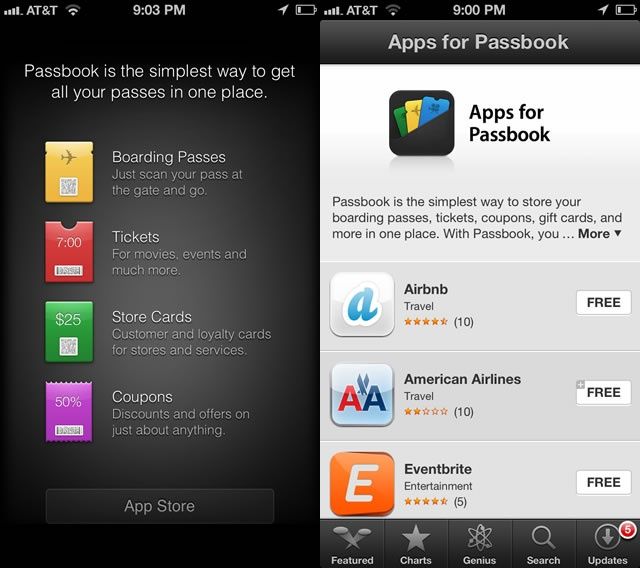
So, the wacky little app-thingy that we all wondered about in iOS 6, Passbook, seems like it’s starting to grow up a bit. Now, when you tap the App Store button in the Passbook App, the new “Apps for Passbook” section of the iTunes App Store, only available via your iPhone running iOS, has quite a few new apps available.
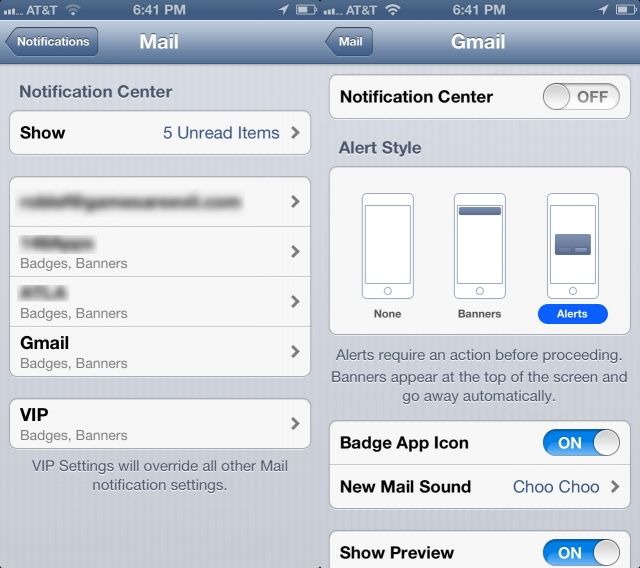
I like to be notified when email comes in, but I sure do get a lot of email. Prior to iOS 6, I was relegated to just dealing with it, and setting the type of notification–Badges, Banners, and Sounds–for eMail in general. It got a bit tedious, to say the least, with the four main accounts I check on my iPhone.
You know now that you can set up a different signature for each email account you check on your iPhone, iPad, or iPod touch running iOS 6. But did you know you could also set up a different Notification style for each account, as well?
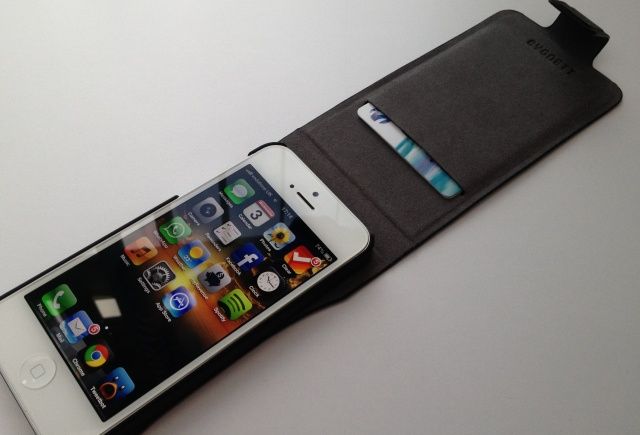
The Cygnett Lavish from MobileFun is a genuine leather flip case for iPhone 5 that contains a plastic snap-on shell that houses your device. It boasts a magnetic closure, and a card slot that will comfortable house one or two credit cards without adding too much bulk to your pocket.
The Lavish provides access to all of your ports and buttons, and can be folded back to expose your iPhone’s rear-facing camera. It comes in black or “regatta blue,” and it’s priced at $41 (£30).
It’s not the cheapest iPhone 5 case, then, but is it worth it?
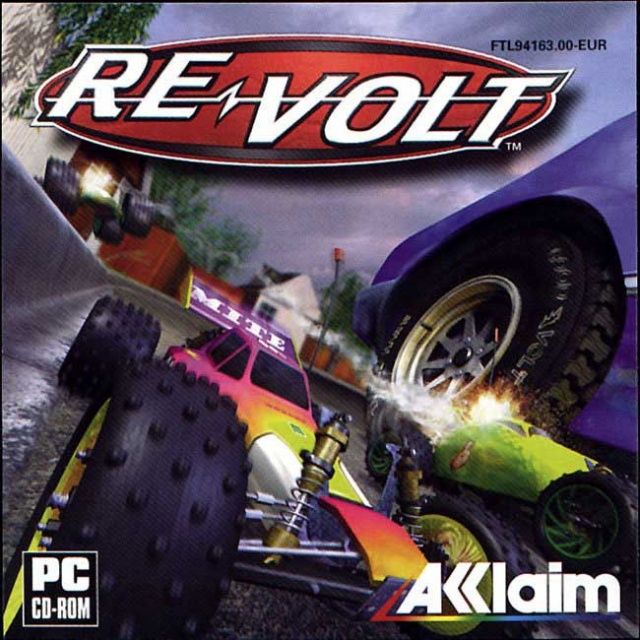
Back in early September, we reported that Acclaim’s classic radio-controller car racer, Re-Volt, was coming to iOS, and today it has landed in the App Store. The title is an exact port of the original game released on the PC and Sega Dreamcast back in 1999, only it’s been visually optimized to look great on Retina display devices, and adapted for the touchscreen.
Re-Volt boasts “fast paced, exciting driving, with explosive weapons and unique track designs [that] deliver a larger than life racing experience like no other.
There are like 50 billion games on the App Store and a lot of them have Game Center integration so you can battle your friends at Angry Birds, or Temple Run or Tic-Tac-Toe or whatever. But if you want to see how much your friends really love you, try playing them in a emoji game of Connect Four. It’s painful and kind of tedious and you have to remember to play with virtual-gravity, but it’s also totally awesome, in a dumb way.
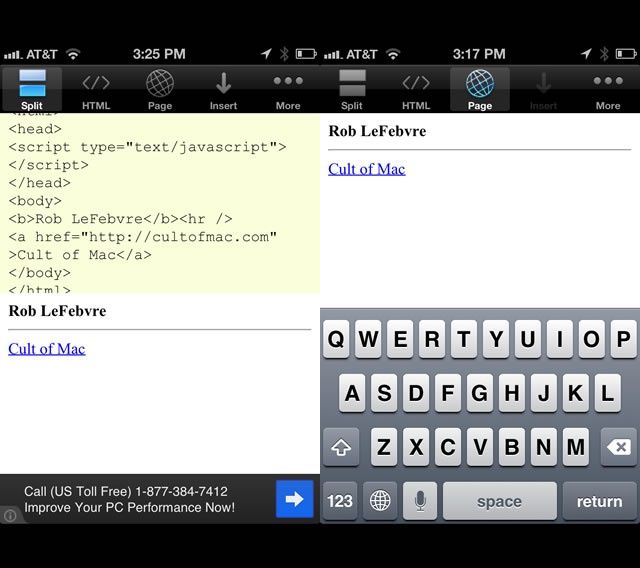
“I would like to find out how to create a hyperlink in my Sig using my iPad. Example: Find me on twitter ( with twitter being a hyperlink taking them to my home page.”
I’ve shown you how to use Emoji in your signature, taking advantage of the rich text abilities of iOS 5 and up, but iOS 6 adds HTML support for signatures. Now you can put any rendered HTML into your signature on your iPhone, iPad or iPod touch. Here’s how.
Ding-a-ling! Wakey wakey! If you have trouble getting up in the morning, why not become a tech blogger? Just kidding. We work, like, super hard. What you really need to do is buy yourself yet another gadget, this time a physical bell for your iPhone which will emit a thunderous TRING at breakfast time.
If your iPhone 5 speakers aren’t loud enough when you’re trying to have an impromptu Lady Gaga dance party, you might wanna look into getting a portable speaker that can keep your beats fast and your base down low.
The iAudio 2 portable bluetooth speaker is perfect for Apple Fanboys. It even looks like something Apple would make and comes with a glowing Apple logo on the front, which really means that Apple’s going to slam iAudio with a cease and desist letter pretty soon, so grab it while you still can.
Apple’s Universal Dock is anything but universal. It won’t work with any iPads, it won’t work with the iPhone 5, and it sure as hell won’t fit a Motorola Xoom. And unless you’re using it two-handed, and you’re wide awake, it doesn’t even work very well with the iPhone or iPod Touch.
The Complete Dock, on the other hand, works with almost anything. Hell, if you wanted to dock your cruise ship in it you probably could.
I want to be able to ditch my wallet so bad, mostly because I have a tendency to lose it or forget it at home. But I never ever leave home without my iPhone, and yeah, Passbook is cool but businesses aren’t really using it yet and I’m impatient. I just want the future to be here right now.
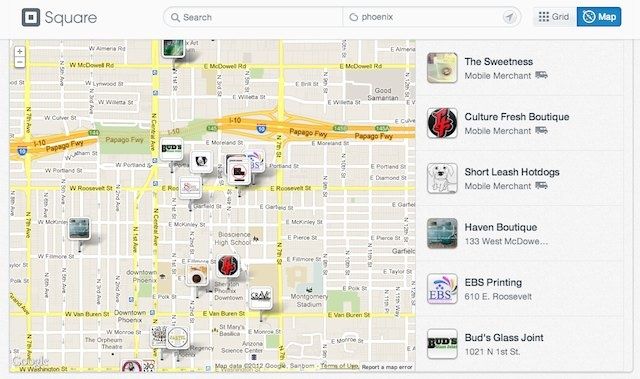
I’ve been really intrigued by Wired’s Christina Bonnington as she’s trying to live a walletless life, and it seems like one of the biggest hurdle right now is knowing where you can ditch your wallet and pay for goods with a service like Square, and where you can’t. Right now it seems like Square is trying harder than anyone to help you ditch your wallet, and they just made things a little easier by creating Square Directory so you can see all the places you can pay for goods with Square Wallet.
My sense of proportion has been hopelessly corrupted by a lifetime of telling girls that six centimeters is actually six inches, so I’m very excited by the prospect of an app that can tell me the size of something just by taking a photo of it.
That app is called CamRuler, and it works by comparing the size of an unknown object to that of a known object. If you ever put a coin or a small model dinosaur into a photo to help show scale, then you already know how it works.
While iOS 6 may be “the world’s most advanced mobile operating system,” its new Maps app is, quite frankly, a heap of trash. It boasts some terrific features, such as 3D Flyover and voice-guided turn-by-turn navigation, but they’re only terrific when the Maps that power them actually work. And Apple’s don’t in a lot of places.
The Cupertino company’s CEO, Tim Cook, has apologized to customers for the frustration the new app has caused, and it’s led us to wonder why Apple even released it. It still had a year left on its contract with Google, so why did it rush into releasing its own, half-baked service so quickly?
Well, one reason behind the move is that Steve Jobs had grown to hate Google. So much so that he set up a new Maps team just to kick Google Maps off the iOS devices.
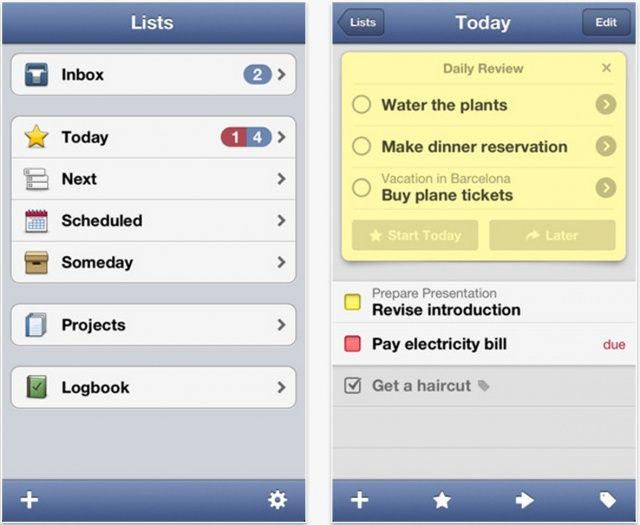
While the App Store has listed Things as an “amazing app” for iPhone 5 for the past week or so, the app didn’t actually support the new handset’s larger display. But it does now, thanks to a brand new update, which also delivers the ability to create new to-dos using Siri.
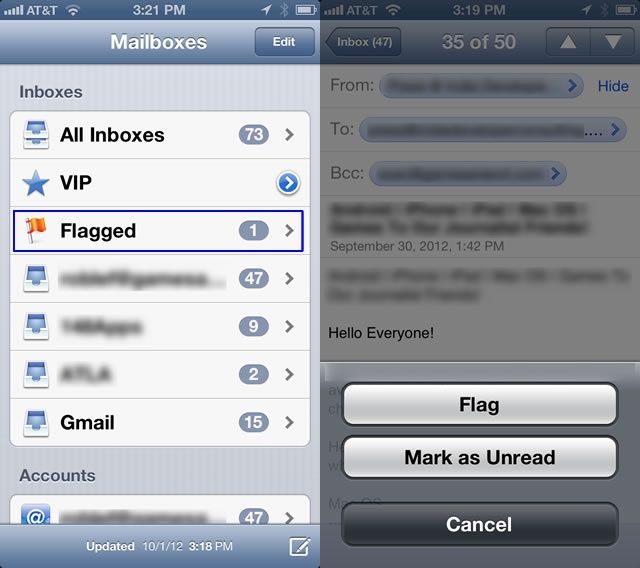
I use email for a ton of different reasons. I use it to communicate with family, friends, colleagues, and business partners. I use email to keep track of things I need to get done today, tomorrow, and far into the future. Chances are, you do, too.
One of the ways I use email to keep myself on track and informed is by flagging emails for later perusal. I also mark things as read and unread to signal that I am done with the email, or that I need to actually read it later.
Now you can do these things right in the iOS 6 Mail app. Here’s how.
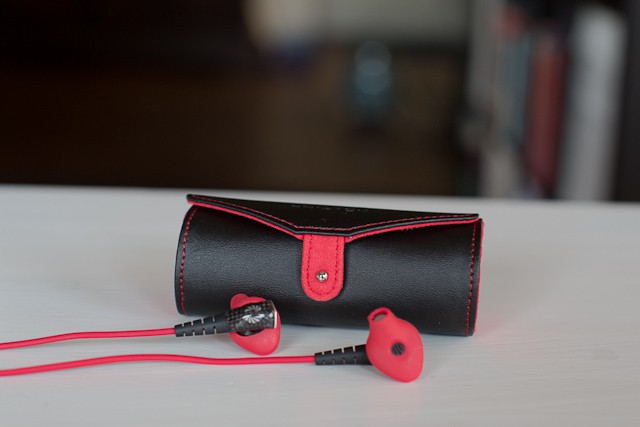
Phiaton’s new Moderna MS 200 earphones ($149) sound good and have great sound isolation, sure, but what’s more important is how good they look plugged in to your new iPhone 5.
Before the touchscreen iPhone was revealed at MacWorld in 2007, Apple had a team of engineers working on a click-wheel phone that was kind of like a mashup of an iPod and a phone. It was never released, but the work that went into it is pretty fascinating.
In an interview with TechCrunch, former Apple engineer and Nest co-founder Matt Rogers talks about what it was like to work on the click-wheel iPhone when no one else at the company even knew Apple was developing a phone.
There’s so much wordplay to be had in this post that if I start now, I might just forget to write about the product itself. So if you want dick jokes and Star Wars references, you’ll find them at the end of this post. In the meantime, let’s take a look at Richard Solo’s horribly-named FreeWheelin Audio System For Helmets.
Sick, enraged or just plain glum about the fact that your new iPhone 5 won’t work with your multiple and expensive speaker docks? Then you should probably lose that sense of entitlement.
Or you could move to Brazil (where an iPhone costs the same as a small private plane, more or less) and start buying paper magazines. Because a recent Coca Cola ad turns a copy of Capricho magazine into a passive cylindrical speaker dock.
Remember those novelty retro cellphone handsets? The ones with curly cords that attached to your handset’s proprietary connector and made it look like you were making a call on a rotary telephone circa 1970? In the pub?
Well, the Swissvoice ePure is something like that, only more useful, and way, way cooler looking.
Cheap Android tablets are stealing the iPad's market share.
A study conducted by the Pew Internet & American Life Project has found a massive boom in tablets over the last 12 months, with 25% of American adults now owning a tablet of their own. As you might expect, the iPad is the most popular device out there at the moment, claiming more than 52% of the market. But that may not be the case for too long.
Android tablets are rapidly catching up, and in the not-so-distant future, there’s a good chance they will be king.
To celebrate its twentieth anniversary, Slashdot persuaded former Apple co-founder and everyone’s favorite geek Steve Wozniak to answer some questions thrown at him by the site’s readers. Woz took the time to answer a number of questions on Apple and his thoughts on how the company is doing without Steve Jobs at the helm, jailbreaking, the iPhone, and more.
We had a sneaking suspicion Samsung would add the iPhone 5 to its patent infringement complaint against Apple shortly after the device made its debut. And the Korean electronics giant has now done exactly that, asking Judge Paul Grewal for permission to include the device in its latest countersuit against Apple.