Mobile menu toggle

iPhone - page 247

WordPress iOS App Gets Redesigned UI With 3.6 Update

By •

wordpressforiOS

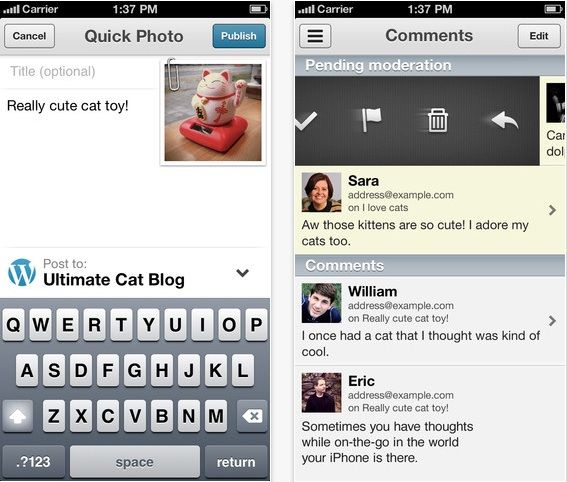
WordPress just released a new update for its iOS app that is sure to make WordPress bloggers happy. The new app features a overhauled UI that makes it easier and faster to blog from your iPhone than before.

The new update ditches the single pane view for a multi-pane view that users can swipe between to access different areas of the app (kind of like the Facebook and Rdio apps). WordPress also added a shortcut to the sidebar to make posting faster, there are also new translations for Russian, Danish, and Korean, improved Tumblr importing, and bug fixes.

Here are the full release notes:

Is This The Budget iPhone’s Plastic Shell? [Image]

By •

cheap-iPhone-back

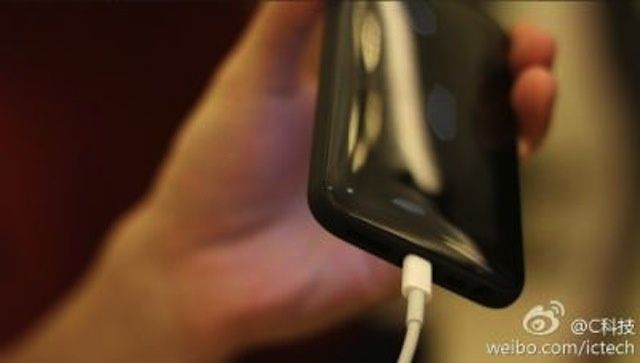
Apple is expected to announce a new low-cost iPhone later this year in an effort to compete with rivals like Samsung in emerging markets. Reports have suggested that to keep costs low, the Cupertino company will give it a plastic form factor similar to that of the iPhone 3G and iPhone 3GS.

And now that plastic shell appears to have been leaked for the first time.

Modified Charger Can Install Malware Onto Your iOS Device

By •

Heading
Heading
Photo: CBS Interactive

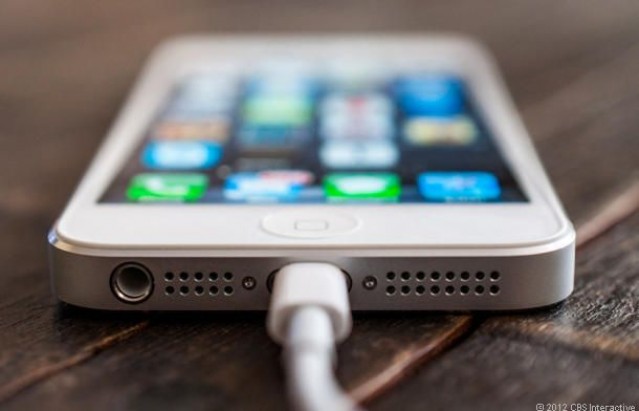
Thanks to Apple’s strict software approval process, iOS devices are generally considered some of the most secure. But you might want to be careful about where you plug them in for charging. Researchers at the Georgia Institute of Technology have developed a modified charger capable of installing malware onto any device running Apple’s latest iOS operating system.

Use These Four Easy Tips To Master Evernote On Your iPhone And iPad [Feature]

By •

hero_evernote

Photo: Evernote

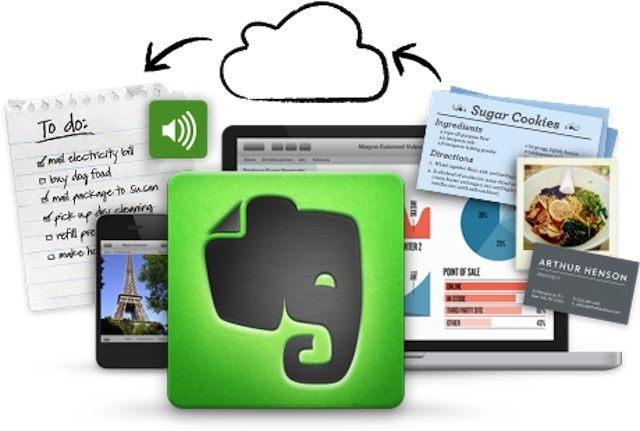
Evernote is a fantastically useful service, with clients for the web, Mac, PC, and iOS. The iOS version is as full featured as the desktop version, a rarity these days, and really makes Evernote my go-to app for keeping track of stuff of all kinds.

Here, then, are four fantastic tips and tricks to get the most out of the Evernote app on your iPhone, iPad, or iPod touch.

Did Apple Buy Grokr?

By •

grokr-right

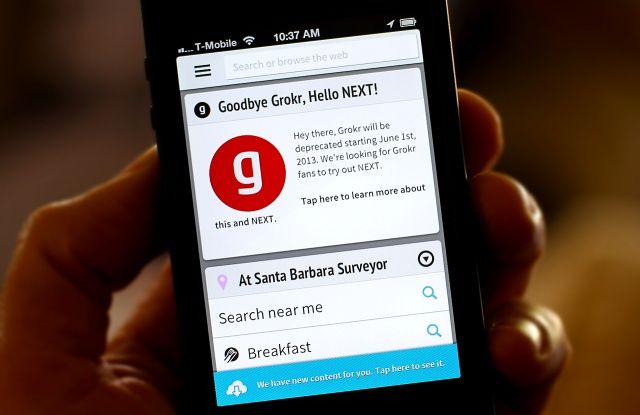
Circumstantial evidence may suggest that Apple has acquired the predictive search app Grokr. And if they haven’t done, they should do.

Grokr has been called the “Google Now for iOS.”

With Grokr’s predictive search capability and Siri’s natural language capability combined into a single feature could put Apple in the overall lead in the crucial area of virtual assistant technology.

Here’s why Apple needs to buy Grokr (and why I think they already did).

Bloom Box: Shoot Seeds, Bloom Flowers, And Collect Stars On Your iPhone

By •

BloomBox_Splash

Tired of slingshotting those angry birds at ever-more preposterous structures build by pigs? Bored with trying to best your friends using nothing more than words?

Bloom Box is a new, cutesy puzzle game from Nexx Studio (Pig Shot, Glow Puzzle) where you’ll need to set up chain reactions to explode the aforementioned boxes, make flowers bloom, and collect all the stars in each level.

How To Add A Passbook Pass To Your iPhone From Your Mac [OS X Tips]

By •

Screen Shot 2013-05-31 at 3.47.03 PM

Did you know that you can add Passbook passes to your iPhone from your Mac? It’s a feature Apple hasn’t really promoted, but iCloud syncs passes added from OS X to the iPhone with a click of a button.

Hat tip to David Chartier for pointing out this feature on his Finer Things in Tech blog. When viewing a Passbook pass from a source like Ticketmaster or Second Gear Software, simply click the “Add to Passbook” button. You’ll then see the above prompt, and the pass will be added to your iPhone via iCloud.

For more great Passbook tips, check out our handy roundup.

Source: Finer Things in Tech

Chicago Sun-Times Lays Off Entire Photo Staff, Will Give Reporters iPhoneography Training

By •

Screen Shot 2013-05-31 at 2.15.13 PM

The Chicago Sun-Times, one of the remnants of traditional paper journalism, has let go its entire photography staff of 28 people. Now its reporters will start receiving “iPhone photography basics” training to start producing their own photos and videos.

The move is part of a growing trend towards publications using the iPhone as a replacement for fancy, expensive DSLRs. It’s a also a sign of how traditional journalism is being changed by technology like the iPhone and the advent of digital publishing.

AltKeyboard Will Turn You Into A More Efficient iPhone Typist [Jailbreak]

By •

IMG_2662

It takes practice to learn how to efficiently type on the iOS keyboard. Because all the keys are virtual, you have to tab through multiple layouts to access all of the available characters. I remember how slow I was at alternating keyboards to type numbers and punctation when I got my first iPhone. Over time, muscle memory kicks in and it becomes second nature.

What if there was a more productive way to type on iOS? A new jailbreak tweak called AltKeyboard is a fantastic enhancement every iPhone typist needs.

Here’s What An iPhone Made Of Every iPhone Display Ever Built Would Look Like [Image]

By •

may8skylineflat_tighter

Have you ever contemplated just how many displays Apple’s manufactured for the iPhone since 2007? And then, have you ever thought how cool it’d be to combine all those iPhone displays into one gigantic Monophone that’s docked in the middle of Manhattan?

Josh Orter over at Stupid Calculations was wondering what such an object would look like too, so he did all the calculations and discovered the Monophone screen would stretch 5,059 feet into the sky, and measure 2,846 feet across, for a total surface area of 23-acres. It would be enough screen space to watch Game of Thrones on all fours sides of fourteen World Trade Centers.

Here’s another picture of what the Monophone would look like in Manhattan:

AmpJacket Makes Your iPhone Louder And Stronger [Review]

By •

ampjacket-1-2.jpg
AmpJacket by Kubxlab
Category: Cases
Works With: iPhone 4/S/5
Price: $30

There are a few things I really like about Kubxlab’s AmpJacket. It’s soft and squiggly, so it’s kind of fun to play with even when not on the phone. It’s also very small when you consider what it does – it’ll even slide into a pants pocket. And finally, there;s the fact that it not only amplifies the sound fro the iPhone’s speaker, but protects that iPhone and even raises it out of the way of spills in the kitchen.

Apple Is Thinking About Launching An Ad Exchange [Rumor]

By •

iad-producer-feature

Despite launching iAd in 2010, Apple’s foothold in the mobile advertising business hasn’t really taken off yet. Tim Cook even addressed Apple’s advertising strategies during his interview at the All Things D tech conference this week, and stated advertising isn’t core to Apple’s business.

Apple’s enthusiasm for mobile advertising might start picking up soon though if today’s latest rumor turns out to be true. According to Business Insider, Apple is planning to launch an ad exchange, similar to way Facebook and Twitter have recently done.

Siri Knows You’re A Dirty Cheater At Video Games [Easter Egg]

By •

siricheatcodes3


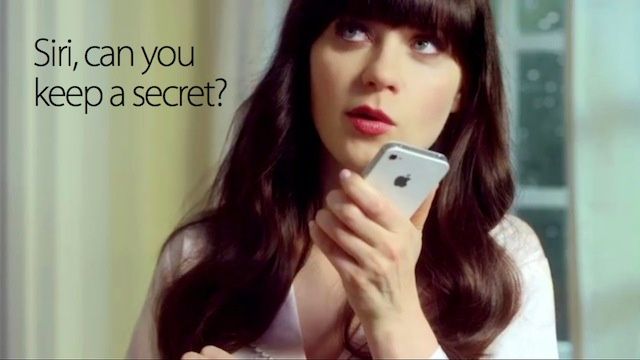
Siri knows everything (kind of). She even knows when you’re trying to use the Konami Code to cheat your way towards world domination.

In a newly discovered Siri Easter egg, if you try to give Siri the Konami Code (up, up, down, down, left, right, left, right, B, A, start), she’ll chide you for your cheating ways.

Here are two other responses you can get in the Easter egg: 

iPhone-Friendly Credit-Card Reader On Sale In European Apple Stores

By •

IMG_0206_bearb_en.jpg

In the U.S, lucky market traders, beggars and panhandlers can stick a sugarcube-sized dongle into their iPhone’s (or iPad’s) headphone jack and start taking credit cards. Over in Europe, we don’t yet have the Square reader, so our street-folk have had to put up with old-fashioned cash. Until now that is. Thanks to a combination of Apple’s liberal policies governing how dirty you have to be before you’re refused entry to a store, and the newly-stocked Payleven chip’n’PIN machines, tramps and bums all over the EU can now take plastic.

Nuance CEO Confirms Company Powers Siri’s Voice Recognition

By •

Just
Just

While speaking today at the All Things D conference, Nuance CEO Paul Ricci confirmed that Nuance does indeed help power the voice recognition service for Siri.

Since Siri’s launch in 2011, many people assumed that Apple had formed a partnership with Nuance, but neither company has officially confirmed the relationship.

During the his interview, Ricci was asked whether it’s his company’s fault if the iPhone doesn’t understand a user’s voice. Ricci confirmed that Nuance does power the voice part of Siri, but the company is not involved in speech-recognition efforts with Google.

May The Odds Be Ever In Your Favor With Siri Dice Rolling Easter Egg

By •

siri-dice-rolling


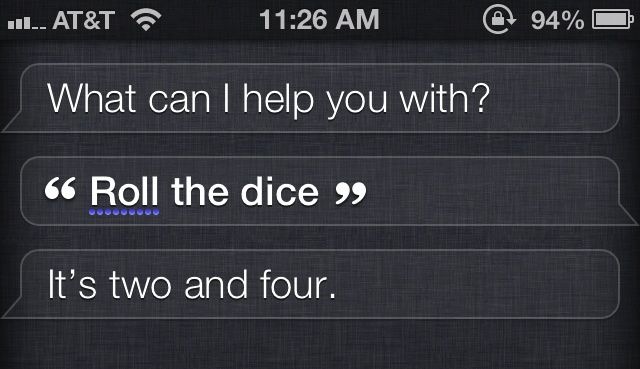
Sometimes when you can’t decide between two things the easiest thing to do is flip a coin. Don’t got a quarter? Well, Siri can now create some random numbers for you via the command “Roll the dice.”

The litter Easter egg might also come in handy if you’re Monopoly board is missing its shiny white dice. But then again, you’ll probably be playing a game on your iPhone by then.

Oh, and if you just want Siri to flip a coin instead, she can do that too:

siri-flip-coin


Injustice: Gods Among Us Gets New Characters, Lobo, Red Son, To Beat On Each Other With

By •

251778-Lobo1

Injustice: Gods Among Us, developed by NetherRealm and published by Warner Brothers, just updated on iOS today with new characters, including fan-favorite Lobo, the main man alien space-biker with an attitude and a huge cigar, along with Red Son characters Superman, Wonder Woman, and Solomon Grundy.

The fighting game is one of the few that gets it right on touch-based devices, bringing the console game (available on PlayStation 3 and Xbox 360) in fairly close form to Apple’s mobile operating system.

How To Take Long Exposure Photographs On Your iPhone [Feature]

By •

longexposureiphonepics

The iPhone has quickly become the most popular camera in the world simply because it’s the camera that’s always on you. Even though the iPhone’s camera doesn’t have anywhere near the same features and tools as a DSLR, that doesn’t mean you can’t squeak out some extra performance out of your iPhone to get pictures that look like a pro shot them.

Long exposures are a basic staple of most DSLR photographers, but thanks to some awesome apps for iOS, iPhone users can join in the fun too without having to spend hundreds of dollars on gear. In this guide we’re going to teach you about all of the gear and apps you need to take long exposure photos with your iPhone.