Mobile menu toggle

iPhone - page 246

Apple Most Aggressive In Adopting Progressive Environmental Policies In China

By •

Foxconn
Things have gotten slightly worse for Apple's supply chain workers. Photo: Apple
Photo: Apple

Apple has been praised by Chinese environmental activist Ma Jun for its “aggressive” adoption of progressive environmental policies in China. The Cupertino company, which initially refused to cooperate with the Beijing-based Institute of Public & Environmental Affairs (IPE), has gone further than any of its peers in the technology industry, Ma said.

Urban Wonderer, An iPhone-Based Audio Tour Of New York

By •

tour.jpg

You’ve all used those personal guided museum tours, right? The ones that use a button-covered box and a pair of filthy headphones to tell you all about the painting/sculpture/diorama in front of you?

Well, imagine that instead of a stupid box and worn out headphones you got to use your own iPhone. And instead of having to tap in a number to hear the guide, you just relied on GPS to know what you’re looking at. And finally, imagine that instead of being a guide to a dusty old museum, the “museum” was instead the whole of New York.

That’s Urban Wonderer.

Booq Fibre Snapcase For iPhone 5

By •

booq.jpg

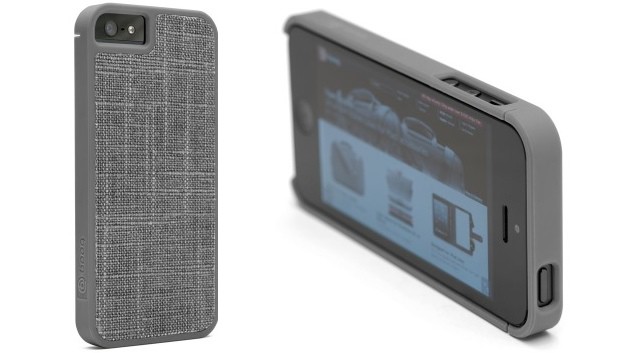
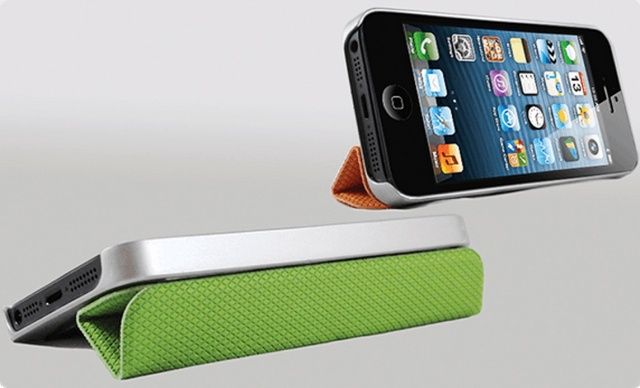
Booq’s new Fibre Snapcase is yet another shell-style iPhone 5 case, but this one at least has the distinction of using the neat linen-y material also found in Booq’s excellent Mamba device bags. I kind of like the look of it, but I wish that it had gone little further.

Vesper, A Sublime Note-Taking App By Daring Fireball’s John Gruber

By •

vesperappiOS


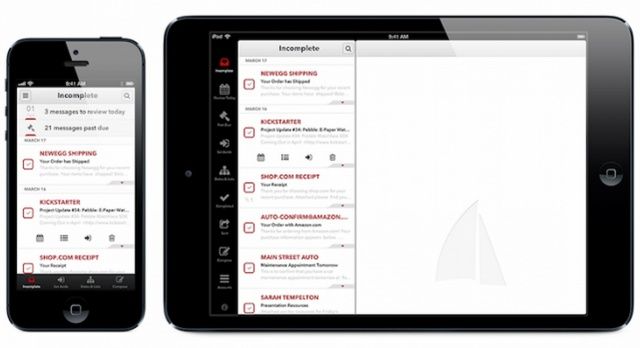
There are hundreds of apps on the App Store that claim they’ll help you boost your productivity, keep your thoughts organized, and help you finish all of those great side project ideas you have floating around. Some of those apps are genuinely helpful, but famed Apple-blogger John Gruber just released a new note-taking app that challenges them all.

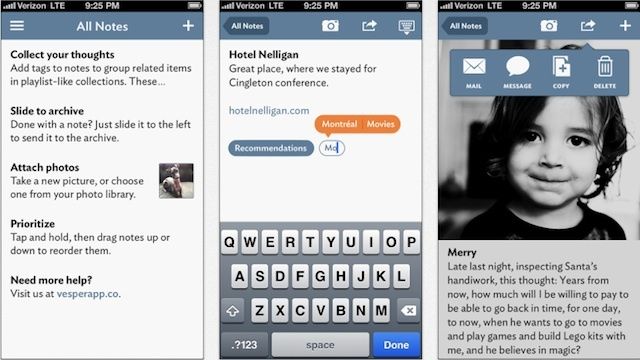
Vesper is a sublime note-taking app for iPhone that just hit the App Store. Its price tag is a bit steeper than most apps, but even at $4.99 it’s a pretty good deal. Designed by John Gruber’s new company, Q Branch, Vesper is a hybrid of notes and list-making features that helps you keep your thoughts organized.

“What’s the difference between a thought, an idea, and something you want to do? I don’t know exactly. That’s why we made Vesper.” – John Gruber

Turn Off Location Services On Your iPhone And Save Some Battery Life [iOS Tips]

By •

Location Services

Location services are really an integral part of a ton of iOS apps, using the internal GPS system to add Instagram photos to a map, checkin with FourSquare or Facebook, or let your friends know where you are with one of many “on my way” apps, like Glympse or Twist.

If you’re battery is dying, however, the location services are the first thing you should turn off, as they suck up a lot of your iPhone, iPad, or iPod touch’s power needs, what with their background data sending and receiving and such.

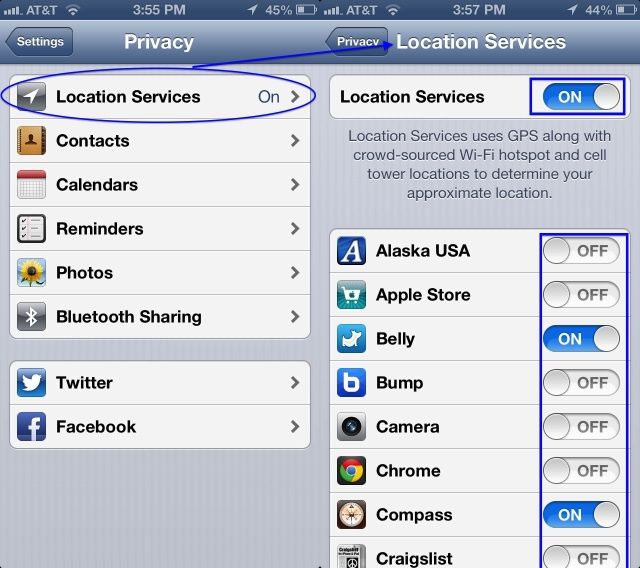
Here’s how to turn them off.

VSCO Cam 2.0 Launches In App Store With New Shooting Controls

By •

VSCOcam

VSCO Cam has already become one of our favorite camera apps on the iPhone thanks to its film emulation effects and clean interface, but a big update for the app is making us fall in love all over again.

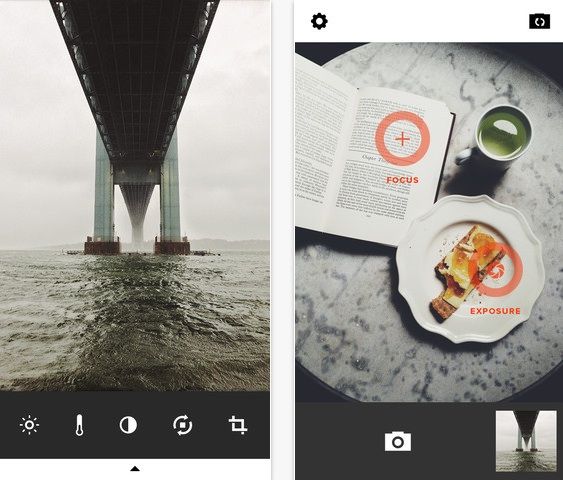
Visual Supply Company just released VSCO Cam 2.0 on the App Store and it comes with a huge batch of new features, including new presets, more efficient editing, and separate Focus and Exposure rings that give you more control when shooting pictures.

Best of all, Visual Supply Co. dropped the price on VSCO from $0.99 to free so there’s no reason for you not to give it a whirl. You can pick it up from the App Store now, or dig into the full list of new features after the jump:

Apps Help Google Triple YouTube Ad Sales On Mobile

By •

post-230262-image-6847e9e79556f5c10821c31d96a7be76-jpg

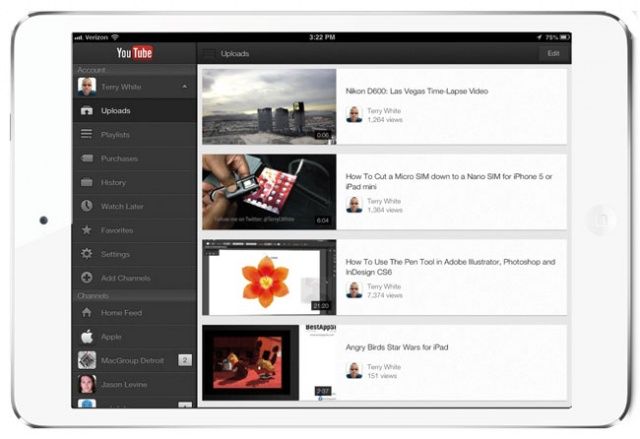
Google’s YouTube apps for Android and iOS have helped the company triple advertising sales on mobile in the past six months, the company has said. Mobile ads now contribute an estimated $350 million to YouTube’s revenue, with around a quarter of the site’s 1 billion users accessing videos on smartphones and tablets.

New Dropbox For Mac Beta Finally Brings iPhoto Importing, Screenshot Sharing

By •

Dropbox-screenshots

I use a lot of different devices — I’m always switching smartphones — so I store all my photos in Dropbox so that I can get at them no matter which platform I happen to be using. But it’s not always easy to get all the photos I’ve imported into iPhoto into the cloud. At least not yet.

But that’s about to change. In the latest Dropbox for Mac beta, you can finally import your iPhoto library.

Do Not Trust Siri To Remember Father’s Day This Year [Image]

By •

sirifathersday


Depending on the way you ask Siri for the date of Father’s Day this year, she might give you two completely different answers. A redditor discovered that when you ask Siri, ‘Is Father’s Day this weekend?’ the personal assistant erroneously replies that “Father’s Day is on Friday, June 14th,” even though it most definitely is not.

To make matters more embarrassing  Siri answers the questions correctly if you phrase it as “When’s Father’s Day?” On the bright side of things though, you now have an excuse if you forget to buy dad something in time.

Source: Reddit

How To Post Round, Triangle And Other Non-Square Photos On Instagram [Feature]

By •

montezumacastle

https://instagram.com/p/Zi-AAmGBqM/

The square cropped photo has never been more popular thanks to Instagram. There are a lot of benefits to being challenged to shoot within the confines of Instagram’s square — plus square photos make for easier browsing — but a lot of times cropping down to a square cuts out a lot of beautiful shot.

Even though Instagram forces users to upload square pictures, there are lots of ways to get around it. Not only can you post oblong pictures at whichever aspect ratio you want, you can also crop images into circles, triangles, and all sorts of other shapes.

Here’s our guide on how to break out of Instagram’s square:

Save Your iPhone Battery: Turn Off Push Mail And Push Notifications [iOS Tips]

By •

Push Services

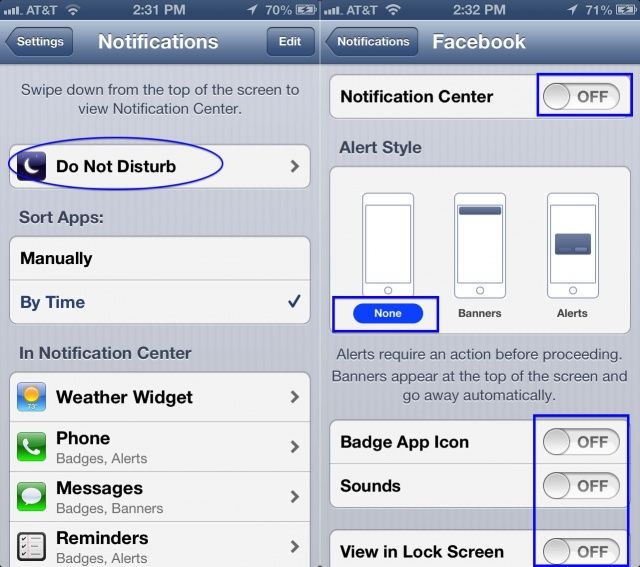
This just in: your iPhone (and iPad or iPod touch) is a marvel of engineering and does some amazing things, keeping you connected to the rest of the world with its super amazing technology. All that connectivity, though, can come with a price.

Push services are there to let you know when you have stuff to do, or emails to check. It’s pretty handy. However, when you need to conserve your battery, it’s probably time to turn them off. Here’s how, straight from Apple.

Convert Video For Mobile Devices With MacX Mobile Video Converter [Freebie]

By •

CoM - macxmobilevideoconverter

We’re spending more and more time on the go with our mobile devices, and watching video on them is becoming increasingly popular. Converting your videos to watch on mobile devices can get a bit unwieldy, though.

Cult of Mac Deals has an offer that will make your day – and converting videos for mobile a breeze…and it won’t cost you a dime.

Thanks to our friends over at Digiarty, we’re able to hook you up with MacX Mobile Video Converter – their new mobile video converting Mac app – for free!

FitBit for Dogs – New Wearable iPhone App for Your Pet

By •

dogiphonetracker

Wearable tech has really started to take off over the last two years thanks in part to fitness trackers like the Nike Fuelband and FitBit. But while those companies are worrying about humans, a new company called Whistle is launching a new fitness tracker specifically for mans best friend.

The Whistle Activity Monitor is a little on-collar device that will track all of your dog’s activities, including rest, walks, playtime, and other activities. It’s kind of like a FitBit for dogs. The device comes with a slick iOS app too that lets you check in on your dogs stats throughout the day no matter where you are.

Sounds kind of crazy to buy a pet its own activity tracker, but when you consider most people only take there dog to the vet once every 3 years, Whistle will probably help you keep your pet in shape and enjoy a couple extra years together.

Here’s a video of how Whistle works:

Wally Turns Your iPhone Into A Handsome Leather Wallet

By •

wally-wallet.jpg

Remember the Wally iPhone wallet? It was Kickstarted back in the misty far-off days of February, and is now a fully-available product that you can, like, buy. Don’t remember it? Then let me jog your memory: The Wally is a minimal and lightweight leather wallet that sticks to the back of your iPhone using hi-tech future adhesives. And the good news is that it’s currently shipping at 20% off – just $40.

Every WWDC Banner Ever For The Last 11 Years [Gallery]

By •

wwdc2012-june-11-15

Every year thousands of Apple developers flock to San Francisco to attend Apple’s World Wide Developers Conference to be educated in all things Apple. Over the past decade the conference has undergone some big changes as Apple has introduced products like the iPhone, Mac Pro, Intel Processors, Mac OS X operating systems, and much more.

An event that used to be lightly attended has now become the most popular developers conference in the world and sold out within 2 hours this years

Here’s a look at the many banners that have decorated the halls of WWDC over the past 11 years:

Double Music Lets Teens Ignore Each Other, Even While They Share A Pair Of Earbuds

By •

hate.jpg

There isn’t a much sadder sight in the modern urban landscape than a pair of friends walking together, both isolated by their own music playing on their own headphones. Why even bother meeting your friend i all you’re going to do is ignore each other?

Now, it gets a little better – and quite a lot cuter – when those friends share one pair of earbuds, maybe to listen to the same piece of music.

And then Double Music comes along and ruins everything again. Double Music is an app that will play a different track into each bud, severing the couple’s connection even as they’re physically joined by white wires.

Battery Draining Too Fast Lately? Facebook Apps May Be At Fault, Says Developer

By •

Chatactiveenglish

The iOS developer behind Home Remind has published a blog post about the Facebook apps for iPhone, iPad and Facebook Messenger. He says that according to his testing, the Facebook apps consume way more CPU time than is strictly necessary. Excessive CPU time can lead to battery drain.

The developer used Apple’s own Mac-based app, Instruments, to look at what was running on his iPhone, and found that his Facebook app was activating, doing something for ten seconds, then going back to sleep. It did this all day long during his test. He tested the Messenger app and the Facebook iPad app, and found the same pattern.

If that’s the case, the Facebook app is never truly going to sleep and then terminating like a good app. As a result, it’s using up CPU time, and a lot of your battery.

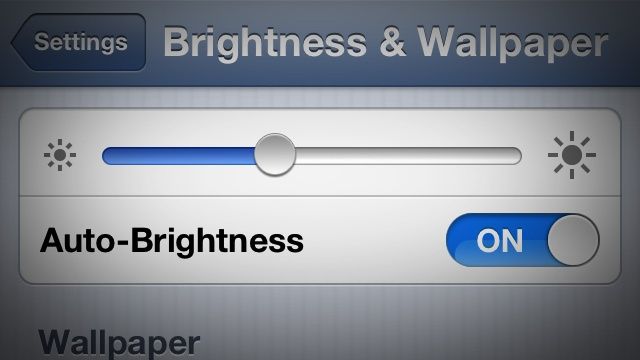
Save Battery Life With Brightness Settings On Your iPhone [iOS Tip]

By •

k-bigpic

Battery life, it’s the bane of every iPhone user’s existence, right? It’s hard to tell, really, reading the internet, which specific steps to take to make sure your battery is working at its most efficient, giving you the longest life without compromising performance.

One of the most misunderstood areas of managing battery life may just be the brightness settings. Here’s what Apple has to say about it.