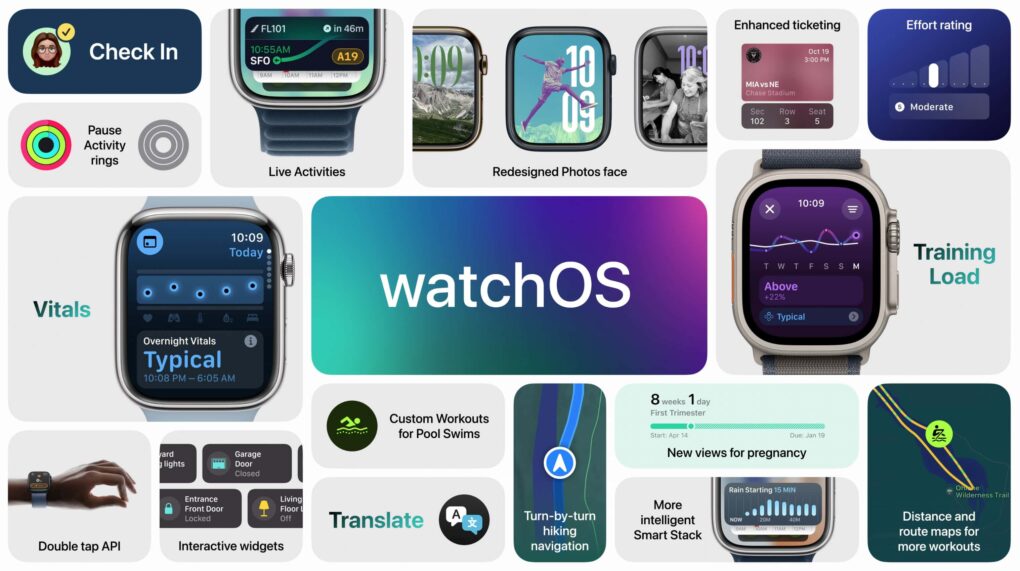
watchOS 11 brings some notable usability improvements. Image: Apple
watchOS 11 is a smaller update with a few great features people have wanted for years. You can pause your Activity streak without losing it, customize the beautiful new Photos face and set different Activity goals for each day of the week. It comes with some new apps, as well — Vitals, Tides, Translate and a new training load feature.
Apple released watchOS 11 on Monday. After you update, here’s the big list of things you can check out.
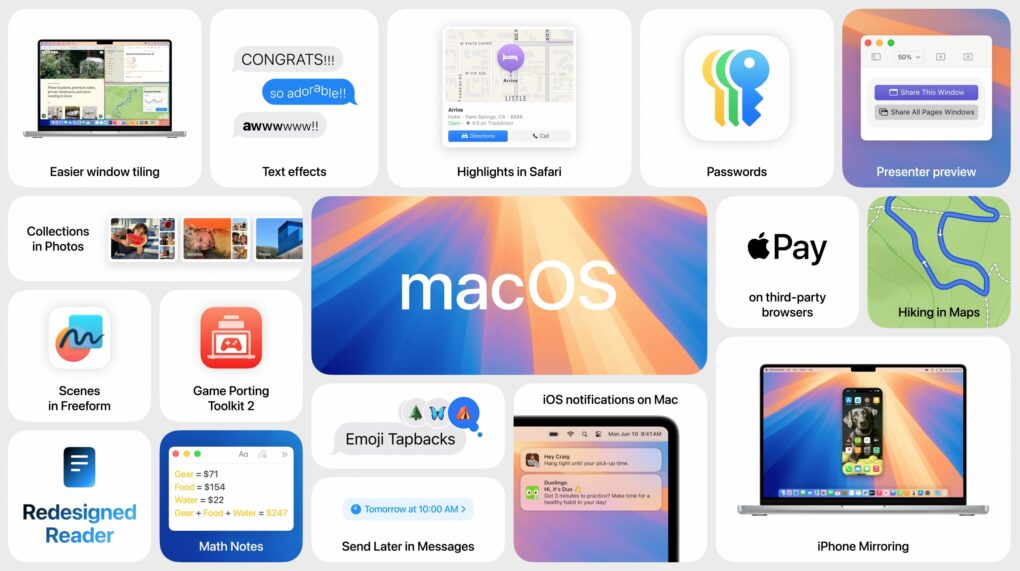
macOS Sequoia brings your iPhone and Mac closer. Photo: Apple
macOS Sequoia is a pretty comprehensive update with some fantastic new features, like iPhone mirroring, window tiling, and text message formatting. Although Apple Intelligence — the AI features coming to Mac, iPhone, and iPad — will continue grabbing headlines for the next year, it won’t arrive until later in the fall. Plus, only Macs with Apple silicon will support Apple Intelligence. Additionally, users can look forward to a new shaking head emoji, expanding the ways people can express disagreement or disapproval in messages.
Still, macOS Sequoia brings some game-changing new features — and it’s out right now. Find it in System Settings > General > Software Update. It’s compatible with most of the same Macs as macOS Sonoma, dropping support for the 2018 and 2019 MacBook Air.
After you update, here’s the big list of things you can check out.
All these features and more in iOS 18. Image: Apple
iOS 18 is a surprisingly rich software update with major new customization features and big changes in Photos, Messages, Notes, and more. Although Apple Intelligence features are going to continue grabbing headlines for the next year, it’ll only be available on the latest iPhones later in the fall. Among the smaller but interesting updates, a nodding head emoji is set to arrive, adding more expressive ways to communicate.
The iOS 18 update is packed with features — and it’s out right now. Find it in Settings > General > Software Update. It’s compatible with all the same devices as iOS 17.
After you update, here’s the big list of things you should check out. You should definitely start with editing your Home Screen, reading how the new Photos app works and checking out the new iMessage features.
Here's how you can install the final version of iOS 18 on your iPhone today. Graphic: Rajesh Pandey/Ed Hardy//Cult of Mac
iOS 18 will go out to iPhones everywhere on September 16, but you don’t have to wait. It’s possible to go ahead and install the final version this weekend when you have time to tinker with it.
And doing so doesn’t require doing anything dodgy or risky. You’ll be getting the final version of upgrade straight from Apple… just a little earlier than scheduled.
Your iPhone takes some fantastic video with just a little attention to lighting. Photo: Jim Merithew/Cult of Mac
Lighting is a crucial part of any video shoot, whether you’re filming a scene for an indie movie with an expensive camera or using your iPhone to capture video of your kid’s soccer game. These easy phone lighting tips can really boost the quality of your videos, whether you’re using the latest iPhone or an old Android device.
Apple Maps can help you find your way anywhere you need to go — but I can help you find hidden features in the app. Image: D. Griffin Jones/Cult of Mac
With tons of advanced features, Apple Maps competes quite handily with the likes of Google Maps and Waze. I put together a big list of the best eight features hidden in Apple Maps.
You can learn them all in this post — and see them in action in our video below.
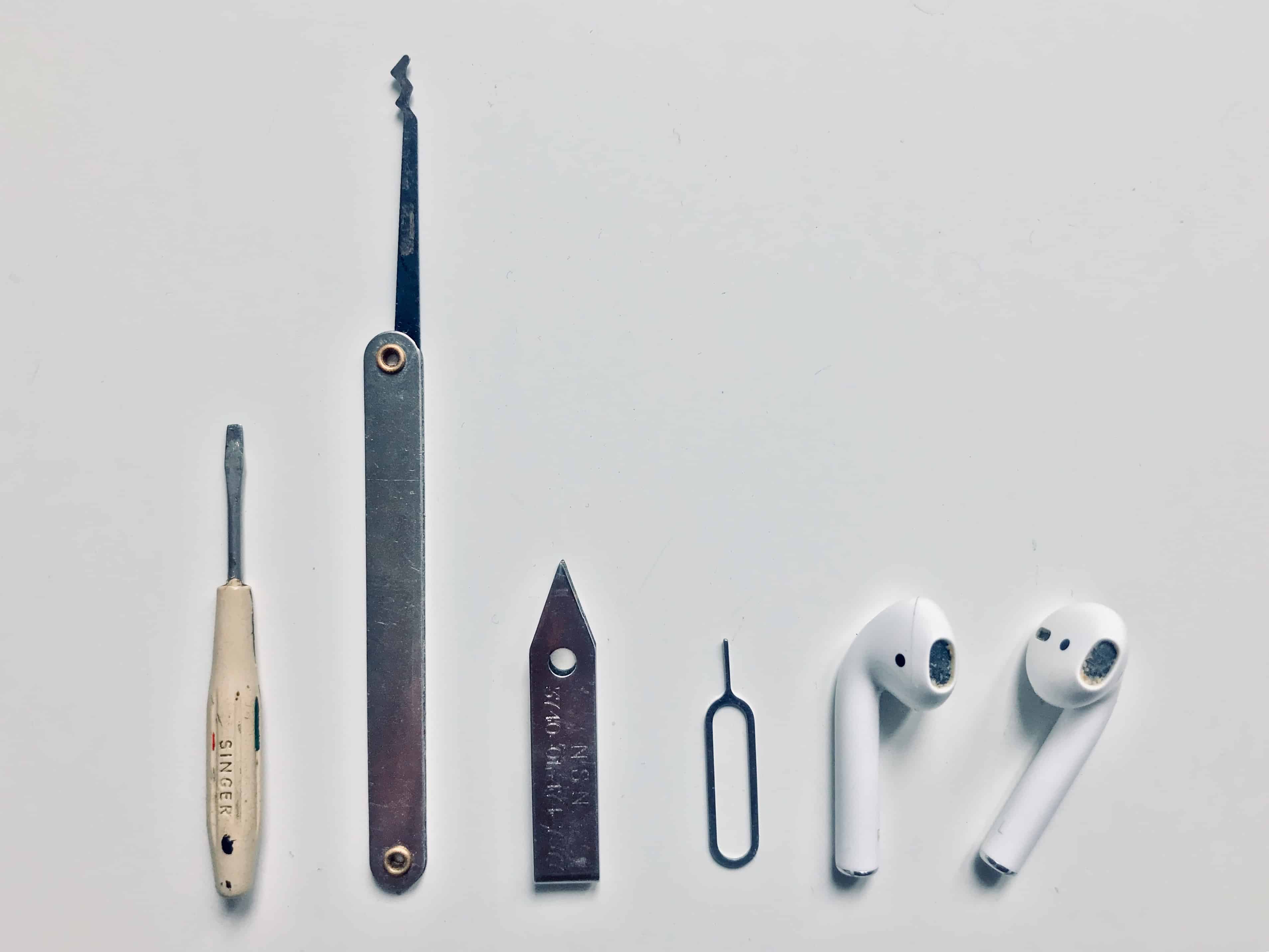
Cleaning your AirPods is easy, and you probably have the tools to do it already. Photo: Charlie Sorrel/Cult of Mac
Today we’re going to see how to clean AirPods, AirPods Pro or any other earbuds, using tools you probably already have. It’s essential to keep your AirPods clean to keep them working properly. Plus, it’s easy for them to get gross.
For instance, the other day on the metro, I pulled out my AirPods and dropped one on the floor. The earbud bounced over dried and dirty beer stains, and who knows what other filth and bacteria that had been traipsed in on a million passengers’ shoes (and the odd hippie’s bare feet). I gave up on listening to anything on the trip home, and slipped the rescued AirPod back into its case.
It’s not only hippie toe jam that we have to worry about, either. Because we constantly push AirPods deep into moist holes in our heads, they crust up with earwax and whatever bacteria live in our earholes. Happily, cleaning and disinfecting AirPods is not only easy. It’s just about as satisfying as digging a deep-seated booger out of your nose, or picking an almost-healed scab.
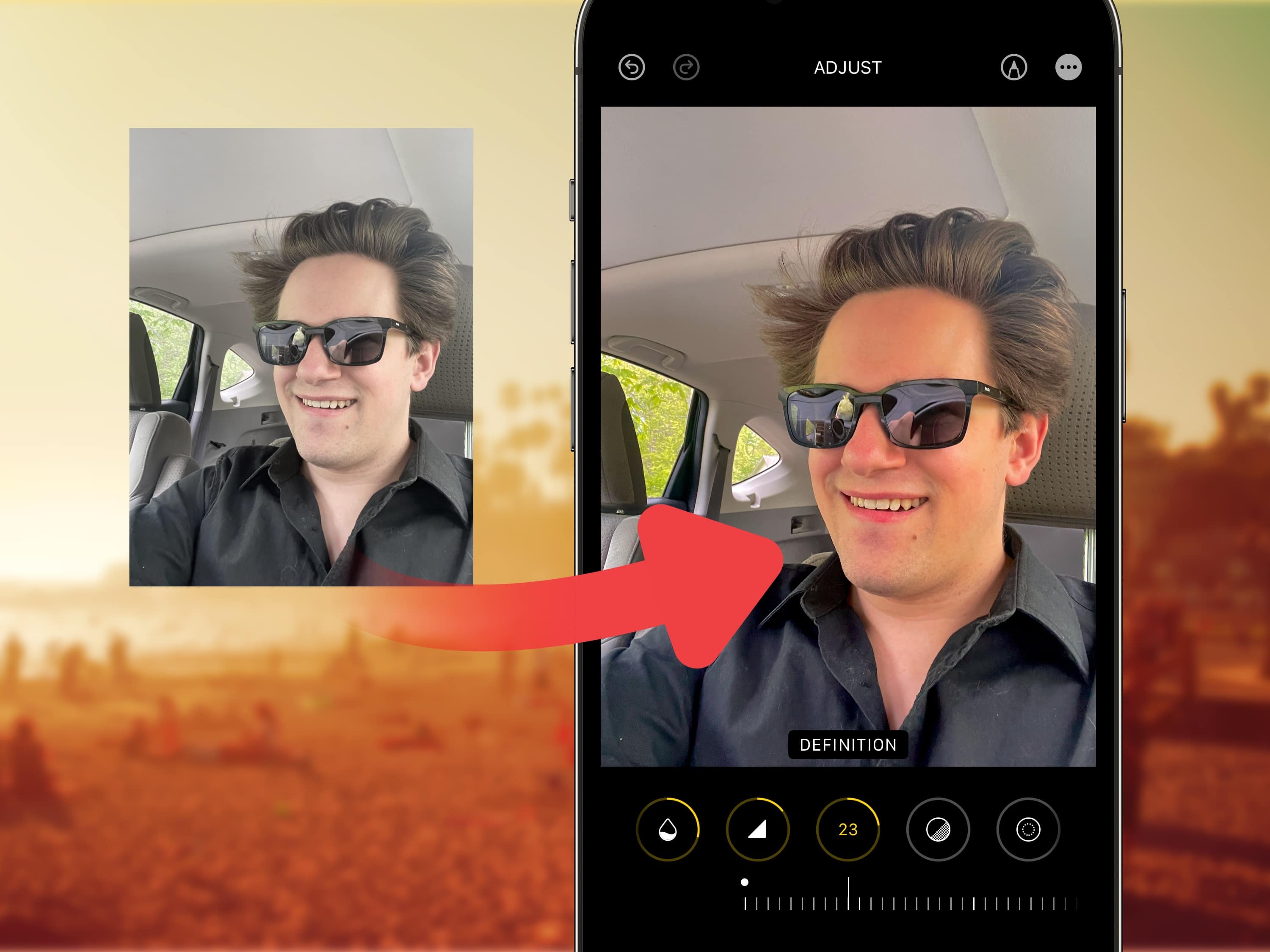
Many filters will brighten your photos, but sorry, nothing will make you look like you’re in your 20s. Image: Levi Clancy/Wikimedia Commons/D. Griffin Jones/Cult of Mac
Viral clips on TikTok show how to edit selfies for a more stunning, popping image on your iPhone. I live in a part of Ohio that’s perpetually overcast, but you would think I’m on my way to the beach, given the warm hues this method imparts upon your pictures.
Read on for detailed instructions on how to use TikTok’s winning selfie formula and how to apply the same filters in bulk on all the pictures from a photo shoot. Plus, I’ll tell you about my recommended selfie stick for taking great group shots and landscapes.
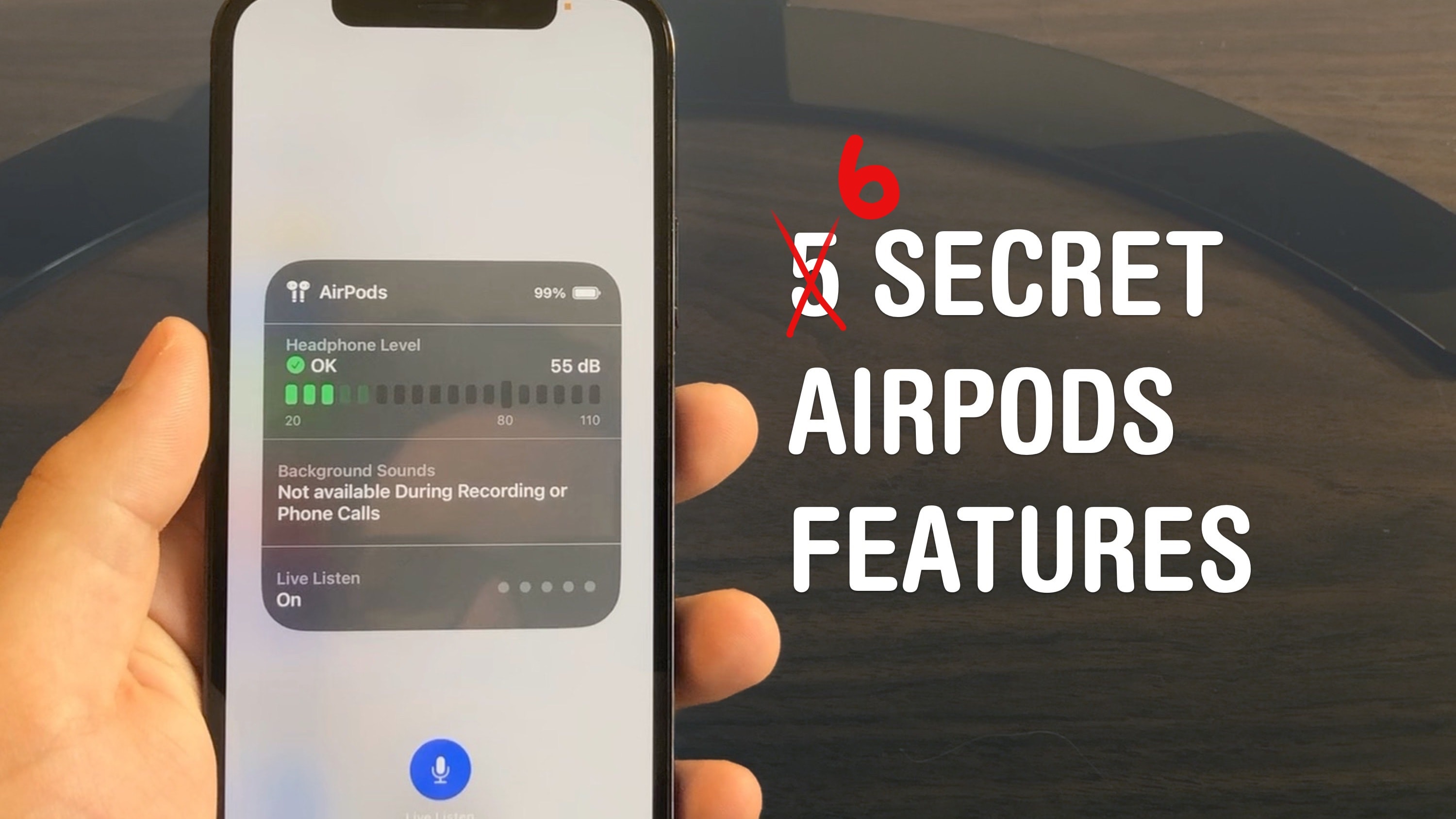
Master your AirPods with these six tricks you’d have to really dig to find. Photo: D. Griffin Jones/Cult of Mac
AirPods are the wireless earbuds that ordinary Bluetooth headphones want to be when they grow up. They’re seamlessly integrated with your iPhone, Apple Watch, iPad and Mac. They’re deceptively simple — but if you want to get more out of them, you need to dig through Settings. These AirPods tips will show you where to look to unlock maximum functionality.
I did some spelunking and found six super-handy hidden features you might not know about.
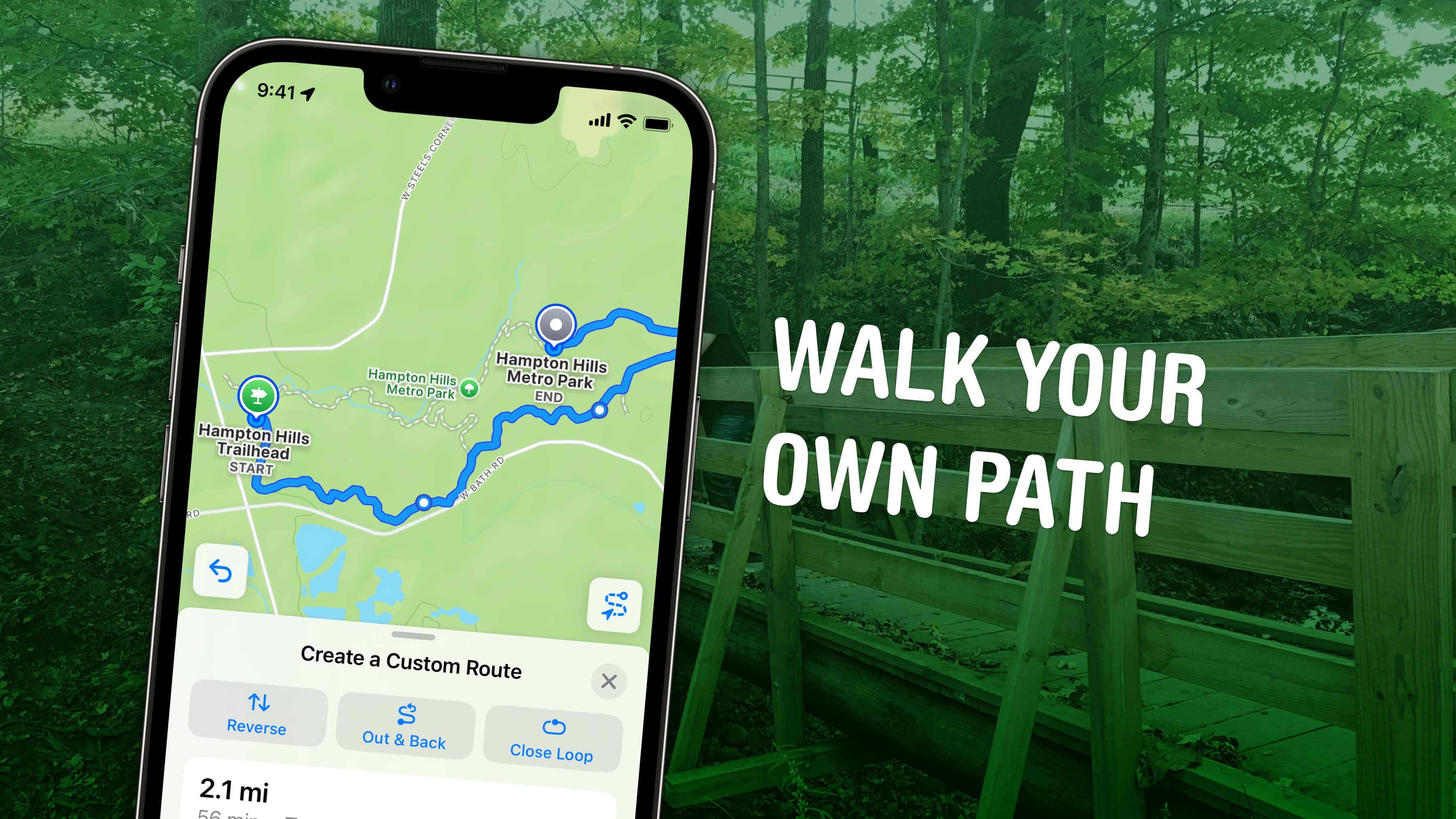
Create custom walking paths ahead of your next outdoor excursion. Image: D. Griffin Jones/Cult of Mac
You can get rich topographical hiking maps of local trails and U.S. national parks on your iPhone, right in Apple Maps. New in iOS 18, you can build custom routes connecting walking paths and save them to your device for offline access.
You can use this feature to plan a hike as a day trip. Planning your route in advance could save you the hassle of getting lost without a signal — or keep you from starting an overly ambitious hike.
According to Apple, the update comes with data for “all 63 U.S. national parks.” In my testing, Apple Maps showed a thorough knowledge of the trails in northeastern and Appalachian Ohio, too. It could contain detailed trail data about your local park as well.
Here’s how to make the most out of the new hiking maps in iOS 18.
The side button does much more than you think. Who needs an action button? Image: D. Griffin Jones/Cult of Mac
The iPhone 15 Pro’s customizable Action button lets you pick from several presets, including Accessibility — which lets you choose from 25 different accessibility features that you can toggle on or off. These features aren’t limited to the iPhone 15 Pro’s Action button, either. On any older iPhone, you can simply triple-click the side button to access those same 25 accessibility features.
Here are all 25 of the accessibility features you can assign to a button on your iPhone — and what they do.
Ensure your AirPods are the real deal. Image: Cult of Mac
Fake AirPods are a bigger problem than you might think. With so many legit-looking AirPods clones floating around, it can prove difficult to spot counterfeit earbuds.
However, you can take several steps to see if the AirPods you are contemplating buying — or that you already bought — are genuine Apple products.
If you think there's something wrong with Face ID on your iPad, it could be it's set to be too picky. Graphic: Ed Hardy/Cult of Mac
I’ve read complaints online that Face ID on iPads is defective. I think what’s happening instead is that the biometric security system in Apple’s tablets has been set to be overly exacting. If it seems like Face ID is not working on your iPad, changing a single security setting can help.
I turned off the Require Attention setting on my iPad Pro and it made Face ID noticeably better. Presto, unlocking anything on my iPad became quick and easy. Previously, it felt like the computer was working to avoid giving me access.
Admittedly, changing this setting made my tablet a little bit less secure. But that’s a very small risk for a significant gain in usability. I recommend it to anyone who uses an iPad and thinks Face ID is not working properly.
The Action button opens a world of possibilities. Image: Apple/D. Griffin Jones/Cult of Mac
You can go beyond the basics if you customize the iPhone’s Action button with shortcuts. You can make a fart sound, or get ChatGPT to help you write an email, or just about anything else you dream up.
Apple lets you assign the iPhone’s Action button to one of eight preassigned things — but if you choose Shortcut, you can do much more. Shortcuts offer a way to reach inside an app and automatically run a feature without opening it. With the iPhone 16’s Action button, you have a physical button you can press no matter what you’re doing on your phone, adding quick access to custom actions.
Some power users use the Action button to do incredibly useful (or frivolous) things. I’ll show you how to do the same — and also how you can trick your phone into assigning two or more shortcuts to the single Action button.
New music — what a concept! Image: Pedro Ribeiro Simões/Wikimedia Commons/D. Griffin Jones/Cult of Mac
You can find new music on the Apple Music Discovery Station, which gives you a tailored playlist to suggest new artists and jams you’ve never heard before but should like based on your personal musical tastes.
Personalized recommendations have long been a reason people cite for sticking with Spotify over Apple Music. But you can add the Discovery Station to my list of eight reasons you should make the switch. Apple Music offers personalized music picks, too, and the system works great.
I’ll show you where to find Apple Music’s Discovery Station and how to make the most of it.
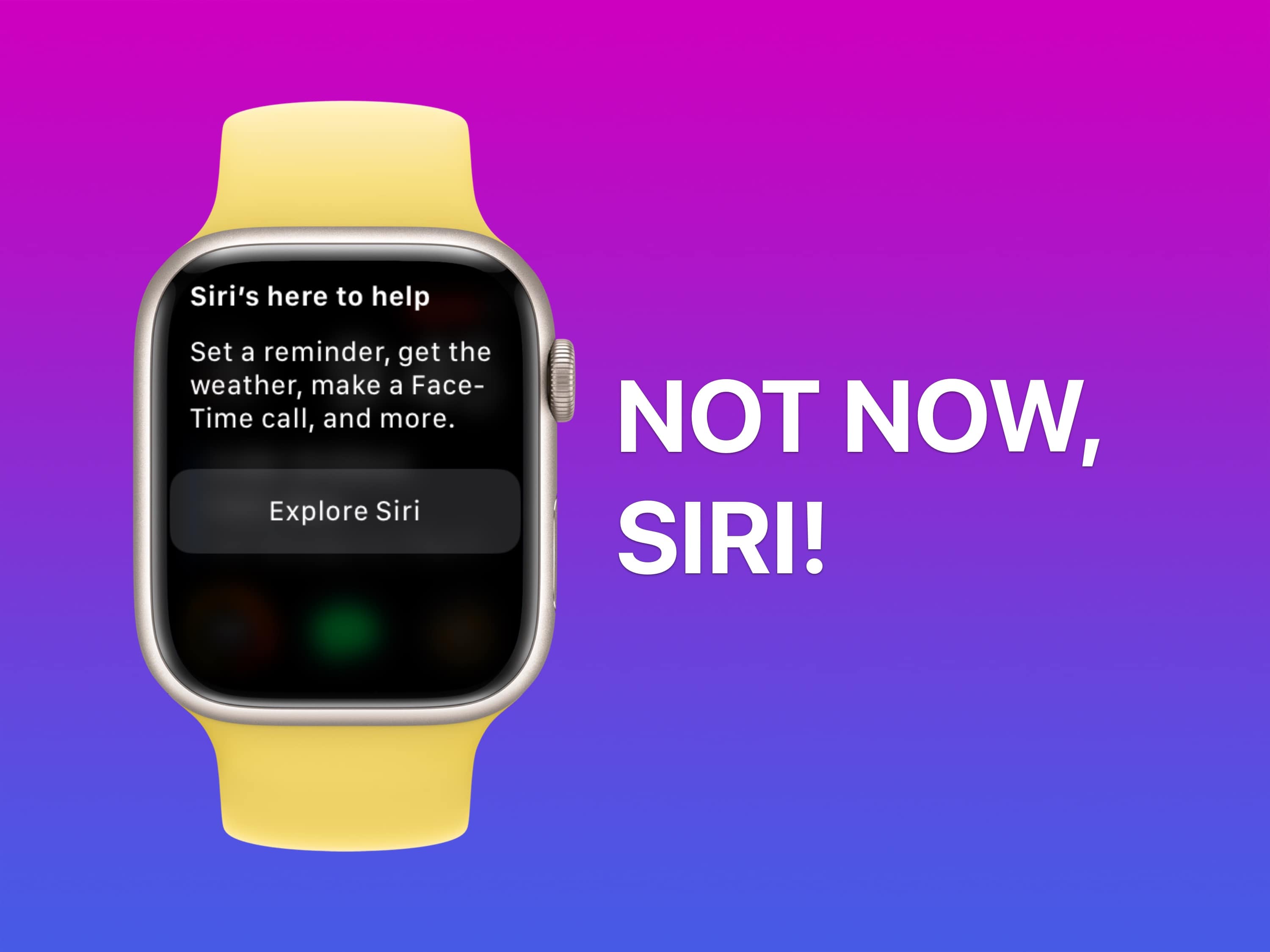
Siri always interrupts at the wrong time. Image: D. Griffin Jones/Cult of Mac
As if Siri’s unhelpful answers were not irritating enough when you actually want them, Siri often interrupts a conversation, meeting or TV show when you haven’t asked for anything at all. The good news is you make it stop — if you know how to deactivate Siri on your Apple devices.
Now, the iPad is a real computer. Image: D. Griffin Jones/Cult of Mac
With the recently-released PC emulator UTM SE, you can now emulate Windows on iPad directly. You can revisit old PC games, just like how you can use Delta to play old Nintendo games. You can also install Mac OS 9 or Linux. With Ubuntu, Debian or other versions of Linux, you can run all kinds of open-source software for getting real work or programming projects done.
But bad news: You can’t use it to run macOS Sonoma on your iPad. There’s some confusion about this, but unfortunately the long-held dream of turning your iPad into a Mac will have to wait for another day.
Setting it up is a little finicky — but the reward of seeing that classic Windows XP desktop on your iPad can make it all worth it. Keep reading to see how it works.
These secret gestures will speed up your iPhone. Image: D. Griffin Jones/Cult of Mac
Here are a few secret tricks and gestures that will help you get around your iPhone faster. These hidden gestures help you text pictures to your friends faster, scroll through big pages and screens, type special characters and use your phone one-handed.
Knowing your iPad battery health helps you decide when it's time for a new tablet. Image: Ed Hardy/Cult of Mac
Checking the health and maximum capacity of the battery in older iPad models isn’t as easy as it should be, but we can walk you through the process. Finding out how worn out the tablet’s battery is can help you decide if it’s time for a new model.
But for those who already upgraded to the latest iPad Pro or iPad Air, checking battery health is a snap.
Final Cut Camera goes above and beyond the regular Camera app. Image: Apple/D. Griffin Jones/Cult of Mac
Final Cut Camera is a new Apple app that offers incredible manual control over your iPhone’s camera system. If you use your phone for professional videography — or even for a hobby project — you should use this free app to take videos rather than sticking with the stock Camera app.
Final Cut Camera comes absolutely packed with professional features the Camera app can’t match. The new app gives you finer control over exposure, white balance, color temperature and more. You can enable image overlays to see which parts of the frame are in focus or overexposed. In short, it’s a highly versatile camera. You can even pair it with Final Cut Pro for iPad to capture footage from multiple iPhones simultaneously.
Final Cut Camera is totally free on the App Store. Keep reading to learn how to use it.
Discover the difference between soft and hard resets. Photo/Graphics: Apple/Rajesh Pandey/Cult of Mac
Are your Apple earbuds acting weird? Sometimes you need to reset your AirPods Pro, AirPods Max or regular AirPods to eliminate connection problems and other minor glitches. You have two possible courses of action: a hard reset and a soft reset.
Follow this guide to learn the difference between those two options, plus how to reset, unpair and remove the earbuds from the Find My network.
If you don’t know where to start, here’s a taste of what’s possible. Image: D. Griffin Jones/Cult of Mac
If you’ve never tried making your own Siri Shortcuts, I’ve compiled a short list of the best shortcuts for iPhone to introduce you. Shortcuts can quickly run automated actions on your phone (and on your iPad or Mac). They’re made using Apple’s Shortcuts app, where you can visually piece together actions offered by the apps installed on your device.
You can run a shortcut by asking Siri or by putting a widget on your iPhone’s Home Screen. Not a lot of people know this powerful feature exists — or what it can do for them. For eight examples of what you can do with shortcuts, keep reading or watch our video.
Make the most out of your Apple Watch widgets. Image: D. Griffin Jones/Cult of Mac
Customizing the widgets Smart Stack on your Apple Watch is a great way provide easy access to the apps you use most. If you have a Tim Cook-esque Apple Watch face full of complications, you can rely on widgets instead. You just need to edit the widgets in your Apple Watch’s Smart Stack to provide the same quick access to your most-used apps and activities.
Today, I’ll show you how to make the most of your Smart Stack of widgets on Apple Watch.
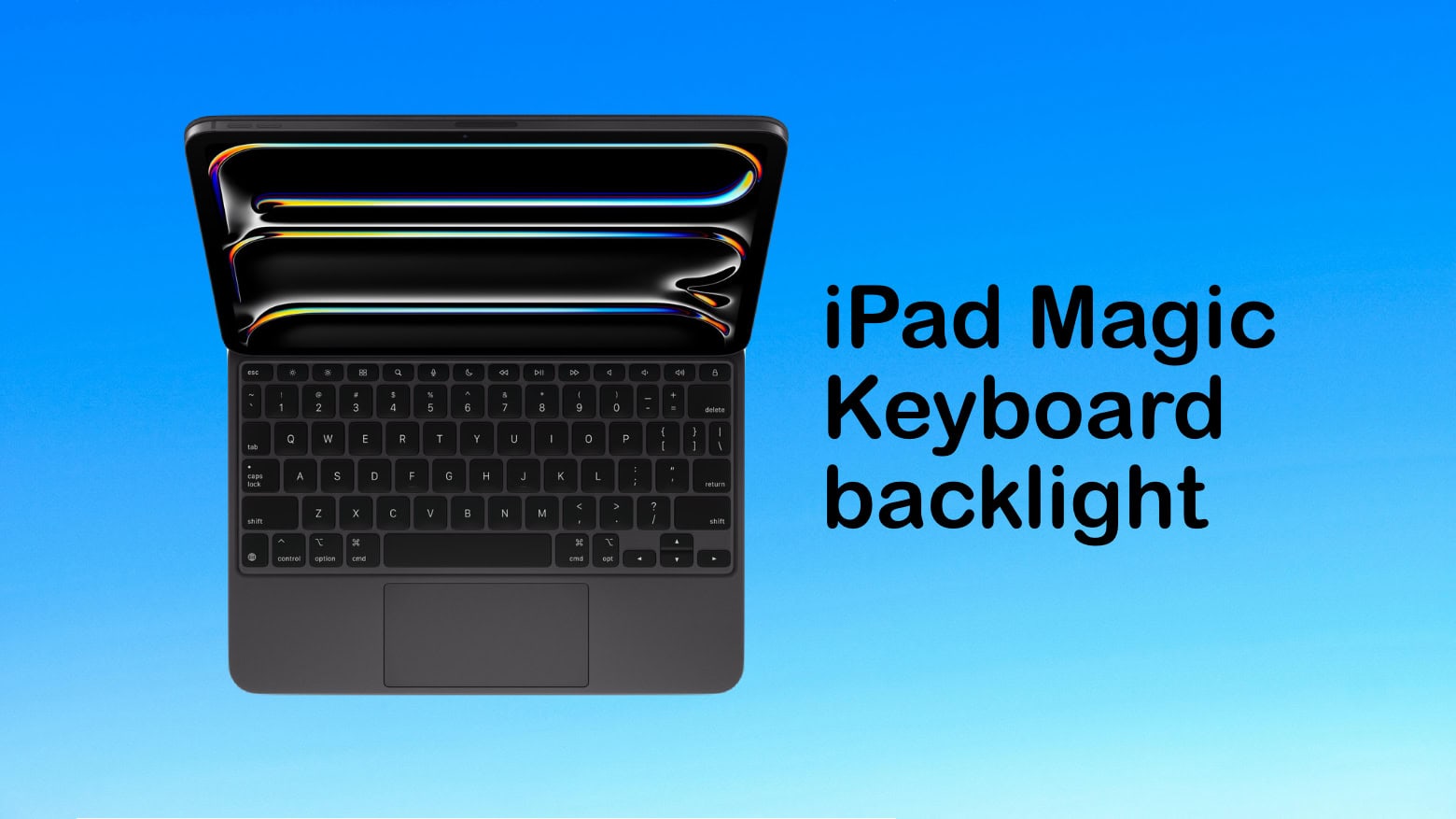
The control for the iPad Magic Keyboard's backlight isn't where you might think it is. Image: Ed Hardy/Cult of Mac
Some people complain that the Apple Magic Keyboard for iPad lacks a backlight for the keys. Turns out the accessory really has one but the controls aren’t where you might expect.
Here’s how to find the control for the Magic Keyboard in the Control Center. And how to adjust the backlight, too.
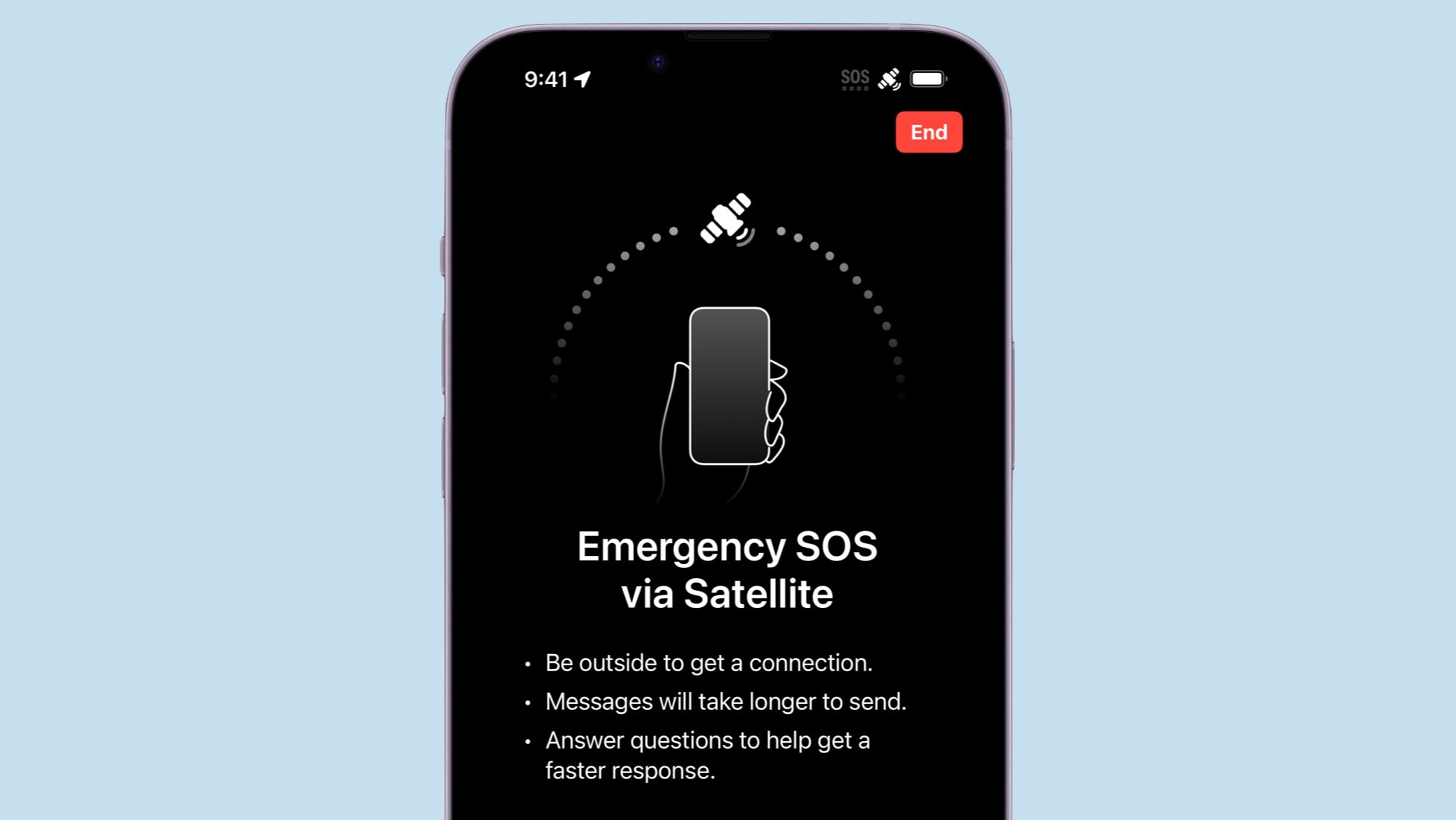
Your iPhone 14 or iPhone 15 can save your neck by sending out an SOS for help over a satellite connection. Photo: Apple/Cult of Mac
If you own an iPhone 14 or iPhone 15, it’s time to test one of its best abilities: Apple’s Emergency SOS via satellite service. This allows users of these iOS handsets to exchange messages with emergency services while outside of cellular and Wi-Fi coverage.
Getting a compatible iPhone in contact with a satellite isn’t complicated. But it’s something users should know how to do before they need this potentially lifesaving feature.
Here’s how to use the iPhone’s Emergency SOS via satellite feature.