New Withings Aura helps you make the most of your sleepy time. Photo: Cult of Mac
LAS VEGAS — If you’ve ever had trouble falling asleep, or you’ve felt crappy waking up, it might be worth your while to check out the Withings Aura. The new app-enabled sleep machine comes from the folks that brought you other fitness gadgets like the Wi-Fi Body Scale and the Pulse.
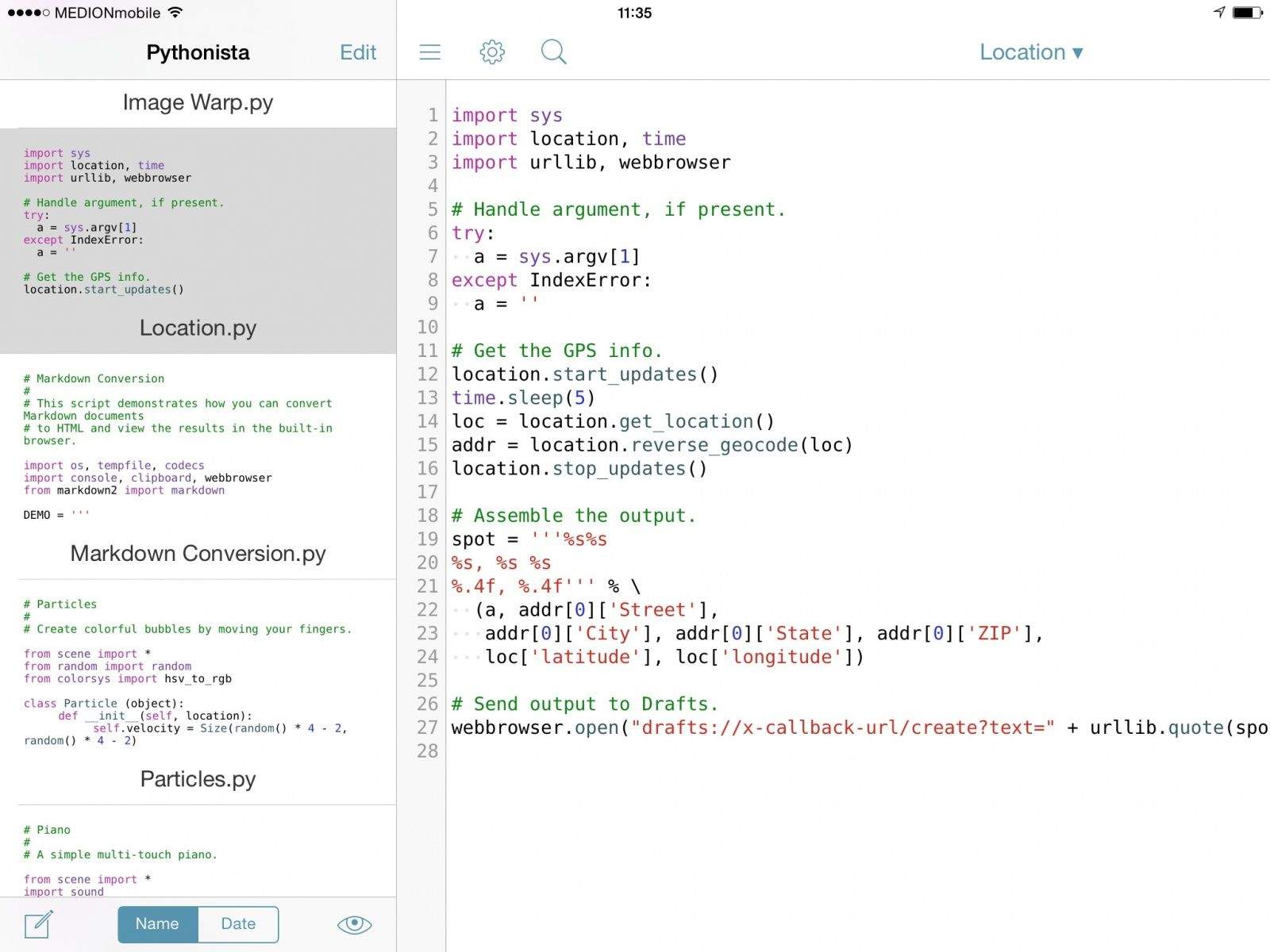
Prepare to have you socks blown off, and to know the exact GPS coordinates of the exact spot where those socks land. How? With Dr. Drang’s new Pythonista scripts which grabs your current location and writes it down in plain-text form. Better still, it does this using the Drafts app, so you can add location stamps to anything you like – journal entries, notes, or even pictures of your socks, over there in the corner of the room.
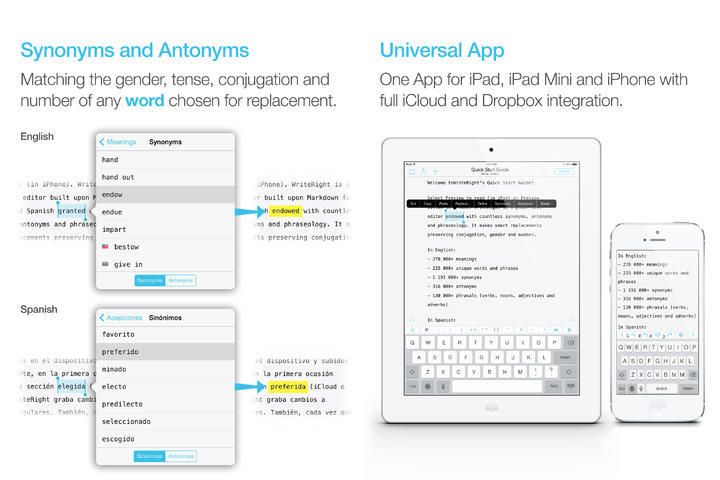
WriteRight is an iPad writing app that helps you with your, uh… words and stops you having to just use the same… mmm… words… Over and over. Instead of struggling to come up with alternative words to the word “word” all the time, you just ask WriteRight for “synonyms, antonyms and phraseology.”
Did somebody send you a RAW photo file and you just don’t know what to do with it? Do you need to send your latest DSLR shoot from your Dropbox, only your friend/family member/client can’t be trusted with RAW files, and you only have your iPhone on hand?
Fear not, becasue the already awesome CloudConvert will now turn any RAW file into any regular image format, in the cloud, and save it back to the cloud for you.
iPhone users can now enjoy Spotify music for free, as long as you’re happy with shuffling through your tune. And even better news for iPad owners: the tablet version of the app treats you iPad as if it were a desktop machine, letting your listen to any music you like.
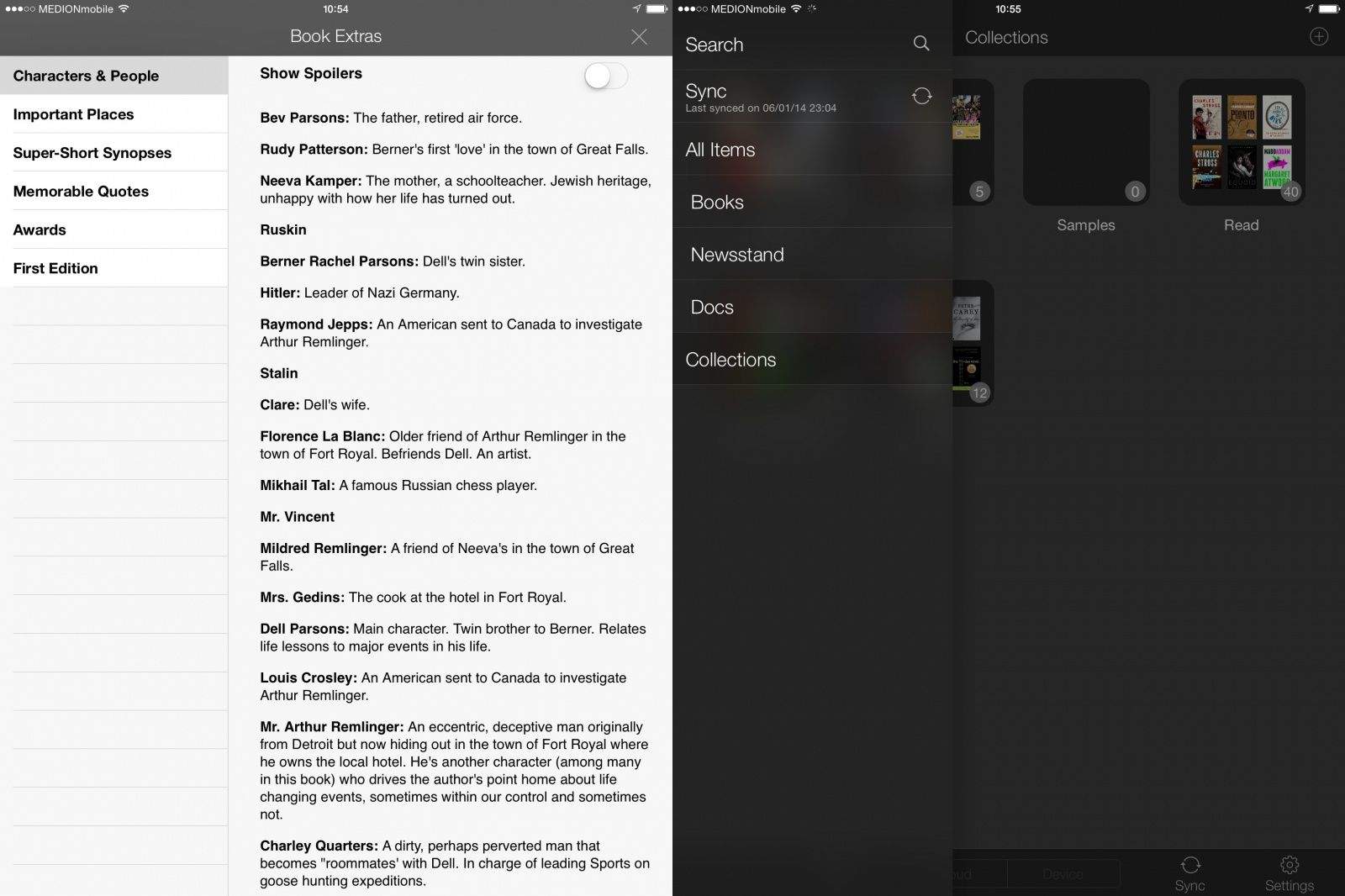
Amazon has made a huge update to the iOS Kindle app, bringing it mostly in line with the features on the hardware Kindle Paperwhite. Many of the new features concern the organization of books into collections, but there are also improvements to browsing notes, using X-Ray and even the reading screen.
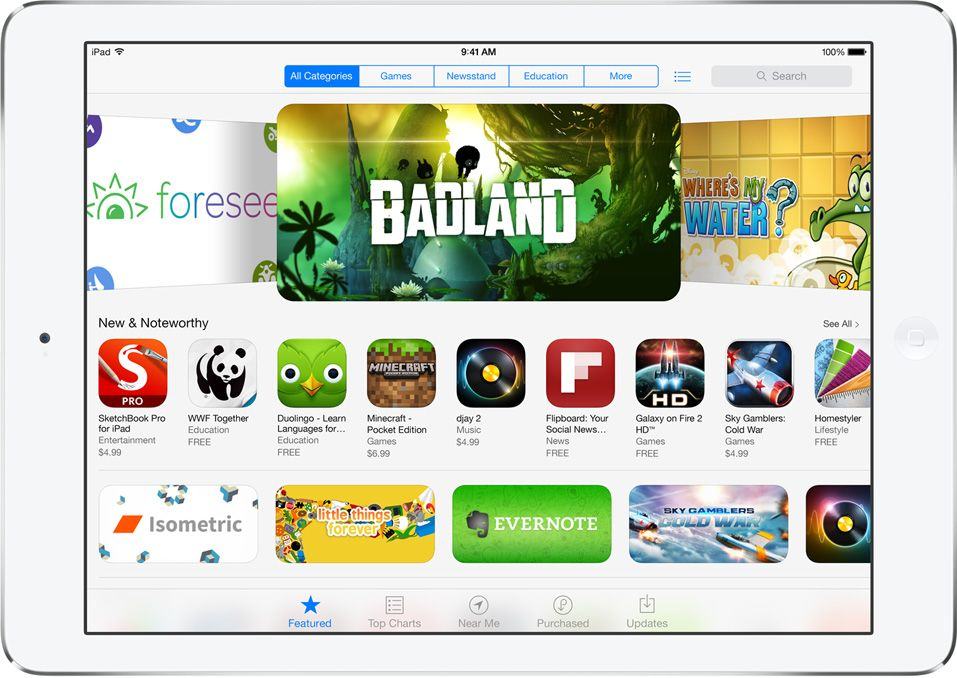
Apple has today announced that App Store sales topped a whopping $10 billion in 2013, with over $1 billion made during December alone. Almost three billion apps were downloaded during the final month of the year, making it the most successful month in App Store history.
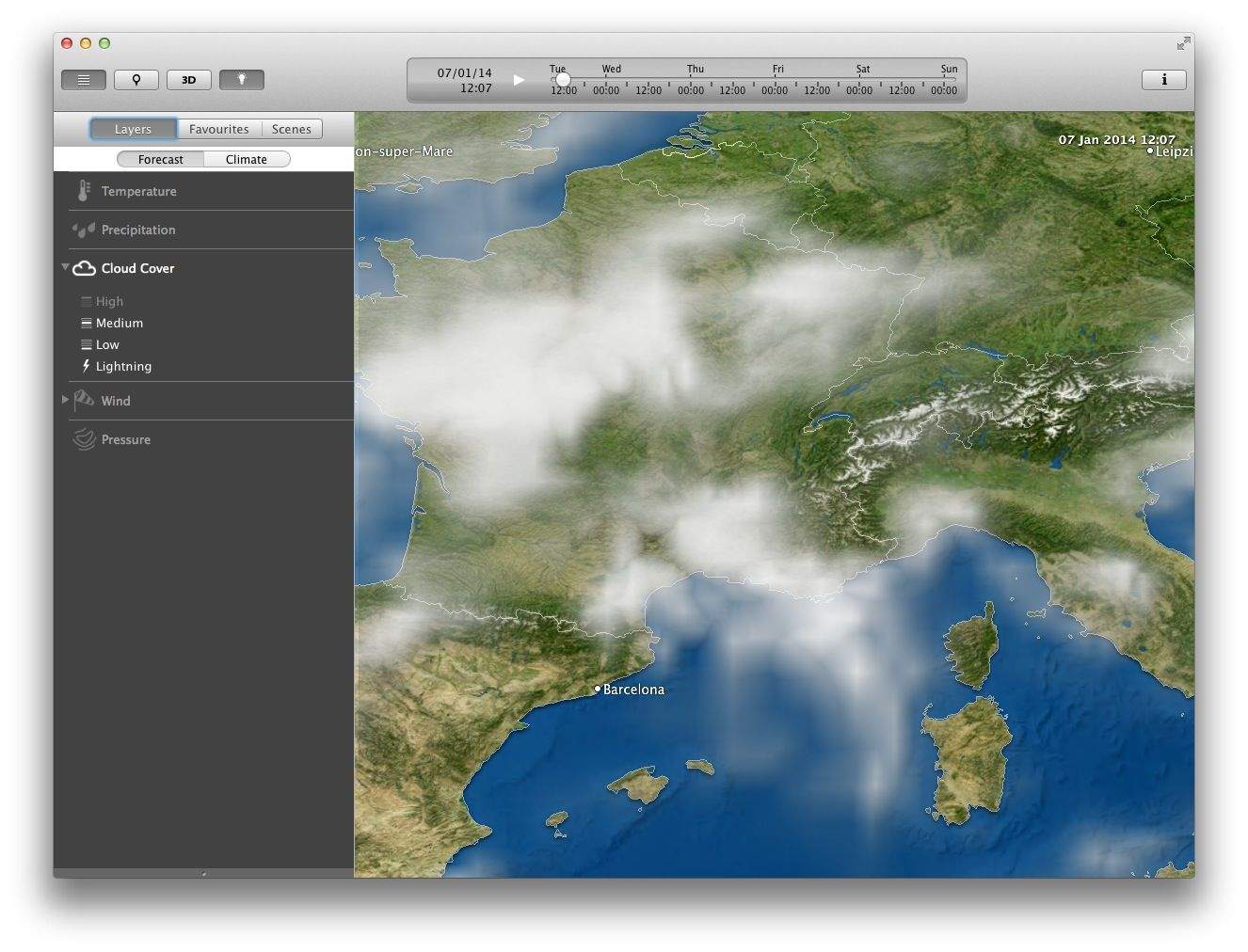
MeteoEarth is a pretty rad weather app for the iPad. It’s purpose isn’t really to tell you whether to take an umbrella with your to the shops, but it can do that if you like. No, what MeteoEarth is really good at is showing you beautifully-animated views of the weather as it blows and scuds across the surface of the Earth. And now you can get it for the Mac.
This Week, the app which we said “beats iOS Reminders app at its own game,” is now a universal app with newly-added iPad support. And it’s still way better than Reminders for adding dated tasks.
Fact: I’m currently waiting for my lazy optician to supply my first pair of “old-man glasses” aka specs with progressive lenses. In young-folk terms that means I get glasses which let me read without holding the iPad at arms-length.
In the meantime, I have boosted the size of my iPad’s text, but on the Mac I might give Zoom It a spin. It’s a loupe app that magnifies whatever is under it’s little virtual glass eye, and it’s now compatible with Mavericks.
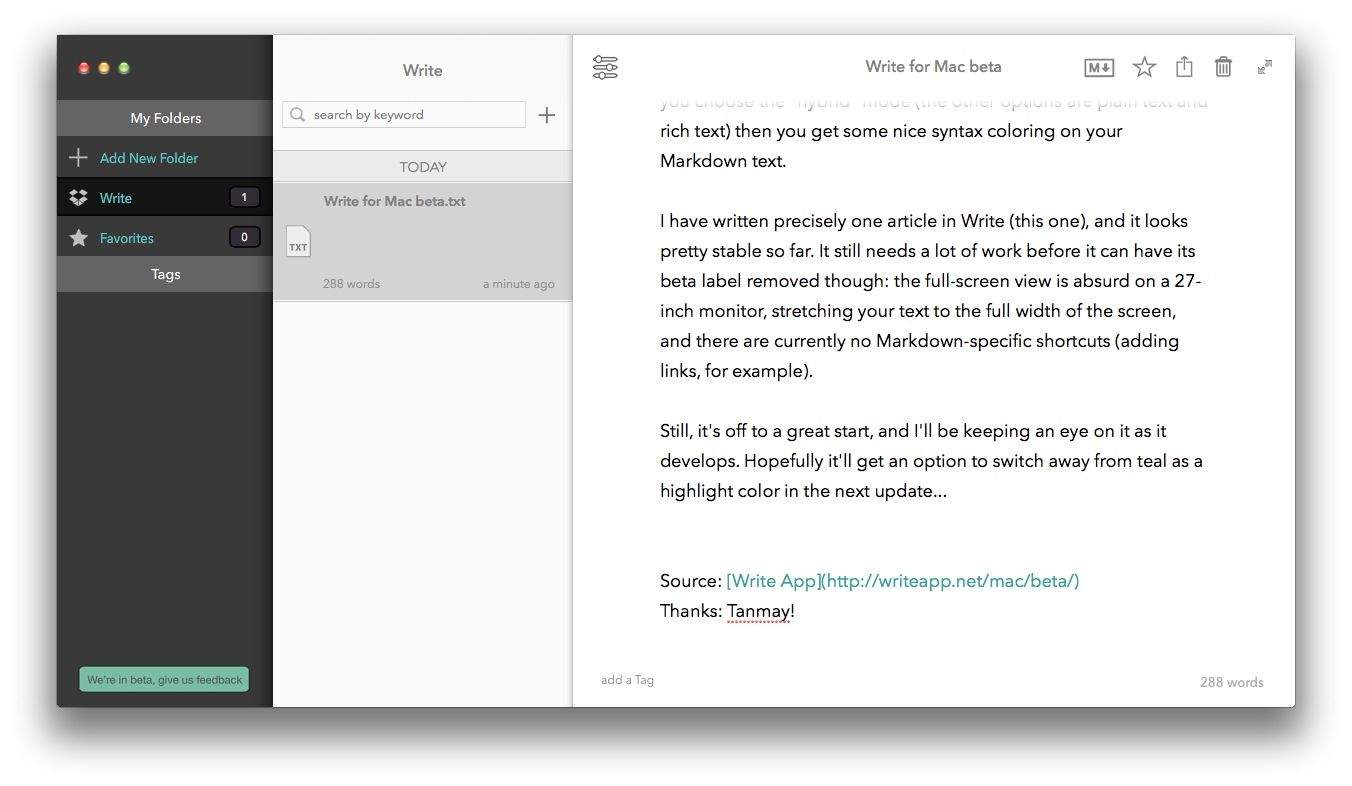
Write, the slick iPhone and iPad text-editing app, is now available in beta form on the Mac. It doesn’t yet have many of the fancy trimmings of its iOS siblings, but it is already a rather nice place to write your Markdown, rich text or plain text notes.
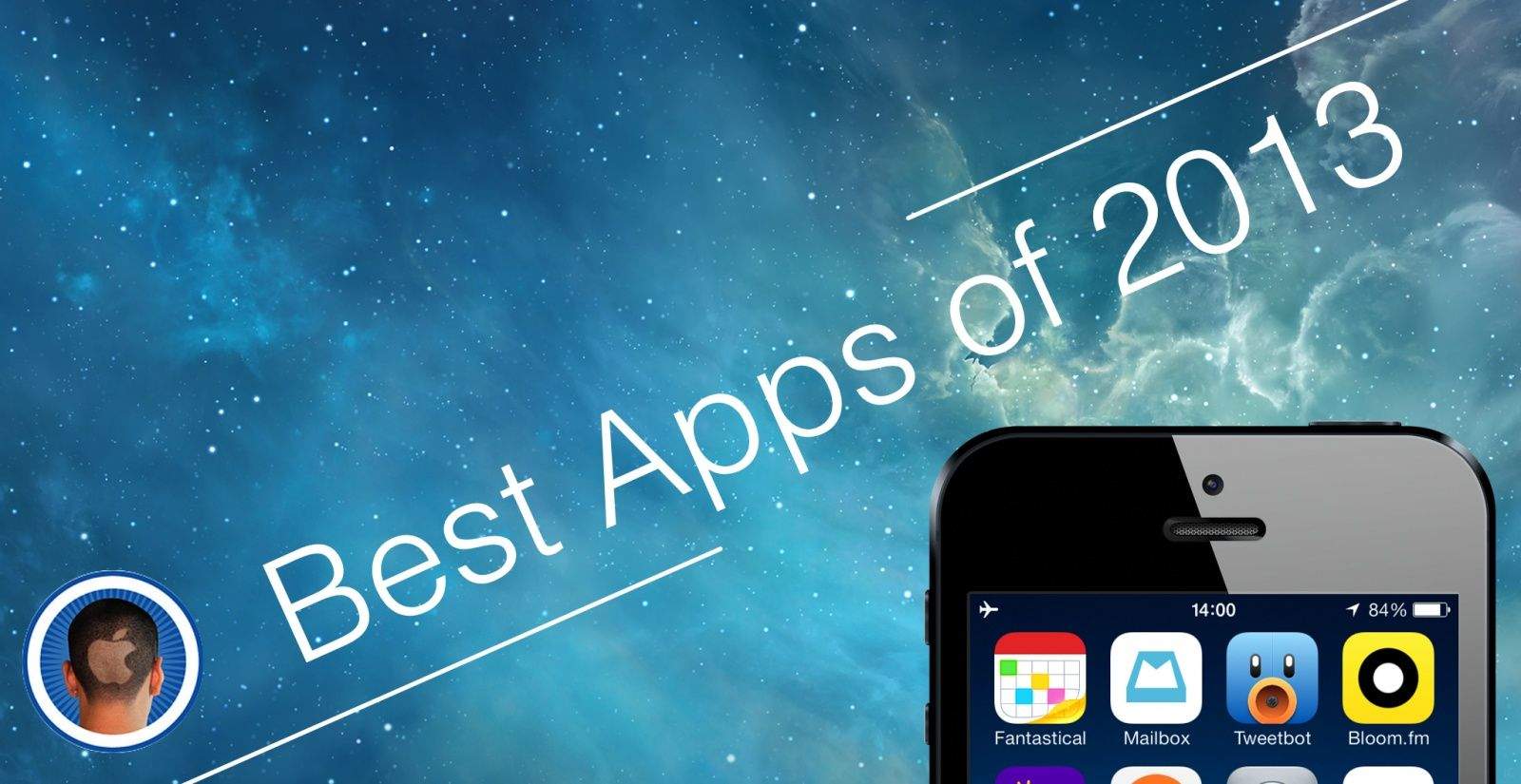
As we approach the end of 2013, it’s time to take a look back and pay some recognition to some of the finest apps that have hit the App Store over the past 12 months.
It’s not easy to build a successful iOS app anymore — with over 1 million of them in the App Store, competition has never been tougher — but some developers have proven it’s still possible to stand out among the crowd with titles that are either completely unique, or just far greater than their rivals.
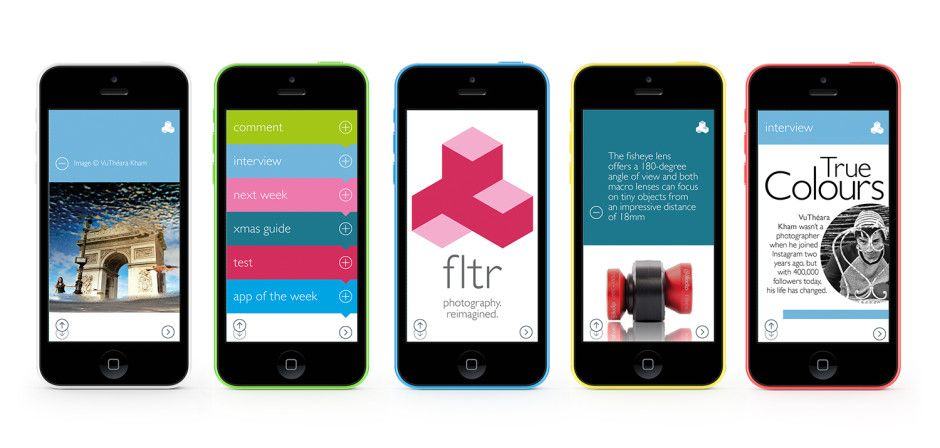
When I was in high school, I got the jump on all the other photography students because my dad bought weekly and monthly photography magazines that he passed on to me when he was done. I learned a ton about photography (and also the female anatomy, thanks to the “glamour” sections that seemed to be featured in every issue.
These days we have the internet for both learning and porn, but I still have a soft spot (ahem) for photo magazines, which is why I’m checking out FLTR, “world’s first smartphone photography magazine.”
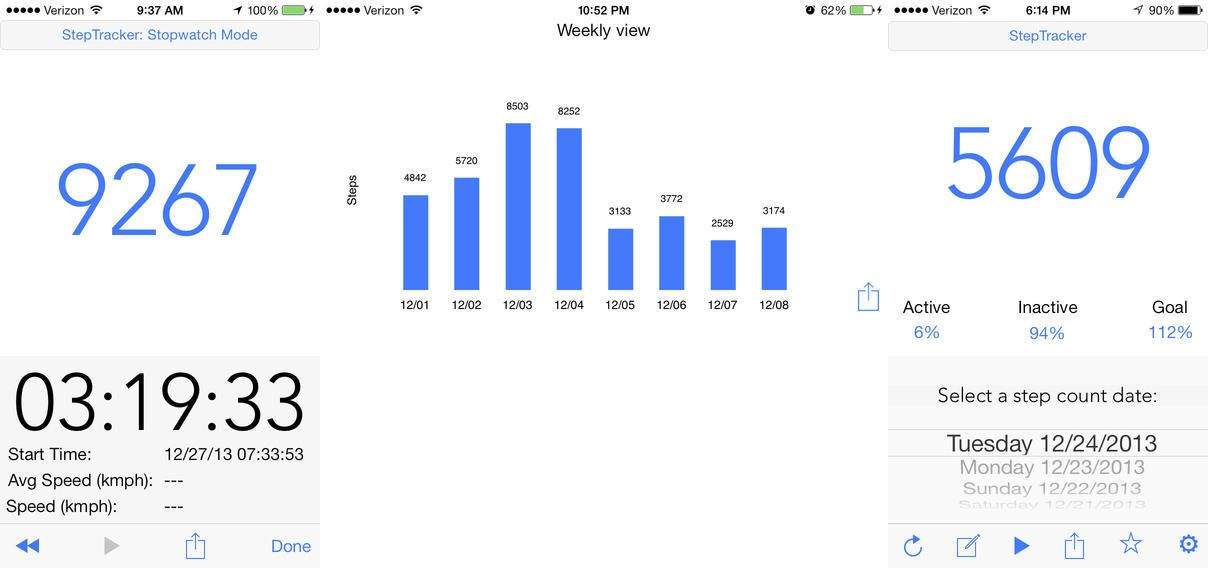
I gave up on buying FitBits after my second $100 device dropped from my pocket and ended up who knows where. So I was interested in yesterday’s update to the iOS app which lets you track your steps using just the app and the iPhone 5S’s M7 MoCoPro.
But apparently this tracking doesn’t offer the full FitBit kit and caboodle, eliminating the useful functionality of recording individual activities. Thankfully, another app just added these features. It’s called StepTracker, and it’s free.
I recently scored an awesome second-hand sofa for my office, which means that I can sit back behind my 27-inch iMac and watch TV and movies on the big screen. But I’m used to watching everything on my iPad, I’ve been using AirServer to turn my iMac into an AirPlay screen. It works flawlessly, and this alone would be worth the $15 price.
But now a new update adds screen recording, plus support for using your keyboard’s media keys to control playback from the iDevice
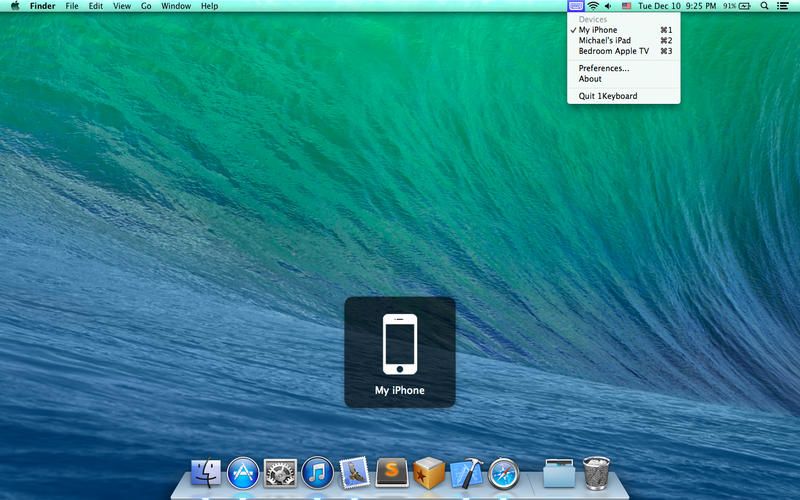
1Keyboard looks like a great way to avoid having to spend $100 on Logitech’s K811 Easy Switch keyboard. It’s an app that takes the input from your Mac’s keyboard and sends it to the iDevice of you choice, and it costs exactly $0.
Apple may as well run Cupertino. Photo: Benjamin Feenstra
It was widely reported in January that Apple was in talks to buy Waze, an Israeli startup with a hugely popular maps app. Waze was rumored to be asking Apple for $750 million. The same outlet that broke the acquisition rumor quickly backpedaled and said no such deal was taking place. Google ended up buying Waze in June for $1 billion.
And so goes the buyout game in Silicon Valley, a power play where tech giants like Apple and Google court hot startups with the hopes of adding them to their war chests.
Apple had its biggest year ever for acquisitions in 2013, with a record 15 smaller companies joining the fold. A dozen of them have now been publicly disclosed.
For an entity as secretive as Apple, examining the companies it buys is one of the only ways to peek into its future plans. When AuthenTec, a company that specialized in fingerprint readers and identification software, was purchased in July 2012, speculation immediately followed. What did Apple want with fingerprint sensors? The answer ended up being obvious, and the technology debuted in Touch ID in September 2013.
Often the outcome of an Apple acquisition isn’t so immediately apparent.
Historically, Apple acquires far fewer companies than its competitors. But the line is starting to blur. Google publicly bought three times as many companies as Apple in 2012 and not even twice as many in 2013. Apple bought more companies than Microsoft in 2013.
So what does all of this say about Apple’s future?
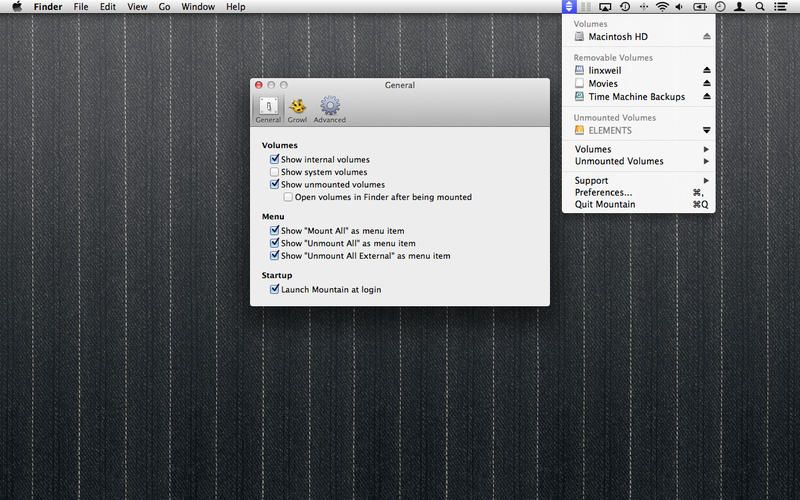
Mountain is a very useful little widget that sits in your Mac’s menubar and tells you all about the disks you have mounted. It also lets you eject them right from its drop-down menu, and do a whole lot more besides.
If you write anything longer than a paragraph, then Gabe Weatherhead’s new Bookmarker Macros for Editorial are going to get you pretty excited. They let you highlight any section of a text document and save it as a bookmark.
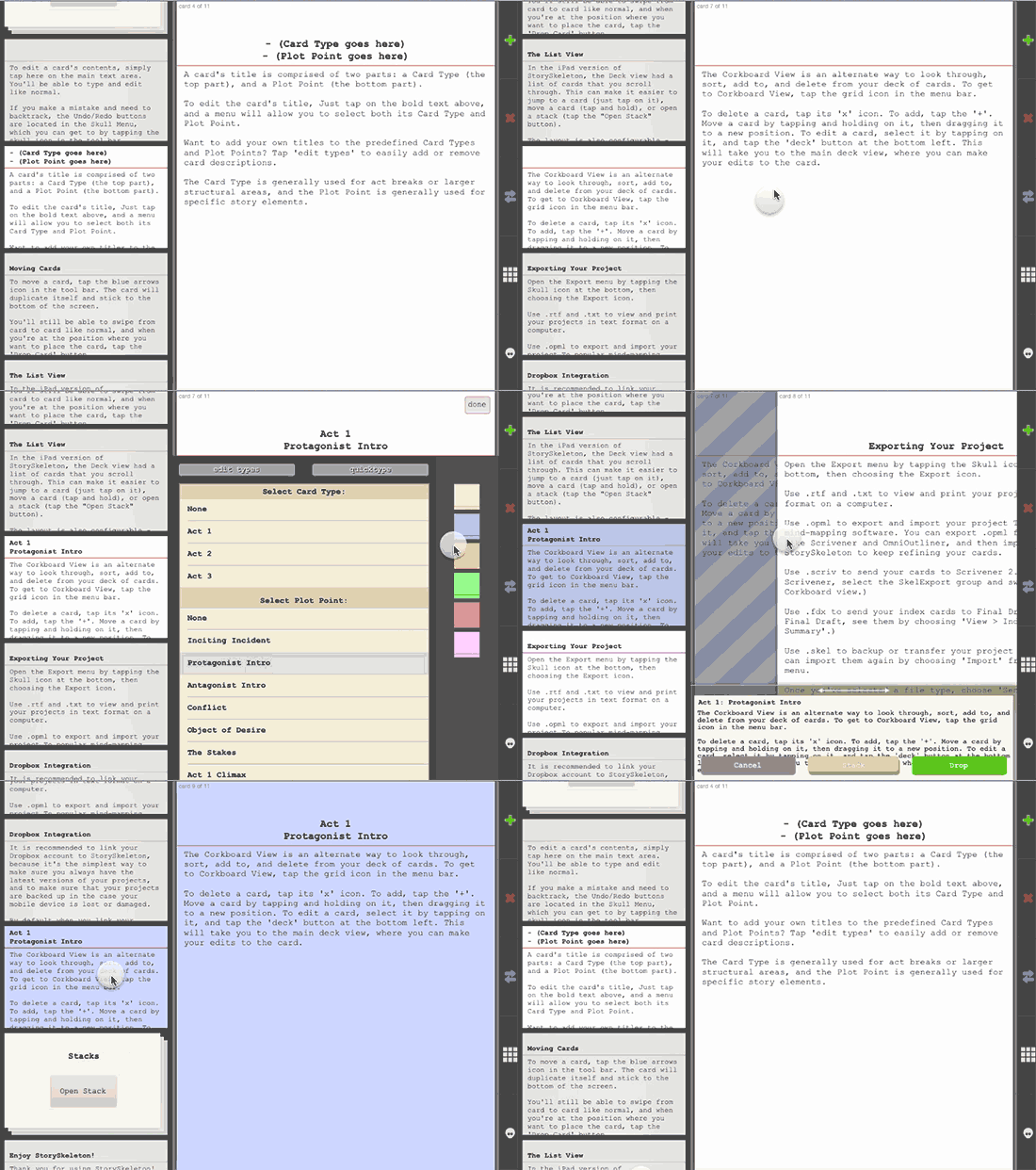
StorySkeleton is an amazing app that’s been around for a little while, but a recent update to add iPad support has made it even better. At heart, it’s a kind of index-card-based note and outlining app for writers (screen, fiction and non-fiction) to help structure and plan stories. But the design is fantastic, making it easier to use than most other alternatives.
Oh, and it exports directly to native Scrivener files.
Ho! Ho! Ho! It’s Christmas CultCast time! This episode: a new deal in China hands Apple 770 million potential new customers; we cover some of the wackiest rumors of 2013; the Mac Pro delivers surprising results in performance tests; some of App Store’s best apps just went on sale; and we recall some of the best and worst gifts we’ve given or received!
Have a few laughs whilst getting caught up on each week’s finest Apple stories! Download new and past episodes of The CultCast on iTunes or hit play below and let the audio enjoyment commence.
Thanks to lynda.com for sponsoring this episode. Learn at your own pace from expert-taught video tutorials at lynda.com.
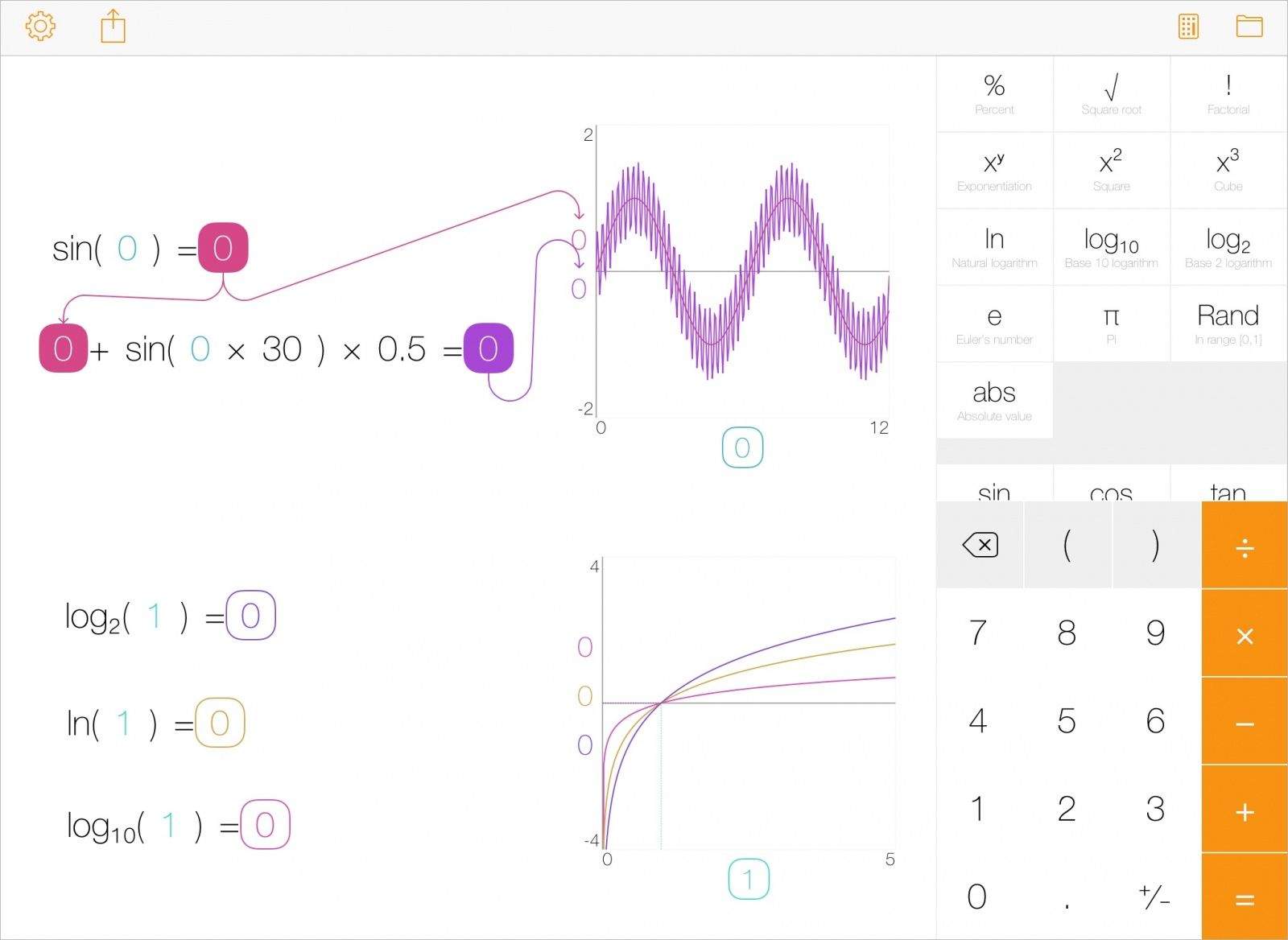
You know how when you’re working with numbers on paper, and you draw a line from the result of one equation to kind of “link” the result to the beginnings of another? Like maybe you’re planning a New Year’s Eve party and you tot up the cost of drinks in one section, the fake mustaches in another, and the overall cost in yet another?
Well, with Tydlig you can do that with your iPad and iPhone. And even better, the linked numbers get updated in any linked equations.
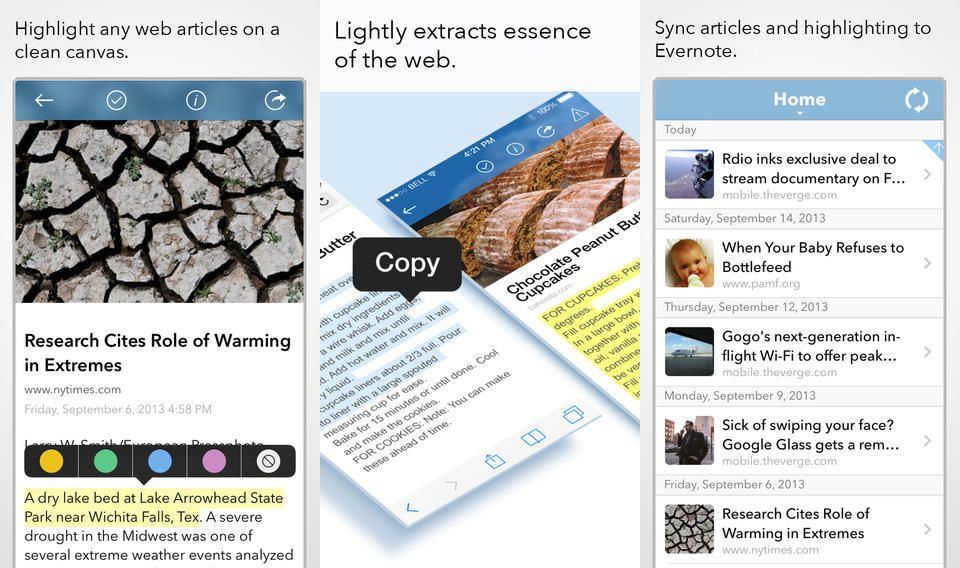
One thing that’s still lacking in the Nerdiverse is a way to collect quotes which I clip from, well, from everywhere. How neat would it be if you could collect snippets of text from Kindle books, web pages, news articles and so on?
Very neat, is the correct answer.
Lightly comes pretty close, and with a new update, the clip-to-Evernote service can run in the background indefinitely, grabbing anything you copy to the clipboard. In theory at least.
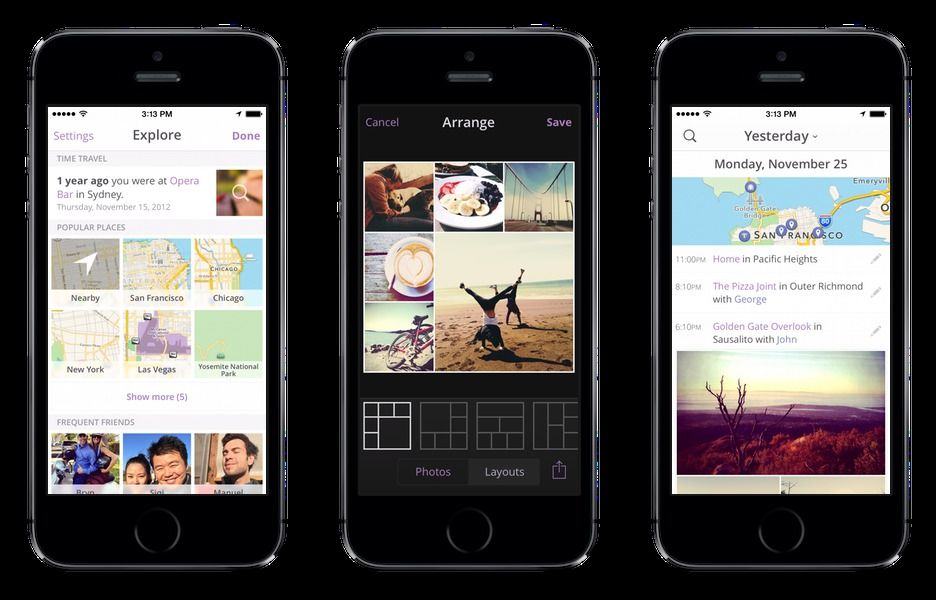
Heyday for the iPhone is a little like the great (and defunct) Everpix flashback feature, which showed you photos you took on this day in history. Only Heyday goes one better: it doesn’t just remember photos, it remembers places, and weaves the two together into a rather neat little automatic journal.
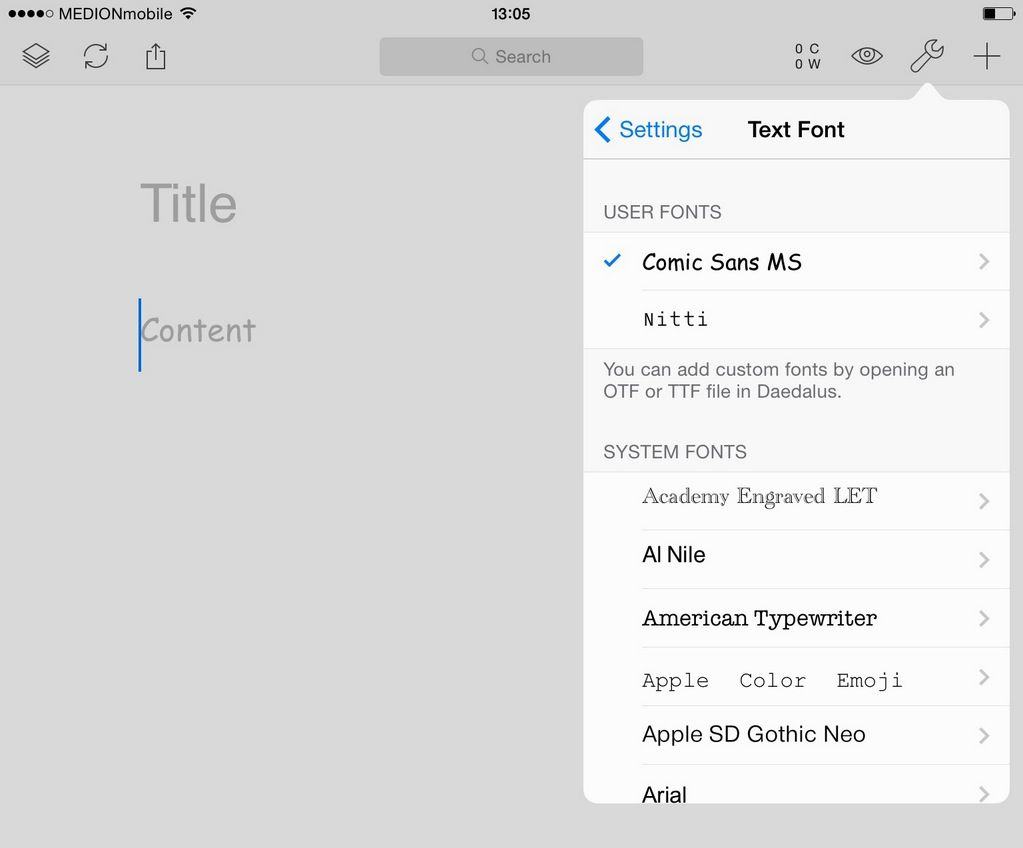
Does the recent spat over Writer Pro and its software-patenting shenanigans leave you wishing you could use its beautiful Nitti Light font in a different developer’s app? Or are you so scarred by years of using Microsoft Word that you can’t concentrate unless you’re staring at a page of Times New Roman?
Fear not, friends, because The Soulmen have the answer. Hidden in the latest update to Daedalus Touch is a way to import any font you like. Yup, I’m talking about Comic Sans on iOS.
 LAS VEGAS — If you’ve ever had trouble falling asleep, or you’ve felt crappy waking up, it might be worth your while to check out the Withings Aura. The new app-enabled sleep machine comes from the folks that brought you other fitness gadgets like the Wi-Fi Body Scale and the Pulse.