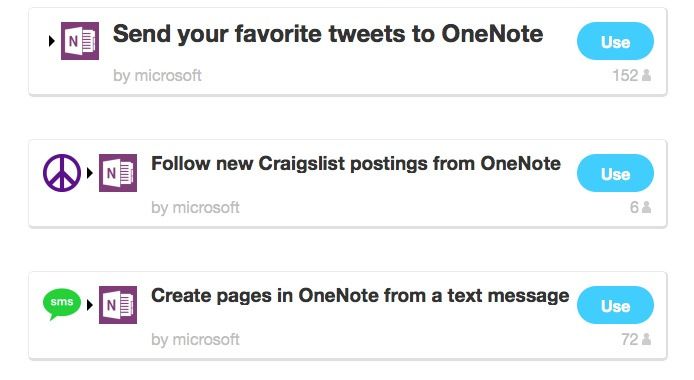
IFTTT has added a new Microsoft OneNote channel to its internet automation service, letting you send all manner of things to the newly-launched Mac app. Now, using the new recipes, you can create new OneNote pages with images, text or links.
You know what’s better than an app-controlled, color-changing lightbulb? An app-controlled, color-changing lightbulb with a built-in speaker. And that’s just what you get if you pitch in for the AirBulb’s Kickstarter campaign.
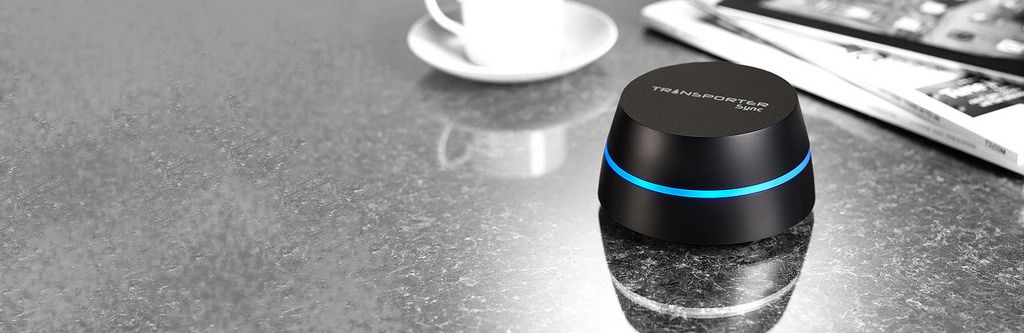
After some confusing starts, a software update makes the neat Transporter into a true alternative to cloud services like Dropbox or Google Drive. Previously, the Transporter was a hard drive which could stay in sync with another Transporter kept anywhere, letting you have a safe and up-to-date offsite back up at all times.
Now, finally, the software has adde in features that turn this connected storage into a proper cloud service. A cloud service that’s hosted by you, and not by the NSA.
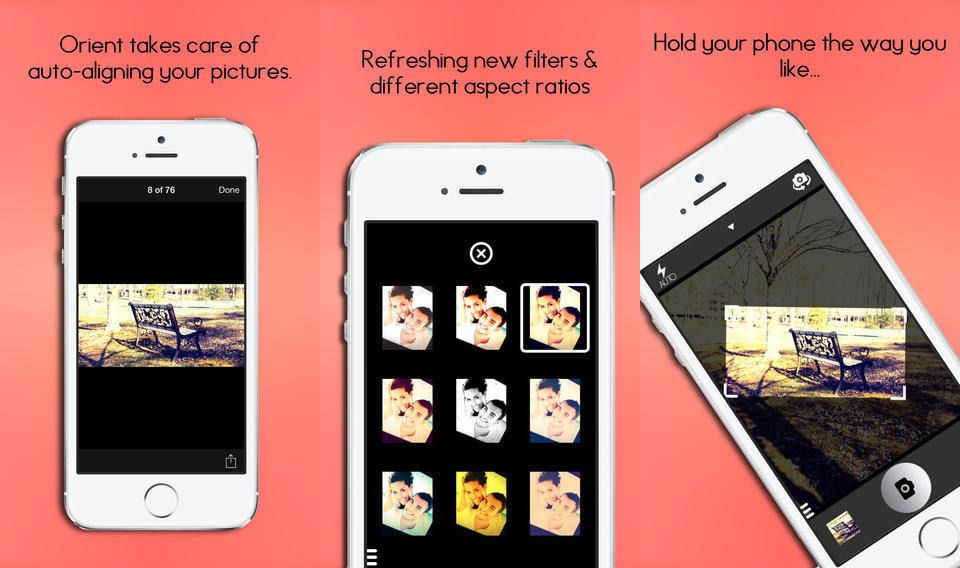
Remember Horizon, the video app that won’t let you shoot portrait video, keeping the horizon horizontal however you orient your camera? Well, Orient is just like that, only for stills, and it looks pretty neat – as long as you don’t mind a drop in resolution.
Remember when Google launched Gmail with 1GB storage ten years ago? It was such a massive leap from the meager storage quotas of existing email services that everyone thought it was a joke. The April 1st launch date probably didn’t help either.
Now, with weeks still to go until April 1st, Google has done it again, this time offering 1TB of Google Drive storage for just $9.99 per month, or $1.99 for 100GB. The 15GB plan remains free.
Remember when the iPad first shipped and it didn’t have a clock app? Ah, happy days. Because who would want o use an iPad to set an alarm right? After all, it only comes to bed with you and sits on your nightstand until the morning when you wake up and grab it to read the news.
Back then, Due was the app of choice to add reliable alarms to the iPad, and since then it has turned into a full-on reminder app with timers for anything and everything. And now – finally – it has been updated to not look hideous on iOS 7.
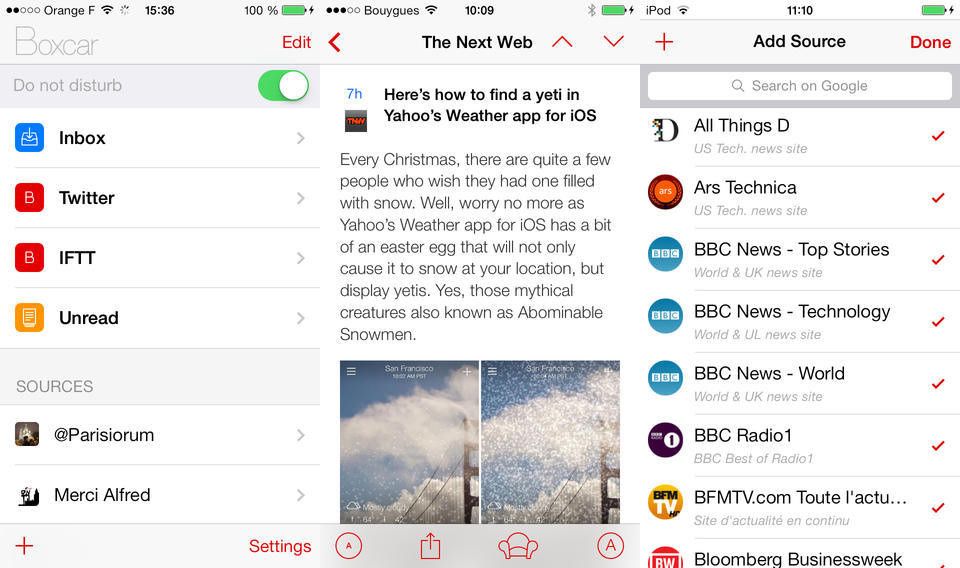
Boxcar 2 has just been updated to add back a bunch of the features that went missing when the notifications app upgraded from v1.x. Now you can create an account to let you share notifications between devices, configure alerts sounds and more.
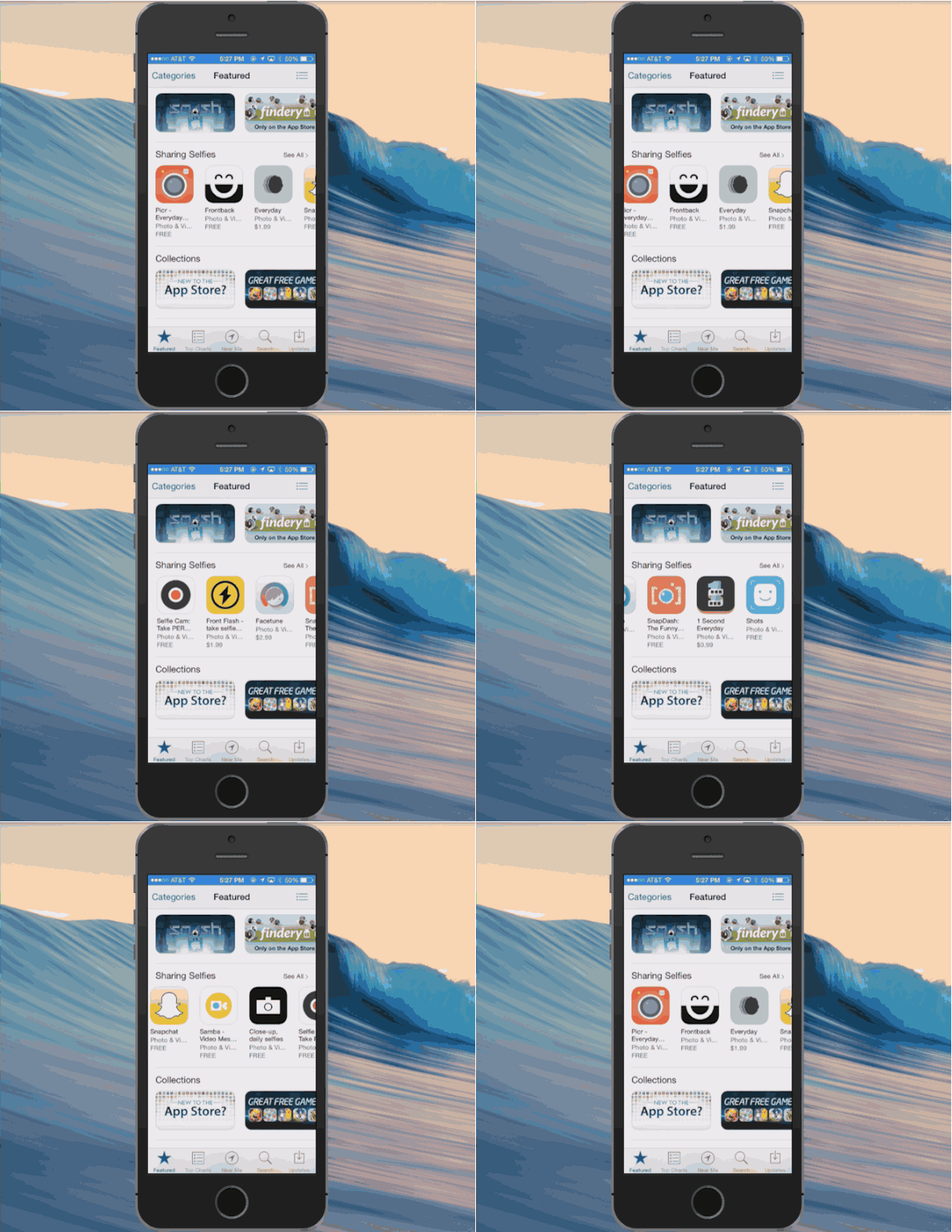
Taking a selfie used to be a simple as firing up Instagram and unleashing your best narcissist, but now with so many options, what’s an iPhone user to do?
To help you out on your quest for the perfect selfie, Apple just introduced a new Sharing Selfies section to the App Store to promote apps like Picr, Frontback, Snapchat, Selfie Cam and eight other apps that will having you looking picture perfect.
The Selfie Sharing section can be found on the front page of the App Store on iOS and iTunes. Most of the apps are free while stuff like Front Flash and Everyday will set you back $1.99.
InRoute really does look like my new favorite journey planner. It’s a Universal map app with a whole slew of useful extras, including charts for elevation, curviness (!), wind speed, precipitation and more. It looks especially good for folks who understand that a journey and its route aren’t just about the miles.
Does anyone still use IM? In my home, we use iMessage, WhatsApp and Skype messaging, and almost nothing else. Apparently some folks still want to use AIM, Google Talk and Yahoo to do their chatting. And for them, Verbs IM has now been updated for iOS & and revamped to have a less annoying model for making money.
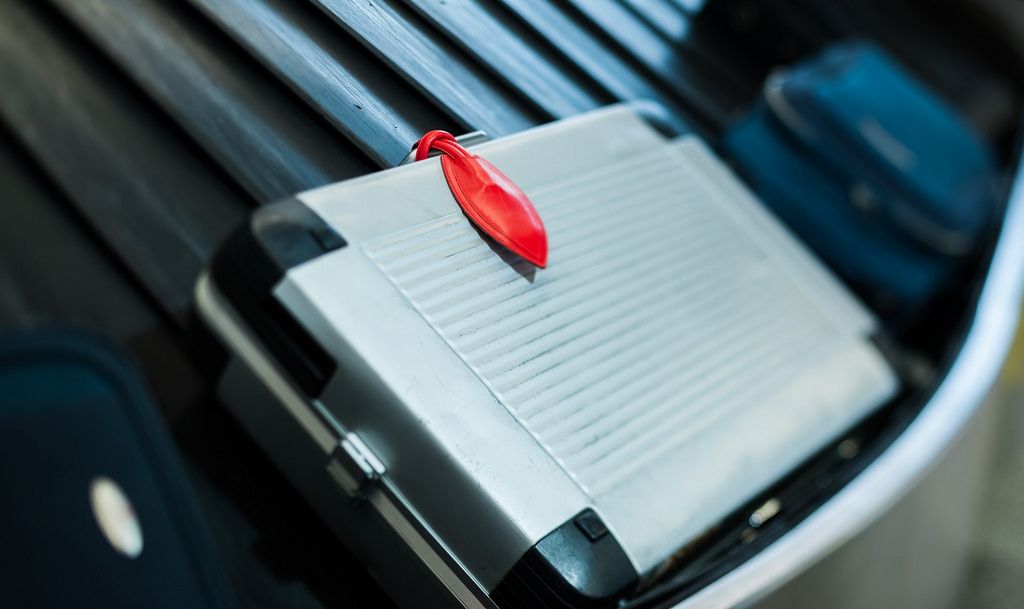
Let’s be honest with ourselves here: When we’re in the air, we don’t give a second thought to our luggage traveling in the belly of the plane just a meter or so below us. We don’t really start thinking about our checked bags until we’re standing at the carousel, as we’re wondering if it would look more suspicious to the customs officials if we visited the bathroom before or after picking up our suitcases.
So the Calypso Tag, which lets you know that your bag is about to exit the luggage conveyor, is probably a better option than a GPS tracking tag that you can’t follow when you’re in the air anyway.
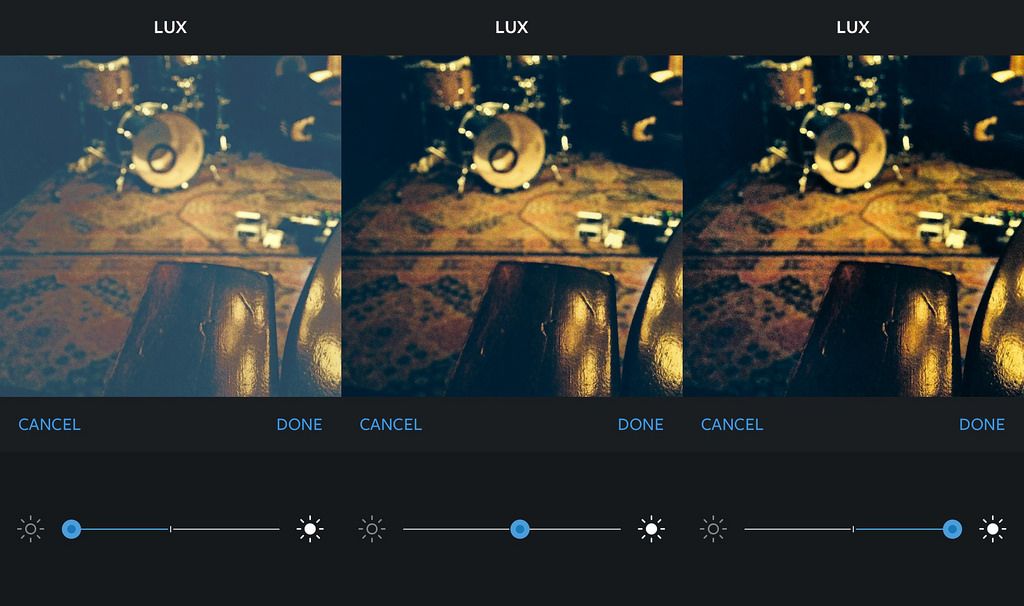
Instagram has added a new “Lux” filter to its iPhone app, letting you “strengthen or soften your photos with a custom slider.” The slider affects the contrast of your image, but it does in in a way that actually looks good.
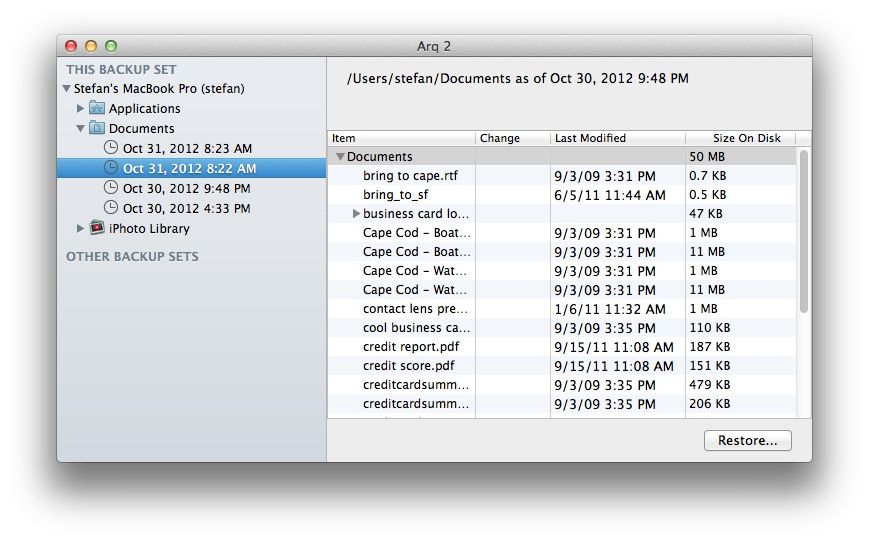
Arq Backup is like Time Machine for your Mac, only it uses Amazon’s Glacier and S3 for storage instead of a local disk. It also looks dead easy to use.
Cult of Mac Deals has assembled a wide variety of promotional offers over the years, and this time around we’ve got two that will appeal to anyone who’s trying to learn more, build better-looking apps and workflows, and save money all in one go.
First up is the iPhone App Interface Design For Beginners course, which will teach you how to build better-looking apps. We’ve also got Pixa, an app that will easily organize your images and build a better workflow in the process. You can get the iPhone App Interface Design For Beginners course for only $29 and Pixa for just $9.99 – all thanks to Cult of Mac Deals!
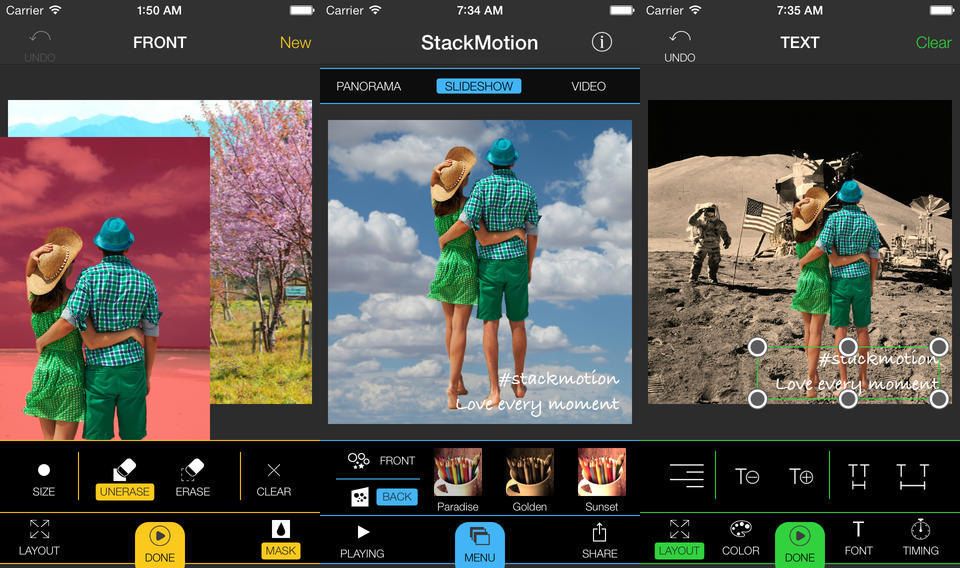
Stack Motion is a fin new app that helps you cut somebody or something out of your photos and overlay it on top of another photo, or even a video. That’s pretty much the whole premise right there, but there are some clever features to help make it easy.
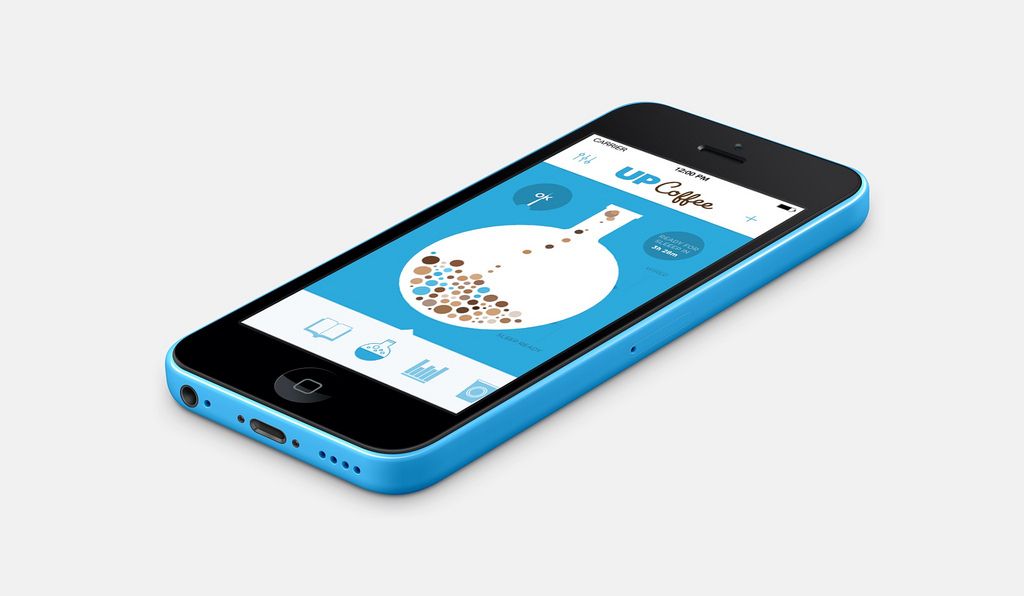
How much coffee do you drink? If you drink any at all, then the answer is probably “Too much.” And how does all that caffeine affect you? Now, with Jawbone’s new Up Coffee app, you can find out.
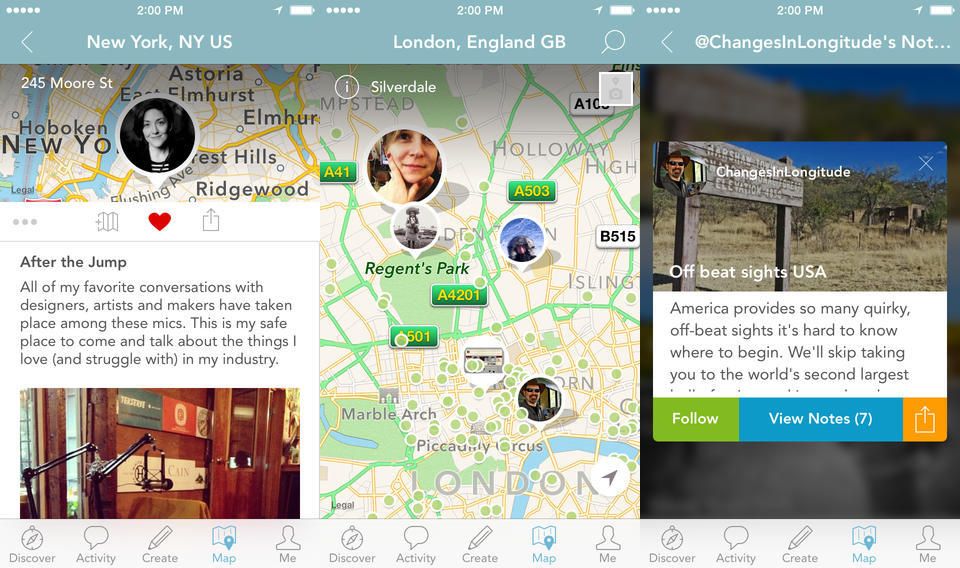
Findery, from inventor of Flickr Caterina Fake, is like Instagram for places, or maybe Foursquare for everywhere – even that street corner you like or the park bench you read on sometimes on Sundays.
Findery is a an iOS app and web site, and it lets you save pictures and make notes about places, and either share them with anyone, or just people you know, or even just yourself.
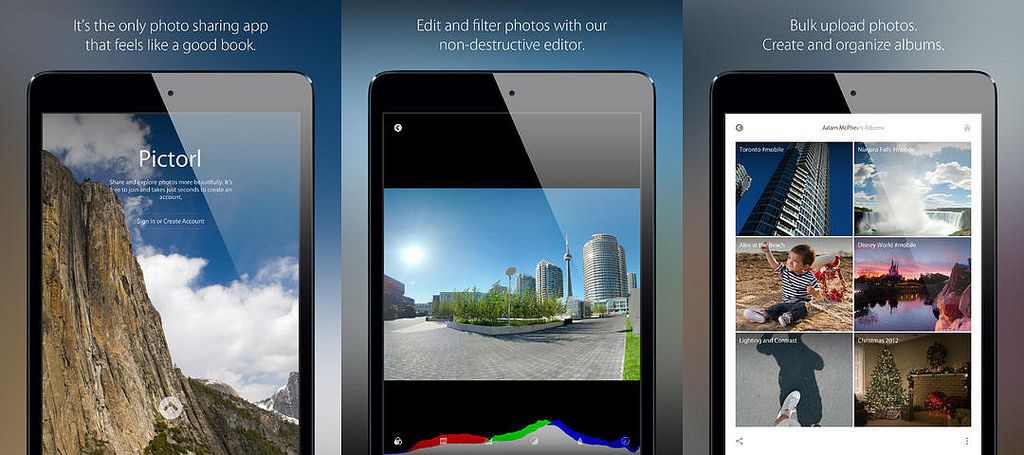
Amid a slew of weird design and censorship choices, Pictorl for iOS, Android and PC (!) has one standout feature that sits above the sea of confusion: a fantastic non-destructive editor that uses your online images as its source.
It’s also a rather beautiful app, presenting photos with almost no chrome or clutter.
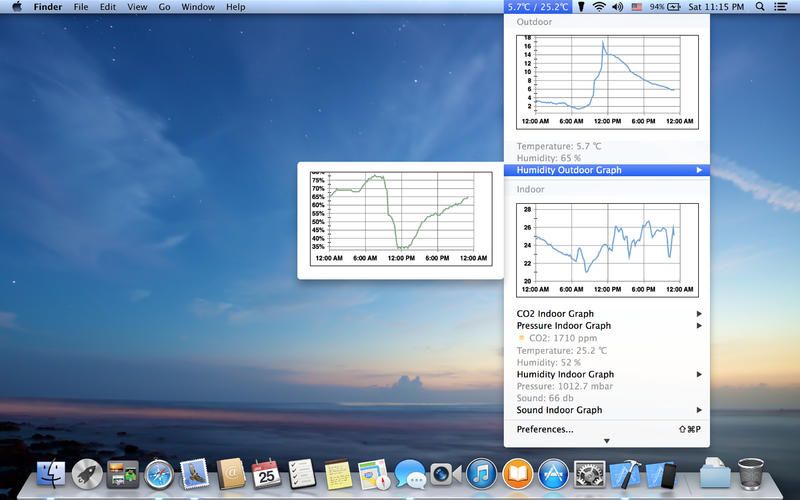
AtmoBar is Mac app that works with the NetAtmo weather station you have in your back yard (or on your balcony, for city dwellers). It sits in your menubar and gives readouts and graphs with just a click.
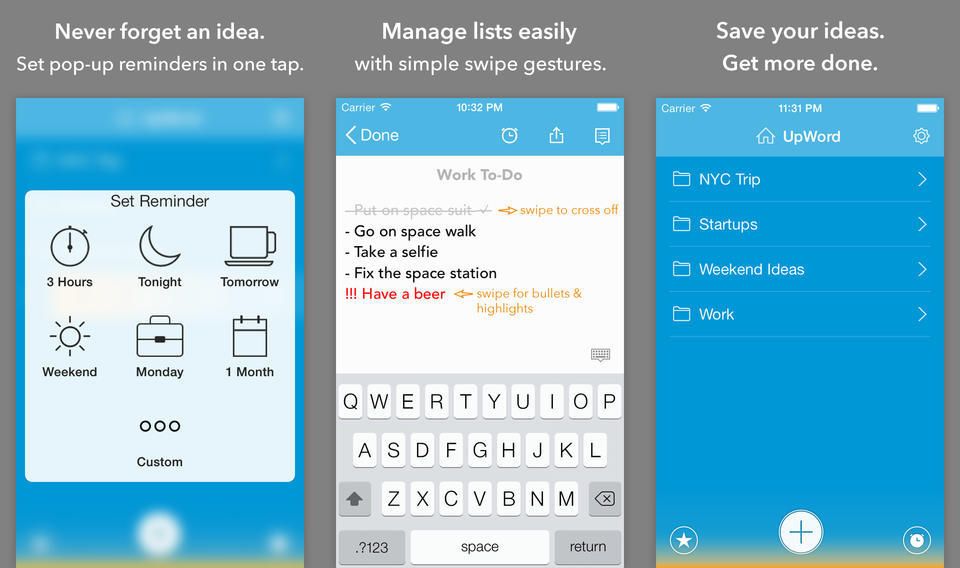
I won’t lie. The main reason I checked out Upword Notes is that it sounds like Upstream Color, Shane Carruth’s amazing movie about pigs (some are calling it Babe 3).
But underneath this strange coincidence (surely just another of Carruth’s crazy web of mystery) lies a solid note-taking app, one with some genuinely clever features.
Use Google’s Chrome on your Mac but Safari on your iPad? Do you wish you could use iCloud tabs to open that browser tab that’s open on your iPhone? You need CloudyTabs, a Mac app that puts iCloud Tabs in your menubar, and opens them in your default browser.
Neglected iOS and Mac app The Hit List has been snapped up by Karelia software, promising to breath life into a pretty great to-do app. One look at the iOS version of The Hit List tells you all you need to know: it still sports an aged iOS 6-style interface, and there is still no iPad version. That’s pretty bad for an app that costs $50 on the desktop, and requires a $2-per-month subscription to sync with the $10 iPhone app.
Hopefully that’ll be fixed soon now the app is in better hands.
Brett Terpstra’s Marked app started out as a quick way to preview any Markdown file as it would appear when rendered into rich text or HTML. It still does that as well as any of the apps that have their own built-in Markdown preview, but Marked is now arguably something else entirely. It analyzes your text and gives detailed statistics, as well as suggestions on how to improve your prose.
What? Yes. AnyFont is a proper, available-in-the-App-Store iOS app that lets you install fonts system-wide, for use by any app that allows access to the full list of iOS system fonts. How does it manage this sandbox-skipping magic? Installation profiles.
Did you ever try to write a blog post on your iPad? It’s easy, right? But did you ever try to add an image to that post? It’s a major pain in the ass. Plink is here to fix that. It’s an iOS app that will upload a photo to its own storage cloud, and generate a URL that is automatically copied to your clipboard. All you need to do is switch back to your writing app and paste it in.
And of course this isn’t just for bloggers. Anywhere you need to link an image – forum posts for example – you can use Plink.