Mobile menu toggle

Search results for: shortcuts

Flashpoint iBoard Brings Loads of Keyboard Shortcuts to iOS

By

FPIKEY_Forweb

If you want to do some serious typing on your iPad, you’ll pretty much need to pair it with the official Apple Bluetooth Keyboard. The only problem is that once you pair your iPad to the keyboard, it can sometimes be annoying actually reaching up from the chiclet keys to actually navigate your tablet through directly interacting with the display through multitouch.

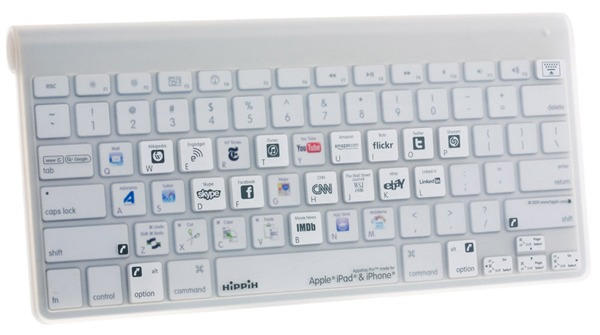
Or maybe it isn’t at all and I’m just lazy. Either way, the Flashpoint iBoard seems to be a product that is aimed squarely at lazy iPad keyboard monkeys like me. Essentially, it’s a standard Apple Bluetooth Keyboard that comes with a bunch of stickers that can be stuck to the keys for assigning app shortcuts, which the keyboard manages to launch thanks to an included app. A full-keyboard silicone cover rounds out the whole package.

Price? Even though the Flashpoint iBoard is essentially just a repackaged Apple Bluetooth Keyboard with some stickers and a raincoat thrown in for free, it actually costs $5 less than buying the same keyboard through Apple.com. Even if you think the Flashpoint iBoard is stupid, then — and we’re willing to admit it kind of is — it’s still an excellent deal if you’re in the market for an iPad-pairable keyboard.

How To Use Camino’s Bookmark Shortcuts To Save Time Online

By

cult_logo_featured_image_missing_default1920x1080


Using bookmarklets and shortcuts in Camino from Giles Turnbull on Vimeo.

Here’s something new for you: a little video demonstration of one of the tricks I’ve been using on my computer for many years. Assigning short, mnemonic text shortcuts to browser bookmarks and bookmarklets, so that I can drive them from the keyboard.

Many of you, I’m sure, will know about this trick, but some of you won’t, so I hope it’s helpful to you.

This is also my first demo video made using Screenflow, which I purchased a day or so ago and am very, very pleased with. It makes screencasts like this super simple.

Master Mac screenshots: Every shortcut and trick you need to know

By

Take Screenshot on Mac
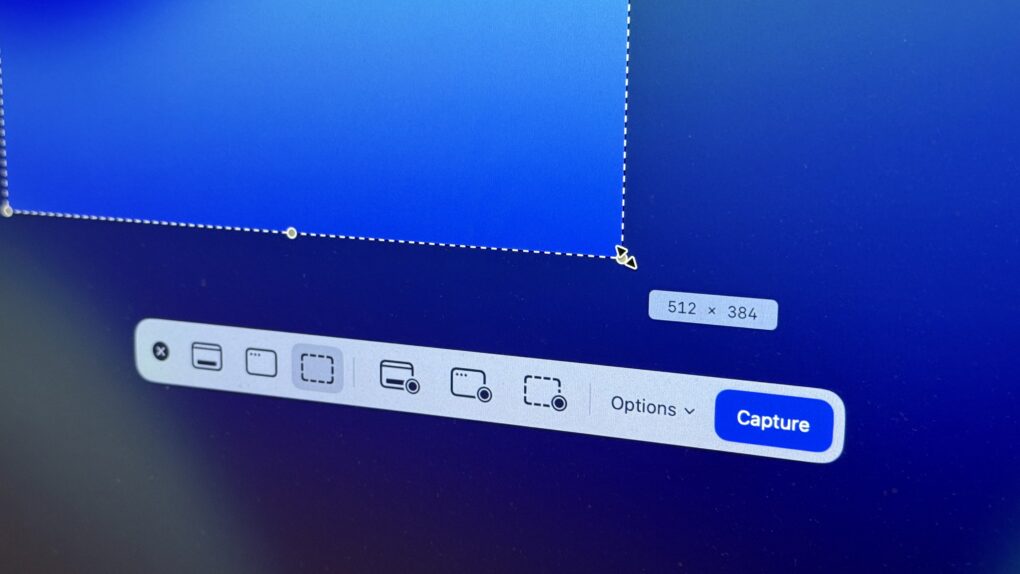
The Screenshot app in macOS provides a useful toolbar offering advanced screenshot features. Here's how to use it.
Photo: D. Griffin Jones/Cult of Mac

The Mac offers many options for taking screenshots without installing third-party apps. You can take a Mac screenshot that shows the entire screen, get a clean image of a specific window, or select specific areas to capture. There’s also a built-in way to take a video of your Mac screen (and even record a voiceover for your screen recording using your microphone, headset or AirPods.)

We’ll show you how to take a Mac screenshot and screen recording so you can familiarize yourself with all the options.

Score a lifetime license to Microsoft Office 2021 for Mac for just $50

By

A lifetime license to Microsoft Office 2021 for Mac.
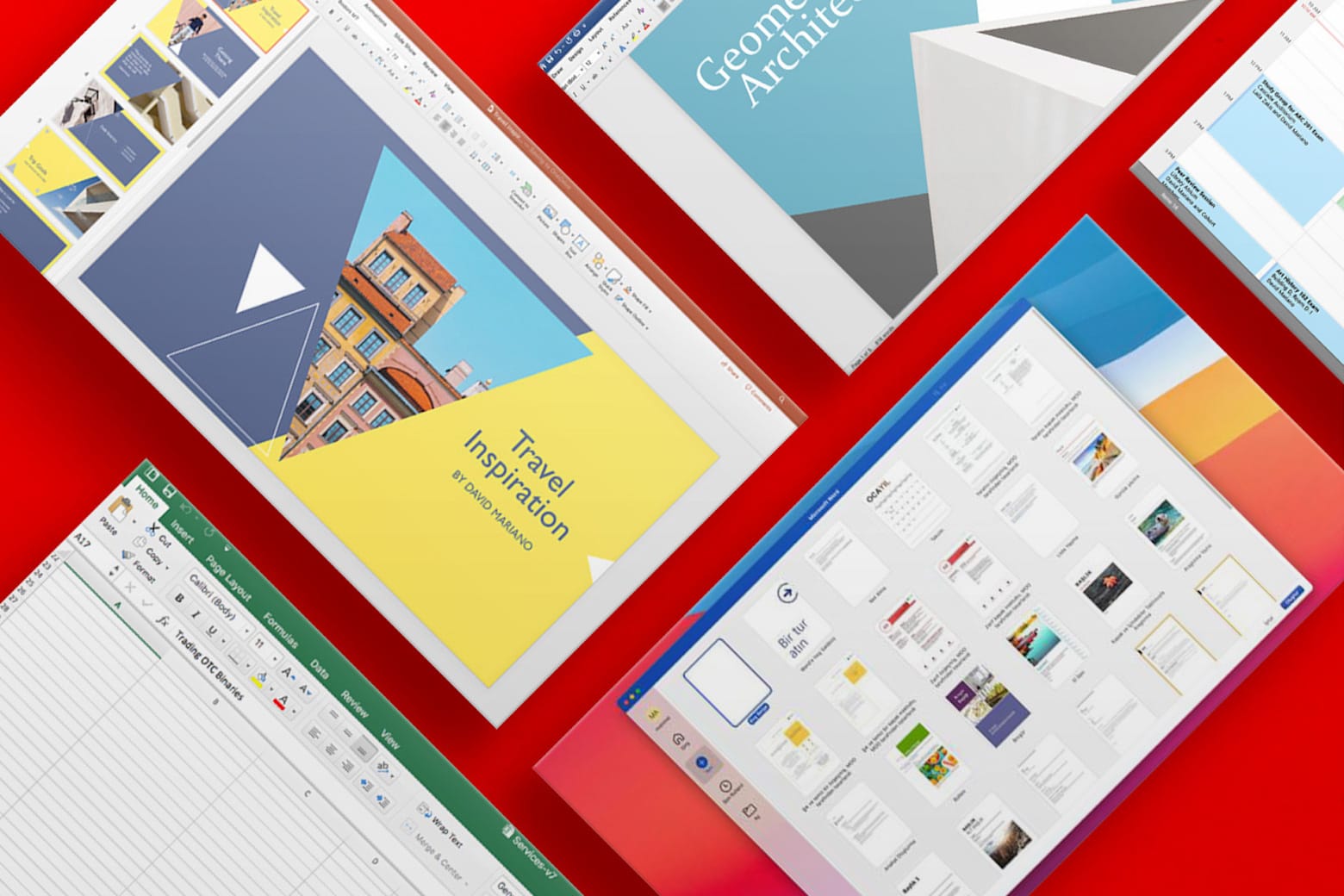
Enjoy lifetime access to Word, Excel, PowerPoint and more.
Photo: Cult of Mac Deals

Stuck using an older version of Microsoft Office? This offer gets you a lifetime license to Microsoft Office Home and Business 2021 for Mac for just $49.97. With a low one-time payment, you can bid farewell to Microsoft 365’s pesky recurring subscription fees. You’ll never need to pay again for Microsoft’s widely used software for work and school.

And if you need Microsoft Office Professional 2021 for Windows, you can secure a lifetime license for even less: just $34.97.

The fastest way to make a GIF on your iPhone (or Mac)

By

Make Your Own GIFs
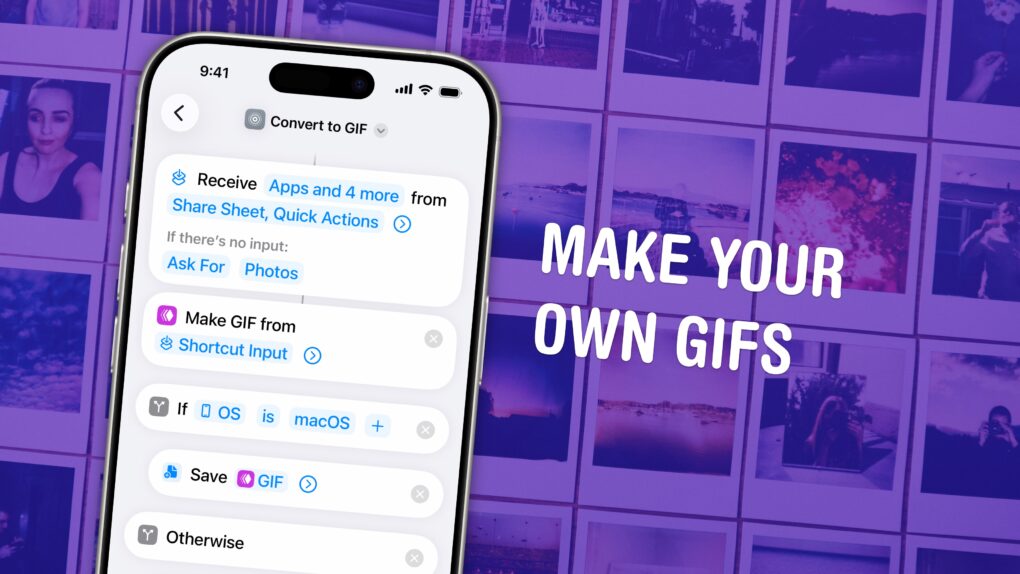
Turn any Live Photo or video on your phone into a short GIF.
Image: D. Griffin Jones/Cult of Mac

You can make an animated GIF on your iPhone or Mac out of any Live Photo or video in your photo library or saved on your computer. You don’t need to download any apps — simply add a shortcut, and you can make a GIF directly from the share sheet.

If you need an actual GIF file, there’s still a pretty easy way to make them on your phone or Mac. I’ll show you how.

4 top executives who ditched Apple to join Meta in 2025

By

top executives left Apple for Meta
Four top executives migrated from Apple to Meta in 2025 -- part of a larger exodus.
AI image: Grok/Cult of Mac

In 2025 an unprecedented talent exodus decimated Apple’s leadership ranks, with Meta Platforms emerging as the primary beneficiary of the iPhone maker’s retention struggles. The social media giant has successfully lured away four high-profile executives from Apple’s artificial intelligence and design divisions, raising serious questions about the Cupertino company’s competitive position in the rapidly evolving AI landscape. Find out more about the top executives left Apple for Meta below.

Live now: Best Cyber Monday 2025 Apple accessories deals — docks, SSDs, power banks, Apple Pencil and more

By

Composite image showing several products (mouse, SSD, power bank, etc.) included in roundup of best Apple accessories Black Friday deals 2025
These powerhouse accessories make any Apple setup stronger.
Image: Cult of Mac

Cyber Monday isn’t just a great time to upgrade to an Apple silicon MacBook or snag an outstanding deal on an iPad. It’s also one of the best times to grab accessories for your Apple devices at deep discounts.

Check out the best deals on Apple accessories for Cyber Monday 2025.

Control this beastly air purifier and humidifier with iPhone or Apple Watch [Review] ★★★★☆

By

Turonic PH950 Air Purifier and Humidifier review★★★★☆
I finally got serious about indoor air quality and climate control.
Photo: David Snow/Cult of Mac

Have you noticed clean, comfortable air is getting harder to find? Among the reasons I finally left California after many years were the increasingly common and unhealthy “smoke seasons” caused by western wildfires. So I moved back east only to discover Canadian wildfires wafting choking drafts into New England, as well as my old nemesis — humidity. So I finally got myself a serious appliance to deal with indoor air quality. This Turonic PH950 Air Purifier and Humidifier review finds it quite the beast for the tasks, with just a few caveats (no HomeKit!?). But control via app for iOS and watchOS makes it especially convenient. 

Best Mac apps on sale for Cyber Monday 2025: Don’t miss these deals on must-have software

By

Score these amazing Mac apps on sale for Cyber Monday.
Image: Cult of Mac

Cyber Monday is a great time not only to pick up new Apple gear and accessories, but also to score some excellent Mac apps at deep discounts. Many popular titles get major price cuts during the sale, and you can pick them for a fraction of their usual cost.

From powerful utilities to creative apps and professional tools, check out the best Cyber Monday deals on Mac apps.

3 reasons you shouldn’t close your open iPhone apps

By

How do you close iPhone apps?
How do you close iPhone apps? It's easy, but you really shouldn't.
Image: D. Griffin Jones/Cult of Mac

It’s good to know how to close apps on iPhone for those times when an app is acting buggy or becomes unresponsive. It’s really easy — just swipe up to see your running apps and swipe up again to close them.

But does this mean you should always quit your open apps? No, not at all.

Despite what you may have heard, quitting apps on iOS usually makes things worse, not better. It’s a myth that quitting apps will save battery life, make your iPhone run faster or free up memory. Overall, it negatively impacts your iPhone’s performance.

Here’s how to close iPhone apps — plus three reasons why you shouldn’t rush to do it.

1 10 11 12 13 14 121