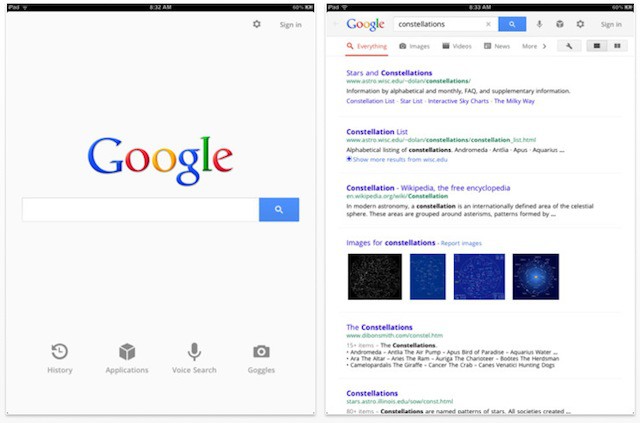
Google’s been redesigning many of its web services like Gmail and Reader lately to follow its new Google+ UI template, and now it appears its time for Google’s apps to get the same new coat of paint. The newest version of Google’s official Search app for iOS not only gets a new design for the iPad, but a fullscreen mode for iPhone and numerous other fixes and additions.
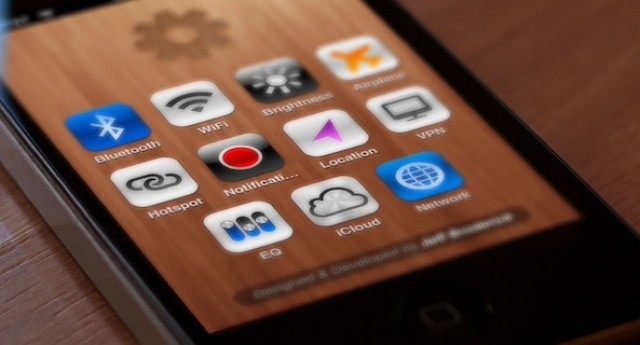
While we all eagerly await an untethered jailbreak for iOS 5 and the iPhone 4S, many of us are using custom settings shortcuts on our iOS homescreens to duplicate the functionality of a more robust Cydia hack like SBSettings.
The only problem? While the shortcuts work really well, some of the icons can be ugly and distinctly un-Apple-like.
Why settle for some puked-up icons, though, when you can have icons sexy enough to lick? Just go over to https://brdrck.me/settings/ on your iDevice and get downloading. Follow our previous how-to if you need guidance on setting these up.
If you’ve been sitting around debating whether or not to buy the Fall 2011 Mac MEGA Bundle, you better hurry the heck up and make a decision. The Deals.CultofMac Fall 2011 Mac MEGA Bundle will only be available for another 20 hours. If you’ve ever wanted to test your hand at web development, give Flux a go; you won’t find it cheaper than here! We’re busting out the Fall 2011 Mac MEGA Bundle packed with great creation tools as well as productivity goodies and utilities. This bundle has 8 top Apps worth a total of $300 that we’re able to sell for $35. This bundle has a shorter lifespan than some of our other deals, though, and will only be around for 6 days, so get it while you still have the chance.
In the immediate aftermath of Steve Jobs’ death on October 5, the praise was overwhelming.
He was the greatest CEO in history, a prescient visionary, prolific inventor, influential designer, brilliant artist. He could walk across San Francisco Bay without getting his New Balance 991 sneakers wet, bend light with his will and turn dog shit into gold.
Then the backlash hit.
About a week after Jobs’ death, the promotional tour for Steve Jobs, the Walter Isaacson biography, began in ernest. This week, the book itself hit. And so did the “dark side” revelations. Plus, former rivals and Apple employees with an axe to grind came pouring out of the woodwork to tell snarky stories about Jobs’ flawed morality, bizarre personality and petty misconduct.
As they are wont to do, the lame-stream media pounced on the negative angle.
The praise was too much. But so is the ongoing character assassination. It’s time to bring the pendulum back to the center, and provide context for some of the most egregious dissing.
In particular, there are four major falsehoods about Jobs being thrown around in the past three weeks that need to be addressed.
Planted in your shiny new iPhone 4s and in the iOS 5 are the seeds of tomorrow’s Mac of the future, and indeed the future of all computers. You can find them if you know where to look. (And I’ll tell you where below.)
It’s not supposed to be this way. In the Microsoft world, at least, new technology starts at the top and “trickles down” from bigger and more powerful computers over time to mobile devices and eventually cell phones. If you’re focused on the machines, this makes sense, as larger computers are more capable of handling powerful new features.
But if you’re focused on the user, as Apple is, this approach doesn’t make sense. Apple has developed what I believe is a unique strategy: introduce new interfaces and new ways to interact with computers and the Internet on the smallest devices first, then scale them up over time, eventually ending up as desktop features.
Apple has a pretty long and storied history naming their products after celebrities. In fact, it goes way back to 1994, when Apple’s engineers code-named the Power Mac 7100 “Carl Sagan” because they hoped to sell “billions and billions” of them. Sagan C&Ded Apple over the codename, which prompted Apple’s engineers to rename the computer internally to the BHA, or “Butt-Head Astronomer.”
Now reports indicate that Apple’s at it again, calling iOS 5’s upcoming Shortcut text-expansion feature after another butthead, Ashton Kutcher.
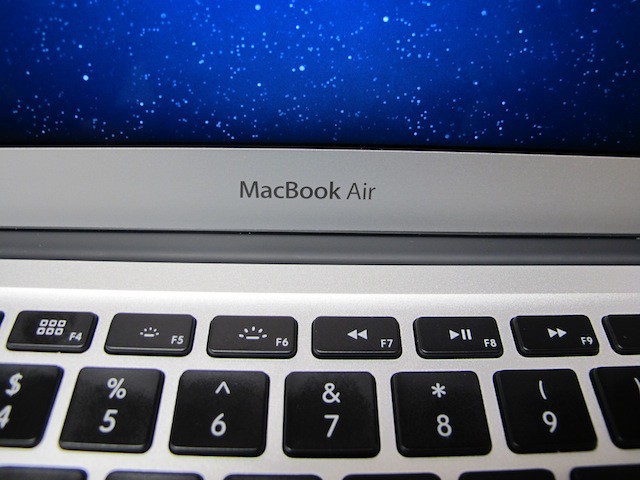
Mac OS X Lion has a lot of hidden features tied to the keyboard that are easy to miss. There are all kinds of key sequences that act as shortcuts to various system features. The tip for today will show you how to quickly access the System Preferences panes related to the function keys at the top of the keyboard on your Mac.
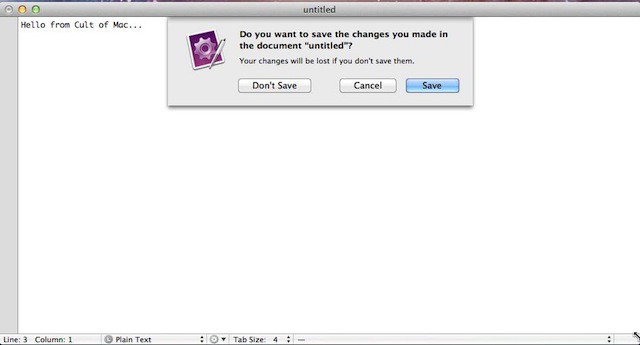
Apple provided some great default keyboard shortcuts in Mac OS X Snow Leopard and one of my favorites was Command+D. You could use that keyboard shortcut combination to select the Don’t Save option when closing a document you haven’t saved yet. Unfortunately Apple decided to change the keyboard shortcut combination in Mac OS X Lion.
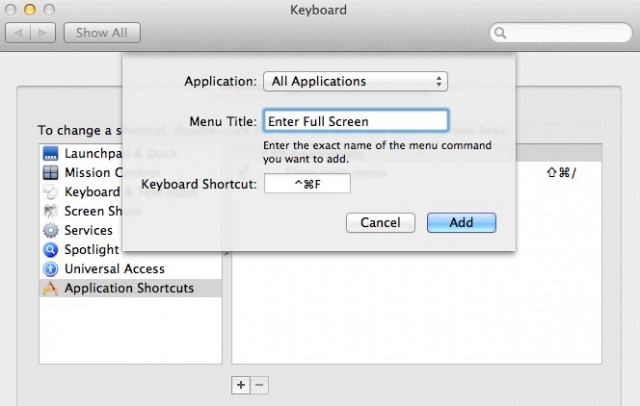
The new full-screen support in OS X Lion is a dream come true for lifehackers looking to squeeze more productivity out of their apps, but one problem for keyboard users is that there’s just no standardized shortcut.
That seems like something of an oversight on Apple’s part, but luckily, there’s an easy to way assign your own universal full-screen shortcut for every app on your machine, even if the devs didn’t provide their own easy keyboard combination for triggering full-screen on your Mac.
Lion is just around the corner, and there are already compatible apps showing up in the App Store. Apple asked developers to start submitting apps for Lion a couple of days ago, and Apple has already approved some Lion-compatible apps for the Mac.
The newest speculation is that Lion will drop on July 26th. That’s nearly two weeks for devs to get their apps submitted and ready.