Optimal Layout is a new window manager for OS X. It’s fully Lion compatible and available now on the Mac App Store.
Arrange And Switch Windows And Tabs With Optimal Layout [Review]
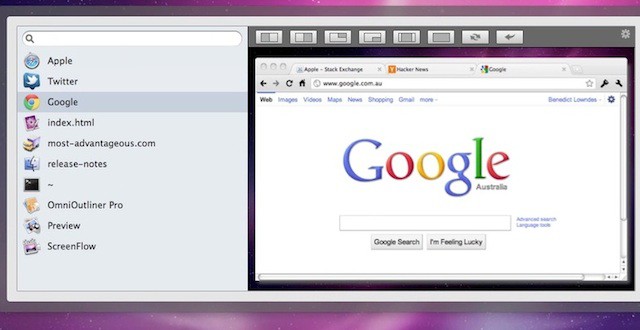

Optimal Layout is a new window manager for OS X. It’s fully Lion compatible and available now on the Mac App Store.
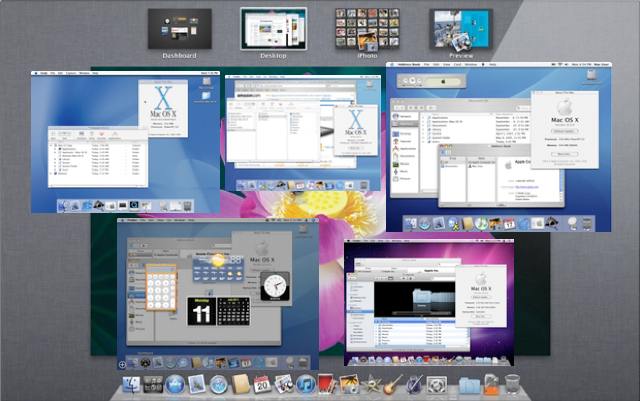
The release of Mac OS X Lion culminates a decade-long software development process. Back in 2001 Apple introduced a new (and long awaited) replacement to the Classic Macintosh System Software, Mac OS X. How far we’ve come in ten years. As Lion goes on the prowl, we present a brief look back at Apple’s Big Cats over the years and review the Evolution of Mac OS X.
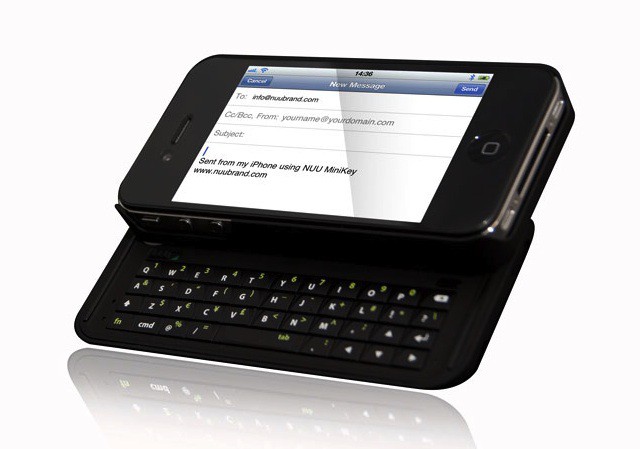
I love the soft tappity-tap of popping out an email, text, IM or 348-page novel on my iPhone’s virtual keyboard. Some people, though, prefer banging around on actual keys.
For them, then, NUU’s new MiniKey might make sense (currently $80 at Amazon): It’s a Bluetooth-enabled keyboard/case with a frilly feature list that includes backlit keys, text-editing shortcuts and a power-saving function that puts the little guy to sleep by severing the BT connection after a lapse of activity; start typing again and voila, it reconnects.
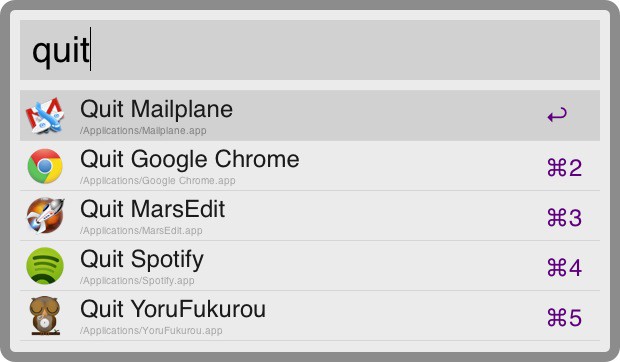
Keyboard launcher Alfred just got updated to 0.9, and there’s a lot of lovely stuff included.
Most of the new features are for users of the optional paid-for Powerpack, but there’s some nice bits for free users too.
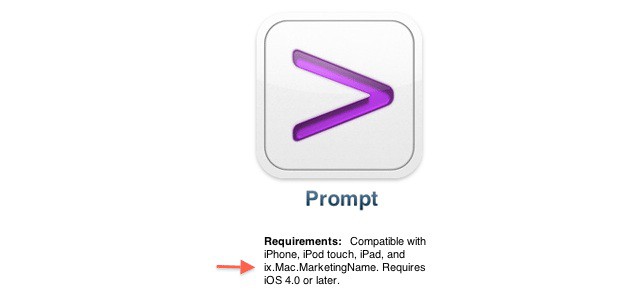
Late last night, the iOS App Store experienced a wide scale bug that affected the listings of hundreds of apps. Under the app’s “Requirements” listing, a new product became listed as possibly compatible with iOS apps after iPhone, iPod Touch and iPad: “ix.Mac.MarketingName.”
What does it mean? Possibly and even probably nothing, but the “Mac” designation in the string implies a Mac that can run iOS apps.

One of the best things about a device like the iPhone is that you can enjoy constant connectivity with your favorite social networks – wherever you are, whatever you’re doing. As one of the most popular social networks, it’s no wonder there’s a shed-load of third-party Twitter clients in the App Store, but how do you separate the good from the poor and decide which is best for you?
If you’re not keen on the official Twitter app, check out our list of the best 8 third-party Twitter apps for iOS after the break.

A couple of screenshots have just leaked of Microsoft’s Windows 8 tablet user interface.
Currently in pre-beta, Windows 8 is Microsoft’s shot at building a UI that’s suitable for both tablets and PCs. Windows 7 is not being ported to tablets. Early versions of Windows 8 have reportedly been shipped to Microsoft’s hardware OEM partners. So far, the UI hasn’t been seen, but two new screenshots indicate it is based on tiles, very much like Windows Phone 7.
The screenshot above shows the home screen, which features Microsoft’s Bing search engine front and center. Underneath are big tiles for shortcuts to Web apps or Web pages. Each app opens in a full-screen version of Internet Explorer, according to Within Windows, which first published the screenshots (The site is currently down. The screenshots have been republished at WinRumors)
The screenshot below shows a new e-reader app that includes built-in support for Adobe’s PDF format. Looking at the diagrams in the screenshot, it will include page scrubbing (to quickly scrub through a document) and multi-touch pinching and zooming. Apple may not like that.
Microsoft appears to be pushing a new file format called AppX (.appx), which will reportedly allow Windows Phone 7 developers to repackage apps in AppX and offer them through an app store that will be built into Windows 8. Sound familiar?
Our take? It looks OK. The tiled interface is pretty good on Windows Phone 7, but why are there still scrollbars if the interface is full-screen?
With April 1st just around the corner, it’s time to start planning your attacks on friends, colleagues, and even loved ones to ensure they’re suitably mocked, embarrassed, and shamed on April Fools’ Day. We want to make sure that no one gets off lightly this year, so to help you formulate your plan, we’ve put together a list of the best tech-related pranks and practical jokes for your disposal.
They’re all quick and easy to perform with minimal effort, and ensure your April Fools’ Day victims don’t get away from a little light-hearted pranking.
The Annoy-a-Tron from ThinkGeek
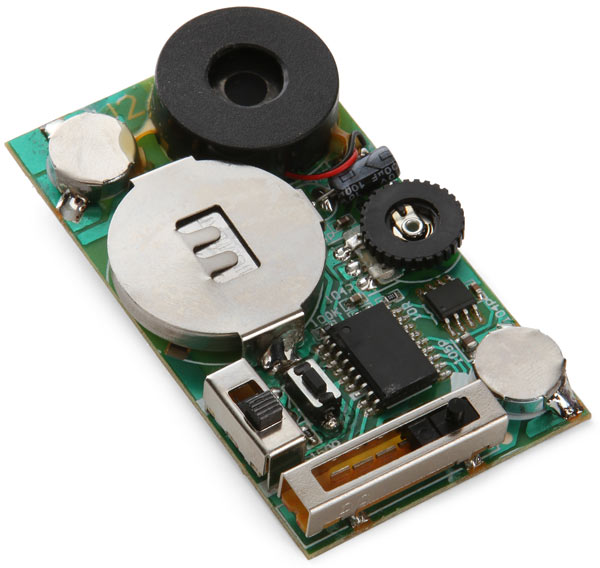
The Annoy-a-tron is essentially a high-tech fart machine, but with a little more taste. It’s $12.99 from ThinkGeek and features 6 annoying sounds that go off at random to irritate anyone within earshot. Turn it on, hide it under a co-worker’s desk, and observe them as they try to work out where the sound of a cricket is coming from. It’s a tiny device that’s easy to conceal, and if your target does manage to find it, they won’t have a clue what it is.
Check out the rest of our pranks after the break!
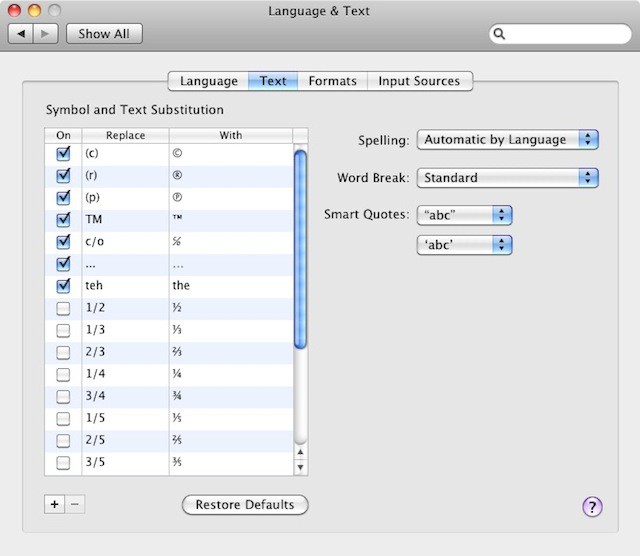
In the System Preferences application, you’ll see an icon called “Language and Text”. If you open this, and select the Text tab, you’ll see a list titled “Symbol and Text Substitution”, which provides some useful text shortcuts. You can use these to auto-correct common typos as you make them, or to replace short text mnemonics with longer words or phrases.

YoruFukurou (“Night Owl”) is a high quality, totally free Twitter client that will appeal to a wide cross-section of people.