Mobile menu toggle

Search results for: mechanical keyboard

Try this cool, stylish way to store and charge AirPods Max [Setups]

By

AirPods Max charging stand
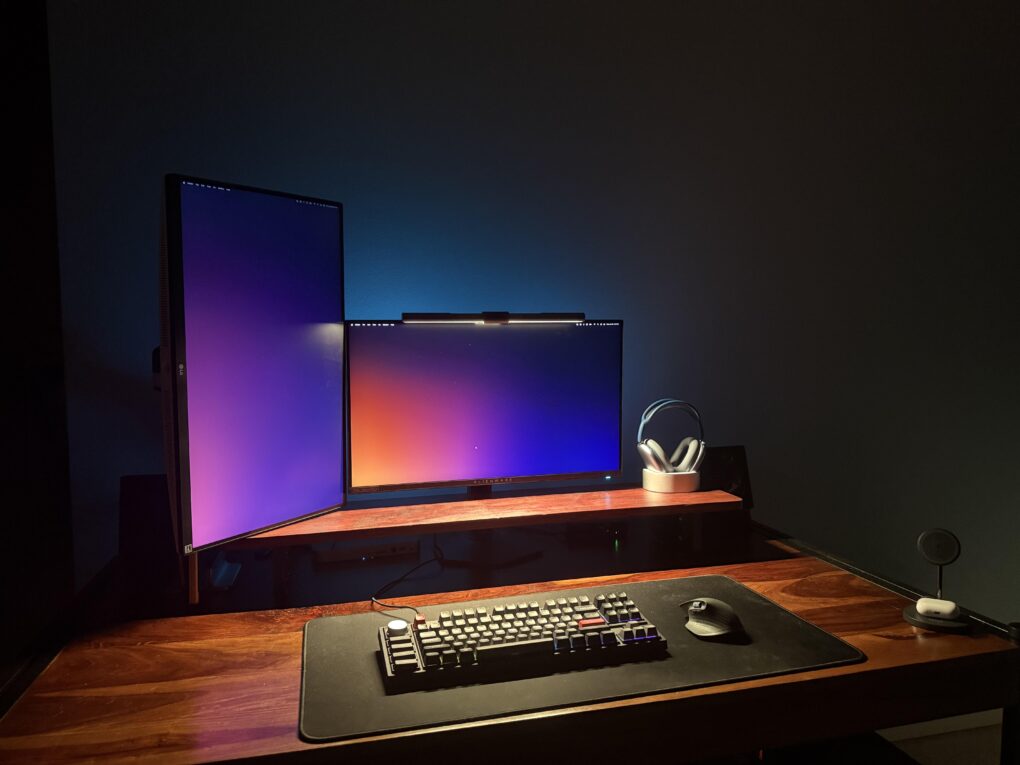
Everybody seems to hate Apple's AirPods Pro Max case, so maybe store them on a cool charging stand.
Photo: Scared_Tap374-Reddit.com

When AirPods Max came out in late 2020, everyone seemed to hate the Smart Case that Apple created for the high-end headphones. And it seems they still do to this day, as we await a third iteration of the cans.

Third-party solutions flooded in, including the type of thing used in today’s featured MacBook Pro setup as multipurpose storage — a nifty charging stand. The headphones rest vertically in the stand, taking on power and looking good doing it — and they remain ready to grab at any time.

Watch me go for world record number of input devices [Setups]

By

ergonomic workstation
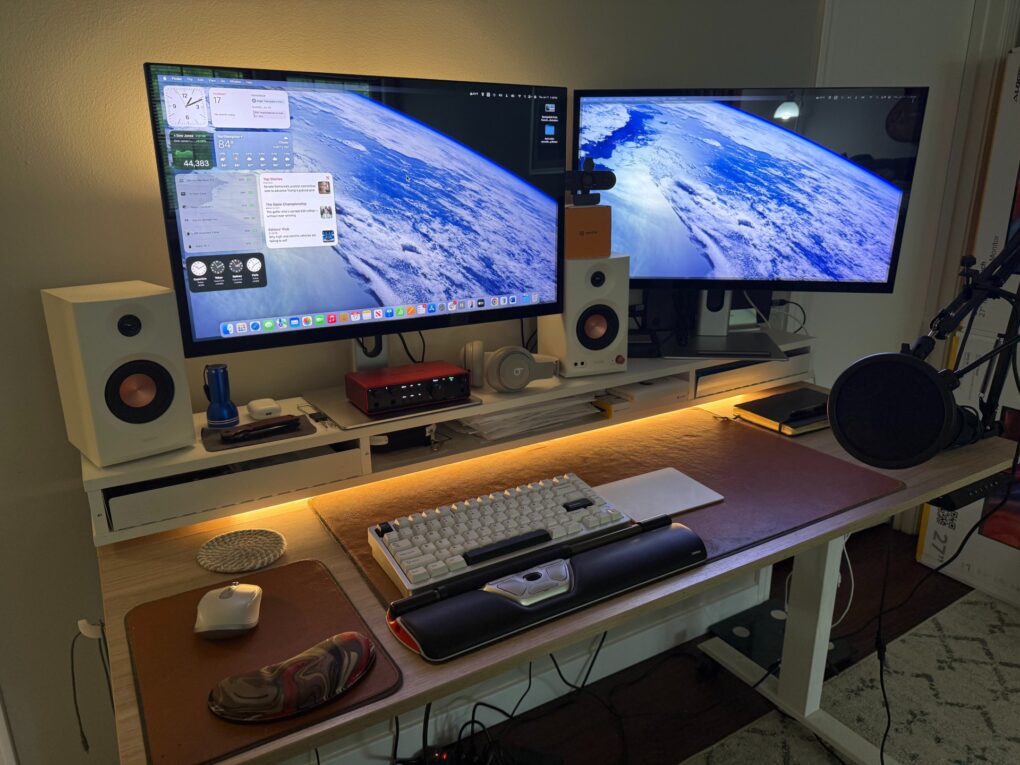
My setup now bristles with four separate input devices and a new webcam.
Photo: David Snow/Cult of Mac

Guess what, it’s time for another installment of Dave’s Setup Upgrades. Only about six weeks after I last wrote about my own computer setup instead of everybody else’s, here I go again. An M4 Pro MacBook Pro driving a pair of 5K touchscreen displays remains the core of my rig. But I’ve gone a little nuts lately with computer input devices as I strive for a more ergonomic workstation. I’m up to four, with backups for most, and that’s got to be some kind of record.

And I added a webcam because my current external displays don’t pack one. And my laptop, with its only-pretty-good webcam, sits hidden away on a vertical stand. I don’t want to have to pull it out for video calls.

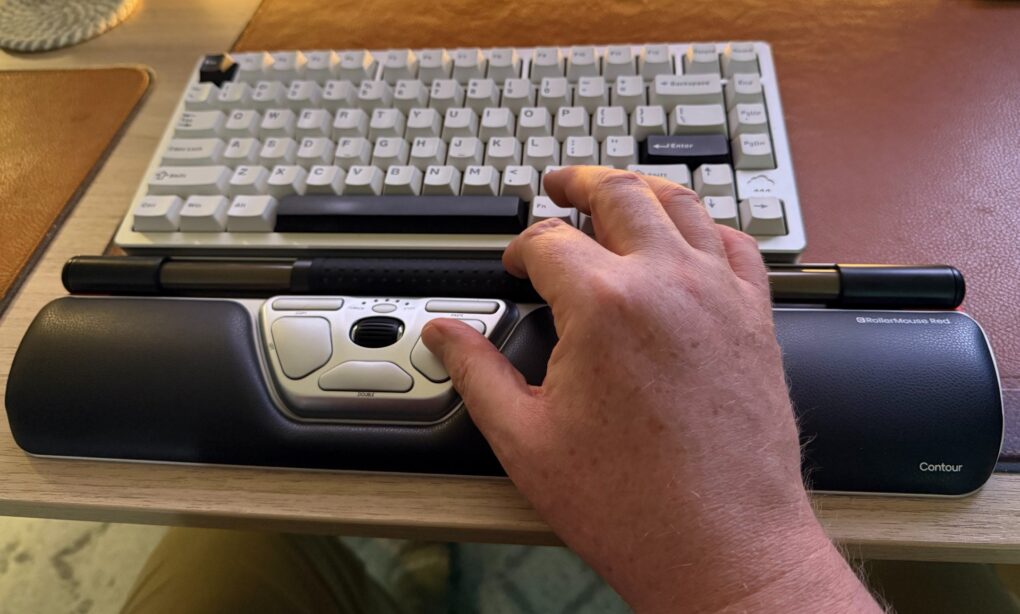
Ingenious RollerMouse Red wrist rest changes mousing. But is it worth $394? [Review] ★★★★

By

Contour RollerMouse Red Wireless review★★★★
It's a cool and highly functional device, but it might cost too much for most people. For those suffering pain from mousing, though, it could be well worth it.
Photo: David Snow/Cult of Mac

Would you spend $394 on a mouse? This Contour RollerMouse Red Wireless review might raise eyebrows, considering the device’s unusual design and premium price tag. The centralized pointing device with roll bar, scroll bar and three unfamiliar buttons in a wrist rest sits in front of your keyboard rather than beside it, challenging typical notions of computer navigation. But for those who need help with pain from repetitive strain injury (RSI), it could make a world of difference.

Yamaha studio monitors power MacBook Pro rig’s sound [Setups]

By

Yamaha studio monitors
This MacBook Pro setup features great speakers and other audio gear.
Photo: [email protected]

Today’s featured setup sports an M1 Max MacBook Pro still going strong, but the user posted the workstation on social media to show off a newly added Mchose mechanical keyboard — an unfamiliar but solid-looking brand. And I couldn’t help notice the stellar audio gear in the mix, including excellent Yamaha studio monitors for focused sound in the room, plus a surprising array of great headphones and audio interfaces.

Long live Apple’s late, great iPod Hi-Fi stereo [Setups]

By

iPod Hi-Fi
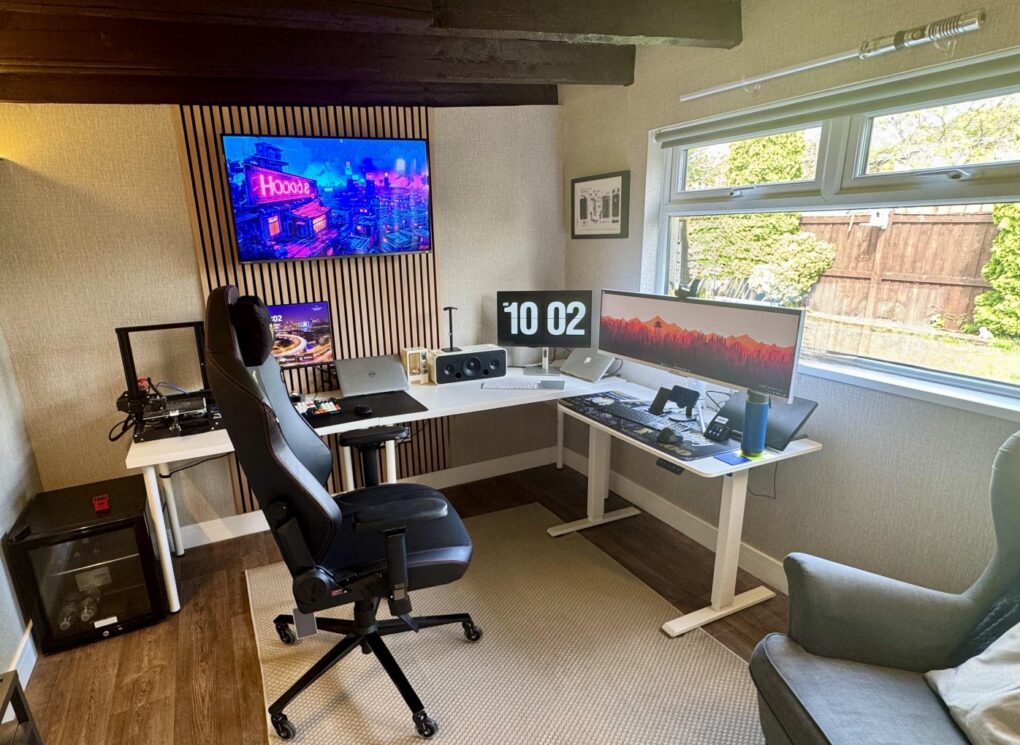
That ultra-wide monitor on the right seems even wider because it's so narrow. And don't miss the light saber over the window.
Photo: markgsj90-Reddit.com

Near the very top of my list of enviable things about computer setups sit two drool-worthy items — one, when the setup is in an irresistibly cool remodeled space, like a man cave or a she shed, and two, when the setup’s audio blows the dang roof off. Today’s expansive example is a multi-computer, multi-display outfit in the UK with a very special stereo system, one of Apple’s brilliant failures — iPod Hi-Fi. It’s so much more than an iPod dock.

MacBook Pro drives wild stacked dual display with hinges [Setups]

By

uperfect portable monitor
It's not two displays mounted in stacked formation, it's one dual display with hinges.
Photo: [email protected]

I’d call it a rare sighting in setups featured on Cult of Mac, but I think it’s actually a first sighting ever — stacked dual displays held together by hinges. As such, they’re actually one product, the Uperfect Delta Dual Portable Monitor. To say the least, it’s unusual to see one in a home setup, driven in this case by an M4 MacBook Pro. And those two screens make up just half the setup’s total of four.

Here’s the best way to hide your computer [Setups]

By

under desk mount
The M4 Mac mini is small, but it takes up even less space when it's mounted under the desk.
Photo: [email protected]

The M4 and M4 Pro Mac mini desktop computers are smaller than their predecessors, but they still take up space on desks. That is, unless you come up with a clever way to hide them while keeping them fully functional. In today’s featured setup, which also includes a MacBook Pro under an overarching external display, the user mounts the mini under the desk. And under-desk mount is the best way to hide your computer.

Powerful Mac Studio drives epic ultra-wide display [Setups]

By

Mac Studio display
The user liked their dual 27-inch monitors, but likes the ultra-wide even better, comparing it to having three screens.
Photo: [email protected]

I’m currently enjoying a pair of 27-inch 5K resolution touchscreen monitors, but many people prefer to go with one ultra-wide display — especially a big, curved one. Today’s featured setup uses a Mac Studio to drive a 49-inch, curved Samsung gaming monitor. The user loves it, but said it took some getting used to. They graduated to it from two 27-inch 4K displays, actually, very similar to what I used until recently.

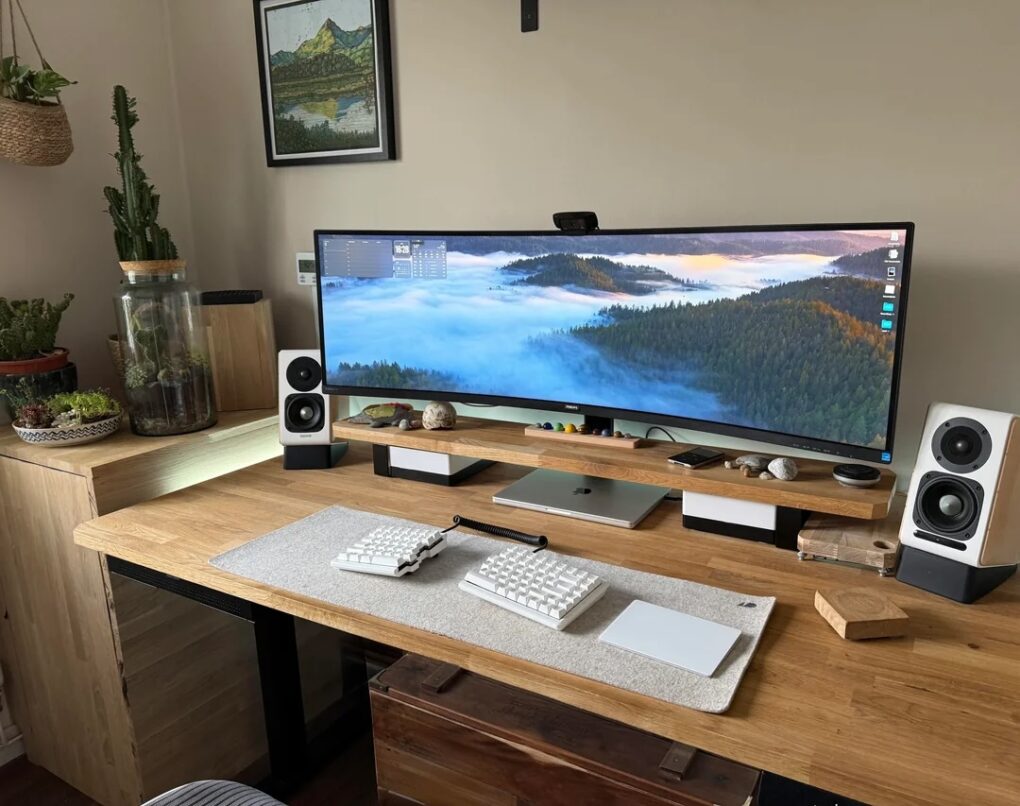
User wants to downsize ultra-wide display, jack up refresh rate [Setups]

By

Setups tech-ant-Reddit high refresh rate June 6 2025
The M1 Pro MacBook Pro is still going strong, but the user wants to get a smaller external display with a higher refresh rate.
Photo: [email protected]

In Setups world, the struggle continues over display preferences, in terms of those who want bigger and those who want more. Today’s MacBook Pro user dwells on the “bigger” side an an ultra-wide monitor user, but they actually want to downsize from a mammoth 49-incher and get something with a higher refresh rate. Meanwhile, they’re thrilled their M1 Pro MacBook Pro still runs like a champ. And they conceived a way to have Touch ID while hiding the keyboard it comes with.

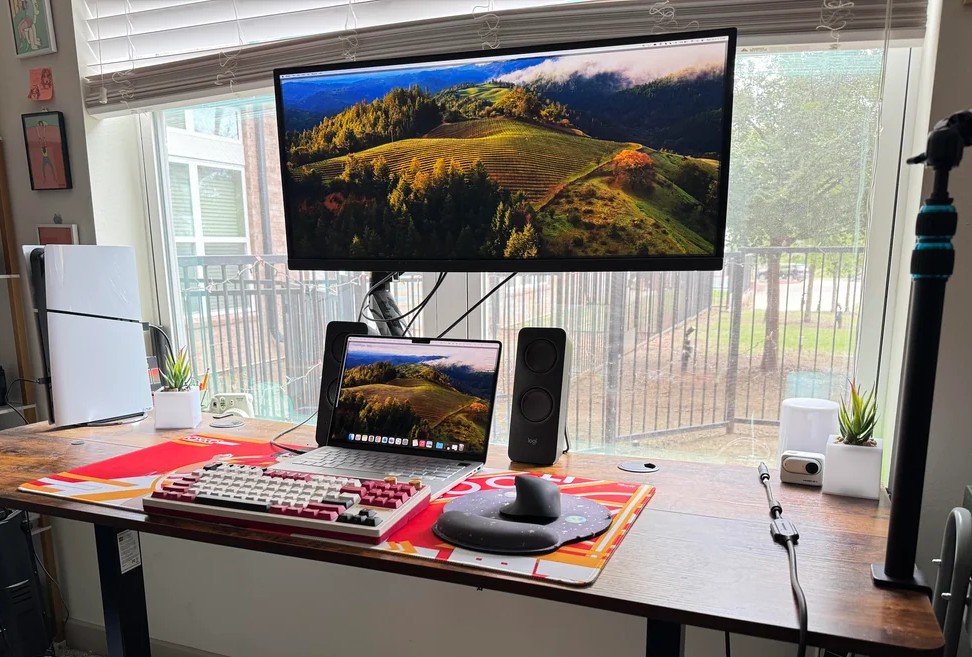
M4 Mac mini takes over for ‘semi-retired’ M1 MacBook Pro [Setups]

By

Mac mini computer
This setup's M4 Mac mini handles most of the work, as the M1 MacBook Pro is "semi-retired" (but still going strong).
Photo: [email protected]

Apple silicon computers have serious staying power. Setups left and right feature M1 machines, released in late 2020, including today’s featured setup. The user said their M4 Mac mini pretty much took over for their M1 MacBook Pro in the workstation. So they reserve their “semi-retired” laptop for outdoor use, though it’s still running strong after more than five years of constant use.

1 12 13 14 15 16 48