Mobile menu toggle

Price cut: Get 3 years of piano lessons on your iPhone, iPad or Mac for just $48

By •

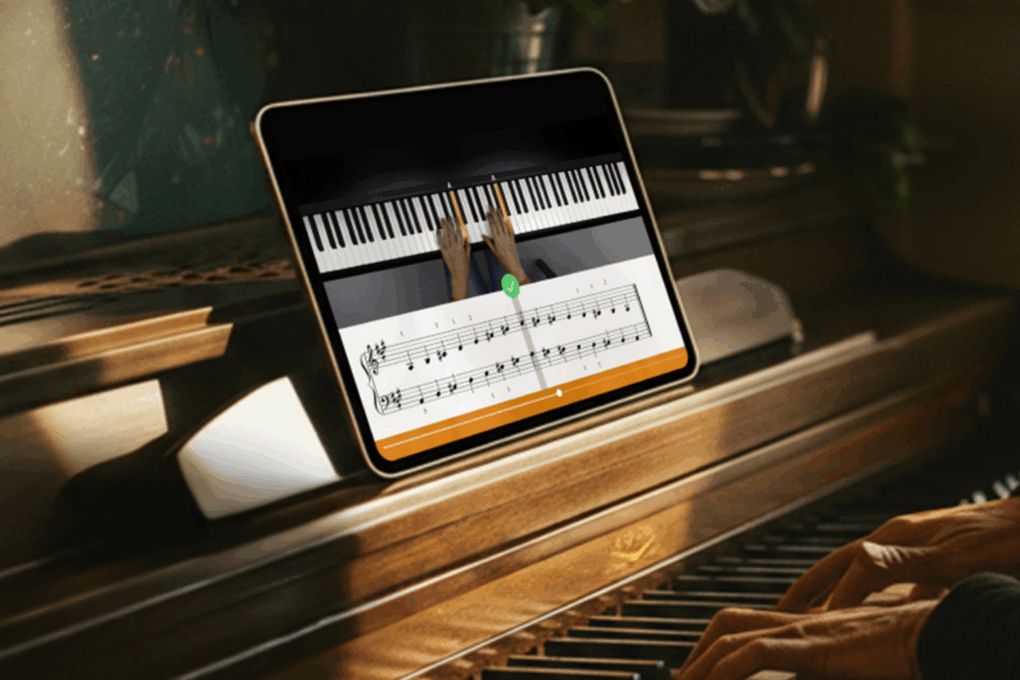
Person learning piano through the Flowkey piano lessons app opened on an iPad and sitting on a console piano.
Whether you're a total beginner or an accomplished piano player, this app can teach you a thing or two.
Photo: Cult of Mac Deals

You can turn your iPhone, iPad or Mac into a piano teacher with Flowkey’s interactive lessons, real-time feedback and song-first approach to learning.

Flowkey is designed to meet you where you are, whether you’ve never touched a keyboard or you already know your way around one. And it costs just $48 for three years with code DEAL20. A flesh-and-blood piano teacher might charge that much for a single lesson!

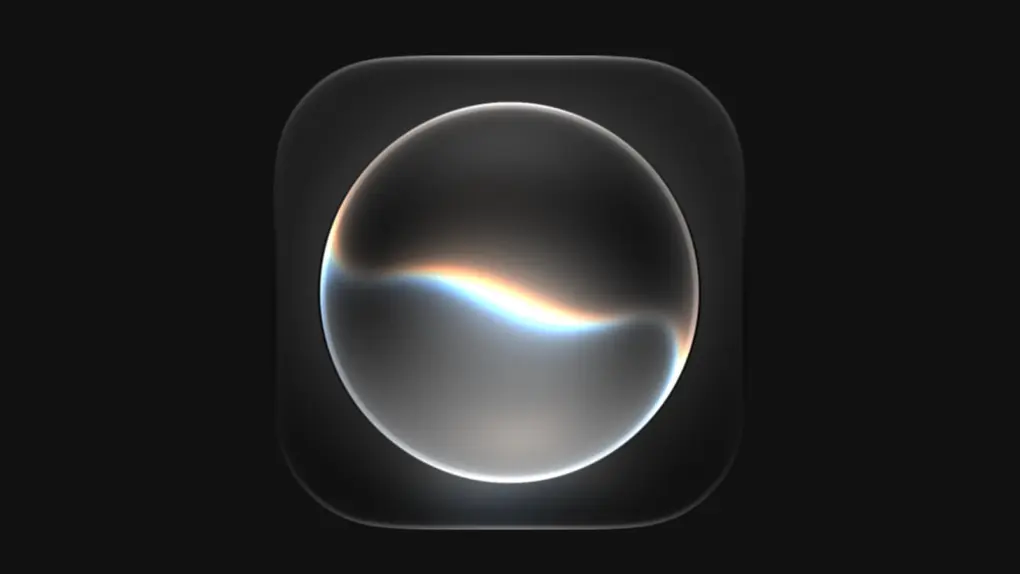
iPhone users no longer need to wait in line for Siri AI

By •

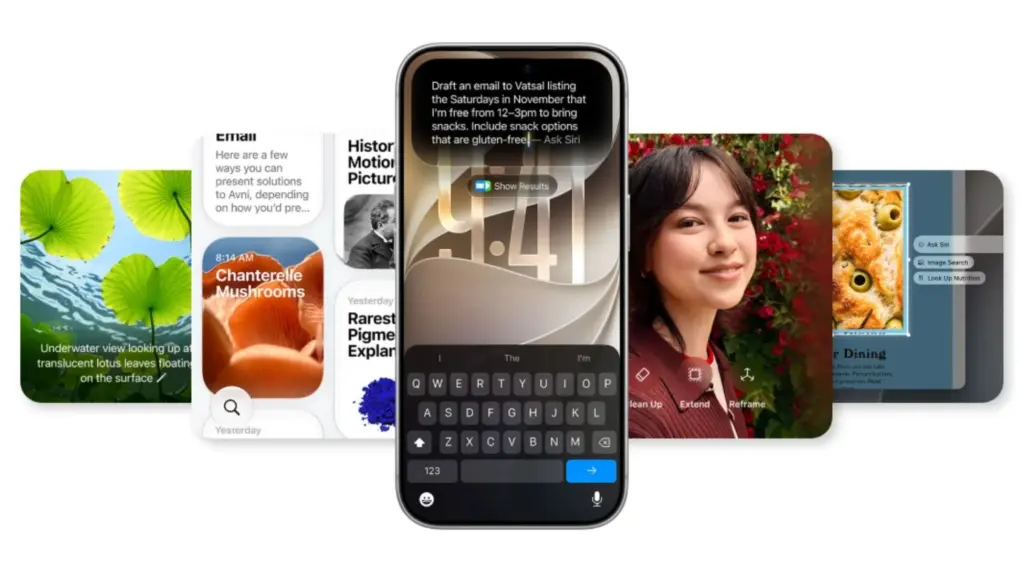
A picture showing Apple's new Siri AI used in an article about the company now removing waitlist.
You no longer have to join the Siri AI waitlist to start using Apple’s new assistant in iOS 27.
Photo: Apple

Apple finally dropped the mandatory Siri AI waitlist in iOS 27. This means eligible iPhone users can now download and begin using Apple’s updated AI assistant automatically.

There’s one catch, though: Apple can still queue you up when demand spikes. But after launching with a compulsory line, getting in is now quicker than ever.

Apple’s OLED MacBook Pro and three more products hit stores

By •

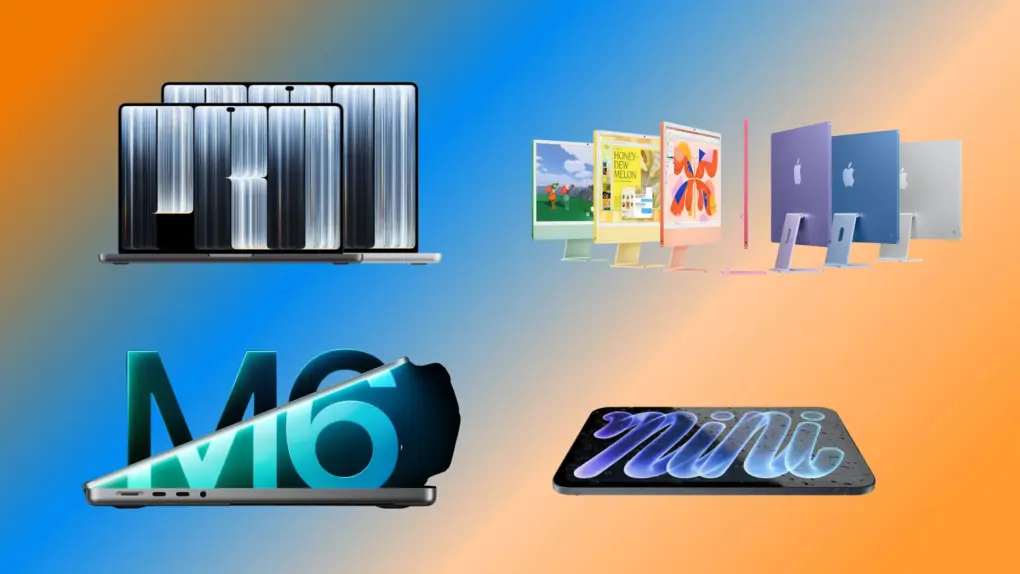
MacBook Pro, iMac and OLED iPad Mini go on sale.
Which Apple product are you buying today?
Photo: Apple/Rajesh Pandey/Cult of Mac

Apple’s first touchscreen Mac finally hits stores today. The 14-inch and 16-inch MacBook Pro with PROLED XDR Display go on sale today, Friday, November 6, alongside three other new products: the OLED iPad mini, the M6 iMac and an M6 version of the regular 14-inch MacBook Pro.

Apple announced all five across three days last month, wrapping up with its “Pro and Tell” event in Los Angeles on October 28.

Reviewers feel meh about MacBook Pro’s touchscreen, love the OLED display

By •

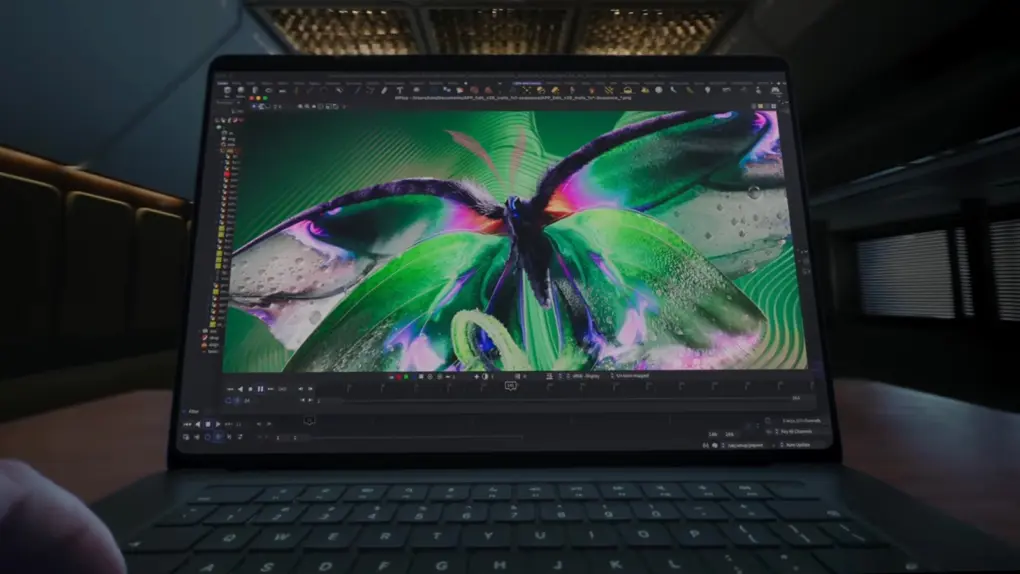
Reviewers love the MacBook Pro's OLED display.
You can see the best feature of the new MacBook Pro. You don't need to touch it.
Photo: Apple/Cult of Mac

Early reviews of the MacBook Pro with PROLED XDR Display are absolutely gushing with praise for the active OLED screen, the first in an Apple laptop. Reactions to the touchscreen are much more muted, despite how much attention the feature drew before the product’s release.

Here’s what some reviewers said about the new computer.

Crossy Road Rush brings a fast-paced new adventure to iPhone

By •

Crossy Road Rush: Now on Apple Arcade
Crossy Road Rush boasts 50+ levels of challenging obstacles.
Photo: Atari/Hipster Whale

The creators of Crossy Road are back! Crossy Road Rush offers high-speed adventure filled with environmental hazards, challenging obstacles and boss encounters as players zoom through more than 50 hand-curated levels.

The game from Atari and Hipster Whale launched Thursday, and brings the familiar Crossy Road Crew to the colorful island setting of Crossy Cove for an all-new platforming runner available exclusively on Apple Arcade.

New 4K wireless video adapter makes HDMI cables rubbish [Review] ★★★★☆

By •

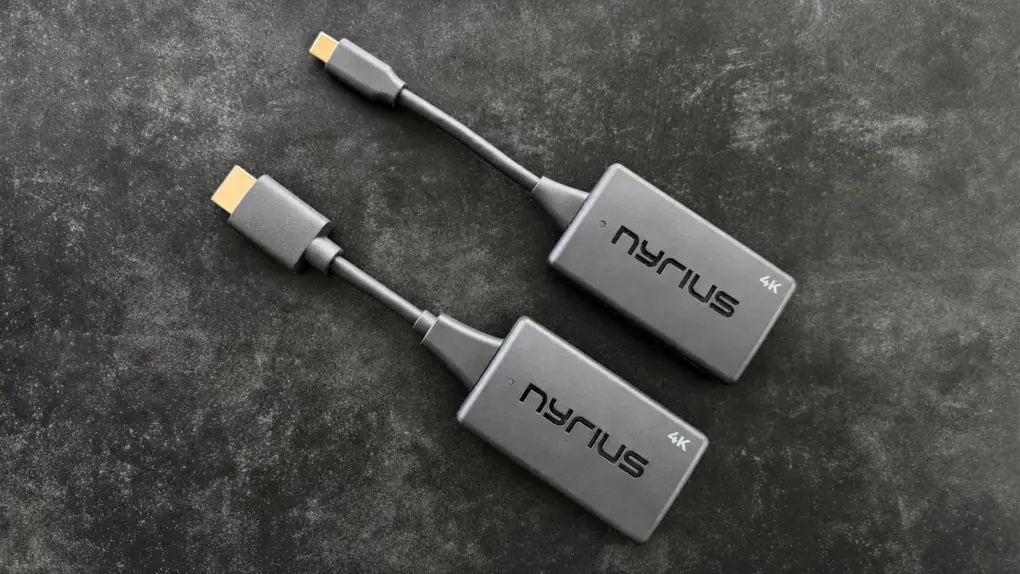
Nyrius Phoenix Prime 4K30 Wireless HDMI Transmitter and Receiver review★★★★☆
This 4K wireless video adapter can replace a bulky, ugly HDMI cable.
Photo: Ed Hardy/Cult of Mac

Freeing yourself from HDMI cables doesn’t have to mean giving up 4K. The Nyrius Phoenix Prime 4K30 Wireless HDMI Transmitter and Receiver can take the place of a clumsy cable, and it’s small enough to carry on a business trip or holidays.

Even better, the adapter establishes its own direct wireless connection so it doesn’t need access to a Wi-Fi network. And there’s no software driver needed.

One version plugs into an HDMI port on the source device, but Mac, iPad and iPhone users will likely prefer the USB-C version.

I tested the wireless HDMI video adapter with my TV and a 4K monitor, and it came through brilliantly.

Today in Apple history: Fortune names Steve Jobs ‘CEO of the decade’

By •

Cover of Fortune magazine from November 9, 2009, with a photo of Apple CEO Steve Jobs and the cover line
Steve Jobs was rounding out a brilliant 10 years at Apple.
Image: Fortune

November 5: Today in Apple history: Fortune magazine names Steve Jobs CEO of the decade November 5, 2009: Fortune magazine names Steve Jobs “CEO of the decade.” The accolade comes just four months after Jobs returned to Apple after undergoing a liver transplant.

The business publication credits Jobs with transforming multiple industries, as well as continuing Apple’s meteoric rise. These achievements seem particularly noteworthy considering the tough economic conditions of the 2008 financial crash.

Download movies and TV shows from most major streaming platforms for life

By •

Woman on a couch downloading a video from a streaming service through the laptop
Lifetime access to this all-in-one video downloader is 33% off now!
Photo: Cult of Mac Deals

You can download movies and TV shows from Netflix, YouTube, TikTok and 1,000-plus other sites and services with SameMovie. The video downloader lets you save them to your Mac or PC as standard MP4 or MKV files so you can watch them offline whenever you want.

With this deal, you can grab a SameMovie lifetime license for just $99.99. That’s a 33% discount off the regular price of $149.90.

New retention messages let apps plead when users cancel subscriptions

By •

A picture of App Store retention tool used in a story about the same.
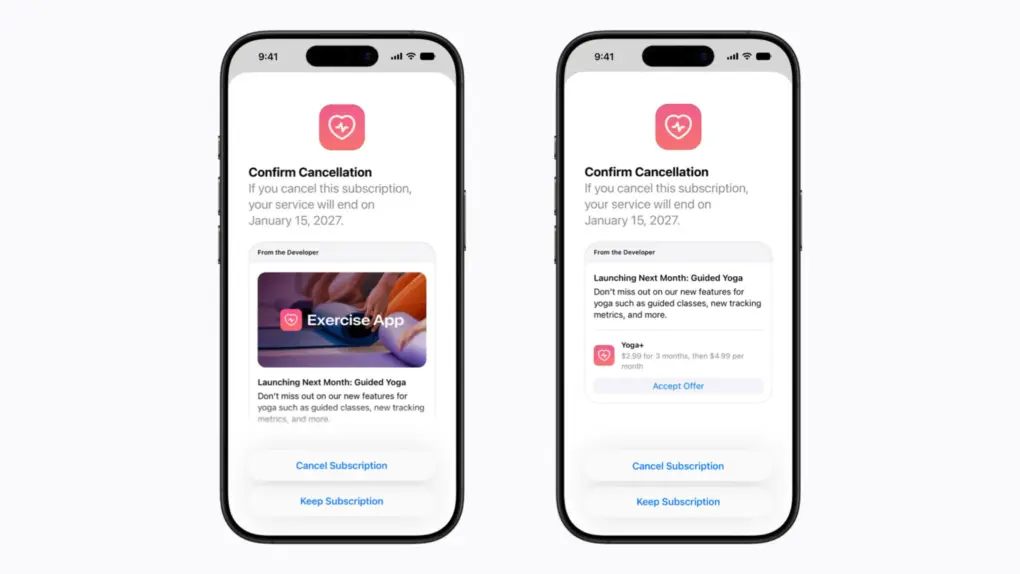
App Store retention messages appear in the cancellation flow.
Photo: Apple

App Store retention messages are a new tool that lets developers try to dissuade their customers before they cancel a subscription.

These pop-ups can carry text, images and even special offers. They give app makers one last shot at keeping you… and could change how canceling feels.

MacBook Pro PROLED XDR vs. Studio Display XDR: The laptop levels up

By •

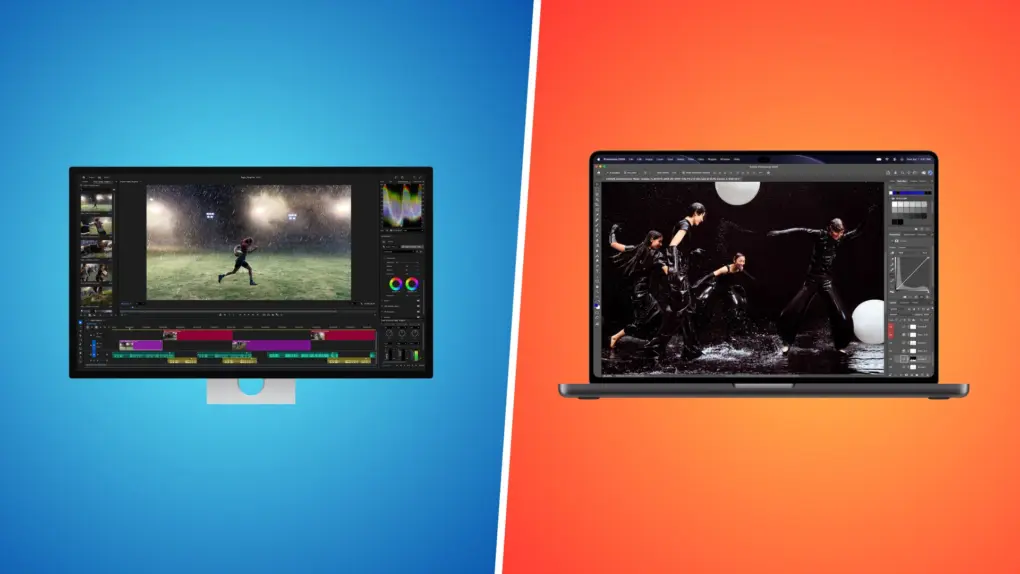
Studio Display XDR vs. MacBook Pro PROLED XDR
Both XDR displays are among the best on the market.
Photo: Apple/Rajesh Pandey/Cult of Mac

The touchscreen MacBook Pro’s display is special not just because it supports touch input. It’s an OLED panel that brings a major leap in picture quality and brightness. It’s so good that it invites comparison with Apple’s flagship desktop monitor, the Studio Display XDR.

So, how does the MacBook Pro’s PROLED XDR display stack up against the Studio Display XDR? Find out in this comparison.

HomeView anti-spoofing gives face fakers just three strikes

By •

A picture showing Apple HomeView used in a story about the device getting anti-spoofing feature.
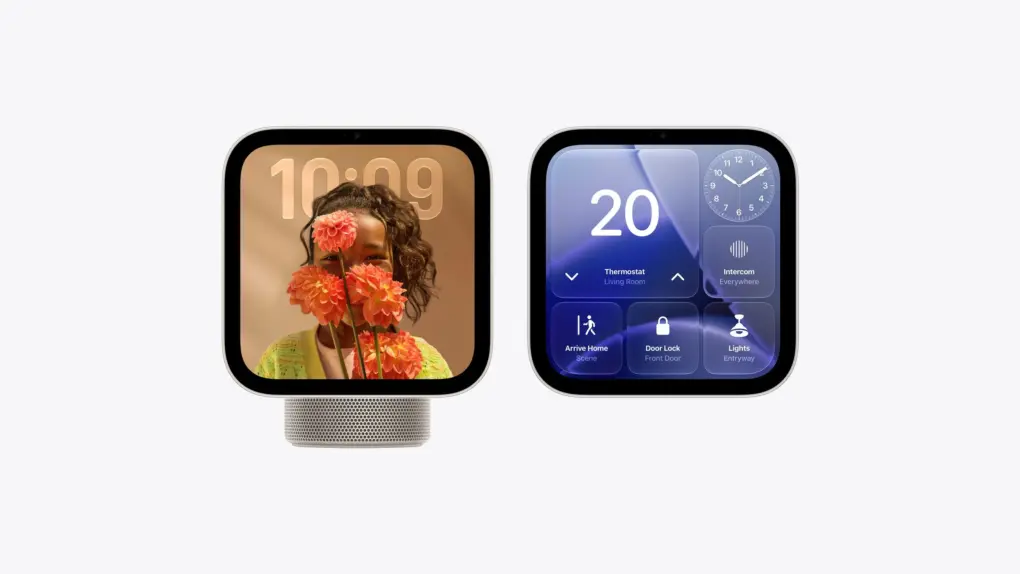
HomeView anti-spoofing screens will show the normal prompt as well as the three-strike lockout message.
Photo: Apple

Apple’s HomeView will reportedly include an anti-spoofing protection that locks a profile after three attempts to fool the display’s face recognition. After that, users will apparently need an iPhone to get back in.

That matters because HomeView will sit in a kitchen or hallway, showing personal messages and calendars. The security protection should keep siblings from spying on each other.

And a tougher lockout cooldown system is reportedly on the way, too.

Apple tightens the purse strings on employee AI use

By •

Apple Store
Apple cuts the AI budget for some of its engineers.
Photo: Ed Hardy/Cult of Mac

/While some companies are going all in on encouraging their employees to use AI, Apple is taking the opposite route. The iPhone maker is cutting what some engineers can spend on AI tools as part of a broader effort to rein in costs.

Bloomberg reports that Apple lowered the daily AI spending cap for some engineers by $100 to $200 in October.

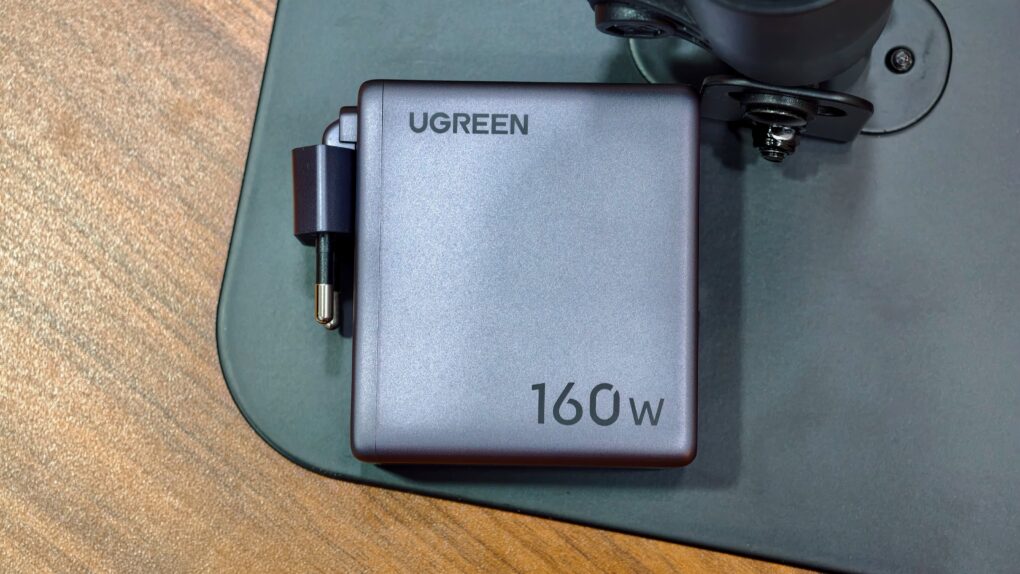
This 160W Ugreen charger is smarter than I expected [Review]

By •

Ugreen Nexode Pro 160W
A charger with Wi-Fi and firmware updates? Here we are.
Photo: Rajesh Pandey/Cult of Mac

There is no shortage of multiport USB-C chargers with 140W or higher output, but Ugreen’s latest Nexode Pro 160W stands out with its built-in customizable display, compact design (for the power it can deliver), and ability to charge up to four devices at once.

As if that’s not enough, the charger even packs Wi-Fi connectivity and supports firmware updates — features I never expected to talk about in a power adapter.

Today in Apple history: Apple sets up shop inside CompUSA stores

By •

Photo of exterior of CompUSA store, used to illustrate a story about Apple's deal with the computer retailer to set up mini-stores within stores.
Desiring more control over how Macs got sold, Apple turned to CompUSA.
Photo: Coolcaesar/Wikipedia CC

November 4: Today in Apple history: Apple CompUSA November 4, 1997: Apple unveils its plan to open small “store within a store” areas inside CompUSA outlets around the United States. Apple-trained employees will staff these mini-stores and sing the praises of the Mac and other Apple products.
The move gives Cupertino more control over the way its products are displayed and demoed to consumers. While ultimately disappointing, Apple’s CompUSA experiment paves the way for the flagship Apple Stores that will launch four years later and become the world’s most profitable retail outlets.

Apple Music Selfie Sing turns your iPhone into a karaoke booth

By •

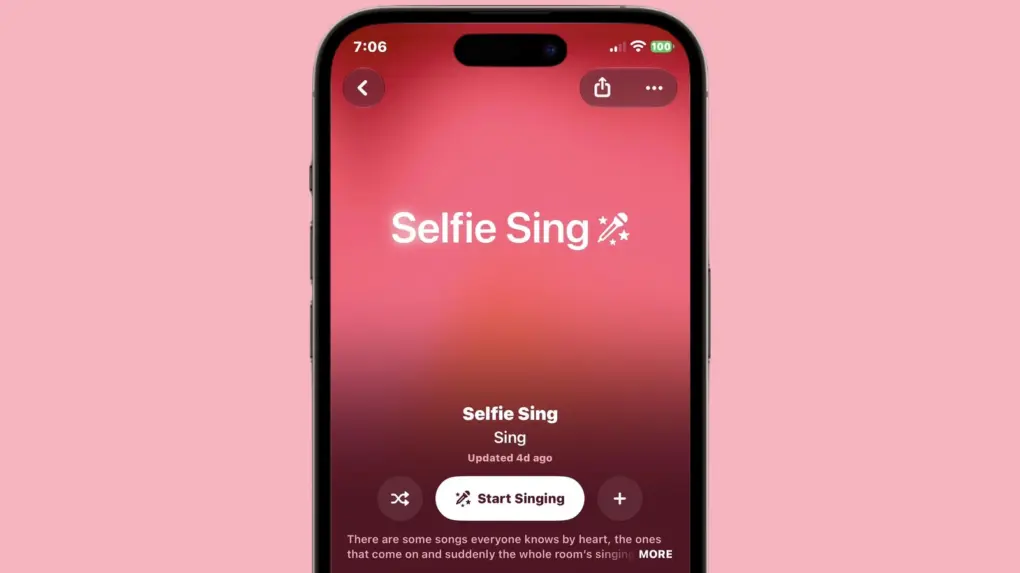
Apple Music Selfie Sing turns your iPhone into a karaoke booth
Apple Music Selfie Sing keeps the lyrics in view as the front camera films the singer.
Image: Apple/Cult of Mac

Apple Music is getting Selfie Sing, an upcoming feature that films you belting out a hit with lyrics scrolling on your iPhone’s screen. It builds on Apple Music Sing, the singalong feature introduced in iOS 16.2. And no extra app is needed to shoot the clip.

The feature debuts with iOS 27.3, currently in beta.

Score a lifetime license to PDF Expert for Mac

By •

Photo of a person using PDF editor PDF Expert, an Apple Editor's Choice winner, on a MacBook.
Get PDF Expert, an Apple Editor's Choice winner, at an amazing price.
Photo: Cult of Mac Deals

PDFs are arguably one of the most-used document formats by professionals, students and casual users alike. However, while they might be the best way to transmit documents, they’re not entirely easy to work with unless you own a capable PDF editor for Mac like PDF Expert.

Fortunately, this award-winning app makes handling, organizing, annotating, merging and editing PDFs effortless. And you can get a lifetime license to PDF Expert for just $79.99 (regularly $139.99).

iPhone 18 price hike rumored alongside bigger battery

By •

A picture of iPhone 18 used in a story about the phone.
The iPhone 18 price hike rumor follows Apple’s September price hike on the iPhone 18 Pro.
Photo: Pixabay

The upcoming iPhone 18 could pack a bigger battery and a faster processor, but shoppers might also face a price hike. 

Apple already raised the iPhone 17’s starting price from $799 to $899 in September. And the iPhone 18 Pro models launched with higher prices, as well. 

It seems likely that base-model iPhone 18 buyers will face another price jump in a few months.

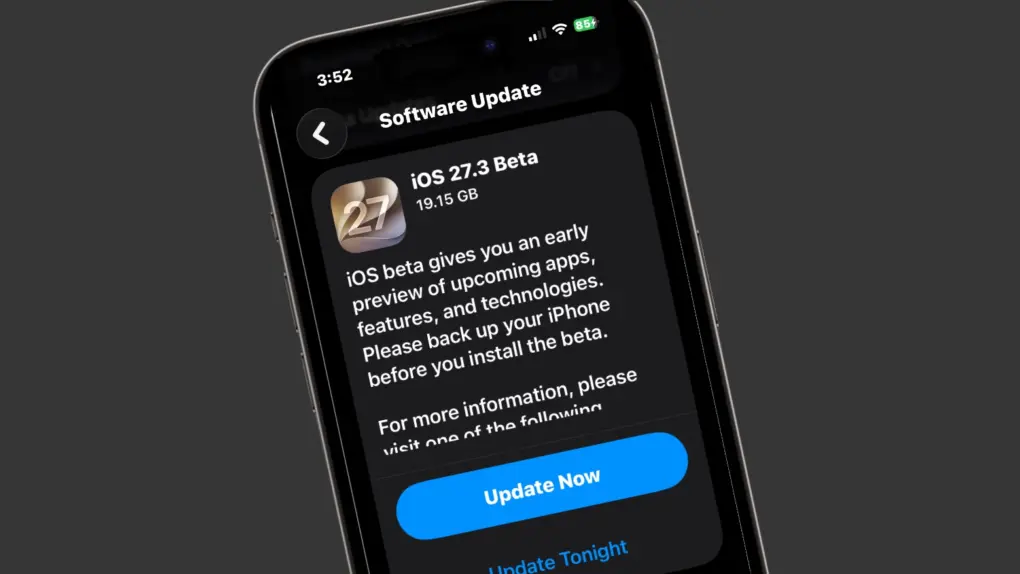
iOS 27.3 beta 1: All the new features and changes

By •

iOS 27.3 beta 1 is here.
The first iOS 27.3 is here, and it is full of changes for iPhone users.
Photo: Apple/Cult of Mac

The first iOS 27.3 developer beta, which Apple released Tuesday, brings lots of big changes to the iPhone.

Some of the new stuff — like the redesigned Health app and the Apple Watch’s Audio Intelligence features (which work with watchOS 27.3 beta 1, also out now) — we’ve heard about before. But other additions come out of the blue. And Siri AI takes another step toward greatness as Apple ramps up its capabilities.

Here’s everything new in the iOS 27.3 beta (and the related releases, iPadOS 27.3 and watchOS 27.3).

Siri AI opens to third-party apps in iOS 27.3 beta

By •

Siri AI
Siri AI will get a lot more useful when iOS 27.3 moves past beta testing.
Image: Apple

Beta testing for iOS 27.3, macOS 27.3 and more began on Tuesday, and a highlight is Apple allowing all developers to experiment with connecting their apps to its much more capable Siri AI. This has the potential to revolutionize the iPhone. 

Beyond that, the betas bring a collection of other new features to the iPhone, Apple Watch and other devices. The update includes support for two new AI-powered features that let the latest Apple Watch models listen to nearby conversations. And Apple’s redesigned Health app returns to iPhone.

Just be aware, with the betas so new, many of the features in these upcoming OS upgrades are still being found.

Today in Apple history: Face ID brings facial recognition to the masses

By •

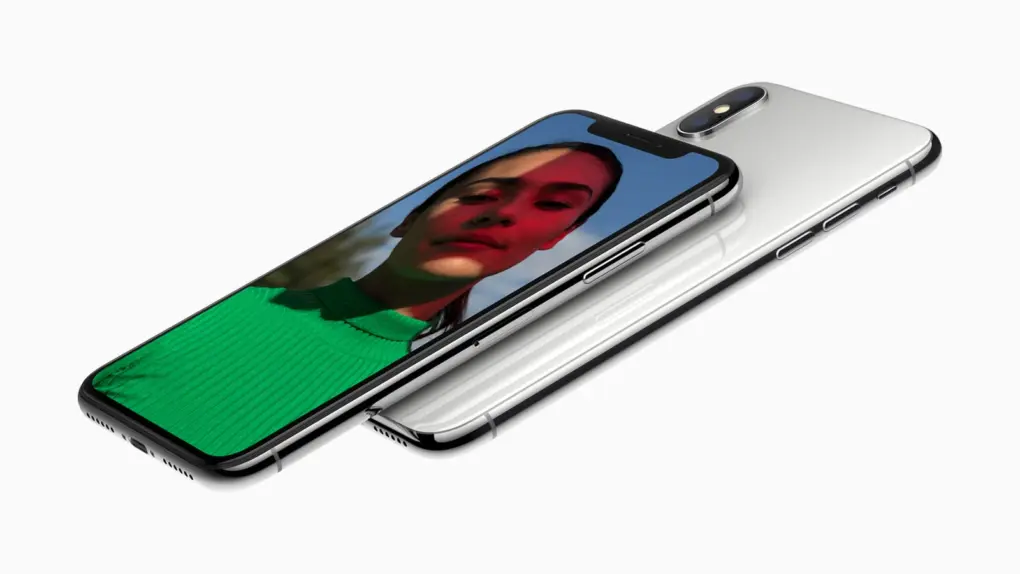
Photo of two iPhone X devices, which brought Face ID to the masses
When the iPhone X abandoned the Home button, it added a miracle: Face ID.
Photo: Apple

November 3: Today in Apple history: Apple preps for Mac App Store launch November 3, 2017: Apple releases the iPhone X, a sleek device with a futuristic feature called Face ID. The innovative biometric security system lets a user unlock the iPhone X just by looking at it.


Powered by the iPhone X’s new TrueDepth camera system, Face ID also lets users authenticate and pay using their devices. The technology offers a great leap forward over the fingerprint scanner in previous iPhones. It makes using iPhone X feel incredibly seamless.

This $30 Mac app cleans up storage, speeds up workflows and unlocks hidden tools

By •

Image of MacMagic Mac utility running on an iMac
Save big on a lifetime upgrade license to MacMagic, a great app that will fine-tune your Mac.
Image: Cult of Mac Deals

MacMagic is the Swiss Army knife of Mac utilities: It can perform scores of optimization tasks, from clearing gigabytes of storage to batch processing hundreds of files.

For a limited time, you can pick up a MacMagic lifetime upgrade license on sale for just $29.99. That’s a whopping 70% discount off the usual price of $99.99.

Apple can’t say when iPhone Duo supply constraints will ease

By •

A photo of iPhone Duo used in a story about supply constraints.
iPhone Duo supply constraints show no sign of easing yet.
Photo: Apple

iPhone Duo supply constraints aren’t going away anytime soon, and Apple currently has no timeline for when they will.

If you missed the preorder rush for Apple’s first-ever foldable device, expect a long wait. Orders placed now won’t be delivered until late January. And the problem isn’t going away. 

Apple ships new tvOS 27.2 build for upcoming Apple TV 4K

By •

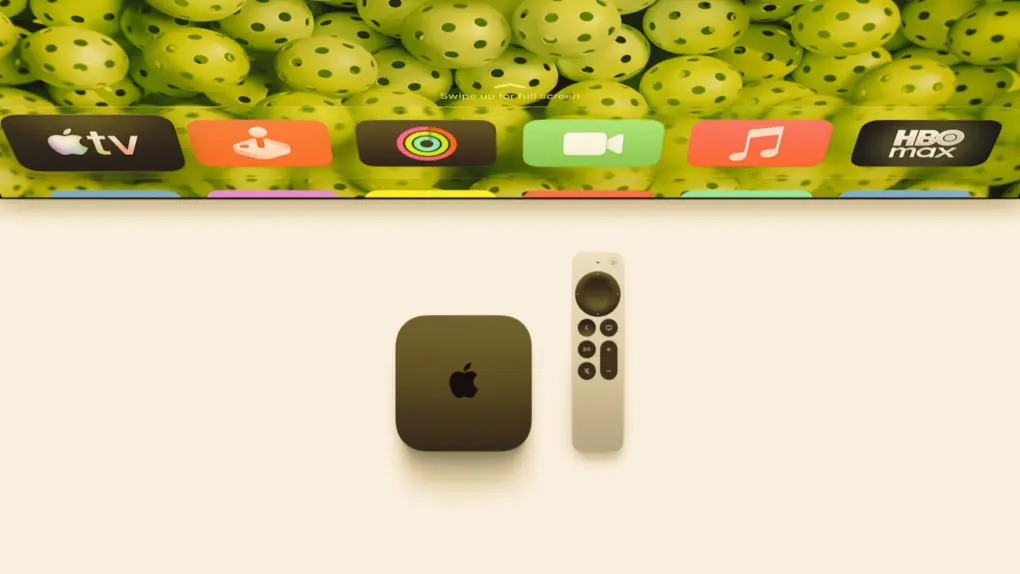
A picture of Apple TV 4K used in a story about tvOS.
Apple released a new tvOS 27.2 build for the fourth-generation Apple TV 4K.
Photo: Apple

Apple rolled out a new tvOS 27.2 build for the upcoming fourth-generation Apple TV 4K.  The new hardware is getting a different version of the update than current Apple TV owners got last week. Apple hasn’t explained what changed, but it leaked out.

The new version of the streaming box is scheduled to launch in mid-November. 

Peak Design packs a kickstand into its slim Qi 2.3 magnetic power bank

By •

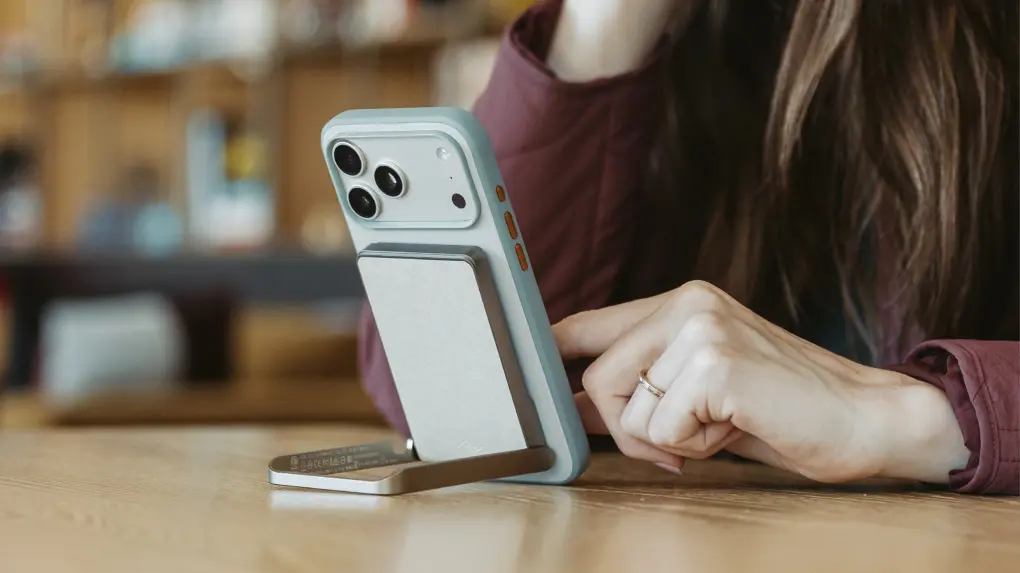
Peak Design Wireless Kickstand Travel Battery
Peak Design's power bank packs a kickstand into a slim-design
Photo: Peak Design

Peak Design already sells Qi2 charging stands and car mounts for its magnetic iPhone cases. Now, it’s completing the lineup by launching four new products.

This includes a Qi2.3 magnetic power bank with a built-in kickstand, a 65W GaN wall charger, a folding 2-in-1 charging station and braided USB-C cables.