If you travel frequently in the US and need to book a cab, an iPhone app may be a piece of wizardry worth downloading.
Called “Taxi Magic” the app from RideCharge Inc. allows travelers to book and pay for cabs via the iPhone.
The “magic?” While a number of apps will help you find a cab telephone numbers, this one connects to taxi computer dispatch systems directly, without making a phone call, and gives you live updates on the arrival of your cab. Plus you can pay with a credit card input on the system.
The hat trick is probably most impressive for business travelers, though. While the app is free on iTunes, the service charge by operating company RideCharge is $1.50 per booking if you pay via credit card.
Currently available for: Atlanta, Austin, Baltimore, Boston, Charlotte, Chicago, Dallas, Denver, Kansas City, Los Angeles, Minneapolis, Nashville, Orange Co., Phoenix, Portland, Sacramento, San Antonio, San Francisco, San Jose/Silicon Valley, Seattle, St. Louis, Washington DC Area.
Skype for iPhone is due to be announced at CTIA 2009 on Tuesday morning.
The world’s busiest long distance service provider and its new partner Apple helpfully made the free Skype for iPhone app available for download via the iTunes AppStore (opens iTunes) Monday night, and a quick lap around the track implies quite an upgrade to iPhone’s voice functionality.
Simply logging in with a user’s current Skype username and password automatically populates the mobile apps’ database with contacts, recent call history, and account information including avatar image, profile information, Skype Credit account balances, Online number information and voicemail history.
Making a call to a Skype friend is as easy and intuitive as it is from the familiar PC interface, and the sound quality on a connected call is equal to that using a headset on a PC, especially when using a headset with mic attached to the iPhone or iPod Touch.
It should be noted that Skype voice calls are dependent on the initiating caller having a strong and stable WiFi connection to place and maintain the call. Weak or intermittent WiFi connectivity will downgrade call quality and easily lead to dropped calls, and Skype will not in any way access or rely on the cell network to complete or maintain voice calls.
Another issue some may have yet to consider in championing the arrival of Skype as a watershed in mobile VoIP calling is the limitation imposed by Apple’s mobile OS that prevents more than one app from running at a time.
Should an iPhone user be engaged in a Skype call when a normal cell phone call comes in, the WiFi connection will be broken, and the Skype call automatically dropped as the cell call rings in. Absent the ability to place an iPhone in “Do Not Disturb” mode, this will remain a persistent potential problem for those relying on the iPhone’s ability to deliver voice over WiFi.
Otherwise, at first blush, Skype appears to have delivered a seamless integration of its PC-based application for making calls over IP networks.
More details will come to light as hundreds of millions of Skype users begin to make and receive calls using iPhone and iPod Touch.
It will be interesting, as well, to see how the introduction of iPhone 3.0 operating software, due this coming summer with its promise of push notification may affect Skype for iPhone’s usability.
Skype’s much-anticipated VoIP application for iPhone and iPod Touch will launch in the iTunes AppStore on Tuesday, according to a report at Cnet, which published Sunday evening a pre-launch review.
Set to go live in the AppStore in concert with its introduction at CTIA 2009, Skype’s Apple product is said to leverage a couple of nice iPhone-centric features such as being able to take a photo from within Skype to serve as your avatar image, or pulling a picture in from the camera roll — and the look and feel is less heavy on Skype branding, more attuned to other apps for Apple’s mobile platform.
The Cnet review found lack of SMS, file transfer and conference calling set-up disappointing but those features may well be forthcoming in a post iPhone 3.0 update.
The big question is whether Skype will get the VoIP ball rolling on iPhone and iPod Touch, where other apps such as Truphone, Fring and Nimbuzz, which have offered different levels of VoIP capability on the iPhone for a while already, but have yet to take off.
Muadib hasn’t posted a lot of stuff at Vimeo, but this mock-up ad for the new iPhone that you just know is coming has design sense and a bit of welcome humor, too.
How far off do you suppose the neural interface revolution is? Because you just know it’s coming.
Skype for iPhone could appear in Apple’s iTunes AppStore as soon as next week, according to a report Thursday at GigaOm.
Citing a “very reliable” source, the report says an iPhone app for Skype could launch next week at the CTIA Wireless conference in Las Vegas. The report notes there have been other clues suggesting such a launch, such as other VoIP services changing potential launches of their own. Which makes sense, because when it hits, Skype will immediately become the big dog in the yard with its 400+ million users world wide.
Other VoIP services, such as TruePhone and Fring already have iPhone applications but have yet to catch on as methods for bypassing the cell network to make and receive phone calls. Other applications, such as web-based RF.com are also known to be working on providing native options for VoIP calling on the iPhone.
Skype has grown to become the most well-known and widely used VoIP provider in the world and its appearance on the iPhone would impact the development of mobile VoIP as well as the business fortunes of Apple and AT&T.
Proctor & Gamble is now behind (pardon pun) global public bathroom finder app “Sit or Squat.” Below the list of facilities in the area, a Charmin logo appears with the phrase “Gotta Go? Relax. We got your back.”
The app, offered gratis on iTunes, has info on where to find bathrooms, changing tables, handicap access and other amenities. Users can add new content to the service and rate featured toilets.
“Our goal is to connect Charmin with innovative conversations and solutions as a brand that understands the importance of bringing the best bathroom experience to consumers, even when they’re away from home,” explained Jacques Hagopian, Brand Manager for Charmin in the press release. “Helping people find a bathroom that is clean and comfortable is exactly what the SitOrSquat project is all about.”
So far, SitOrSquat has compiled information on more than 52,000 toilets in 10 countries worldwide. Some 1,600 users have downloaded the app, although complaints about the user interface and slow loading times are frequent.
Apple must have the sweetest distribution deal in the entire retail universe, if a report published Wednesday at TechCrunch is to be believed.
The AppStore refund policy allows purchasers a full refund up to 90 days from the date of download of any application purchased in the iTunes AppStore. Which seems questionable enough in the light of, say, the Android Market’s 24 hour return policy.
But a clause in the developer’s contract all iPhone developers must sign in order to have their apps sold in the AppStore indicates that in addition to a three month return policy, “Apple will have the right to retain its commission on the sale of that Licensed Application, notwithstanding the refund of the price to the end user.”
In effect this means Apple will charge 100% of the sale price to a developer for every refund given, even though the developer only got 70% of the price of the sale in the first place.
Many iPhone app developers are on the record as having no problem with Apple’s 30% sales commission for applications sold through the iTunes AppStore. The thinking goes that independent developers gain access to many more potential customers by having their products in the widely visited venue, save tons of money on marketing and transaction costs and generally benefit from being associated with the legitimacy of the Apple brand.
When consumers get wind of this policy, which may be a new development, according to the TechCrunch report, developers of some widely purchased though basically useless apps could be in for a rude awakening.
UPDATE: No developer is likely to go bankrupt in the real world, according to a level-headed explanation posted Thursday by Erica Sadun, a developer/blogger for ArsTechnica.
The reason, which makes perfect sense when you think about it, is that Apple never gives refunds, except in extreme circumstances and then, only after causing the customer many headaches.
There have been a number of stories recently about doctors armed with iPhones, using the device to save time and start making the almost extinct house call come back.
Business Week got on the case with a long feature about “Dr. iPhone,” calling it a “critical tool for saving time and improving the quality of the care” provided by the doc profiled, Dan Diamond, a family practitioner who works at the Doctors Clinic in Silverdale, Washington.
“If I leave my iPhone at home, I will turn around and go back for it,” he says. “It’s that important.”
Of 22 applications Diamond has installed on his iPhone, 10 are health related. The most important, he says, is Epocrates Essentials, which lets him quickly check for drug interactions, look up disease symptoms and find out what lab tests he might need to order. “I don’t have everything I need to know memorized,” Diamond says. “This makes me look like I do.”
Interesting that traditional media is looking into how smart phones change the medical profession — just like they are changing police work and other sectors — but how many docs use them?
The subtle humor of New Yorker Cartoons are now available in an iPhone app in animated form. Michael Fry and long-time feature animation writer and producer Jim Cox bring the strips as films, one a day, offered on iTunes gratis at this writing.
UPDATE: This post corrects a post written and originally published on 4/18 that contained incorrectly attributed information.
The single most talked about and demonstrated feature of iPhone 3.0 software at Tuesday’s launch event — push notification — remains absent from the beta release distributed to developers, with no indication thus far forthcoming from Apple when it will become available.
Scott Forstall, Apple’s Senior VP for iPhone software spent over half an hour Tuesday extolling the virtues of push notification and explaining why — although promised by the company over a year ago — it has taken so long to roll out. Developer “demand we didn’t anticipate” caused Apple to “completely re-architect the server infrastructure for push notification,” he said.
Developer representatives from a half dozen companies were trotted out for a dog and pony show to demonstrate how amazing push notification is going to be in the next version of iPhone software, and yet, despite distributing documentation of how the service is intended to work, Apple has yet to provide developers a method for implementing and testing push notification in their apps.
Forstall spoke plainly in his presentation Tuesday (see 26:45 into the video) “It is now really scalable, and we’re ready to go.”
Apparently not.
Calls to Apple for explanation were not returned as of press time, but we’ll be sure to keep readers apprised as this story develops.
Hey, “festering dumpster biscuit,” I’m talking to you. Or at least I would be, if I’d shelled out $.99 for the Mud Slinger app.
Mud Slinger puts over a million different combos of contemptuous rudeness at your fingertips. Some are funny, none are really obscene and most would be challenging to shout at the guy who just cut you off in traffic.
A few results from the “Unspeakably Foul Insult Generator”:
* Mutant rump worm penetrator
* Closeted dingle berry strainer
* Cretinous bubble jam
* Leaking member fondler
* Pulsating dill-knob fluid
A police officer in Benton County, Washington is using his iPhone on the job as a translator.
Described in the local news story as a “crime-fighting gadget,” Deputy Doug Hollenbeck has been relying on his iPhone for the last eight months to help boost rudimentary Spanish skills while dealing with everything from roll-over accidents to routine traffic stops.
Hollenbeck says he’s admittedly at a disadvantage because he can’t speak fluent Spanish in a significantly Hispanic community.
“I’ve got some basic vocabulary skills but other than that, not so much,” he adds. That has translated to the phone being somewhat of a staple in his line-up of gear. No mention of exactly which app he’s using.
Are translator apps fast enough to be used on the job? Let me know what you’re using in the comments…
httpv://www.youtube.com/watch?v=JTOCgkvJ03c
The teen star was trying to play nice with paps waiting for her outside a Pilates studio, taking pics of them with a camera and answering questions.
Then, as the pap was handing her drink back, she let his iPhone drop. That’ll teach ’em.
Well, it’s more of an unfortunate oversight. But the iCount logo — a numbers game for the iPhone, iPod touch — looks like it’s all about something else thanks to the dropping of the “o”. Oh, my. Chalk up another one for the iTunes store censors.
Registered iPhone developers began playing around with the beta release of iPhone 3.0 late Tuesday, and initial reaction to the enhancements announced earlier in the day are quite favorable, according to a report at AppleInsider.
The beta release includes an updated Software Development Kit (SDK) with over 1,000 new Application Programming Interfaces (APIs) including In-App Purchases; Peer-to-Peer connections (tethering); an app interface for accessories; access to the iPod music library; a new Maps API and Push Notifications.
Apple also announced over 100 new features that will be hotly anticipated by iPhone and iPod touch users when the public software is released this summer, including cut, copy and paste; MMS functionality for 3G iPhones; landscape view for Mail, Text and Notes; stereo Bluetooth; syncing Notes to the Mac and PC; shake to shuffle; parental controls for TV shows, movies and apps from the App Store; and automatic login at Wi-Fi hot spots.
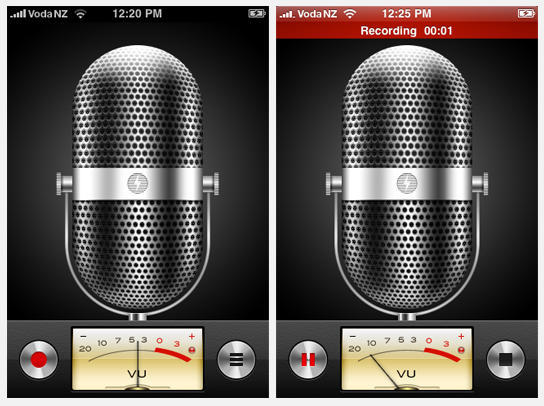
The iPhone OS 3.0 beta also showed off a new Voice Memo app and expanded search capability for all key iPhone apps, as well as Spotlight search across the entire device. Spotlight is said to be very responsive and functions just as you would expect having used the feature previously on a Mac. Copy & paste is also being well received, according to the report.
Any Cult readers who are also iPhone developers are invited to share your impressions in comments and let us know if you have any great screen shots we need to feature.
Spykee is an odd little $300 robot “toy” that’s everything from a webcam to digital music player to VoIP phone and can be controlled via WiFi.
Spykee ships with software that allows it to be controlled from a Windows or Mac PC, but Televolution CEO David Beckemeyer thought it would be cool to control it from his iPhone, too, so he built an iPhone web app that permits just that.
With Beckemeyer’s iSpykee controller, now robot fans can use their iPhone or iPod Touch to send Spykee down the hall to check on the sleeping baby or set it to act as a motion detector and send an alarm or photo in email.
The iSpykee controller is an open source project that, by publishing the source code used to implement the robot’s communication protocol, Beckemeyer hopes will assist other developers in creating interesting apps to control the versatile robot.
We’ve written before about iPhone and iPod Touch apps designed by parents to keep the wee ones busy and busy parents sane.
Geek dad Darren Murtha created the Shape Builder app to keep his four-year-old amused. If the video demo is any indication — Murtha’s son puts shapes of animals and figures in place accompanied by his own merry made-up sound effects — it’s a winner.
Designed for kids age three to six, Shape Builder provides 120 puzzles including musical instruments, fruits and vegetables, animals and the alphabet sounded out by a speech therapist.
When Apple unleashed the App Store, I made one of the world’s worst predictions. Over a slice of pizza, I told Dev Patnaik, with whom I was writing a book, that Apple would never permit non-iTunes music programs to show up on the iPhone. Too risky, might take away attention from the iTunes Store. “Even Pandora?” he asked. “Especially Pandora,” I said.
How wrong I was — the brilliant Pandora Radio for iPhone app, sporting iTunes integration, was released the very next day, and it has come to represent the random, serendipitous musical discovery Yin to the predictable, find-what-you’re-looking-for Yang of iTunes. It’s a must-have, and it has, by itself, made the iPhone and iPod touch dramatically better music players than the iPod ever was — in addition to being phenomenal portable computers.
As some measure of apology, I interviewed Pandora Radio founder Tim Westergen over at my other blog to find out what makes the company tick — and why its musical suggestions are so much more accurate than I’d expect any computer to ever be.
Q: There’s another side of this story that I’ve heard about, which is that to maintain the connection to the musicians you help promote, you actually hire a lot of musicians to work at Pandora. A: Yeah, the foundation of Pandora is this thing called the Music Genome Project, which is an enormous musical taxonomy. The thing about it is, it’s all hand-built. We have a team of about 35 working musicians, and they listen to songs all day and analyze what’s going on with them. For 9 years now, that’s become a pretty substantial number of artists.
Q: How many songs have been classified now? A: A little over 600,000.
Pandora Radio’s made out of people! It’s people!!!
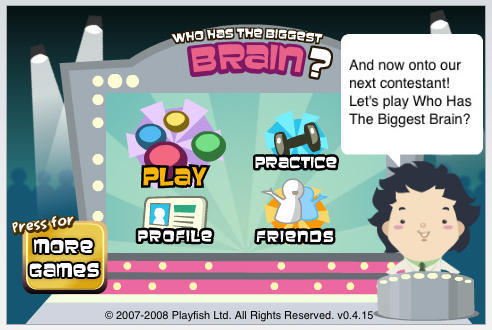
Playfish, one of the largest and fastest growing social games developers, announced Saturday the availability of its popular title, “Who Has the Biggest Brain?” for iPhone and iPod Touch. Who Has The Biggest Brain? features Facebook Connect and enables friends to play together anytime, anywhere.
Playfish is behind 5 of the 10 most currently popular social games played on Facebook, according to the company’s marketing material, and claims more than 60 million registered players currently play its games on the Internet’s fastest growing social networking platform. The company says more than 15 million people have played Who Has The Biggest Brain? on Facebook since launching in late 2007.
“We believe iPhone and iPod touch represent the next generation of entertainment platforms,” says Kristian Segerstrale, CEO of Playfish.
With 12 mini games, 27 brain types and a variety of unlockable achievements, Who Has the Biggest Brain? enables players to compete with their real-life friends and experience the more social and connected game play that Segerstrale describes as part of the company’s mission.
By creating games for people to play together using social networks and platforms such as Facebook, MySpace, Bebo, Yahoo!, iPhone and iPod touch, Playfish aims to transform video game play from an isolated, solitary obsession to one in which people enjoy greater social and connected experiences.
Who Has the Biggest Brain? is available now for $4.99 in the iTunes AppStore.
Apple may launch as soon as next week a “Premium” AppStore focused on games and other “sophisticated” apps for the iPhone and iPod Touch, according to a report at Wired.
The premium section would largely be focused on apps priced at $20 and more, giving game makers a channel to offer more in-depth (and pricier) titles without getting lost in the clutter of free and $1 apps. The Wired report also speculates that creating a “velvet rope” within the AppStore ecosystem could make Apple’s mobile platform more attractive to enterprise software companies such as SAP, that would otherwise prefer to focus on the more business-user targeted BlackBerry phones.
Should the rumors of a new AppStore section for “serious” software prove true, look for the announcement to come at Apple’s media event scheduled to launch a new SDK and iPhone 3.0 software on March 17.
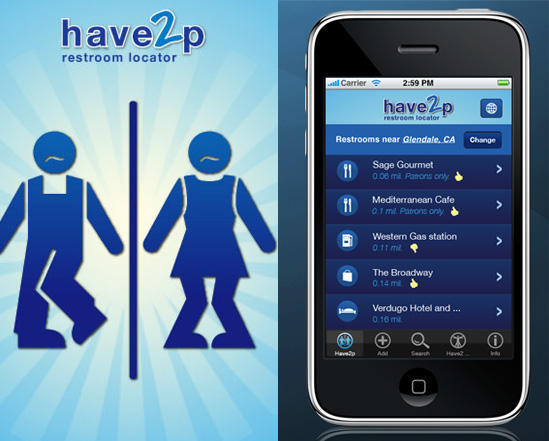
Here’s an iPhone app you might find coming in handy someday. Best of all, Have2P is a free iPhone app that finds restrooms in your area thanks to your device’s nifty GPS locator.
Useful features include info on whether the restroom is for customers only, if it has a changing table and even reviews on how clean it is. Users can edit restroom info, submit restroom reviews and add restrooms to the database.
The latest update to Have2P even claims to have an “urgency detector” that senses when you and the phone are shaking and automatically starts a new search for nearby relief.
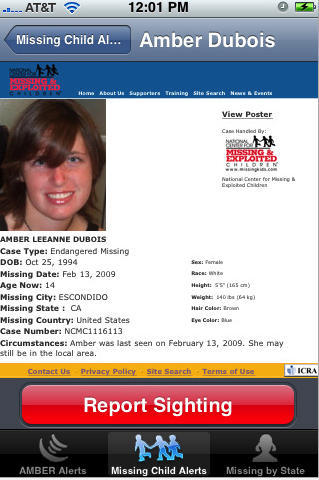
The app designed to provide alerts on kidnapped kids in the US is now available, gratis, on iTunes.
As we reported last month, Jonathan Zdziarski, creator of the first iPhone forensics toolkit, developed the AMBER alert. These alerts are issued when missing child cases are granted Amber status –œ kidnappings of children under age 17 who police believe to be in danger of bodily harm or death.
The iPhone Amber app provides a real-time feed of recent alerts including victim photos, suspect photos and descriptions, vehicle photos and descriptions and a reporting mechanism allowing users to report sightings.
The Amber Alert program was created in 1996 after the kidnapping and killing of nine-year-old Amber Hagerman.
The application was approved just two days after Zdziarski emailed Steve Jobs pleading for him to help expedite the app’s approval after waiting over a month, though Apple has not said if his letter had any effect on the approval.
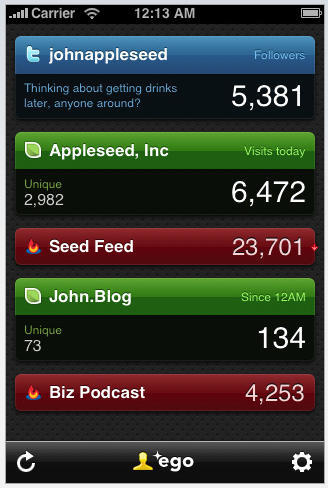
Ego is an aptly-named iPhone app that lets you check web statistics that matter to you, on the go. Because you’re, as the tag-line says, important.
Through hooks into Feedburner, Mint and Twitter, the current version supports statistics on the number of visits to any number of your websites (including daily, hourly and monthly numbers), feed subscription totals and changes, and how many people are following you on Twitter.
Support for Google Analytics is planned in a coming update.
Just $1.99 keeps you up-to-date on your web relevance any time, any where.
Evil Panda says: See me inside Tweetie. I like Tweetie. Apple, stop being stupid, or Evil Panda will get you.
UPDATE: All’s now well in the land of Tweetie. Apple relented and, in double-quick time, posted Tweetie 1.3 to the App Store today. However, this episode highlights that if you’re going to censor things, you really have to censor the ‘right’ ones, and also have some consistently enforced guidelines to work towards. And so Evil Panda is sated for now, but he’s still watching, Apple.
I recently moaned about the App Store on my blog, Revert to Saved, when the South Park app rejection debacle highlighted Apple’s inconsistency regarding application approval. (Short version: South Park app gets rejected for “potentially offensive” content, despite entire South Park episiodes being for sale on iTunes and therefore watchable on an iPhone.)
Today, however, things took a turn for the crazy. Tweetie, an iPhone Twitter client—in fact, the very best and top-selling iPhone Twitter client—just got its latest update rejected. The reason is so staggeringly bonkers that I’m hoping it’s an early April Fool jape. Apple rejected it, according to the developer, because there was an offensive word in the Twitter trends list, which Tweetie provides access to. No, really.
This is so astonishingly stupid that I am still reeling that Apple could be so dumb. Are apps now supposed to police the entire internet? Does Safari filter out rude words? Is Apple suddenly going to wrench Tweetie and every other Twitter client from the App Store? For that matter, maybe Apple should remove the likes of WriteRoom, because, hey, I can write the word “fuck” in it, and I might offend myself.
Sort out your App Store approval process, Apple, because you’re looking stupider by the second. And while competition is currently non-existent, it certainly won’t be that way for long.