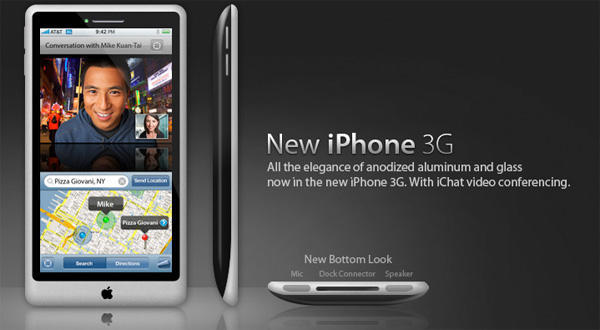
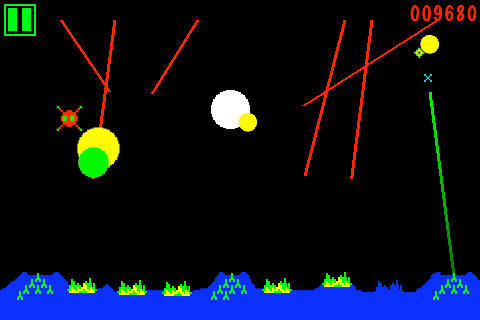
CC-licensed mockup by Victor Anselme. Note: this image did not appear on the iPhone Apps blog.
The new iPhone will be available July 17 and will have a bunch of new features, including video recording and editing, a digital compass, turn-by-turn directions, and a better battery, according to an obscure blog called iPhone Apps.
The blog, who no one has ever heard of before, claims to have been contacted by a “reputable source,” who is “closely connected to Apple’s hardware development team.”
Whatever. I’m dubious, but the rumor somewhat gels with previous rumors and the site’s detail and specificity lend the claims are certain credence. Kinda.
Developers are sneaking Easter Eggs into their iPhone apps to get around onerous App Store restrictions, Brian Chen at Wired.com reports.
Programmer Jelle Prins’ song lyrics app Lyrics, for example, was initially rejected by the App store because it included songs with naughty words. Apple bans profanity, pornography and basically anything adult and fun.
But the Lyrics app will include swear words if you go to the About page and swipe downward three times. Up pops an option to turn off a swear word filter.
“Lyrics has slipped in a quiet ‘Screw you’ to Apple’s App Store gatekeepers albeit one mumbled behind their backs,” Chen writes.
Has anyone else discovered undocumented features in iPhone apps? If so, leave them in the comments. A prize for the best one.
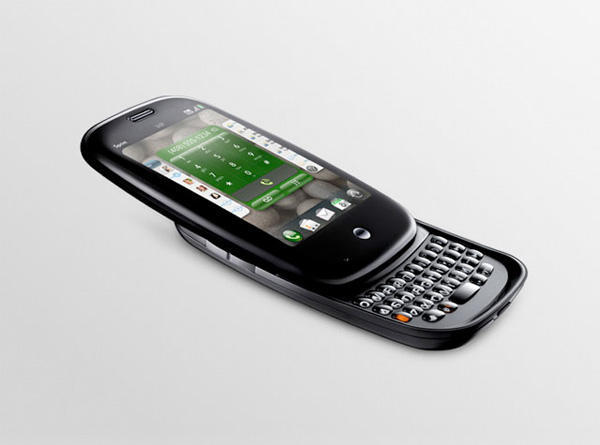
Palm’s long-awaited rival to the iPhone, the Pre, will go on sale on June 6, Palm said on Tuesday, and will cost $200 and up with a two-year contract, depending on the plan.
The Pre goes just two days before Apple’s WWDC keynote, where he company is expected to announce the third-generation iPhone.
The Pre looks like a genuine rival to the iPhone. The software looks very slick, powerful and easy to use, and the hardware includes a built-in keyboard, an important distinguishing feature.
But Palm already seems to be pulling consumer-unfriendly stunts with pricing. The $200 price tag is dependent on a $100 mail-in rebate, which is never popular. And the data plans appear to cost between $70 and $90 a month (it’s not clear on Sprint’s page which plan the Pre needs). Plus, Palm is charging an extra $70 for the innovative Touchstone charger, and $30 for a car charger.
Apple of course charges extra for an iPhone docking cradle, but Palm seems to be nickle-and-diming consumers already.
In fact, however, it’s a music art project slated for the Volt Festival June 6th in Uppsala, Sweden, where organizers hope hundreds of iPhones will communicate through audio – creating a musical organism. The result, according to Olle Cornéer and Martin Lübcke, will be a self-organizing system they describe as intelligent neural music.
The idea builds on an installation, called Bacterial Orchestra, the pair took in 2006 to Brazil, Germany, Norway and elsewhere. This year, the new generation, called Public Epidemic No.1 is spreading beyond the microphones and loudspeakers of the original installation.
Cornéer said the current project could be hosted on any mobile phone but they chose the iPhone “because it’s popular and the centralized App Store makes it easy for the epidemic to spread.”
Check out the clip from the first test of the project above and follow after the jump for more detail on how it works.
When I’m barrelling down the freeway in my four-ton Land Rover, I like to check Google Maps on my iPhone and email my friends. Trouble is, I can’t see where I’m going.
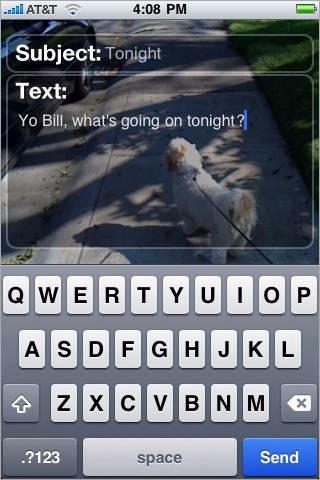
Email ‘N Walk, a new super-clever iPhone app, offers the perfect solution.
It uses the iPhone’s camera to display on screen what’s up ahead. It’s designed for pedestrians — to stop them walking into lampposts as they read or send email — but it’d work in automotive settings too.
Shame it doesn’t work for text , Web browsing, maps, or video, but it’s a start.
Available for free — for a limited time — from Phase2 Media.
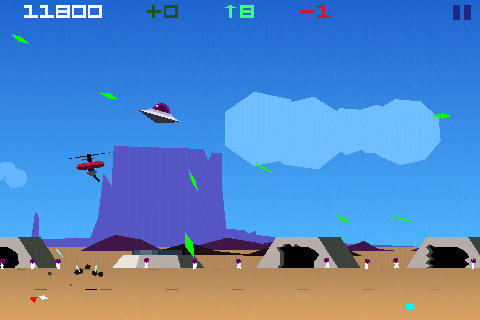
What it is: It’s Dan Gorlin’s Choplifter. With aliens! And a flying saucer!
Why it’s good:It’s Dan Gorlin’s Choplifter. With aliens! And a flying saucer!
…
Oh, all right, then—if that’s not enough for you, here’s why Saucelifter is great. It takes a fab classic arcade game (rescue groups of hostages from the enemy, avoiding your adversary’s vehicles and projectiles), subverts videogame conventions by having you piloting a UFO and saving alien buddies from nasty humans, and dresses the entire thing in beautiful vector-style graphics. Add a dollop of humor (“squishing of captives will desist immediately!” barks the tutorial if you land on hapless aliens) and beautifully calibrated tilt/multitouch controls and you have a minor iPhone classic, updating a 27-year-old gameplay concept that still appeals today.
Where to get it: Saucelifter’s available via the App Store, and there’s more information at the Saucelifter website. At the time of writing, the game’s on sale for just 99 cents—a bargain unless brilliantly updated Apple II classics make you cry.
It could be a while before Ge Wang and the Stanford Laptop Orchestra (SLOrk) starts to feel the heat, but the The London Geek Community iPhone OSCestra served notice last week at the City’s Open Hack London that experimental iPhone music performance is alive and well.
Wang, of course, founded Smule, developer of the internationally popular Ocarina app, as well as the recently released Leaf Trombone (App Store link), and conducts SLOrk, the renowned ensemble of student computer scientists and musicians using 20 MacBooks to compose and perform new music.
The London-based iPhone OSCestra is a crew of eight musicians, conducted by a chap using a Wii controller, who opened their lone performance so far with an impressive (and authentically geeky) performance of the “Doctor Who” theme.
Jim Purbrick apparently conjured the idea for the venture just a few hours before the Open Hack event, a one-day symposium sponsored by Yahoo! on May 8 that brought together tech-savvy hackers for a day of coding and communicating.
Purbrick and his music mates downloaded the free app mrmr (App Store link), an app that supports customizable audio controllers and sends data wirelessly to other devices using OSC (Open Sound Control). A controller could be a piano-style keyboard, a bank of faders, or an array of knobs and buttons — essentially interactive widgets that allow users to control sound and music.
The free desktop application OSCulator caught all the data, and sent it to Ableton Live, a powerful performance and production platform.
In this instance, the orchestra performed using a bank of synthesizers running within Live. If you’re interested in going beyond Garage Band and making music on your Mac, it’s worth checking out the Live demo.
It must be a measure of how divorced from reality the US financial establishment has become when one of its most venerable voices discounts $20 – $45 million as ‘not a lot of revenue.’
That’s the figure range Jeremy Liew, an analyst at Lightspeed Venture Partners, estimates would be Apple’s take from sales on the first 1 billion iPhone and iPod Touch applications downloaded through the iTunes App Store.
Leaving aside for a moment the 15:1 – 40:1 ratio range of free to paid apps Liew pulled out of thin air to arrive at his estimates, it should be noted that the Barron’s writer reporting on Liew’s analysis allowed that the App Store “is significantly changing the way way people think about mobile devices, and has triggered a response from Research In Motion (RIMM), Google (GOOG), Microsoft (MSFT), Nokia (NOK) and Palm (PALM).
If true, Liew’s figures would mean Apple is seeing a revenue boost of roughly 0.1% from the App Store, but the mere numbers do not account for the intangible benefits to Apple’s public awareness or the number of hardware sales being driven by the venture. The company, and Steve Jobs in particular, always said the App Store was never intended to be a big profit generator, that it was rather a vehicle for helping the iPhone change the way people think about mobile computing.
By that measure, Apple’s take from the App Store is incalculable.
For now, it’s only the head in a custom-made R2-D2, but soon the whole astromech will obey the orders of an iPhone, including the possibility of firing sounds and sending text to its head displays.
The controls use either the iPhone’s accelerometer or the multitouch screen, and if rumors of a magnetrometer in the next gen iPhones are true, we could be looking at some very interesting robot applications both in the App Store and in the jailbroken universe soon.
It’s fitting, one might say, that the San Francisco Giants provide home fans at AT&T Park the most sophisticated digital amenities in all of professional sports. After all, San Francisco is the nominal home of Silcon Valley (with apologies to San Jose) and the headquarters of many of the cutting-edge internet and social media companies in the world today.
Free Wi-Fi has been a staple of the game experience at AT&T (formerly Pac Bell) Park for years, with the Giants having been one of the first professional sports teams to offer the service to fans and working journalists alike.
Things really began to change at the ballpark in the past two years, however, after the introduction of Apple’s iPhone and iPod touch, Bill Schlough, the team’s CIO, said in an interview with technology journalists this week.
Since the iPhone’s introduction around the same time the Giants hosted 2007’s All Star Game, usage of the park’s Wi-Fi network has gone up 537 percent. Users of the Wi-Fi network at the park are now able to use an innovative and exclusive system called the Giants Digital Dugout, which offers fans two unique benefits.
The first is a “food finder,” which can direct fans to the closest concession location for the exact kind of food or beverage they want, and the second is a collection of video replay highlights that includes, within three minutes after it happens, any controversial call by an umpire. Replays of such calls are banned from being shown on the ballpark’s in-house video systems, so that feature in itself could be worth bringing your iPhone to the game – even if it’s not ever likely to get the upms to reverse a bad call.
An App Store gatekeeper, whose name may or may not be Peter, officially positioned Apple as a ‘Holier Than Thou’ company recently, by rejecting the whimsical photobooth application Me So Holy.
The app would have allowed users to place photographs of themselves or others inside pre-set figure avatars that could let cousin Jim appear to be the face of Jesus, or Joe Bob to be Mohammed, or Mary Jane to be a bodhisattva, or, you get the picture.
Apple rejected the app, saying it “contains objectionable material,” according to Me So Holy developer Benjamin Kahle.
With less than a month to go before the anticipated launch of iPhone 3.0 firmware and a widely expected upgrade to the hardware, widely reported claims by a poster on a Chinese Apple fan site suggest the next version of Apple’s revolutionary smartphone will sport a faster processor, more disk storage and a much improved camera, among other upgrades.
The next gen device will have a 600MHz processor (up from the current 400MHz unit), 256MB of RAM (up from the current 128MB), up to 32GB of storage, a 3.2 megapixel camera with autofocus, as well as a digital compass and FM radio, all while retaining the same battery, basic shape, and screen size, according to the poster, who claims to have a connection at Foxconn, Apple’s China-based OEM for the iPhone.
Could it be? If you’ve got your ticket to the sold-out WWDC ’09 coming up in San Francisco, you’ll likely be among the first to know.
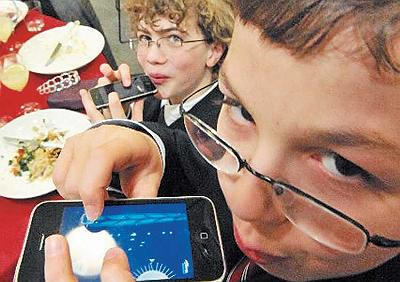
If you haven’t make it yet as an iPhone developer, Sam Kaplan and Louie Harboe, a couple of seventh graders from Chicago, may make you rethink your career choice.
The pair’s iPhone development company, Tapware, recently released its first iPhone application called “The Mathmaster” and has a second app in the hopper. Based in Hyde Park and supported by seed funding from a business school professor at the University of Chicago, Kaplan and Harboe have been plotting their success trajectory for years.
“Since the fifth grade, we’ve had this idea of working together and becoming successful,” said Harboe, a professional designer with a portfolio of images and icons at www.graphicpeel.com.
The Mathmaster is a simple tool designed to interest kids in things like square roots and multiplication tables. The pair developed the app in about a month and it was approved by Apple’s App Store within a week.
They hope to launch a second, quirkier advertising-based application around their site sipthatdrink.com in the coming months.
“Our goal was to get approved by the app store, sell a bunch of copies and make more apps,” said Kaplan, who has already completed an advanced placement computer science course and served as a keynote speaker at the National American Council for Online Learning.
Makes paper routes and lemonade stands look very 20th century, doesn’t it?
Apple has notified iPhone developers their submissions to the App Store must be compatible with iPhone OS 3.0 or they will no longer be reviewed, according to an iPhone Developer Program email.
Existing apps in the App Store should already run on iPhone OS 3.0 without modification, but Apple advised developers to test existing apps with iPhone OS 3.0 to ensure the absence of compatibility issues. “After iPhone OS 3.0 becomes available to customers, any app that is incompatible with iPhone OS 3.0 may be removed from the App Store,” the email read.
iPhone OS 3.0 beta 5 and iPhone SDK 3.0 beta 5 are currently posted in the iPhone Dev Center, which means major hoopla in iPhone-world is likely mere weeks away.
What it is: A multi-account Twitter client, available for iPhone and Mac OS X.
Why it’s good: Both versions of Tweetie succeed in marrying a usable UI with a strong feature set. Although Tweetie for iPhone and Tweetie for Mac share some aspects of design, both play to the strengths of the host platform. On iPhone, Tweetie makes the most of the touch display, and its efficient UI means there’s never any stuttering. On Mac, Tweetie has keyboard shortcuts for practically every action, and its sidebar deals with the thorny issue of multi-account UI without resorting to tabs. In both cases, the app is feature-rich, providing a great experience for most Twitter users. The 1.1 update also brings saved searches, Growl support, and a bunch of other tweaks and fixes.
Where to get it: Tweetie for iPhone is available on the App Store for $2.99. Tweetie for Mac is available from atebits.com. By default, Tweetie for Mac is supported by unobtrusive and surprisingly relevant ads, but you can make them optional by paying $19.95.
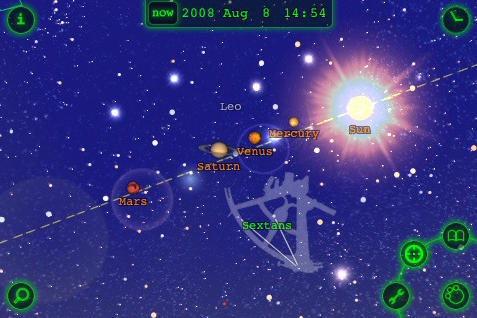
What it is: Star Walk is the official mobile astronomy guide for the International Year of Astronomy (IYA 2009), a $5 app for iPhone and iPod Touch that makes enjoyment of the celestial universe easier and possibly more enjoyable than anything outside a professional telescope.
Vito Technology, developers of the app, recently updated this popular title with improved existing features and several new functions. The new version (1.5) has even more striking graphics, enhanced speed, more images and a greater depth of information than the release version, which has already spent more than 4 months in the Top 25 paid apps of iTunes’ App Store.
Why it’s cool: Star Walk not only gives you a reliable guide to the present night sky based on your current location, it lets you change perspectives to locations thousands of miles away. It can also take you back in time to look at different events (such as eclipses) in the sky on specific dates; view lunar phases and learn about the discovery of constellations’ images and the reason for their shape. Use the super cool ‘infra-red’ night mode for easy outdoor stargazing without adding your device’s bright lighting to the ambient environment.
The new version has been improved with more stars and constellations to look at, with better and more precise images, more reliability and more speed.
The app makes stunning use of the iPhone accelerometer to change your perspective or point of view with just a swipe of the screen and provides zooming capabilities to allow you to travel in to deep space to find out the state of our knowledge of the outer universe.
New Features in the current version include:
♦ constellations on & off setting
♦ sounds on & off setting – but don’t turn them off; they are way cool!
♦ magnitude selection (allows you to show only stars with chosen brightness)
♦ spatio-temporal bookmarks – must admit to still learning about this one
♦ pictures of all constellations (from 10 upgraded to 110)
I’ve been playing with Star Walk for a couple weeks now and it’s definitely become a favorite app to use for stargazing as well as to show off some of my iPhone’s capabilities to friends and curious strangers.
AdWhirl, a platform for iPhone applications that allows developers to switch between ad networks on-the-fly, has released a report indicating that applications that crack the top 100 in the Free Apps list can make between $400-$5000 a day in advertising revenue.
Sam Yam, co-founder of the company formerly known as Adrollo, says AdWhirl has signed over 10% of the top 50 applications in the App Store to the platform and is serving 250 million ad impressions per month. AdWhirl’s platform gives developers access to multiple iPhone ad networks at once, allowing them to compensate when one network doesn’t have enough ad inventory, something Yam says happens as much as 40% of the time.
Having launched only in the last month, AdWhirl reports going rates of $1.90 eCPM (effective cost per thousand impressions) and 2.6% CTR (click-through rate), numbers that should make both advertisers and free app developers optimistic about the viability of the ad supported free app business model.
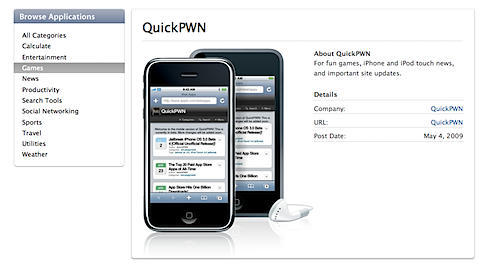
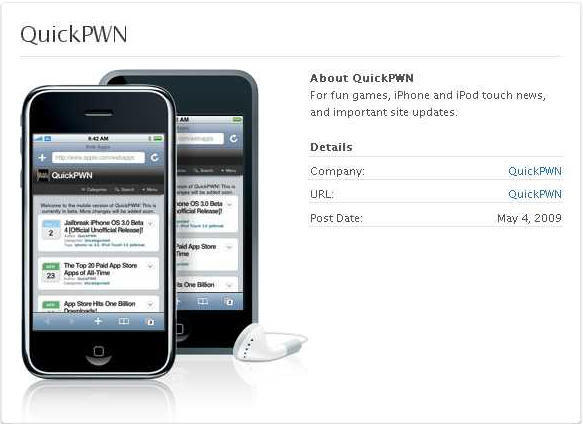
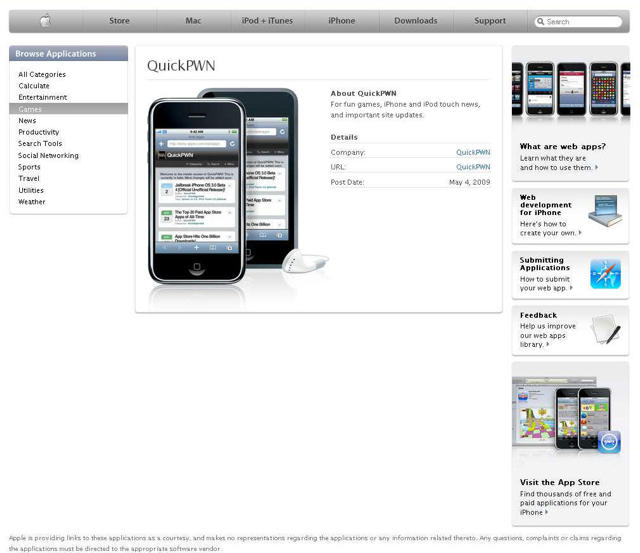
Apple moved quickly to remove an embarrassing listing on the iPhone web app directory which promoted the notorious QuickPWN software, which jailbreaks iPhones and iPod touches to allow unfettered application installation. Apple removed it tonight around 11 p.m. after coverage around the Mac blogosphere, including here at CoM. The link still comes up on Google, but the page is blank.
Why does this snafu matter? Because this little slip-up is yet another sign that Apple is completely overwhelmed by the sheer amount of content it needs to curate these days: Music, TV, Movies, and Podcasts in the iTunes Store; thousands upon thousands of apps for iPhone and many more that never make the cut; and an equally huge collection of web apps for iPhone on the website.
In a lot of ways, Apple has become one of the world’s biggest content gatekeepers. And the approval of Baby Shaker and the rejection of the Nine Inch Nails app are pretty clear evidence that the company still has a lot of work ahead to grow into the role.
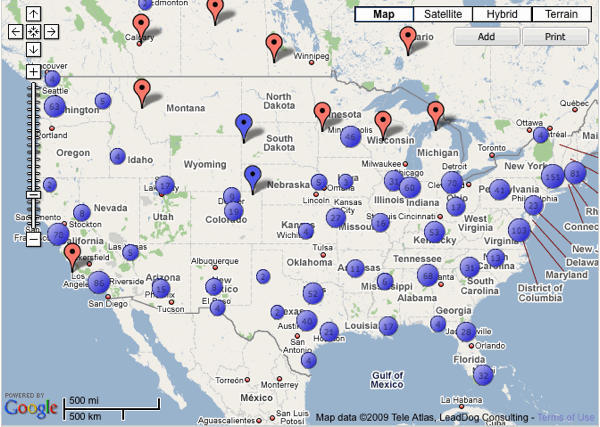
3. The test will run automatically as the page loads. When it’s done loading, tap your carrier (AT&T, Verizon, T-Mobile or Sprint), and your results will appear.
4. Add your details to Wired.com’s results map here: https://www.wired.com/gadgetlab/2009/05/3gstudy
Wired.com’s study follows up on an iPhone-only survey last year, which concluded connection problems were AT&T’s fault, not the iPhone’s.
As Wired.com notes, “A carrier’s network performance is a dealbreaking factor for consumers shopping for a smartphone, whether it’s the iPhone, the HTC G1, or a BlackBerry Storm.”
Myst, once upon a time the world’s most popular graphic adventure video game, has arrived at the App Store. The $6, 730MB piece of mobile bloatware, requiring a whopping 1.5GB of free space on Apple’s iPhone or iPod Touch, isn’t likely to revive the title’s popularity, in this reviewer’s opinion.
Even the trailer demands nearly an egregious seven minutes of a curious person’s time to sit through, an eternity in our fast-paced modern world. Over a minute and a half to get past the credits?
This is a group of developers who must think very highly of themselves indeed.
Once again, the App Store is in the news for the wrong reason. We recently covered its bewildering rejection of the South Park app, but things really came to a head with Tweetie, which had an update booted because some App Store approval person found a rude word in that day’s Twitter trends.
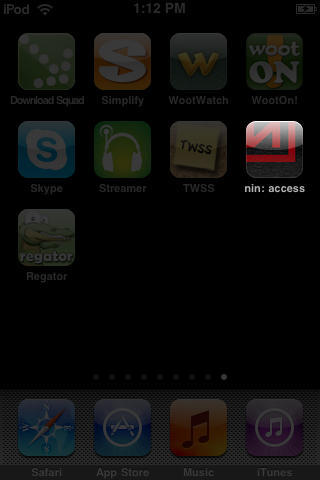
Well, Apple’s at it again. Trent Reznor of NIN fame posts that the ‘nin: access’ app has been rejected on the grounds that it enables access to a podcast that has a song with a rude word in. As Reznor notes, using rather colorful language, Apple’s own Mail app lets through emails with rude words, and Safari can be used to access questionable content. But his app, which enables access to a podcast that can be streamed to the app, featuring the song The Downward Spiral, apparently enables access to external content that Apple thinks will warp fragile little minds.
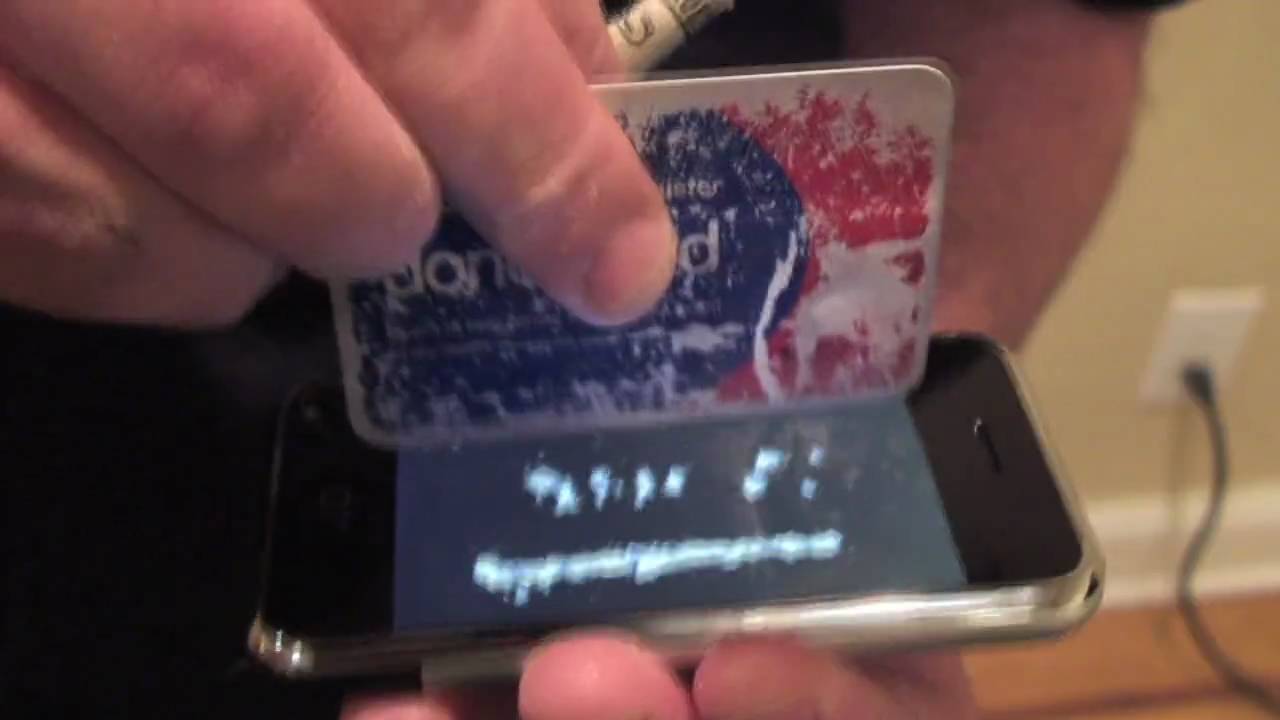
Tap out lines on your iPhone with a credit card, then iSnort them with a rolled up bill. Sort of: it’s a video demo that you have to synch your livin’ large faux coke habit to (on a jailbroken iPhone, not surprisingly it hasn’t been approved by Apple), rather than an actual app that responds to your gestures.
Why bother? Creators Irish filmmaker Peter ‘Magic’ Johnston (of the 15-second film festival) and co-pilot Steven Henry push iSnort thusly:
“Be the envy of in-crowd. Get ejected from nightclubs. Shock and amaze your so-called friends. Get oral sex from Z-list celebrities.”
iSnort costs £5 ($7.40). Maybe it’s good for a chortle…
What it is: An iPhone conversion of Dave Theurer’s then-terrifying missile defense game. By tapping on the screen, you launch missiles from your silos, protecting six cities. When they’re all gone, the game chillingly displays ‘The End’ rather than the usual ‘game over’ message.
Why it’s good: 1980s arcade games were based around immediacy and playability and are therefore potentially perfectly suited to iPhone. In the case of Missile Command, the original’s trackball controls have been replaced with far more immediate touch controls. While this makes the game easier in the short term, it can also lead to rapidly wasting your arsenal—and every missile counts when you get to the frenetic later levels.
Purists might balk at the dodgy fonts (c’mon, Atari, get out an update that ditches the comic lettering and uses the brutal type of the original), and the bundled ‘modern’ version offers nothing over the original (and in many ways looks uglier), but for five bucks, this is old-school gaming at its finest.
Where to get it: Missile Command is available on the App Store, and is at the time of writing being sold for $4.99. For more on Missile Command itself, see the surprisingly accurate Wikipedia article.
A vocal cadre of iPhone app developers is none too pleased with the treatment they receive from Apple and may be considering a suit for breach of contract, according to a report at TechCrunch.
Examples of complaints on developer forums indicate that some developers remain unpaid for sales of their products on the App Store dating back to last fall and the report cites email exchanges between at least one developer and and the finance department at Apple in which the developer is informed his complaints about not being paid “border on harassment.”
Whether any actual lawsuits are in the offing is purely speculative at this point, but the discord is curious in the light of Apple’s recent recession-beating revenue performance and the stunning, widely publicized success of the App Store.