Mobile menu toggle

iPhone - page 472

Beat Holiday Stress & Blues with Tranquility for iPhone

By

post-6272-image-aba3255f9a6f3cd6fdae8f653603a98b-jpg

In the hustle bustle of modern urban life, especially during holiday seasons fraught with travel delays, white-knuckle driving on treacherous roads, crowded shopping districts (though maybe not so much that, this year) and kids on vacation underfoot, a little bit of peace and tranquility can seem like the greatest of gifts.

Now you can give such a gift to yourself, a friend or loved one, with Freeverse’s Tranquility app for iPhone and iPod touch.

For just $1.99, drift off to sleep or catch a few peaceful moments during a stressful day. With a beautiful visual interface and new audio tweaks in the recently updated version 1.3 (requires iPhone 2.2 firmware), you can choose from a full 60 minute relaxation and meditation track, or from other themes such as Flowing Water, Ocean Waves, Desert Wind, Gentle Rain or Thunderstorms, even Pink Noise – an enhanced form of white noise.

Tranquility is the other side of Freeverse, the award-winning app developer responsible for Moto Chaser, Burning Monkey Casino and Big Bang Sudoku, among many others. Available now in the AppStore.

Is the iPhone Really a Bad Phone?

By

post-6267-image-4eb7d7558230b6cba3484dac71d01730-jpg

Writing Monday for the eWeek blog, AppleWatch, Joe Wilcox gave the iPhone a D in telephony and a C for battery life, saying he simply could not recommend the device as a phone. Despite singing the praises of Apple’s mobile platform he gave it an overall grade of B- and seemed mighty pleased to announce that everyone in his family has rejected the iPhone in favor of an iPod Touch + some other cell phone.

I find Wilcox’s assessment curious and wonder how many of the other 8 – 10 million iPhone owners feel their device is so disappointing from the telephony and usability standpoints that they’d actually prefer to carry two devices around instead of one. Follow me after the jump to learn what Wilcox thinks is so bad about iPhone and where my own assessment takes me in response.

Exposure Changes Name To Darkslide

By

post-6265-image-c197ed1cc360c51cf0bf0480bb4e3a6b-jpg

The iPhone app formerly known as Exposure has just been updated to version 1.5 and now has a new name: Darkslide.

Developer Fraser Speirs explains what it’s all about on his blog. For the uninitiated, the app is an iPhone-friendly environment for your Flickr account. It lets you keep track of your photos, your contacts’ photos, and check what images have been taken near your current location (which comes in extremely handy when you’re at a tourist attraction and you want to try and shoot something a bit different).

The big new feature in Exposure – sorry – Darkside 1.5 is, in Fraser’s own words, “Upload, upload, upload”. So, it does uploads now.

(I’ve not been able to test it yet, because my App Store is refusing to acknowledge that Exposure has been updated to anything other than Exposure. I expect it’ll all update itself in a few hours.)

Dimensions Turns iPhone, iPod Touch into a Toolbox

By

post-6215-image-a821b638edf362f553d7928070e9c0ea-jpg

Dimensions is a virtual toolbox offering a bakers’ dozen of functional tools animated with gorgeous 3D graphics that turn your Apple mobile device into something far more useful than any other cameraphone/musicplayer/gamestation-computer could hope to be.

Among the things you can do are:

*     Use the caliper to measure to a precision of 0.156mm or 0.006 of an inch.
*     A flexible tape measure lets you measure interior furniture, fabric and more up to 2.5 meters or 8        feet.
*     Another tape measure handles interior and exterior distances up to 5 meters or 16 feet.
*     A third measuring tool uses the iPhone’s camera to measure distances up to 25 meters, or 82 feet.
*     Distances over 80 feet, up to a mile, can be calculated with the measuring wheel.
*     The podometer uses GPS location services to measure thousands of miles or kilometers.

All calculations can be rendered in metric or Imperial scales. Dimensions was 2008’s best selling app in AppStores France and Italy, the #2 seller in Japan, Belgium and Switzerland, according to advertising placed by its developer, pocketDEMO.

And here we are in the US spending all our money on Sim City and Pull My Finger – it’s no wonder we’re a laughingstock in Europe.

$2 at the AppStore. C’mon, people – get to work!

Calculator Caliper Compass
Level Long Tape Measure Podometer

Freeverse Makes Indoor/Outdoor Mobile Apps Fun

By

post-6207-image-e72b83010a604ffb91c38d256fb5c708-jpg

There are many fine and useful offerings coming out of the Freeverse development shop and I recommend a visit to the website, but I want to talk right now about a couple of their iPhone/iPod Touch games – Flick Fishing, which you can see in the video above, and Flick Bowling.

When I got into this gig, I didn’t intend on becoming an iPhone game addict, but I’m beginning to understand why some people chase the mobile handset dragon.

Ancient wisdom in fishing circles holds that the worst day fishing beats the best day working. Well, Flick Fishing is an app that will give you a mighty realistic taste of a day on the water during that smoke, or coffee, or lunch break on a day when you’re stuck at work.

Choose from 6 locations, 9 types of bait and tackle, a dozen tournaments and dozens of unique species of fish, for a far more satisfying virtual fishing experience than you’d think 99¢ might buy. You can even use Network and Hotseat play to compete against your friends and show off your trophy catches by email with the “Brag” feature.

If you’d rather kill some time with a virtual indoor experience, you could do a lot worse then Flick Bowling. There are a couple of other bowling games on the AppStore, but Freeverse’s 99¢ program knocks ’em down in the first frame.

Excellent 3D animation and realistic bowling alley sounds, along with great music – and customizable bowling balls in the latest version – make Flick Bowling an oddly relaxing way to feel good about doing nothing in particular. You can choose from varying levels of difficulty and bowl solo, against your friends or against a built-in opponent. Between frames you can switch over to iBeer and come back to pick up where you left off.

Holiday Gift Idea – Infectious Skins for iPhone and iPod Touch

By

post-6191-image-1b1a150cadf1e61f8f05d03438201860-jpg

With only five shopping days left until Christmas you’ve probably just got enough time to take care of your last minute stocking stuffers to make the Mac or iPhone lover on your list say “Happy, Happy, Joy, Joy!” with a protective skin that’s also a work of art – from San Francisco-based Infectious.

Choose from 43 eye-catching, original designs like the ones above for your iPhone, or a selection of 85 from the laptop gallery, to personalize your Apple gear in style. Infectious features designs from artists all over the world and has ongoing open submissions if you are an artist who sees any blank surface as a canvas.

Infectious makes adhesive art for walls and automobiles, too, so don’t let your Apple gear limit your imagination. The skins are easy to install and easy to remove when you’re ready for a change. The iPhone skins, which include device backing as shown above as well as a complementing strip of art for the phone face around the home button, regularly sell for $15 but are on sale for the holidays at 1/3 off.
See the website for details.

Four iPhone Apps to Help Manage Holiday Drinking Issues

By

post-6155-image-7196559ce02778d690e1a096f4140e9a-jpg

‘Tis the season for Holiday parties and overindulgences of many kinds, not the least of which can sadly include having too much to drink. It’s fitting then, that December is National Drunk Driving Awareness Month and we wondered how our iPhone might help us avoid the embarrassment and possible tragedy of too much drinking and driving.

Cheers! is a handy app from Addison Hardy that will help you estimate your blood alcohol content (BAC) over time, as long as you remember to add each drink you consume into the program. It factors in weight, gender and the time of each drink to help you make a reasoned estimate of your BAC after you’ve had last call and are ready to head for home. An excellent feature of this $3 program is that it will use your physical location to help you call a taxi if you’ve had too much to drink and drive.

A similar app that comes at the problem from a different angle for just a buck is Drink Timer, from Simpsonics. With Drink Timer you enter your drinks and a calendar wheel tells you when you’re estimated to have zero alcohol in your system from the time you stop drinking. So if you’re out on a Friday night and being good about entering your drinks into Drink Timer, and you look down to see that calendar reading, say, Monday, you may want to throttle back a bit and have a nice warm cup of tea when it comes time for the next round. No Taxi services with Drink Timer.

r-u-drunk? is a game you can use to approximate the embarrassment and shame you’d face if a cop pulled you over driving in that condition. With 5 tests, including a balance test and a straight line test that make use of the iPhone’s accelerometer, it also has an alphabet typing test, a hand-eye coordination test and a simulated breathalyzer. Given the hit and miss nature of typing on the iPhone’s virtual keyboard, you might want to start out with that one and if you can pass it, have another glass of champagne. The developers at MobilityWare market this $3 app as a companion to drinking games and it falls under the AppStore’s 17+ rating category.

Last but not least is iMeter, a 99¢ app that could actually help you save lives with its big graphic “meter” you can use to show your drunk friend that he is in fact talking too loud and that his BAC is at danger levels. Simply announce what you’re going to measure and when the meter loads on the iPhone’s screen, you control the “level” the meter will read out using a slider similar to the one used to unlock the phone. Comes complete with funny sounds and pop-out animation for maximum meter readings.

Please remember that drinking and driving is not a laughing matter and it is never fun to play games when real lives could be at stake. The Holiday Season is a time to celebrate with friends and family and to enjoy the spirit of giving and togetherness that make being part of a “cult” special. Drink responsibly and remember that Taxi feature if you use Cheers!

12 Seconds – The Closest Thing to Video on the iPhone

By

post-6150-image-d141131be6798d79483c66009cde8d27-jpg

It’s probably a good bet Phil Schiller is not going to introduce an iPhone with a built-in video camera in a few weeks at Macworld. In the meantime, Sol Lipman and 12seconds.tv have created a 99¢ app for the iPhone that lets you take 3 photos (either on the fly or choose from your camera roll), record 12 seconds of audio, which it ties into a multimedia masterpiece “video slideshow” you can then share with your friends and an unsuspecting world.

Slideshows are automatically uploaded to servers at 12seconds.tv, where users have an account from which they can manage their body of work. Every video has its own page (sort of like Flickr) and any video can be emailed, downloaded or embedded.

One of the 12seconds dev team told us, “we tried hard to keep the app simple and straightforward and fun.” From all appearances, they have succeeded. The slideshows make effective use of the “Ken Burns effect” that will be familiar to anyone who’s made a slideshow in iPhoto, and the recording quality of the iPhone’s microphone is surprisingly good.

Another consideration behind limiting the final output to twelve seconds was that “twelve seconds is about the ideal amount of time for most user-generated content,” according to David Speiser, who consulted with Lipman on development of the app. “The goal is to keep the barrier for consumption really low – no matter how badly a video might suck, you know you’ll never waste more than twelve seconds of your life watching it.”

Google Mobile App Upgrade Adds Essential Version Number Enhancement

By

post-6145-image-7d863ca3c156a1bff28496c5d0f19b9c-jpg

Only Google treats us as well as this. Other software developers insist on adding functionality to their updates; only Google gives us the benefit of enhanced version numbers. These people really care about us. It brings a tear to my eye, it really does.

Earthcomber – Personal Radar for iPhone

By

post-6111-image-352db0d403913b4afb489f8e2fbc6521-jpg

You yourself might not be an actual superhero, but with Earthcomber, a free GPS-leveraging search/mapping/social networking app for iPhone and iPod Touch, you can have “superhuman awareness,” according to developer Jim Brady.

Preloaded with a comprehensive database of restaurants, movie listings, events, historical sites, local information and more, the app lets users tag their interests – for example, Greek cuisine, historic buildings, hot chai tea, or free WiFi access. They can also add their own items, and invite friends so they can find them as well.

Earthcomber then scans an area for any matches, using the iPhone’s GPS. Any place that has anything of interest is announced by an optional chime.

Earthcomber is different, according to Brady, because it utilizes multiple technologies so the user doesn’t have to jump from one application to the next to accomplish related tasks. “That’s the whole point,” Brady said. “We don’t have to turn off our eyes to start up our ears, and we sure don’t have to fill out a search box for our brains to work. Earthcomber uses mobile technology as a powerful extension of our natural abilities, so that we can be constantly aware of what’s right around us.”

Earthcomber won Nokia’s 2008 Mobile Rules! competition for “Best Infotainment” application. The company provides USA service today and plans international coverage with a coming update.

Big Brother Comes to iPhone

By

cult_logo_featured_image_missing_default1920x1080

Retina-X released the unsubtly named Mobile Spy software for iPhone on Wednesday, a product the company says “will reveal the truth for any company or family using Apple smartphones.”

Mobile Spy operates in stealth mode, invisible to the iPhone user, but permits parents or employers who install it to silently monitor incoming and outgoing text messages (SMS) and call information of children or employees – even if activity logs are erased. The software starts when the phone is booted up, records all call and SMS activity and uploads the data in real time to Retina-X servers, which may be accessed from anywhere on the Internet.

The company says it is working on adding spy awareness to email activity in a future release.

Because the software runs in the background, sending and receiving data across the network while other software is in use, Mobile Spy violates Apple’s iPhone SDK, so you won’t find it on the app store, but it is available on the Retina-X website.

Priced at $100 annually, $70 semi-annually or $50 quarterly, it is compatible with iPhone 3G only.

This holiday season you may want to beware of parents, bosses and spouses bearing iPhone gifts.

iProduct Placement: “Sex & the City” iPhone Throwback

By

post-6102-image-288bd1e649ade8fa087124d24887e7f9-jpg

One of the most depressing scenes in the already depressing “Sex and the City” movie is the one where Carrie Bradshaw gets left at the altar.

The groom, aka Big, hasn’t shown up. In a scene where all the stars especially look like they need a good night’s sleep and more calming carbs in their diets, Samantha holds an iPhone, set off against a fire-engine red dress.

Get Refurbished iPhone 3Gs Online – From AT&T

By

cult_logo_featured_image_missing_default1920x1080

Apple doesn’t sell its own iPhone 3G mobile devices on its web store, but you can now get both new and refurbished 3G models online through AT&T. Following last week’s quiet launch of on-line sales for new 3Gs, AT&T began Tuesday also offering refurbished units at $150 for the 8GB model, while both the black and white 16GB models sell for $250. As with new units, purchase of the refurbished phones requires the buyer to sign a two year service contract with AT&T.

Living Large: Be Lil’ Wayne for a Day with iPhone App

By

post-6017-image-1c7663e3a92a6b51a8080a0fba6d84b1-jpg

Rapper Lil’ Wayne recently launched an iPhone, iPod touch app designed to give fans a taste of what it’s like to be him.

Well, what it means to look a little like 25-year-old Dwayne Carter, or to paraphrase the old cosmetics slogan: “You, only blinger.”

The app developed by Lil’ Wayne and his record company Universal Music, comes from epictilt, the makers of iPhone app ESPN Cameraman.

The Lil’ Wayne app adds gold jewelry, his trademark teardrop tats and oversized hats to your pics. If you’re unsure you want to pop $0.99 for it on iTunes, you can check out a photo gallery here. The app allows fans to check out other Wayne-ified photos and buy his music.

One guarantee: you get to look fierce but avoid Lil Wayne’s real-life arrests with corresponding mug shots.

Via iPhone Savior

Will You Bend Over for iBend?

By

post-5998-image-86e5a901d9ad090e2560c7b9f33f026a-jpg

iBend marketing materials call it “the thinnest stand for the iPhone and iPod Touch.”

$5 gets you what appears to be two pieces of plastic or maybe laminated card stock (the website doesn’t say) cut in such a way they could be mistaken for “Snidely Whiplash”-style fake mustaches, but that, when “bent” just so, will hold your device in place on any flat surface so you can look at it (and the video or slideshow you’re watching on it) without having to hold it in your hand. The iBend is thin enough to fit in your wallet, pocket or purse.

iBend is patent-pending and manufactured in California.

What will they think of next?

Via Edible Apple

iPhone Pwnage Cat & Mouse Game Continues with OS X Update

By

cult_logo_featured_image_missing_default1920x1080

Apple released the 10.5.6 update to Leopard on Monday with a feature that makes it impossible to jailbreak and/or unlock an iPhone or iPod Touch using PwnageTool or QuickPwn, according to a report at iPhoneAlley.

Blogger Erica Sadun explains in more detail that engineers at Apple propagated to all 10.5.6 loaded Mac systems USB kexts (kernel extensions) that prevent a Mac from recognizing an iPhone or iPod in Device Firmware Update mode, a high level communication protocol used for firmware restores among other things.

The battle between Cupertino and a dedicated band of Apple users who believe the company’s mobile platform should be opened for general use and development outside the limitations of the AppStore has been going on since the original iPhone was unlocked weeks after its initial release in June 2007. Subsequent updates to the mobile firmware have ben decoded within days of their release.

Many, though not all users who jailbreak/unlock their iPhones do so to enable them to operate on cellular telephone networks other than AT&T, the exclusive authorized service provider in the US. Others see the advantage of an unlocked phone that can run software developed for it that has not otherwise been approved by Apple for sale and distribution in the iTunes AppStore.

Sadun confirmed with sources inside Apple that the current roadblock to unlocking efforts was deliberate and both she and iPhoneAlley suggested those wanting to operate jailbroken iPhones and iPod Touches ought to wait to install the 10.5.6 update on their Macs until developers working to maintain the open mobile platform have devised a workaround.

One possible avenue around the DFU mode restriction has been suggested by Phone developer Steven Troughton-Smith, who told Sadun the problem relates to devices plugged directly to Macs. He relates that DFU mode can be used with a unit connected via a hub and can be pwned as normal, even with the 10.5.6 update.

Radioshift Touch Comes to iPhone, iPod Touch

By

post-5979-image-b2a2ddc8a56c22530b46075837ae4cf7-jpg

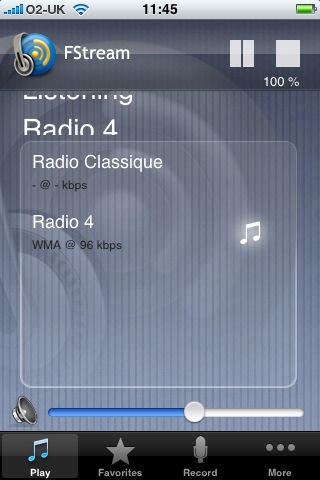
Rogue Amoeba Software added to its lineup of innovative audio software titles Monday with the release of Radioshift Touch, software that lets users listen to internet radio anywhere on their iPhone or iPod Touch.

Powered by RadioTime, an internet radio catalog with thousands of stations from around the world in its database, Radioshift allows users to browse by genre, search by keyword and view listings for thousands of specific radio programs as well.

The app leverages iPhone firmware’s GPS capabilities to serve up local stations based on the user’s location and uses a feature called “SmartStream” to point to the most bandwidth-friendly stations, depending on the connection. Users can access Internet radio via, WiFi, EDGE or 3G.

Radioshift Touch is available at the iTunes AppStore for $9.99.

Given the host of free and low cost music programs available on the AppStore, including the ever-popular Pandora, and ClearChannel’s iHeartRadio, it will be interesting to track the success of Radioshift, with its relatively expensive price tag. Paul Kafasis, lead developer at Rogue Amoeba, has a sterling reputation for developing useful, high quality audio software for the Mac, so we invite Cult readers who try Radioshift to let us know what you think.

Update iBreviary: Pray Around the Clock in English, Latin

By

post-5965-image-f6ef0395f3b2a89d82042e831e410793-jpg

We recently wrote about iBreviary, an iPhone and iPod Touch app that gives the morning prayer, evening prayer and night prayer or complines for the day.

The Italian priest who had the brainwave for the app, Don Paolo Padrini, informed us that the 1.2 version of the prayer app, which he says has the blessing of the Vatican, is now available in Spanish, French, English and Latin (for those, like the Pope, who want a return to pre-Second Vatican Council days) and a version that follows the Ambrosian Rite, for the five million Catholics or so in the Milan area.

iBreviary costs $0.99 on iTunes and now also comes with a how-to page to help those unfamiliar with daily prayer rituals. The original Italian-language version was gratis, Father Padrini says the price of the app is a contribution for the developers.

Don Padrini also says an app is in the works for Facebook called that “Praybook” that will let groups use the Breviary via social network.

WTF iPhone Apps Of The Week

By

post-5955-image-b2c8e1821a60270655eaa4ce15325935-jpg

First: Try My Nose!! No, really! Try it!

“Just select a nose you like, hold it next to you current nose and surprise your friends!”

Or – now here’s a radical thought – just stick with the nose you were born with! Maybe it suits you just fine! Maybe – oh never mind. Next!

Zune Mobile Rumors Show MS May Have the Next ROKR On Its Hands

By

post-5946-image-e13b45a9f8ac1d9464cc99cab7b1813a-jpg

The Blagoblogs are a-buzz this evening with word that Microsoft, though it definitely has no ZunePhone to show at next month’s CES (I know, I’m just as heart-broken as you are), will almost certainly launch some sort of software ‘n’ services platform for Windows Mobile called Zune Mobile. According to ZDNet’s Mary-Jo Foley, who is as interested in Zune Mobile as it is possible for a non-Microsoft employee to be, the platform may include “music purchase, playing, sharing and subscribing — and maybe even a little something special for podcasters/podcast listeners, too.”

Or, in other words, Microsoft may, if it plays its cards right, bring the technical media functionality of the iPhone to the legendarily poor interfaces of a thousand mediocre Windows Mobile phones, many of which have enough on-board storage for two or even three albums worth of music. Rather than attempting to a build a ground-up 21st century mobile platform, Microsoft is attempting to bolt on features that meet current user expectations, and then leave it up to dozens of hardware makers to see if the experience actually holds together. If true, this is a pretty sad bit of competitive response out of Redmond. At best, it’s a duplicate of a famous Apple failure — iTunes for the Motorola ROKR.

In that unfortunate experience, Apple brought iTunes support to a third-party phone, and then ran screaming as it realized the only way to ensure its name would only appear on a great phone would be to build the software and the hardware from the ground-up on its own. The iPhone resulted. Zune was Microsoft’s first attempt to follow such a strategy, to poor results thus far (in large part because Apple’s ecosystem was much stronger). Now, it would appear, Microsoft is relying on its standard software-only approach to respond to the iPhone juggernaut.

That’s pretty sad. As an enormous Apple fan, I would like nothing better than a credible challenge to the iPhone’s dominance — it means an even better iPhone than I can imagine in two years’ time. But if this is the best the Distinguished Competition has to offer, all we have to rely on is the vision of Steve Jobs. Good thing he can see for miles and miles, eh?

Via ZDNet

Microsoft’s Seadragon Peeks into AppStore Possibilities

By

cult_logo_featured_image_missing_default1920x1080

Microsoft finally got around to testing Apple’s AppStore waters this weekend with the release of Seadragon, a free project of Micrsoft’s LiveLabs that lets you see giga-pixel images on your iPhone using a nifty zooming algorithm to get super-close on a map or photo, with just a few pinches or taps of your finger.

The app comes pre-loaded with images and lets you view yours or others’ Photosynth images, or content from any RSS feed.

The embed above shows of the experience in a fashion similar to the one you’ll find on the iPhone or iPod Touch, according to a report at TechCrunch.

Via 148Apps

AppStore Takes a Bathroom Break

By

post-5917-image-013fdfeae6230364361056c672e8f3e8-jpg

Seems like the big news over the past few days at the AppStore tends mostly to the questionably mature, if not downright asinine.

First, the re-emergence of Pull My Finger, an ingenious application that produces the sound of flatulence, generated over 200 stories in the Apple web-osphere yesterday. After initially rejecting the app as something with no discernible utility, Apple has reportedly sorted out how to handle this particular genre of application, according to Pull My Finger’s developer.

Then there there was the implication of either uncertainty or perhaps some discrimination with respect to apps intended for “mature audiences,” with developers of apps rated 17+ finding they cannot – as of this writing – issue promotional codes that other app developers were recently given to enable easier review and testing. Apple has described the restriction as a “minor glitch” that should be resolved shortly, according to a report at iLounge.

Finally, also on Saturday, the application Poo Price made its debut. Poo Price counts time while you’re doing your business on the toilet at work and tells you how much money you made during that time “working” based on your salary. What price good humor, eh?

The interesting thing about Poo Price, though, is that it may be an example of an app that works in the background, in violation of the SDK’s prohibition on such functionality, according to a piece at Venture Beat.

Amid recent concern that Apple may have given Google preferential treatment in approving the search giant’s voice search application for sale in the AppStore, and discussion over SDK restrictions that appear to be keeping Flash off the iPhone in any meaningful way, concern over how Poo Price keeps its timer going even when the user switches out of it while, say, checking email in the restroom, may not be the most pressing thing on many people’s agenda.

As MG Siegler writes for Venture Beat, Poo Price “is probably just another crude app in the new, racy App Store.”

Gilt Trip: Gold Trimmed iPhone

By

post-5893-image-2adfb7319b56e73d5dcc36a104aea38c-jpg

Topping at least one luxe list of trendy items for Christmas are these customized iPhones from Continental Mobile.

The iPhone rimmed in 24k gold costs about $1,800 (£1,199), if that doesn’t wind you up there are ruby and diamond versions, about $4,600 (£3,099) and other serious stones like sapphires and emeralds. iPod Touch versions are also available.

If you decide to put this much sparkle under your tree, make it fast. Each item is “hand crafted in England” and takes seven to 10 days for delivery.

Via Black Book Mag

DIY Rotary Phone Dock for your iPhone

By

cult_logo_featured_image_missing_default1920x1080

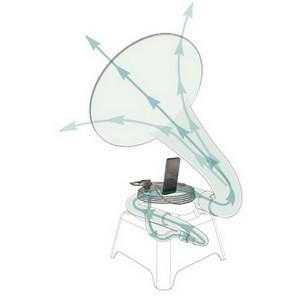
If you’ve got an old 1940s style rotary phone lying around and about 7 hours you’re not sure what to do with, you can contact Michael at fonejackerhacker in the UK and find out how he made this iPhone docking station. It’s powered by a 16W amp with one speaker behind the dial (10w) on the front of the phone and two speakers in the handset (2x 3w).

The IR sensor and controls are fitted to the side of the phone and the docking port is hidden under the receiver when the hand set is off. Because the speaker is an official ‘works with iPhone’ product all of the normal charging and iPhone features are uncompromised.

Michael is working on a version with a microphone on the handset and, with the use of an iPhone app that he is developing, you’d be able to use this as a handset for the iPhone, or as a headset.

Via SlipperyBrick

Use Your iPhone to Fight Global Warming

By

post-5857-image-e380790af6c39bf1e146a1ae364d8de3-jpg

The developers at Mokugift, the kind-hearted people behind the iPhone/iPod Touch app A Real Tree, may not be the greatest app developers, but they are good at math.

For every one of the 99¢ apps purchased on Apple’s iTunes AppStore, one of Mokugift’s 12 internationally recognized tree planting partners will plant, yes, a real tree in places fighting deforestation such as Belize, Honduras, Nicaragua, Panama, Cameroon, Ethiopia, Burundi, Senegal, Zambia, India, Philippines, and Haiti. These countries are in tropical regions where tree planting is the most beneficial in the fight against global warming.

To be sure, the app is not going to wow the average game-addled, accelerometer-addicted iPhone user. When the app is launched an animated tree grows out of the ground into full bloom. Ta-daa! Tap once and watch a little bird circle around and land. But Mokugift’s Hans Chung understands that Apple has sold more than 13 million iPhones. “If every iPhone owner planted one tree,” he says, “the environmental impact would be equivalent to taking 500,000 cars off the road.”

Chung’s A Real Tree project works with organizations that provide materials and education to local communities to plant trees in an ecologically-beneficial manner. Local communities learn how to plant trees while avoiding toxic pesticides, herbicides and fertilizers. The trees they plant produce nutritious fruits and crops that they can live off and make a living on.

It seems like an effort worth contributing 99¢ to, doesn’t it? “People spent $8,000 dollars on that frivolous “I Am Rich” app, Chung said, “That inspired us. We knew we needed to develop something meaningful.” If that’s not enough to turn you over, Chung promised more small ‘Easter egg’ surprises will be added to the tree and the little bird with future updates.

Via iPhoneSavior