Mobile menu toggle

iPhone - page 410

Battery Complaints Mount After iOS 4.3 Update

By •

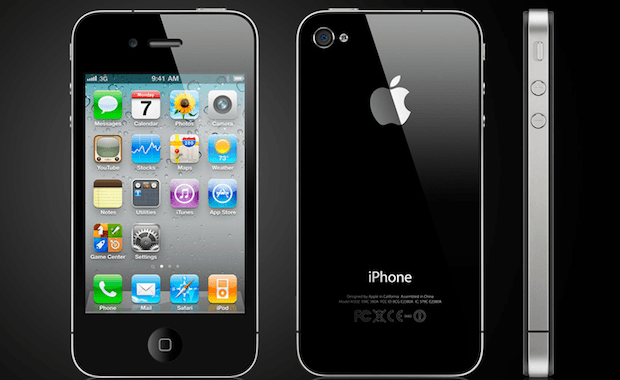
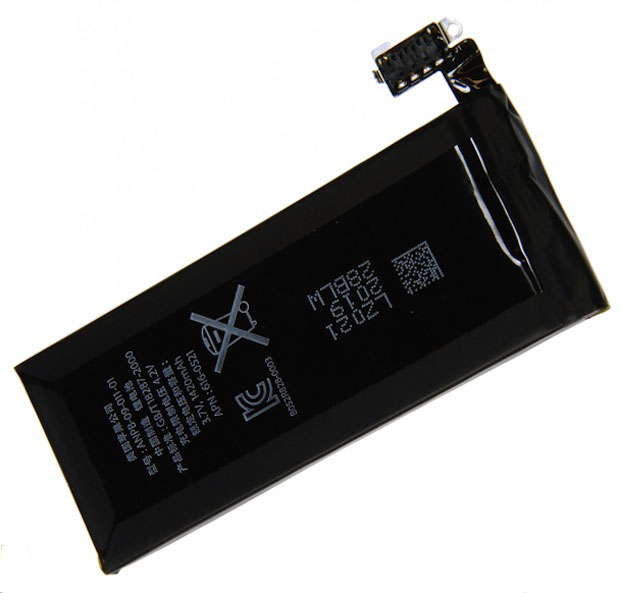
iPhone 4 Battery from iFixit teardown.

Since Apple introduced iOS 4.3 last week, I’ve found a number of complaints about battery issues with the firmware update. I’ve even experienced these problems personally and I know many of you have too.

The update has caused issues with the battery life on my iPhone 4 and my iPad 2 is getting considerably less time out of its battery than my old iPad running iOS 4.2.1, so if you haven’t upgraded to iOS 4.3 you may want to wait until this issue is resolved.

According to users on Apple Discussions under the topics iPhone 4 – ios 4.3 – Battery Drain and iOS 4.3 causing battery drain, the iPhone’s battery life is severely shortened by the latest iOS update. As a result some users are also complaining that battery life is lasting 2 to 4 hours less than before the update was applied.

How the iPhone, NFC and Mac App Store Will Enable Remote Computing [Exclusive]

By •

iphone5-nfc

With all the rumors about NFC being in the next iPhone — or not in the next iPhone — we have a few more details about Apple’s remote computing plans that revolve around the technology.

According to a source close to the company, Apple is busy testing several prototype iPhones with near field communications (NFC). Unfortunately, the source has no knowledge of when Apple will actually introduce the technology in the iPhone. It could be the next model, due this summer, or next year’s, they said.

However, Apple is working out the kinks in an ambitious remote computing system — and a key component utilizes the recently launched Mac App Store.

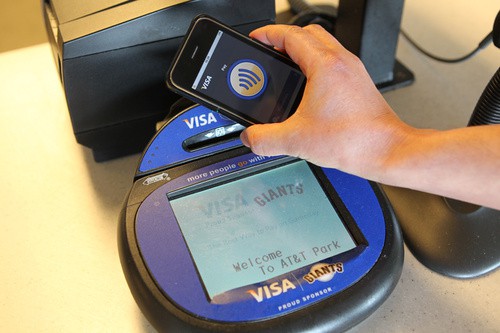
As we previously reported, Apple is working on a system that allows users to log into another computer using an NFC-equipped iPhone. The iPhone pairs with the host machine, and loads the user’s files and settings over the net. It’s as though the user is sitting at their own machine at home.

Photoshop Express 2.0 Introduces New Camera Pack In-App Purchase

By •

Photoshop Express 2.0

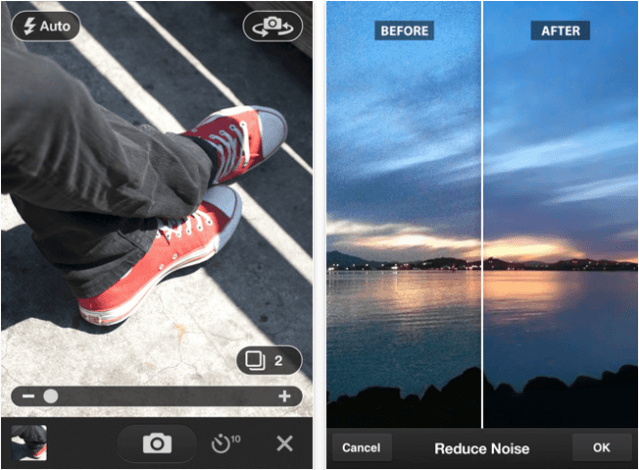
Adobe’s Photoshop Express application for iOS has been recently updated to version 2.0, and introduces a brand new camera pack available through an in-app purchase. The camera pack costs $3.99, and for that you get three great features that promise to deliver professional results and better photos, including noise reduction, a self timer, and an auto review mode.

Find out more about these features after the break!

Make Your Own Bleepy Electronica With Kraftwerk App

By •

20110316-kraftwerk.jpg

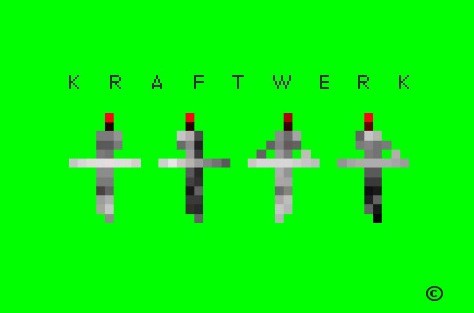
Rarely consumed with a desperate rush to issue any new music of their own, electropop pioneers Kraftwerk have come up with a better idea: get the fans to do the work for them.

So the Kraftwerk app lets you inside the Kling Klang Studio, in a manner of speaking, giving you access to some cheerfully bleep-tastic musical buttons in exchange for nine of your fine American dollars.

Given that the App Store is awash with sequencers, loopers, samplers and other electronic music apps, many of which offer quite a lot more in terms of functionality, this one might be left to the fans only. But for those who value the looking-cool as much as the making-sounds, perhaps it’ll be nine bucks well spent.

AT&T Doles Out 1,000 Rollover Minutes To Beggars

By •

attro2


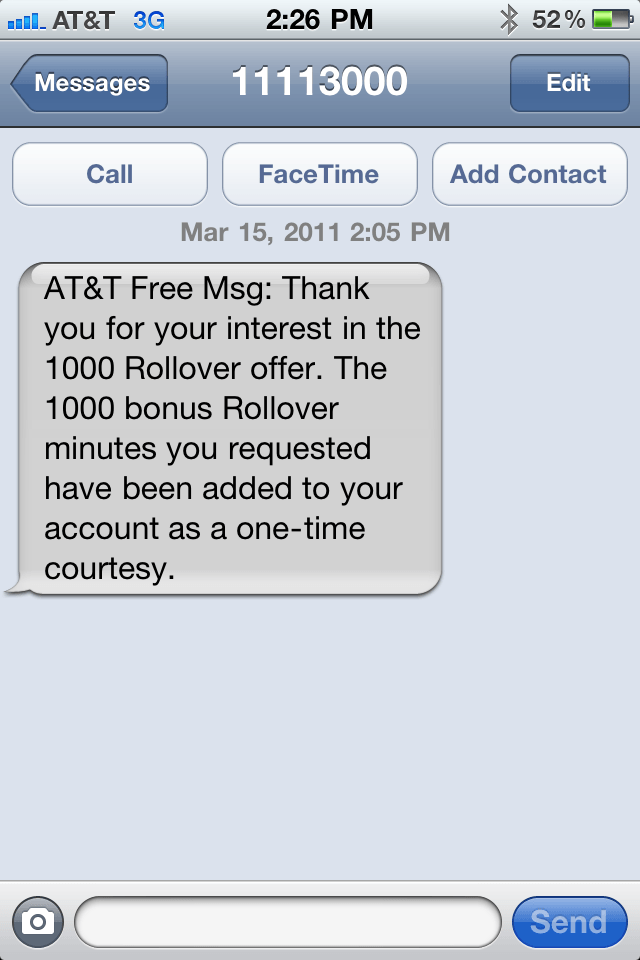
I don’t know about the rest of you, but I didn’t get the initial text from AT&T offering me 1,000 free Rollover minutes.  I had to beg for mine by sending a simple text containing the word “yes ” to a  number (11113020) that people shared with me.

I’d heard that AT&T was sending out texts or notices (not sure which) that some of the people asking for these minutes would not be getting theirs, but today beggar or not I got mine as you can see from the screen shot above.

Thank you AT&T!

So what about you? Did the AT&T overlords grant you 1,000 free Rollover minutes?

5 iPhone Apps for Surviving a Natural Disaster

By •

buddyguard

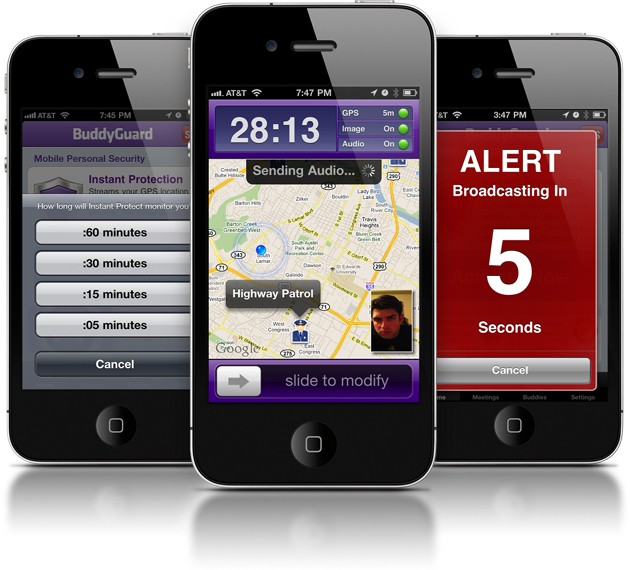
The disastrous quakes and tsunamis in Japan remind us that natural disasters can strike anyone at any time without warning. (Actually, the Japanese had some warning, thanks to their billion-dollar earthquake warning system.) Japan’s crisis also reminds us that the first two things to go in many emergencies is electrical power and telephone service.

That’s why the iPhone can save your life. When the power goes out, the iPhone still has great battery life. When the telephone system is taken offline, it’s still got an Internet connection. But mostly, the iPhone has some incredibly useful emergency apps.

By downloading just 5 iPhone apps, you can prepare for any natural disaster.

Go here to read the whole story.

Man Hijacks Time Square Billboards With iPhone [Hacks]

By •

iphonevidhack

Just like CBS I don’t know if this is real or fake. However, it is interesting and intriguing. The video shows a man who uses his iPhone, a video transmitter, and a repeater to hijack video billboards in Times Square.  In a sense it looks like he’s hacked the video feeds going to these video billboards displayed in Times Square.

He starts off with small video billboards at ground level and eventually works his way up to a giant CNN billboard high above the middle of Times Square.

Real or fake? Tell us what you think by leaving a comment.

[via CBS News]

Phil Schiller Confirms White iPhone Availability ‘This Spring’

By •

philwhiteiphonetweet

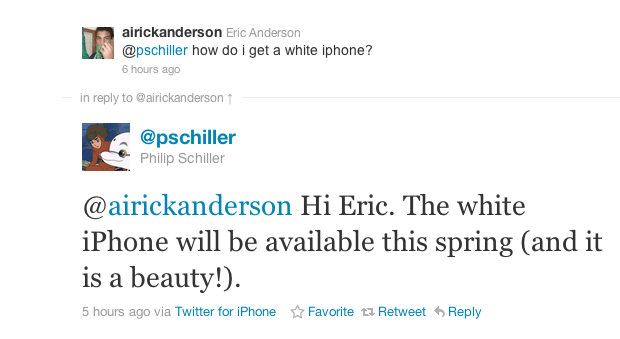
Everyone out there that wants a white iPhone it looks like you can keep all your hopes and dreams alive, because Phil Schiller from Apple, Inc. says that you’ll be able to get one soon.

Eric Anderson, asked Phil, via Twitter about how he could obtain a white iPhone and Phil replied, “The white iPhone will be available this spring (and it is a beauty!). ”

What kind of iPhone? iPhone 4? iPhone 5? Will it work on GSM or CDMA networks?

It seems peculiar that Apple would release a white iPhone 4 model with the iPhone 5 allegedly around the corner. I guess we’ll just have to wait and see.

Are you going to buy one?

[via Twitter]

iPhone Photo Project Shoots for Change in Africa

By •

©Stefano Pesarelli
©Stefano Pesarelli

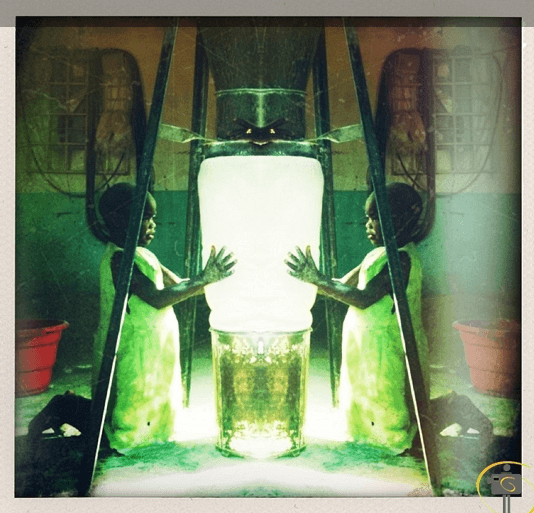
Photographer Stefano Pesarelli, an Italian expat who also runs an tour company in Malawi, traversed six African countries documenting daily life with his iPhone.

The project, called Africa through iPhone, takes him and his trusty iPhone 3GS from his adopted home through neighboring countries Kenya, Zambia, Mozambico, Tanzania and Kenya.

Pesarelli’s journey shows scenes from everyday life, snapped with the lens of his iPhone and altered with various apps.

Patriot Missile for iPhone: Now That’s a ‘Killer App’

By •

iMissile

A company called C² Technologies has announced the first of seven iPhone apps for training U.S. Army crews who operate and fire Patriot Missiles. Called the Mobile App for Patriot Missile System, the training program was developed on a game platform called Unity 3D.

The app uses multimedia for training, including video of actual Patriot Missile crews, 3D animations, pictures and text.

According to a release by C², the app “covers positioning and readying [of] the Patriot Missile system to launch and fire.” Can your Android app do that?

Forget the iPad 3, The iPad 2 Is Awesome Right Now!

By •

garageband_iPad2

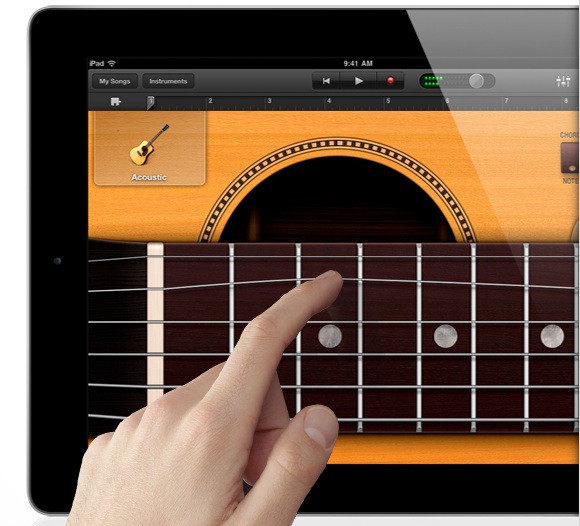
I feel pretty bad about yesterday’s post about the iPad 3 being the one to make a song and dance about. I’m sure the iPad 3 will be great when it comes out, but for right now, the iPad 2 is a great upgrade. This is not a ho-hum update, as our anonymous Apple staffer suggested.

It’s a rockstar from Mars update. It runs on tigerblood.

The slimmed-down weight and bulk make a big difference. It’s much easier to hold and handle. It’s pretty astonishing that Apple managed to cram in so more, yet made the case so incredibly thin. That is rockstar engineering.

The cameras should have been in there all along, of course, but the addition now makes the iPad much closer to feature-complete.

But the real magic of the device is the integration of hardware and software. Look at the piano in Garageband. You tickle the virtual keys softly and it plays softly. But hammer on them and you sound like Little Richard. The iPad 2’s screen is touch-sensitive, thanks to the built-in accelerometer, which tells the iPad how hard you are touching the screen. Watch the video of it in action here. It really is pretty astonishing!

Without that integration of hardware and software, other tablets are just fancy digital picture frames, as Wired’s Brian Chen noted on Twitter.

The iPad 2 is pure Apple: it proves that Apple is its own most ruthless competitor. Overnight, 15 million first-generation iPads were rendered obsolete.

Apple’s competitors are dead in the water. Steve Jobs is a master of hyperbole, but this time he’s right. There’s no doubt about it: 2011 is the year of the iPad 2.

Survivor Case for iPhone 4 May Not Survive Your Patience [Review]

By •

SurvivorCase

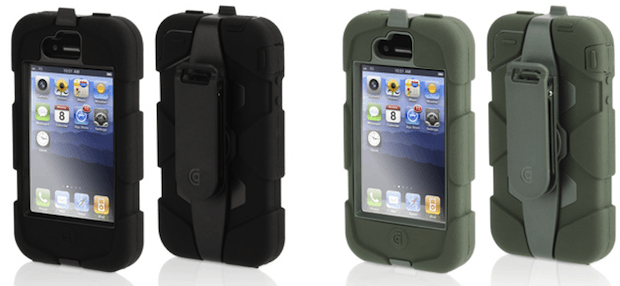
The Griffin Survivor case for iPhone 4, which retails for $49.99 and works on all iPhone 4 models, is the latest rugged case leaping out of the gate running neck and neck for top dog with the likes of the Ballistic HC and many others. I was surprised to see another new case this late after the release of the iPhone 4 with the iPhone 5 just around the corner. However, it may be that the vendors know something we don’t. Perhaps the iPhone 5 will share the same dimensions as the iPhone 4 just like the iPhone 3G and 3GS.

Griffin labels the Survivor as “Armored Ready for Anything. ” I don’t think so and I’d like to explain why I say that.

‘Honk’ Will Save You From Another Pricey Parking Ticket [Must-Have App]

By •

Honk for iPhone

Honk – ($0.99) iPhone – Navigation

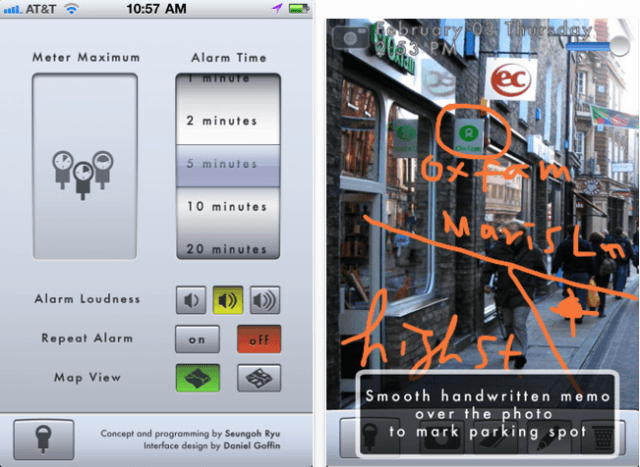
If you’ve ever returned to your car to find that you’ve earned yourself a whopping great fine for running over on the meter, or parking too long in the same spot, Honk is here to help! Simply swipe the virtual parking meter to record how much time you’ve got to park and Honk will ensure you’re reminded when it’s nearly time to move your car. The app icon on your home screen will even display how much time you’ve got left minute-by-minute, so it’s easy to see at a quick glance. You can even use to Honk to remind yourself of where you parked by making handwritten notes, taking photos, and using your GPS location.

Reader: I Tried To Buy iPhone Today, Apple Said Wait Until Tomorrow

By •

iphone5Concept

Reader Lovell just sent this very puzzling email regarding something new from Apple tomorrow regarding phones. He writes:

I had a friend go to apple today to purchase an iPhone 4. The salesmen talked her out of buying it and told her to come back tomorrow. Would not say what was coming out tomorrow but said she would be verry happy. I ask what it could be phone wise because she said I don’t want a white iPhone but yet the salesmen still wouldn’t say.

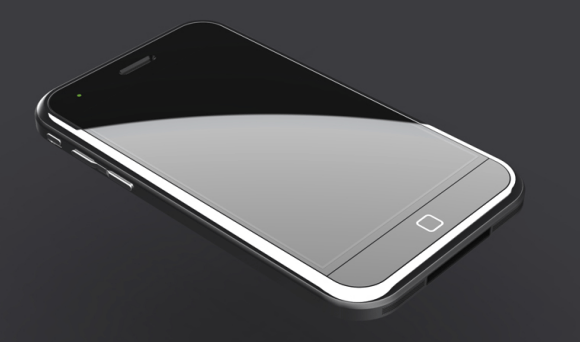
Lovell is in Lexington, Ky. I’m stumped. Anyone thinking it could be the rumored cheapo iPhone?

iSkin Solo, Revo4, And Duet Cases for iPhone 4 [Review]

By •

iphone4black620

iSkin has been my favorite case maker for longer than I can remember. I’ve bought their cases for iPhones and iPods. I liked some of those cases and others I didn’t like at all. Some of them were just okay, but in the end I always used one of iSkin’s cases on my iDevices.

I had to experiment with them, because the cases were like a good pair of shoes. You need to try them on and decide what’s best for you. I hope that this review will help you to make the right choice when choosing an iSkin case for your iPhone 4.

‘AirMusic’ Streams Your Tunes to PS3, Xbox, PC [Must-Have App]

By •

AirMusic for iPhone

AirMusic – ($0.99) iPhone – Utilities

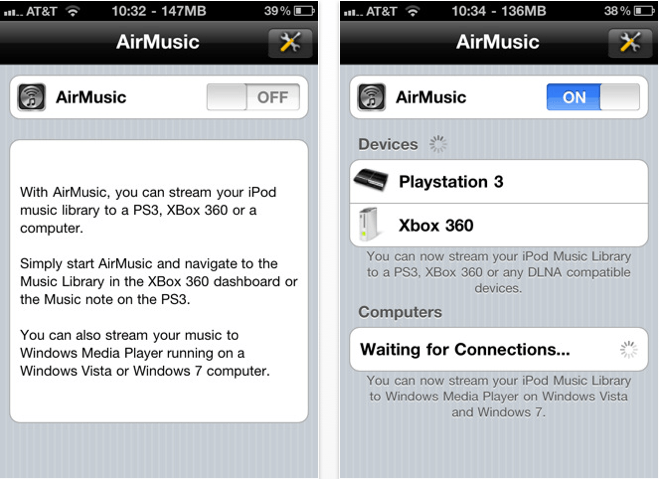
AirMusic is a superb application for streaming your music over Wi-Fi to your PS3, Xbox 360, or PC, and allows you to wirelessly listen to your tunes through your TV without using an AppleTV. Its incredibly easy setup means your music is there the moment you want it – just ensure all of your devices are on the same Wi-Fi network, start AirMusic, then navigate to your music library on your console or PC and your tunes will be there – it couldn’t be easier.

Although I use an AppleTV in our living room, I downloaded this application for use with a PS3 in another room and so far I can’t fault it. The only downside to AirMusic is that it won’t play older iTunes purchases that are protected by DRM, but I’m yet to find a way of playing DRM-protected tunes on my PS3 without putting them onto a CD first. AirMusic setup takes literally a few minutes, streaming is effortless, and the quality is great. If you’re looking for a way to share your iPod library with your Xbox, PS3, or PC, I recommend you give AirMusic a go!

[xrr rating = 80%]

This Week’s Must-Have iOS Apps: Tap DJ, Wunderlist HD & Text Writer

By •

Screen shot 2011-02-27 at 20.39.00

Not many DJ applications for iOS devices quite deliver the experience you get from using this week’s first must-have app – Tap DJ. Its bucket-load of features, together with its brilliantly designed and incredibly intuitive user interface, make it the ultimate pocket DJ application.

Another of our favorites is Wunderlist – a beautifully elegant task manager that’s been around for a short while on the iPhone, and now it’s available in all its HD glory on the iPad

Writing on your iOS device can sometimes be a painful experience, especially if you don’t have a good text editor. Fortunately, our third must-have application is just that. Text Editor is a wonderfully effortless, yet incredibly useful text editor that will go a long way to ensuring that writing on your iOS device isn’t so bad.

Find out more about the applications above and our forth must-have – Oscar Backstage Pass – after the break!

This Week’s Must Have iOS Games: Tiny Wings, Volcano Escape & Zombie Runaway

By •

Screen shot 2011-02-26 at 22.29.59

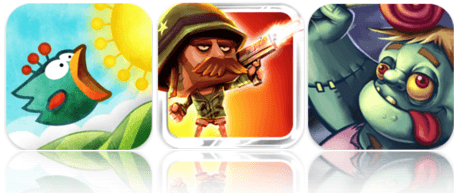
This week’s roundup of must-have iOS games features what I think could be the next iPhone craze; Tiny Wings is a simple one-button arcade game based on a dream of flying, and another huge App Store success that will be sure to hang around for a while at the top of the paid charts, just like Angry Birds or Doodle Jump.

Volcano Escape is another of our favorites – a terrific platformer that provides level after level of action-packed entertainment, which, together with its crazy characters and explosive weaponry, makes it one of the greatest games of its genre.

Zombies are quite the stars within the App Store – some of the most popular iOS games feature the living dead. Our third must-have game this week, and another to add to the list of zombie successes, is Zombie Runaway – a brilliant run-as-far-as-you-can game that’s a little different to the rest.

Find out more about the games above after the break!

Improve Your Writing Experience on iOS with ‘Text Writer’ [Must-Have App]

By •

Text Writer

Text Writer – ($0.99) Universal – Productivity

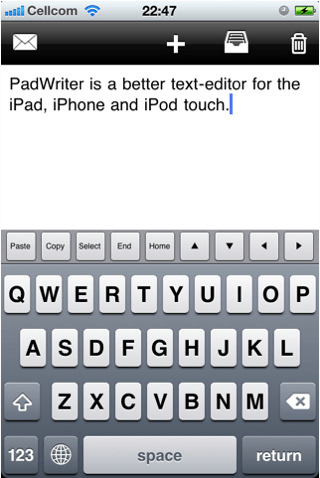
Writing on your iOS device can sometimes be a painful experience, especially if you don’t have a good text editor. Fortunately, Text Editor is just that – a wonderfully effortless, yet incredibly useful text editor that will go a long way to ensuring that writing on your iOS device isn’t so bad. My favorite feature is a very simple one, yet you’ll be surprised how much you use it: there’s an additional line of keys across the top of your keyboard that features the copy, paste, select, home, and end functions, as well as all four arrow keys for when you can’t quite drag your cursor where you want it. It makes performing different tasks that little bit easier, and you’ll soon miss it within other applications.

While you’re writing your document Text Writer will automatically save it, so you don’t need to worry about losing your work if you take a call, jump out of the app to reply to a text, or if your battery dies half way through your document. And once you’ve finished, you can send the finished article via email. This app is universal, so one download will work on all of your iOS devices, and it’s great value for money at just a dollar. I love this application for its pure simplicity and ease of use, and for anyone looking for a basic text editor without all the fancy functions, you won’t go wrong with Text Writer.

[xrr rating = 80%]

Run for Your Life, the Humans Are Coming in ‘Zombie Runaway’! [Must-Have Game]

By •

Zombie Runaway for iOS

Runaway Zombie – ($0.99) Universal – Games

Zombies are quite the stars within the App Store – some of the most popular iOS games feature the living dead. The latest must-have game to add to that list is Zombie Runaway, a brilliant run-as-far-as-you-can game that’s a little different to the rest. Instead of fighting off the undead to save yourself, in this game you are one of them, and your aim is to escape the humans. As opposed to traditional 2D running games, this one’s in 3D, and uses a simple 3-button control system to dodge and jump objects that get in your way on your runaway chase.

This game’s a must-have thanks to its multiple game modes that provide you with countless hours of exciting gameplay, and two completely different ways to play, unlike most other running games. When you’re confident the humans will never catch you, try out your skills in ‘Blitz mode’ in which you run through a dark graveyard crushing as many tombstones as you can within a certain time. Once you start playing, the excitement never dies and ensures Zombie Runaway isn’t just another zombie flop.

[xrr rating = 85%]