Apple’s iPhone is so successful that the company’s senior vice president of worldwide marketing, Phil Schiller, recently revealed that “each new generation sold approximately equal to all previous generations combined.” That’s pretty staggering when you think about it, and according to analyst firm Asymco, it could mean that Apple’s new iPhone will sell more than 263 million units.
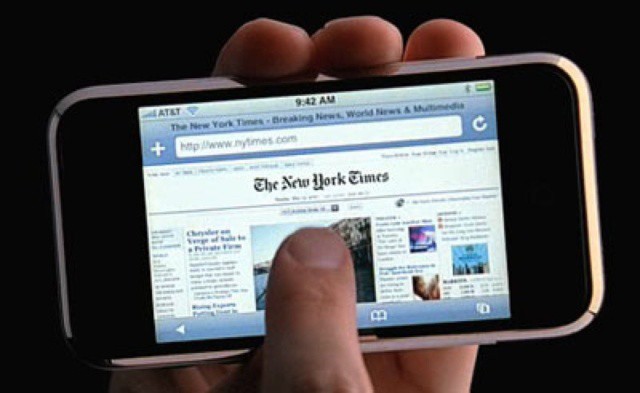
Steve Jobs was particularly proud of the iPhone's inertial scrolling feature.
If there’s one thing I’ve learned blogging about Apple, it’s that the company doesn’t stand for copycats — especially when those copycats go after patents that Steve Jobs was particularly proud of. That’s what Samsung did when it copied Apple’s inertial scrolling feature, right after Jobs told them not to.
Sprint has a warehouse full of iPhone 4S units it needs to shift before Apple announces the new iPhone in September, which is great news for consumers. If you don’t plan on picking up the sixth-generation device later this year, you can now grab its predecessor for just $149 with a two-year contract. And if you buy online, Sprint will waive the $36 activation fee, too.
An internal Samsung email was submitted today into evidence in the Apple vs. Samsung case being heard in Northern California. In the correspondance, head of mobile communications for Samsung JK Shin praises the iPhone, and describes the difference between his own company’s user experience and that of the iPhone as “the difference between heaven and earth.”
It’s fairly rough evidence for the Korean electronics maker, who had tried to keep the document out of the trial until a misstep today by Samsung legal counsel John Quinn, who mentioned the phrase “crisis of design” from the email, allowed it to be admitted.
Keeping up with all the latest Apple vs Samsung happenings can be tough, and confusing. The trials is underway in San Jose California. Some days are filled with interesting witnesses taking the stand, while others are packed with lawyers hammering boring witnesses with silly questions.
To help you keep up on the Apple vs Samsung trial we’ve compiled the entire day’s events into one short news story that consists of the best tweets from the reporters there on the scene. Here’s everything you need to about what happened in the Apple vs Samsung Trial on day four, August 6th.
Along with the removal of YouTube as a default app, one of the new features of iOS 6 beta 4 is the ability to share data via Bluetooth. It’s not exactly clear what kind of purpose Bluetooth Sharing will serve.
It might be linked to the iPod Nano as a watch where users will be able to view text messages, weather, answer calls, and more by tapping on their iPod Nano when the latest version is released.
Apple just released iOS 6 beta 4 to developers. So far it looks like there are a few small bug fixes and performance enhancements except for one unexpected surprise – Apple has removed the YouTube app from the iPhone and iPad.
It’s no secret that Apple has been trying to remove Google’s app from iOS and replace them with better alternatives. Some might think YouTube’s removal isan act of war, but we think it’s just as likely that Apple removed YouTube as a default app just because of plain obsolescence.
Rumors of a smaller iOS dock connector have been continuing to surface in the weeks leading up to Apple’s September fall event. Initially the consensus was that we’d see a smaller 19-pin connector in the new iPhone, but lately the word on the street is that Apple will use even less pins—possibly as few as 8. Leaked photos of the next iPhone’s exterior show a much smaller dock connector, and the change is likely to meant to accommodate the device’s slimmer design.
According to a new report today, Apple will update not one, not two, but all of its iOS devices with a smaller dock connector this fall.
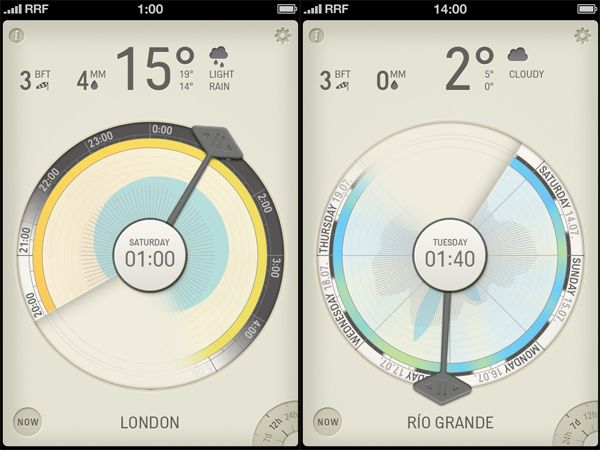
Minimalist weather apps must be the current hot trend among developers right now because we’ve seen a slew of pretty new iOS weather apps hit the App Store recently. If thelastthree weather apps we covered haven’t quite done it for you, maybe Partly Cloudy will.
Partly Cloudy is different from most weather apps in that it displays all the information you would need to know for a single day in one unique and compelling infographic. Modeled on a traditional clock face, Partly Cloudy’s infographic presents weather data in a fun new way that’s also very useful.
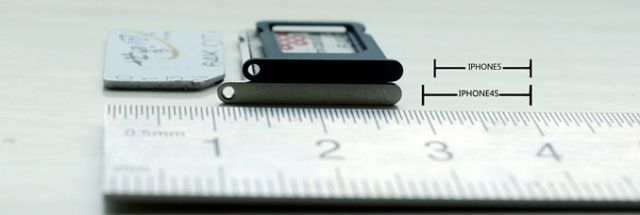
This is the nano-SIM tray your iPhone 5 will carry.
After getting its nano-SIM (4FF) proposal approved by the ETSI earlier this year, Apple’s new technology was always going to make its debut in the sixth-generation iPhone. And in case you needed proof of that, here are several pictures of the new iPhone’s nano-SIM tray up against the iPhone 4S’s micro-SIM tray. As you can see, it’s significantly smaller this time around, measuring less than a centimeter wide.
PreviewMaker is a new tweak for jailbroken iPhones that’s likely to be particularly useful to app developers, theme designers, reviewers, and more. It takes all the screenshots you’ve taken on your iPhone and applies an iPhone-style frame, meaning you no longer need to edit each one and add it manually.
Apple is a riddle, wrapped in a mystery, inside an enigma. No, wait. That was Stalinist Russia.
Whatever. The two are nearly identical in their abilities to keep secrets.
As an Apple observer myself, I’m keenly aware of the iron curtain of secrecy that prevents anyone from knowing what Apple is working on, what they’re planning and what their processes are for developing new technologies.
Rumors and speculation are always so easy to come by; unannounced facts are rare — even facts about the past.
That’s one of the great things about Walter Isaacson’s biography of Steve Jobs. It gave rare insight into the inner workings of Apple, to some degree.
And that’s what’s so great about the current jury trial in Silicon Valley, where Apple is suing Samsung and Samsung is suing Apple. It’s forcing Apple to reveal countless facts and events that it doesn’t want to reveal.
The lawsuit appears to be far from over. But already, it’s clear that Samsung is “winning.” Why? Because it’s a contest between a company that cares deeply about its secrets — even small ones — and a company that doesn’t care as much. So the discovery and revelation is punishing Apple.
Here are the 8 secrets Apple has been forced to reveal in court in the past couple of weeks.
Apple went after Samsung today in the most direct and perhaps damaging interchange, yet, using Samsung’s own internal documents to prove Apple’s claim that Samsung’s practices go beyond mere competition and are truly copyright infringement.
Apple called Justin Denison, Samsung’s chief strategy officer, to the stand today. Attorney for Apple Bill Lee, after some preliminary questioning, went right for the jugular, directly calling out Samsung, and asking Denison point blank if Samsung had copied Apple products. Denison denied the claim, and then Lee pulled out a set of internal documents from Samsung. Some of the titles of these reports were pretty incriminating.
A growing number of companies embracing BYOD are ignoring mobile security issues.
The number of companies investing in mobile management and security solutions related to bring your own device (BYOD) programs is growing, but not nearly as fast as the number of companies that are actually offering BYOD to their employees. The result is that many companies are putting themselves and their data at risk by jumping onto the BYOD bandwagon too quickly and without properly securing employee iPhones, iPads, and other devices or the business data that is stored on them.
Are Apple products truly superior to the competition? Or are they just marketed a lot better? Either way, there’s no denying that Apple can build hype around a product like no other tech company on the planet, but all that superb marketing ain’t cheap.
Testifying during the Apple vs Samsung trial today, Phil Schiller revealed that Apple has spent over $1 billion marketing the iPad and iPhone since their respective launches.
Use your crappy old non-AirPrint printer with your iPad.
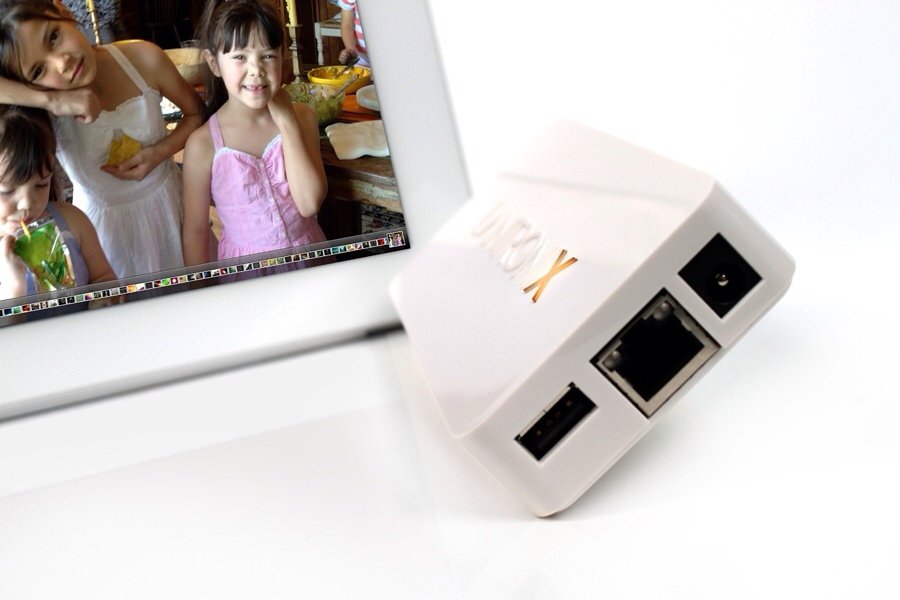
Lantronix, a company which sounds like a Transformer, has added a home version of the xPrintServer to its lineup. Like its office-bound older brother, this xPrintServer lets you print to any printer in your home via AirPrint.
iPhone rumors have reached a fever pitch with the word on the street being that Apple is holding its fall iPhone event on September 12th, and mainstream media is even paying attention to the rumor mill during primetime. Everyone wants to know about Apple’s next smartphone, including millions of iPhone 4 owners with expiring contracts.
What do you do when you want to buy a new smartphone? You sell your old one. That’s why eBay has seen a huge 70% spike in used phone trade-ins during the last few days.
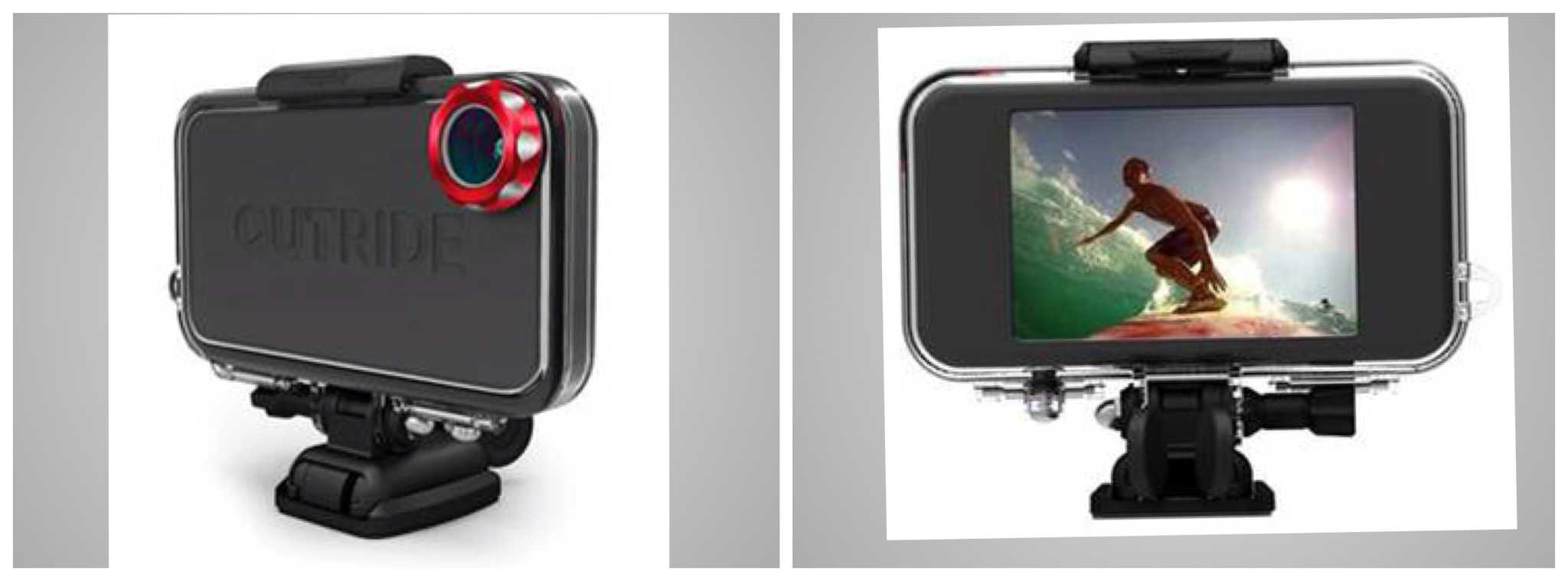
Mophie, the JuicePack company, has flipped out and gone in a totally new direction, head first into an equally crowded market: iPhone sports camera enclosures. Mophie’s version is called the OUTRIDE, in ALL-CAPS.
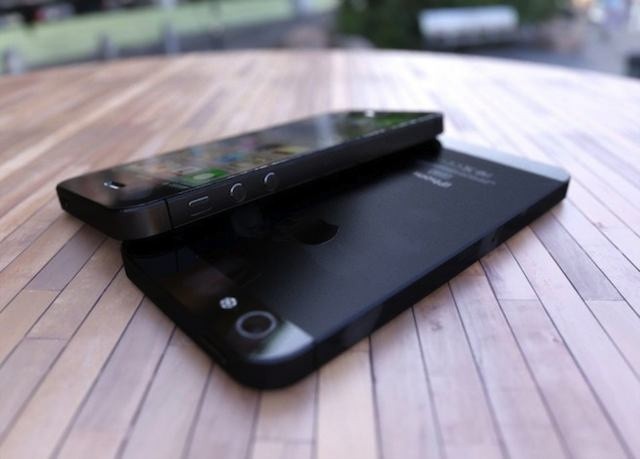
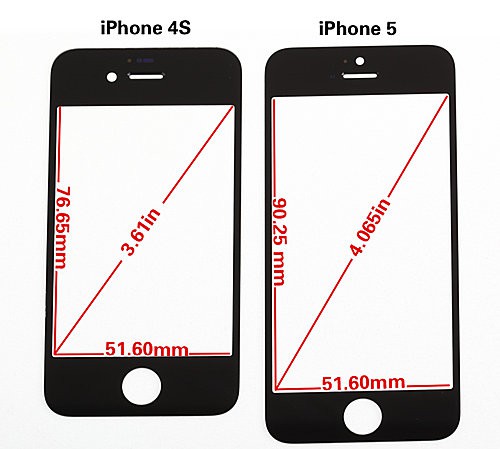
In the weeks leading up to Apple’s rumored September 12th media event we’ve seen real-looking and not-so-real-looking leaks of the next iPhone. Rumors say that the sixth-gen iPhone (commonly referred to as the “iPhone 5” for clarity’s sake) will be taller and thinner than its predecessor. The device is expected to boast a 4-inch display, 4G LTE, and a redesigned form factor.
A new video has surfaced alongside a series of images comparing the current iPhone 4S front panel with the iPhone 5’s larger front panel.
As the NFL pre-season gets started, check out the official iPhone/iPad apps and iTunes content.
As the NFL pre-season kicks off, the league has begun reminding fans about the various online programming and mobile apps that it offers. While we still have a month before the season starts, August is the time to check in with how your favorite teams are shaping up for the new season. It’s also the time to begin researching your fantasy football draft options – if you haven’t already.
For the preseason and fantasy prep time, the NFL is offering a mobile apps – many of which will be familiar to fans with iPhones and iPads. We’ll be taking a look at the various official and third-party fantasy tools for Mac and iOS users as the pre-season rolls on, but here’s a quick look at the official options from the NFL.
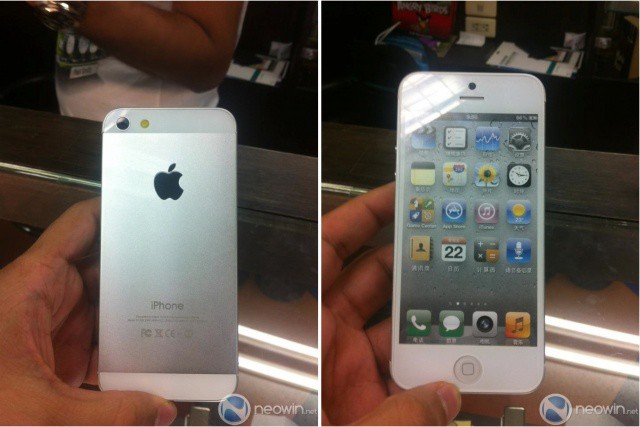
A Japanese repair house posted photos of what looked like the iPhone 5, and we were all sold. They looked like what the rumor mill predicted, and they had just the right amount of realness to send the internet into a tizzy. Now, Neowin has pictures from an anonymous source in Bangkok, Thailand of what could be the next iPhone. Maybe. Possibly.
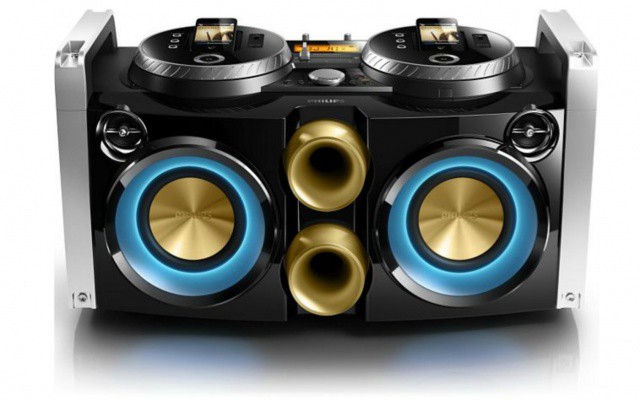
You know that feeling you get when you see an iPhone accessory that’s so ridiculous you feel like you have to have it? Behold the Philips FWP3200D 300W Mini Hi-Fi System (say that 10 times fast). This giant jambox wants to make you the ultimate party rocker, but only if you’ve got £299.99 ($470) to drop. With a pair of 2-inch tweeters and 5.25-inch woofer, the “Party Machine” features a dual iPhone and iPod dock made to look like two classic turntables. Plug your iPhones in, and they will literally spin around as the beats blast.
See that big building right there? It’s part of Apple’s huge new data center over in North Carolina that powers all the iCloud magic that makes your iOS experience possible. Apple’s data center compound is massive. It comes with a 500,000 square foot data center, a 100-acre solar farm, a 4.8-megawatt fuel cell array, and a few other little buildings sprinkled all over.
The little 21,000 square foot building in the picture above is what Apple’s calling a “tactical data center.” No one knows just what it’s supposed to be, and of course Apple’s not going to tell anyone. So Wired jumped in their spy plane to get a closer look, and this is what they found out:
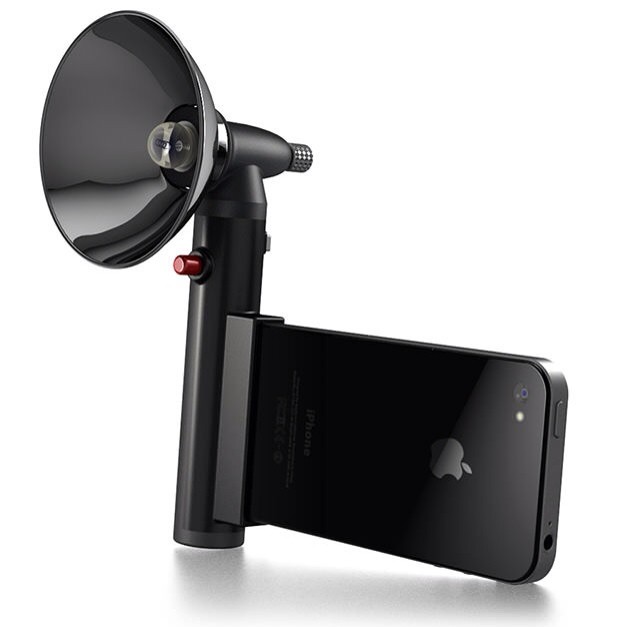
It’s hard to overstate my love of the Paparazzo light, despite the fact that I have never touched or even seen one outside of the photos on its Kickstarter page. Maybe it's the idea I like so much: it's an old-style flashgun which pumps out a ridiculous 300 lumens of subject-petrifying light whilst making you look like and old-school newspaperman.
Yes, this was taken with an iPhone. Photo Dan Chung
The idea that you need a fancy camera and a bag of lenses to take good photos is utter crap. It’s a myth beloved of camera makers, and lapped up by amateur snappers who think that a Leica M9 or a Nikon D700 will somehow improve their tawdry, insipid holiday snaps.
Don’t agree? Here’s exhibit A: Photographer Dan Chung is covering the Olympics for the Guardian with an iPhone 4S, a pair of binoculars (used as a telephoto lens) and the iOS app Snapseed, and his photos are – too put it plainly – better than yours and mine.