Weathermob is new and hip on the App Store this week. It’s a weather app with a twist – it’s social. Think of it as Instagram for clouds. Kinda.
Weathermob Gives You A Whole New Way To Talk About The Weather [Review]
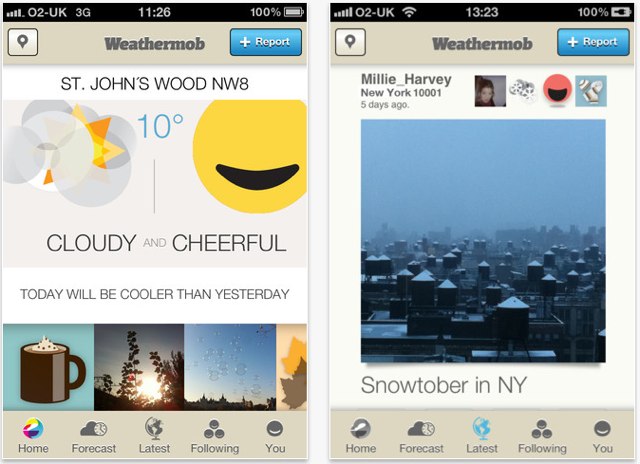

Weathermob is new and hip on the App Store this week. It’s a weather app with a twist – it’s social. Think of it as Instagram for clouds. Kinda.

iOS game developers love nothing more than to celebrate with a sale, so it’s no surprise to use that a plethora of hugely popular titles are available for as little as $0.99 this week. However, we are surprised by the sheer number of games on sale this year, from big-name developers like Gameloft, Sega, Namco Bandai, and more.
So that you don’t need to spend hours searching for these bargains yourself, we’ve compiled a huge list of the best reductions for you, featuring some of the most successful iOS titles, such as Assassin’s Creed: Altair’s Chronicles, BackStab, Real Golf 2011, Sonic the Hedgehog, Super Monkey Ball, Sonic & Sega All-Stars Racing, and lots, lots more.
NOTE: We’ve added new titles from EA, Kairosoft, Konami and more!
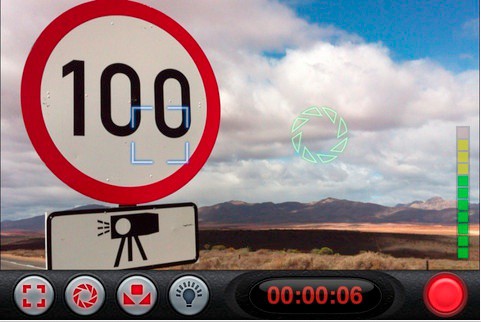
There seems to be a lot of noise made about the still camera abilities of the iPhone 4S recently, and for good reason; but let’s not forget that it’s also a very competent filmmaker (and the 3Gs and 4 aren’t slouches either). And if you’re even semi-serious about shooting video on your iPhone, you might want something like FiLMiC Pro, a video-production app with real video-production muscle and features.

iOS developers aren’t the only ones slashing prices for Black Friday 2011; there’s also some awesome discounts to be found in the Mac App Store. One of the best we’ve discovered this morning is over half off all three of Rockstar Games’ Grand Theft Auto titles for Mac.

Apple has been embracing subscription-based iOS applications for some time, such as those that offer magazines and newspapers, but the same model did not appear for iOS games until earlier this week, when the Cupertino company approved a title from Big Fish Games that offered gamers the opportunity to pay a monthly fee of $4.99 to access the companies entire catalog through one app.
When the title hit the App Store, it was reported that Apple had begun accepting subscription-based games for iOS, and that the new release from Big Fish could be the first of many games to offer a similar service. However, Apple has quickly put a stop to those dreams after it pulled Big Fish’s title from the App Store.

Mac OS X Lion includes many features that are very similar to those found in iOS. In this video, I’ll show you how to expand it even further, and make Mac OS X Lion even more like iOS.
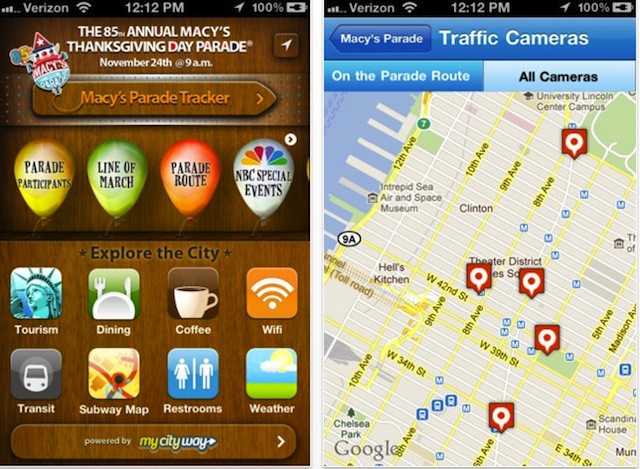
For those of you heading over to gawk at Sonic and the other floats at the Macy’s Thanksgiving Day Parade in NYC tomorrow, there’s a new tool this year that’ll help you make the most of the day — that’s right, the parade has its own free iPhone app.
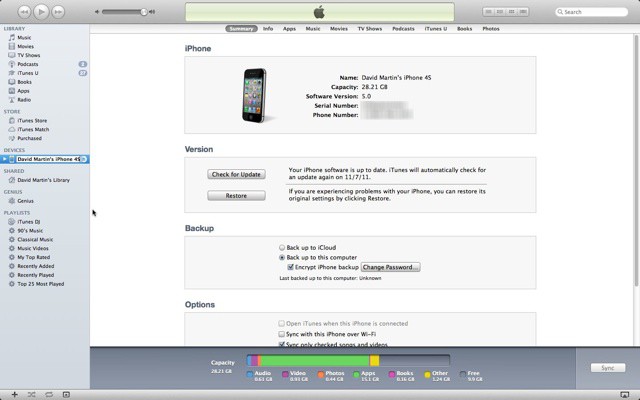

I was exploring some of the new features in iTunes 10.5.1 this week and I found out that iTunes offers a lot of technical information about our iOS devices. The only problem is that the information is hidden on the device summary tab and unless you know how to get to it you wouldn’t think about looking for it.
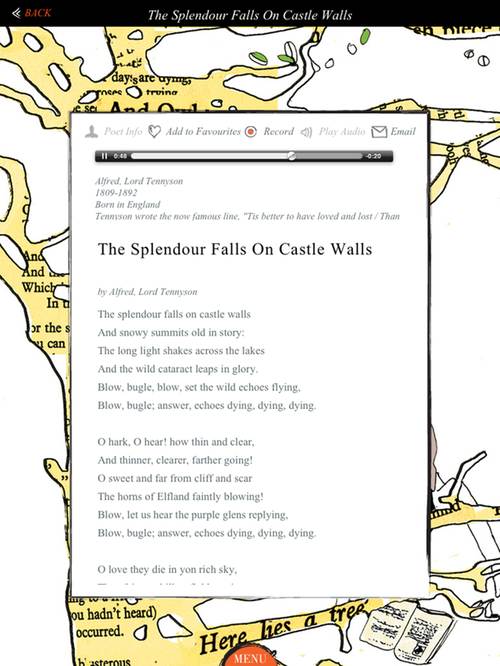
This is iF Poems, a new educational app aimed at children, but with much to offer to grown-ups too.

httpvhd://www.youtube.com/watch?v=Xs5ddFlc5Tw
The highly anticipated sequel to Chair Entertainment’s Infinity Blade is launching on December 1st, and the official trailer has been made available with commentary from the game’s developers.
Infinity Blade II will feature 40 new locations, millions of new hit points, and stunning visuals for iOS devices that boast the A5 processor, like the iPhone 4S and iPad 2.

Onmaway is a location sharing app designed to let you concentrate on your travels, rather than interrupting them to tell everyone where you are.
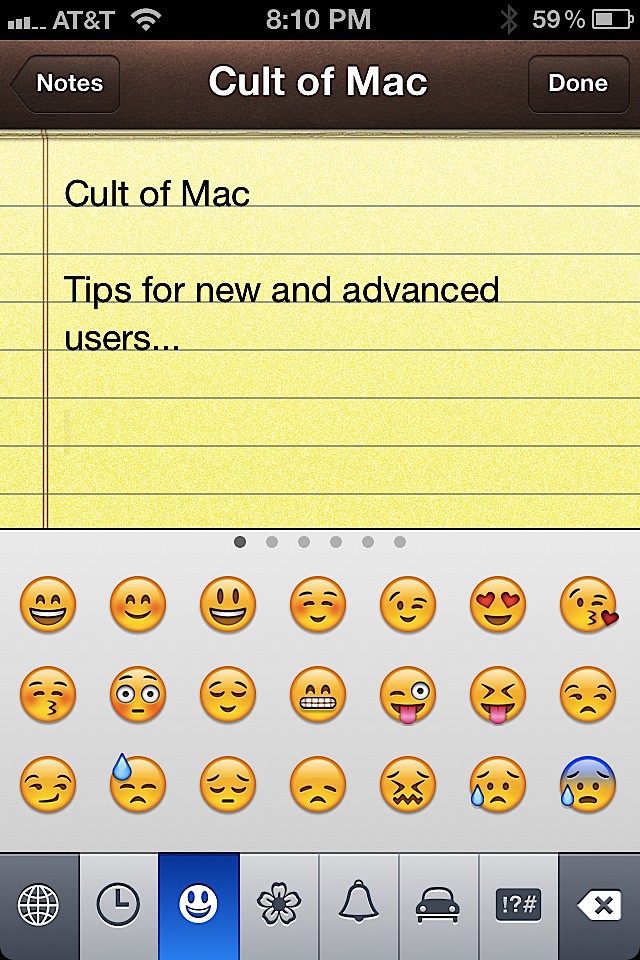
It’s about time! Apple finally made accessing emoticons via the Emoji keyboard a part of iOS. Prior to iOS 5 you had to jump through all kinds of hoops to get them. They’ve been a part of iOS for longer than I can remember, but initially they were only accessible by jailbreak and later by applications that were able to activate them. You used the app, discarded it and were on your way to emoticon heaven.
Now Apple has included an easy way to activate them and use them as much as you want.
Have you ever had an amazing idea for an iOS app but then been devastated by the realization that you don’t know how to code and build an app? Yeah, me too… been there, done that. Which is why we’re stoked to bring you a deal on how to build a killer iPhone or iPad app with the Dive into iOS instructional course from Udemy. If you don’t want to wind up like poor George Costanza, then this deal is something you need to check out over at Deals.CultofMac.com.
Now is your chance to make it happen…
Here’s the steal (yes, when course material like this is only $79 it’s better than a deal):
After just a couple of hours of online instruction you will be well on your way to building your dream iPhone and/or iPad app. Yes, your DREAM app; an app that could turn your ghetto ride into a Ferrari (literally); an app that could give you some serious points with the ladies (or fellas…we don’t discriminate); an app that could turn your diehard hobby into a new thrilling career; an app that could change the world.

The revamped Google Search app for iOS, which we reported on yesterday, is a huge improvement on what went before.
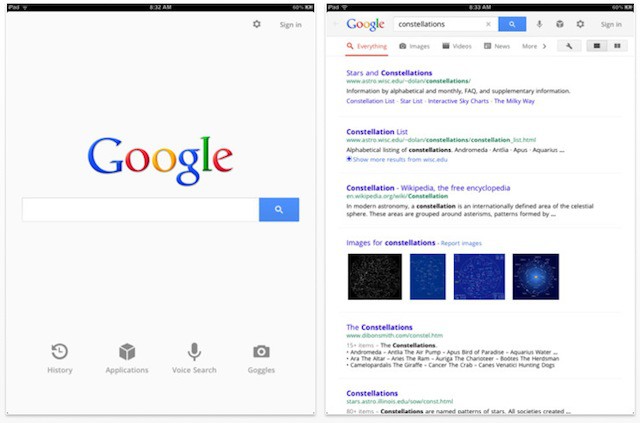
Google’s been redesigning many of its web services like Gmail and Reader lately to follow its new Google+ UI template, and now it appears its time for Google’s apps to get the same new coat of paint. The newest version of Google’s official Search app for iOS not only gets a new design for the iPad, but a fullscreen mode for iPhone and numerous other fixes and additions.

While we all eagerly await an untethered jailbreak for iOS 5 and the iPhone 4S, many of us are using custom settings shortcuts on our iOS homescreens to duplicate the functionality of a more robust Cydia hack like SBSettings.
The only problem? While the shortcuts work really well, some of the icons can be ugly and distinctly un-Apple-like.
Why settle for some puked-up icons, though, when you can have icons sexy enough to lick? Just go over to https://brdrck.me/settings/ on your iDevice and get downloading. Follow our previous how-to if you need guidance on setting these up.
[via iDB]
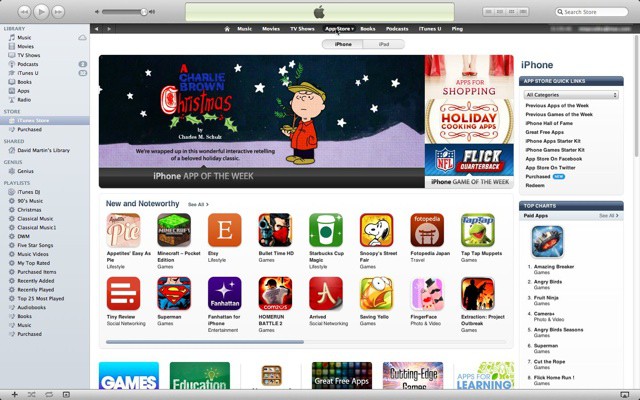
It’s Thanksgiving Week, and that means most of us Americans will start thinking about how much weight we’ll gain and how much money we’ll end up spending on Black Friday, especially if we have children clamoring for an iPhone, iPod or iPad.
If you, like many other parents, are planning on buying your kids an iDevice this Christmas, you should know that your kids will need an iTunes account to use with their new device. Presumably, you’ll want to control how much they can spend buying apps. So you’ll be happy to know you can set up an iTunes account without a credit card. Your kid will be able to download a plethora of free apps and you’ll be able to give them gift cards to use to buy paid ones. This will let you control how much they spend, which is a lot better than giving them carte blanche access to your line of credit.
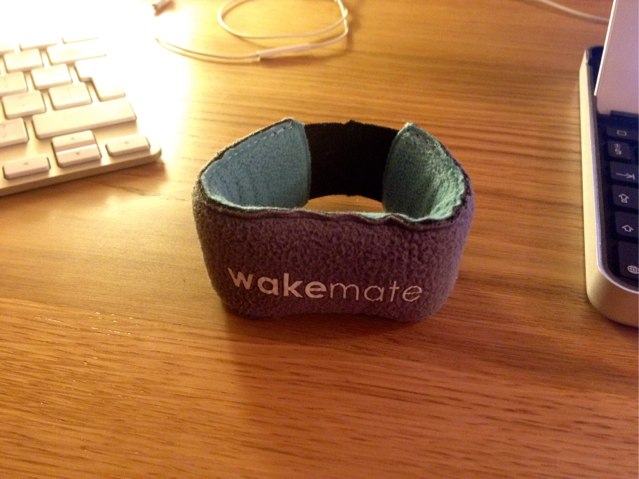
Hauling my back end out of bed each morning is a horrible task, especially during the winter months. Even with the recommended eight hours sleep, I never wake up feeling refreshed. However, I was hoping all that was about to change, thanks to a little app-enhanced headband.
The WakeMate ($60) is an accessory and app for your iOS device that has two main objectives: to help you track and analyze your sleep pattern; and to wake you up at the optimal time in your sleep cycle so that you feel better about waking up early — which is just what I needed.
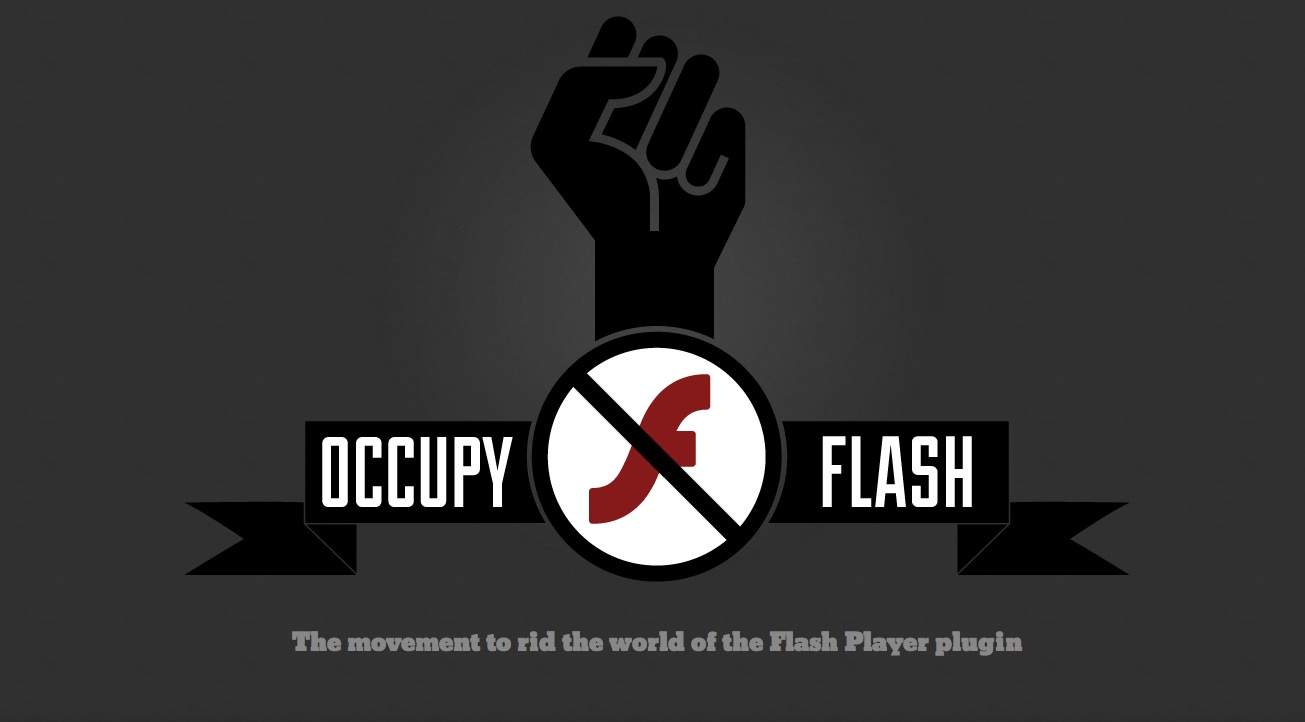
Forget Occupy Wall Street, Occupy Oakland, Occupy Boston and all the rest of the 995 protests. The Occupy movement is now coming to your browser, but not how you’d expect: they want to eliminate Adobe Flash from all web browsers.
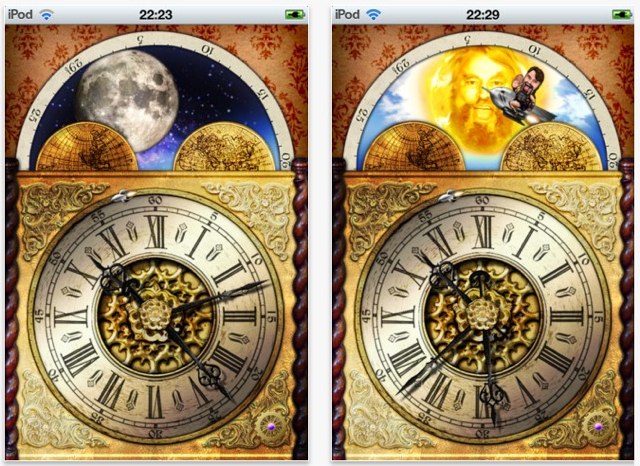
Today’s – probably this week’s – Best Thing Ever is the amazing, ear-exploding wonder that is Brian Blessed Alarm Clock.

Earlier this week we announced our newest Cult of Mac Deal – a $79 iOS App Development Course. To make things even better for our awesome readers, this weekend we’re having a giveaway for one free admission into the course so you can get started on turning your ideas into the next great app. This contest will run from today till Sunday, November 20th at 9PM PST. The rules for entering are incredibly simple; here’s what you got to do to enter.
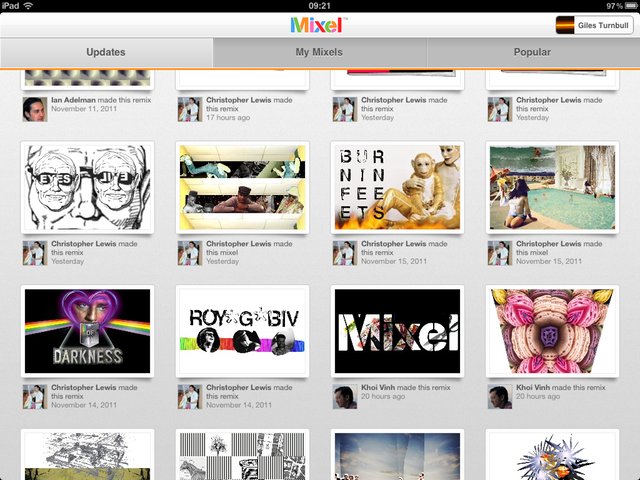
Mixel is a free digital art and social networking app for iPad. It works beautifully; you and your kids will love it. The only downer is its unfortunate requirement that you link it to Facebook. No Facebook means no Mixel.
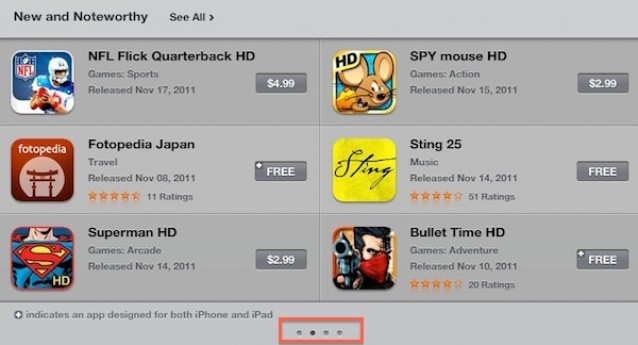
Apple has made a subtle change to its App Store app for the iPad today, but subtle though it may be, it makes navigating the store a much nicer, and much faster, experience.

Evil Twin is a joke photo app that makes use of something called the Thatcher Effect.

If you’re a photographer, designer or marketing type, chances are you’ve used Shutterstock‘s stock image service at some point — either to hawk your wares, or to grab inexpensive(ish) good-looking images for a project. And if you use the service frequently, things just became a little easier — thanks to Shutterstock’s new iPad app (as long as you have an iPad, of course; if you’re a photographer without an iPad, well, get one).