Do you know how to code a circle? If you’re a software developer, the answer is probably yes. But what about interface elements, complex icons and other fancy graphics? Sure, you could probably get it done, but what a pain. That’s what PaintCode is for.
PaintCode is a Mac app which takes your complicated vector-based designs and translates them into Objective C code, ready to be pasted straight into Xcode.
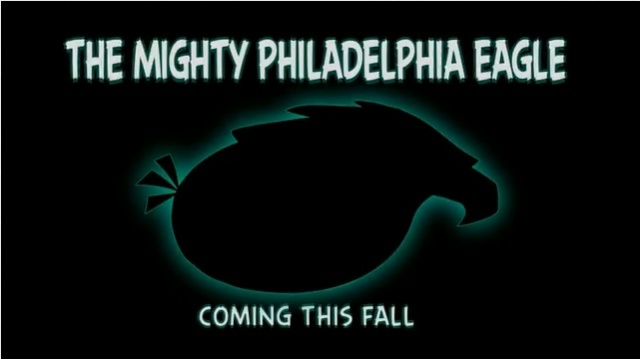
This NFL season is about to get squawky thanks to Andy Reid and his decision to sign five new free agents to the Philadelphia Eagles. At a brief press conference, Andy Reid announced the five newest players, and boy were they an Angry bunch. Newly signed Red Bird, Bomb Bird, Yellow Bird, Terrence, and The Mighty Philadelphia Eagle, are ready to crush all the swine populating the NFC East.
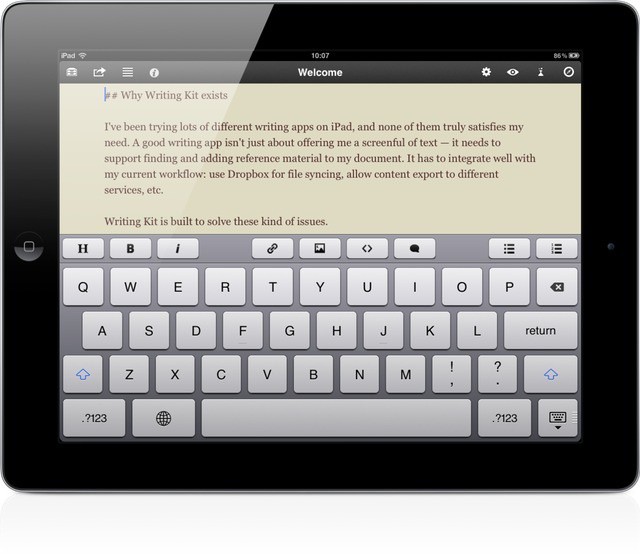
Writing Kit, every iPad-toting bloggers’ best friend, just got a small but significant update to v3.3. In addition to bug fixes (although not all of them) and some nice interface tweaks (sharing destinations now have service icons to help identify them quickly), the app now has support for URL schemes, letting other apps interact with it.
Aviary is a weird old service. It’s a web-based photo-editing suite that runs in HTML (and therefore the iPhone and iPad), but there’s no actual Aviary site where you can upload images and fiddle with them.
Previously, the easiest way to get access was to go to Flickr, but since nobody uses Flickr anymore, that was kind of lame. Now, though, somebody has licensed the Aviary APIs and made an iOS app. Right now it’s iPhone-only, but it’s pretty damn good.
There’s no denying Temple Run has had quite the success across both Android and iOS. Apparently, Disney has taken notice of this success and reached out to Imangi Studios (the couple behind Temple Run) to create an official Temple Run version for Disney/Pixar’s upcoming computer-animated fantasy adventure film Brave.
Rovio’s Angry Birds updates are becoming more and more creative. The next batch of summer fun transports our favorite angry aviators to the land of aquatics. Down in the depths of the ocean lives a mythical green beast whose appetite for destruction can only be satisfied by the souls of the avian unborn.
Pris is a ridiculously simple new camera app for the iPhone which nonetheless manages to give you all the features you actually need, only without getting in the way. Shoot with the iPhone in portrait orientation and it’ll snap square photos and videos, ready for Instagram. Flip the iPhone into landscape and Pris will shoot super widescreen video and stills in a Star Wars-like 2.25:1 aspect ratio. There’s more, but in principle that’s the entire app.
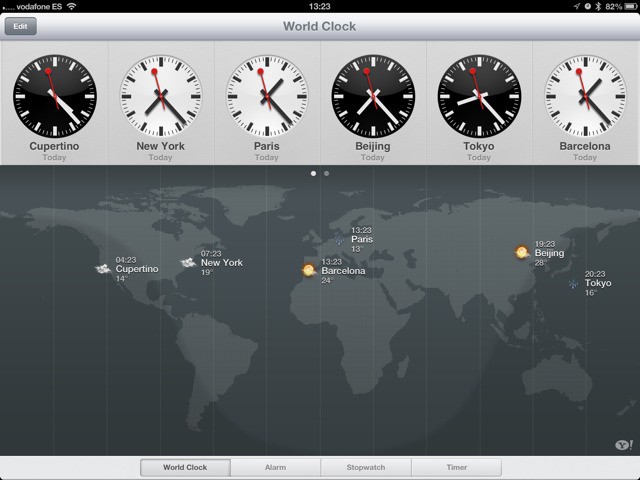
When the iPad launched, there was an inexplicable lack of a couple of core Apple-made apps. There was no Clock, no Weather app and (thankfully) no Stocks. Now, Clocks has been added to the iPad in iOS6, and weather is also in there – kinda.
iOS 6 contains plenty of new features that Apple didn't mention at WWDC. Image courtesy of William Gamache ([email protected]).
We’re still trawling through the new iOS 6 beta releases that Apple pushed out after its WWDC keynote yesterday, and we continue to find nice new features and improvements. If you’re as excited about iOS 6 as we are, you’d probably like to hear about them.
Here’s a few changes Apple has made to emoji, Reminders, and more.
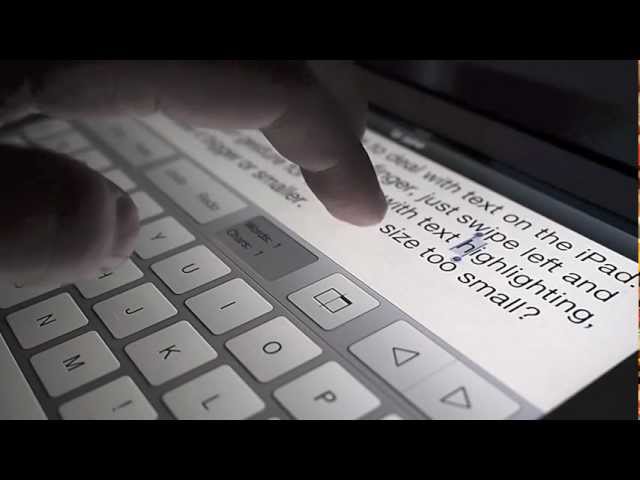
Tyype, a new ultra-simple text-editing app for the iPad, could point the way to better text manipulation in iOS 6, due to be announced today at Apple’s WWDC in San Francisco. And while we don’t think for a moment that Tyype’s gestures will make actually be in the new OS, it certainly shows that not only is Apple’s way not the sole way to do things, it isn’t even the best way.
The best note taking app for the iPad just got better.
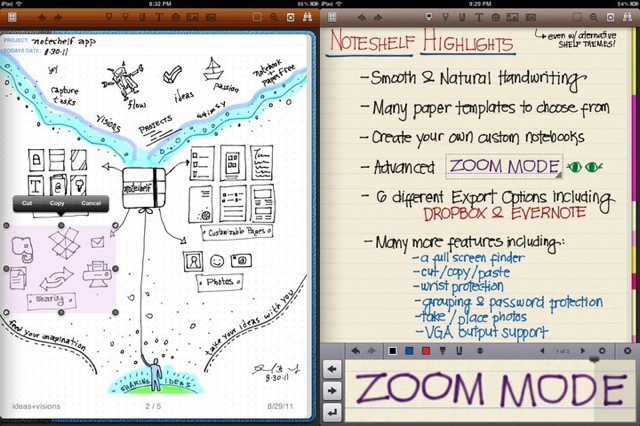
Noteshelf — the best writing and scrawling app available for the iPad — has at last gotten a Retina update for the new iPad. And boy was it worth the wait.
App Cubby has made a little teaser video for the forthcoming new app Launch Center Pro. As you may remember, Launch Center is kind of like Quicksilver or Launchbar for your iPhone — you fire it up and tap buttons to perform actions. You can quickly compose a Tweet, or tap a button to open the Mail app with a new draft already pre-populated with a recipient’s address, or even schedule a message, say, to be sent at a certain time (this will pop up a reminder in the Notification Center).
MacPhun's Color Splash Studio is finally on iOS, and it's leading this week's must-have apps roundup.
Heading up this week’s must-have apps roundup is Color Splash Studio, a terrific photo manipulation tool originally built for Mac OS X, which has finally made the leap from MacApp Store to iPhone. We also have a great music video mixing tool from Algoriddim, the guys behind Djay; a camera app that’s perfect for your kids, and more.
U.S. Facebook users should start seeing Facebook’s new App Center when they log into Facebook via the web, Android app, or iOS apps. Facebook’s new App Center is less of an “App Store” and more of a central location for Facebook users to discover new apps. In reality, it’s just a way for Facebook to keep users in Facebook or using Facebook integrated apps.
Now your iPhone can give you the cold shoulder (rimshot).
If you live in a place that needs air-con, then you probably already have it. You can move along now. But if you are shopping for a new AC unit, or you happened to buy one made by Kühl, then why not consider this new dongle that will let you control the unit from the cool comfort of your own iPhone?
This year’s Electronic Entertainment Expo has been chock full of mobile news and is a testament to the future of mobile gaming. Major gaming companies such as EA took stage to not only show off their console offerings, but their future mobile versions as well. This year, EA showed off a number of titles, two of which will be hitting Android and iOS later this fall.
If the actual Alien Sky app is as good as this awesome teaser video, then it deserves to be a sell-out success. Who doesn’t love pictures of planets married to dramatic, movie-score music?
Sadly, it might end up just being a little tacky. Like a nightclub after the house lights are switched on, take away the spectacular soundtrack and all you’re left with is an app that lets you add planets, more planets, planets with rings and lens flare to your photos — it’ll get old and tawdry pretty fast.
I do like the lens-flare aspect, though. And for this, I would probably download the Alien Sky developer’s existing app, aptly named LensFlare.
The revamp looks so good, you can almost forgive the continued lack of an iPad app.
FourSquare, everybody’s favorite not-owned-by-Facebook check-in service, just got a huge update rendering it prettier, less confusing and much less annoying when blown up for the iPad. There really aren’t many new features – unless you count a complete redesign as a feature.
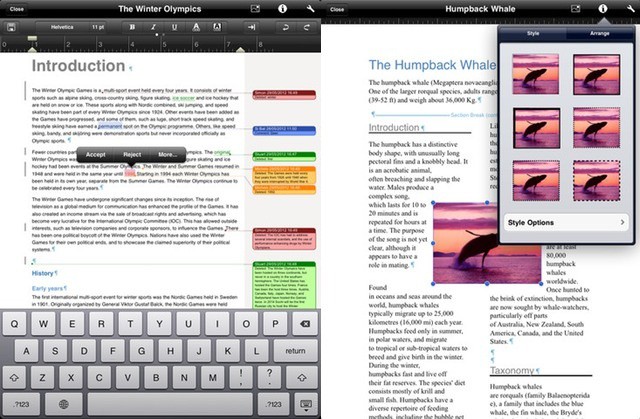
Many of you will have read the above headline and thought “Meh. Whatever.” And yet here you are, still reading. Well, if you got this far, here’s the reward. Office2 HD, the MS Office-compatible suite for the iPad, has just gotten support for Track Changes and comments. This is big because there is no other software on the iPad that does this. Not even Apple’s own Pages.
Rogue Amoeba’s AirFoil Speakers Touch app was recently pulled from the App Store by Apple without any notice. Before getting yanked, the app was updated with an “Enhanced Audio Receiving” feature that essentially turned an iOS device into an AirPlay audio receiver. Apple didn’t like Rogue Amoeba’s use of receiving audio through AirPlay, and the company released a short comment saying “Apps that use non-public APIs will be rejected.” That was it.
The good news is that AirFoil Speakers Touch is back in the App Store after a back and forth with Apple. The bad news is that the newest app version is missing the aforementioned AirPlay audio feature. According to Rogue Amoeba, Apple reps admitted that the whole situation was “poorly handled” on their end.
Chances are, if you have an iOS device of some sort, you have apps. And if you have apps, chances are that you have too many of them. They start to get lost in the crowd. I find that, for myself, once I get past the first couple of app pages, I might as well tap at random for all I can find the app I need.
There are ways to launch the app you want, of course. You can bring up the multitasking bar with a double tap on the Home button, and swipe through a list of the most recently running apps. If you haven’t used the app you’re looking for in a while, though, it may not be there.
You can also use the Spotlight search function. When on the first page of apps, either swipe left or tap the Home button once. Type the name of the app you’re searching for into the field there and you’ll see that hidden app. Tap on it to launch. But you’ll have to do that every time. Spotlight won’t tell you WHERE that app resides.
At today’s Google Maps event, Google revealed a few planned features for not only Google Maps for Android (no mention of iOS), but also Google Earth for Android and iOS. The Google Maps announcement was simply offline support, and something that users have been after for years. In Google Earth news, Google announced stunning new 3D images and a new UI would be coming soon to both Android and iOS platforms.
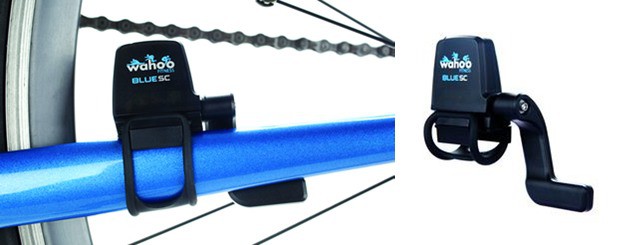
Wahoo's low-power sensor should last as long as a regular cyclocomputer.
There are probably hundreds of apps that will turn your iPhone into a mobile fitness device, using the phone’s GPS to track your speed and from there derive calories burned, route taken and so on. Some of them even connect wirelessly through a dongle to heart-rate monitors and the like. It’s like having a coach in your pocket, only he doesn’t wake you up in the morning by shouting at you.
Now, though, things are going to the next level. Wahoo’s new Blue SC speed and cadence sensor talks direct to the iPhone via low-powered Bluetooth 4, letting it communicate directly with your bike.
Imagine that you stood in one place and took a bunch of photos in different directions. Now imagine that you printed these photos onto glass sheets and arranged them in the same planes that they were shot: the picture you took of the sky is horizontal, facing down. The mountain off to the left is upright and facing right.
Now imagine that these pieces of glass magically intersect to make a lattice which you can turn to view, and that those pieces of glass disappear from view when they are edge on.
You just imagined Stilla, a great new iPhone app which does all of this for you, without harming a single sheet of glass.
You might have heard that today’s a pretty special day, astronomically speaking. Venus is in transit between Earth and the Sun today, which is a once-in-a-lifetime event. Today only, right before sunset in the United States, if you look up at the sun, you’ll be able to see the silhouetted Venus passing between us and our life-giving star. And due to the differences between Venus’s solar year and our own orbit around the Sun, you’ll have to wait a hundred years until this event happens again.
In other words, if you’re American, you don’t want to miss this if you have any curiosity about the heavens at all. And luckily, there’s an app that will help you make sure you don’t.