Want to quickly check the weather on your iPhone? Want to have your eyes soothed by wonderful, minimal design at the same time as you’re informed of the temperature outside? Then you need WTHR, an iPhone app which could have been designed by Dieter Rams himself.
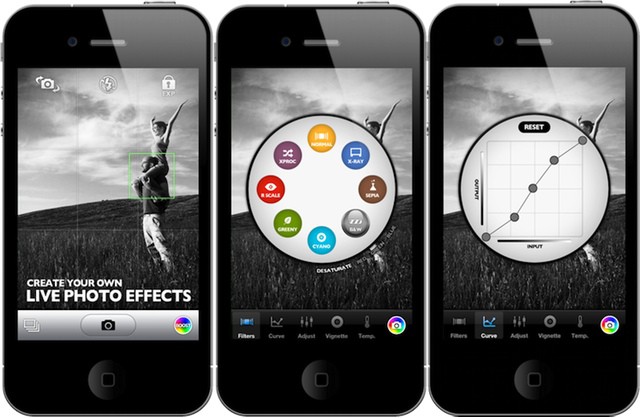
Booster lets you customise filters before you take the photo.
You probably love Instagram filters, and all the other image-tweaking filters in the myriad apps available for your iPhone. But no matter how many you try, they are all just presets.
What if you could make your own presets instead? That’s the promise of Booster!, an iPhone 4/s (or iPad 3 if you don’t mind pixel-doubling) photo app with infinitely changeable live filter effects.
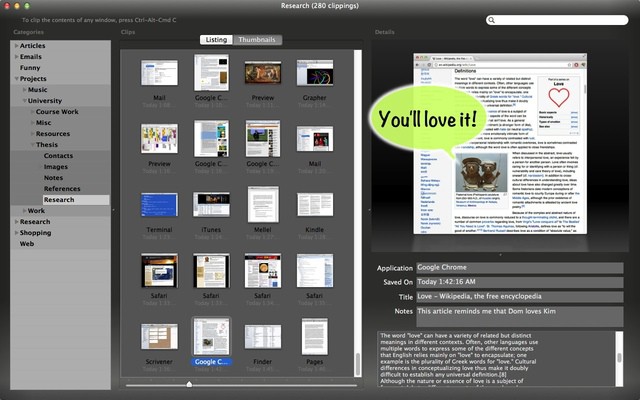
SkimClip reads the text from your Mac screenshots.
SkimClip is a very clever, and very handy little Mac app. What it does it this: With one keystroke, you can make a screen grab of any part of your Mac’s desktop and SkimClip saves it and performs OCR.
Thus, any image containing text is instantly cataloged for searching. Sure, you could also roll your own PDF workflow to do the same thing, but as SkimClip also organizes the results into an iTunes-like interface with search, subcategories and quick-look, and only costs $5 on the Mac App Store, then why bother?
Plus, this is yet another way to convert DRM-encumbered e-books into plain old go-anywhere text.
SkimClip v1.0 is available now in the Mac App Store.
It’s our inalienable right as citizens of the modern world to take a vacation or a holiday, right? Well, instead of packing your whole family off to an all-inclusive Club Med vacation or Disney cruise, how about taking on one of the most time-honored summer vacation traditions, the road-trip. Long drives through scenic countryside with loving families and family pets are some of the best memories we all have, right? Right?
Well, at least we have iOS devices with us these days to both combat boredom and make sure we arrive where we want to. Here’s a veritable cornucopia of apps and ideas for road-tripping this summer, iOS-style.
Companies developing internal iOS apps need to ensure those apps don't compromise security. Photo: 1Password
Many IT departments are under intense pressure to develop and implement a range of mobility initiatives. Those initiatives often span a range of IT disciplines. There’s the effort to develop internal apps, provide access to new and legacy systems from mobile devices like the iPhone and iPad, the need to manage and support users devices as part of BYOD programs, and the need to develop customer-facing solutions like mobile-oriented sites and native apps.
With so many pressures hitting IT organizations at the same, compromises are being made because of tight deadlines and budgets. According to security expert Jeff Williams, that push to get solutions out as quickly as possible may result in solutions that have major security flaws in them.
Years ago, I worked out a way to remote control my home’s lamps from my iPhone: just record the sound of somebody clapping, and play it back when you want to switch a light on or off.
Now, though, there’s a much higher-tech way to do the same thing. It’s an iPhone-controlled lightbulb from Insteon.
Think Retina display Macs are a gimmick? Think again: Mac developer Gus Mueller is almost ready to pop out an update to the Acorn image editing app which will use the Retina display on the new MacBook Pro to spectacular (and rather useful) effect.
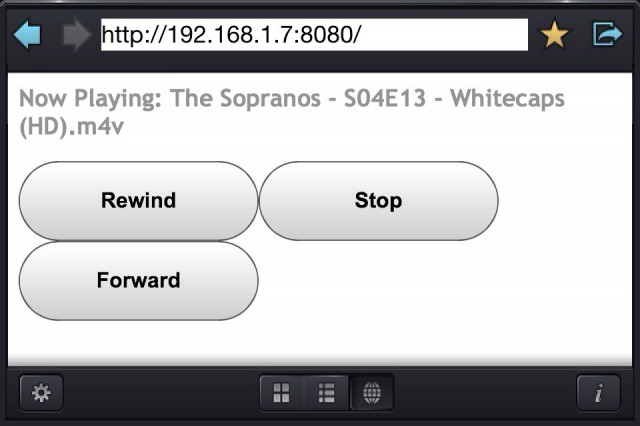
The new browser-based remote is ugly but effective.
CineXPlayer, the excellent, rock-solid, play-anything video player for iOS, had gotten yet another big update. Every time the app is bumped to a new version, I wonder what the developers will be able to add next time. And today’s answer is… Quite a lot.
The App Store extends its reach across Africa, Asia, and Europe.
With the incredible success of the App Store, sometimes it’s easy to forgot that there are still many, many countries the world over that don’t have access to it yet. That number has been reduced today, however, as Apple brings its mobile marketplace to another 32 countries, bringing the total number of countries with access to the App Store to 155.
In two days, Sonic the Hedgehog will be celebrating his 21st birthday. While Sonic goes out and parties like it’s 1999, SEGA will be discounting all digitally available Sonic games for you and I to enjoy. For a limited time, you can head over to any of the following gaming/app stores and enjoy the great deals being offered by SEGA.
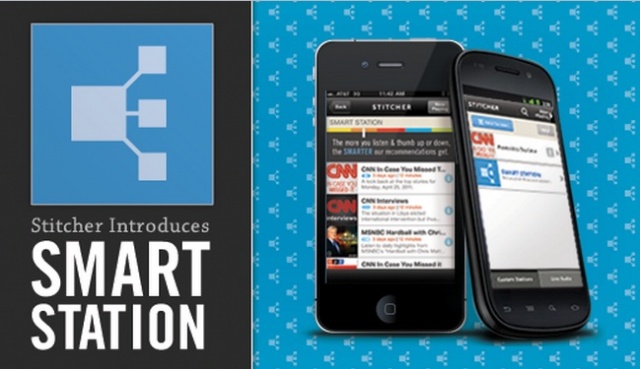
On-demand news radio service, Stitcher Radio, dropped a nice update in the laps of Android and iOS users today. Starting today, Stitcher Radio will follow in the footsteps of services such as Pandora or iTunes Genius, by providing personalized recommendations based on your listening activity. This new feature has been dubbed “Smart Station” and claims to be a first for talk radio.
Doctors are concerned about how mobile health apps and tech may empower patients.
Doctors may be fans of the iPad as a clinical tool, but they’re not certain that Apple’s iPad, the 5000+ health and medical apps in the App Store, or other mobile technologies are safe and effective health tools for patients. That’s the gist of a report by PwC Global Healthcare. The report was based on surveys of physicians, healthcare management professionals and payers, and mobile technology users in ten countries around the world.
According to the report, just under two-thirds (64%) of healthcare providers acknowledged that mobile technologies offer potential benefits for patients, but feel that mobile health (also known as mhealth) is virgin and untested territory. As a result, the majority of doctors (73%) don’t suggest iOS or mobile health apps to their patients and some (13%) even discourage patients from using them.
iPhone users on the go will now have access to the same great Google offers as Android users thanks to the new Google Offers app for iOS. The app allows users to browse and redeem hundreds of local offers as well as deals from the dozens of participating deal sites. With Google Offers for the iPhone you’ll enjoy:
If you want jerky screencasts, grab Display Recorder before Apple axes it.
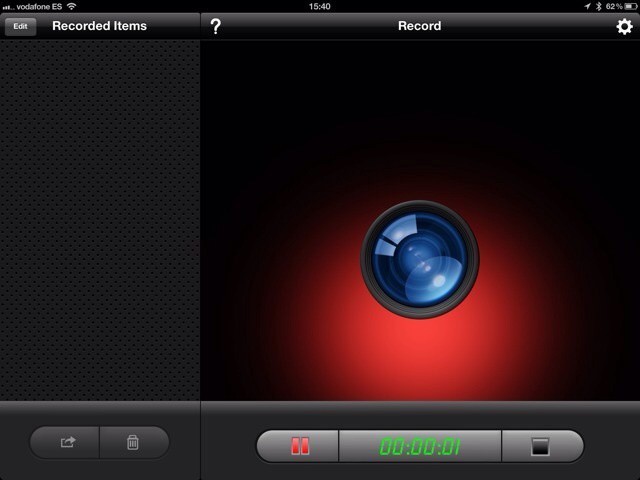
Quick! If you have any need for an iOS screen-recording app, and you don’t mind wasting $2, then go download Display Recorder right now. Don’t worry – I’ll wait.
All manual, all the time. Unless you pick auto, I guess.
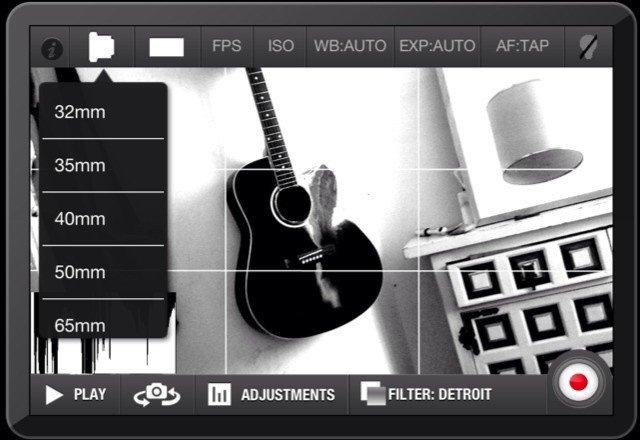
The iPhone’s camera app is pretty good for shooting stills, and I consistently get sharper pictures with better white balance than I do in any other apps. But for shooting video, it just plain sucks: the crop factor (which lets image stabilization do its stuff) makes indoor shooting hard, and you have almost no control over anything but focus.
So do yourself a favor and go spend a buck on CinePro, a video-shooting app that gives you all the control you need.
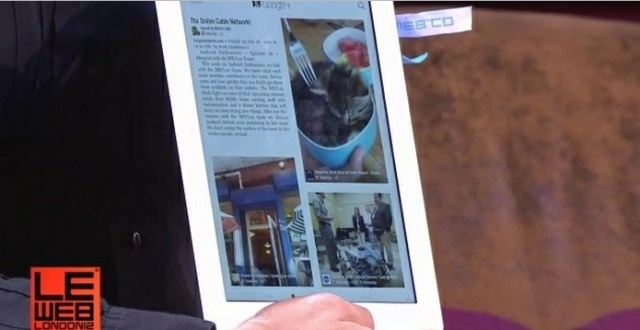
Google’s VP of Product Management, Bradley Horowitz, announced that Google has partnered with Flipboard to integrate Google+ streams into the popular magazine-styled reader. Google+ will join Facebook, Twitter, Tumblr, and a host of other social services available on Flipboard thanks to new extended APIs. This new integration is a great step forward for users, especially those who enjoy accessing all of their social content from a single app such as Flipboard.
It’s safe to say the majority of us already know the story behind Peter Parker and how he came to be Spider-Man. In case you aren’t familiar with this iconic story, Gameloft has released a prologue video to not only familiarize you with the history, but to show off some more in-game footage.
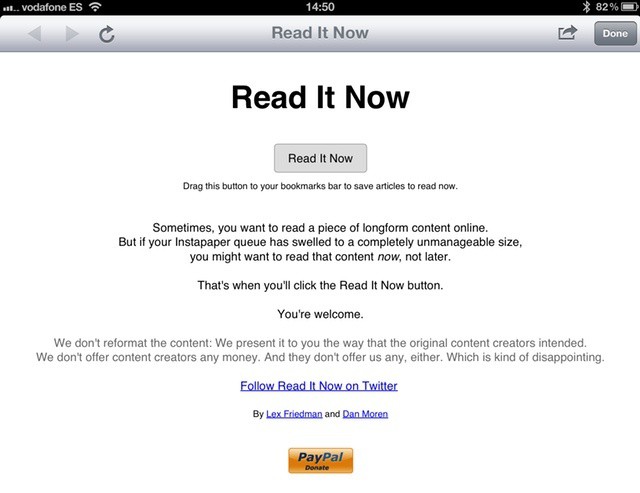
Instapaper queue getting on top of you? Why not Read It Now instead?
You all use and love Instapaper, right? Or perhaps Pocket, or Readability? These apps are the perfect way to put long articles aside for reading during downtime, or for browsing on a device better suited to the task than a desktop computer. But what about those times when you have a few moments and you just want to stop and read the website in front of your right now?
Do you know how to code a circle? If you’re a software developer, the answer is probably yes. But what about interface elements, complex icons and other fancy graphics? Sure, you could probably get it done, but what a pain. That’s what PaintCode is for.
PaintCode is a Mac app which takes your complicated vector-based designs and translates them into Objective C code, ready to be pasted straight into Xcode.
This NFL season is about to get squawky thanks to Andy Reid and his decision to sign five new free agents to the Philadelphia Eagles. At a brief press conference, Andy Reid announced the five newest players, and boy were they an Angry bunch. Newly signed Red Bird, Bomb Bird, Yellow Bird, Terrence, and The Mighty Philadelphia Eagle, are ready to crush all the swine populating the NFC East.
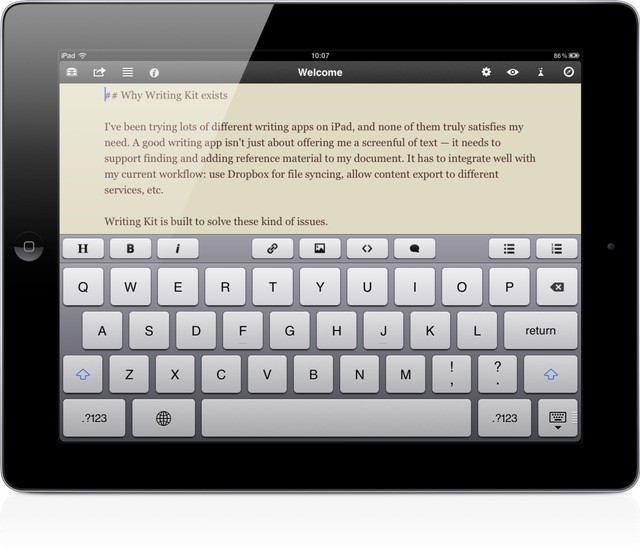
Writing Kit, every iPad-toting bloggers’ best friend, just got a small but significant update to v3.3. In addition to bug fixes (although not all of them) and some nice interface tweaks (sharing destinations now have service icons to help identify them quickly), the app now has support for URL schemes, letting other apps interact with it.
Aviary is a weird old service. It’s a web-based photo-editing suite that runs in HTML (and therefore the iPhone and iPad), but there’s no actual Aviary site where you can upload images and fiddle with them.
Previously, the easiest way to get access was to go to Flickr, but since nobody uses Flickr anymore, that was kind of lame. Now, though, somebody has licensed the Aviary APIs and made an iOS app. Right now it’s iPhone-only, but it’s pretty damn good.
There’s no denying Temple Run has had quite the success across both Android and iOS. Apparently, Disney has taken notice of this success and reached out to Imangi Studios (the couple behind Temple Run) to create an official Temple Run version for Disney/Pixar’s upcoming computer-animated fantasy adventure film Brave.
Rovio’s Angry Birds updates are becoming more and more creative. The next batch of summer fun transports our favorite angry aviators to the land of aquatics. Down in the depths of the ocean lives a mythical green beast whose appetite for destruction can only be satisfied by the souls of the avian unborn.
Pris is a ridiculously simple new camera app for the iPhone which nonetheless manages to give you all the features you actually need, only without getting in the way. Shoot with the iPhone in portrait orientation and it’ll snap square photos and videos, ready for Instagram. Flip the iPhone into landscape and Pris will shoot super widescreen video and stills in a Star Wars-like 2.25:1 aspect ratio. There’s more, but in principle that’s the entire app.