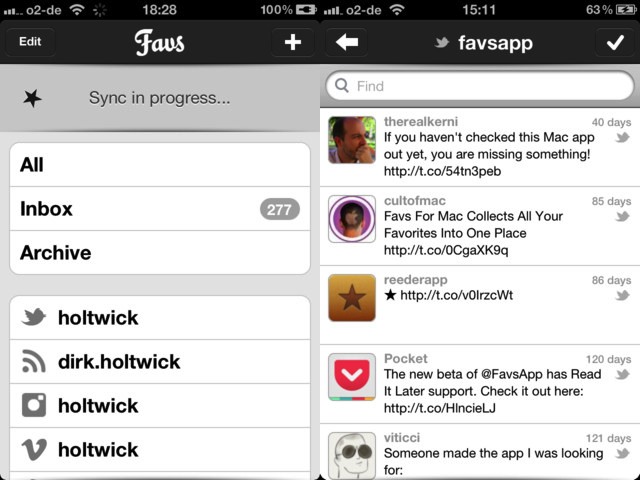
Remember Favs, the Mac app which collects your favorite items from pretty much any service on the internet and puts them all together in one place? Well, now you can use it on the iPhone, too: Favs for iOS just launched and it looks like a great way to keep track of your starred items when on the go.
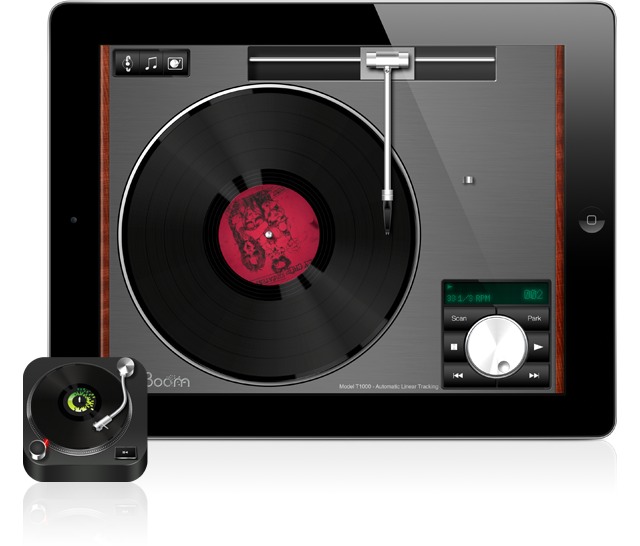
If you ever used to play records, you're going to love Vinyl Tap.
There are a few record player simulation apps for the iPad, but attention to detail and awesome graphics may make Vinyl Tap the best. And better still, it comes with not one but two turntables, with more promised in future updates.
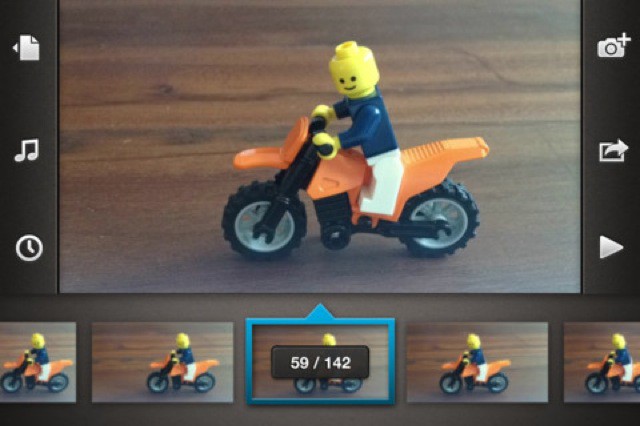
The new 1.3 update to the stop-motion-animation app Frameographer has a new feature called Smart Zoom, and it is so obviously good that every video-shooting app for iOS should be using it already.
Gameloft is at it again, teaming up with Marvel to produce yet another hit mobile game. After the success of Spider-Man: Total Mayhem, Marvel knew just who to go to for the creation of an Amazing Spider-Man mobile game that they planned on launching in conjunction with the new film. Gameloft has been working closely with Marvel and Sony Pictures to ensure the game stays as true to the film story as possible.
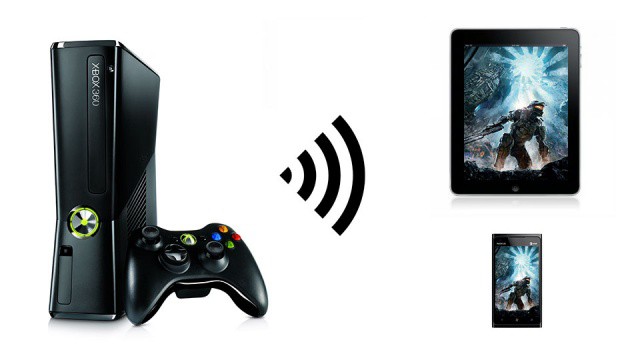
Microsoft has officially announced their newest product for the Xbox 360, Xbox Smart Glass, and it will turn your iPhone, iPad or iPod touch into an extension of your favorite console games.
Imagine playing a game of Halo and using your iPhone to show you the mini-map, or your iPad to talk with team mates, and you have the right idea. And while you won’t be able to stream full games from your Xbox 360 to your iPhone or iPad, this still sounds pretty great.
In case you haven’t heard, Instapaper quietly snuck its way into the Google Play Store today. I’m going to tell you a little bit about Instapaper, its significance to Android, and why this Android user won’t be buying it. Instapaper is a popular service for saving web pages for reading later. It not only saves pages for reading later, but also strips them down to a clean text-only format for easy reading.
It’s a nice concept, which when released back in 2008 for iOS, was original and extremely useful. But over the course of the last four years, Instapaper’s developer Marco Arment has spent most of his free time insulting Android and its fans… and now he wants us to give him money? Let’s take a brief look at the Instapaper app and its history to show just how insulting this is.
Along with Instapaper, the iPad gets another big app update today. Comic Zeal — long my favorite comic-book reader — has gotten Retina support for the new iPad, along with a few interface tweaks which makes organizing your comics easier and sometimes a little less confusing.
Instapaper will now fetch your news when you arrive at, home, work, anywhere.
Instapaper just got yet another update (developer Marco Arment seems to be on roll these last couple of months) and it brings a very neat new feature – when you arrive at any chosen location, Instapaper will automatically update your articles in the background. This should mean that never again will you be without your latest saved articles when you rush of to catch a bus.
In what ways will iOS 6 borrow ideas from the jailbreak community?
Apple is expected to unveil iOS 6, the next major iteration of its software platform for the iPhone, iPad and iPod touch, at WWDC in two weeks. Not much is known about iOS 6, other than the new Maps app and the possibility of a more metallic look. Many have been speculating about what Apple could introduce, and we at Cult of Mac have a few ideas we’d like to see come to fruition.
The iOS jailbreak community has been innovating at a quicker pace than Apple for years. Jailbreakers had multitasking first, tethering first, iTunes WiFi sync first, and so on. There are many jailbreak concepts currently available for iOS 5 that we’d love to see Apple implement in iOS 6. That’s not to say that Apple will adopt all of these concepts, but we expect at least a few to show up in a way that only Apple can make happen.
I really love these poignant ads for the Brazilian iPad magazine app, Veja, all of which feature a single finger “dipped” in a different news story after loading up the app. A story about an oil spill features a digit dripping with crude, while a story about genocide coats the finger in blood. The effect is more subtle for the third ad, which shows a pruned finger being held up after a story on a flood.
Not only are these ads gorgeous to look at, but the dripping finger metaphor is a poignant one, not only for the way the iPad has changed the way many of us experience news, but for the immersive power of iOS as a whole.
Photography is one place where older is definitely better — for now at least. We take amazingly high quality photos with our digital cameras and then add filters, grain, vignetting and all manner of other imperfections to make those pictures look like they were shot on film cameras. And not even good film cameras: pretty much all of the effects we use mimic defects in the photo processes of old.
Now, with Osmo Leaker, we have an app whose sole purpose is to add simulated light leaks to our photos. Tap the film-cartridge icon and random orangey strips will be added to your photograph, just as if you had accidentally opened the back of the camera before you rewound the film. Don’t like the result? Tap again. Decided you actually did like the previous leak better? No problem, you can go back (in the Pro version).
When you’re done, you can export to the usual places — Facebook and Twitter — and also save to the camera roll or open the image in Instagram. And that’s it: Osmo Leaker is a one trick pony, but it performs that trick very well. There are two versions available, a free version and a $1 pro version. The Pro app has more effects, full-res export and no ads, as well as the back button for fickle mind-changers.
All this has me wondering how ridiculous this retro-fication might be if applied to other technology. Low-res movies with barrel distortion to replicate the crappy picture of an NTSC CRT TV? Crackles and pops applied to lossless music to simulate vinyl? Wait, that last one actually exists!
DC Copy is a universal app which lets you avoid iTunes.
DC Copy is a new app that does one thing. It lets you copy your photos and videos to your iPhone’s camera roll via iTunes? "What?!" I hear you shout. "We can do that already!"
Well, yes, you kinda can, but it’s a testament to the true horror of using iTunes that this app exists at all, and that — furthermore — you’ll probably be downloading it by the end of this short post.
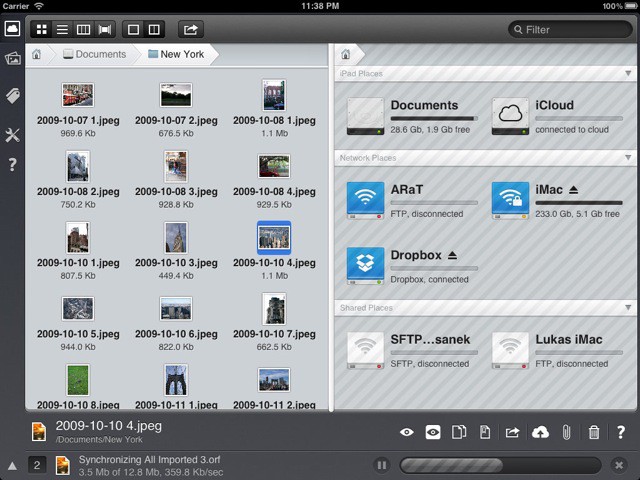
IStorage 2 is the coolest iPad file manager I have yet seen. It has a bunch of missing parts, and a few UI weirdnesses, but this DropBox-and-iCloud-connecting app uses the iPad’s touch interface and graphical horsepower to bring us the iPad file manager we always wanted.
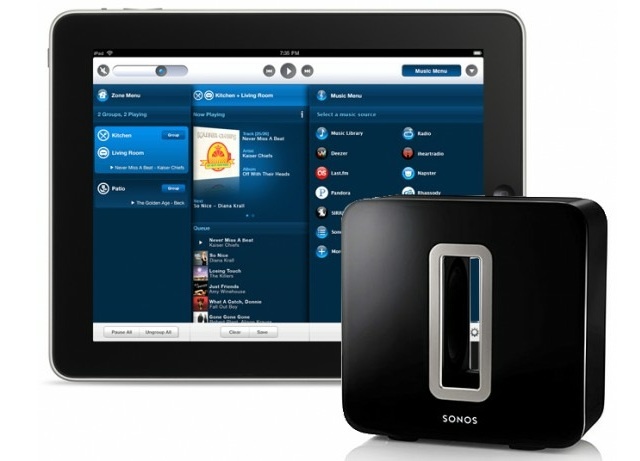
Sonos has updated their Controller app on Android and iOS in preparation for the June 19th launch of the Sonos SUB. The Sonos SUB is the latest addition to their top-notch wireless audio system and adds that ground shaking bass you’ve been looking for. The SUB works with all amplified components: CONNECT:AMP/ZP120/ZP100; PLAY:5/ZonePlayer S:5; PLAY:3 and features:
Last week a group of developers banded together to celebrate pricing freedom by launching the Because We May promotion. The promotion, which ends June 1, includes heavily discounted games across multiple platforms. Since its launch, Because We May has received great support and the list of games available has grown tremendously.
One of the hallmarks of great Apple software is that it makes you smile like a kid when it does something unexpected and undeniably cool. The first time you pinch-to-zoom, for example, or when you swipe over a picture in iPhoto for iOS and it automatically applies a correction depending on what’s under your finger.
The other hallmark of Apple’s apps is that they look great.
Scalado’s PhotoBeamer manages the first of these things, appearing to work as if by magic. On the second, though, it fails somewhat.
Mobiles Republic, a well known developer of free news aggregate apps, is proud to announce their latest offering, Sports Republic, just in time for the 2012 Olympics. Stay on top of all the scores and highlights with access to over 1,000 sports articles daily from over 70 trusted news outlets and sports blogs. Users can create and customize their own personalized sports channels using the many features of Sports Republic:
Going to WWDC 2012? Weirdos in Cat-in-the-Hat-hats is just one of the many things you can expect.
You one of the lucky ones who managed to buy a ticket to this year’s Worldwide Developer’s Conference during the approximately two hours while tickets were on sale? Apple’s posted the schedule of events that you can expect, as well as the requisite app making finding and scheduling your itinerary for WWDC 2012 all the easier.
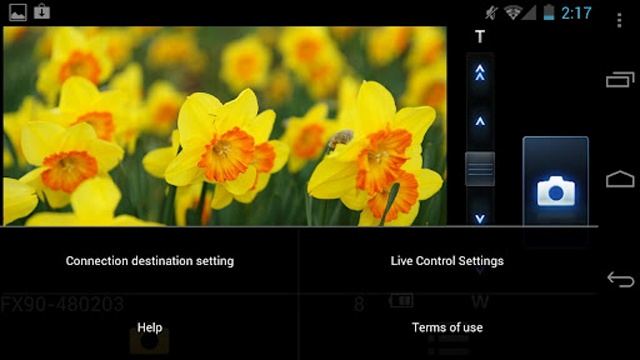
If you happen to own a LUMIX DMC-FX90, you might be interested to know Panasonic has dropped an app into both the Play and App Store to allow users to view and control certain aspects of their camera remotely. The LUMIX remote allows your Live View screen to be displayed on your smartphone. As long as you perform a firmware update to your FX90, the LUMIX remote app will provide you with:
This week's roundup features new apps from Yahoo!, Facebook, Google, and more.
Kicking off this week’s must-have apps roundup is a new web browser from Yahoo! called Axis, which hopes to redefine web searching on desktops and iOS devices. We’ve also got a terrific app for web editors, one that’ll help you monitor which apps are accessing your personal data, and two new apps from Facebook.
Yesterday, Apple yanked Airfoil Speakers Touch for unspecified reasons. A little birdie told us it was because Airfoil Speakers Touch duplicated inherent functionality in iOS 6. It’s possible that that’s still true, but if it is, it’s not why Airfoil Speakers Touch was pulled, as Apple has now gone on record saying it was actually because Rogue Amoeba violated a developer guideline against non-public APIs.
The popular puzzle game follow up Cut The Rope: Experiments has been keeping Om Nom fed for quite some time, but many of you have been running out of experiments to perform. Thankfully, ZeptoLab has pushed out an update to challenge our wits and feed our precious Om Nom. The latest update features:
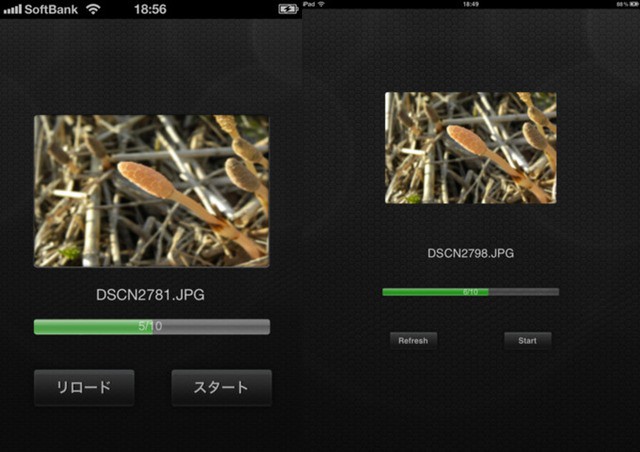
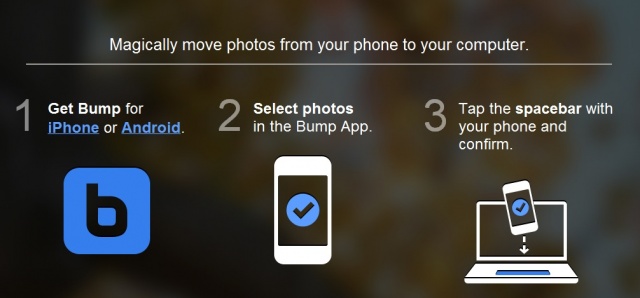
The creators of the popular Bump app that lets you share contact information and photos by simply bumping two phones together has bumped up their magic to include your computer. Thanks to today’s update, users will now be able to “magically” transfer their photos from their phone to their computer by simply bumping their phone against their keyboards spacebar. Say what? Yea, and the best part is there’s no additional software needed!
While the majority of Americans celebrate Memorial Day with barbecues and lawn darts, Rockstar Games is celebrating with pimps, hoes, and enough bloodshed to paint any street red. Now until May 28th, Rockstar Games will be offering its sandbox hit Grand Theft Auto III for $.99 (that’s 80% off). For less than the cost of a hotdog, you’ll be able to enjoy: