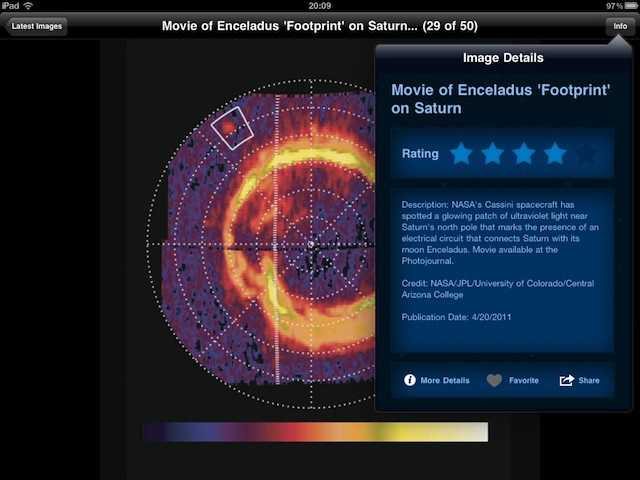
NASA has released version 2 of its popular Space Images app for iPad, and it’s lovely.
It’s packed full of gorgeous images from pretty much every aspect of the space agency’s work. Each one comes with a brief explanation, and you can fave or rate the ones you like.
Even better, you can save images to your iPad and use them as wallpapers. And all of this is free. If you have an iPad and you have kids, or even if you don’t have kids, this is well worth downloading.
Physwitch is a new tweak for jailbroken iPhones that enhances the way in which we multitask within iOS by allowing us to switch between our applications using our device’s volume buttons.
Once activated Physwitch is a great way of multitasking on the iPhone, and looks much more sophisticated than the traditional iOS method of switching between applications. Instead of swiping through a collection of icons in the multitasking tray, you can cycle through each application with a real-time preview of what’s happening in each app.
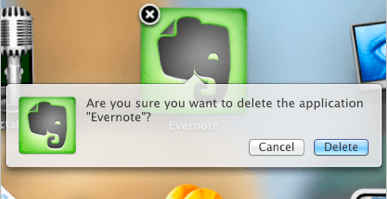
The latest build of Mac OS X Lion introduces an iOS-like method of removing applications installed via the Mac App Store. Within the new Launchpad application, users can click and hold on an app’s icon to start the ‘jiggling’ – just like in iOS – and an ‘X’ button appears in the corner of each icon which users can click to uninstall applications.
Don’t worry about deleting applications accidentally, however; just like iOS, users will be greeted with a message that asks them whether they’re sure they wish to delete the application. Clicking delete will move the application, and any files associated with it, to the Trash.
This feature currently only works with applications purchased from the Mac App Store, but I’m hoping it works with any application installed on your Mac when Lion is finally released.
Kicking off this week’s roundup of must-have iOS applications is the brand new TweetDeck app for iPhone, which its creator claims has been completely re-imagined and rebuilt from the ground up to be fast, flexible, and powerful.
Fring is the popular video chat and VoIP application for iPhone and iPod touch. It deserves some recognition this week thanks to its recent update that makes it the first application for iOS to offer group video calling with support for up to four people.
Fahrenheit – or Celsius if you prefer – is a new weather application that displays the temperature in your area on your home screen. No, it doesn’t require a jailbreak: it uses the iOS application badges to display the current temperature over the application’s icon with push technology.
Find out more about the applications above and check out the rest of this week’s must-have iOS apps – including TuneIn Radio and Lamebook – after the break!
Seamless is a fresh new iOS app that solves a problem we’ve all met: you’re in front of your Mac, listening to some amazing music, and you have to get up and leave.
You could find the same song on your iPod or iPhone, and start it again there. You could even try to scrub through it to the same point in the song. Either way, the mood is lost.
This week’s selection of must-have iOS apps features a brand new social news experience called News.me. Created by Bit.ly, with backing from The New York Times, this app shows you not just what your friends are sharing, but also what they’re reading.
Sony’s new Crackle application offers a library of over 100 great movies and TV shows, such as The Da Vinci Code, Ghostbusters, Seinfield and Spider-Man – all of which are completely free to watch.
RockMelt also makes this week’s must-haves – a web browser that seamlessly integrates social networking and syncs with RockMelt on your computer.
Find out more about the applications above, and check out the rest of week’s must-haves – including Seamless, Photosynth and FindOne – after the break!
Perhaps you caught our recent review for the killer iOS photo app, FX Photo Studio. If you didn’t rush out and buy it right away based on the stunning (cough, cough) examples in the accompanying gallery, or – heaven forfend – on the basis of its five stars, then here’s your chance to get it on your device for FREE.
Just go to Cult of Mac’s Facebook page and like us before midnight Friday PST (that’s about 36 hours from the time of this post) and you’ll be entered into a drawing for one of six free download codes for FX Photo Studio for iPhone and iPad.
That’s it. If you already like us on Facebook (yay!) you’re already entered, so don’t feel the need to “unlike” and then “Like” again to get in on this awesome opportunity.
Winners will be notified of their bounty and good fortune during the day on Friday.
A new service from Piecable, called Piecable Viewer, allows you to run iOS applications in your web browser. They’re not just watered down demos either; they’re complete applications – just like you’d get from the App Store – that run on Flash with just one additional line of code.
The service provides developers with a great way of giving people access to their applications for testing, without having to worry about iTunes redemption codes or the UDID limit Apple places on developer accounts. All they have to do is sign up to the Piecable service and choose one of its tiered pricing plans, add an extra line of code to their application, and upload it to the service. They receive a link to the app on the web which can be sent out to agencies, clients, organizations, and the press, enabling the recipient to play around with the application in their web browser.
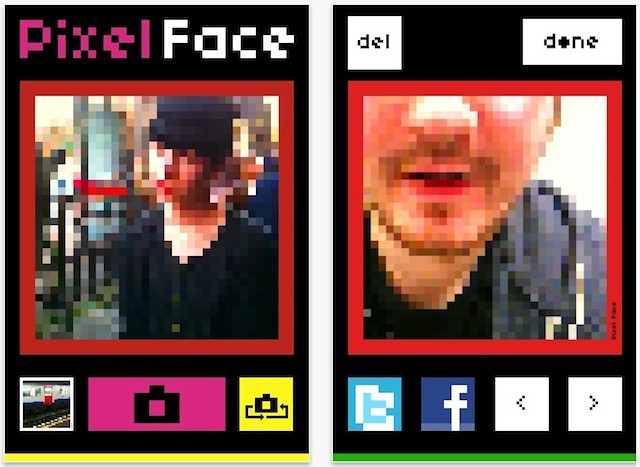
There are plenty of photo apps that do pixellation effects, but Pixel Face grabbed my attention because of the way it embraces the whole 8-bit world of pixels.
It’s not just the photos that look colorful and retro, it’s the app itself. The buttons are cheerfully bright, the sounds are like something your games console used to do back in the 1980s.
If you are a recent Mac switcher, there is a good chance that there are some Windows applications that you still may want to use. If so, Virtual Box is a great application to let you do this. In this video, you will se how to get virtual box, install an operating system, and run Windows apps side by side with your OS X apps.
Lumiere is yet another photo effects filter app for iOS, but before you sigh and say: “Oh no, not another Hipstamatic clone,” I want you to pause and give this one a second look.
What makes Lumiere different isn’t that it applies filter effects to your photos – Hipstamatic and a gazillion other apps already do that – but the way it lets you flick from one effect to the next.
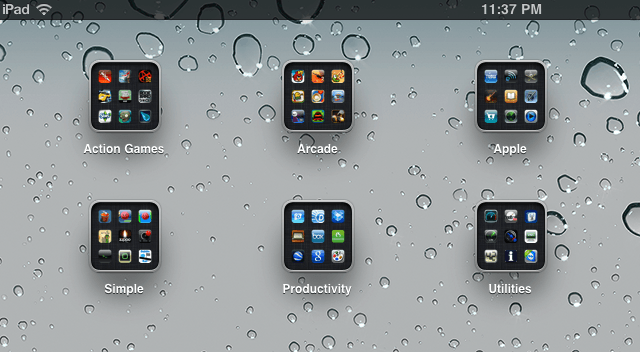
So you just got your iPad, and have loaded it up apps. Now what? It may seem like a hassle to hunt around for the apps you want and to page through all of those home screens. Well, there is an easier way. In this video, you’ll find out the best way to arrange your apps on your iPad.
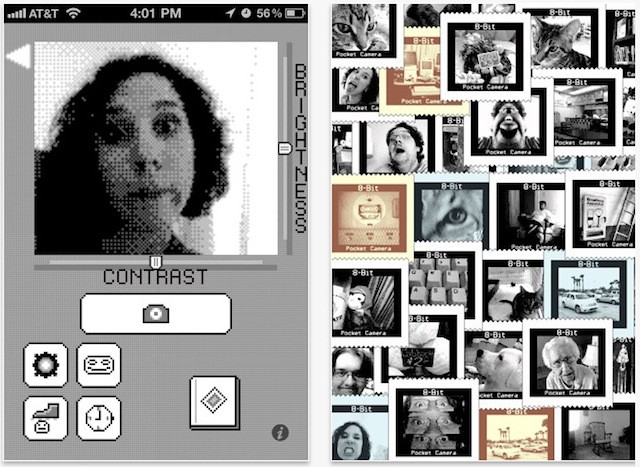
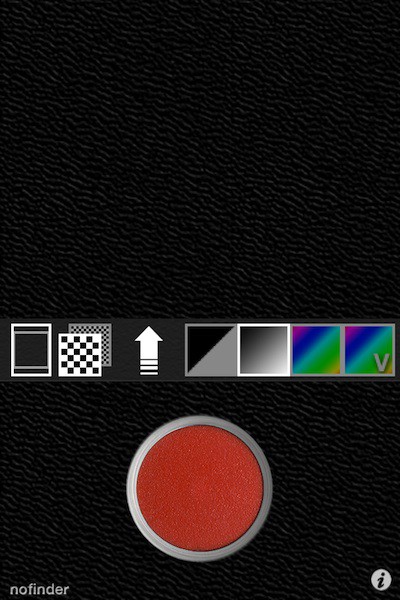
Those of you of a certain age might remember the Game Boy Camera, an ingenious add-on for the original Nintendo Game Boy that snapped tiny 128×112 pictures.
It was briefly one of the most exciting ideas in handheld consoles – suddenly the Game Boy wasn’t just for games, it was for other fun stuff too!
Better still, if you had the money to spare, you could buy a Game Boy Printer and print out your pixellated works of art to give to friends.
All that’s ancient history, which is precisely what makes it the ideal starting point for an iOS app.
It’s called 8 Bit Pocket Camera, and it’s lots of fun and, at just a dollar, excellent value.
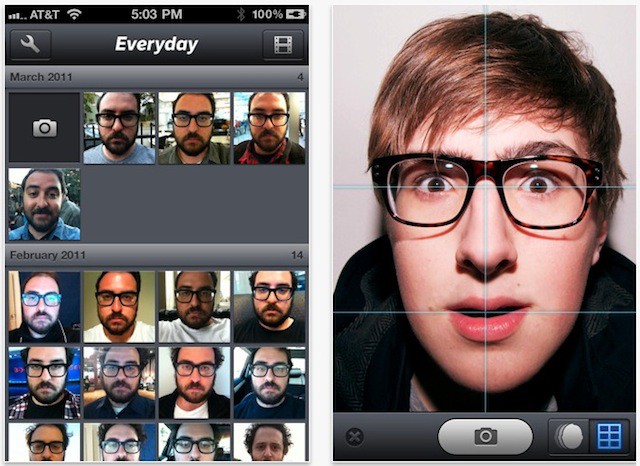
This is gorgeous. Everyday is a $2 app that reminds you, once a day, to take a photo of yourself. Then it combines all the photos you’ve taken into a timelapse movie of your changing features.
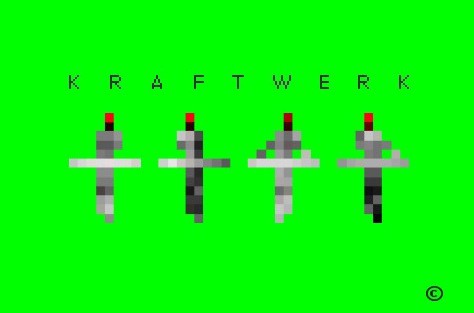
Rarely consumed with a desperate rush to issue any new music of their own, electropop pioneers Kraftwerk have come up with a better idea: get the fans to do the work for them.
So the Kraftwerk app lets you inside the Kling Klang Studio, in a manner of speaking, giving you access to some cheerfully bleep-tastic musical buttons in exchange for nine of your fine American dollars.
Given that the App Store is awash with sequencers, loopers, samplers and other electronic music apps, many of which offer quite a lot more in terms of functionality, this one might be left to the fans only. But for those who value the looking-cool as much as the making-sounds, perhaps it’ll be nine bucks well spent.
One of the first things I wanted to try out on the iPad 2 was the cameras. I found them to be nice to have for convenience and Facetime calls, but less than adequate for photography. Let’s face it they suck at photography when compared to my iPhone 4 and Canon G12. The iPad 2 won’t be replacing either of these anytime soon. I think that is okay, because I don’t see myself wandering around trying to catch that special moment in time wielding an iPad 2. After all it is kind of big, right?
However, the cameras are there and I might as well make the best use out of them that I can. So I launched iTunes and I looked at the iPhone and iPod touch camera apps within my app library and installed some of them onto my iPad to test.
There is an app for practically anything and now there are apps that will help you to impersonate a cop. Especially a cop making traffic stops as one woman reported to Northwest Indiana police recently.
The woman called 911 late one night recently with the suspicion that the black Pontiac GTO with flashing blue and red lights at the top of its windshield wasn’t really a cop. She thought that the driver of the car was following her and attempting to pull her over.
Oh, there’s gonna be a bumper crop of iPhone musicians born this weekend if Frontier Design Group has their way. Practically all their music-slinging iPhone apps are on sale to celebrate the iPhone coming to Verizon, including the highly regarded iShred app — sister app to the free iShred LIVE app required to use Griffin’s GuitarConnect and StompBox accessories — GuitarStudio and PianoStudio, all three of which are normally $5 each, but on sale for a buck apiece.
As musician and fellow Cult of Mac contributor Lonnie Lazar says, these apps won’t turn you into a Rock God; but they’re certainly a truckload of fun and great tools to learn with. Sale ends tomorrow, so don’t mess around if you want ’em.
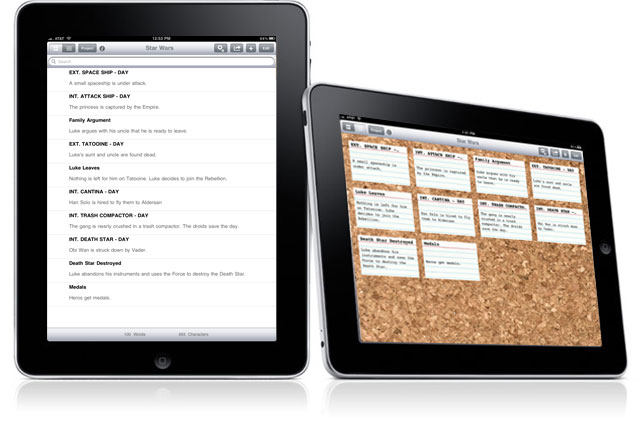
Landing in the iOS App Store tomorrow is Index Card v2 for iPad, a multi-touch version of the corkboard-and-index-cards system popular with screenwriters and others who need to arrange multiple ideas within a project.
Inspired by the Corkboard feature of Scrivener for Mac (the Scrivener people know), Index Card allows users to move cards around, label by color, and even write on the back of cards (the ‘flip’ arrow changes color if there’s something written on the back).
This latest version adds a trio of new features: Stacks, customizable label names, and the option to export notes with the rest of your project to RTF for Word or Final Draft.
Testing the app last week, I found it to be responsive and easy to use. It does exactly what it it promises.
That said, at least on the surface, Index Card is very much about the needs of screenwriters. Developer DenVog would do well to add options in its next release to make the app more appealing to general productivity users. More backgrounds than just cork and solid black would also be welcome.
I can’t say I use index cards in my daily life, but for those that do, Index Card should prove practical. The app already counts a couple of Emmy-nominated producers as users.
William N. Fordes, a Co-Executive Producer/Writer on Law & Order, tells me that he finds Index Card “superb” and “well thought out”.
“The ease with which the individual cards can be moved around is terrific, and makes rethinking the shuffle of scenes so much easier,” he says.
At long last, ladies and gentlemen, after all these years of waiting, we finally have it: an app that puts cheese on your head.
Other folks have been waiting for Duke Nukem Forever, or for a 15-inch MacBook Air, or for democracy in their dictatorships, or even for basic stuff like world peace and an end to disease. Oh, and flying cars, people are still waiting for those.
But for the rest of us – for those of us who have longed for an app that puts cheese on our head – the waiting is over. iCheeseHead fulfils all our virtual cheese-on-head needs, and costs less than most real cheese.
Rupert Murdoch can keep his $30 million iPad newspaper. We can all have cheese on our heads now, and nothing else matters.
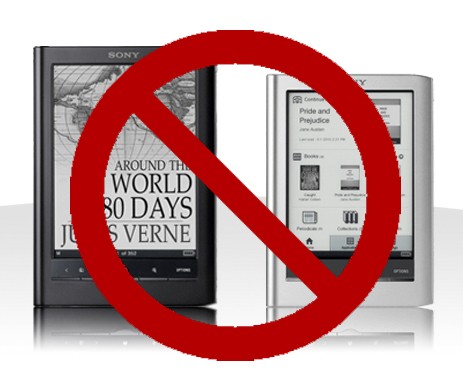
Although Amazon’s Kindle platform seemed to stumble a bit in the wake of the iPad’s debut, mostly from surprise, they’ve since rallied and continued to increase their lead as the biggest e-bookstore on Earth. In fact, according to Amazon’s own metrics, they now sell more Kindle e-books than they do paperbacks.
How’d Amazon compete with iBooks? Ubiquity: Kindle software is available on almost every modern OS out there, and a Kindle book purchased on one can be read on another. Amazon managed to achieve this feat by cutting middlemen out of the transaction entirely: if you purchase a book in-app, you simply are directed to an Amazon webpage. It’s all done on the Internet.
If a new report coming from The New York Times is anything to go by, though, Apple may be ready to strike Kindle on iOS down for the count unless it agrees to utilize iTunes’ own in-app purchase system, though.