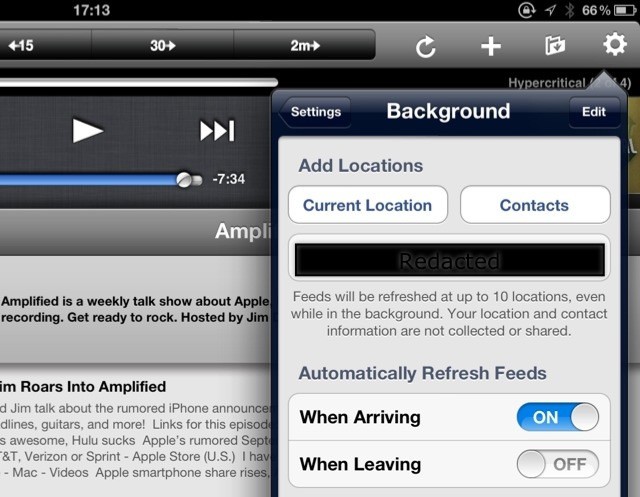
Downcast, my favorite podcatching app, has added a rather handy new feature with its latest update. Now it can automatically check for new podcasts when you arrive in a certain location. This clever use of iOS’ geofencing tech was first used by Instagram to grab unread articles, but now works for podcasts, too.
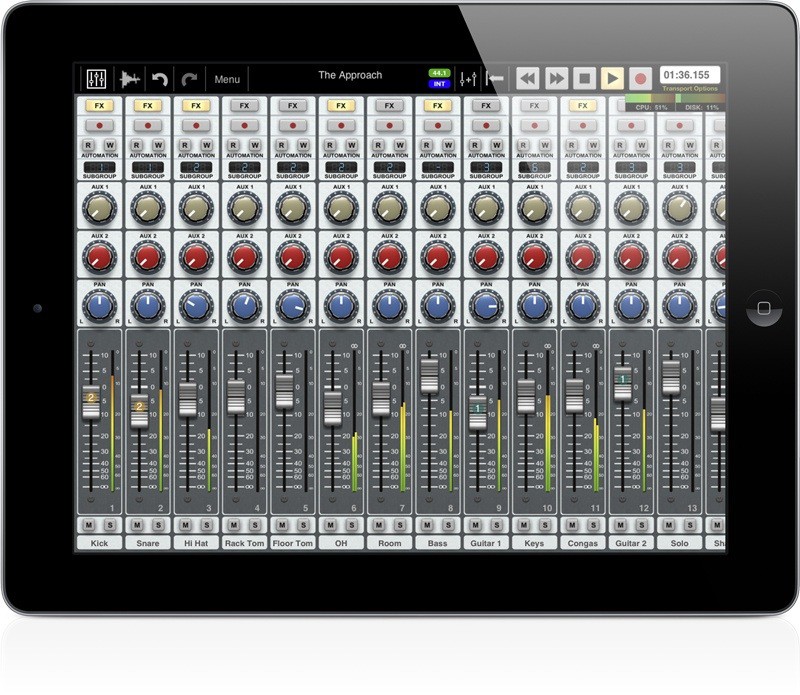
My experience of recording music is limited to bouncing down bedroom guitar recordings to free up tracks on a cassette-based Tascam Portastudio, way back in the 1980s. So anything that records 24 tracks simultaneously onto a tiny iPad seems astounding to me. That is costs just $40 makes it even crazier. We’re talking about the new musicians’ iFriend, Auria.
Like we said, Passbook in iOS 6 is going to steal a few tricks from flight apps like Mobiata’s $5 FlightTrack (and $10 FlightTrack Pro), making the apps seem somewhat less valuable.
Whether or not Passbook replaces these types of apps remains to be seen; in any case, Mobiata isn’t going down without a fight, and has just released an all-new, free version of their FlightTrack app for both iOS — and Android.
Teasing mobile gamers with trailers and screenshots is nothing new for the mobile gaming giant Gameloft, however, what is new, is a trailer for their first game built off of the Unreal Engine. Gamers first caught a glimpse of the new game (that we now know is entitled Wild Blood) thanks to a sole screenshot depicting a gigantic bloody blade towering over a corpse filled battlefield. Gameloft has now followed that up with a short teaser video and a Facebook page for gamers to unravel clues about the game’s story.
Allan Odgaard’s TextMate has been a beloved text editor since 2004 and one of Cult of Mac’s favorite apps for about just as long, but since 2009, development on the app has slowed to a crawl: three years ago, Odgaard said TextMate 2 was about 90% complete, but a public alpha didn’t hit the web until December 2011, and as of writing, a final version still hasn’t been released.
However, in a surprise (and very awesome move), its source code has: TextMate 2 is going open source.
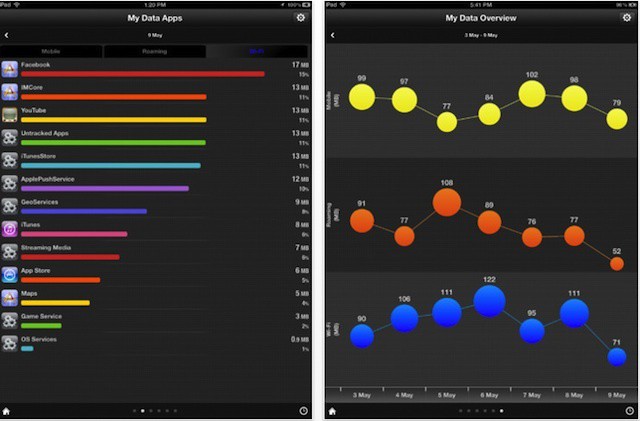
There are lots of apps out there that let you manage your data usage, but My Data Manager amazes. It works on both the iPhone and iPad, and has a feature set that’d make it a great deal even at $5 — let alone at the $0 it actually costs.
Yesterday, if I had suffered a grievous accident involving some kind of heavy farm machinery, and my fingers were mangled to leave only a single, stubby nubbin where previously I had sported ten beautifully slender digits, I’d still have been able to count the entirety of half-decent iPad blogging apps on one hand.
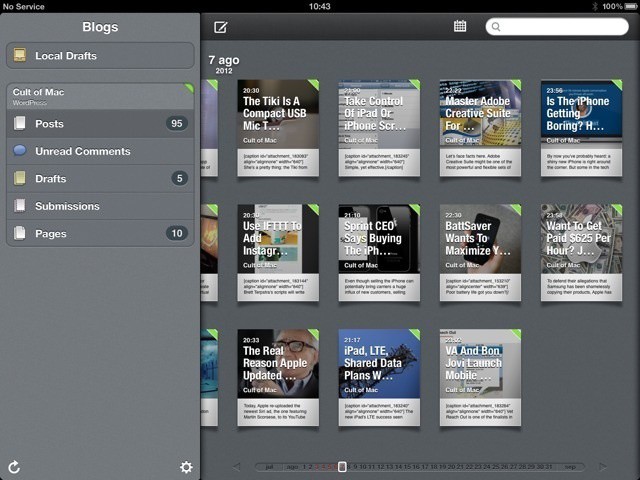
Today, though, I’d have to start counting on my toes, as Black Pixel software, the company behind Apple award-winning app Versions, had launched Posts, and you might like to call it the Reeder of blog publishing.
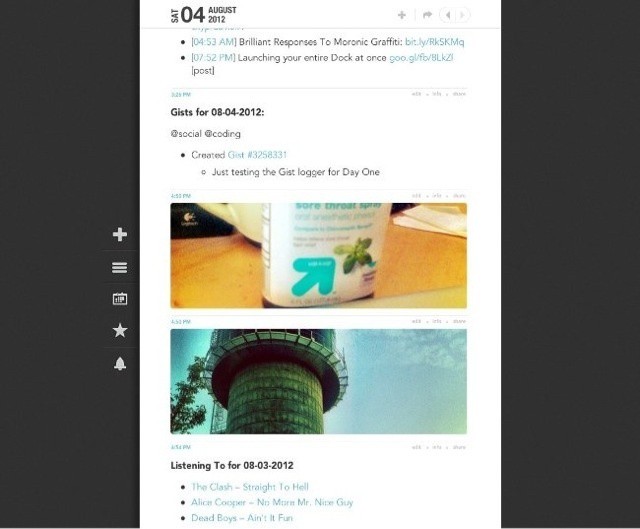
Brett Terpstra's scripts will write your journal for you.
With an update last week, iOS and Mac diary app Day One went from a tool for angst-mongering teens to full-fledged journal, adding support for photos (the original was pretty much text-only) and locations, and the ability to automatically pull in weather info.
But for serial hacker and tweaker Brett Terpstra, maker of the amazing Markdown preview app Marked, among many, many other things, this still wasn’t enough. So Brett wrote a tool called Slogger, which pulls in posts from your existing social networks and adds them to your Day One journal, rendering any text in Markdown, naturally.
Apple’s wireless accessories are great at conserving battery life… so great, in fact, that when they suddenly run out of juice, it can be a shock to the system, since you never knew they were hard up for electricity to begin with.
On a Mac, it’s fairly complicated to see battery life on your connected devices through System Preferences, but wouldn’t it be great if you could check them out in your menu bar, just like your Mac’s remaining battery life? Thanks to Battery Status, you can.
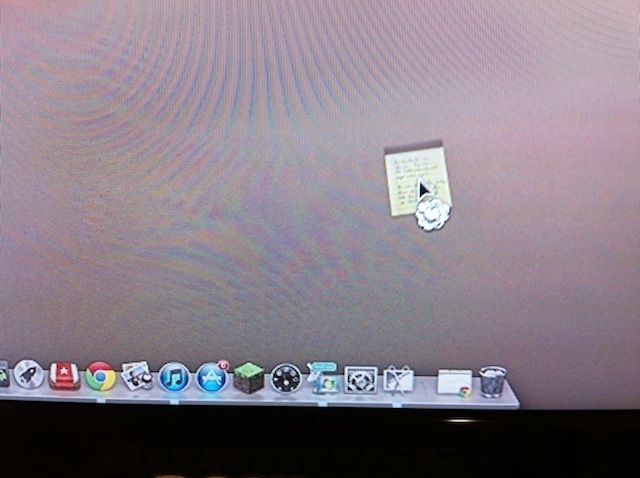
Have you tried to get rid of an application or document from the Dock after an upgrade to Mountain Lion? Before now, it was a simple drag and release: click on the offending icon, drag it away from the Dock, and let go. The little “poof” cloud would appear and the icon would be gone from the Dock. New OS X users would freak out, crying, “You got rid of my app!” and I would laugh. Also, I would show them where the actual app was, and how to put the icon back in the Dock, as the icon is simply a pointer to the real app. But I digress.
In Mac OS X Mountain Lion, this doesn’t work in quite the same way anymore. Try to click, drag, and release just ends up with the icon speeding back to its previous place in the Dock. You want to get rid of it? You have to learn a new, subtly different behavior.
Apparently, ebook buyers don't care about typography or design.
Amazon is now selling more electronic books than all paper books combined – in the UK at least. The Kindle went on sale in Blighty just two years ago, and now “Amazon.co.uk customers are now purchasing more Kindle books than all printed books – hardcover and paperback – combined,” says Amazon PR.
And of course the Kindle itself is far from the whole story. The Kindle’s presence on pretty much every device ever, including the iPhone and iPad, makes the Kindle store a much more compelling place to buy books that the iBooks Store, whose offerings will only work on Apple devices. And it doesn’t hurt that it’s trivially easy to strip the DRM from Kindle books, making people like me a lot happier buying them.
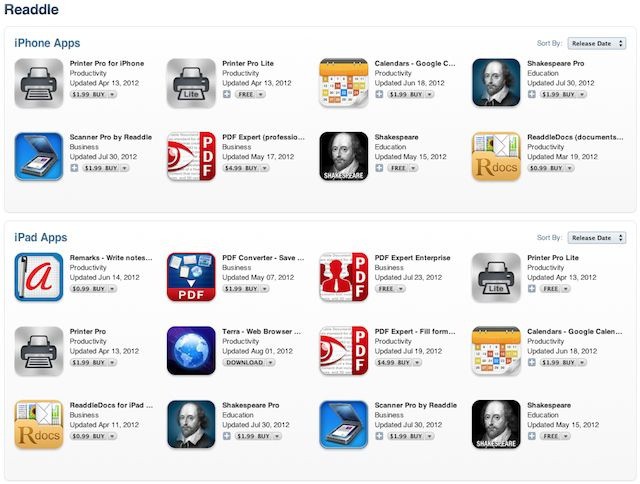
Readdle makes some of the best productivity apps for professionals who want to use their iPad to edit PDFs, scan docs, create advanced calendars, write notes, or even learn a little bit about Shakespeare. Today is their 5th anniversary, so to celebrate they’re having a huge sale for the next 48 hours. Some apps have been discounted up to 70% off, which is a pretty great deal considering the quality you’re getting.
Perhaps you’ve heard the “great” news about how Verizon has to dish out $1.25 million to the FCC for violating the FCC’s “C Block rules,” requiring licensees of C Block spectrum to allow customers to freely use the devices and applications of their choosing. If you’re just hearing about it, let me give you the gist of things and then you’ll get to hear me rant.
Traveling for business? Don't forget to pack an expense tracker app.
Traveling for business is a lot different from taking a vacation. While you may get to experience far off cities, meet new people, and have some genuine fun on a business trip, you’ll also need to work, worry about delays that could make you miss critical meetings, ensure you leave your hotel room looking your most presentable, and keep track of every expense related to the trip.
Of those stress factors, tracking expenses so that you can submit them for reimbursement or explain charges you make to a company credit card may not seem the most stressful. The majority of the time it isn’t (unless you lose some big-ticket receipts or have unusual charges to justify). It is, however, often tedious drudgery that is prone to human error and mistakes.
There are many iOS expense tracking apps out there and there are some very good reasons to invest in one of them.
Find those lost pictures and force other people to look at them.
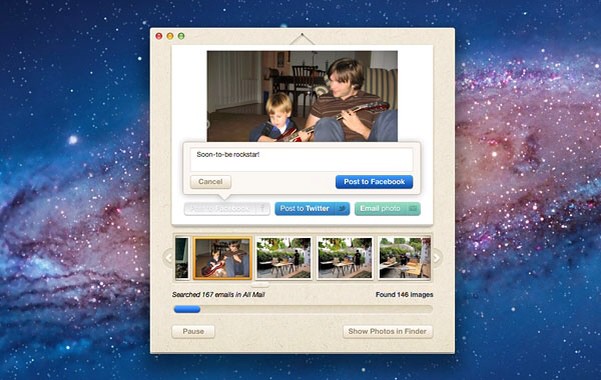
Lost Photos is a Mac (and – let me get that bad taste out of my mouth – PC) app which does one thing. Well, one thing, and then a few more: it finds all the photos buried in your e-mail account and presents them to you in one easy place, ready to be tagged, saved and shared.
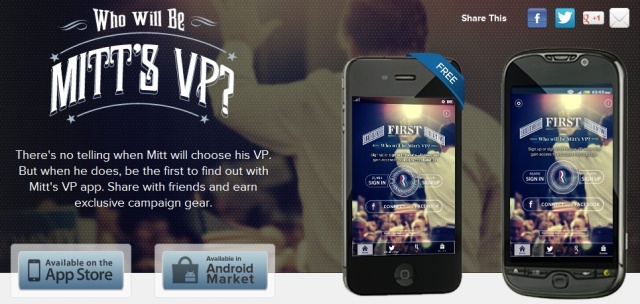
The times sure are a-changin’, and we’re now in an age where political leaders are announcing running mates via mobile apps. Much like Barack Obama’s decision to announce VP running mate Joe Biden via text message, Mitt Romney has decided to announce his VP via a mobile app entitled “Mitt’s VP.”
Redditor GrandHarbler is a musician and music teacher. He took to the popular social news sharing site today to start a conversation about how the iPad has improved his own practice, teaching, and music learning workflow.
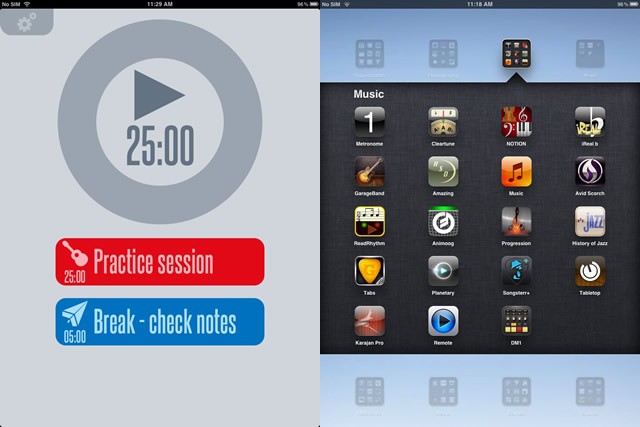
As a musician, GrandHarbler has to practice every day. A lot. He works on goals that he times with an app called TaskMatrix, setting up 25 minute on and 5 minute off practice intervals called Pomodoros. He times them with a simple timer app, called 30/30.
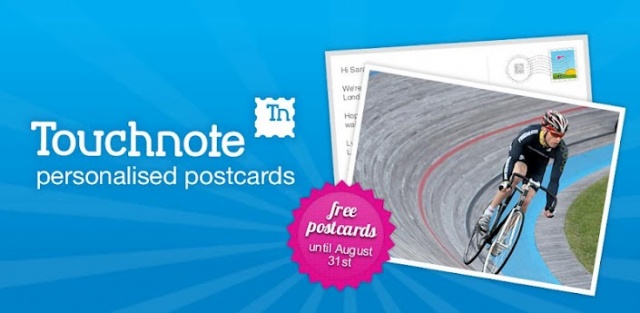
Once a staple of any vacation, the postcard has since faded into obscurity due to the advent of technology and instant sharing. One company meshing the best of both worlds, Touchnote Ltd., has a popular app on both Android and iOS that allows users to turn photos into personalized postcards and have them sent for around a $1.49 per postcard. In celebration of the 2012 Olympic Games, both Touchnote and Samsung want users to have the luxury of sharing their amazing moments via a postcard without having to visit a local London gift shop. That’s why Samsung is sponsoring a promo that will allow users to send free Touchnote postcards up until August 31st.
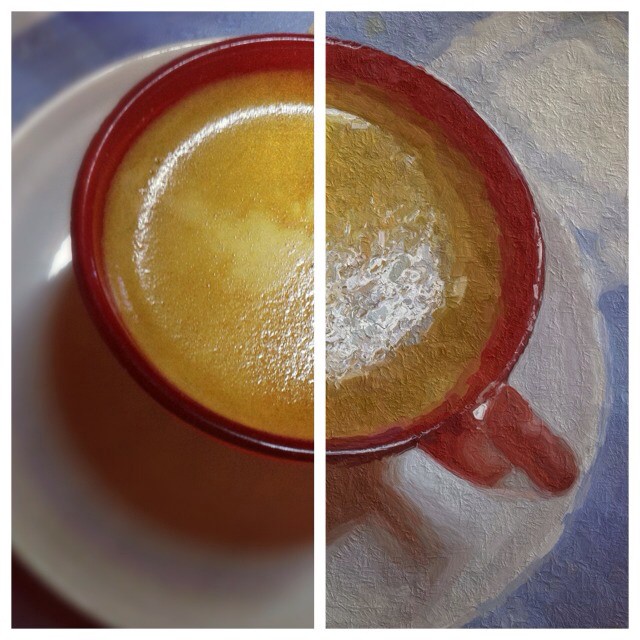
Before and after, and tasty-looking all the way through. Photo Charlie Sorrel (CC BY-NC-SA 3.0)
If you thought that all apps that turn photos into “paintings” and “drawings” were total gimmicky junk, you’d be dead right. Applying a “find edges” filter and desaturating the result into grayscale doesn’t make a picture look like you drew it. It looks like you’re a dummy for even using it.
But things have changed: Glaze is an iPad app which actually makes faux paintings that look good.
Kicking off this week’s must-have apps roundup is a stunning new weather app called Solar, which boasts a simple, intuitive user interface and a no frills approach that doesn’t suffocate you with information you’re not interested in. There’s also a great new drawing and animation app from Disney that you and your kids will love; a great new photography app that adds bokeh light effects to your photos; and updates to Google Earth and Yelp.
The 2012 Olympic Games are set to kick off in less than 2 hours, so we wanted to make sure you had some apps and links to ensure you don’t miss a single lap, dive, punch, or round-off. You’ll find a list of the top apps and a few websites to keep you on track and in the game. Feel free to check them out, or if you have any other suggestions, throw them up in the comments. Now let the games begin!
You know those big fat puzzle books you used to buy before you went on vacation? They’d be full of so many crosswords, word-searches and other mindless diversions that you could spend an entire week in a foreign country without seeing a single thing but the rough, badly-printed pages.
Now that wonderfully reclusive experience is available on the iPad, in the first game to be sold in the iOS Newsstand.
If you’ve ever searched for a wallpaper in the Google Play Store, chances are you were met by a never ending list of results. That’s because the word “Wallpaper” just happens to be the number one most frequent word in an Android app title. In fact, 26,900 Android app titles contain the word “Wallpaper” according to a list compiled by app discovery site App Brain. App Brain decided to create the list after a similar one consisting of the top most frequent words used in iOS app titles was released by Appsfire.
Hueless now plays nicer with other apps on your iPhone.
Hueless, the excellent monochromatic iPhone photography app, has just launched its v1.2 update. And despite the pedestrian-sounding version number, it packs in quite a lot of new features. Let’s take a look.