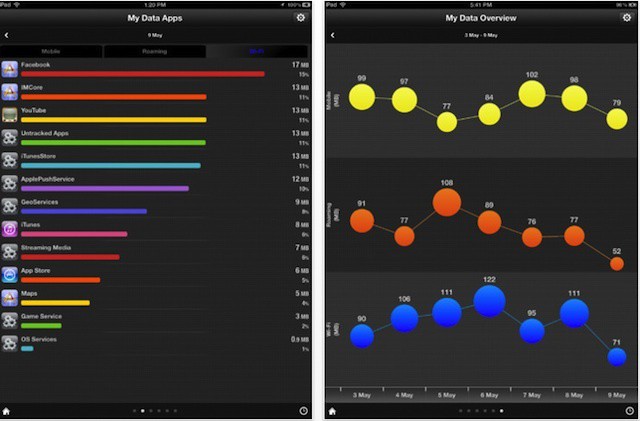
There are lots of apps out there that let you manage your data usage, but My Data Manager amazes. It works on both the iPhone and iPad, and has a feature set that’d make it a great deal even at $5 — let alone at the $0 it actually costs.
But that’s just the first screen — there are five more. One that breaks usage down by app, one page that displays a graph of your daily usage, another that shows locations where data was used on Google Maps, and another that graphs usage and displays the results with bubbles (that’s it above on the right), with bigger bubbles representing more usage.
Not enough? There’s even a screen with a timer so you can set your own custom interval. Of course, you can also set alarms to warn you when you’re about to go over, and change most of the screens to view daily, weekly or monthly usage. Give it a look; we think it’s an essential.

When he was eight, Eli Milchman came home from frolicking in the Veld one day and was given an Atari 400. Since then, his fascination with technology has made him an intrepid early adopter of whatever charming new contraption crosses his path. He calls San Francisco home, where he works as a journalist and photographer. Eli has contributed to the pages of Wired.com and BIKE Magazine, among others. Hang with him on Twitter.

