Mobile menu toggle

apps - page 84

Boxcar Goes Free As Twitter for iOS Readies Push Notifications

By •

post-57832-image-1d69da1154c73a3bedfa0ca60febde88-jpg

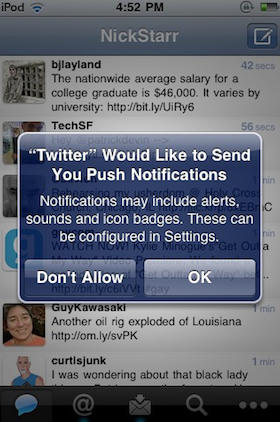
Twitter for iPhone — née Tweetie — is a wonderful first-party client with almost any functionality you could care to name, but one area in which it loses to some of its competitors is in its lack of support for push notifications.

No worries, though, because along with yesterday’s triumphant debut of Twitter for iPad, the iOS team are also working on integrating push for iOS 4.1.

Says Twitter:

We’ve been testing push notifications internally. When we launched Twitter for iPad, there was a configuration error that caused us to offer push messages to a small set of users. We’ve stopped sending push messages, but users may see an option to turn on push until we release an updated version of the app. So, push isn’t ready yet but we look forward to rolling this out soon.

As Twitter notes, you may be able to turn push notification on under settings even if you aren’t on iOS 4.1 Gold Master, although we’ve heard reports that it may require uninstalling and reinstalling the app to get working.

Perhaps not so coincidentally, push notification service Boxcar — which does a healthy bit of business in the tweet pushing market — has just gone free for all Twitter notifications.

Twitter for iPad With Unique New Interface Now Available to Download

By •

post-57568-image-de138528268bdb884c526caf9d493ba8-jpg

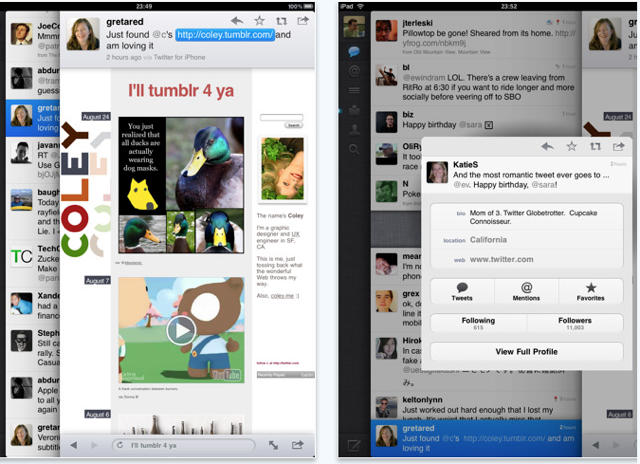
The lack of an official, native version of the Twitter client for the iPad has been a puzzling omission, but now the big blue bird has set things right, having pushed their native iPad app to iTunes.

I haven’t had a chance to play with it, but it seems that a big part of the native client’s delay was because Twitter had big ideas for the app, grafting a truly unique (and, perhaps, a bit quirky) interface on top.

Gizmodo’s Matt Buchanan explains the new interface:

The interface starts out straightforward, like a simple cross between the Tweetie for Mac and the iPhone app. But Twitter for iPad is actually a bit more complicated than it lets on—it’s the most complex of the three. Rather than sticking with the iPad’s standard split-pane views, like in Mail, Twitter is kind of like its own desktop environment, with overlapping, stacked panes that move from left to right. So, on the far left, you’ve got the main control panel, like Tweetie for Mac, which is the bottom pane. To the right of that, and on top of it, you’ve got the tweet list—either the main feed, mentions or direct messages. Whenever you touch on a tweet, a third pane opens to the right, on top of the other two. If there’s a link in the tweet, it’ll open the browser. If not, it’ll open that person’s somebody’s profile. (And if you type a direct message, that’s layered on top of everything else via a popover, for four total layers.) You can switch back to the main tweet list or control pane by touching it, and it’ll load browser pages in the background while you browse through other tweets. It can get cluttered quickly if you’re opening sub-menus and other things—at the same time, it gives you a lot of flexibility.

Buchanan ultimately finds the new interface bold, but quirky, but Techcrunch’s MC Siegler declares it a triumph, announcing that it completely and totally obviates not only any other Twitter app out there, but Twitter’s own website. Then again, I thought pretty much any Twitter client had killed the need to visit Twitter.com over a year ago.

Twitter for iPad is a free download, and it’s available now on iTunes

Fring’s 3G Videochat App Is Must-Have For iPhone 4

By •

post-50089-image-5c9e607114f212d411fb17f91f29e7a5-jpg

Popular multi-IM and voice-chat service Fring has just been updated to bring 2-way video calling on iPhone 4 over 3G (Apple’s FaceTime is Wi-Fi only), as well as voice and text chat.

We’ve tested it out; while it has a few minor issues, Fring has freed videochat from Wi-Fi. If you like to videochat on your new iPhone 4, it’s a must-have app.

Latest iPhone Apps for Fashion, Gossip

By •

post-4409-image-25995e34fb4ea5883091960abd476758-jpg

After Style.com, which is reporting over one million ads served via iPhone in a month, companies are launching iPhone fashion apps faster than a pop singer can add extensions.

A few that caught our eye:

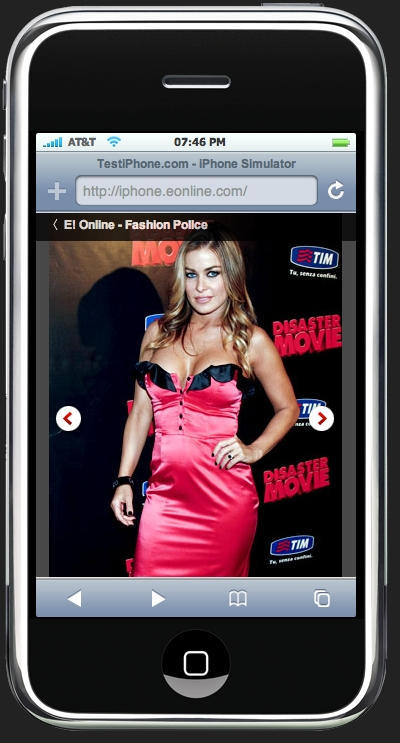
E! Entertainment channel. Yes, this means the Fashion Police have made it to your iPhone. More for ogling those red-carpet horrors than reading, though, since scrolling is required for catty comments.

Perez Hilton. Love him or hate him, now you can get the snark and gratuitous photos on your commute.

Ralph Lauren, who began his career as Ralph Lipschitz, tie designer is now putting his latest runway creations, plus backstage clips and a look book on the must-have accessory of the iPhone.

Obama for America iPhone app

By •

post-3426-image-466482641a256171aa40bd4dfcef73f4-jpg

The next time you’re stuck in traffic, start stumping for Obama.
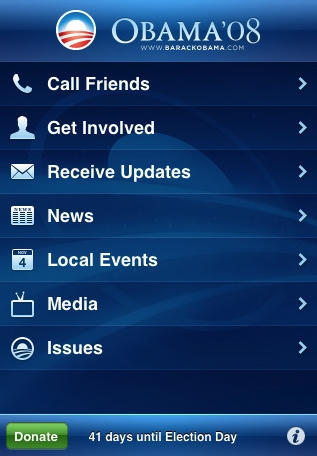
That’s the idea behind the Obama for America iPhone app, free for download on iTunes.
It organizes your contacts “by key battleground states” and keeps an anonymous record of your virtual campaign trail. And if you haven’t got a move on yet, it’ll tell you where the nearest Democratic headquarters are and keep you updated on local events.

While it seems a little full-on for the armchair activist, kudos to iPhone dev’er Raven Zachary for the idea.

Via Cnet

Pour a Virtual Pint For iPhone 2

By •

post-2315-image-d9effae4b7e6682ab7d26a7e2c323142-jpg

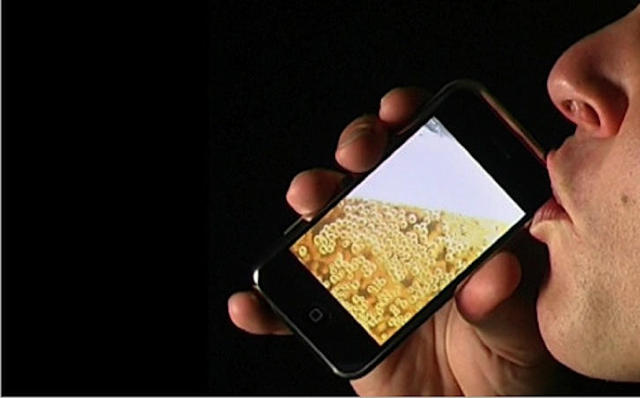
iBeer is a virtual pint for the iPhone and iPod Touch that is supposed to behave like a real pint of delicious bubbly beer, according to the developers.

Thanks to the iPhone’s accelerometers, it tips, pours and drains like a real pint. It even foams up when you shake the iPhone.

However, the $3 app is getting mixed reviews on the iTunes App Store. Some love it, but many say the fun lasts for about 30 seconds.

“For $3, I can get a real beer,” says one.

Here it is in action on YouTube: