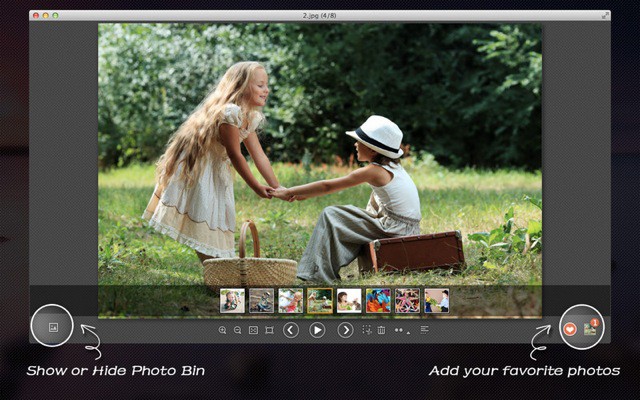
Sometimes all you want to do is flip through a folder full of photos, maybe cropping a few of them and deleting the worst ones. That’s exactly what Arcsoft’s new Photo+ for OS X is for. You just drag a single photo onto the app and you’re off – able to use the arrow keys to navigate every other image in the folder, cropping and deleting as you go.
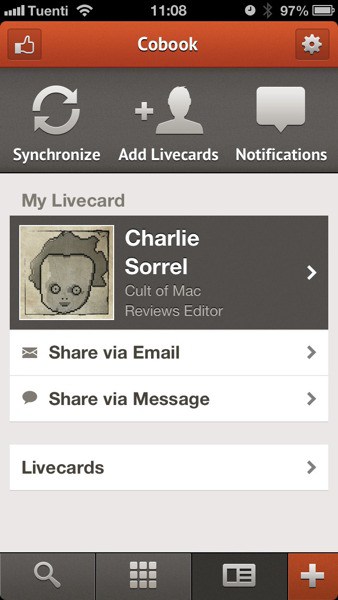
Cobook, the non-sucky contacts app for iOS and Mac, has today added Livecards. Livecards are a way to share your contact info with other people. Instead of relying on those lazy idiots to update your details, you take care of it. The resulting changes are pushed to everyone who has your Livecard in their Cobook.
Yes, this is exactly how address books should have worked ever since the internet was invented.
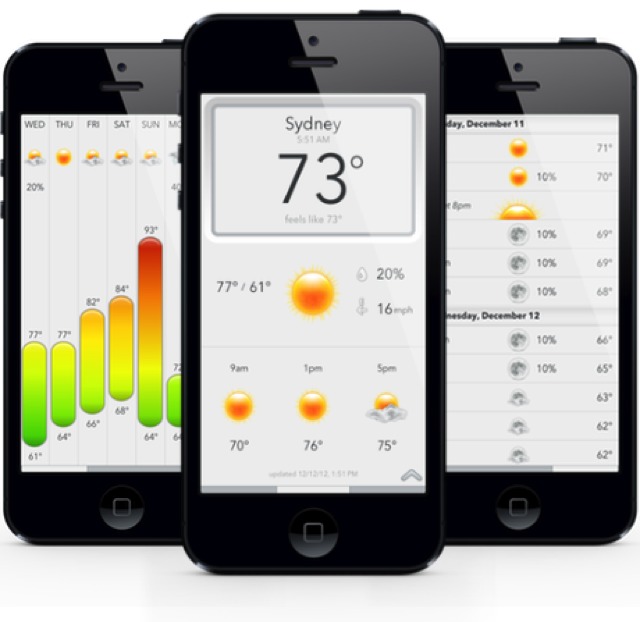
Today is a beautiful but limited weather app. Dark Skies is that clever wether app which tells you exactly where and when it’s going to rain, so you can decide whether to grab your umbrella as you dash tot he store. The problem? U.S-only.
Now Today has incorporated Dark Skies alerts to bring this kind of accuracy to the rest of the world.
Adobe announced a lot of changes to their core creativity suite today, CS6, as well as a massively overhauled Photoshop, but forget features, here’s the real thing you need to know. Adobe Creative Suite 6 is the last app suite Adobe is ever going to let you buy. From now on, you’ll have to rent your Adobe apps.
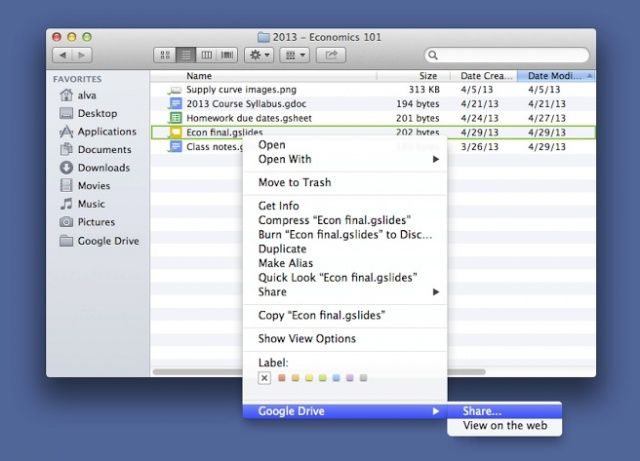
Do you use Google Drive? Here’s a nice little addition to Google’s online file storage and syncing service: you can now share a file just by right clicking on it in your Google Drive folder, selecting Google Drive and then clicking Share….
To download the Google Drive software for Mac, click here.
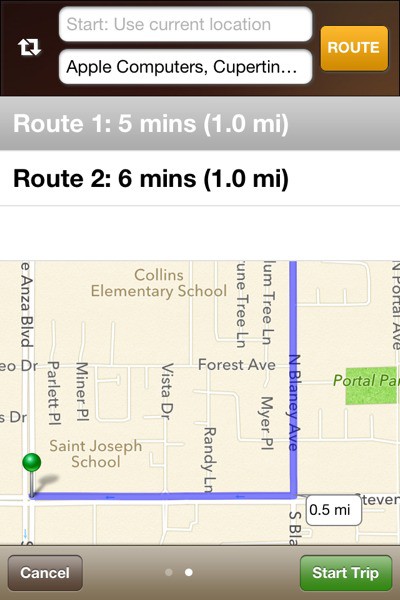
Bike-On is a turn-by-turn GPS app for cyclists. Unfortunately, like a bike lane that dumps you in the middle of a busy intersection, it is half finished. And to continue the metaphor, you’re probably better off just using a car GPS app.
You know what I find really impressive about the whole TV BitTorrent scene? Subtitles. The folks who manage to get accurate, well synced and almost error-free subtitles up for an hour-long TV show almost as soon as they have aired are not only hard-working but essential. Thanks guys!
You know what’s not impressive? Finding those subtitle files. Most of the sites that maintain listings and downloads force you to click through about a zillion pages to get to a file, and then it might not even be the one you’re looking for.
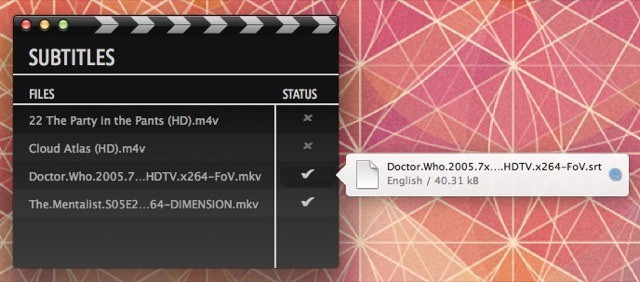
But there’s help, in the form of apps like the brand new Subtitles.
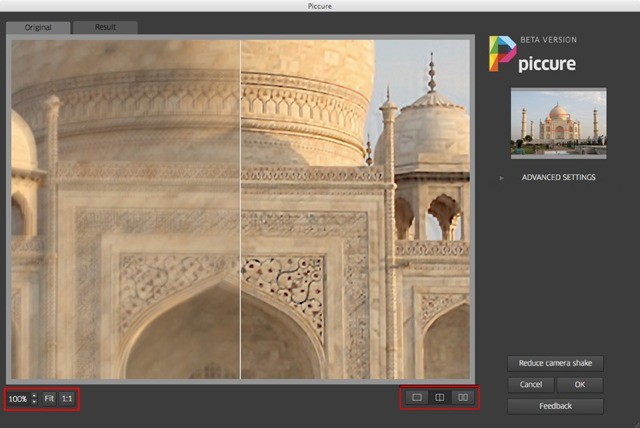
Adobe might be planning on shipping a shake-correcting tool with the next version of Photoshop, but Piccure is a beta plugin which you can download right now to fix camera blur in the same app – all without paying Adobe like $600 for a new version of the app you already own.
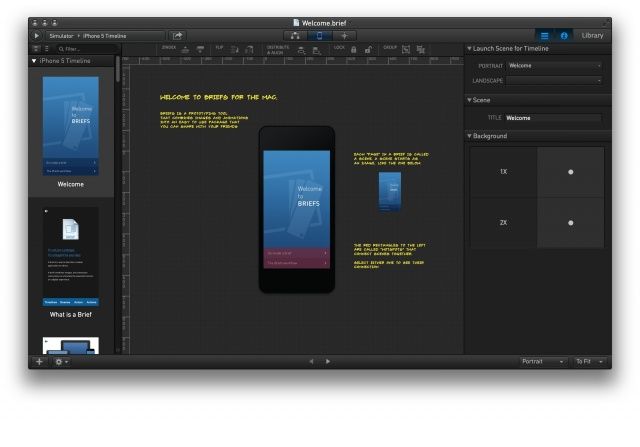
Briefs is a new Mac app that allows designers to create interactive mockups of iOS apps. Developed by MartianCraft, Briefs can build iPhone and iPad app mockups without a single line of code. It looks like the ultimate tool for prototyping app ideas to clients and developers.
Different elements of an app can be assembled on the desktop and sent to the Briefscase iOS client via a shared WiFi network. From there, the mockup can be used like a real app on an iOS device.
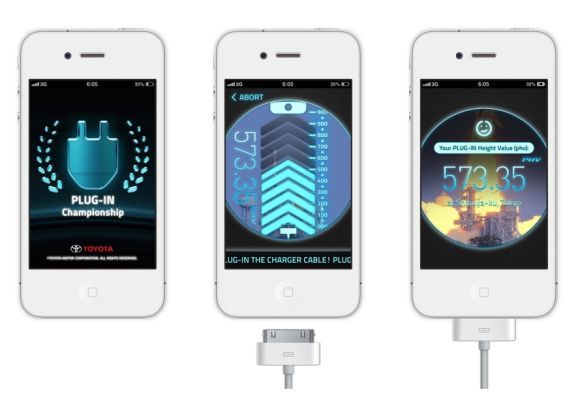
What better way than try to woo customers into buying a Prius Plug-In hybrid car than by drawing a parallel between charging your iPhone and screwing your iPhone?
That was Toyota’s, uh, “genius” idea. It’s a free game called Plug-In Championship, and it’s one of the most hysterically dumb iPhone games in recent memory, in which your goal is to plug your iPhone in to charge according to the position of a “fast-moving bar rising up the screen.”
It’s what happens when you do plug your iPhone in that is so hysterically, bizarrely sexualized, though. If you’ve ever seen the end of Alfred Hitchcock’s North By Northwest, it’s a lot like that.
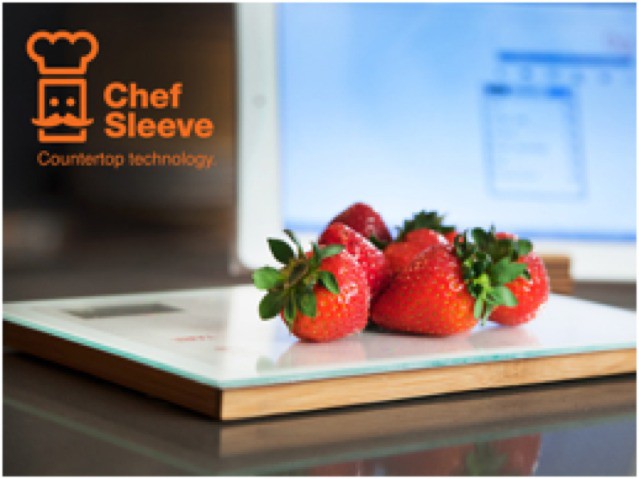
You already have a connected scale for tweeting your weight. You might also have a baby scale to do the same, (only for the baby). Now you can get a smart scale for dinner. Not to eat for your dinner–to weigh your dinner. Or breakfast. You know what I mean.
The Smart Food Scale is a Kickstarter project and comes from Chef Sleeve, the folks behind the Chef Sleeve, the ultimate wipe-clean iPad prophylactic.
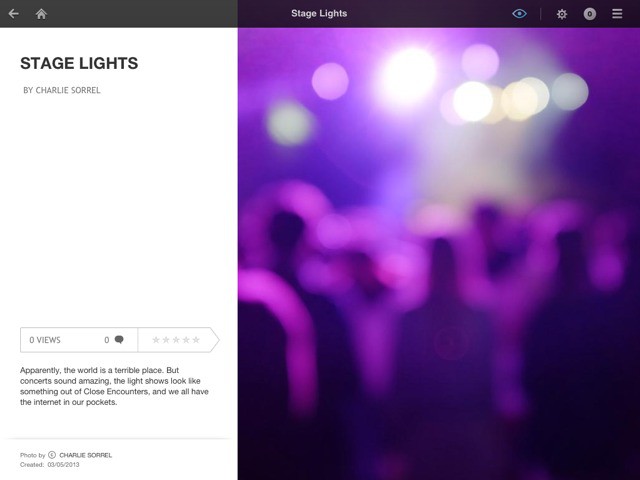
There’s certainly no lack of great ways to share photos from your iPad: Photo Stream, iPhoto Journals, Dropbox, Everpix, Flickr and on and on. Despite this wealth of options, I’m going to add to your confusion. Fotopedia’s News Reporter for iPad is a new app that lets you turn your photos into gorgeous magazine-style news reports and publish them to Fotopedia’s site. It’s pretty great.
Remember Sparrow? Of course you do – it was the best e-mail app for the iPhone, and the only app for Gmail that didn’t suck. Then Google bought it and killed it before the team could release its iPad version.
Well fret not, dear Gmail-using iPad user – we have good news. Evomail is a new thing which exists, and it’s kind of like Sparrow for the iPad.
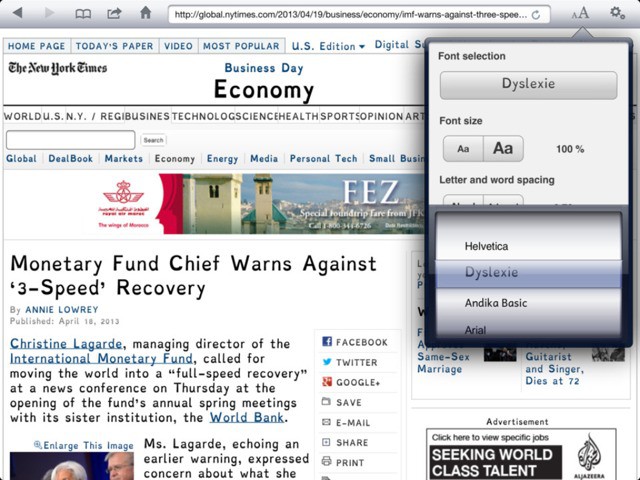
Ever wish that you could change the font size in your iPad web browser? Well, with NaviDys you totally can. You can also switch up the font, and adjust letter spacing and line spacing. What is this browser? A type nerd’s dream? Well, maybe, but really it’s designed to make things easier for the visually impaired.
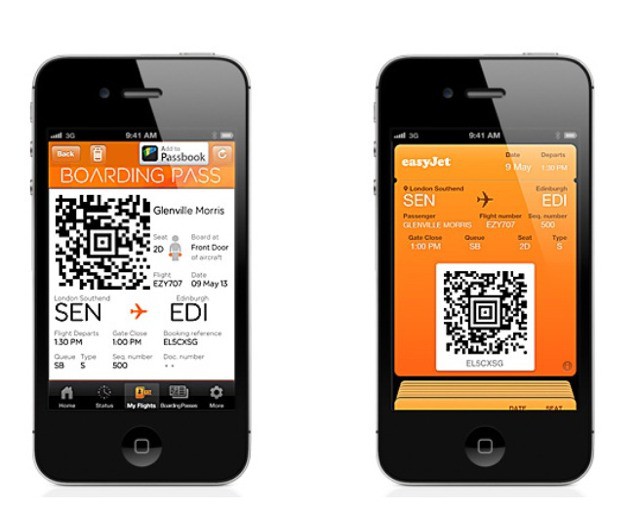
UK low-cost airline Easyjet – referred to by some Brits as "sleazyjet" – has brought Passbook support to its mobile app. Now you can not only shop for flights with the app, you can check in and have the boarding pass sent to your iPhone’s Passbook app.
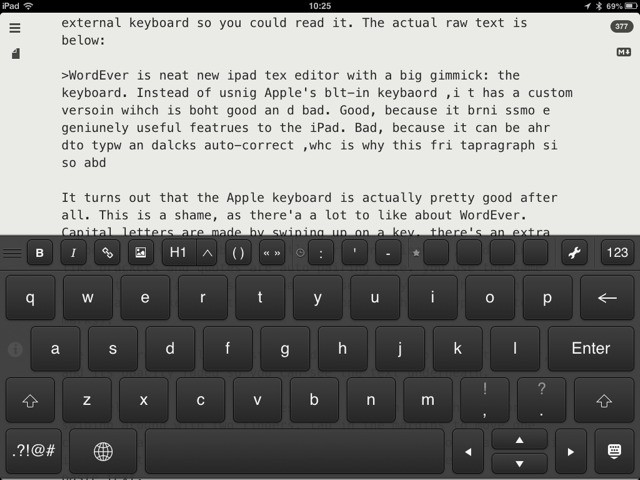
WordEver is neat new iPad text editor with a big gimmick: the keyboard. Instead of using Apple’s built-in keyboard,it has a custom version which is both good and bad. Good, because it brings some geniunely useful features to the iPad. Bad, because it can be hard to type and lacks auto-correct, which is why the original version of this first paragraph was so bad.
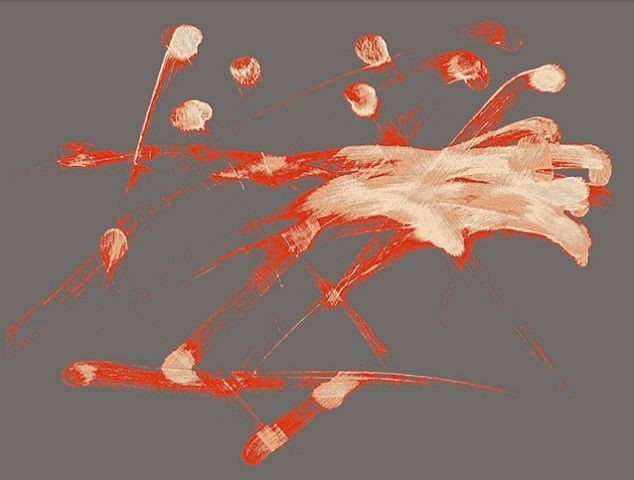
Not only is your iPad the greatest time-killer of all-time, but while you’re busy playing games, writing emails, taking pictures, and tweeting, you’re also creating some abstract artwork with each tap and swipe.
Artists Andre Woolery and Victor AbiJaoudi noticed that each iPad app reveals a different pattern of swipes and taps that form a unique piece of artwork. In their collaboration series called Invisible Hieroglyphics, the duo highlight all of the hidden masterpieces you never knew you were making, by tracking the gestures and swipes on the iPad screen and translating them into artwork on acrylic glass you can hang on your wall.
Here’s a look at some of the invisible paintings you create everyday:
One of the best apps to have in the toolkit of the privacy minded, developer Objective Development has just unveiled Little Snitch 3.1, their app that prevents other Mac programs from ‘phoning home’ under certain conditions.
This post is a little “inside baseball,” as it’s about a new tool for grabbing high-res app icons direct from the command line (or using an app), and this is the kind of thing that is most useful to writers like me. Then again, it’s by Brett ‘I just built this’ Terpstra, the Hardest Working Man on the Internet™, and is plain ingenious, so lets take a look.
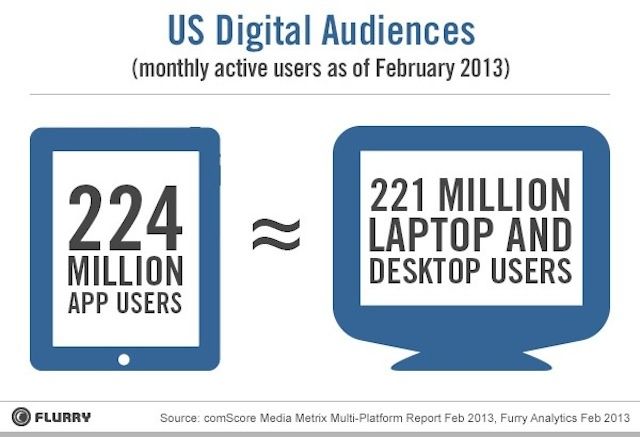
Advertising and mobile analytics company, Flurry, has released some new stats on the reach that mobile apps seem to be enjoying. The take-away here is that the number of people using mobile apps in any given day, at least the apps that Flurry tracks, seems to be growing into a sizable group of people, albeit a bit fragmented across platforms and devices.
Flurry estimates that there were 224 million active mobile users in apps tracked this past February across iOS and Android, which is a bit more than the number of active users (221 million) during the same month on laptop or desktop computers, as measured by comScore, a similar company that tracks computer user data.
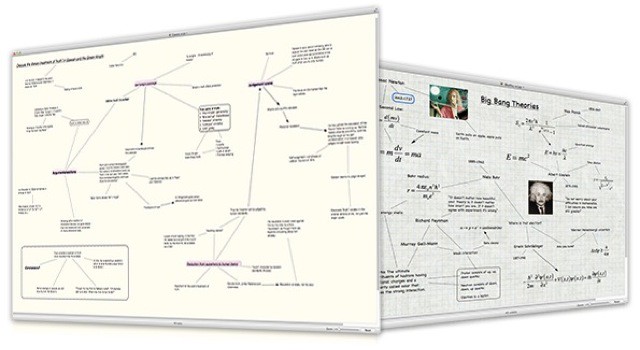
Scapple is a great new app for writers. If you were looking for an app that creates a sheet of paper on your Mac, then this is it. Scapple comes from Literature and Latte, the folks behind the amazing Scrivener, so you know that it has been designed and used by writers.
Ever since 2008, WWDC tickets have sold out faster and faster. In 2009, tickets to WWDC tickets sold out in a month. In 2010, it took eight days. In 2011, tickets sold out in 12 hours. Last year, they sold out in 2 hours.
This year, though? You needed to record the blink-and-you’ll-miss-it melee of WWDC ticket buying with one of those super highspeed cameras they use to show bullets blasting through fruit. 5,000 tickets to WWDC sold out in under two minutes, and even if you were there from the very first second, the sheer crush of developers trying to login to Apple’s system crashed it.
In essence, unless you got lucky and Apple’s login system didn’t barf all over you, there was simply no way to get a ticket this year.
What can Apple do about WWDC in the future to allow more people to attend? Honestly, probably not much.
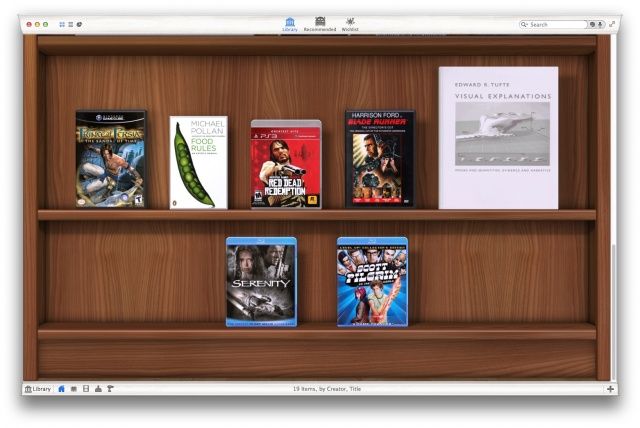
Are you the kind of guy who needs to compulsively catalogue everything in your life? Good news. Delicious Monster have just released a brand spanking new version of Delicious Library 3, a (no pun intended) monster of an updat that will allow you to easily and beautifully catalog all of the physical media in your life, publish your collection to the web, see how much it’s worth at a glance… and use your iPhone as a scanner. Wow!
Ever wish that there was a kind of Instagram for video? Not the sharing part – I still think that’s wrong for video – but the filters part. There are a metric frak-load of photo-processing apps for the iPhone and iPad, but precious few for grungifying your videos. Thankfully, that just changed. With an update and a complete redesign, VideoGrade is now an essential app for iOS videographers.
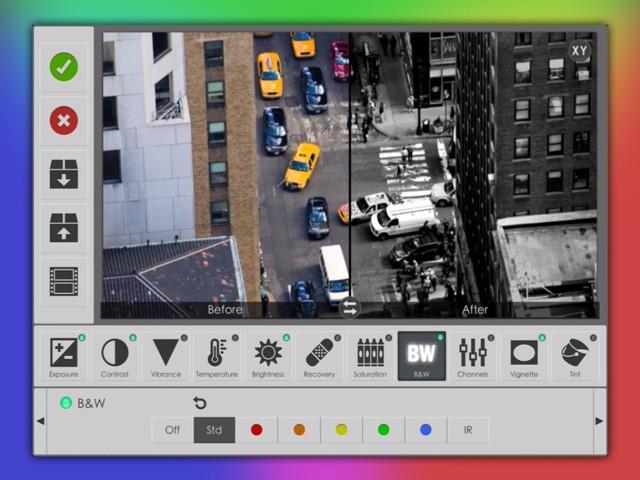
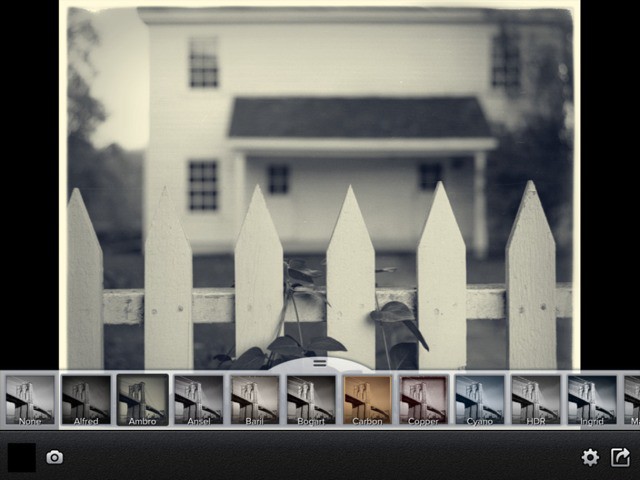
Perfect B&W is a pretty great black and white photo app for the iPhone and the iPad (it’s universal). It’s built by OnOne Software, the folks behind high-end (and high-priced) desktop photo apps and plugins, and the results show it: Perfect B&W will let you make a great black and white conversion with one tap, or dig in and tweak almost every aspect of the picture.