Mobile menu toggle

apps - page 39

No WWDC Ticket? You’re In Good Company At AltWWDC [Interview]

By •

Full house: last year's inaugural AltWWDC.

How much interest is there in Apple’s World Wide Developer Conference?

Enough to stage an alternative free five-day conference with over 40 speakers and hands-on labs that WWDC attendees may want to check out for all the topics Apple isn’t likely to cover. For the second year running, AltWWDC will be hosting the have-nots (as in have no WWDC tickets) for a gathering cloned from the official conference.

Just a few blocks from Moscone Center at the San Francisco State downtown campus, devs from around the world will be hanging out and helping each other out. There will be a volunteer lab to tackle things like crash debugging as well as talks on game development and “marketing you won’t hate.”

Around 1,500 people have signed up, meaning, yeah, even free/freewheeling AltWWDC is technically “sold out.” No worries: if you don’t have a ticket, as long as there’s room to plant your laptop, you’re in.

Cult of Mac talked to Rob Elkin, a London-based software engineer and one of the four founders of AltWWDC about what constitutes an “alt” keynote breakfast, talks Apple doesn’t want you to hear  and sponsors.

Urban Wonderer, An iPhone-Based Audio Tour Of New York

By •

tour.jpg

You’ve all used those personal guided museum tours, right? The ones that use a button-covered box and a pair of filthy headphones to tell you all about the painting/sculpture/diorama in front of you?

Well, imagine that instead of a stupid box and worn out headphones you got to use your own iPhone. And instead of having to tap in a number to hear the guide, you just relied on GPS to know what you’re looking at. And finally, imagine that instead of being a guide to a dusty old museum, the “museum” was instead the whole of New York.

That’s Urban Wonderer.

Tall Chess For iPhone, Like Letterpress Meets Chess

By •

tallchess.jpg

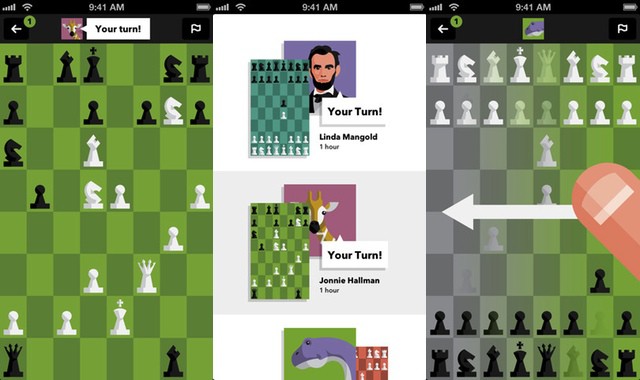
Tall Chess might as well have been called “LetterChess:” it’s like a cross between the amazingly addictive Letterpress and actual, you know, chess. It’s an iPhone 5 game (hence the “tall” part – it uses the whole of the iPhone’s screen to show the board), and it lets you play the great game against folks you’ll find on Game Center.

Great Alternatives To iPhoto [Feature]

By •

Screen-Shot-2013-06-06-at-1.17.43-PM.jpg

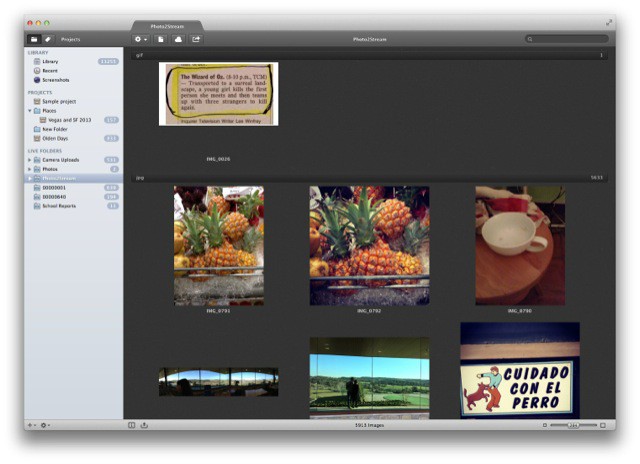
I’m not going to list all the problems with Apple’s iPhotos for OS X. I’ll just say that it’s clunky, slow, the library bloats as fast as a mob informer that’s been dumped in the Hudson, Photo Stream doesn’t work reliably and – every frikkin time I switch back to the app – it flips to the “Last Import” section in the source list. So I set out to find an alternative. This article will tell you all about my final choice – called Pixa – and a little bit about the alternatives.

Snorelab For iOS Will Help Your Solve Your Snoring Problem Once And For All

By •

post-230260-image-bb3a809f880ee886d6745797757be0b8-jpg

https://youtu.be/2Azoteu5nzs

I am a snorer. This should not be taken to mean that I make soft, puppy-like growling sounds in the back of my throat as I sleep. In fact, if you happened to hold that puppy up within six inches of my face while I sawed logs, it is likely that all of the flesh, fur and musculature of that baby dog would be vortexed off its skeleton only to become lodged in the yawning chasms of my throat and nostrils. My snore is the sound of the Seventh Seal being opened, or the universe tearing itself asunder. In all probability? You have never heard anything like me.

So imagine my poor girlfriend, who sleeps next to me every night as the bed vibrates, the house shakes and the ceiling buckles with my snoring. As you might well imagine, she’s eager for me to do something about my snoring.

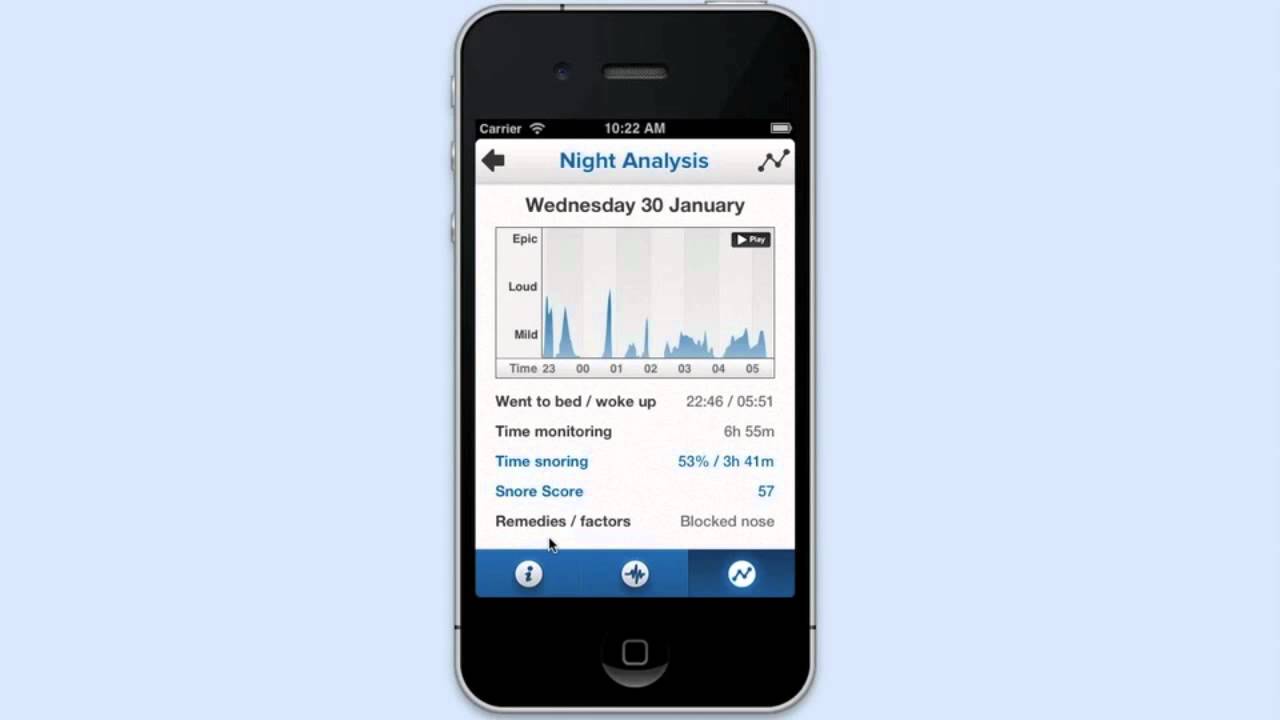
And what do you know? There’s a new app for just that. It’s called Snorelab.

Kindle For iOS Updated With Line-Spacing And Advanced Highlighting

By •

Screen Shot 2013-06-05 at 1.01.32 PM

Amazon’s Kindle app for iPhone and iPad got a great update today, which adds a couple of much needed features.

First, you can now set line spacing for your ebooks between three options: loose, normal and tight. Kindle has allowed you change the margins on e-books for a while, but this new option makes it even easier to change the settings for optimum readability.

A smaller change, but a welcome one, is that you can now highlight long passages that span multiple pages. I rarely use this functionality, but that’s still a level up.

You can download Kindle for iOS here.

Every WWDC Banner Ever For The Last 11 Years [Gallery]

By •

wwdc2012-june-11-15

Every year thousands of Apple developers flock to San Francisco to attend Apple’s World Wide Developers Conference to be educated in all things Apple. Over the past decade the conference has undergone some big changes as Apple has introduced products like the iPhone, Mac Pro, Intel Processors, Mac OS X operating systems, and much more.

An event that used to be lightly attended has now become the most popular developers conference in the world and sold out within 2 hours this years

Here’s a look at the many banners that have decorated the halls of WWDC over the past 11 years:

Double Music Lets Teens Ignore Each Other, Even While They Share A Pair Of Earbuds

By •

hate.jpg

There isn’t a much sadder sight in the modern urban landscape than a pair of friends walking together, both isolated by their own music playing on their own headphones. Why even bother meeting your friend i all you’re going to do is ignore each other?

Now, it gets a little better – and quite a lot cuter – when those friends share one pair of earbuds, maybe to listen to the same piece of music.

And then Double Music comes along and ruins everything again. Double Music is an app that will play a different track into each bud, severing the couple’s connection even as they’re physically joined by white wires.

Tayasui Sketches Raising The Game For Minimal Drawing Apps

By •

IMG_6128.jpg

Every once in a while an app comes along that looks – at first glance – to be just like every other app in its category. Then, when you take it for a spin, it blows you away. Tayasui Sketches is such an app. It’s a painting and drawing app for the iPad, and it does just what you’d expect: multiple brushes, colors and a few control gestures. But when you use it the slick feel, high level of polish and great results will win you over.

Pics.io Will Let you Edit RAW Photos In Your Browser

By •

Picsio-App-1.jpg

Remember when it seemed like some special future high-tech magic to edit video in the web-browser? Now it’s almost as mundane as composing an e-mail inside Safari. But Pics.io is about to let you edit RAW photos in the browser. The site is currently in private alpha testing, but the promise is of fast online RAW editing on your iPad.

Brett ‘I Just Built This’ Terpstra Adds Reminders To Nvalt

By •

nvremindreminders.jpg

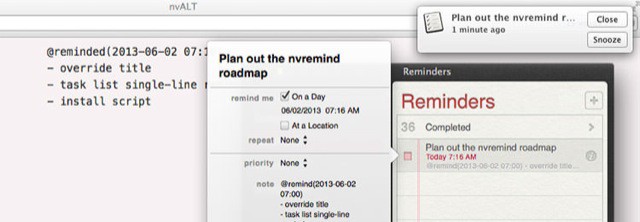
Brett “I just built this” Terpstra has been at it again. Inspired by Evernote’s new reminders feature, launched last week, Brett decided to add something similar to his app NValt, itself a fork of the notable Notational Velocity. It’s called “nvremind,” and it’s pretty awesome.

Now, just by tagging a note with “@remind,” you’ll be sent a notification or an e-mail at the chosen time, and in Mountain Lion, clicking the notification will take you to the note in NValt.

Streets Brings Google’s Vector Tiles And Street View To iPad

By •

Screen-Shot-2013-05-31-at-11.49.48-AM.jpg

If you use Google’s maps app on your iPad, you’ll know that it kinda sucks. Search is great, and the fancy maps look ok, but the UI elements are comically big when blown up to fit the iPad screen, and they cover most of what you really want to see – the maps. And Street View isn’t much better.

Enter Streets 2.0, an update to – you guessed it – Streets, which brings Googles vector map tiles and live traffic as well as big-screen Street View.

Everpix’s Mac Memories App Reminds You Of Your Painful Past

By •

tumblr_inline_mniufdyXrK1qz4rgp.jpg

Oh man, those guys at Everpix sure know how to have some fun. *Nerd* fun, that is. When they;re not busy making my favorite photo-looking-after-and-looking-at app for the web, Mac and iOS, they’re adding little nuggets of gold like the new Mac Memories app. And no, it has nothing to do with RAM. Unless “you”ewe” take lots of pictures of male sheep — ba-dum-tish!

Nuance CEO Confirms Company Powers Siri’s Voice Recognition

By •

Just
Just

While speaking today at the All Things D conference, Nuance CEO Paul Ricci confirmed that Nuance does indeed help power the voice recognition service for Siri.

Since Siri’s launch in 2011, many people assumed that Apple had formed a partnership with Nuance, but neither company has officially confirmed the relationship.

During the his interview, Ricci was asked whether it’s his company’s fault if the iPhone doesn’t understand a user’s voice. Ricci confirmed that Nuance does power the voice part of Siri, but the company is not involved in speech-recognition efforts with Google.

Evernote Rolls Out Two-Step Verification

By •

2sv-code

Evernote, one of our favorite digital trunks for our virtual documents and notes have just announced that they are taking security on their service to the next level, rolling out two step authentication to all users, along with a couple other features to make sure that you’re the only person accessing your Evernote account.