LaunchBar power-users should get their virtual asses over to developer Obdev’s nightly builds page and grab the latest version of v5.5. Amongst a whole bunch of neat fixes and tweaks it adds one essential new feature: support for your iCloud documents.
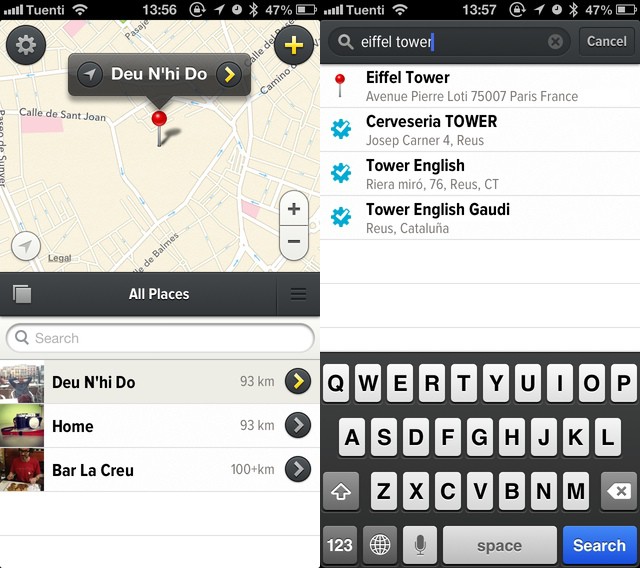
Remember Rego? It’s the place-saving app whose name means “asshole” in Brazil, and which lets you check-into and remember locations without sharing them.
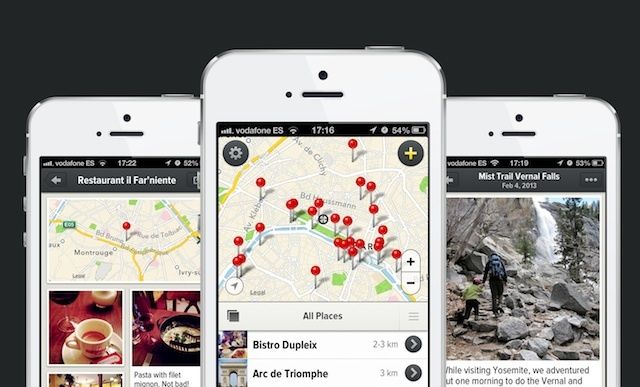
When the app launched a couple of weeks ago, I moaned,whined and complained endlessly about the lack of a search function for places – you just had to swipe and pinch your way there manually. Now v1.1 is here. And it brings search, accessing the Foursquare database, as well as using Apple Maps search and grabbing places from your contacts.
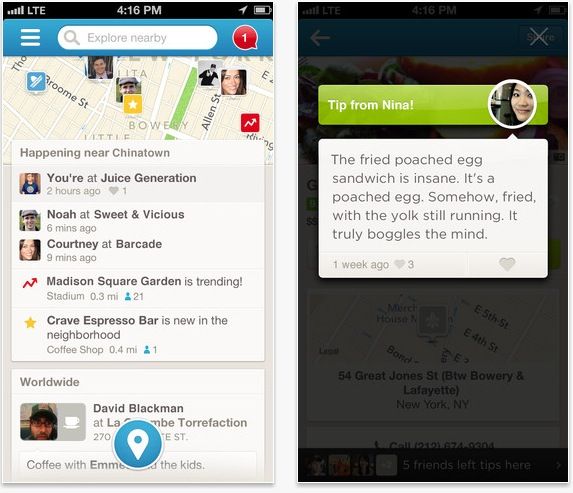
Foursquare has just updated its popular iOS app to version 6.0, and as a point-oh release, it radically ups the ante when it comes to exploring the cityscape around you and finding you cool stuff in your area.
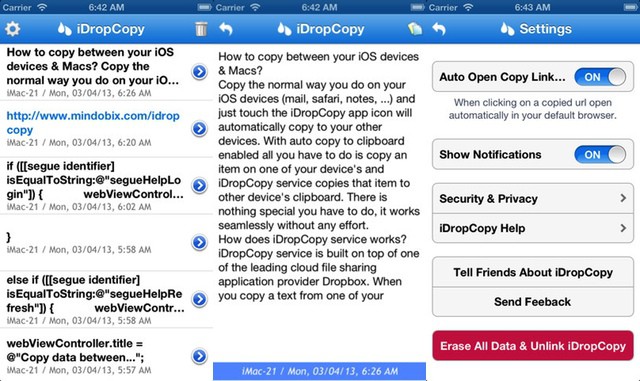
iDropcopy is a super simple clipboard sharing app which uses Dropbox for its storage. It comes in iOS (universal) and OS X flavors, and is almost as simple as copying on one device and pasting on the other. And because it uses Dropbox you can – theoretically – dive in and edit the raw snippets.
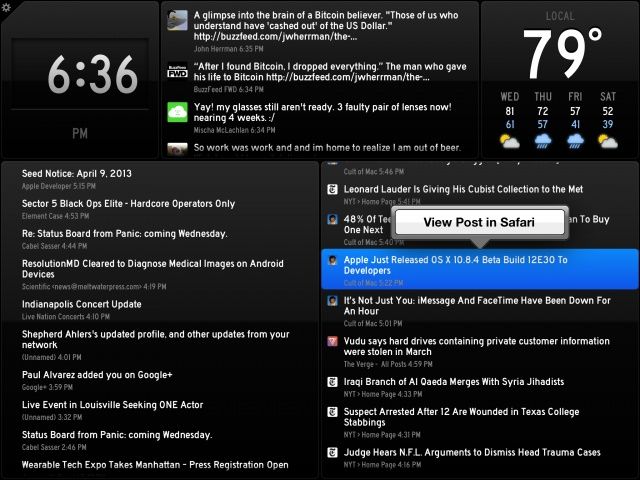
"You've got data. Status Board makes it beautiful."
Status Board Made by:Panic Category: Productivity Works With: iPad, iPad mini Price: $9.99
So many apps are designed first for the iPhone, and the iPad is more or less an afterthought. Not so with Status Board, a brand new app from Panic that is designed meticulously with the iPad’s larger display in mind.
If you know Panic’s pedigree (Coda, Transmit, etc.), then you know what kind of app to expect: something incredibly powerful, focused, and impeccably designed. Status Board is no exception. And although the app won’t appeal to most iPad users, it is perhaps Panic’s most consumer-friendly app to date.
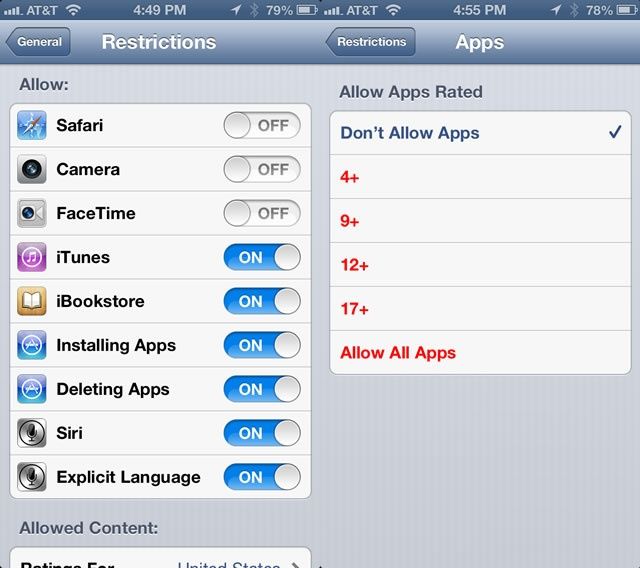
If you’ve ever handed your phone over to someone to let them use it as a (gasp) telephone, you’ve felt that moment of frisson where you wonder, “oh, man, what if they see that certain app? What will they think of me?” I’m not going to judge you; we all have apps we’d rather not have people see.
Luckily for all of us, then, that there’s a couple of neat ways to hide those apps on our devices, using Apple’s built in Restrictions system. Here’s how.
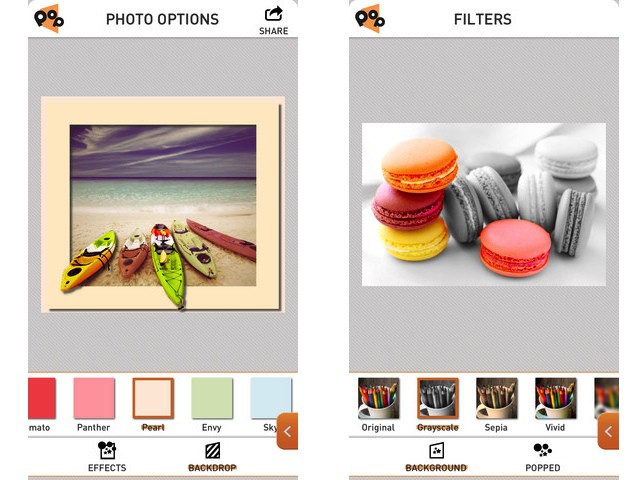
PopAGraph is Yet Another iPhone Photo Editing App (YAIPEA), but it brings a slick interface and a nice new gimmick to the game. The idea is that you create quick masks for your photos, and then apply effects to the masked (and unmasked) sections. Then – and here’s where the name comes from – you can frame the picture so that the subject pops out over the edge.
The example picture of the boats at the top of this post shows exactly how it looks.
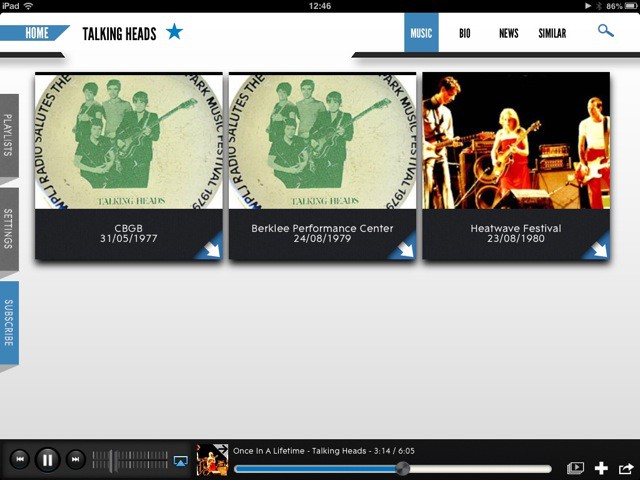
Concert Vault is a neat new iPad app which lets you watch and listen to music concerts. The free app has a slick interface which lets you search on your favorite bands and stream their gigs. It’s a deep catalog, too, going way back in time as well as offering newer content.
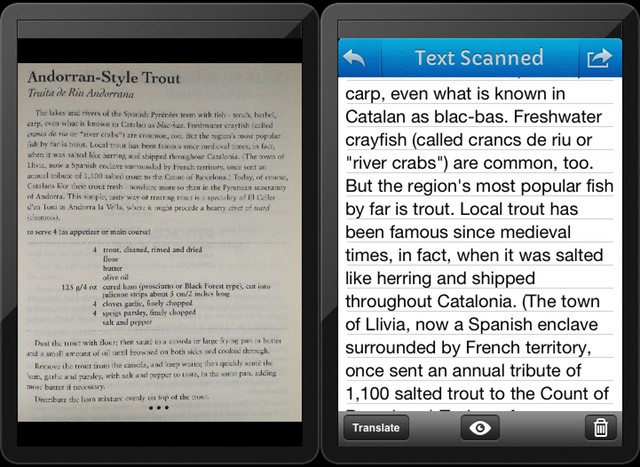
A few months back, I spent far too many hours trying to find an app which would scan a page of text and turn into actual, editable text. I found none. Or rather, I found nothing good. There are plenty of OCR (optical character recognition) apps in the store, but they were either inaccurate, or ugly, or (most often) both.
And while Evernote is excellent at letting you search on scanned pages and even your handwritten notes, you don’t get to touch the text itself.
I gave up, and now – as usually happens with my “urgent” research projects, I’ve forgotten why I needed it on the first place. Which is a shame, as Pixter Scanner has been launched,and it is quite excellent – with one huge annoyance, for me at least.
Ulysses 3 by Soulmen Category: Text Editor Works With: Mac Price: $40
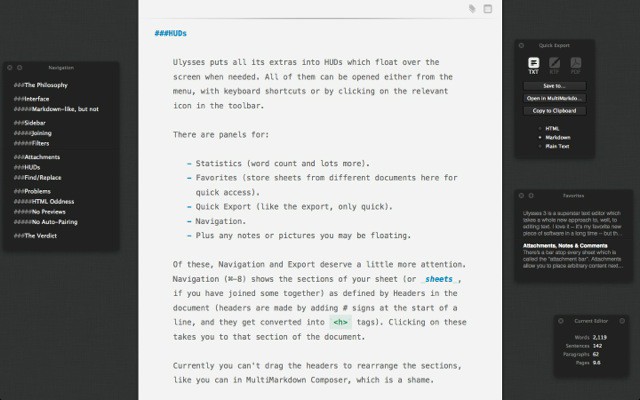
Ulysses 3 is a superstar text editor which takes a whole new approach to, well, to editing text. I love it – it’s my favorite new piece of software in a long time – but there are one or two gotchas which could stop me using it full-time to write posts for the web.
What’s your favorite Instagram filter? We all have one. Mine is X-Pro, and I almost never use anything else (except for no filter, which – according to Statigram – is my second most used “filter.”)
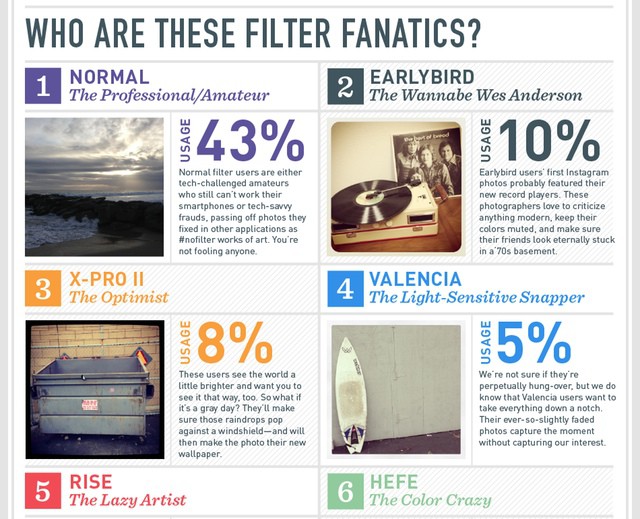
But what does this excessive use of one particular look say about me? Or – less importantly – about you? Luckily, there’s an info graphic for that, and it tells you your personality type according to InstaFilter Preference:
X-Pro II
The Optimist
The users see the world a little brighter and they want you to see it that way too. So what if it’s a gray day? They’ll make sure those raindrops pop against a windshield – and will then make the photo their new wallpaper.
Better is the definition of a “Normal” shooter. Anyone who goes commando in Instagram is either a techno-illiterate idiot, incapable of even tapping on a brightly-colored thumbnail, or “tech-savvy frauds, passing off pictures they fixed in other applications as #nofilter works of art. You’re not fooling anyone.”
As somebody whose first Instagram picture was a “#nofilter work of art,” imported into my iPad 2 from a Panasonic GF1, I can say that this entry at least is pretty accurate. Go check the rest out at the links below.
It seems like just yesterday that I was complaining about the lack of sharing and export in iOS reading apps… Maybe that’s because it wasonly yesterday. I was actually moaning about Read Later apps, but I mentioned Kindle and iBooks as being equally bad.
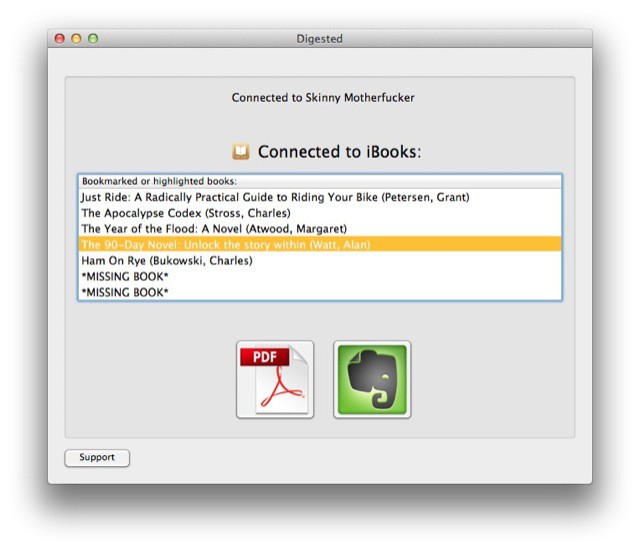
Now, just a day later, I discover that there’s a free Mac app which will suck the notes and highlights out of your iBooks and package them up in a nicely-formatted PDF, or direct to Evernote. It’s called Digested, and it does exactly what it says it does.
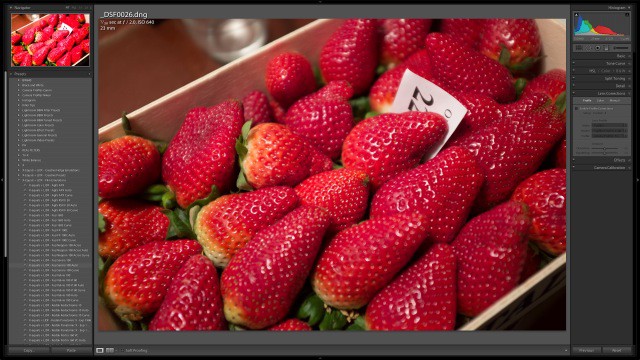
If you’re the proud owner of a Fujifilm X100s camera, then today is yet another happy day for you: Lightroom has been updated to v4.4 and now supports your camera’s wacky X-Trans sensor, the clever sensor which removes the need for an anti-aliasing filter by placing the color pixel filters in an irregular grain-like pattern.
And of course the update supports a whole bunch more camera (listed below), as el as fixing bugs.
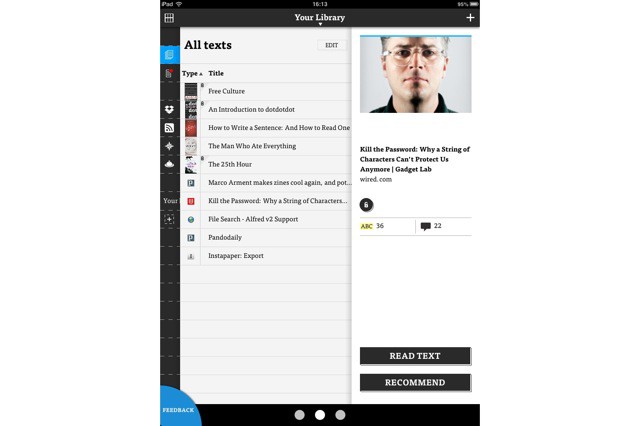
Just before the weekend, a new Read Later app launched. Yes, you rightly shout, there are a ton of these apps around already. Hell, even Safari can save pages off line for reading later. But the new app/service, called DotDotDot, shows what these services should be. It’s not polished (it’s an early beta), but it already shows up the competition.
Which brings me to “the competition.” I just ditched Instapaper, the grandaddy of read-later apps, for Pocket. Why? Read on.
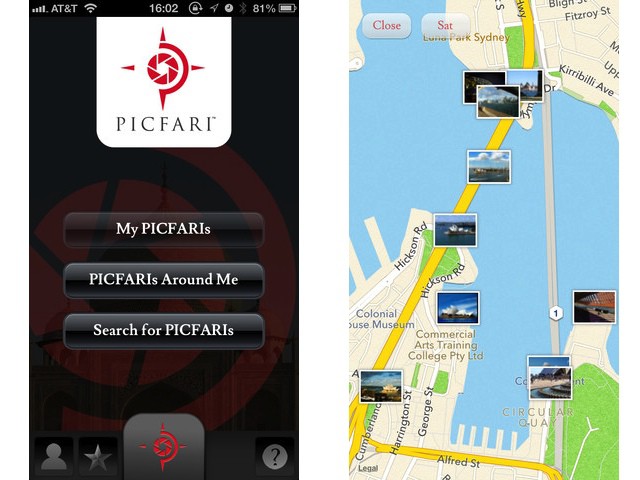
Picfari is a smart little iPhone app which tells you where all the best photos are to be taken – wherever you are. Say you’re on vacation in, I don’t know… Barcelona, Spain. Fire up the app and it’ll not only let you browse photo hotspots, it’ll also pull in great sample shots from places like Flickr, and even give you some tips on getting the best shots.
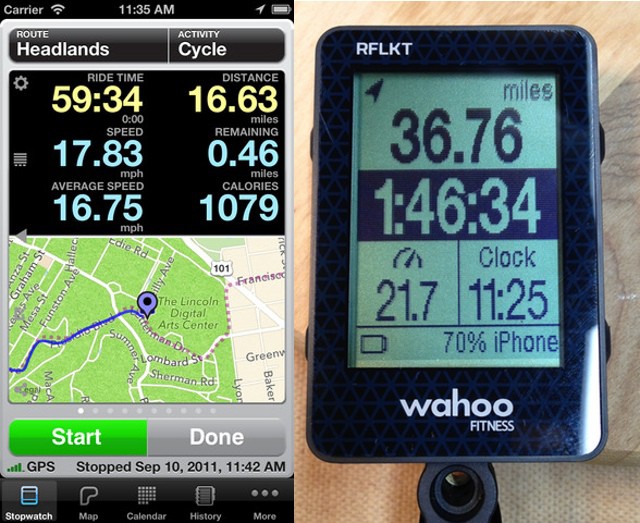
Good news for those of you who were unfortunate enough to have dropped $130 on the Wahoo RFLKT (ROFL!) Bluetooth 4 iPhone HUD for your bike. One of the best iPhone cycling apps – Cyclemeter – has just been updated to support your fragile dongle. There’s bad news, too: You’ll have to drop another $3 on an in-app purchase to enable the new feature. Insult, meet injury.
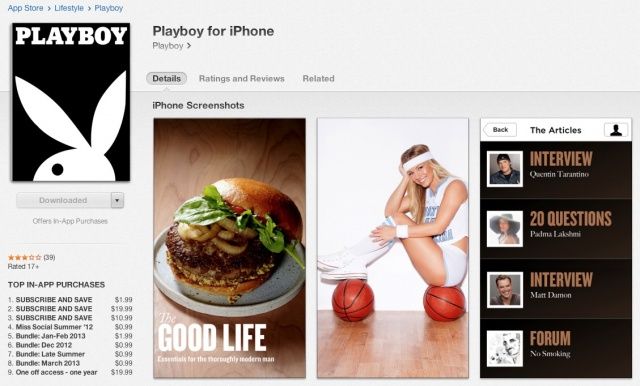
Apple has a strict “no porn allowed” policy on the App Store, but what if your softcore porn magazine is also known for its thoughtful writing, its incredible reviews and it’s award-winning journalism?
Simple. You launch your magazine in the App Store without any nudity at all. And that’s just what Playboy is doing.
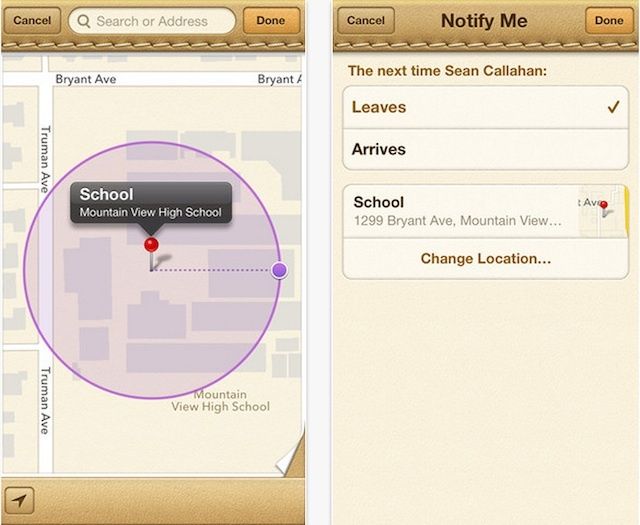
The ugly tan leather and stitching is still there, but Apple has a new feature for its Find My Friends app that users will find pretty useful. Apple just updated Find My Friends so that users can setup up geofences and receive a notification once a friend leaves a designated area.
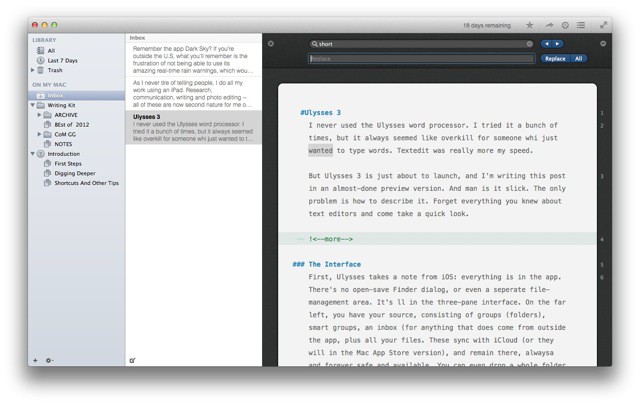
I never used the Ulysses word processor. I tried it a bunch of times, but it always seemed like overkill for someone who just wanted to type words. Textedit was really more my speed.
But Ulysses 3 is just about to launch, and I'm writing this post in an almost-done preview version. And man is it slick. The only problem is how to describe it. Forget everything you knew about text editors and come take a quick look. It really is something completely new.
If you’re not using 1Password on your Mac and iOS devices, you might as well just package up your bank and credit-card details, your passwords, your passport and your ID, and mail the parcel off to Russia or China, clearly marked “FAO: Identity Thieves. ”
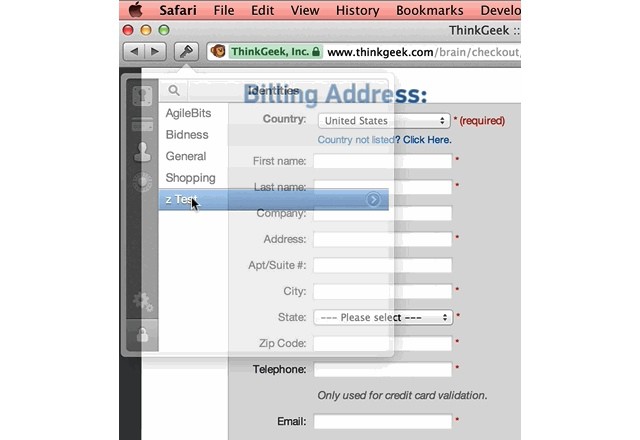
If you are using 1Password, then you’ll be pleased to know that the Safari extension just got a great update. Sure, it brings lot of improvements under the hood, but what we’re interested is the new animated form filling.
Yesterday Samsung introduced its version of Apple’s iTunes Store, except it’s got a really bad interface and even worse name. They’re calling it “Samsung Content & Services“, and with a little magic pixie dust, Samsung hopes its customers will think it’s as good as the App Store or Google Play.
There are all kinds of little tricks developers can use to try to get their app to gain some recognition in the App Store, but Matt Henderson inadvertently discovered that naming your app ‘Butt Crack’ can reap unfathomable rewards.
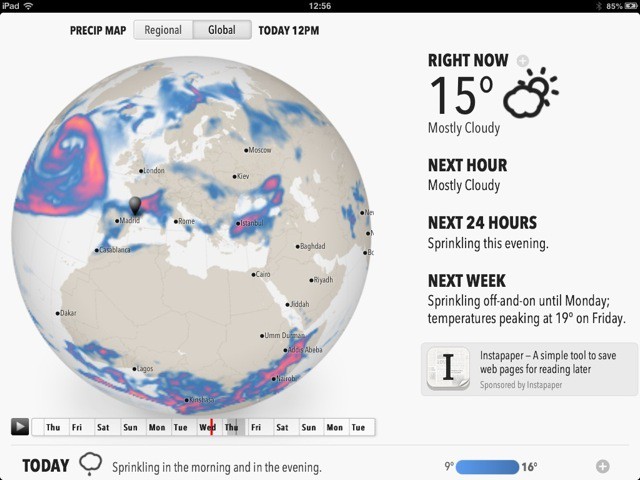
Remember the app Dark Sky? If you’re outside the U.S., what you’ll remember is the frustration of not being able to use its amazing real-time rain warnings, which would literally tell you when it would rain on your location in the next hour or so.
Now, the developers of Dark Sky have come out with Forecast, which works anywhere in the world, and will run on Android, iOS, the desktop, anywhere. How? It’s a web app.
Your Mac is a finely tuned, intricate machine. Just like a car, every aspect of your Mac plays a crucial role in its overall performance. This Cult of Mac Deals offer is for an app that will help keep your Mac running in tip-top shape. That’s because we’re featuring xScan – the same software many professionals use to diagnose technical issues with Mac operating systems.
xScan has been specifically designed to help you monitor the behavior and health of your Mac in a simple and straightforward manner. Consider it lifetime health insurance for your Mac – and Cult of Mac Deals has it for only $10.
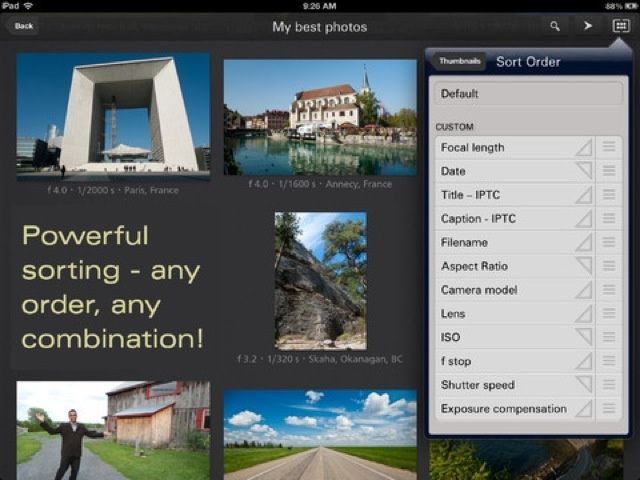
The iPad is great for photographers, but the built-in Photos app sucks. You can’t change the viewing order. Making albums and moving photos is a multi-tap pain in the ass, and navigating is confusing even for the experienced user.
That’s where Focus Point comes in. It’s a photo-viewing app that’s been around for a while, but the latest update adds enough new goodies to make it worth a look.