Mobile menu toggle

apps - page 42

Yahoo! 3.0 For iOS Gets Impressive Natural Language Summaries, Recommendations & More

By

yahoonews

Yahoo! has been undertaking something of an iOS App Store renaissance lately. First, they made their Flickr app into a bonafide Instragam challenger; then their new Yahoo! Weather app effortlessly fused beautifully wrought weather information with the best photographs on Flickr; and now Yahoo! has updated its iOS app with natural language summaries of all the news likely to be of interest to you.

Delicious Library 3 Is Coming Soon, With Matching iOS App

By

delicious-library-b

My girlfriend and I aren’t so much collectors of books and records as we are black hole like vortexes to which books and records are inescapably drawn, gravitational wells from which any media that passes our event horizons can not escape.

As such, we’re constantly trying to keep track of the books and records we already have. One of our favorite apps to do so is Delicious Library, a fantastic media cataloging application that lets you keep track of your stuff by using a webcam as a barcode scanner (as well as manual entry), but it hasn’t really seen a serious update in years.

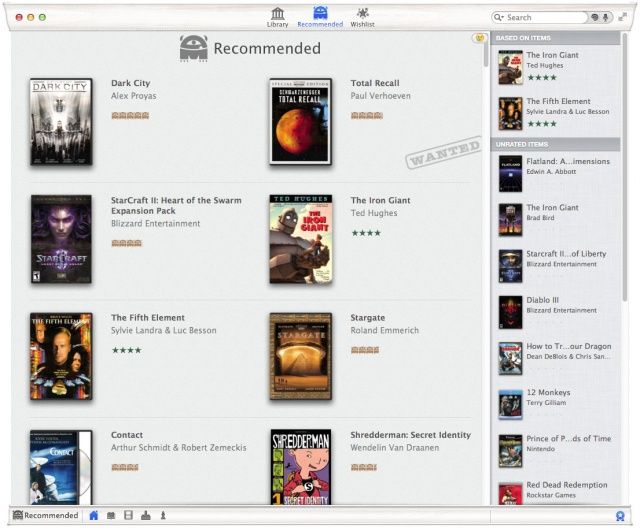
Thankfully, that’s about to change. Delicious Library 3 is coming soon, and it apparently will have some pretty rad new functionality: a recommendation engine, and a corresponding iOS app.

Pupil Switches Retina Resolutions Right From Your Menubar

By

1366624140.jpg

Remember when we used to switch resolutions on our computers? No, probably not. That’s because only old people experienced the pain of doing such a thing manually – these days our monitors are built in to our computers, and the pixel-mapping is done by the OS.

Unless you have a new Retina MacBook Pro that is. Now there might actually be a reason to switch resolutions. But who wants to dig around in System Preferences? Instead, you can use Pupil.

5S Rumors And The Pervs That Use Snapchat On Our All-New CultCast

By

new-cultcast-site-promo-pic-heath.jpg

We get ca-rayyy-zee on this week’s CultCast, takin’ ’bout iPhone 5S’ rumored new camera; why megapixels don’t matter; Facebook Home coming to iOS; why teens really love Snapchat; and we review the new iSteve mockumentary—it’s either way better or way worse than you heard. Plus more!

Stream or download new and past episodes of The CultCast on your Mac or iDevice by subscribing now on iTunes, or hit play below and let the good times roll.

Be excellent to each other, and party on through for the show notes.

Cultcast 68 2 rounded post player image

Cut The Rope: Time Travel Just Hit The App Store

By

cuttheropetimetravelers

When we’ve grown tired of flinging Angry Birds through space, Hoth, Brazil, and everywhere else, Cut the Rope has always been a great fallback option for a quick, fun iOS game. Now it’s getting even better with time travel.

ZeptoLabs just released the latest installment in its Cut the Rope series called Cut the Rope: Time Travel. The new game adds the dimension of time travel to increase the complexity of ways to get your little Om Nom’s some candy. Now instead of having one Om Nom to feed, you get an ancient ancestor to worry about too while you explore locations like the Middle Ages, the Renaissance, a Pirate Ship, Ancient Egypt, Greece, and the Stone Age.

Here’s a gameplay trailer:

Apple Kicks AppGratis While It’s Down By Turning Off Push Notifications For Existing Users

By

French startup, French minister. Hmmm.

Once you get on Apple’s bad side, it’s hard to climb back into its good graces, and AppGratis is starting to learn that the hard way. After pulling AppGratis’ app from the Apple Store last week, Apple has also decided to kill push notifications on the app for users that still have it installed.

This is the first time we’ve seen Apple kill certain functionality on an app after users have already installed it. AppGratis was banned from the App Store after Apple decided violated multiple rules of the App Store, but AppGratis says its already working on a comeback.

Pocket Improves Sharing And Highlighting

By

1366269987.jpg

My favorite read-later app, Pocket, has revamped its sharing options to make it way easier to send articles and snippets to other people. It’s powered by email, although once you’ve set it up you wouldn’t know it. And yes, for those who have been following along, it totally lets you save your favorite passages as highlights, although you’ll need to hack things to get that working.

The App Store Still Generates 2.6 Times More Revenue Than Google Play, Says Report

By

post-223874-image-e2e76af7476c0c962012e75e0602433a-jpg

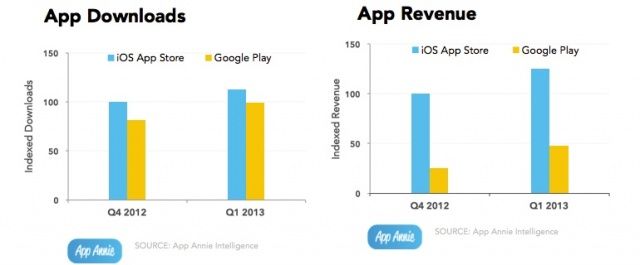
Apple got a head start on Google with the App Store, but over the last year, Google Play has continued to make up ground, not only with its offerings of apps, but also the amount of revenue it generates.

In Q4 2012, Apple’s App Store was still seeing four times as many sales as Google Play was, but fast forward to Q1 2013 and the App Store is now only making 2.6 times as much as Google Play.

Mastering Alfred 2.0 On Your Mac: Send Quick Emails To Your Contacts [OS X Tips]

By

Email To

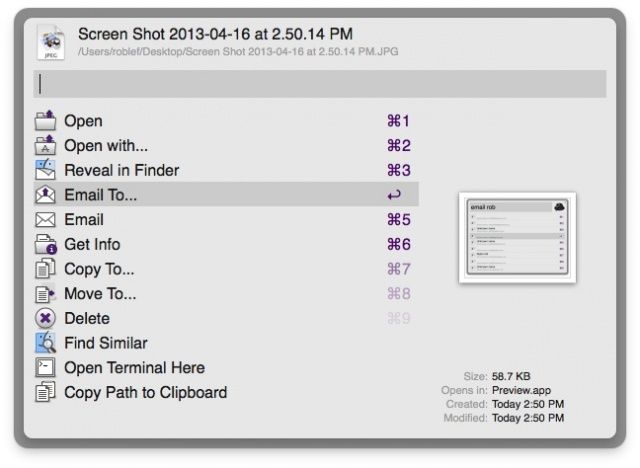
By now you know that Alfred does a lot more than just launch apps, right? You can directly command your Mac OS X system from Alfred as well as launch stuff without ever taking your hands from the keyboard, the true power user position.

Did you also know you can send emails, with or without attachments, from Alfred as well? You need to purchase the £15 PowerPack (~$23 USD) to make it happen, unfortunately, but it seems like a pretty good price for such great functionality.

Mailplane Puts Gmail And Google Calendar On Your Mac Desktop

By

mplane.jpg

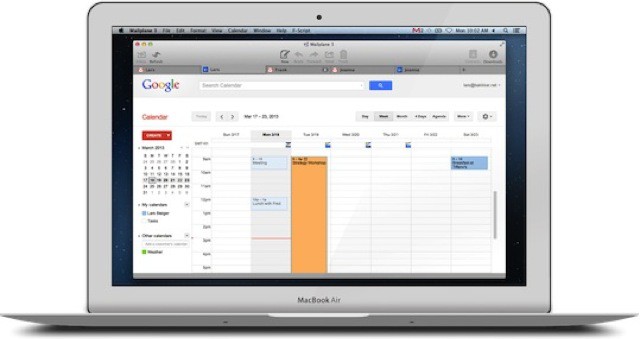
I have used Mailplane on and off for years. I love that it turns the great Gmail interface into a proper desktop app, complete with drag-and-drop attachments, notifications and an icon in the dock and tab switcher. But I never liked its super power of spinning the CPU of my Mac at all times, even when supposedly idle.

Now v3.0 is out, and it seems to have solved the latter problem, while adding a few new features.

Triage – First Aid For Your Inbox

By

1366103703.jpg

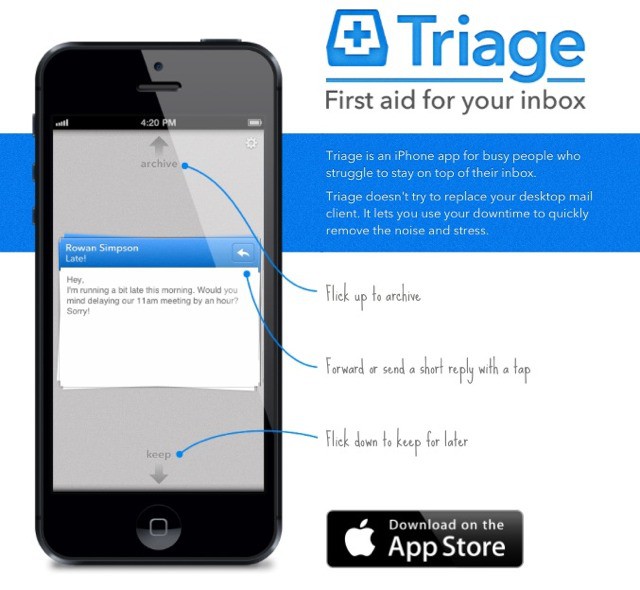
Triage is an app which makes it easy to quickly whittle down your incoming messages using your iPhone. The idea is that you can quickly scan (or triage) your mails, archiving anything unimportant and saving the rest for later.

Triage doesn’t try to replace your desktop mail client. It lets you use your downtime to quickly remove the noise and stress.

Mastering Alfred 2.0 On Your Mac: Quickly Launch Apps With A Hotkey [OS X Tips]

By

Alfred Preferences

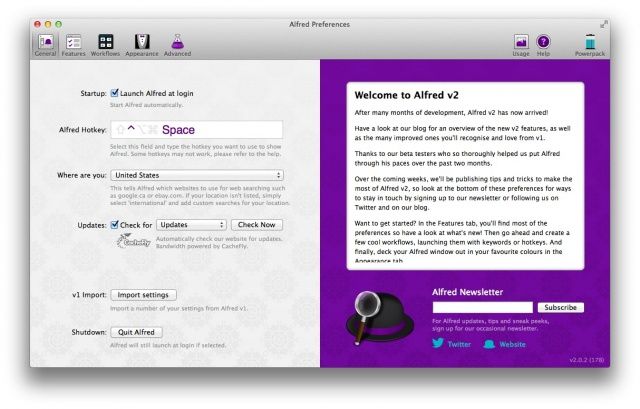
If you haven’t been using Alfred, the amazing app launcher (and much more) on your Mac, you’ve been missing out. It started out as an app launcher, a la Quicksilver, but continued to get improvements and additions over time until now, version 2.0 can do a ton of things on your Mac, all with a quick hotkey press on the keyboard.

Let’s take a look at one of the most basic things Alfred can do for you: launching apps. Once you’ve upgraded to or downloaded Alfred version 2, you can import your version 1 settings, and be ready to roll.

Barry For iOS Save Screenshots Of Entire Web Pages

By

barry.jpg

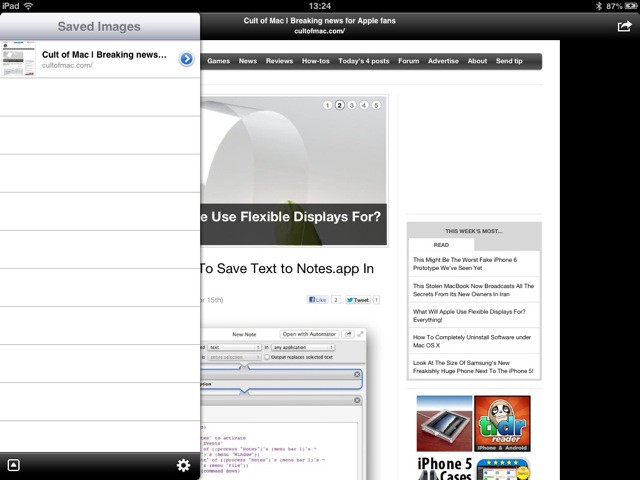
Ever wanted to save a picture of an entire webpage? I have. Last time I made a style guide for our Cult of Mac reviews, I wanted to take a picture and scrawl notes on it. Could I find an app to help? Could I hell. In the end I resorted to printing PDF on my Mac and…. I can’t really remember. It was so convoluted that my brain has repressed the traumatic memory.

If only I’d had Barry to help me.

System Service To Save Text to Notes.app In Mountain Lion

By

new-note-sshot.jpg

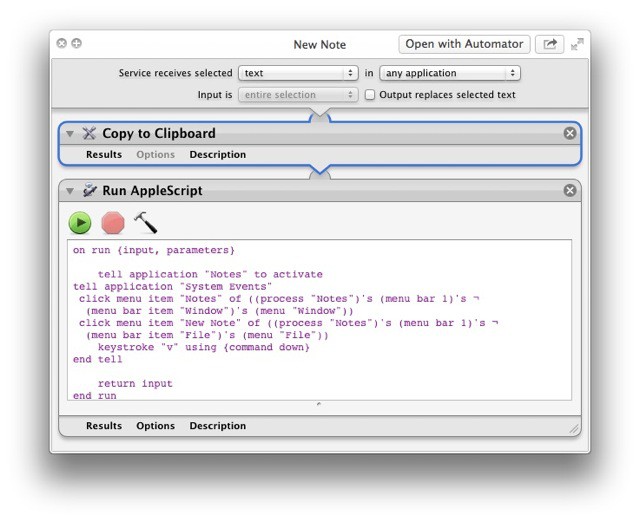
When you think about it, it seems absurd that there’s no way to add the currently highlighted text on your Mac to your notes. The Notes app, which is the spiritual successor to Stickies, with the advantage of a) not clogging up your screen with yellow squares and b) syncing with your iPhone and iPad, is pretty great. But it lacks, inexplicably, a way to quickly clip the selected text.

This little System Service, which runs an Applescript, will fix that for you.

Antisocial Place-Tagging App Rego Updated To Use Foursquare Database

By

rego.jpeg

Remember Rego? It’s the place-saving app whose name means “asshole” in Brazil, and which lets you check-into and remember locations without sharing them.

When the app launched a couple of weeks ago, I moaned,whined and complained endlessly about the lack of a search function for places – you just had to swipe and pinch your way there manually. Now v1.1 is here. And it brings search, accessing the Foursquare database, as well as using Apple Maps search and grabbing places from your contacts.

Panic’s Status Board App Turns Your iPad Into A Beautiful Command Center [Review]

By

"You've got data. Status Board makes it beautiful."
Status Board
Made by: Panic
Category: Productivity
Works With: iPad, iPad mini
Price: $9.99

So many apps are designed first for the iPhone, and the iPad is more or less an afterthought. Not so with Status Board, a brand new app from Panic that is designed meticulously with the iPad’s larger display in mind.

If you know Panic’s pedigree (Coda, Transmit, etc.), then you know what kind of app to expect: something incredibly powerful, focused, and impeccably designed. Status Board is no exception. And although the app won’t appeal to most iPad users, it is perhaps Panic’s most consumer-friendly app to date.