Mobile menu toggle

apps - page 33

Mailbox App Now Searches Your Entire Gmail Account — Every Last Gigabyte

By •

mailbox update

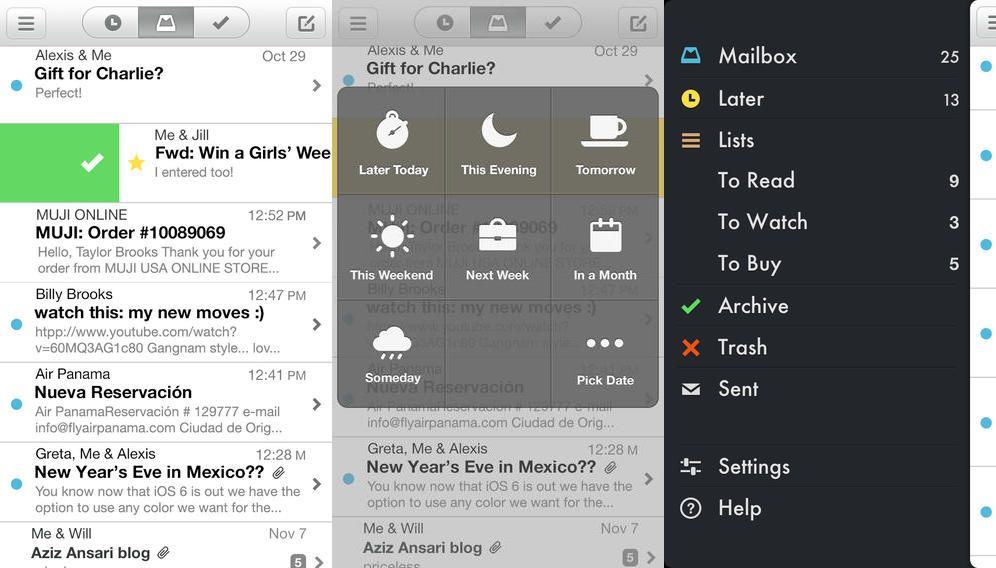
It appears that today is officially App Update Thursday here on CoM, and I’m not even writing about all the great stuff that my iOS devices sucked down during the night. But I will tell you about Mailbox.

The Mailbox app, which lets you swipe and tap your way through your email, getting to “inbox zero” easily several times a day whilst turning your mail account into a kind of super-handy to-do list, will now search your entire Gmail archive. And that’s not all.

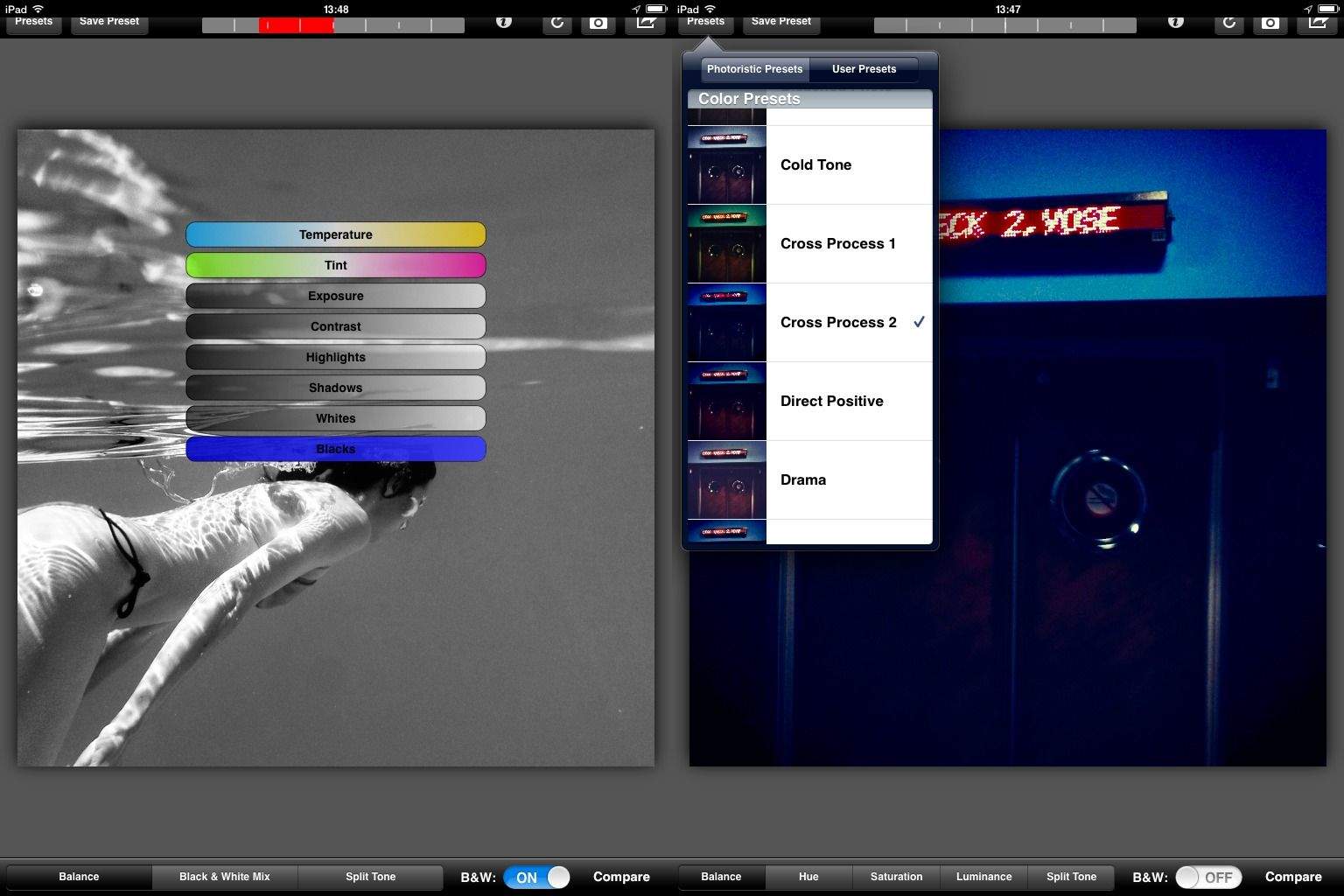
Photoristic Tries To Be A Pro Version Of Snapseed

By •

photoristic

Did you ever find yourself using the amazing Snapseed and thinking to yourself, “man, I love this app more than a man should love a piece of photo-editing software, but I sure wish it could do more. Like, what if it could save my edits as presets?”

Well, you lucky, app-loving deviant, you: your wish has been answered. No, not by Snapseed, which Google will surely kill off soon enough anyway, but by a brand new app called Photoristic.

Legendary Pixen Pixel-Art App Now In Mac App Store

By •

pixen

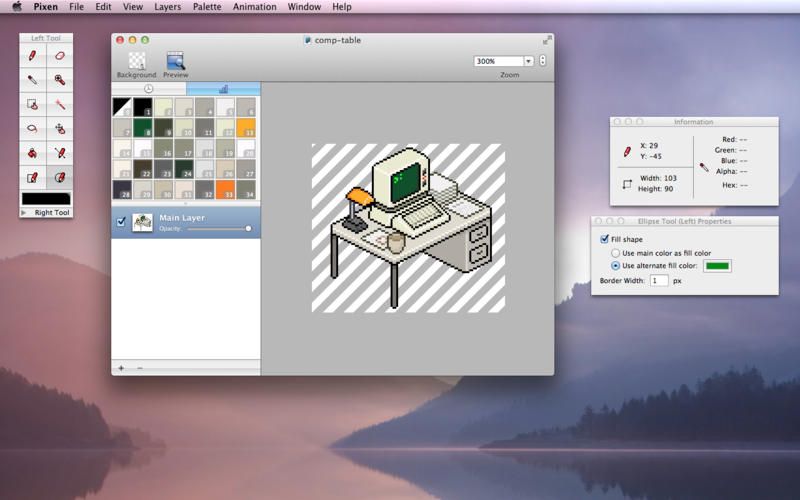
Pixen is one of my favorite Mac apps. If any of you follow me on Twitter or similar, you will have seen my Scary Baby avatar. That was built by me, one pixel at a time, in Pixen, probably running on an old white iBook.

Pixen is — as you may have guessed — a pixel editor for the Mac, and now it’s available in the Mac App Store.

Eight iPhone Apps To Help You Survive Burning Man

By •

burningman

48,000 people are about to descend on Black Rock City, Nevada to join in the Burning Man festival experiment. There’s going to be art galore, crazy events, weird costumes for days, and the brutal Black Rock Desert meting out its hellish punishments on each and every Burner.

Making the trip to BRC is easy, but surviving is entirely different, so we’ve found eight great apps that will help you get out of the desert alive:

Quick Look Plugin Adds Pixel Dimensions To Pictures

By •

ql

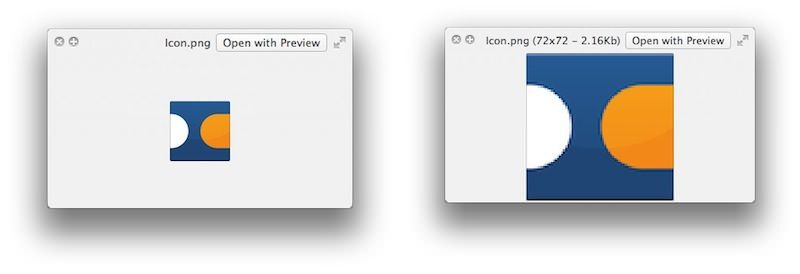
In my tireless efforts to inform and entertain you, I find myself wrangling a lot of pictures for posts here on CoM. And now that many people are coming at us from Retina-screened devices, we try to use big pictures whenever we can. But how big is a picture?

Clicking the image and tapping the spacebar will give you a preview, but it won’t give you the image’s pixel dimensions. Not unless you install QuickLook plugin qlImageSize.

Full App Helps You Count And Track Anything

By •

full

Got goals? Me too: Get up before 10 a.m. at least once a week; increase the number of cheeses I eat; and learn how to use semicolons. If you too have such pressing, life-altering plans in mind, you might like the keep track of them with Full, an iPhone app which not only tracks pretty much anything, but looks amazing while it does it.

Facebook Login Update Makes It Harder For Apps To Spam Your Wall

By •

facebooklogin


Using Facebook is usually one of the quickest ways to log in to apps and other services without creating an account, but there’s nothing more annoying on Facebook than giving an app access to your account only to have them post spam on your wall without permission.

Facebook announced today that it has finally come up with a solution by updating Facebook Login for mobile so that apps have to ask you separately for permission to post on your behalf.

The update should result in 31% faster load up times, too. And if you decide later that you really want to share all your progress from Kitchen Scramble, or any other apps, you can do that too.


Source: Facebook

Via: The Verge

MyFlavors Auto Rips Recipes From Any Web Page

By •

myflavors

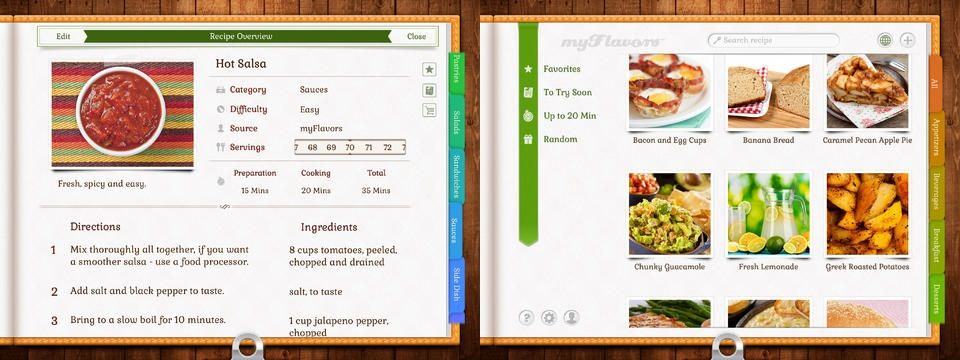
MyFlavors for the iPad is a clever recipe app which auto-rips recipes from the web and separates out the various components, tidily parsing out and filing directions, ingredients, photos, the description and the cook time. The app is free, but requires a $5 in-app purchase to actually do more than try it out.

Brett Terpstra’s Awesome SearchLink Ported To Editorial For iPad

By •

Screen Shot 2013-08-20 at 12.51.24

Brett Terpstra’s SearchLink is a System Service for OS X which automatically generates links from your text, without you having to bother to look anything up on Google first. It’s like having an unpaid intern inside your Mac.

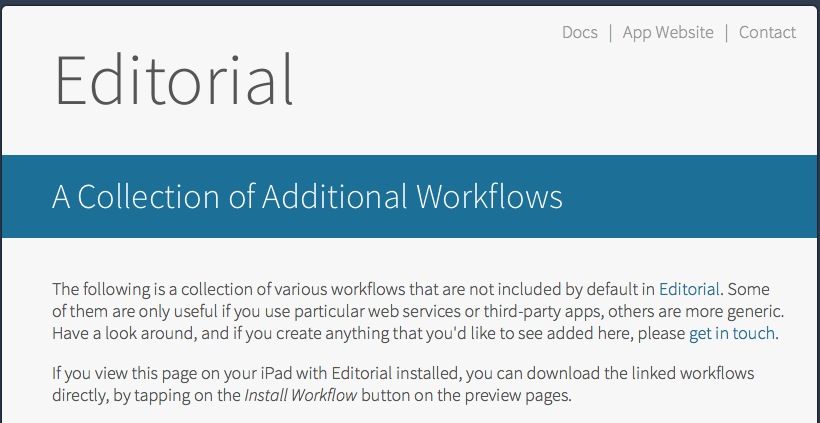
And Editorial is that fancy new iPad text editor that incorporates workflows that you can roll yourself.

Now the two have been combined into one amazing iPad ball of goodness.

10 Great iOS And Mac Apps To Help You Survive College

By •

macbooks-college

You’re going to college, which means plenty of sleepless nights, lots of good memories, and maybe a little studying on the side. The truth is that college can be stressful, so it never hurts to be too prepared.

Luckily, there are tons of excellent apps out there on both the Mac and iOS to help you survive. Here are 10 of the best:

New App For People With Alzheimer’s Launches Today, Free For Limited Time

By •

Clevermind

Alzheimer’s is a debilitating cognitive disease that currently affects an estimated 5.2 million people in the U.S. alone, a number that’s expected to triple in the next 40 years, according to a recent study. There is no known cure.

Clevermind, then, is a new iOS app that has been designed to help seniors, family members, and caregivers to better deal with the effects associated with Alzheimer’s. The app is available now in the App Store, and it’s free for a limited time.

The $999.99 Club: These Are The Most Expensive Apps On The App Store

By •

Screen Shot 2013-08-19 at 8.37.00 AM

The most you can charge for an app on the iOS App Store is $999.99. In the early days of the App Store, a number of novelty apps came out, trying to make a quick buck by convincing gullible plutocrats to part with their money in the form of a $1,000 app download. The most notable example is I Am Rich, an iPhone app that literally did nothing except proclaim your affluence.

These days, though, the $999.99 club is made up of legitimate apps. Well, mostly.

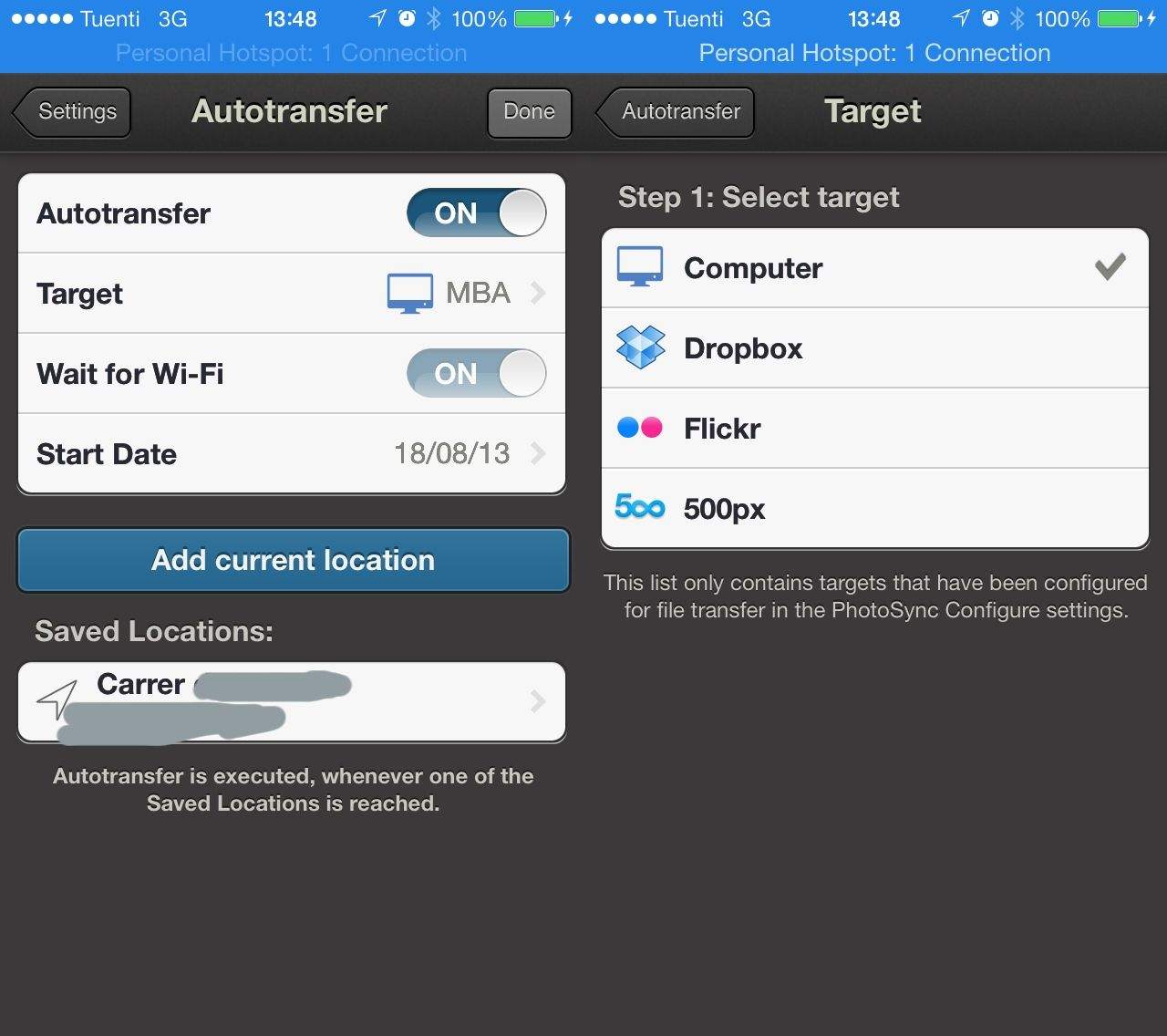
Wrangle Your Whole Family’s Photos Into One Place Automatically Using Photosync 2.0 [How To]

By •

Set this once, and all your iPhone pictures will be auto-filed whenever you arrive home.

This post is as much for our Dear Leader Leander Kahney as much as it is for you, our wonderful and ever-curious reader. It solves a problem Leander struggled with for a full thirty seconds before tossing it to us minions in the Cult of Mac HipChat room.

The problem: How to get all the photos snapped by Leander’s twelve or so children into the same Photo Stream on the main family iMac.

For the solution, read on. Hint: it doesn’t need Photo Stream, and it uses a great feature of PhotoSync v2.0.

Markdown to MindMap, Another Great Service From Brett Terpstra

By •

markmindmap

Mind Maps are a great way to brainstorm and visualize ideas. And plain text is a great way to hammer out lists. And Markdown is a perfect tool for quickly adding hierarchy to those lists as you write them. If only there were a way to combine these three things…

And guess what? The fairy godfather of Internet tinkering, Brett Terpstra, has already done it for you. It’s an OS X System Service that takes the messiest of Markdown lists and turns them into a format suitable for most mind-mapping apps.