Mobile menu toggle

Top Stories - page 45

AirPods 4 rumors: Dramatic change coming next week

By •

AirPods 4 rumors
AirPods 2 and AirPods 3 are on their way out. Here comes the fourth generation of Apple wireless earbuds.
Image: Cult of Mac

AirPods 4 could launch in just a few days to replace two models of wireless earbuds now in Apple’s lineup. Rumors indicate the new version will borrow a feature from the Pro models: Active Noise Cancellation.

And AirPods Max 2 could be in for a revamp next Monday, too. Probably not so for AirPods Pro 3, though.

Here’s what to look forward to in new AirPods variants when they’re unveiled at the “It’s Glowtime” event on September 9.

Save 35% on Beats Solo 4 headphones and immerse yourself in music

By •

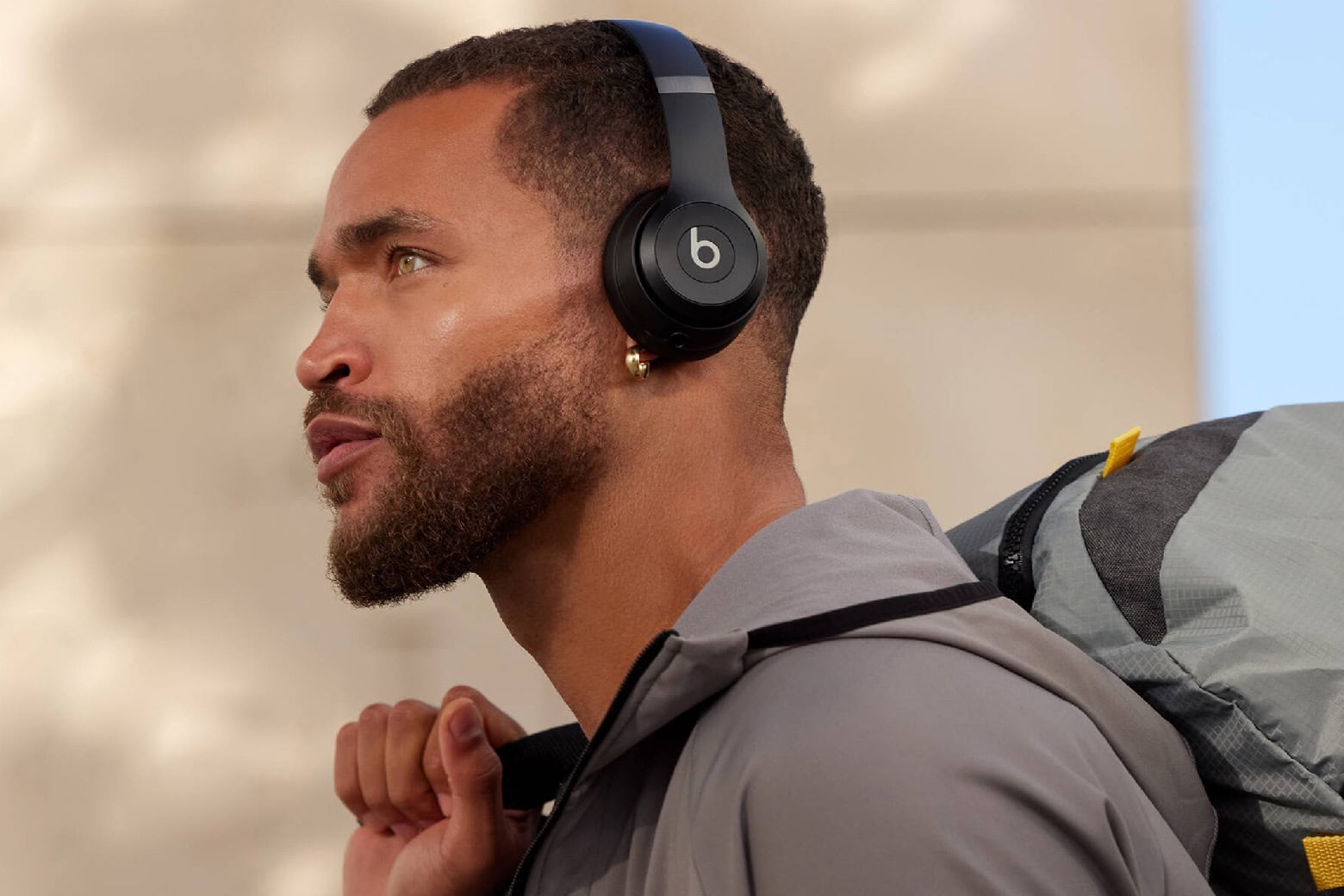
Man wearing Beats Solo 4 wireless headphones.
Pretend you're at a concert every time you listen to music with a pair of Beats Solo 4 headphones, now on sale for $129.99!
Photo: Cult of Mac Deals

We’re not judging you for still using wired earbuds or headphones, but it’s 2024. You deserve audio accessories that free you up and make it feel like you’re enjoying a personal concert, like these Beats Solo 4 wireless headphones.

If you want an audio upgrade, these headphones’ ultra-plush ear cushions and custom 40mm transducers will do the trick. And while they list for $199, you can get a pair of Beats Solo 4 headphones for just for $129.99 with our new, open-box sale.

Labor Day sale: 20% off iPhone cases, Apple Watch bands, iPad stands and more [Still going!]

By •

Labor Day deals on SwitchEasy Apple accessories
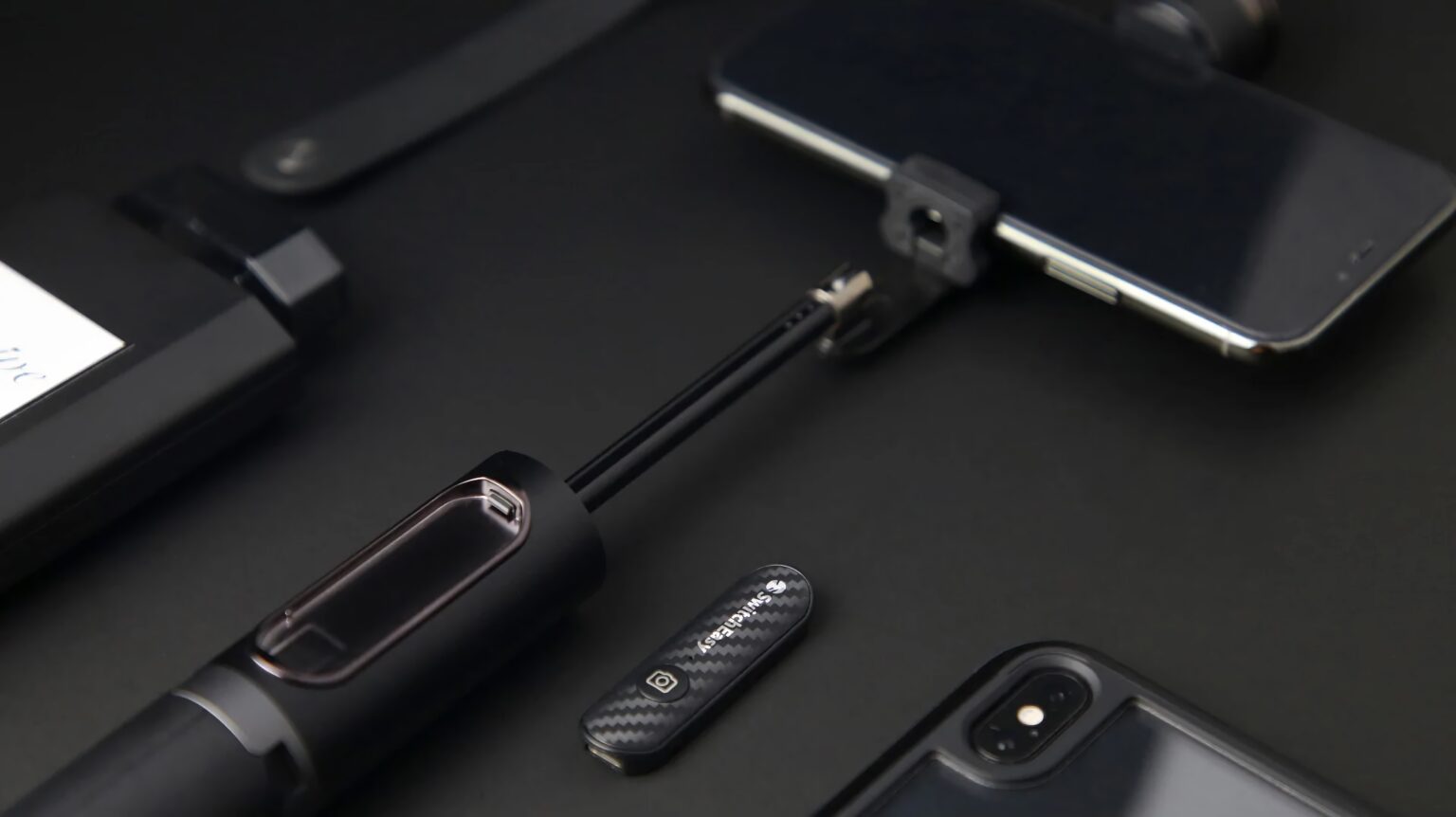
The incredibly clever SwitchEasy EasySelfie Selfie Stick is just one of 100 items on sale.
Photo: SwitchEasy

Labor Day weekend is a great time to kick back, take a rest from work — and be thankful for the paycheck that lets you buy tons of Apple Labor Day sale items. The Cult of Mac Store marks the holiday this year by taking 20% off everything from SwitchEasy.

That’s 100 products to choose from! The company makes a wide variety of cool accessories for Apple Watch, AirPods, AirTag, iPhone, iPad, MacBook and more, like various chargers. So whatever Apple gear you have, check out these Labor Day deals on SwitchEasy Apple accessories.

California’s controversial AI safety bill moves closer to reality

By •

California passes AI safety law
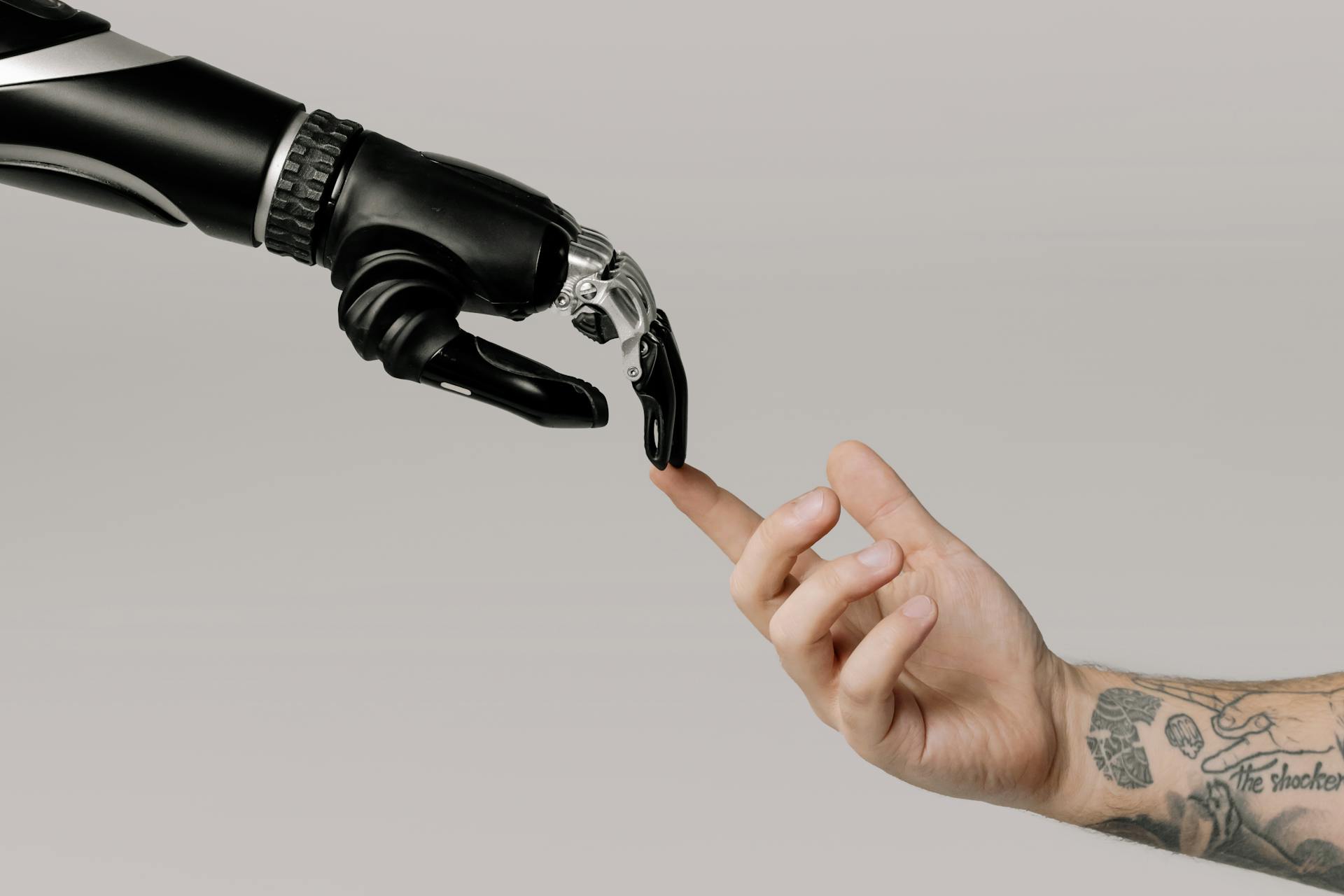
For better or worse, California leads the way on reigning in the potential dangers of powerful AI models.
Photo: Pexels-cottonbro

California’s legislature passed a hotly contested AI safety bill Thursday — the groundbreaking Safe and Secure Innovation for Frontier Artificial Intelligence Models Act (SB 1047).

The controversial bill, which awaits Governor Gavin Newsom’s signature before it can become law, introduces the first major AI regulations in the United States. It could have far-reaching implications for tech companies and users alike.

Full-size travel keyboard with numpad folds to be surprisingly portable [Review] ★★★★☆

By •

ProtoArc XK01 Tri-Fold Bluetooth Keyboard review★★★★☆
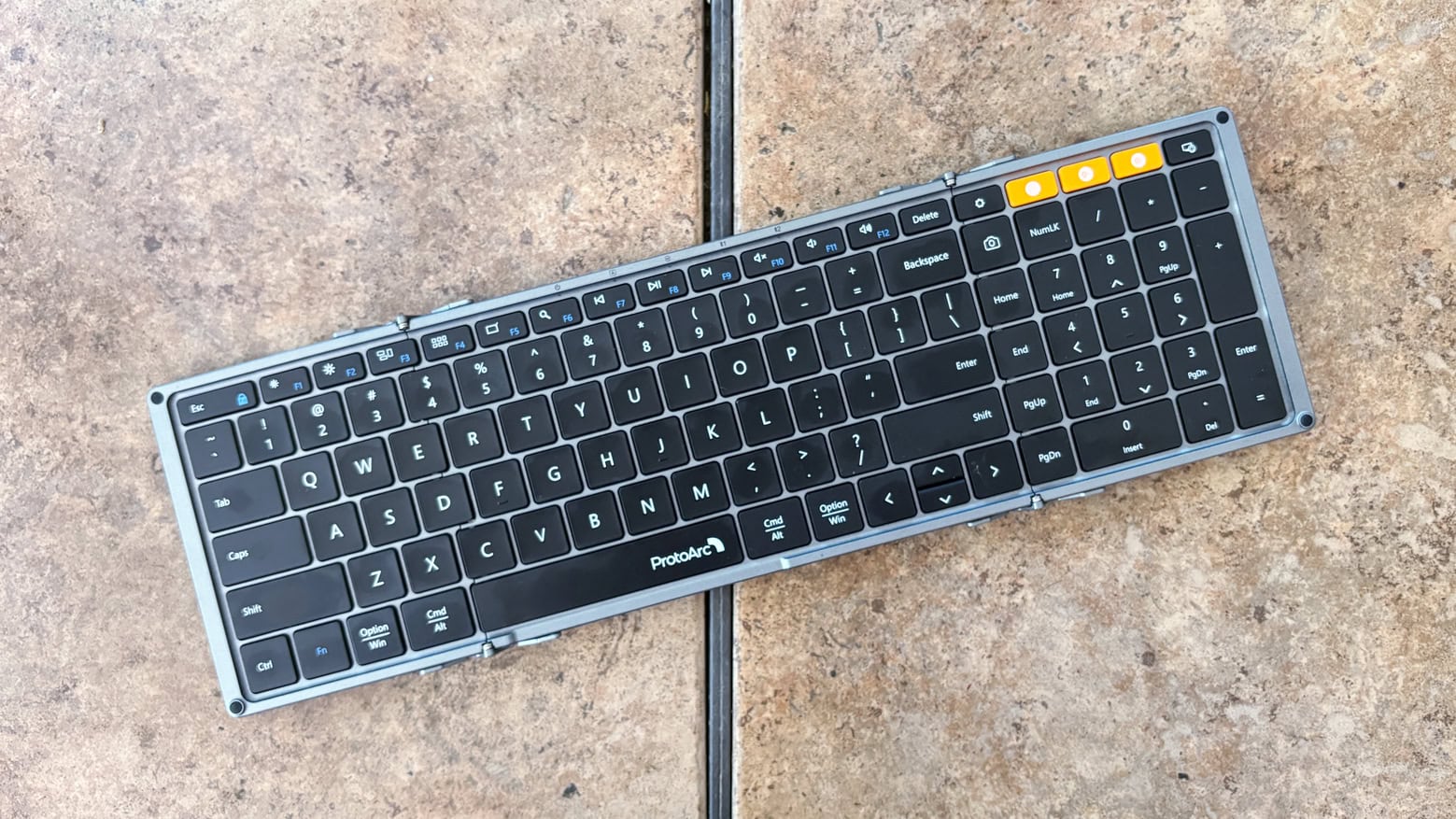
ProtoArc XK01 offers all this but folds for easy stowing.
Photo: Ed Hardy/Cult of Mac

The ProtoArc XK01 Tri-Fold Bluetooth Keyboard is ready to make your business trips more productive. It’s full size, with a numpad and function keys, too. But it folds down to fit easily in a briefcase.

It’s available solo, or with a travel mouse, or as the centerpiece of a bundle with the mouse plus a USB-C hub and multi-port wall charger.

I fully tested the folding keyboard with my 13-inch iPad Pro, plus the other components, too.

When to expect the iPhone 16 release

By •

When to expect the iPhone 16 release date
It's almost here!
Image: Ed Hardy/Cult of Mac

The iPhone 16 is almost here — the release date is less than 3.5 short weeks away. We know the day Apple will announce the new models, which means we can make a solid estimate of the iPhone 16 launch date.

Even better, long-held Apple habits point to the same release date.

Why you should install the iOS 18 beta on your iPhone today

By •

Why you should install the iOS 18 beta on your iPhone today
The latest iOS 18 beta is remarkably stable. Why wait?
Photo: Rajesh Pandey/Ed Hardy//Cult of Mac

You’ve wanted to try iOS 18 since Apple showed it off in June but held off for fear of massive bugs. But the current iOS 18 beta is nearly the final one — and it’s really quite stable. Put it on your iPhone now and jump ahead of friends and co-workers by about a month.

And there are great new features to try, including a fully customizable Home Screen, an improved Control Center, a new Passwords app, and more.

6 hidden tips and tricks for AirPods

By •

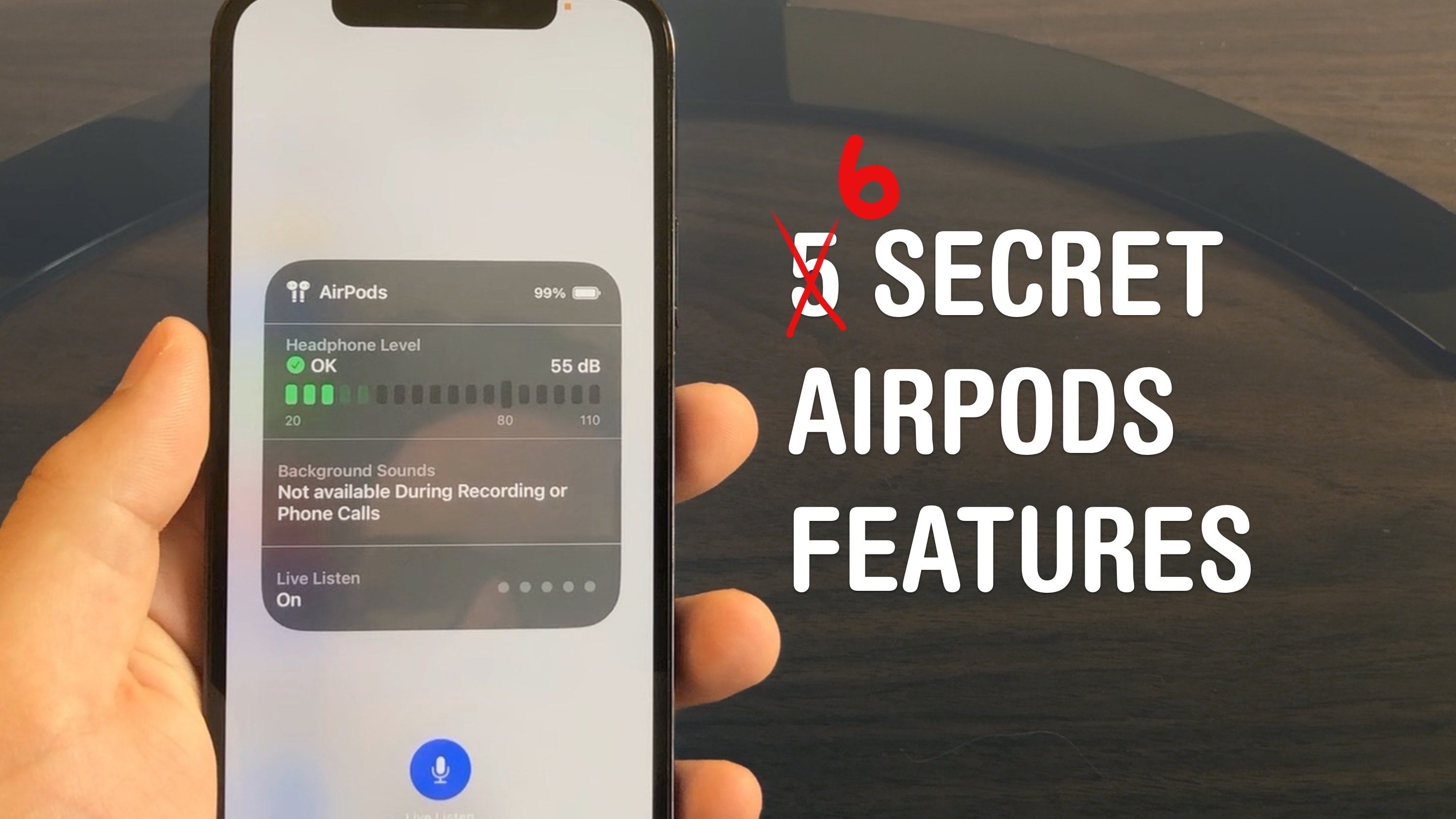
6 Secret AirPods Features
Master your AirPods with these six tricks you’d have to really dig to find.
Photo: D. Griffin Jones/Cult of Mac

AirPods are the wireless earbuds that ordinary Bluetooth headphones want to be when they grow up. They’re seamlessly integrated with your iPhone, Apple Watch, iPad and Mac. They’re deceptively simple — but if you want to get more out of them, you need to dig through Settings. These AirPods tips will show you where to look to unlock maximum functionality.

I did some spelunking and found six super-handy hidden features you might not know about.

iPhone 16 event invite leaks [Update: It’s a hoax]

By •

iPhone 16 Apple event invite leaks
A leaked invite to Apple's iPhone 16 launch event could confirm three details about it.
Image: Majin Bu

A supposedly leaked Apple invite for the iPhone 16 event looks like a well-executed hoax. The date, the event title and even the fake invite’s color palette seemed to confirm previous leaks about Apple’s upcoming iPhone lineup. However, a video editor who goes by Lore claims he created the invite as a prank.

“Fun fact: i made the ‘leaked’ Apple Event invite in less than 10 minutes using figma and an Ai generated texture and i sent it to the leaker just because i was bored,” Lore wrote Tuesday on X.

In a message to Cult of Mac, Lore confirmed that he created the bogus invite mainly because he was “sick and had nothing to do.” Read Cult of Mac’s interview with the 14-year-old Italian video editor who fooled the internet with his fake iPhone 16 invite.

Concept artist says Apple’s lawyers are playing nice … so far

By •

Folding iPhone mockup by Antonio De Rosa
Designer Antonio De Rosa's concept for a folding iPhone Air may have attracted the ire of Apple's IP lawyers.
Photo: Antonio De Rosa/ADR Studio

After receiving an ominous note from an Apple attorney, concept artist Antonio De Rosa is waiting to find out how, exactly, the company wants him to alter his photorealistic images that depict unreleased Apple products.

De Rosa said he wants to work with Apple to resolve the situation. But when asked what he thinks will happen if he doesn’t make changes to his Apple concept images, he sounded slightly intimidated by the powerful tech company.

“I don’t know,” De Rosa said in an email to Cult of Mac, “but honestly I don’t want to find out.”

Designer’s Apple product concepts may look a little ‘too real’ [Updated]

By •

Antonio De Rosa ADR iPhone Air concept
Here's a recent De Rosa concept for a folding iPhone Air.
Photo: Antonio De Rosa/ADR Studio

From the “he must be doing something right” department: An Apple attorney sent a note and called designer Antonio De Rosa this week, asking him to adjust some of his design concepts for possible new Apple products because they look “too real,” according to De Rosa, CEO of ADR Studio.

“I received a call from an Apple attorney asking me to adjust some of my concepts because they were considered too realistic,” De Rosa wrote Wednesday on X. He told Cult of Mac it came as quite a shock.

Update: De Rosa responded to Cult of Mac‘s initial inquiries and we included them below.

Though cool, Apple Pencil Pro could be overkill for many iPad users [Review] ★★★★★

By •

A photo of the new Apple stylus on an iPad illustrates this Apple Pencil Pro review.★★★★★
Apple Pencil Pro is brilliant for artists, but what about people who simply want to take notes?
Photo: Ed Hardy/Cult of Mac

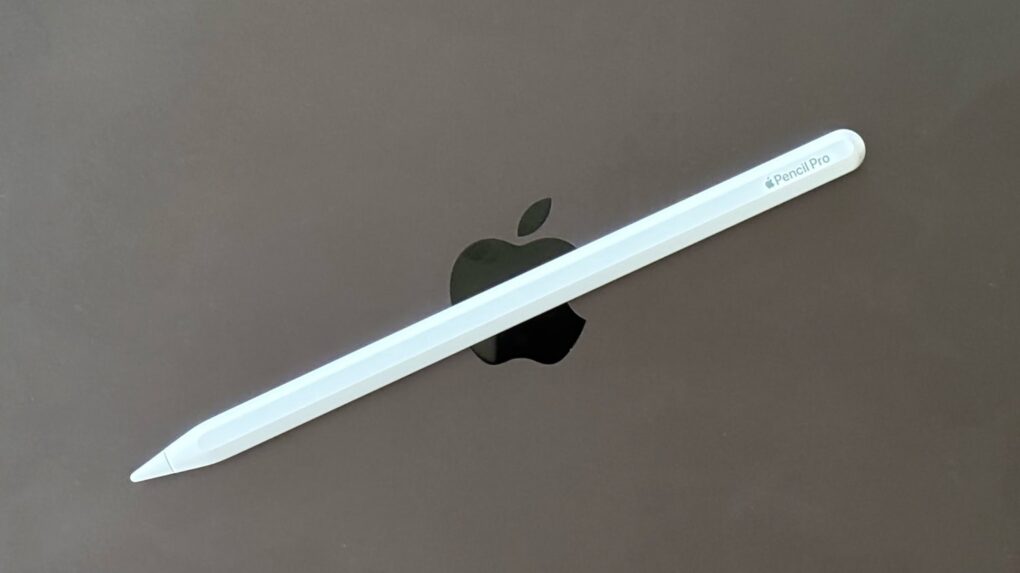
Apple Pencil Pro is the latest and greatest iPad stylus coming out of Cupertino. It adds a new “squeeze” gesture, an internal gyroscope, haptic feedback and Find My support.

I’m not a digital artist, so for this iPad Pencil review, I tested the stylus by writing notes, entering text with Scribble and doing moderate editing of photographs. Plenty of artists have reviewed the new accessory, so my goal was to answer the question, “Does a typical iPad user need Apple Pencil Pro?” Or would a cheaper alternative suffice?

Samsung T9 portable SSD offers big, fast storage in a tiny package [Review] ★★★★☆

By •

Samsung T9 portable SSD review★★★★☆
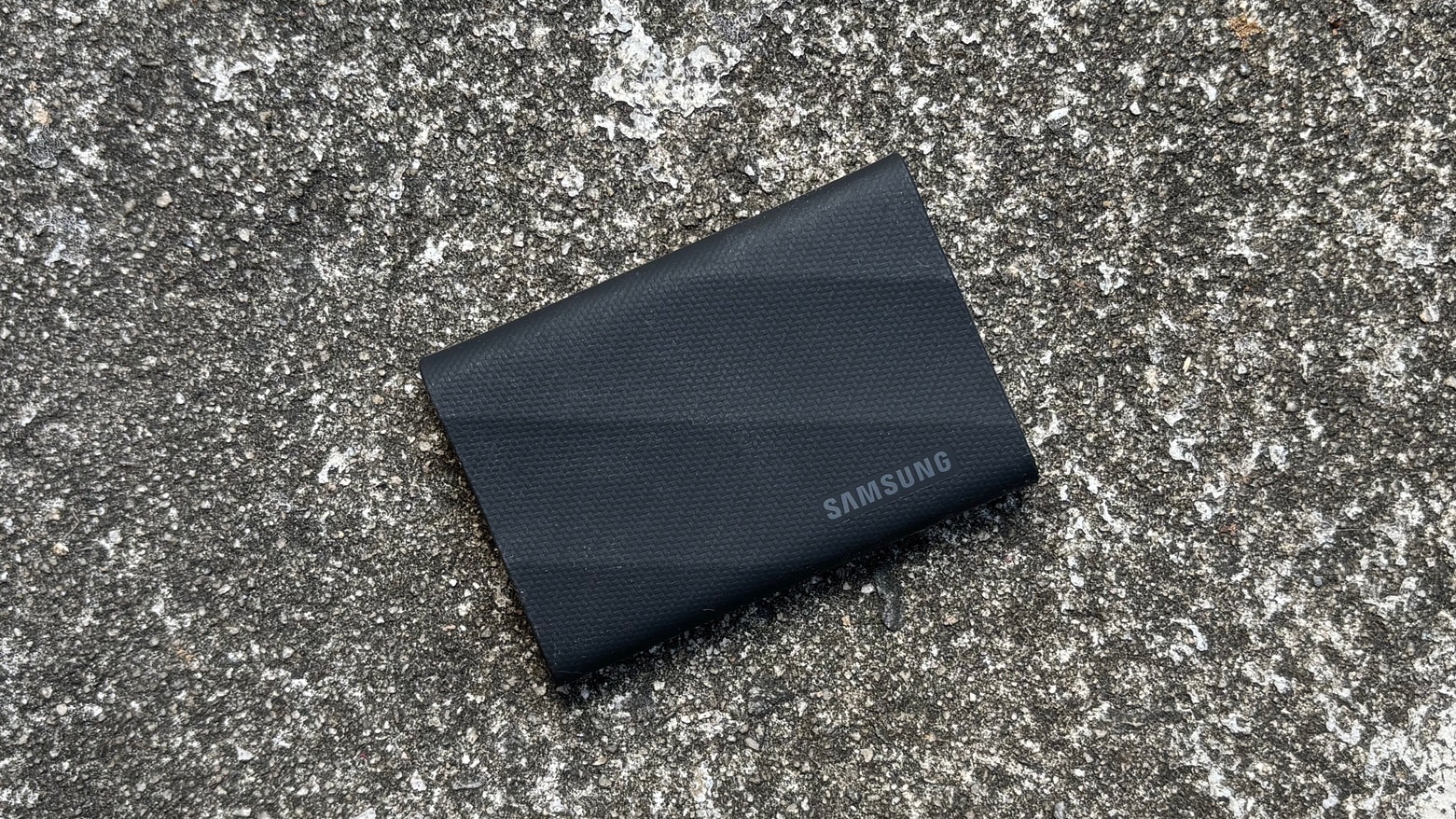
The Samsung T9 puts terabytes of storage in your pocket.
Photo: Ed Hardy/Cult of Mac

The Samsung T9 solid-state drive is small enough and tough enough to go almost anywhere. And it’s available in capacities up to 4 terabytes.

I put the recently launched SSD to the test with a range of Apple devices and came away pleased with the design and performance. That said, Mac users can’t take advantage of one of its best features.

Get the awesome new Modular Ultra Apple Watch face

By •

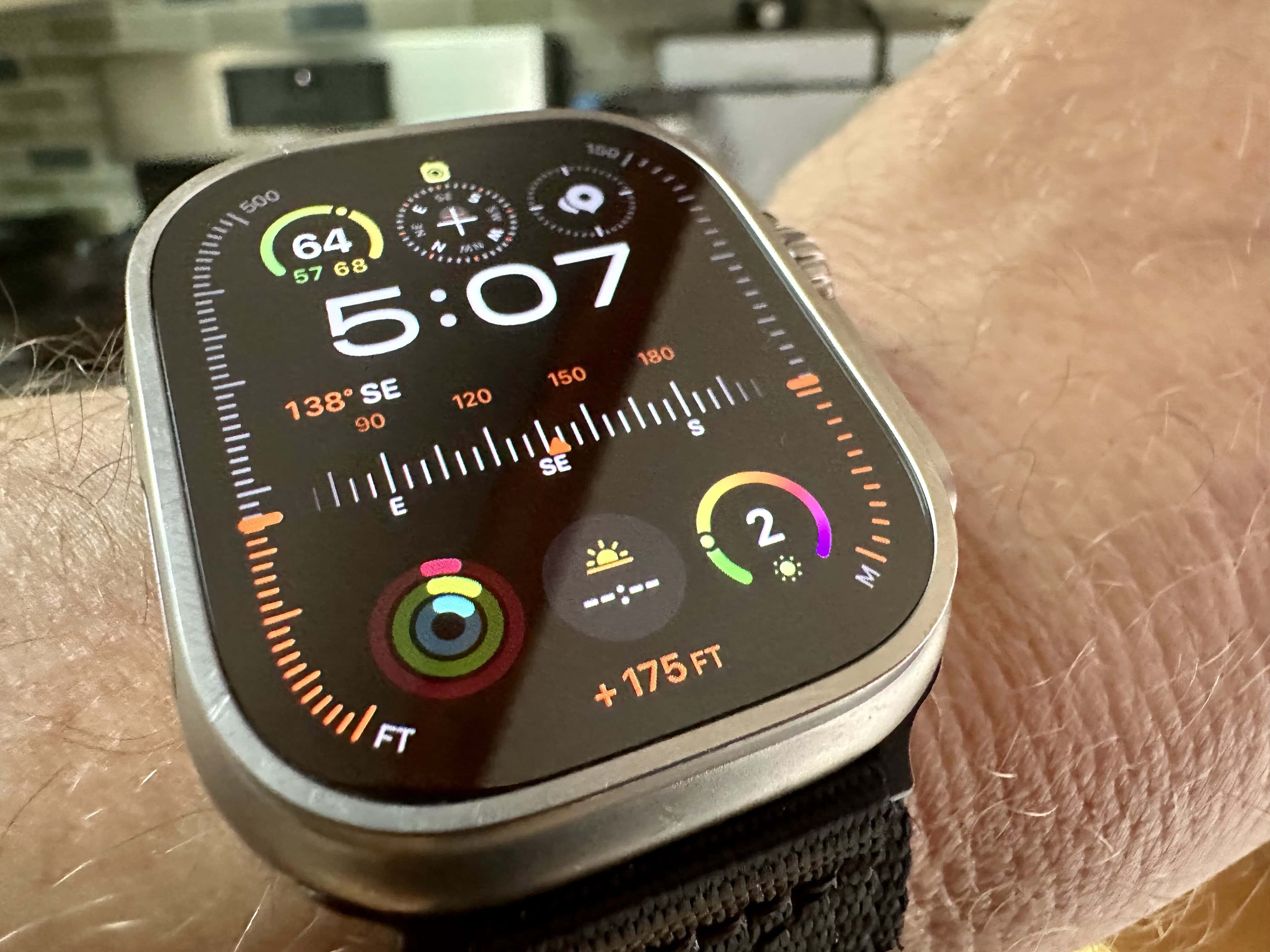
Apple Watch Ultra with the Modular Ultra face
With eight complications, the new Modular Ultra face can show a lot of info.
Photo: Leander Kahney/Cult of Mac

Apple is about to launch a cool new watch face for the Apple Watch Ultra called “Modular Ultra.” The new face does a lot: It allows up to eight complications, including a customizable bezel that can show water depth, elevation or seconds. I think it looks super-cool. And just wait until you see the night mode.

If you saw the new watch face during the Apple Watch Ultra 2 segment of Apple’s “Wonderlust” event Tuesday and want it right now, you’re in luck: It works with the original Apple Watch Ultra and is already available in the latest watchOS 10 beta.

Here’s how to download, install and customize it.

How to fake your GPS location for Pokémon Go and other fun stuff

By •

Fake It Till You Make It
This free, open-source app makes it easy to fake your GPS location.
Image: D. Griffin Jones/Cult of Mac

You can use a free Mac app called LocationSimulator to hide your real location on your iPhone. It works great as a Pokémon Go spoofer. Just set it up, then plug your phone into a Mac and tell it where you want to “be.” You don’t need to jailbreak your phone or install anything on it.

When using LocationSimulator, every app on your iPhone will use this new GPS location. It’s useful for maintaining privacy — for instance, if you’re posting screenshots online, it’ll mask your real home address. Developers can use it, too, for testing location features in their apps.

Best of all, you just need a Mac. LocationSimulator is free and open-source.

AirPods Pro 2: A must-have for Apple users and a solid choice for anyone [Review] ★★★★☆

By •

At a glance, they could be AirPods Pro, but they're AirPods Pro 2, with many internal upgrades.★★★★☆
At a glance, they could be AirPods Pro, but they're AirPods Pro 2, with many internal upgrades.
Photo: David Snow/Cult of Mac

Apple’s second-generation AirPods Pro look almost exactly like the original model released in 2019. But they’re upgraded in every way that matters most, thanks mainly to the new H2 processor. In this in-depth AirPods Pro 2 review, I’ll run through all the ways Cupertino gave its flagship noise-canceling earbuds a boost.

Apple may not have gone as far as it could have in some ways. But still, the second-gen AirPods Pro are among the best earbuds on the market and a worthy upgrade for almost anyone. They’re particularly great for those who use lots of Apple gear and love how seamlessly their devices can work together.

Let’s take a look at, and a listen to, the second-gen AirPods Pro, aka AirPods Pro 2.

Apple should build Find My into everything it makes

By •

Apple should build ‘Find My’ into everything it makes
We should be able to locate every type of Apple accessory with Find My.
Image: Ed Hardy/Cult of Mac

I’ve misplaced my AirPods case. It’s in my house … somewhere. Fortunately, I can use the Find My app to locate it, as though it were a lost AirPod or AirTag.

Ha, ha, ha! No, I can’t. AirPods cases don’t offer Find My support. Just as the feature is missing from far too many other Apple accessories.

This needs to change. Find My is amazing, but limited by not being on devices that need it.

Update: In autumn 2022, Apple built Find My support into AirPods Pro 2, a sign that the tracking system might be coming to more peripherals.

How Apple Studio Display stacks up against Pro Display XDR and others

By •

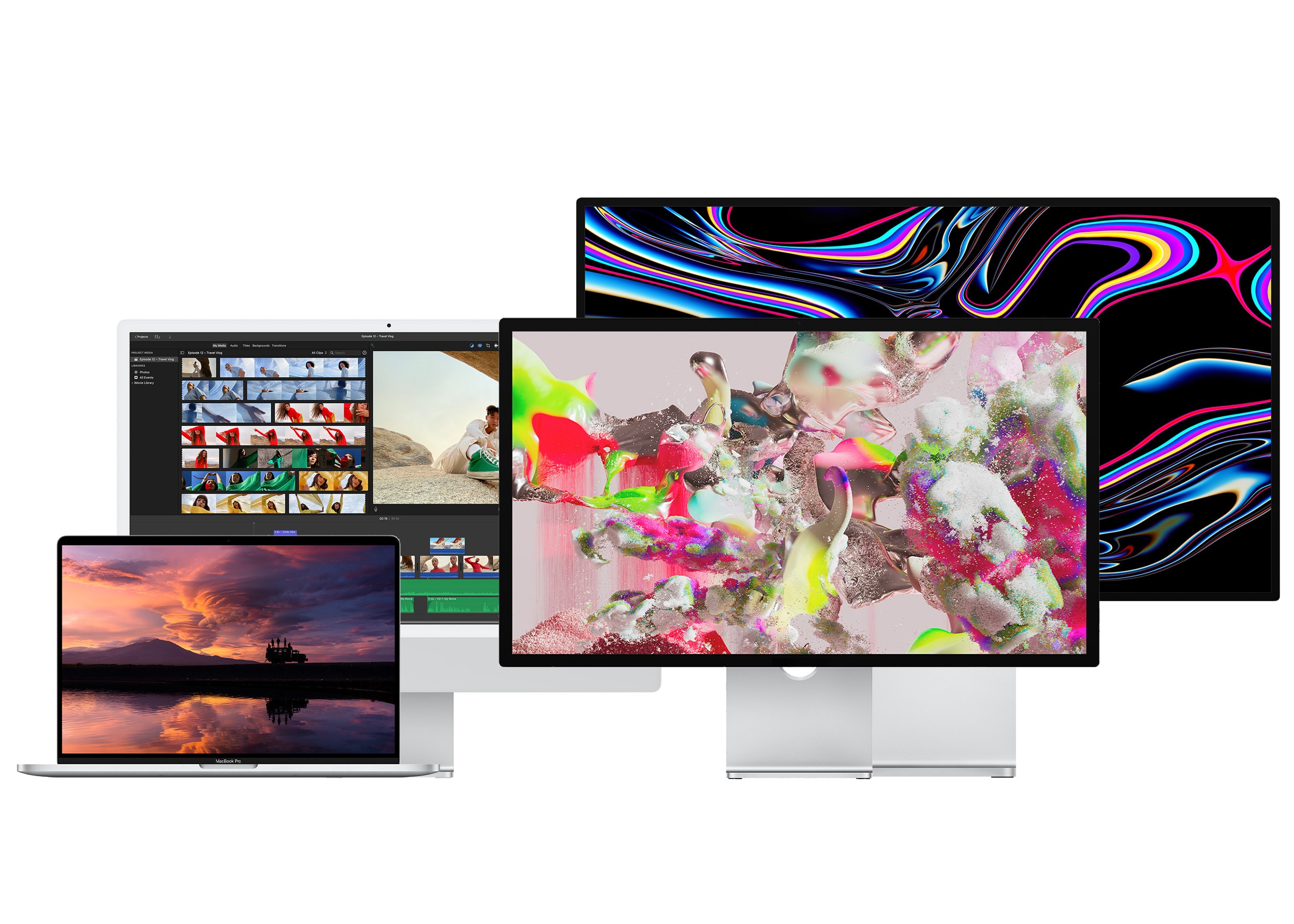
The Studio Display, Pro Display XDR, iMac 24″ and 16″ MacBook Pro.
From left to right: The 16″ MacBook Pro, the 24″ iMac, the Studio Display and Pro Display XDR.
Photo: Apple

We have been blessed to live in interesting times. For the first time since 2010, we have not just one, but two external monitors from Apple.

How does Apple’s latest offering — the Studio Display, introduced during Tuesday’s “Peek Performance” event — stack up against the high-end Pro Display XDR, the outgoing LG UltraFine 5K and the displays of other Macs?

Let’s dive in.

Engineering student 3D-prints workstation components [Setups]

By •

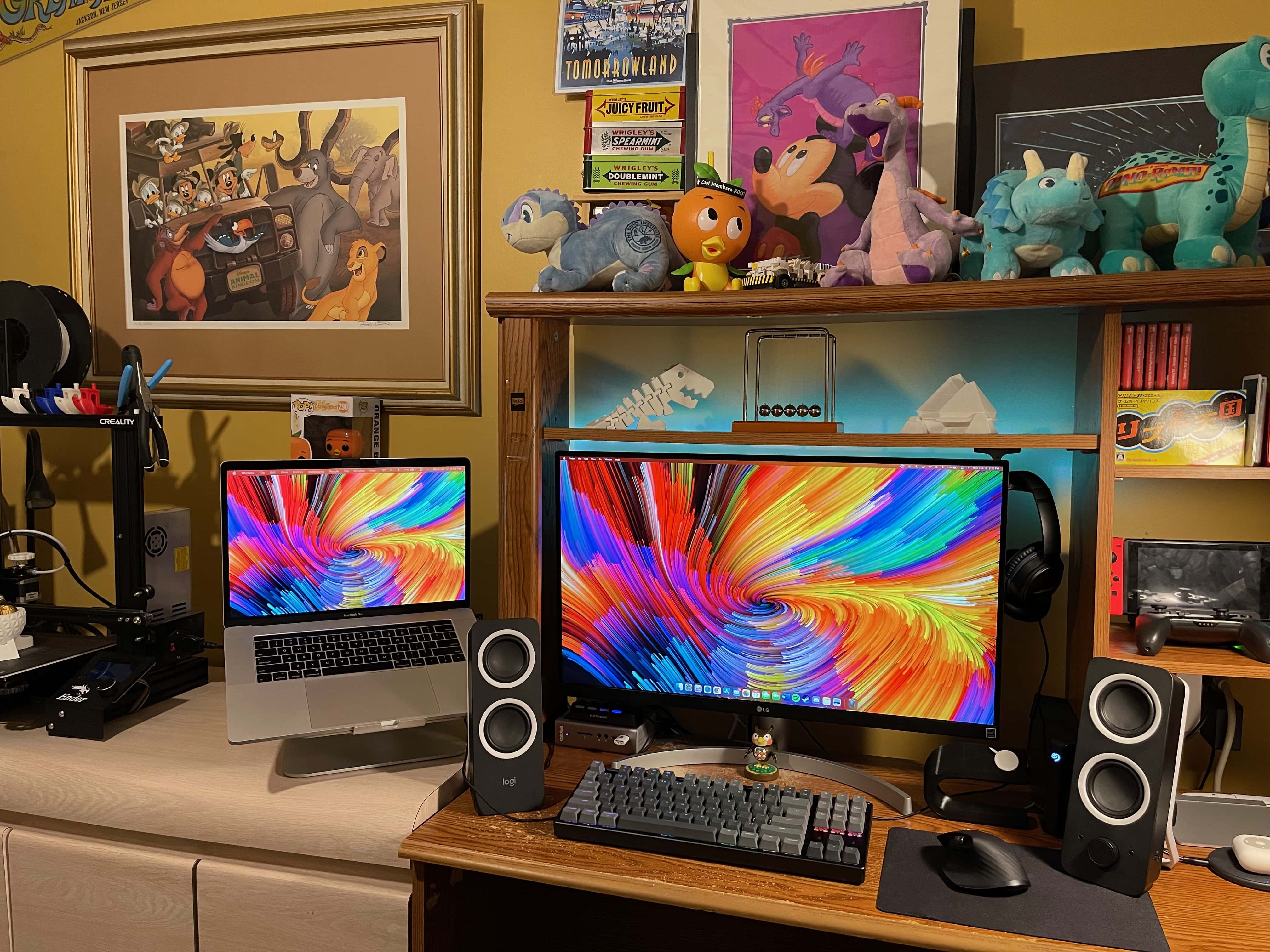
Vincent Belotti's setup includes 3D-printed elements and Nintendo-inspired decorations.
This setup includes 3D-printed elements and Nintendo-inspired decorations.
Photo: Vincent Belotti

Vincent Belotti, a mechanical engineering student at Farmingdale State College on Long Island, New York, has a colorful setup — and we’re not just talking about his screensaver. He 3D-prints some of the components in it himself, and he can’t get enough decor related to his favorite games.

As an engineering student, Belotti has made 3D printing into a hobby. He uses his MacBook Pro to model and slice prints that become components to enhance his setup. They include an Apple Watch dock, shown on the right side of his desk in these photos, and 3D figurines on the shelf above his monitor.

How to use iPhone 11’s flash-killing Night mode

By •

Maybe the iPhone 11 can finally take a night photo like this.
Photo: Charlie Sorrel/Cult of Mac

Night mode is one of the iPhone 11’s two big new camera features (the other is the Ultra Wide lens). Night mode captures lots and lots of images, and then uses the iPhone’s A13 Bionic processor to combine them, pulling out details not available in a single low-light shot.

It’s the computational-photography mad science equivalent of putting your regular camera on a tripod and opening up the shutter for a few seconds to let more light in. Only you don’t need the tripod, and the images should almost always end up sharp. Here’s how to use iPhone 11’s Night mode.

Birth of the iPhone: How Apple turned clunky prototypes into a truly magical device

By •

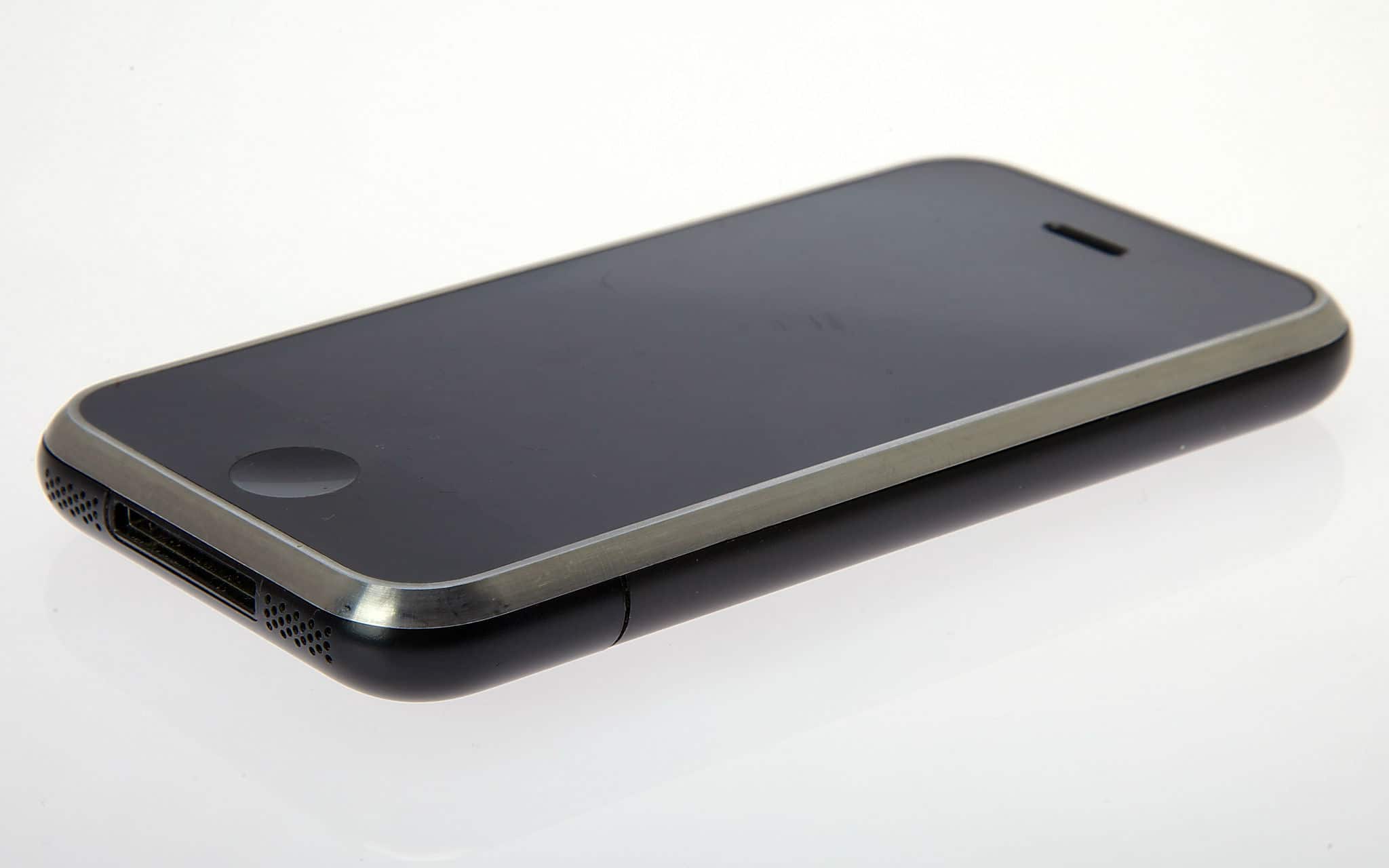
iPhone 2G prototype
iPhone 2G prototype
Photo: Jim Abeles/Flickr CC

iPhone turns 10 The world had never seen anything like the iPhone when Apple launched the device on June 29, 2007. But the touchscreen device that blew everyone’s minds immediately didn’t come about so easily.
The iPhone was the result of years of arduous work by Apple’s industrial designers. They labored over a long string of prototypes and CAD designs in their quest to produce the ultimate smartphone.
This excerpt from my book Jony Ive: The Genius Behind Apple’s Greatest Products offers an inside account of the iPhone’s birth.

How to use text replacements to avoid typing words you hate

By •

Three screenshots showing text Replacement shortcuts on an iPhone
Text Replacements are easy to set up, and save a ton of time and hassle. You can even use them with emoji.
Photo: Cult of Mac

What if you could type out any of your email addresses just by tapping on the same key a few times? Or do Google searches over and over on a favorite website just as easily? What about easily typing that special symbol that’s so hard to reach on the iOS keyboard that you usually never bother?

All this, and more, can be yours — if only you’ll spend a minute or two setting up some text replacement shortcuts. Let’s do it right now.

Today in Apple history: Steve Jobs starts Apple’s dramatic turnaround

By •

Image from
Steve Jobs' turnaround of Apple was one of the most dramatic in corporate history.
Photo: Steve Jobs: The Lost Interview

July 7: Today in Apple history: Steve Jobs starts Apple's dramatic turnaround July 7, 1997: Apple CEO Gil Amelio officially steps down from his role, turning the company over to the returning Steve Jobs, who immediately begins making his presence felt.

If you’re looking to pinpoint a turning point when Apple began the transition from the ailing company it was in the first half of the 1990s to the powerhouse it is today, this is it!