NutriAI can build custom meal plans and workout routines just for you to help you achieve your fitness goals. Photo: Annushka Ahuja/Pexels
If you track your steps on your Apple Watch, log meals in one app, follow workouts in another, and somehow still end up guessing what to eat for dinner, NutriAI is for you. This AI-powered nutrition and training app simplifies daily life by turning your tracking and planning into a single system with plans built for you.
★★★★☆
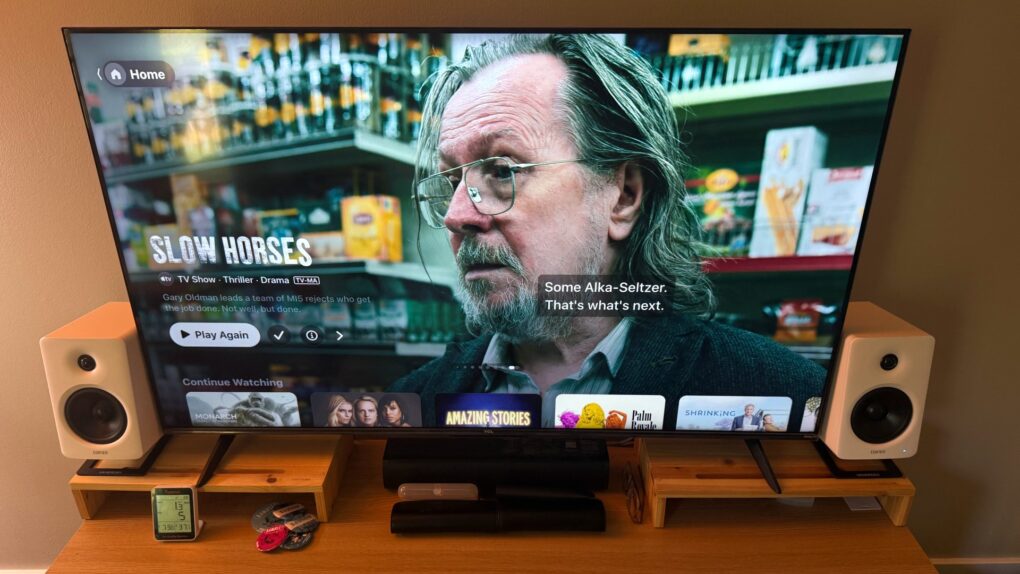
Edifier M90 speakers in white replace the inexpensive sound bar I was using to boost my Roku TV's audio. They'd be great with Apple TV, too. Photo: David Snow/Cult of Mac
Apple’s ecosystem has never sounded better — AirPods, HomePods, Apple TV with Dolby Atmos — and yet the humble desktop speaker often remains an afterthought. For Mac users who spend long hours at a monitor or in front of a gaming console or smart TV, the audio situation can range from mediocre built-in speakers to a rat’s nest of half-compatible gear. But this Edifier M90 speaker review explains how the stellar new boxes do a great job of solving any number of audio problems in different settings. They bring potent audio power to practically any gear.
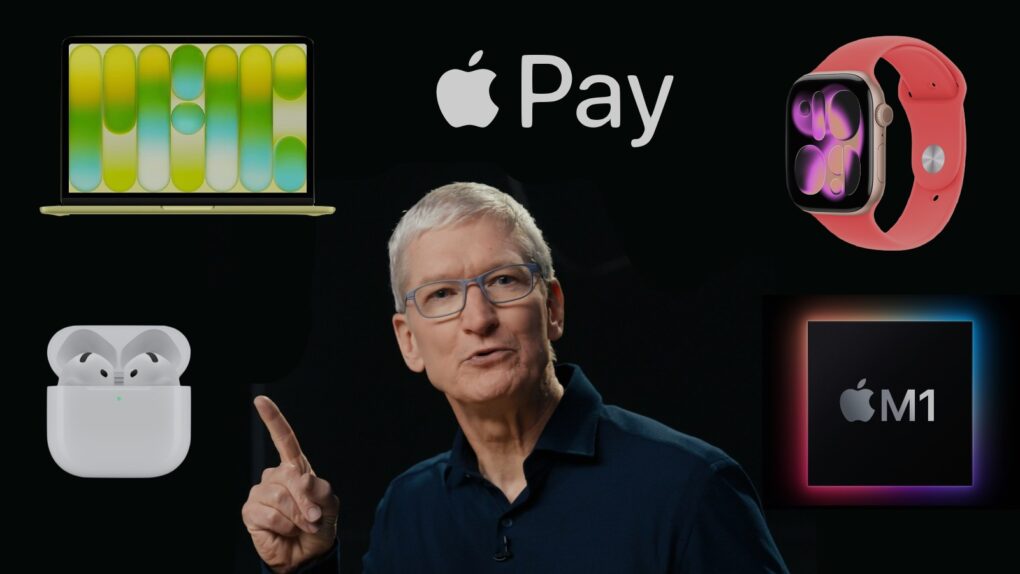
Let's give Apple CEO Tim Cook credit where credit is due. Image: Apple/Cult of Mac
Tim Cook doesn’t get enough credit for launching groundbreaking products as Apple CEO. He quietly oversaw launches that reshaped how people listen, make purchases and monitor their health. He even revitalized the Mac.
With Cook leaving the CEO spot to become chairman of Apple’s board of directors in September, it’s time for some perspective on his time in office. Here are five examples of Cook embedding Apple deeper into our lives than ever before.
The App Store just got a new way to pay for annual app subscriptions. Photo: Apple/Rajesh Pandey
Apple now allows developers to offer monthly subscriptions with a 12-month commitment. This means instead of paying the annual subscription fee upfront, users can pay it monthly.
This change makes it easier for users to subscribe to apps with high annual fees, lowering the barrier to entry.
Maximize your stock portfolio with this AI investing app. Photo: Cult of Mac Deals
Without an AI investing app, trading in today’s unpredictable market can feel like throwing darts blindfolded. (Pro tip: Don’t try that unless you’re Mike Tyson.) One day, stocks are up; the next, they’re crashing. Not to mention, every so-called expert has a different opinion.
Sterling Stock Picker changes the game. This AI-driven platform taps OpenAI to take the guesswork out of investing, using advanced technology to guide you toward smarter financial decisions.
Whether you’re looking for long-term growth, dividend stocks or high-risk/high-reward opportunities, this AI investing app helps you navigate the stock market with clarity. And speaking of good investments, you can lock in a lifetime subscription to Sterling Stock Picker for just $68.99. That’s a massive 85% off the original price of $486.
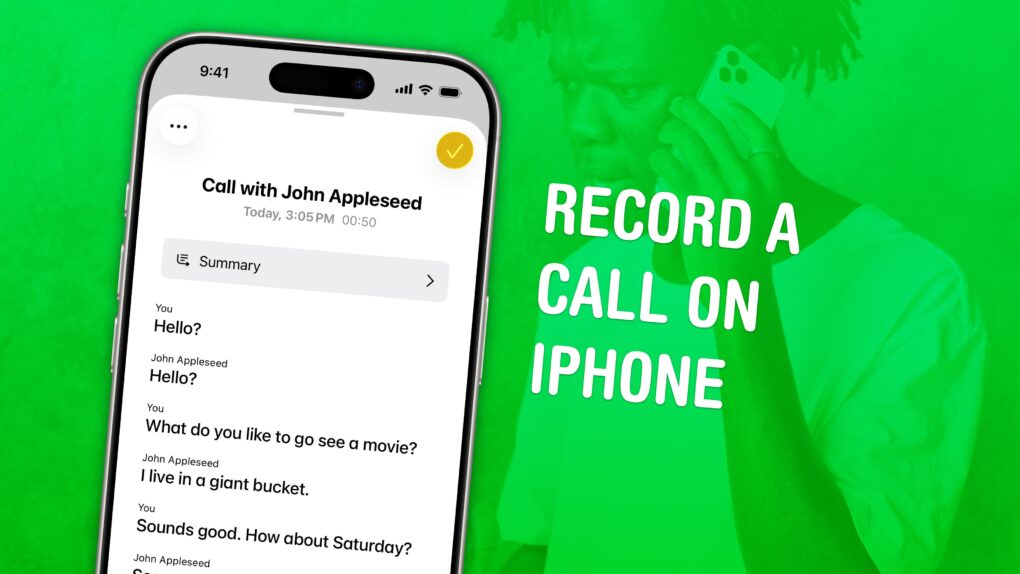
Check back what they really said. Image: D. Griffin Jones/Cult of Mac
You can record a phone call on your iPhone for future reference using a built-in tool. This feature is a great way to refer back to a previous conversation. Who said what? What date did they say? What exactly did you agree to?
If your device supports Apple Intelligence, you’ll get transcriptions of the phone calls, too. They’ll go in a Call Recordings folder in the Notes app.
If you used a shady call recording app before, you can bid it adieu. There’s a convenient button built right into the Phone app. Here’s how it all works.
OpenAI might come out with a smartphone after all. Photo: Unsplash
OpenAI has been secretly developing a smartphone designed to compete directly with iPhone, supply chain analyst Ming-Chi Kuo said Sunday. It’s a significant reversal from the company’s previously stated hardware strategy, which included smartphone alternatives like AI companion devices.
LeverX offers multiple SAP outsourcing services. Photo: Freepik
Modern businesses cannot fully function, meet consumer needs, or remain competitive without digitalization. An advanced ERP system today is one of the elements of this digitalization.
There are many ERP systems on the market that are designed for different scales and needs of companies. For example, SAP solutions can completely take over any company’s business process. However, this beneficial journey can be risky without reliable support. That’s why companies around the world are increasingly turning to outsourcing developers and implementation partners.
In this article, we will discuss in detail the concept of SAP outsourcing services, its importance for modern companies, as well as the role of external experts in digital transformation.
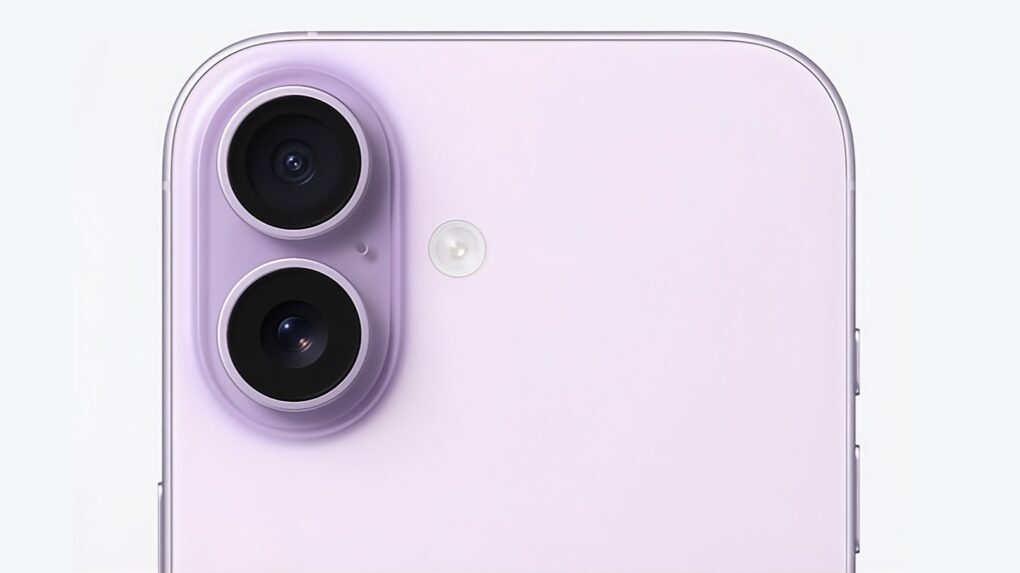
Expect the iPhone 18 to look much like its predecessor, but with internal upgrades. Photo: Apple
Apple could deliver a significant performance upgrade to the base iPhone 18, with the smartphone potentially receiving a major increase in RAM — up to 12GB — according to a new analyst report.
This comes despite an ongoing RAM shortage that’s driving up prices of rival devices. But keeping up with AI probably doesn’t give Apple much choice.
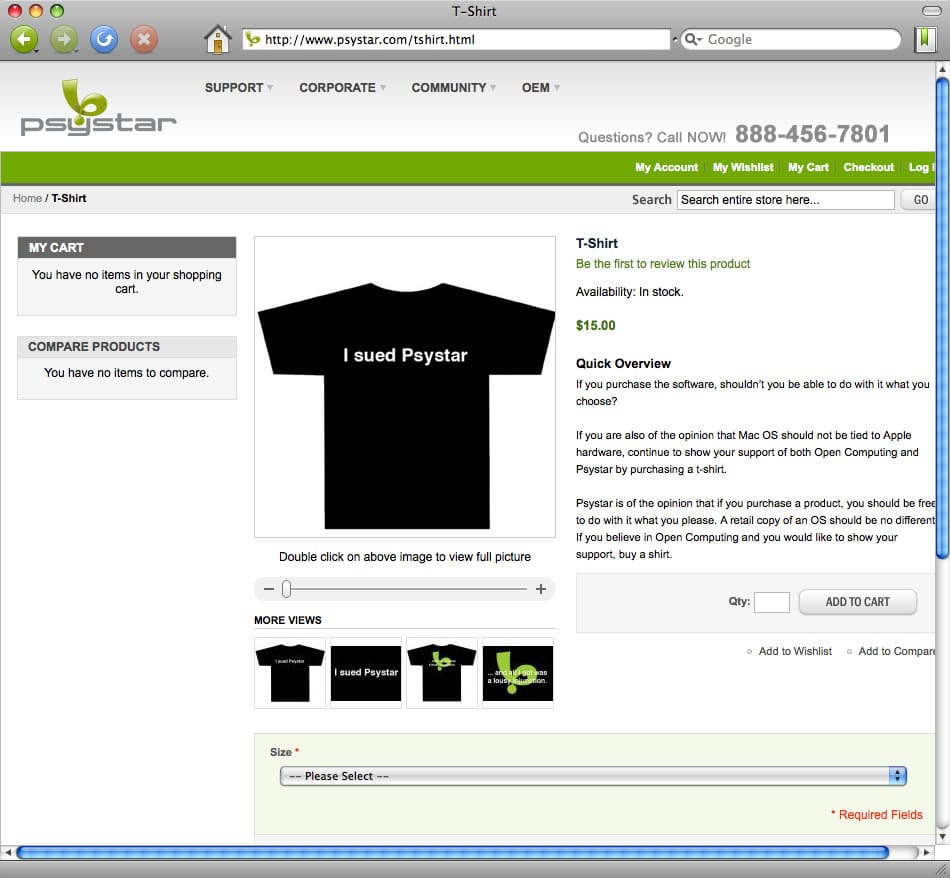
After losing a battle with Apple over Mac clones, this T-shirt became one of Psystar's last products. Image: Psystar
April 27, 2008: Psystar’s first Mac clones ship to customers. The company’s new Open Computer means that, for the first time since the mid-1990s, there’s no need to assemble a “hackintosh” to run OS X on a non-Apple computer.
Unlike previous clone Macs, however, Psystar’s low-priced computers don’t come with Cupertino’s blessing. Naturally, a fight ensues.
★★★★☆
EarFun Clip 2 open-ear earbuds clip gently on your ears for secure comfort. Photo: David Snow/Cult of Mac
First announced at CES 2026 in January and released Monday, EarFun Clip 2 open-ear earbuds arrive with an unusually ambitious spec sheet for $79.99 (or less with launch discount). EarFun says Clip 2 is the world’s first Hi-Res comfort ear-clip earbuds with built-in AI translation priced under $80 — a claim that would sound like marketing bluster if the hardware didn’t largely back it up. After spending time with them, here’s my EarFun Clip 2 earbuds review with an honest verdict.
You can get the clip-on earbuds in white or black. Photo: EarFun
New EarFun Clip 2 open-ear wireless earbuds pack an unusual combination of features for their price point — real-time AI translation, hi-res audio certification, Bluetooth 6.0 — the company said Monday. And you get it all for $79.99 (or $59.99 at launch).
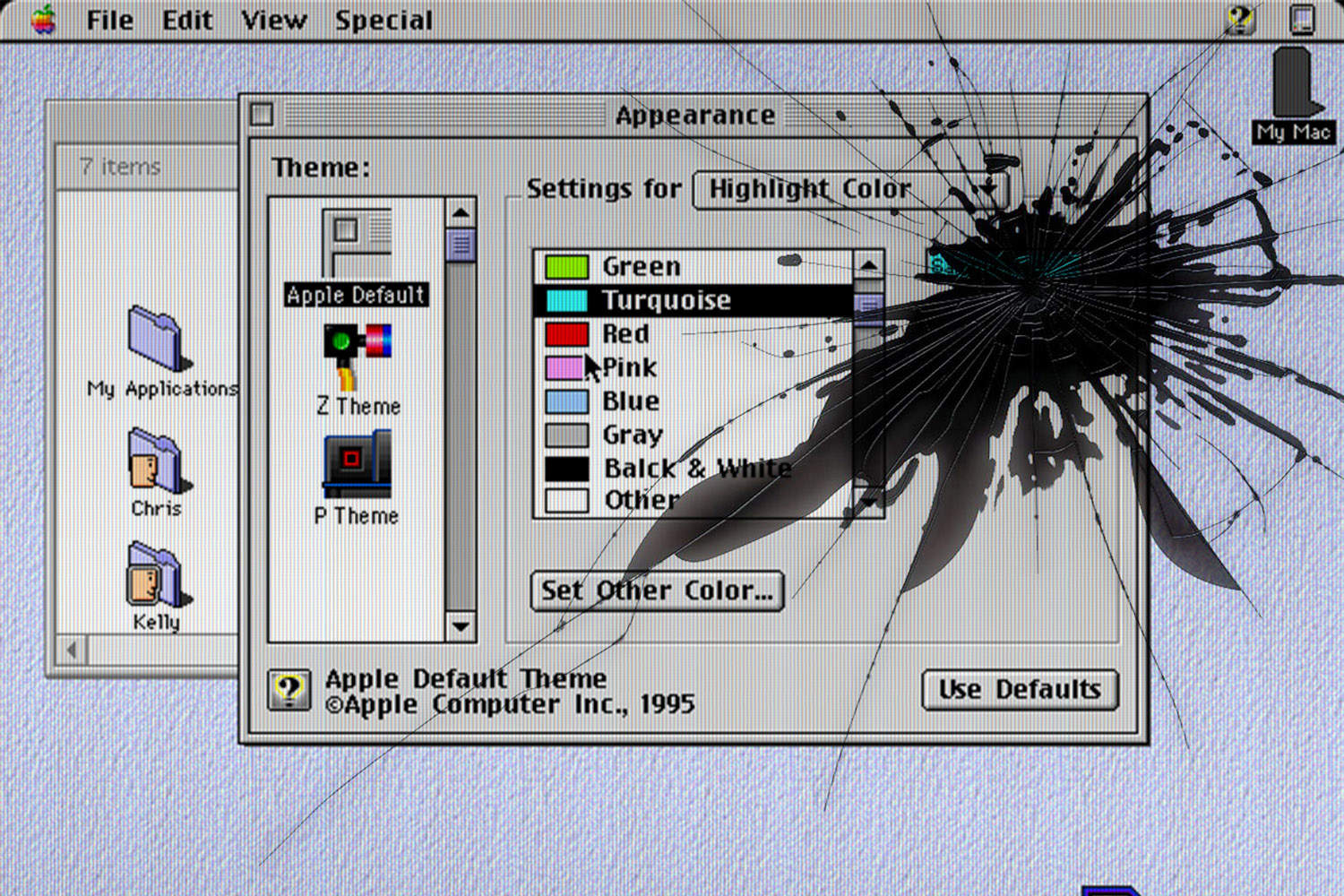
Mac OS Copland never saw the light of day. Photo: Ste Smith/Cult of Mac
April 26, 1996: Mac OS Copland, Apple’s eagerly anticipated but much-delayed operating system for the Macintosh, suffers a fatal blow when the senior VP in charge of the project leaves the company.
David C. Nagel, Apple’s chief technologist, previously promised Mac OS Copland would ship to users by mid-1996 at the latest. With meeting that deadline no longer possible, he leaves Apple for a job running AT&T Laboratories.
It’s yet another sign that Apple’s top-to-bottom Mac operating system upgrade is in major trouble.
Is sleep tracking with your Apple Watch actually making you more stressed? AI image: Gemini/Cult of Mac
Each morning I wake up and check my sleep score on my Apple Watch. And then I wonder if it’s doing me any good. It’s certainly adding stress and hassle to my day.
That’s why I’m thinking of turning it off. Maybe you should, too.
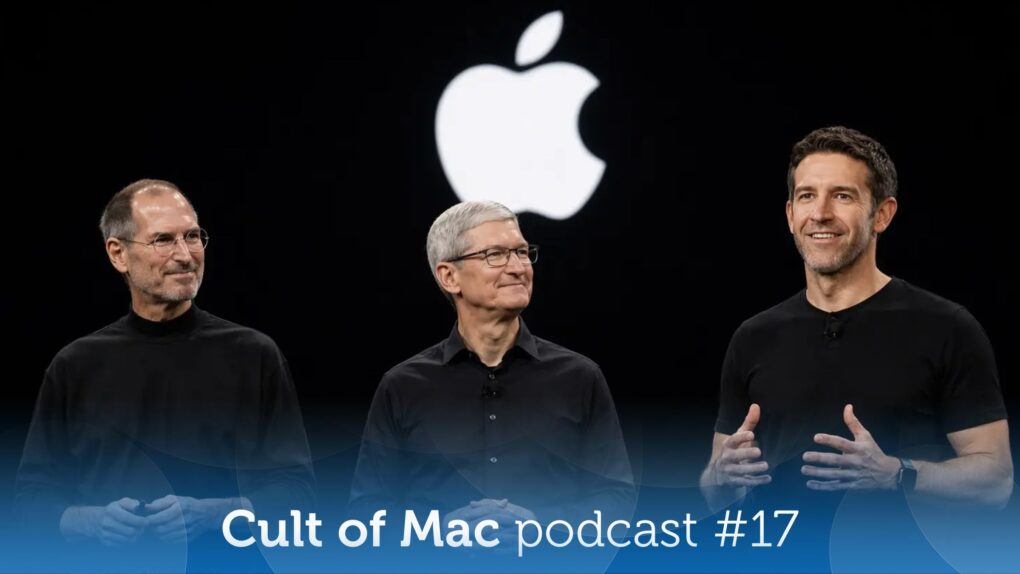
With Tim Cook stepping down as Apple CEO, we look to the past as well as the future. AI image: Apple/ChatGPT/Cult of Mac
This week on the Cult of Mac podcast: Holy mackerel, Tim Cook really is stepping down from his CEO role at Apple! And it’s happening sooner than most of us thought. His replacement, John Ternus, sounds like a solid pick — a hardware guy with a long history in Cupertino.
Cook himself says he wants the four-month transition to be “a textbook succession plan, the best in the world.” So the big question is, what will this transition look like for Apple? We’ve got some thoughts. (Lots of ’em, actually.)
Also on the Cult of Mac podcast:
Is Tim Cook the best Apple CEO ever? Well, no, that would be Steve Jobs. Still, Cook’s time at the top has clearly been exceptional.
Word on the street is that John Ternus might be a bit more Jobsian when it comes to his decision-making. And he’s already promising that Apple will “change the world once again” with its upcoming products.
New rumors give us something else to ponder: the buzzy color of the iPhone 18 Pro and a key feature coming to the first folding iPhone that we feared we weren’t getting.
Listen to this week’s episode of the Cult of Mac podcast in the Podcasts app or your favorite podcast app. (Be sure to subscribe and leave us a review if you like it!) Or watch the video version, embedded below.
The powerful Pixar Image Computer II simply cost too much to thrive. Photo: Wikipedia CC
April 25, 1990: Steve Jobs shuts down Pixar’s hardware division (yes, it used to have one!), ending production of the pricey Pixar Image Computer immediately.
Jobs sells the company’s hardware unit to Fremont, California-based imaging company Vicom Systems for a paltry $2 million.
Get your puzzle fix right from the News app. Image: D. Griffin Jones/Cult of Mac
The daily games hiding inside the News app are my favorite puzzles to play. Some are digital versions of classic games like crossword puzzles and sudoku. Others are entirely new.
All five games are available to all Apple News+ and Apple One Premier subscribers. Here’s how to play each of the daily word games in Apple News+ on iPhone. Check them out in this quick video.
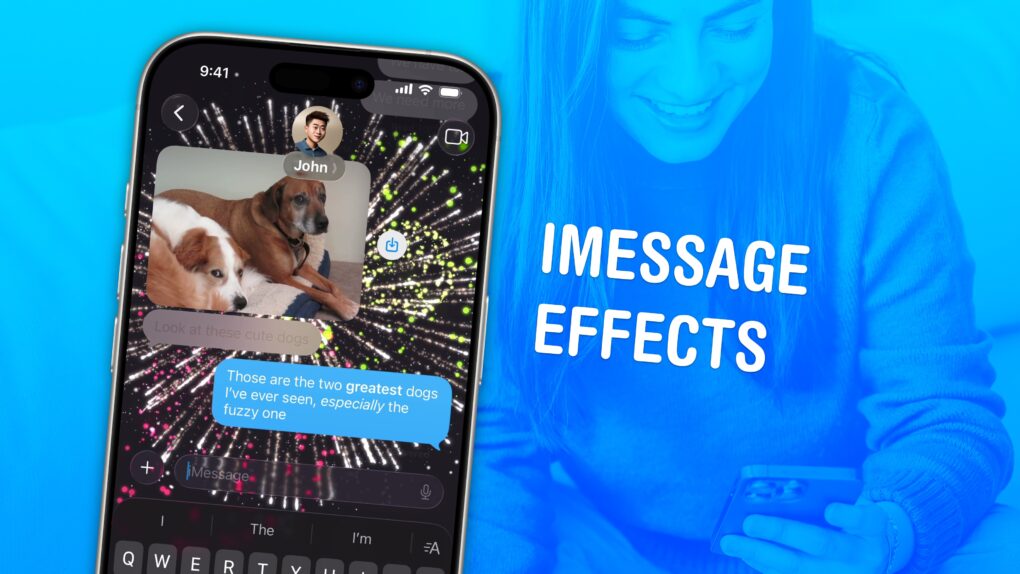
Spruce up your texting with iMessage effects. Image: D. Griffin Jones/Cult of Mac
iMessage effects can add extra meaning, emotion and fun to your texting. In Apple’s Messages app, you can add bold, italics, underline and strikethrough text, just like in a formatted document. You can even choose from a bunch of cool, animated effects, including full-screen blasts of lasers, confetti and fireworks.
Apple’s text message effects can make quite an impression. You can make congratulations more bombastic (to rejoice in someone’s finest moments). Or, you can use formatting and effects to convey sarcasm, stress and sorrow more clearly.
These text effects are fun and incredibly useful. Keep reading below or watch our video.
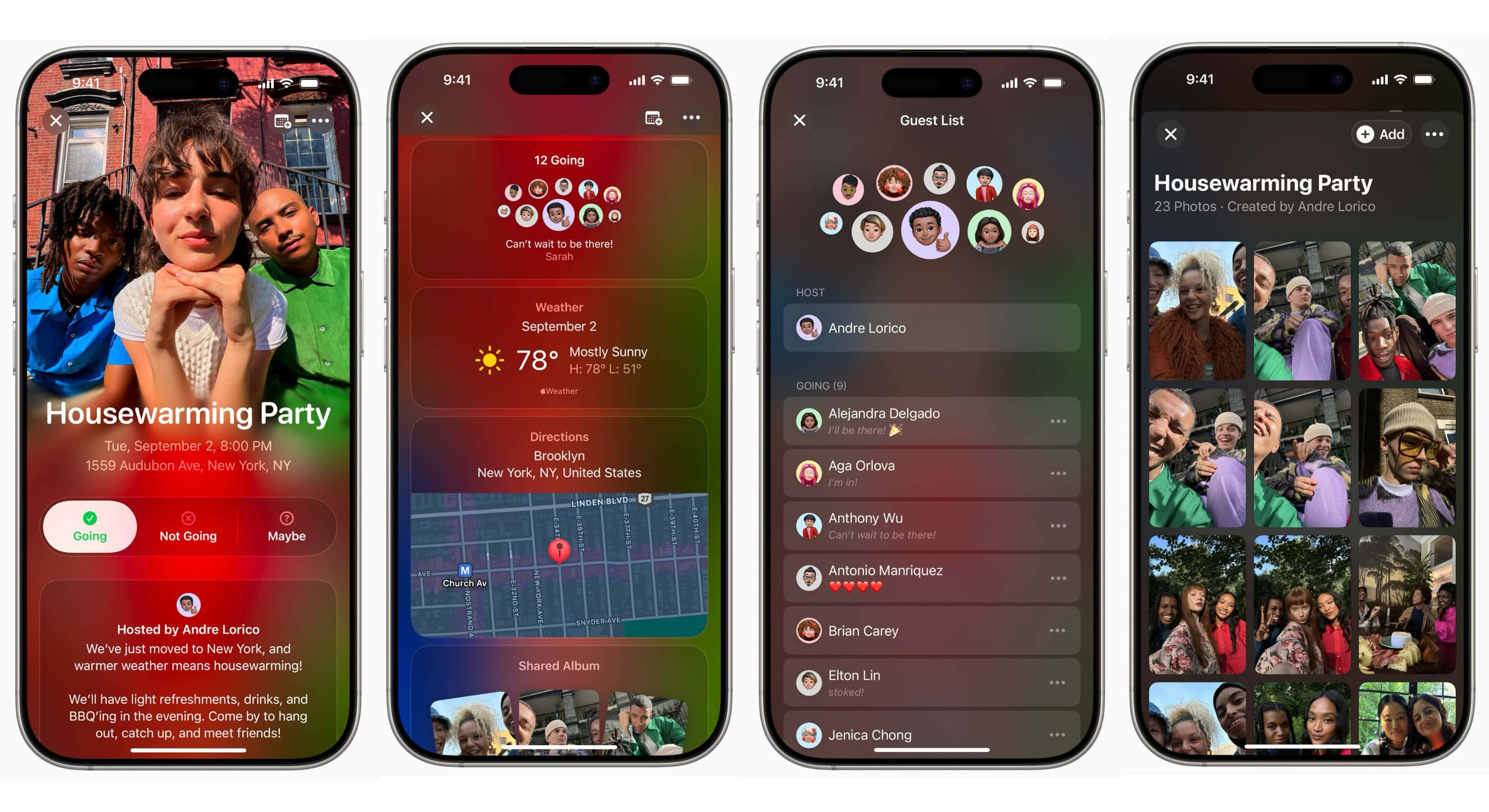
The Apple Invites app lets organizers and attendees share event details like location, weather, directions, guest list and a shared photo album. Screenshots: Apple
Apple rolled out version 1.8 of its Apple Invites app Thursday, bringing seven new features that make planning and sharing events easier than ever. The update, available on the App Store, is the second recent upgrade for the iCloud+-exclusive digital invitation service.
Fitting that the streamer's most-viewed and talked-about drama and a truly moving documentary won the awards. Photo: Apple
Apple TV picked up a pair of prestigious Peabody Awards Thursday for hit drama Pluribus and documentary Come See Me in the Good Light. People think of the awards as the Pulitzer Prizes of radio, TV and online media.
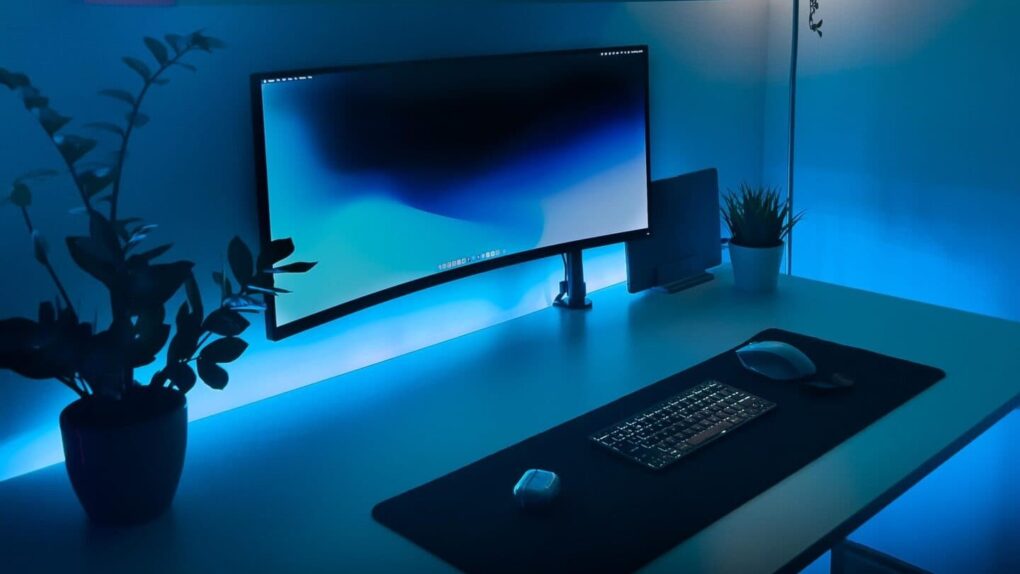
This user ponders whether the replacement for the Xiaomi curved display in this moody MacBook Pro setup will be a Samsung ViewFinity S9 or a Studio Display. Photo: [email protected]
There’s a certain magic in watching someone squeeze maximum capability out of a beautifully spare workstation. While plenty of computer setups aspire to the look of a NASA mission control center — bristling with displays, peripherals and enough RGB to signal alien life — a different school of thought holds that the best setup is the leanest one. Fewer devices mean fewer cables, fewer distractions and more space to think. You can do a lot with a little.
The Apple Watch is the first major new product launch of the post-Steve Jobs era. Photo: Jim Merithew/Cult of Mac
April 24, 2015: The original Apple Watch launch means consumers, who endured a seven-month wait after the device’s unveiling at a keynote the previous September, can finally strap an Apple wearable onto their wrists.
Apple CEO Tim Cook describes the smartwatch as the “next chapter in Apple history.” Behind the scenes, however, the first Apple Watch launch is a moment long in the making.
Save 41% when you get the Mini Wireless CarPlay/Android Auto Adapter now! Photo: Cult of Mac Deals
Plug in the Mini Wireless CarPlay/Android Auto Adapter once, then pair it with your phone, and every time you start the car, you’ll enjoy a wireless infotainment experience.
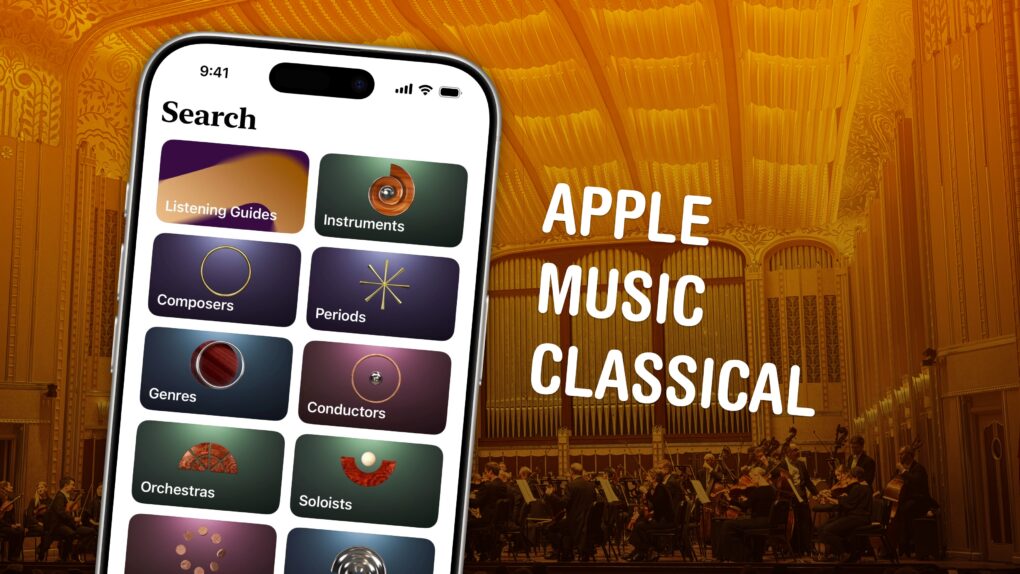
Apple Music Classical is an elegant streaming service for a more civilized age. Image: D. Griffin Jones/Cult of Mac
Apple Music Classical is an iPhone app specifically designed to deliver a great experience browsing and listening to instrumental music. Apple carefully curated its catalog of millions of tracks, tagging them by composer, work, movement, instrument, orchestra, artist and more.
Why does there need to be a separate app for classical music? Apple says it succinctly on its support page: Classical music “has longer and more detailed titles, multiple artists for each work, and hundreds of recordings of well-known pieces.” This app “is designed to support the complex data structure of classical music.”
This is how to discover, find, add and listen to music in Apple Music Classical.




 April 27, 2008: Psystar’s first Mac clones ship to customers. The company’s new Open Computer means that, for the first time since the mid-1990s, there’s no need to assemble a “hackintosh” to run OS X on a non-Apple computer.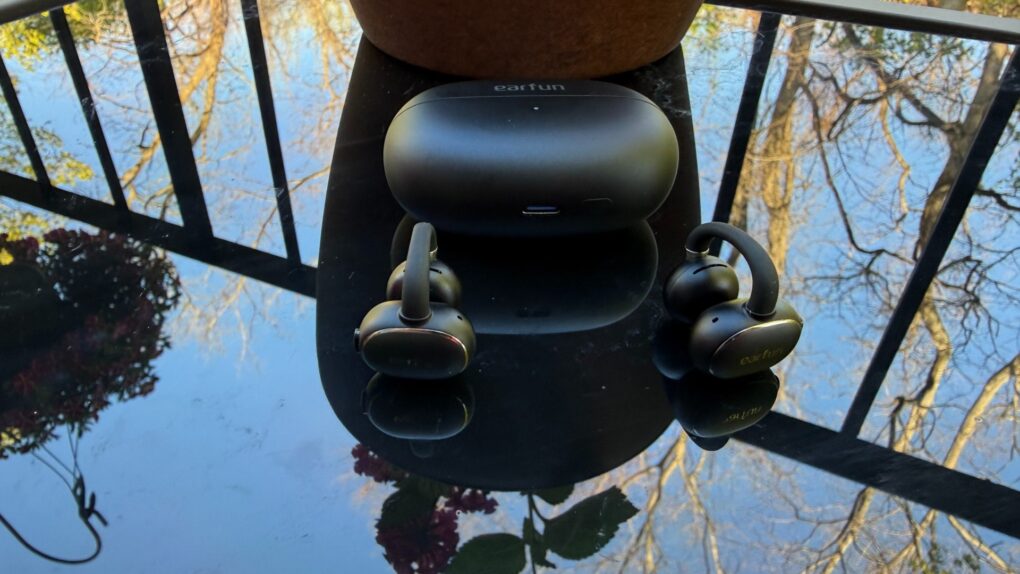


 April 26, 1996: Mac OS Copland, Apple’s eagerly anticipated but much-delayed operating system for the Macintosh, suffers a fatal blow when the senior VP in charge of the project leaves the company.

 April 25, 1990: Steve Jobs shuts down Pixar’s hardware division (yes, it used to have one!), ending production of the pricey Pixar Image Computer immediately.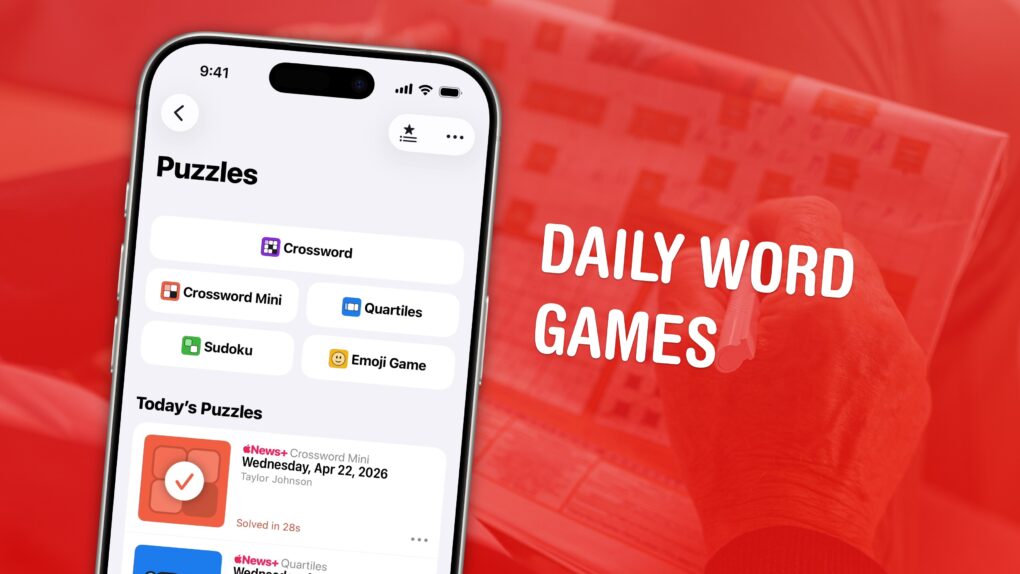
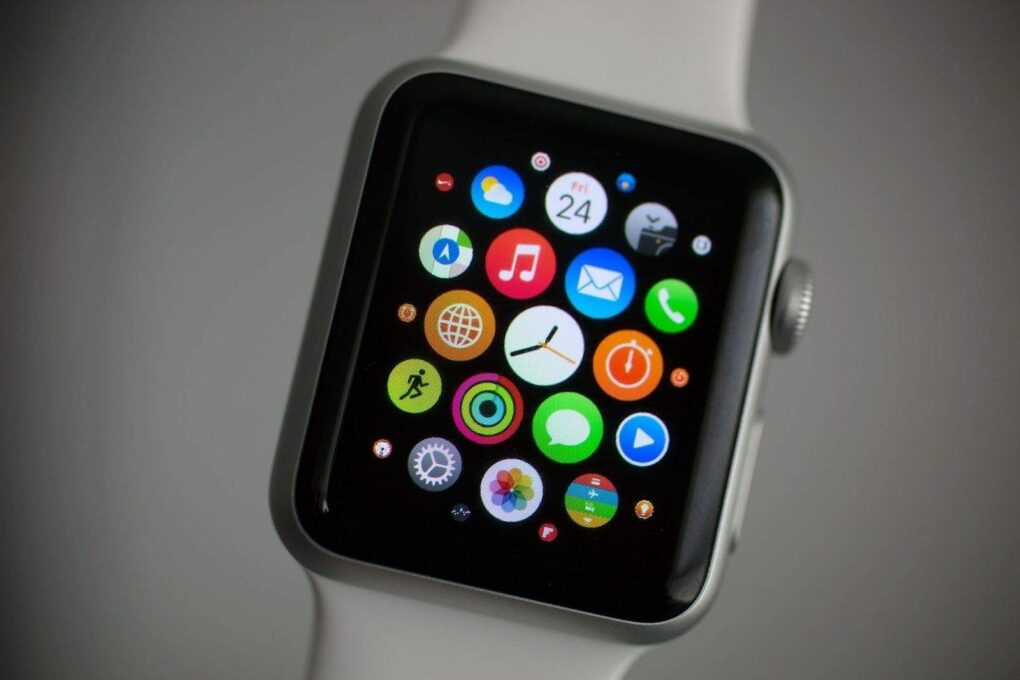
 April 24, 2015: The original Apple Watch launch means consumers, who endured a seven-month wait after the device’s unveiling at a keynote the previous September, can finally strap an Apple wearable onto their wrists.