There’s a certain magic in watching someone squeeze maximum capability out of a beautifully spare workstation. While plenty of computer setups aspire to the look of a NASA mission control center — bristling with displays, peripherals and enough RGB to signal alien life — a different school of thought holds that the best setup is the leanest one. Fewer devices mean fewer cables, fewer distractions and more space to think. You can do a lot with a little.
This post contains affiliate links. Cult of Mac may earn a commission when you use our links to buy items.
Best minimalist Mac setups: More power, less stuff
Apple hardware is uniquely suited to a minimalist approach. Mac mini, for example, is a marvel of computing-per-cubic-inch. MacBook Air and MacBook Pro cram absurd performance into a slab thinner than most paperback novels. iMac consolidates an entire workstation into a single elegant panel.
Cult of Mac’s Setups section has documented scores of these rigs over the years, and the minimalist examples stand out as some of the most quietly compelling. Here are 10 of the best, ranked from honorable to essential.
10. The laptop with nowhere to hide
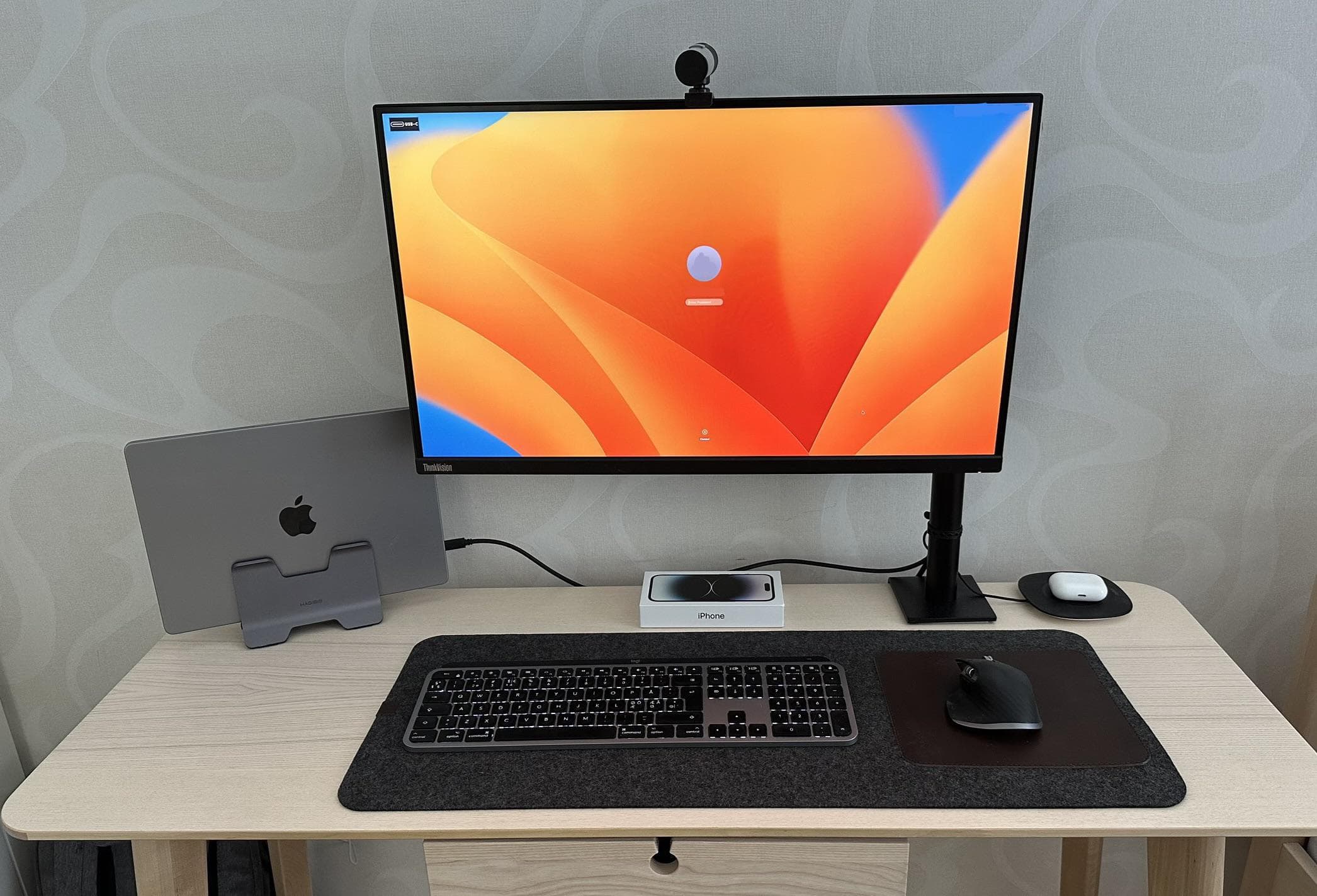
Photo: [email protected]
Not everyone has the luxury of a sprawling desk, and this setup proves that’s no great loss. The user built a compact WFH workstation around a MacBook Pro sitting in clamshell mode on a vertical Hagibis laptop stand. That frees up desk real estate while keeping the machine always-on and always accessible. A Lenovo monitor — which doubles as a USB-C hub, eliminating the need for a separate dock — is the only external display. And a full-sized Magic Keyboard alongside a Logitech MX Master 3 round out the input side of things. AirPods Pro live on a small tray nearby. The result is a tight, tidy WFH station that asks for almost nothing from your desk surface while giving back a fully functional professional workstation.
Read the full Setups article: Small desk fits mini-but-mighty workstation
The M5 chip is Apple’s latest and greatest. This model from October 2025 comes with upgraded storage and memory, ideal for creative professionals and hobbyists.
- 24GB unified memory
- 1TB SSD storage
- 24-hour battery life

9. Wall-mounted freedom

Photo: [email protected]
When a desk threatens to disappear under hardware, the solution is sometimes to take things off the desk entirely. This mechanical engineering student did exactly that, wall-mounting a 43-inch Samsung QN90B 4K smart TV as the setup’s display. And they added a pegboard to store keyboards, game controllers and other peripherals. With a MacBook, a PC, a PS5 and an Apple TV all feeding the same screen, the workstation pulls multiple duties without cluttering a single horizontal surface. It’s an unorthodox but genuinely clever approach. The vertical plane does all the heavy lifting so the desk can stay clear. The pegboard in particular is an underrated organization trick that transforms loose peripherals into a tidy display.
Read more: Great use of space in MacBook setup with wall-mounted display
This large QLED smart TV features 4K resolution, Dolby Atmos with object tracking, Motion Xcelerator, Real Depth Enhancer Pro and Alexa built-in (QN43QN90D, 2024 model).
- Big screen with vivid colors
- Dolby Atmos with Object Tracking Sound
- Fast 144Hz refresh rate for gaming
- Many new smart TVs are larger

Govee's AI Sync Box with RGBIC LED backlighting for TVs supports 8K@60Hz, 4K@144Hz, VRR and ALLM. It works with Matter and Alexa. Includes 75 LED lights.
- AI screen and lighting synchronization
- Brightness of 45O lumens
- Supports Matter standard and Dolby Atmos
- Not specific to HomeKit
- TV backlight requires external HDMI input source for color extraction

8. This desk that asks the real question: What is minimalism?
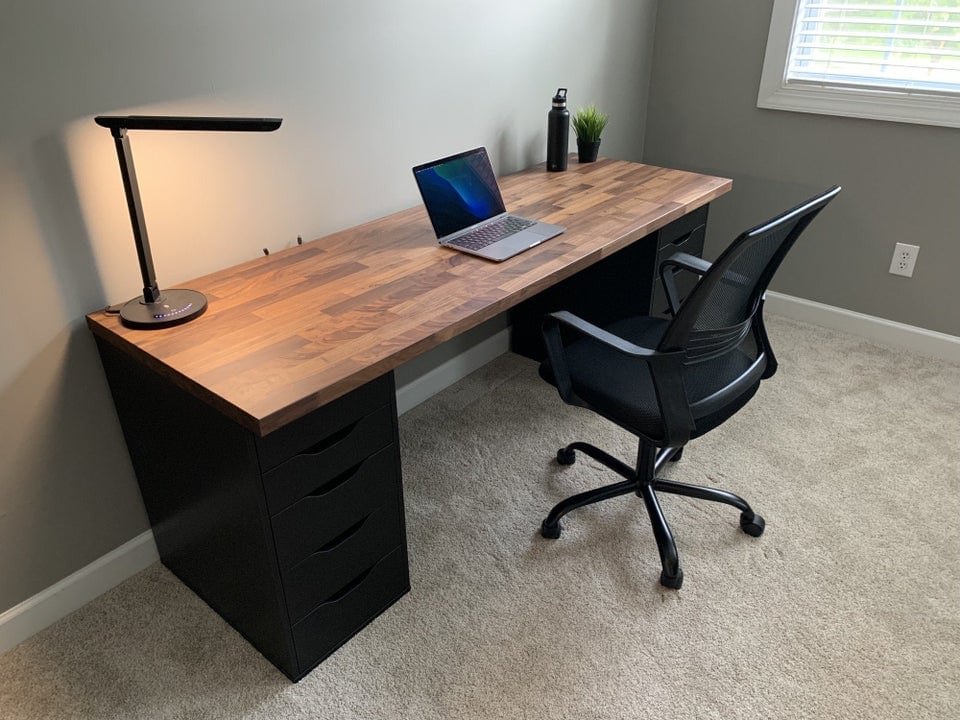
Photo: [email protected]
This user posed that very question with a setup so stripped back that commenters couldn’t help but weigh in. The desk is a dark-stained Ikea Karlby top sitting on two sets of Alex drawers. On it: a MacBook Pro, a desk lamp, a water bottle and a small plant. That’s it. Almost no visible cables — partly because there’s so little equipment to wire up, with the laptop not even plugged in. The setup attracted praise for its cable management despite having almost no cables to manage, plus a wave of well-meaning suggestions to add a monitor, a mechanical keyboard, a dock and better lighting. It’s a provocation as much as a workspace. At what point does a setup become so minimal it stops being a setup at all?
Read more: What does ‘minimalism’ mean to you?
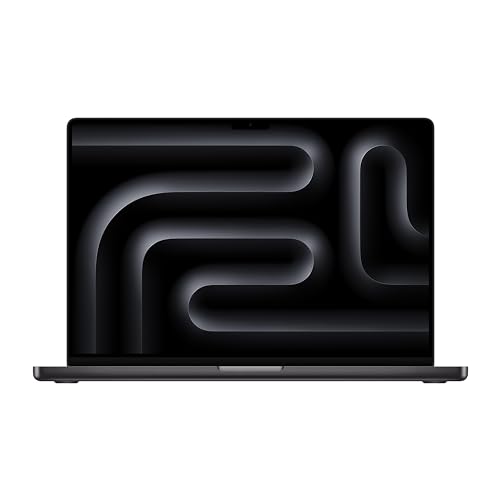
The renewed 16-inch Apple laptop features an M3 Pro chip, 36GB RAM and 512GB SSD storage. Space black color.
- Powerful M3 Pro chip
- Ample unified memory
- Not the latest model
Ikea's Alex drawer set is a popular choice as a stand for desktops in Mac setups. This drop-file storage unit is the black-brown model (903.730.38, size 14 1/8 inches x 27 1/2 inches).

7. Minimalism gets moody

Photo: [email protected]
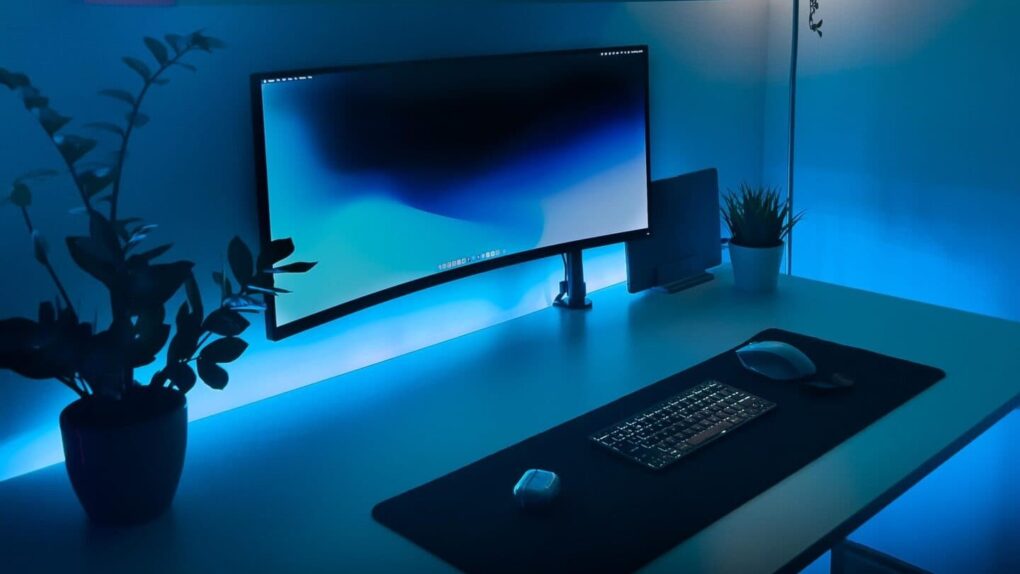
This user built a strikingly atmospheric single-display MacBook Pro setup. She keeps the desk lean while Govee LED light strips behind the rig cast a moody ambient glow. The setup centers on a 13-inch M1 MacBook Pro driving a 34-inch Xiaomi ultra-wide display — though she wasn’t satisfied with the Xiaomi’s sharpness on macOS and was actively seeking a 5K replacement. Commenters steered her toward the Studio Display over the Samsung ViewFinity S9. The atmospheric lighting transforms what might be an otherwise modest rig into something genuinely striking. It demonstrates that a minimalist setup need not be cold or clinical. A single display, a single laptop and smart lighting. That’s the whole formula here.
Read more: Monitor smackdown: Studio Display vs. Samsung ViewFinity S9
The 27-inch Apple Studio Display packs an impressive panel coupled with a six-speaker system and studio-quality microphones.
It’s not as beautiful as Apple's Pro Display XDR, but the Studio Display costs thousands less.
- Crystal clear 5K resolution
- Excellent color accuracy
- 12MP Center Stage camera
- Expensive
- Lacks HDR
- Height-adjustable stand costs extra

Samsung's 27-inch 5K computer monitor features Thunderbolt 4 and DisplayPort connectivity, Matte Display, 4K Slimfit Camera, slim metal design, AirPlay, Smart TV Apps and a Gaming Hub (LS27C900PANXZA).
- Clear 5K resolution
- Fast Thunderbolt 4 connectivity
- AirPlay compatible
- Some users fine remote control problematic

6. The M4 iMac: one cable to rule them all

Photo: [email protected]
iMac is perhaps the ultimate minimalist argument in Apple’s lineup. And this user made that case explicitly. Their M4 iMac setup runs a 4.5K display, 12MP camera, three-mic array and a six-speaker Spatial Audio system through a single power cord — the dream of a cable-managed workstation achieved by default. As they pointed out, iMac gives you everything a typical multi-component setup would require and compresses it into a single aluminum slab with color-matched peripherals. They came close to choosing an M4 Mac mini plus a large external monitor instead. But they decided iMac’s integrated elegance was worth it. Commenters agreed that the clean, single-cord look is genuinely hard to beat. And for anyone wrestling with monitor cables, dock cables and power bricks, the appeal is obvious.
Read more: M4 iMac makes surprisingly rare appearance
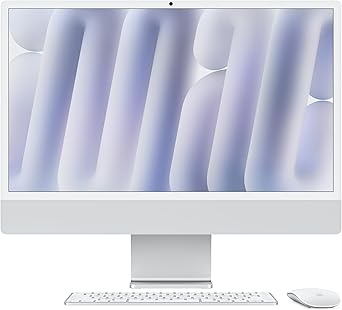
Colorful and capable, Apple's refreshed all-in-one desktop computer is fun and functional.
- M4 chip for great performance
- Seven color options, with color-matched accessories
- 24-inch 4.5K display looks great
- Limited number of ports
5. One laptop, one mega-display, nothing else
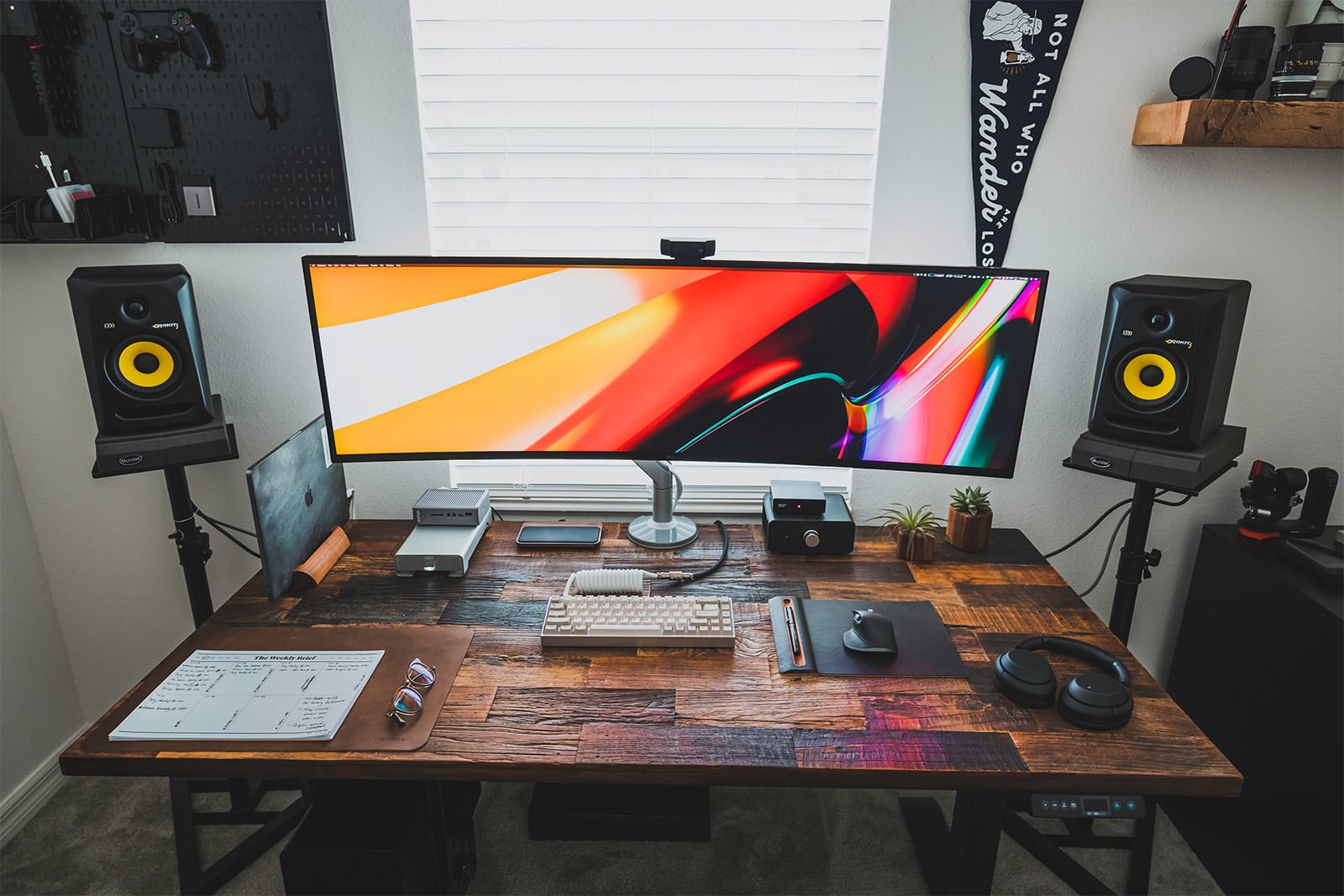
Photo: Aral Tasher
This front-end web developer’s rig distills the minimalist MacBook approach to its logical extreme: a single MacBook connected to a 49-inch ultra-wide monitor via a single Thunderbolt 3 cable. The MacBook lives on a Grovemade premium wooden mount, a small but beautiful detail that elevates what could be a utilitarian setup into something genuinely attractive. A custom KBDfans keyboard and a Logitech MX Master 3 mouse handle input duties. On the audio side, a pair of KRK studio monitors give the setup a professional sheen. The philosophy here is elegant and replicable: choose one extraordinary display large enough to replace the multi-monitor sprawl entirely, and keep everything else deliberately lean. A single Thunderbolt cable as the lone link between laptop and the outside world is a satisfying idea.
Read more: A MacBook and a whopping big monitor make for an epic rig
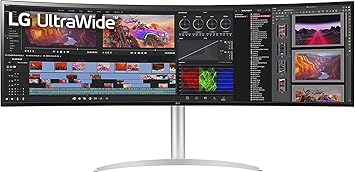
This 49-inch dual DQHD (5120 x 1440 pixel resolution) IPS display features a USB-C hub with 85W Power Delivery, plus HDR10, ambient light sensor and stereo speakers.
Logitech's flagship MX Master mouse stands out for its precision, features and ergonomic design. The 8K Darkfield sensor ensures the mouse can track on any surface, with the Quiet Click technology helping provide near-silent clicks. Take advantage of the customization buttons and electromagnetic scroll wheel to further boost your productivity.
- 8K DPI sensor
- Exhaustive set of features
- Customizable buttons
- Prone to connection dropping issues on Macs

4. MacBook Air + Studio Display: the clean machine
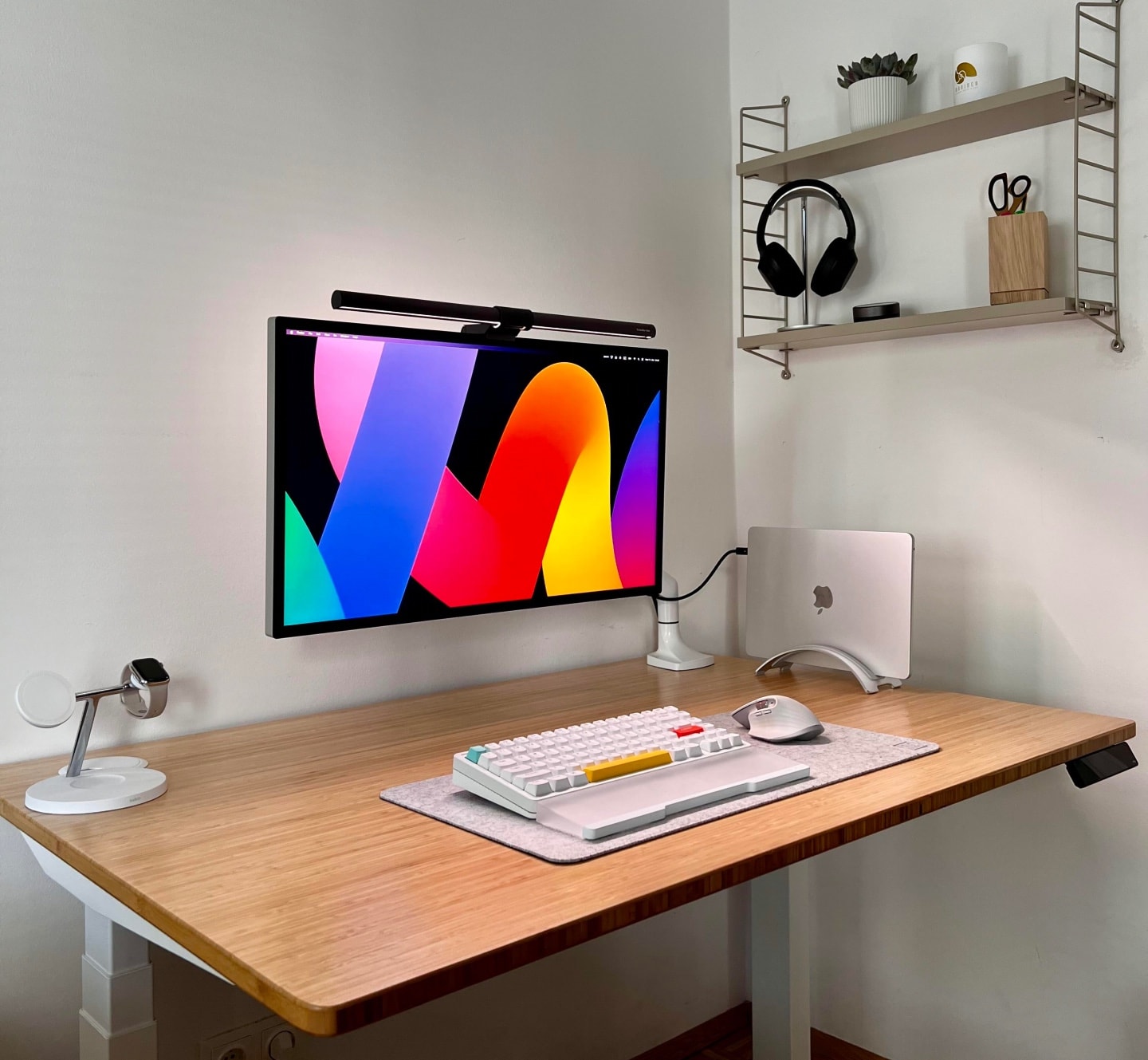
Photo: [email protected]
This user built what I called “minimal but complete” with disarming simplicity. An M2 MacBook Air sits vertically on a stand, driving Apple’s 27-inch 5K Studio Display with a BenQ ScreenBar Halo monitor light perched on top. Input comes from a NuPhy keyboard and Logitech mouse. There’s a Belkin dock managing connectivity. And that’s genuinely the whole list. The pairing of Apple’s lightest mainstream laptop with its most beautiful external display is one of the cleaner aesthetic combinations in the Mac world, and this setup executes it without apology or qualification. The Studio Display’s built-in camera, microphone array, and six-speaker system mean no webcam, no separate mic and no desktop speakers need apply.
Read more: You wish your workstation looked this clean
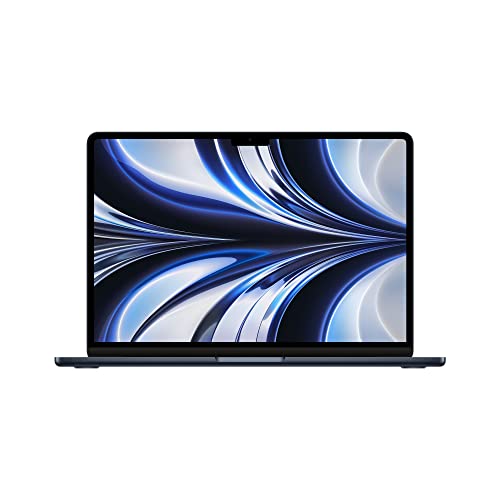
Possibly the perfect laptop. The 13-inch MacBook Air brilliantly blends portability with performance. Top-notch industrial design and a beautiful Midnight finish.
- 16GB RAM, 256GB SSD Storage
- M2 chip: Built for Apple Intelligence
- 13.6-inch Liquid Retina Display
- Backlit scissor-switch keyboard
- Non-upgradeable RAM or SSD
- Poky 256GB storage
This space-saving vertical stand for MacBooks and other laptops helps you organize your office. Comes with a choice of finishes -- chrome, matte black or matte white.
- Elegant, space-saving vertical stand
- Choice of finishes
- Not for multiple MacBooks

3. The invisible Mac mini
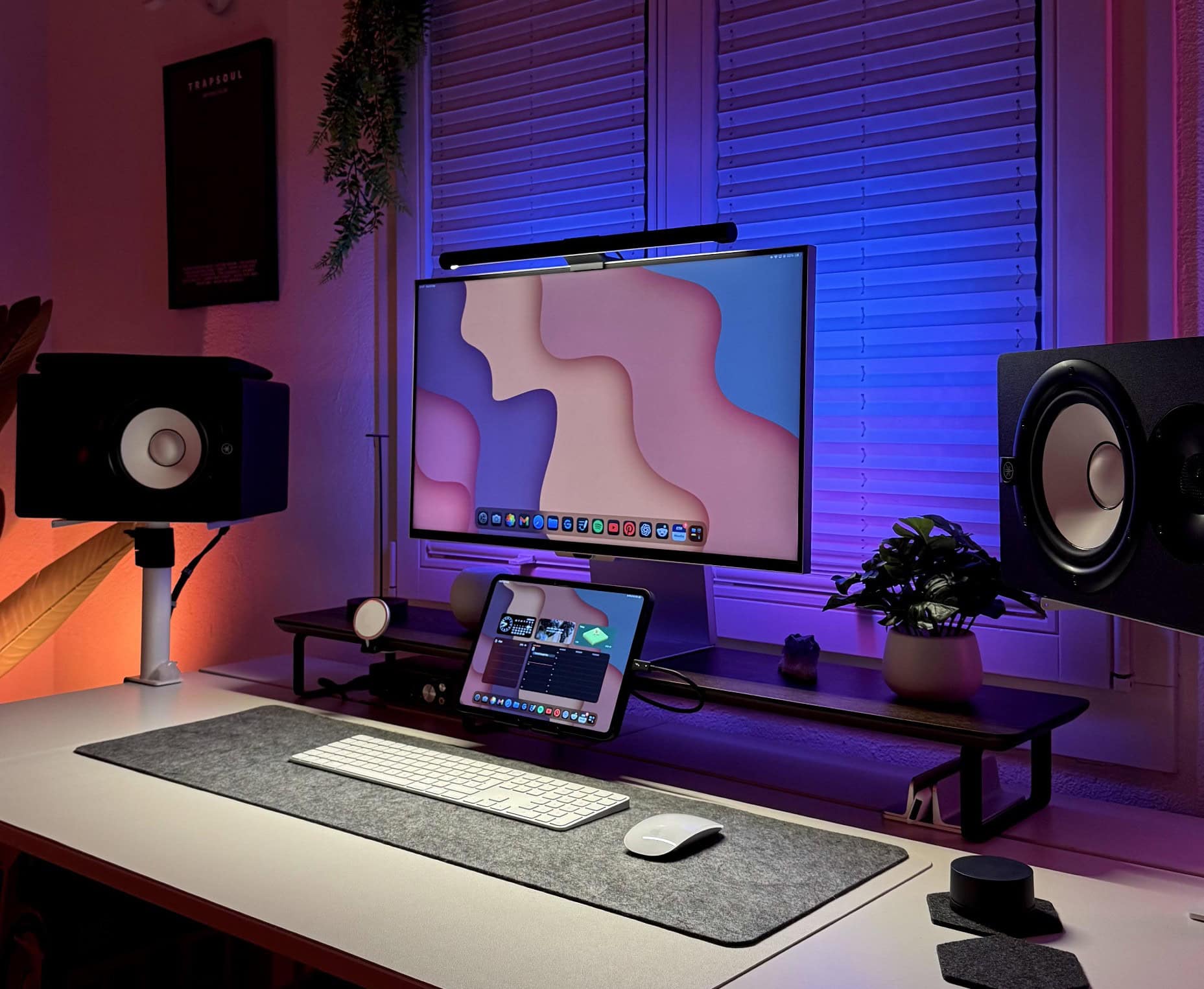
Photo: [email protected]
This one requires a double take. This setup for university studies and music production appears, at first glance, to be nothing but a monitor on a desk. That’s because the Mac mini powering the whole operation is mounted on the back of a 27-inch Samsung ViewFinity S9 5K monitor — completely invisible from the front. “It’s interesting to see how minimalist every Mac user seems to go with their setups,” a commenter noted. The user’s response: “Apple store energy, hehe.” The Samsung’s Thunderbolt 4 connectivity and VESA-mount-friendly rear panel make it an ideal host for the compact Mac mini, turning what would otherwise be a separate desktop unit into something that simply ceases to exist visually. Add a pair of Yamaha HS8 studio monitors mounted sideways on stands and Govee backlighting, and the setup is simultaneously minimal and professional.
Read more: Samsung ViewFinity S9 hides rear-mounted Mac mini
✅ Small desktop form factor
✅ Powerful M2 Pro chip with lots of memory and storage
✅ Lots of ports for accessories
⚠️ Display, keyboard and mouse not included

Samsung's 27-inch 5K computer monitor features Thunderbolt 4 and DisplayPort connectivity, Matte Display, 4K Slimfit Camera, slim metal design, AirPlay, Smart TV Apps and a Gaming Hub (LS27C900PANXZA).
- Clear 5K resolution
- Fast Thunderbolt 4 connectivity
- AirPlay compatible
- Some users fine remote control problematic
2. Vision Pro goes ultra-minimal
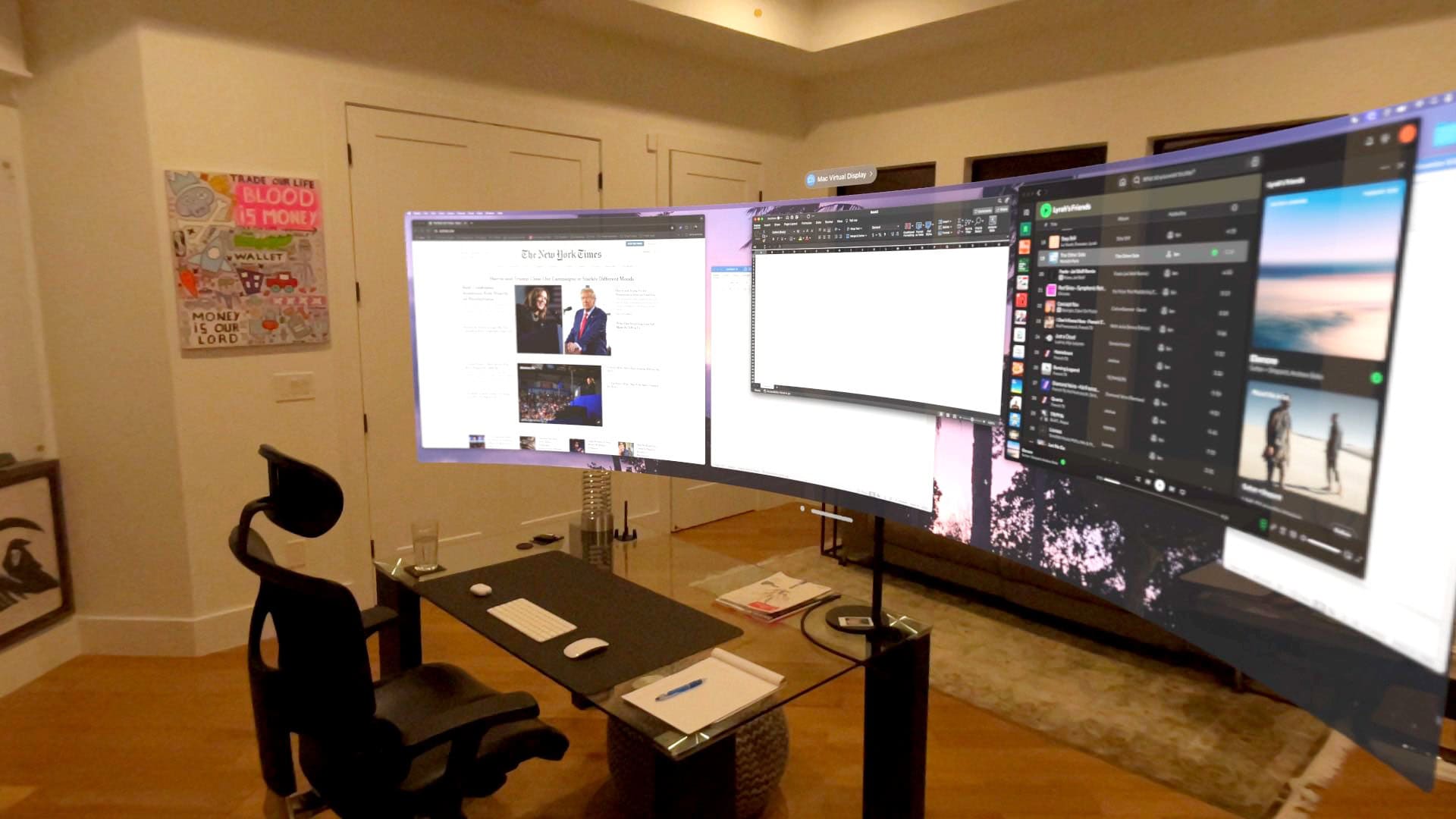
Photo: Ian Panchèvre via X.com
Developer Ian Panchèvre found the ultimate minimalist move: Hide the computer entirely. Using visionOS beta software to beam an ultra-wide virtual display from his M2 MacBook Pro into Apple Vision Pro, Panchèvre relocated the laptop off the desk altogether — out of sight, still connected — and left himself with a desk featuring nothing but a mini Magic Keyboard and Magic Mouse. The result is a workspace that looks, to any observer, like a person sitting at an almost completely empty desk while secretly commanding a vast, ultra-wide virtual screen. “With Magic Keyboard / Mouse as my input devices, my desk is ultra-minimal with no computer monitors, but a massive virtual screen!!!” he wrote. As a glimpse of where minimal computing is heading, this setup is hard to top. The hardware almost disappears; the workspace expands into pure virtual space.
Read more: Vision Pro gives developer ultra-wide virtual screen in minimal rig
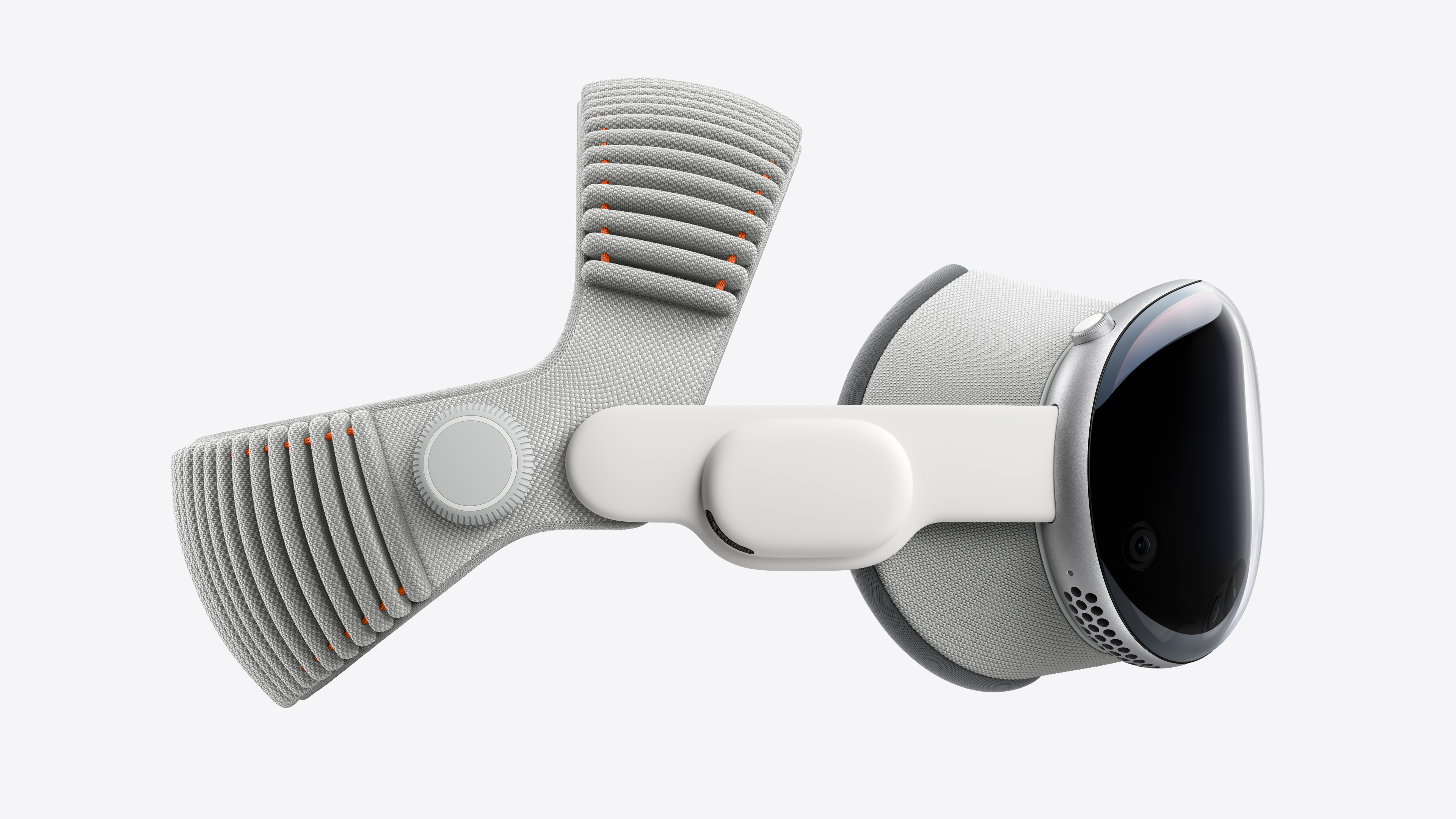
The most advanced personal electronics device ever, updated with the latest M5 chip. The Vision Pro isn’t a typical gaming VR headset, it’s a spatial computer.
- 8K of high resolution
- AR and VR apps and games
- Apple Immersive videos
- Much more expensive than other headsets
This 14.2-inch Apple laptop sports a speedy M2 Pro chip, 16GB unified memory and a 1TB SSD for storage. Available in space gray or silver colors.
1. The dual-Mac battle station hidden in plain sight
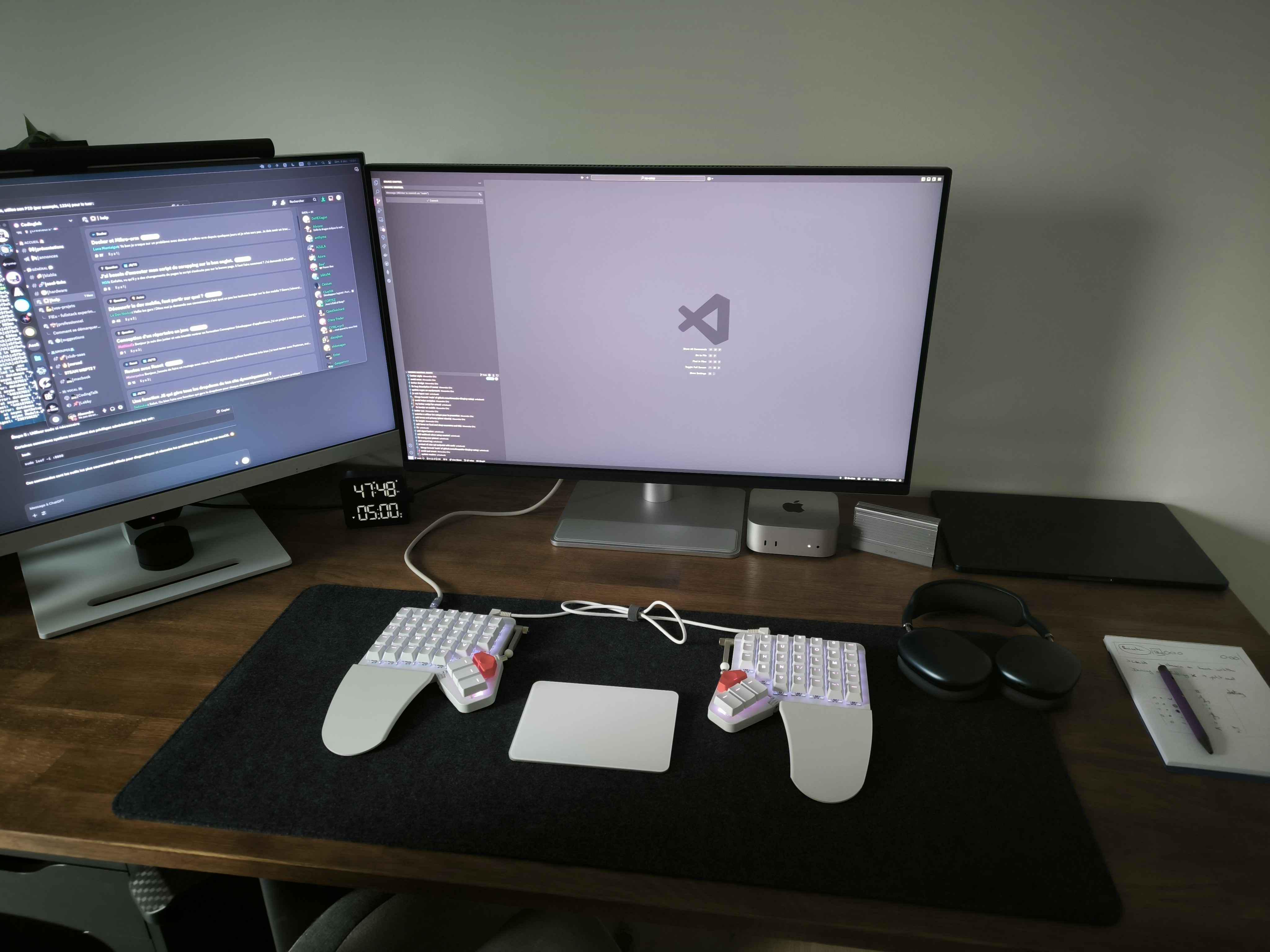
Photo: [email protected]
French web developer Alexandre’s setup embodies the minimalist ideal: doing a lot with a little, and doing it beautifully. An M4 Mac mini for personal projects and an M3 MacBook Air for professional work share a 32-inch BenQ 4K monitor, a Xiaomi monitor light bar and one of the more unusual input configurations you’ll find — a ZSA Moonlander split keyboard with a Magic Trackpad 2 nestled between the two halves. “My clean, dual-Mac battle station perfectly balances work and personal life,” Alexandre noted. The desk is uncluttered, the aesthetic is crisp, and the computing muscle underneath is formidable. Two modern Apple silicon machines, two display and one elegant peripheral arrangement. And the whole thing hums along as an elegant, productivity-first workspace. Minimalism, in this case, does not mean sacrifice.
Read more: Smoothly integrate 2 Macs in 1 workstation
The new Mac mini is smaller, lighter and 50× more adorable. It's super-powerful and by far the best deal in computing right now.
- Powerful M4 Pro chip
- 512GB storage
- 24GB unified memory
- Compact desktop design
- Headphone jack on front
- BYODKM (bring your own display, keyboard and mouse)

In addition to a large Liquid Retina display and a slim design, this model features a powerful M3 chip, 16GB unified memory and 512GB storage.
- Slim and lightweight
- Powerful M3 chip
- Big, gorgeous display
- Lacks the power of some Pro models


David Snow, an expert on Apple hardware and software, writes on a variety of technological and cultural topics for Cult of Mac. They include Apple news, technology buying guides, and features about computer setups and Apple TV shows and movies.
With 30 years of experience covering technology and other subjects, he has written and edited for numerous print and online publications, including CMP Media, TechTV.com, CNET, Wired News, Red Herring magazine, Law.com, The National Law Journal and Law Technology News magazine. Among other roles, he served as executive editor of the Law.com network of websites and editorial director, technology, for ALM Media.
Snow graduated with a B.A. from Syracuse University with majors in magazine journalism and psychology. While there, he worked as a reporter for The Daily Orange newspaper and associate editor of Equal Time magazine.
Founder of the blog At the Waterline, he can be reached on X (formerly Twitter) via @atthewaterline and on Mastodon via @dsnow.

