Mobile menu toggle

Today in Apple history: Apple probes Foxconn suicides

By

Apple faces criticism for conditions on the iPhone production line in Foxconn factories.
Apple faces criticism for conditions on the iPhone production line.
Photo: SACOM Hong Kong/Flickr CC

May 25: Today in Apple history: Apple investigates Foxconn suicides May 25, 2010: Apple opens an investigation into a string of suicides at Foxconn, its Chinese manufacturing partner for assembling iPhones.

After reports of a ninth death at a Foxconn factory, Apple says it is “independently evaluating” Foxconn’s response. Cupertino vows to take a long, hard look at the facilities that manufacture its products. It’s a tough challenge for Apple to deal with — and CEO Steve Jobs’ controversial comments don’t exactly help.


Get Microsoft Office 2024 for Mac or PC for $130

By

Woman using her laptop with one of Microsoft Office 2024 apps installed.
Save on essential Microsoft software for Mac or PC.
Photo: Cult of Mac Deals

Not a fan of monthly fees for software like Microsoft 365? This deal lands you a lifetime license to Microsoft Office Home & Business 2024 for Mac or PC.

It comes with all the Microsoft programs you know and love. And it’s on sale for a limited time. So instead of paying $249.99, you can get a lifetime license to Microsoft Office Home & Business 2024 for $129.97.

Apple could silence most Magic Mouse criticism with one change

By

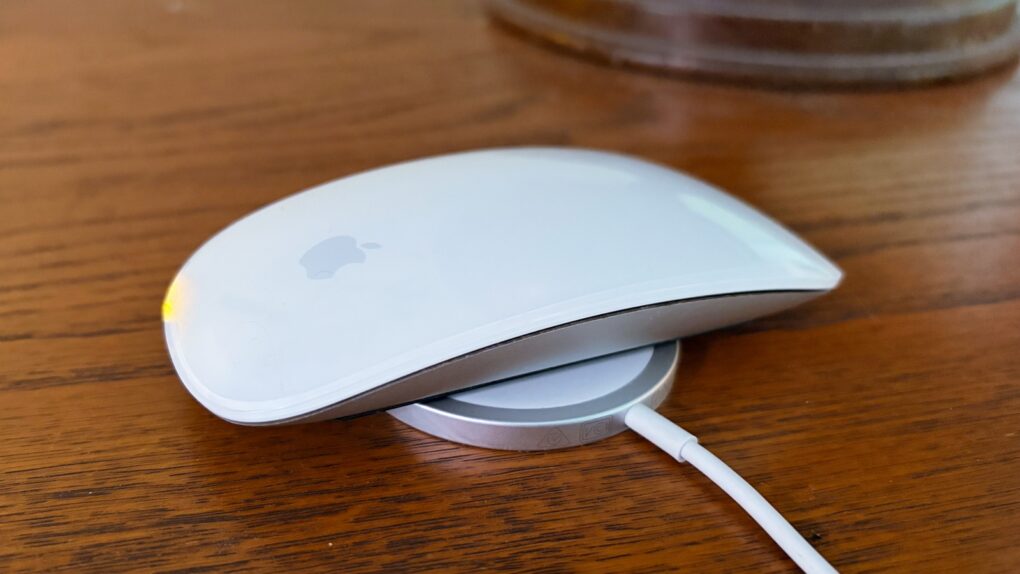
Why Apple should add MagSafe wireless charging to the Magic Mouse.
Adding the iPhone's version of MagSafe to the Magic Mouse would make it even easier to charge.
Photo: Ed Hardy/Cult of Mac

The charging port on the bottom of the Magic Mouse draws criticism — mostly from people who’ve never actually used one. But there’s a way Apple could quiet the complaints and improve the product at the same time: add MagSafe wireless charging.

The mouse could keep its iconic design, become easier to charge and the critics would have to find something else to complain about.

Big Apple Watch AI upgrade might not arrive with iOS 27

By

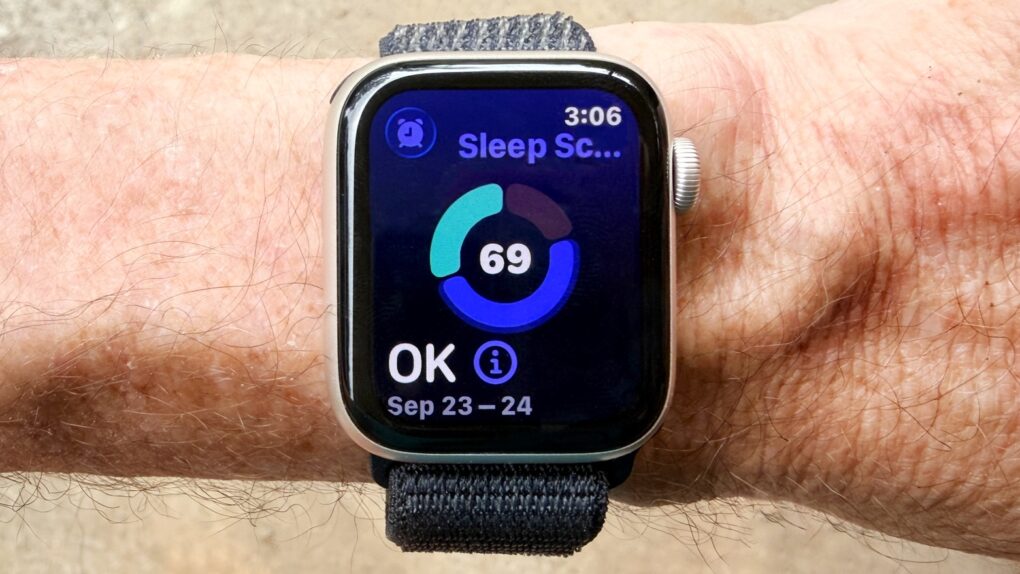
Apple Watch SE 3 review: Sleep score
watchOS 27 may disappoint you with the lack of new features.
Photo: Ed Hardy/Cult of Mac

The Apple Watch’s next big software update — watchOS 27 — will supposedly follow the same strategy as iOS 27: It will focus on stability and performance rather than introducing radical new features.

Apple will not launch its AI-powered health coaching service with the initial build, according to a new report.

How AirPods Ultra could redefine premium earbuds

By

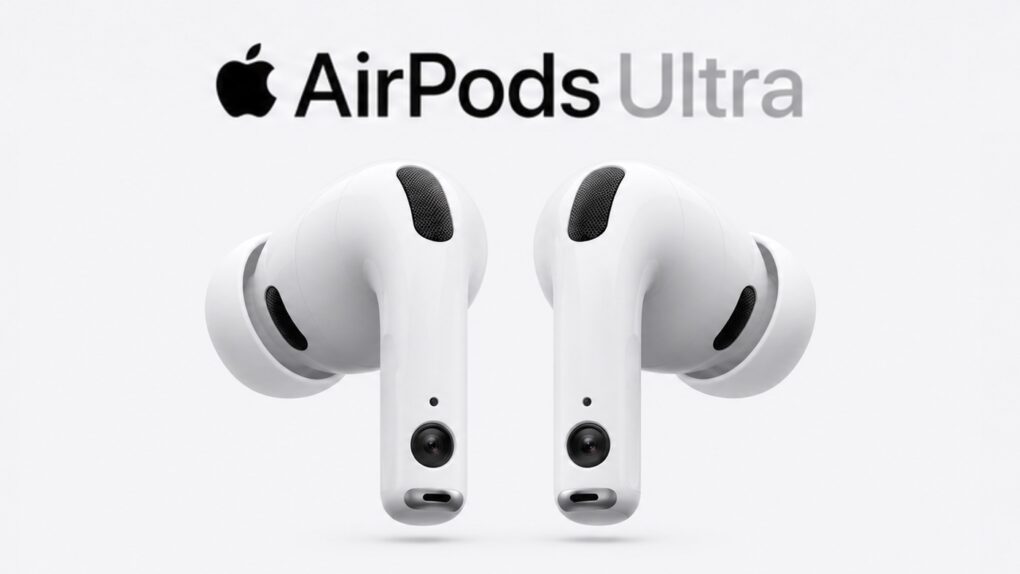
AirPods Ultra may be Apple’s most ambitious AI product yet
AirPods Ultra could be an AI-focused device, not just a simple audio player.
AI image: ChatGPT/Cult of Mac

Details continue to emerge about Apple’s next-generation premium earbuds, widely referred to as “AirPods Ultra” and sometimes described in leaks as fourth-generation AirPods Pro. The next-gen earbuds reportedly will bring a significant jump forward, including adding cameras and health-monitoring features. And they aren’t too far away.

Here’s what to expect.

Titanium iPhone redux? [Cult of Mac podcast No. 21]

By

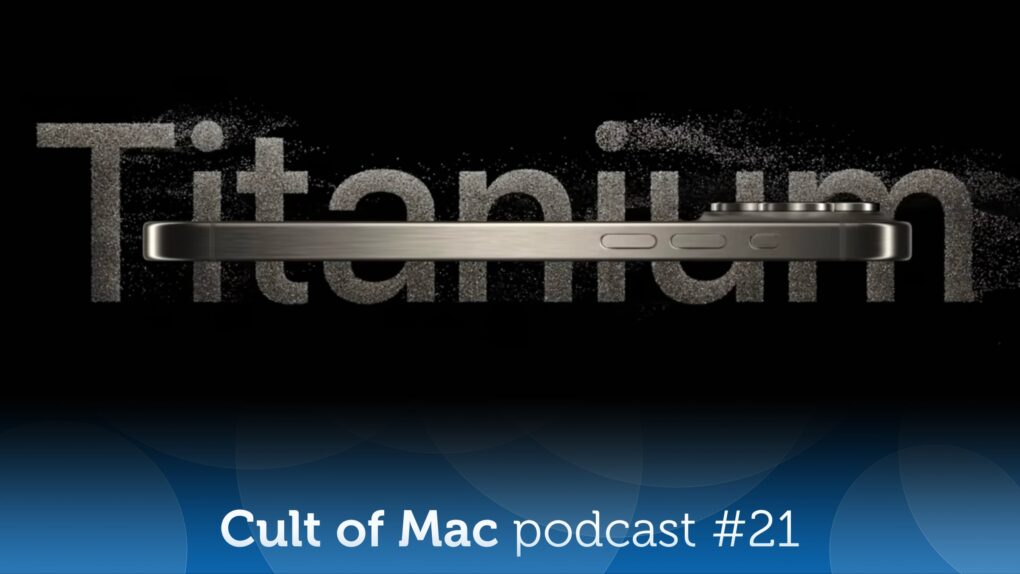
Image from Apple event showcasing iPhone 15 Pro with the word
Will future iPhones come in titanium once again?
Image: Apple/Cult of Mac

On the latest episode of the Cult of Mac podcast: Apple might go back to the iPhone future, thanks to some metallurgical magic that involves a special titanium alloy.

We discuss the pros, the cons and the possible timeline for such a retro upgrade.

Also on the Cult of Mac podcast:

  • Another recent Apple rumor also sounds like a bit of a flashback: The Apple Watch Ultra 4 might get high-blood-pressure alerts. Um, doesn’t it already do that? Yes, but …
  • As per tradition, Apple reveals new accessibility features coming in the next version of iOS. And, as always, they sound pretty incredible.
  • Special guest Niléane shows off TinyStart, a “tiny launcher for macOS,
fast and focused on the essentials.”

Listen to this week’s episode of the Cult of Mac podcast in the Podcasts app or your favorite podcast app. (Be sure to subscribe and leave us a review if you like it!) Or watch the video version, embedded below.

Check your blood pressure, and sync data to your iPhone, with this $25 device

By

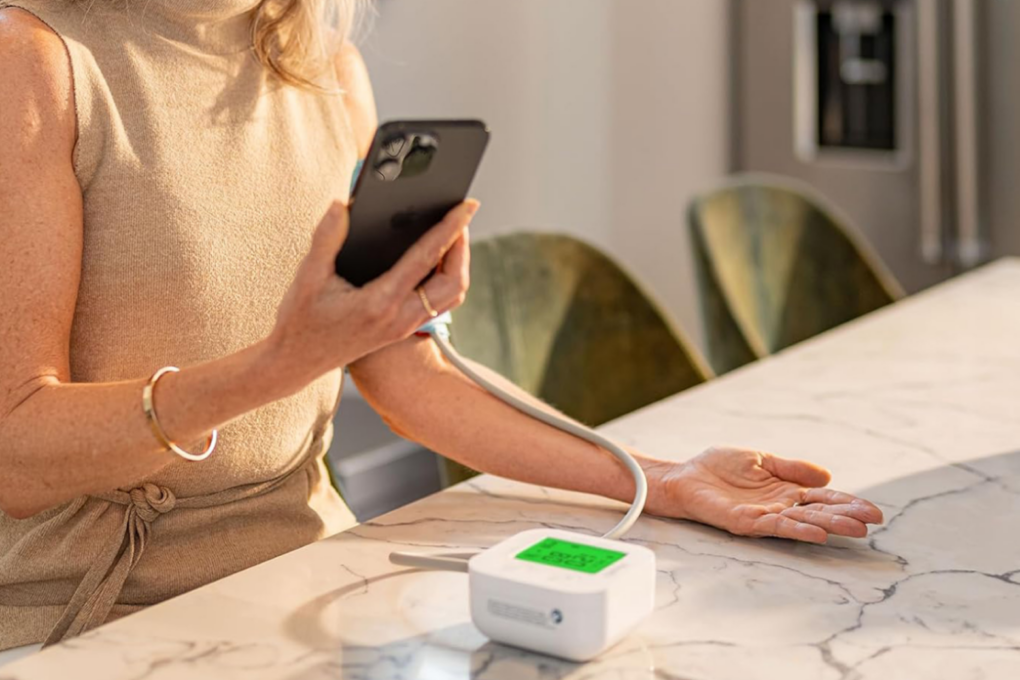
Woman taking her blood pressure reading and syncing results to her iPhone with iHealth Track blood pressure monitor
Here's an easy way to get a handle on your blood pressure.
Photo: Cult of Mac Deals

The iHealth Track blood pressure monitor offers an easy way to track your blood pressure at home. It syncs to your iPhone, tracks trends, and gives you real health data you can use.

And right now, you can get this highly rated home blood pressure monitor for just $24.99 (regularly $49.99) with free shipping to the contiguous United States.

Today in Apple history: iTunes ditches movie trailer downloads

By

Apple's iTunes movie trailers go dark as streaming supplants downloads.
iTunes movie trailers go dark.
Photo: Tookapic/Pexels CC

May 24: Today in Apple history: iTunes ditches movie trailer downloads May 24, 2013: Apple begins phasing out the option to download movie trailers from its once enormously popular iTunes Movie Trailers website.


The move signals a major change in the way people consume digital content as the internet evolves. Downloads will continue to decline, as streaming services like YouTube and Netflix gain steam.

When you’re about to hop on public Wi-Fi, do this before logging in

By

Photo of FastestVPN & Security Lifetime Bundle running on two devices, a laptop and a smartphone
Boost your devices' security with a VPN and password manager bundle.
Photo: Cult of Mac Deals

The FastestVPN & Security Lifetime Bundle gives you two essential tools for safeguarding your data — a VPN and a password manager — all for one low price.

You can lock down your devices with this lifetime VPN and password manager bundle for just $39.99. That means no monthly subscriptions, just security that sticks.

Today in Apple history: Steve Jobs attempts a boardroom coup

By

Jobs
Sadly for Steve Jobs, things didn't work in his favor.
Photo: Esther Dyson/Flickr CC

May 23: Today in Apple history: Steve Jobs attempts a boardroom coup May 23, 1985: Bitter about being ousted from his position running the Macintosh division, Steve Jobs attempts to stage a boardroom coup to seize control of Apple from CEO John Sculley.
The 30-year-old Apple co-founder plans to overthrow Sculley while the CEO is away on a business trip in China. Unfortunately for Jobs, he makes a critical mistake when he tries to recruit the support of Apple executive Jean-Louis Gassée, who informs Sculley of the plot.

It’s the beginning of the end for Jobs’ first tenure at Apple.

6 leaked iOS 27 features I can’t wait to try

By

Leaked iOS 27 features I’m most excited to try
Leaks reveal a lot about iOS 27.
AI image: ChatGPT/Cult of Mac

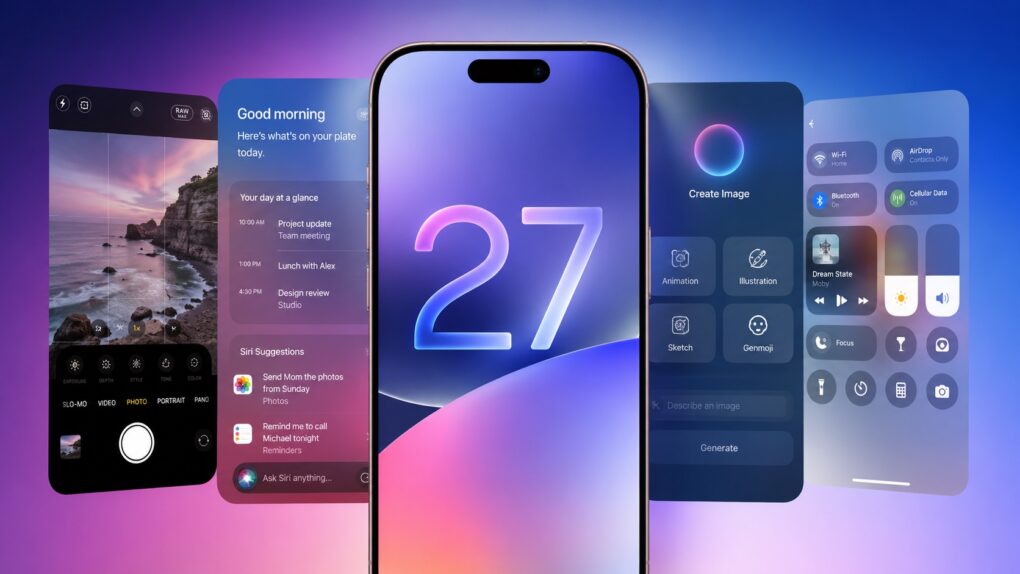
As it struggles to catch up on AI, Apple almost undoubtedly plans to focus on Apple Intelligence in iOS 27. But the company will also reportedly focus on refining the iPhone experience and tidying up existing features.

Thanks to leaks, we already have an early look at some of iOS 27’s biggest new features. While Apple certainly has some surprises planned, these are the leaked iOS 27 features I’m most excited to try.

OpenAI gives Codex for Mac eyes, a remote control and long-term goals

By

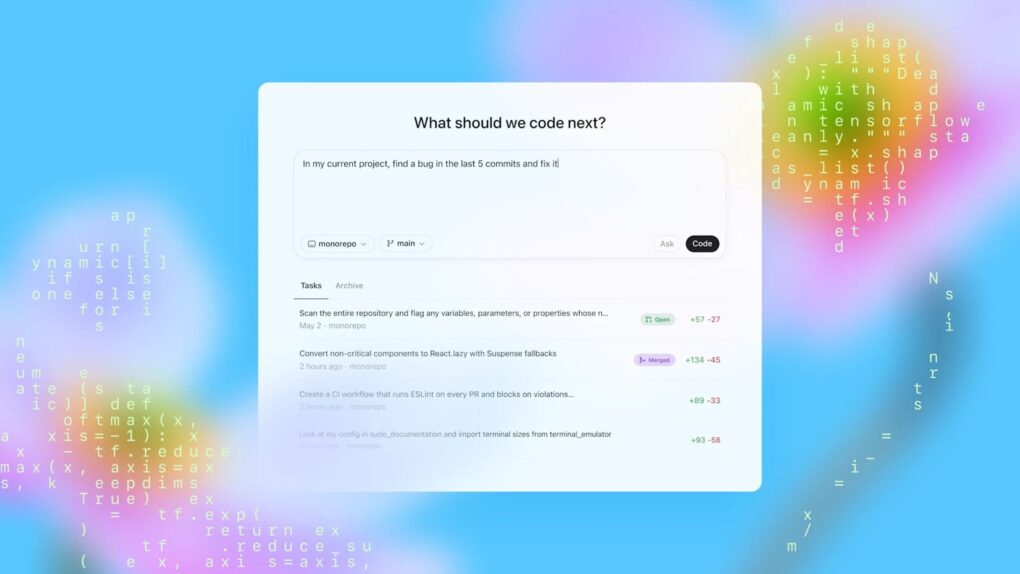
A picture of OpenAI Codex used in a story about a recent feature update for Mac.
Codex for Mac can now remotely handle tasks even while your MacBook stays closed.
Photo: OpenAI

OpenAI just gave its Codex for Mac programming app a feature called Appshots that makes copy-pasting code or describing what’s on the screen unnecessary. Just press Command twice, and the AI assistant automatically takes a screenshot and captures text from your window, including scrollable content that isn’t visible.

Appshots is the headline addition in this week’s Codex update, and it’s only available on Macs for now. Think of it as giving your AI assistant a pair of eyes, instead of always explaining what you are looking at.

Cut the cable from your CarPlay life with this tiny wireless adapter

By

Adapter wirelessly connecting the man's phone to his vehicle's infotainment system
Save 41% when you get the Mini Wireless CarPlay/Android Auto Adapter now!
Photo: Cult of Mac Deals

Plug in the Mini Wireless CarPlay/Android Auto Adapter once, then pair it with your phone, and every time you start the car, you’ll enjoy a wireless infotainment experience.

That means no more plugging in your phone — a wireless CarPlay connection happens every time you start the car. And right now, the Mini Wireless CarPlay/Android Auto Adapter is on sale for just $34.99 (MSRP $59.99).

5 things Apple needs to fix before launching the HomePod 3

By

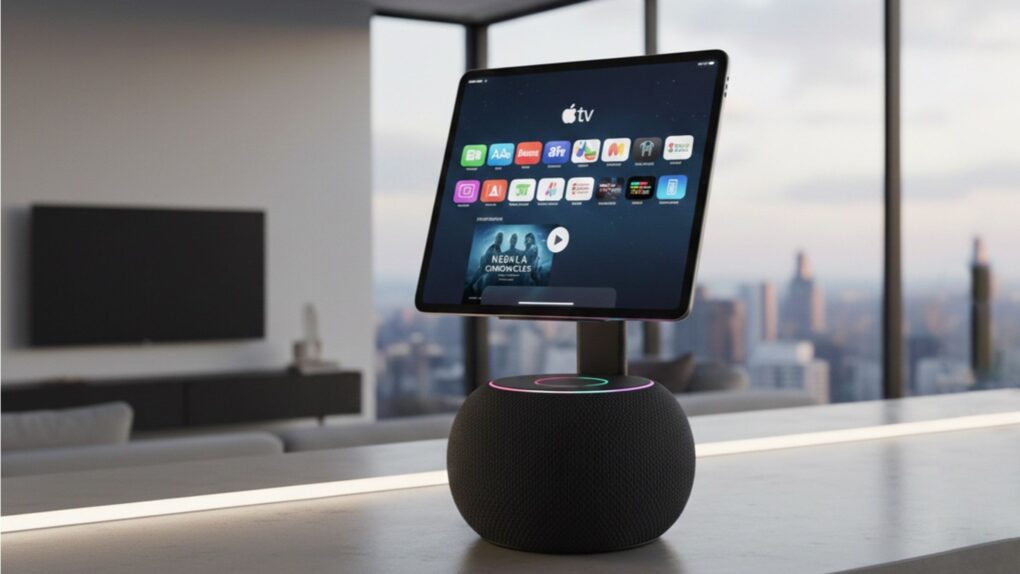
An AI generated photo of an Apple HomePod with display used in a story about the much-rumored HomePod 3.
The HomePod 3 needs smarter software and not just faster hardware.
AI image: Google Gemini

Apple’s next HomePod is reportedly stuck in limbo while the company works on its delayed AI Siri upgrade. And honestly? That might be what the HomePod 3 needs. But before Apple unveils the HomePod 3, it needs to address some serious gaps that make it feel far less intelligent than the competition.

The HomePod’s problem has never been its hardware. The speakers sound fantastic, and the device tightly integrates into Apple’s ecosystem. But the user experience still feels a generation behind competing smart speakers. If Apple wants the HomePod 3 to be the center of its smart home ambitions, a faster chip and a shinier enclosure won’t be enough. Here’s what actually needs to change.

This powerful Ugreen NAS made me forget about Synology [Review] ★★★★★

By

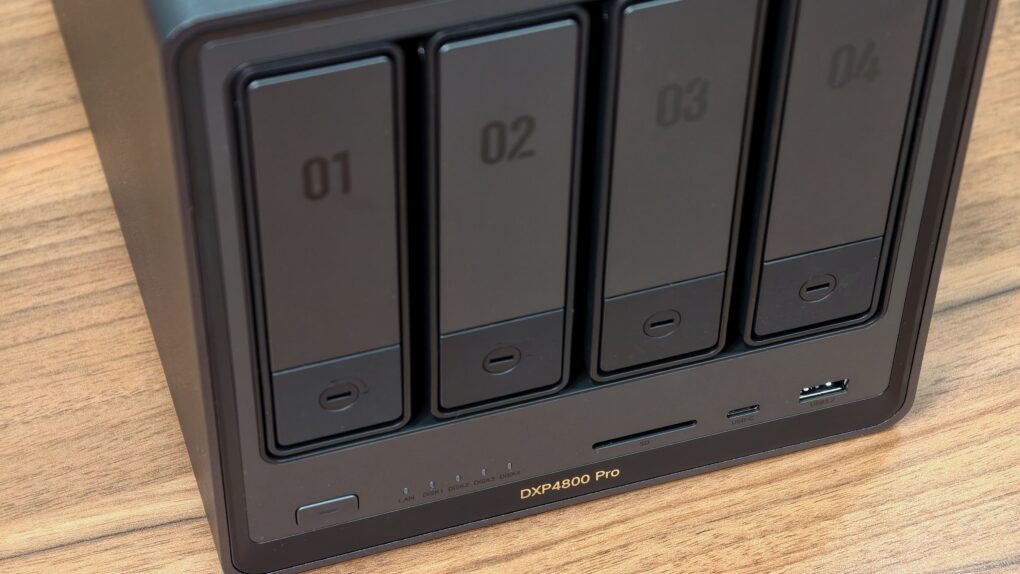
Ugreen DXP 4800 Pro review★★★★★
The perfect NAS for most users.
Photo: Rajesh Pandey/Cult of Mac

The Ugreen DXP4800 Pro is the kind of network-attached storage device, aka NAS, that blurs the line between simple network storage and a compact home server. It packs enough power to handle Plex streaming, Docker containers, virtual machines and multidevice backups.

With a faster processor and improved bandwidth over its predecessor, the DXP4800 Pro delivers a noticeable performance boost for users who want more than just basic file storage.

This added flexibility makes the DXP4800 Pro stand out.

Best ultrawide monitor Mac setups: One screen to rule them all

By

Best ultrawide monitor Mac setups
Many users make the switch from two or even three monitors to an ultrawide.
Photo: [email protected]

There’s a moment, familiar to anyone who has experienced it, when you move from a dual-monitor setup to a single ultrawide and realize the bezels were never doing you any favors. One seamless, curving (or not) expanse of glass — from 34 inches to 49 inches and beyond — that wraps gently around the periphery of your vision, eliminating the dead stripe down the middle of your workspace where two screens met. We found the best ultrawide Mac setups from years of Cult of Mac coverage.

Apple’s next iPhone redesign could be all about the curved display

By

A photo of a smartphone used in a story about the iPhone 19 Pro's much rumored curved OLED screen.
Apple may finally be preparing to move beyond the Dynamic Island era.
Photo: ChatGPT/Cult of Mac

Apple is reportedly testing a prototype quad-curved OLED screen for the iPhone 19 Pro as part of its push toward an all-screen iPhone. If the leaks prove accurate, it could mark Apple’s biggest redesign since the iPhone X.

The rumored 2027 flagship phone is said to come with under-display Face ID and be curved on all four sides. It could give buyers a compelling reason to skip the iPhone 18 Pro.

Apple won’t let you downgrade from iOS 26.5 anymore — here’s why

By

A photo of an iPhone used in a story about the iOS 26.5 update.
Apple officially closed the downgrade window for iOS 26.4.2.
Image: Cult of Mac

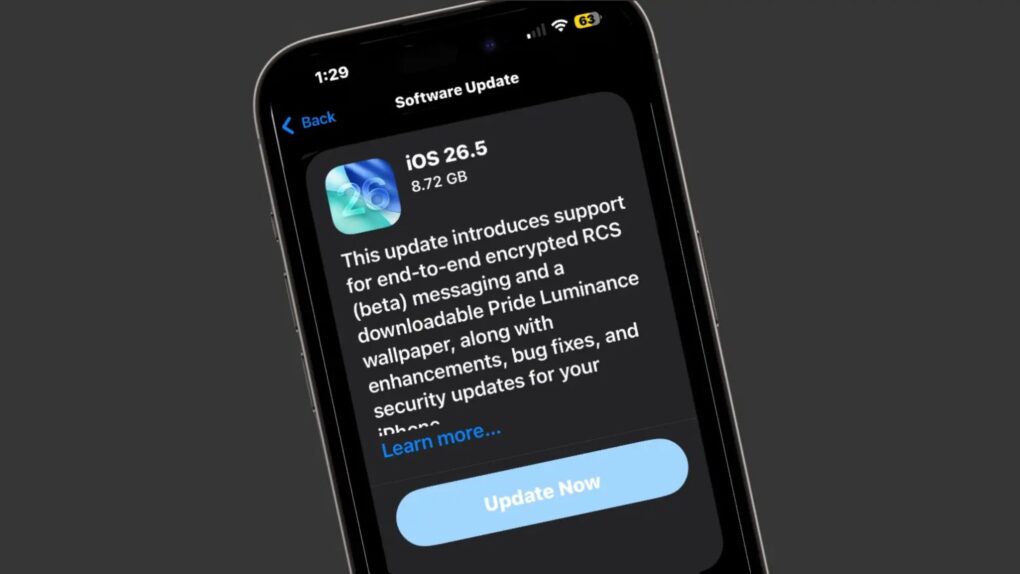
Apple stopped signing iOS 26.4.2, meaning iPhone users who updated to iOS 26.5 can no longer roll back to the previous version.

Whenever Apple rolls out an iOS update, it allows users to go back to the previous version if they run into bugs or other issues. But once the company considers the new release stable, it stops signing the older build.

Remap your Mac’s keyboard to unlock power features

By

Photo of an ugly PC keyboard
Change some of those keys to something more Mac-friendly.
Photo: D. Griffin Jones/Cult of Mac

One of the most dramatic ways you can customize your computer is to remap your Mac keyboard keys. You can make it your own with custom functionality, powerful keyboard shortcuts and advanced features. 

Using the free app Karabiner Elements, switching out one key for another is super-easy. It’s a must-have if you use a PC keyboard with your Mac. You can also go one step further, making custom keyboard shortcuts.

But if that sounds too fiddly to do yourself, you can simply install some customizations made by the Karabiner Elements community. Someone might have set up a rule for your specific keyboard! 

Here’s how to get started. 

Price cut: 1minAI puts ChatGPT and other top AIs all in one place

By

1min AI
This lifetime subscription gives you access to top AI tools for any task.
Photo: Cult of Mac Deals

Finding good AI tools isn’t the problem. Even the free version of ChatGPT can do a lot. The real frustration is that if you want good results for generating copy, creating images, transcribing text and doing a myriad of other AI tasks, you often need a whole pile of subscriptions, and those costs add up. The alternative is to get an all-in-one tool that brings top AI models together in one interface. Enter 1minAI.

The major benefits of 1minAI are organizational and financial. It gives you access to ChatGPT, Gemini Pro, Llama, Mistral AI and more. So you get all your AI tools in one place, and you don’t need to pay for a subscription to each one separately. For a limited time, you can get a lifetime sub to 1minAI for just $24.97

Today in Apple history: Newton spins off as its own company

By

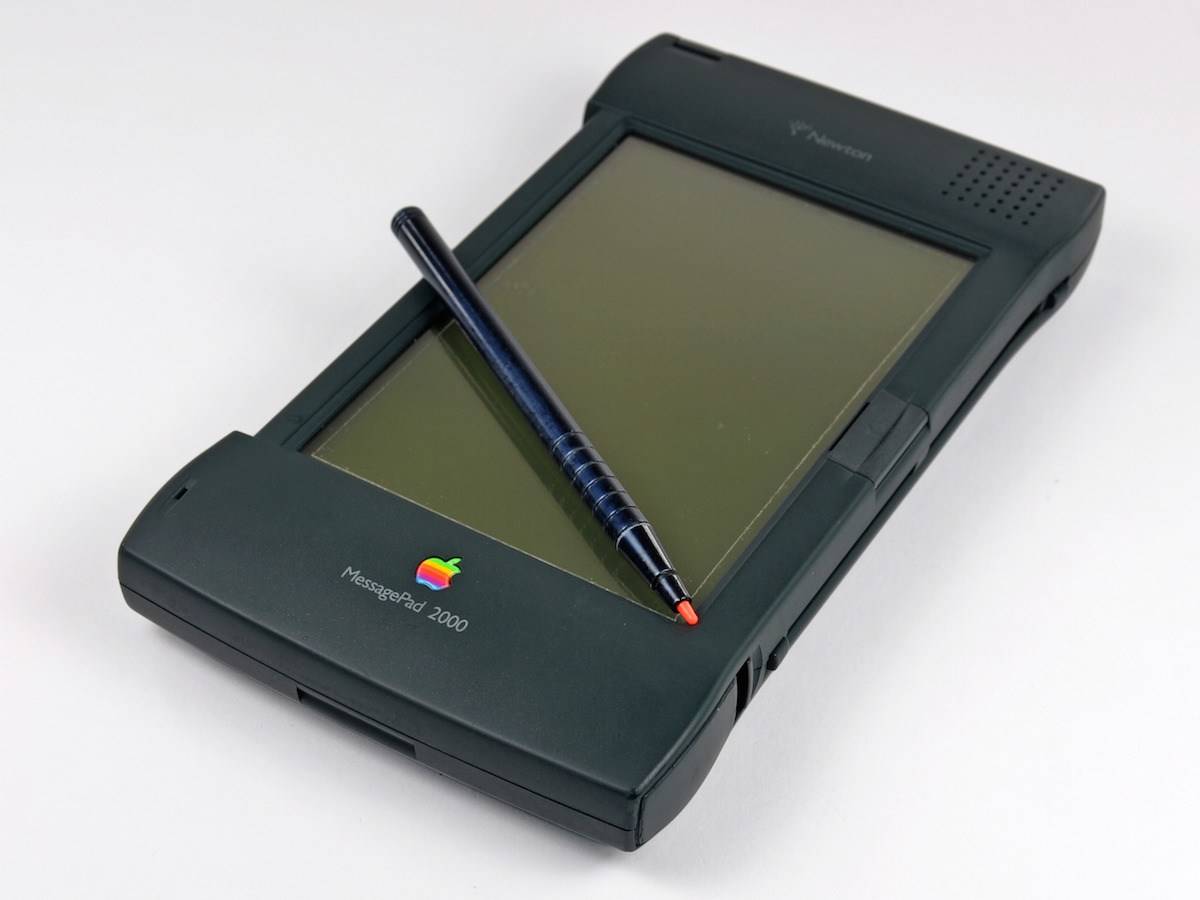
The Newton MessagePad 2000 brought many upgrades to Apple's doomed PDA line.
Things were looking up for the Newton MessagePad. Until they weren't.
Photo: iFixit

May 22: Today in Apple history: Apple spins off Newton Inc. May 22, 1997: Apple spins off its Newton division, creating an independent company to manage the line of personal digital assistants. Newton Inc.’s first job? Selling the MessagePad 2000 PDA, the best Newton device yet.

But Apple also gave Newton Inc. a mandate to develop new technologies and market existing ones.

“We have a solid business plan and a strong management team in place to optimize the value of Newton technology for corporate users and take Newton technology into a new era,” says Sandy Benett, former vice president of Apple’s Newton Systems Group and chief operating officer of the new venture.

Instead, it turns out to be the beginning of the end for the ahead-of-its-time Apple PDA.

This AI tool helps you create iPhone shortcuts using natural language

By

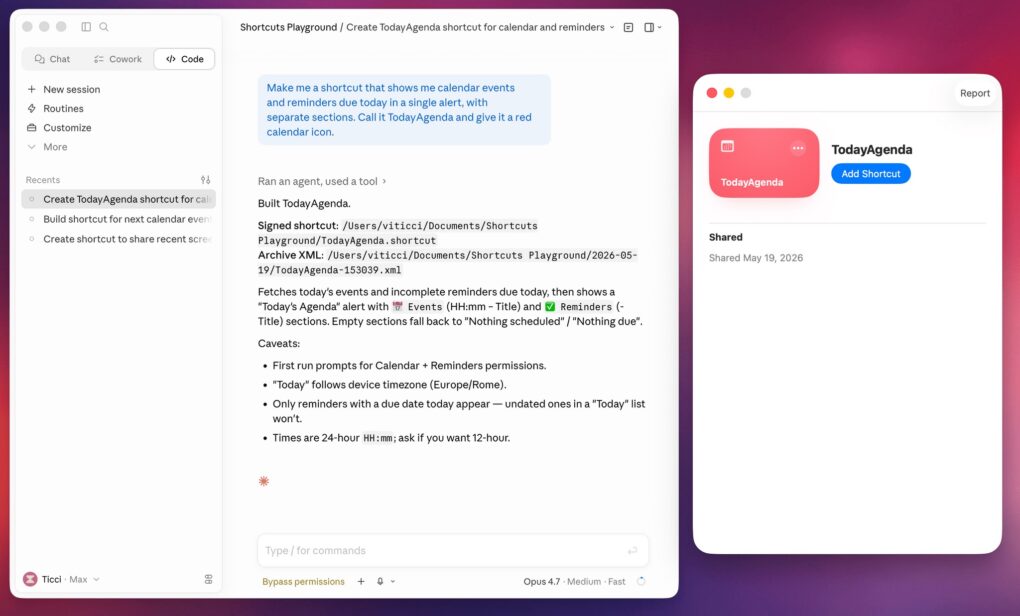
Shortcuts Playground tool
This tool makes creating Shortcuts for your iPhone or Mac incredibly easy.
Screenshot: Federico Viticci/MacStories

Apple’s Shortcuts app can be incredibly powerful, but building automations often requires patience and trial and error. A new AI-powered tool — Shortcuts Playground — aims to simplify the process by letting you create shortcuts on your iPhone or Mac with natural-language prompts.

The free and open source app requires Codex or Claude Code to work.

Soundcore’s top new earbuds offer crystal-clear AI-powered calls

By

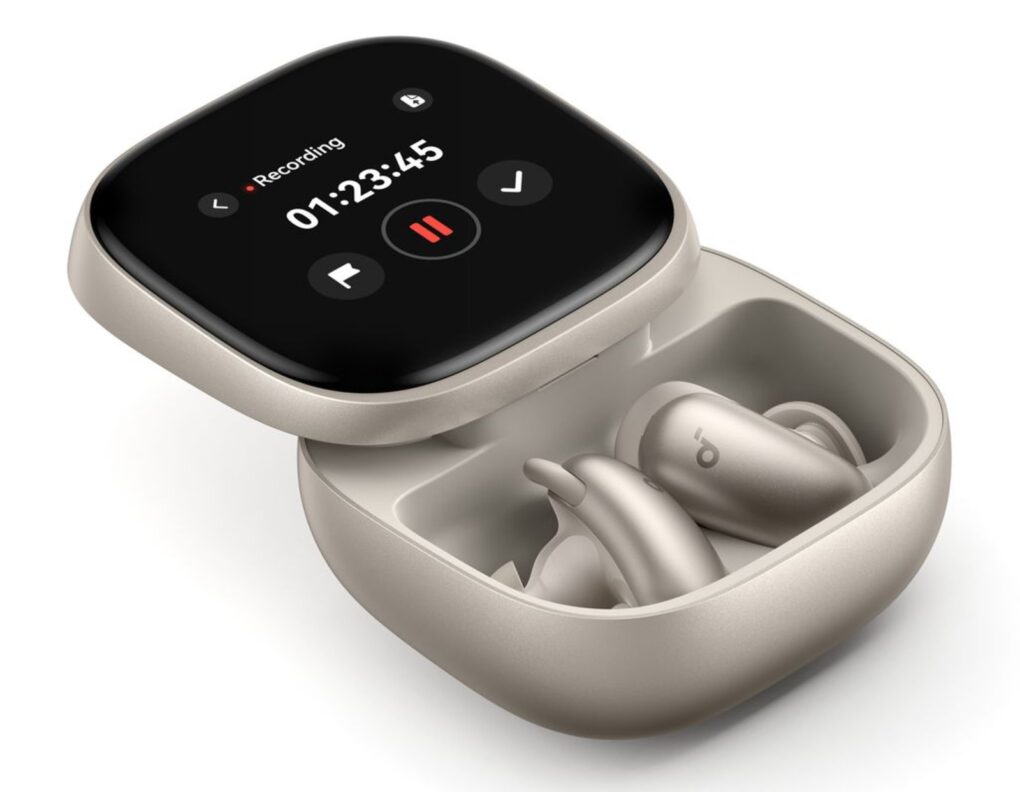
Soundcore Liberty 5 Pro and Pro Max earbuds
This image shows Liberty 5 Pro Max in case in the gold color.
Photo: Soundcore

Two new sets of Soundcore flagship earbuds — Liberty 5 Pro and Liberty 5 Pro Max — introduce the company’s first product line built around a co-developed Thus AI chip, the Anker subsidiary said Thursday. Both models are available now, starting at $169.99 and $229.99 respectively. They’re compatible with Apple’s Find My network.

Apple TV streams first major live pro sports event shot only on iPhone

By

MLS match captured entirely on iPhone 17 Pro
When you watch the match, remember that everything you see came through iPhone 17 Pro (actually many of them).
Photo: Apple

This Saturday, Apple TV will make broadcast history when it streams a live Major League Soccer match captured entirely on iPhone 17 Pro. It marks the first use of just a smartphone to shoot a whole major professional live sporting event, the iPhone giant said Thursday.

Grab a new M5 MacBook Air at lowest prices ever [Price cut!]

By

Two people laying on a bed with a MacBook Air, looking at a promotional image for Shrinking on Apple TV
Get Apple's latest lightweight laptop at major savings.
Photo: Apple

The M5 MacBook Air is the best mobile computer for most people, and a sweet deal drops the 15-inch model to a record-low price. The sale slashes up to $199 off the base model with 16GB of RAM and 512GB SSDs … if you pick the right color. 

That means you can snag the 15-incher for only $1,099.99 in the starlight color option. Other colors cost $1,149, or $150 off.  And you can get the 13-inch M5 MacBook Air for just $899 if you choose the sky blue option. That’s a fat $200 off.