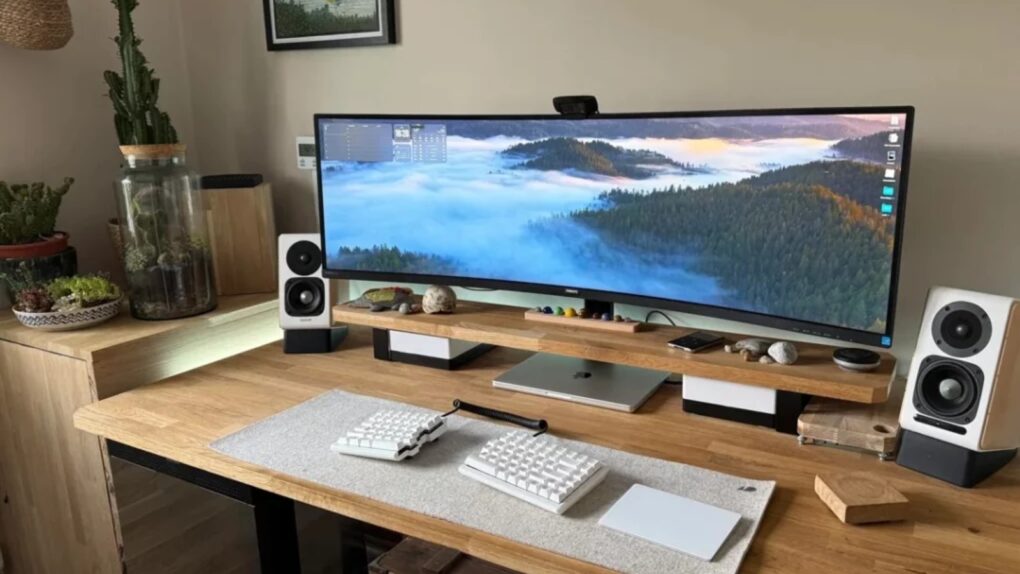
There’s a moment, familiar to anyone who has experienced it, when you move from a dual-monitor setup to a single ultrawide and realize the bezels were never doing you any favors. One seamless, curving (or not) expanse of glass — from 34 inches to 49 inches and beyond — that wraps gently around the periphery of your vision, eliminating the dead stripe down the middle of your workspace where two screens met. We found the best ultrawide Mac setups from years of Cult of Mac coverage.
This post contains affiliate links. Cult of Mac may earn a commission when you use our links to buy items.
Best ultrawide monitor Mac setups
In the world of Macs, ultrawide monitors have gained ground steadily, from the early days of 34-inchers to today’s 49-inch and even 57-inch super-ultrawides. Users come to them from different directions. Creative professionals chase a bezel-free timeline. Developers need to tile more windows. Gamers want immersion. And some people simply hate managing two monitors.
Sometimes a user lands on a 34-incher and starts eyeing the 49. Sometimes they go all the way to 57 and park five computers in front of it. The following setups from the Cult of Mac Setups archive represent the full spectrum.
13. Developer craves more pixels in ultra-wide display
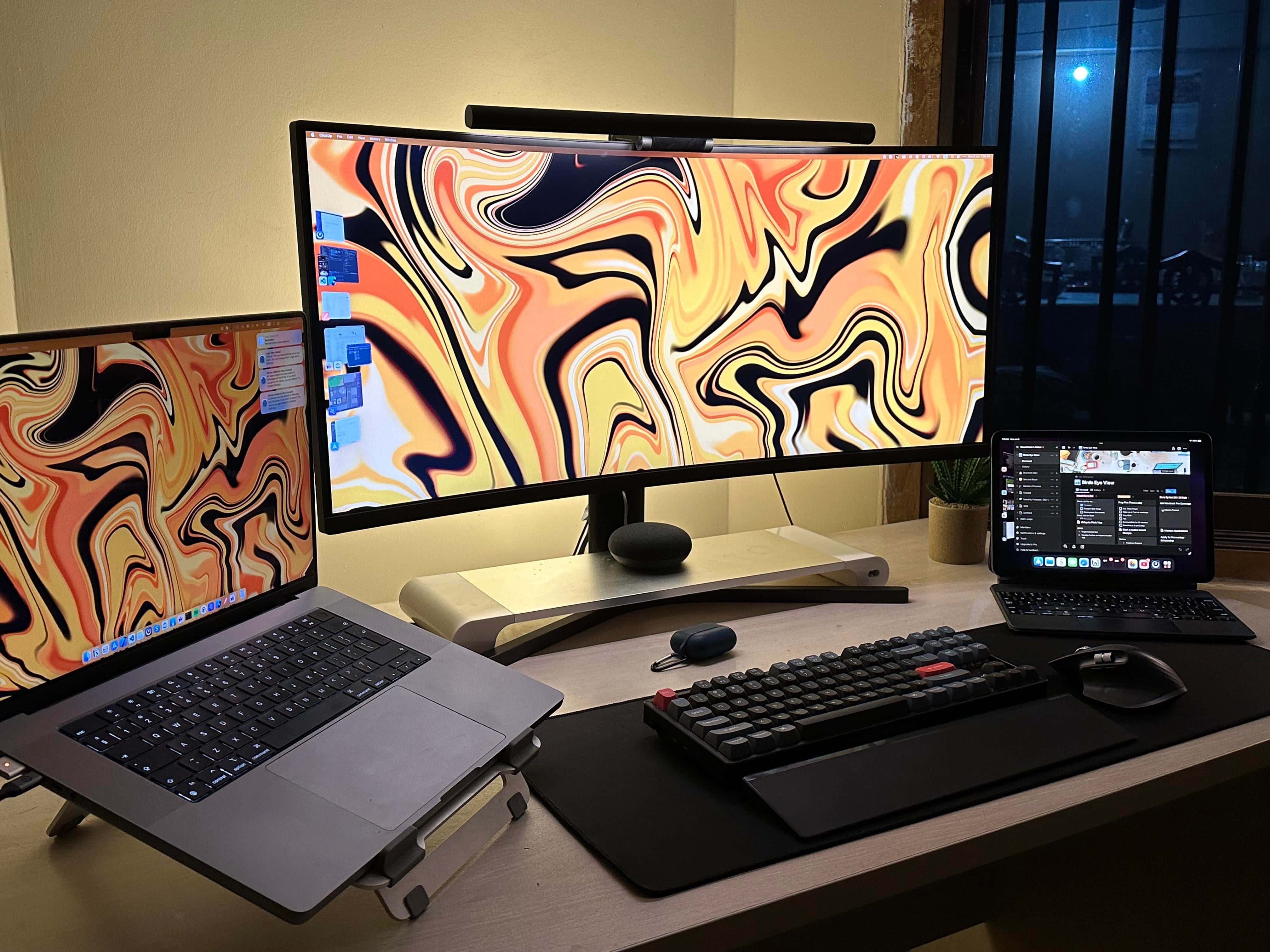
Photo: [email protected]
A developer finds she likes her 34-inch curved ultrawide but not entirely, having been “ruined” by her MacBook Pro’s razor-sharp display. Running a MacBook Pro open on a stand alongside an iPad Pro, she drives a 34-inch Xiaomi curved ultrawide QHD display (3440 x 1440p). The setup looks great and the desk layout is roomy, but the pixel density — 109 ppi against a MacBook Pro’s 254 ppi — is a hard gap to close. The article raised a question that remains one of the defining debates in the ultrawide world: how do you get a bezel-free wide screen without sacrificing the text clarity Mac users take for granted from Apple’s own displays? The setup prompted useful comment-section discussion about 5K2K options.
Read the full Setups article: Developer craves more pixels in ultra-wide display
The 14-inch MacBook Pro with M5 brings next-generation speed and powerful on-device AI to personal, professional and creative tasks. Featuring all-day battery life and a breathtaking Liquid Retina XDR display with up to 1600 nits peak brightness, it’s pro in every way.
Along with its faster CPU and unified memory, M5 features a more powerful GPU with a Neural Accelerator built into each core, delivering faster AI performance.
- CPU and GPU improvements
- Notably faster SSD speeds
- Excellent display and speaker system
- Identical design to 3 previous generations
- No Wi-Fi 7 or Thunderbolt 5

12. LG ultra-wide display driven by 16-inch M1 MacBook Pro
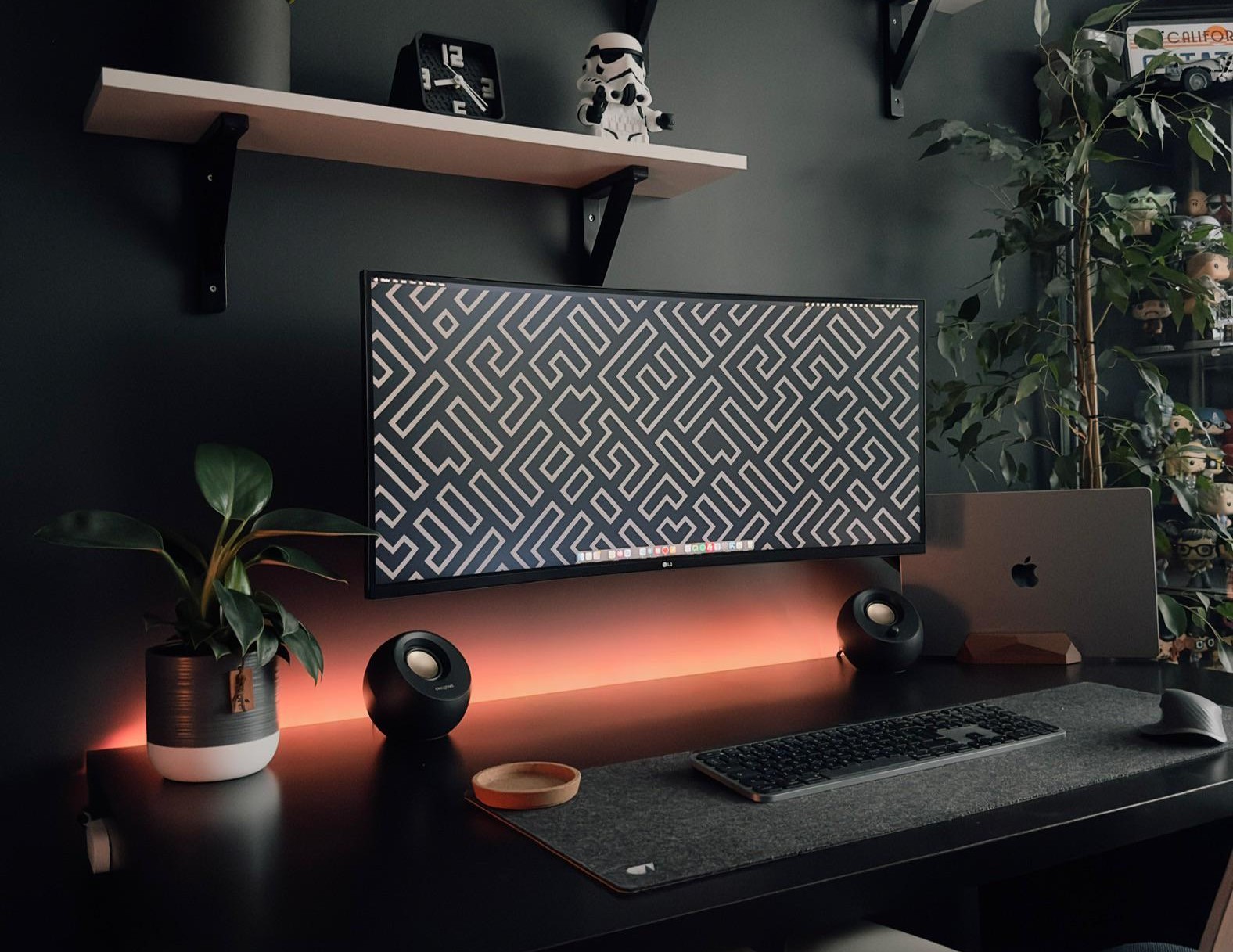
Photo: [email protected]
Some setups earn their place less through expensive gear than through sheer visual elegance, and this MacBook Pro workstation is a fine example. A 2021 M1 MacBook Pro and a 2012 Mac mini — two machines separated by nine years — share a 35-inch LG curved ultrawide QHD display (3440 x 1440p). What makes the setup worth lingering on is everything around the screen: tasteful decor, cascading plants that frame the desk, subtle Govee LED backlighting behind the monitor and an Oakywood wood desk pad that ties it all together. The ultrawide isn’t the newest or largest on this list, but in context it looks magnificent. “Ooze[s] good taste,” as the article put it.
Read more: LG ultra wide display driven by 16-inch M1 MacBook Pro
This 35-inch curved ultra-wide screen features QHD resolution (3440p x 1440p), sRGB 99% Color Gamut, HDR 10, USB-Type C, AMD FreeSync and a 3-side virtually borderless design.
- Lots of screen real estate
- Good color coverage
- Not the biggest or best resolution available

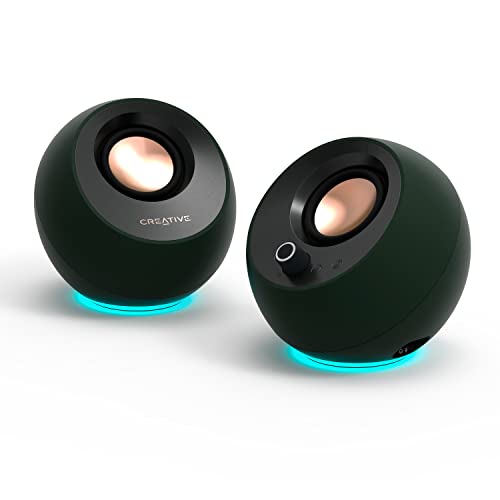
Creative Pebble Pro Minimalist 2.0 USB-C Computer Speakers feature Bluetooth 5.3 connectivity, customizable RGB lighting, plus Clear Dialog and BassFlex technologies.
- 60-watt peak output
- RGB lighting
- Enhanced dialogue through Clear Dialog
- Not the most powerful speakers
- Added bass may not please everyone
Smart LED light strips create great lighting the bedroom and other rooms. Includes Bluetooth LED lights, app control, multiple colors, music sync and more in 16.4-foot length.
- Customizable mood lighting
- Easy installation
- Expand with more strips
- Not great as task lighting

11. M3 MacBook Air rides alongside ultra-wide external display

Photo: [email protected]
An M3 MacBook Air (16GB, 512GB) drives a 34-inch LG ultrawide display from a laptop tray mounted on the same monitor arm as the screen — a pairing that keeps the desk completely clear of equipment other than a keyboard, mouse and desk mat. The setup, from India, is cheerfully acknowledged as a long work-in-progress: “Took few years to get here! Any advice?” its owner asked, listing off years of carefully purchased gear. The LG ultrawide on an Arm-mounted tray alongside the laptop on its own tray is a particularly clean approach to the single-screen setup — and Edifier MR4 desktop speakers provide more audio quality than most similarly affordable setups manage. One more member of the setup: a stuffed penguin named Sir Waddleton, who “enjoys listening to music with me.”
Read more: M3 MacBook Air rides alongside ultra-wide external display
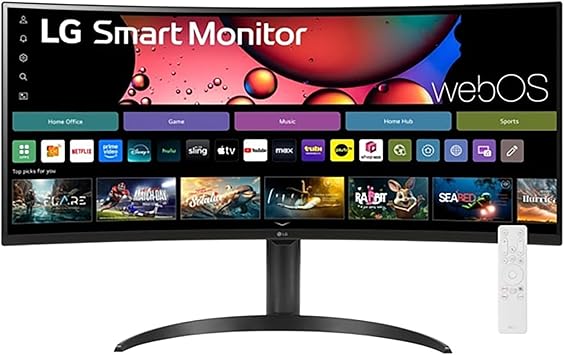
This ultrawide IPS display features 21:9 aspect ration, high-def resolution (FHD, 2560 x 1080), VESA, HDR 400, AMD FreeSync and a three-wide virtually borderless design.
UpGravity Monitor and Laptop Mount is a monitor arm with laptop tray for 13-inch to 27-inch LCD computer screens and a laptop computer up to 17 inches. Fully adjustable. Laptop mount holds up to 17.6 pounds.

10. M4 Mac mini user loves his Samsung ultra-wide monitor
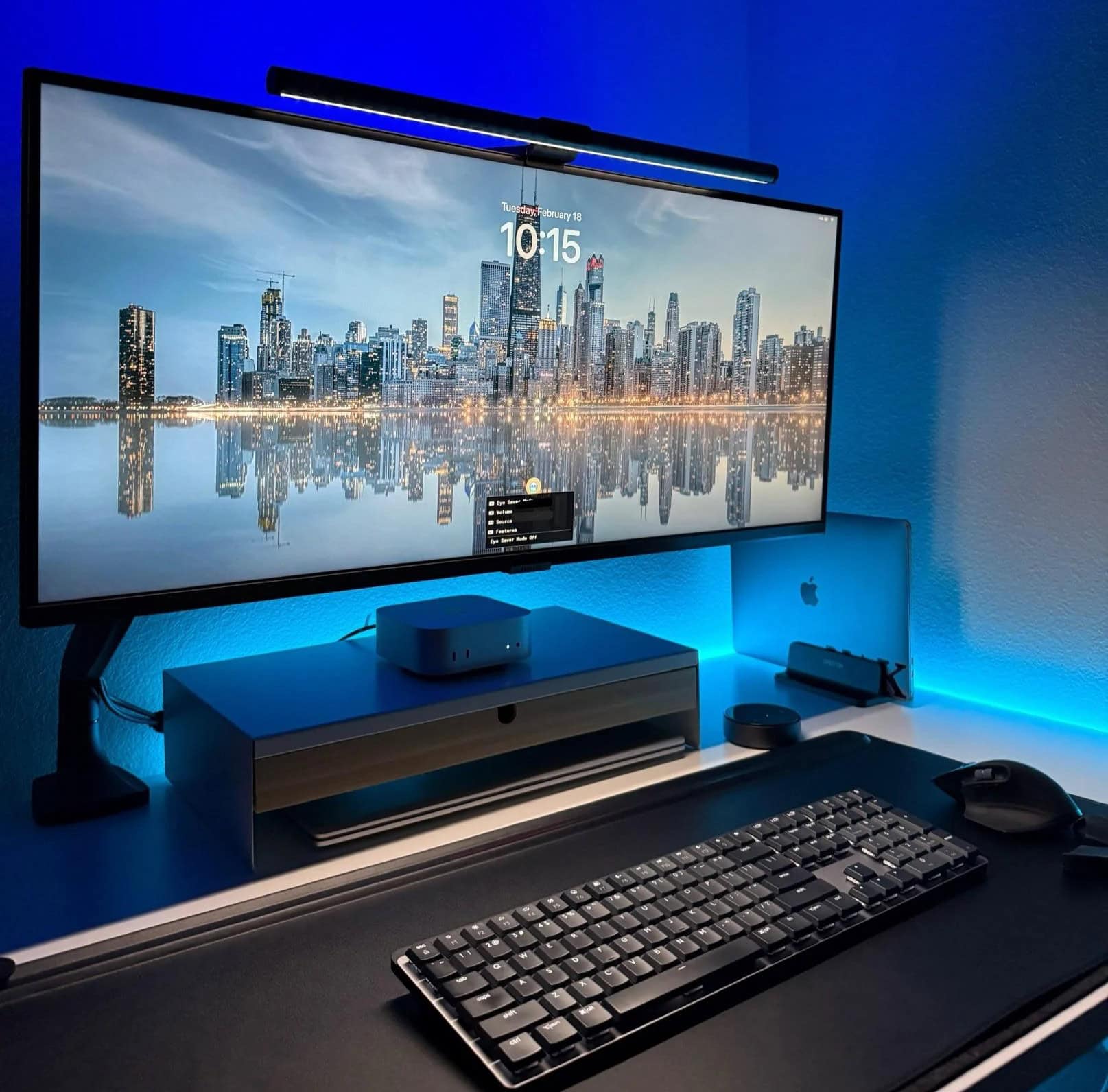
Photo: [email protected]
An M4 Mac mini (16GB, 512GB) drives a 34-inch Samsung ViewFinity S5 ultra-wide display (2560 x 1440p) elegantly mounted on a Monoprice monitor arm above a Flexispot standing desk. The three-computer household — Mac mini for personal use, 2020 Intel MacBook Pro for secondary tasks and an HP laptop for work — all share the single Samsung ultrawide, which features Eye Saver Mode and automatic ambient brightness adjustment. But what the article noticed most was the setup’s striking Chicago skyline desktop wallpaper, which commenters couldn’t stop asking about. Logitech MX Master 3S and MX Keys complete a tidy, practical workstation that demonstrates how well a mid-range ultra-wide can anchor a multi-computer desk.
Read more: M4 Mac mini user loves his Samsung ultra-wide monitor
This large monitor from 2023 features 2560 x 1440p resolution, 100Hz refresh rate, 5ms response time, HDR10, AMD FreeSync, Eye Care, virtually borderless design, PIP and PBP (LS34C502GANXZA).
- Spacious screen
- Speedy refresh rate
- HDR 10 with 1 billion colors
- 1440p resolution is sub 4K

This advanced Quntis models includes 15 modes of gaming backlight, four colors and adjustable brightness/dimming.
- Adjustable brightness and dimming
- 15 gaming modes
- Some bars have more color options

9. M1 Max MacBook and Xbox share killer ultra-wide display
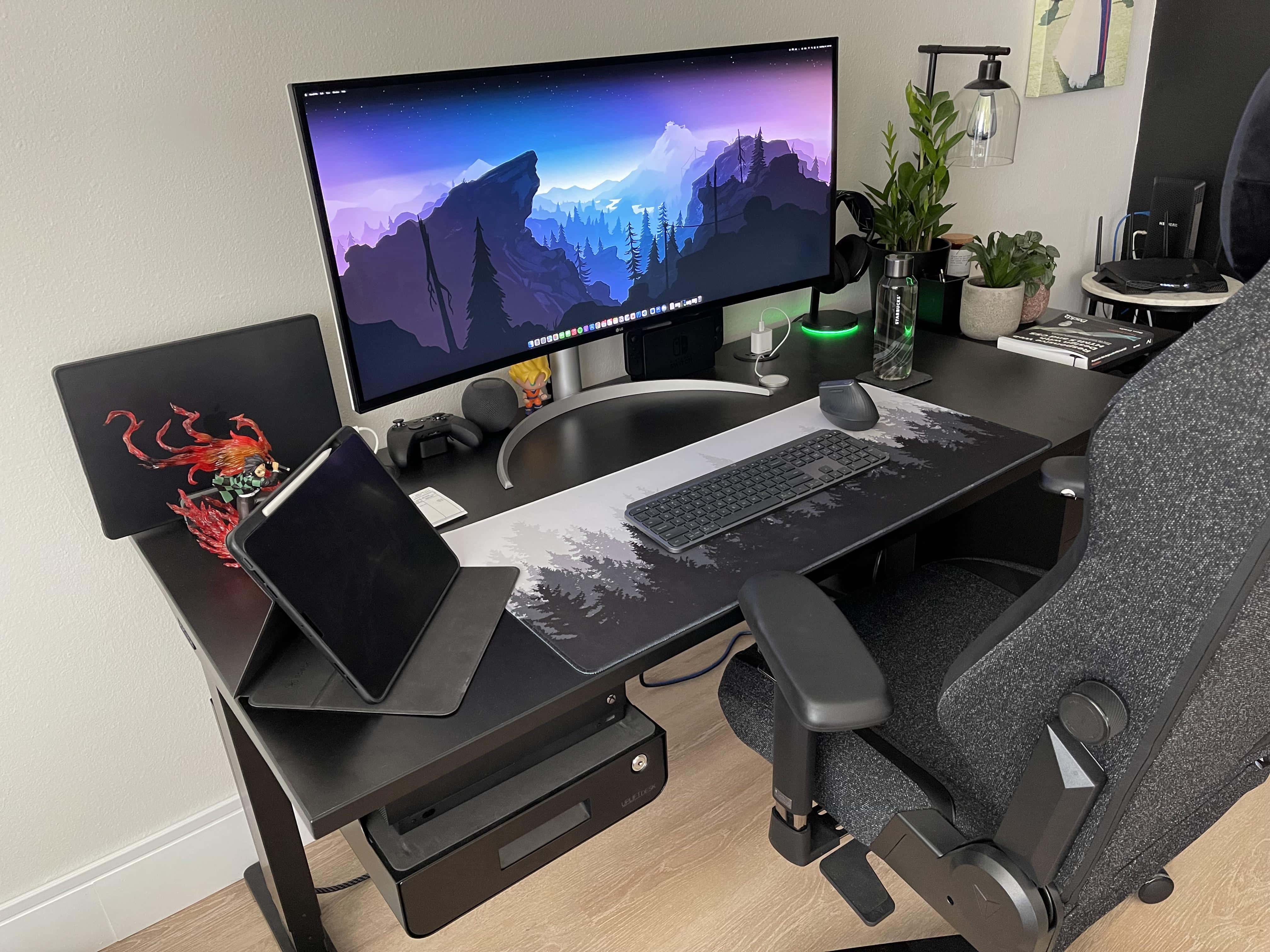
Photo: [email protected]
A 16-inch M1 Max MacBook Pro and an Xbox share a 40-inch LG 5K2K Nano IPS curved ultrawide display (5120 x 2160p) on an Uplift standing desk, in a setup that belongs to a logistics professional and part-time software development student who games “casually.” “I love it,” the user said of the LG when a commenter asked. “It’s probably not that great for serious gamers since the refresh rate is only 72Hz, but I don’t regret getting it one bit.” The speakers built into the LG display also earned unexpectedly warm praise. The 40-inch 5K2K format was relatively new to the archive at the time and the article zeroed in on the scaling and resolution questions that arise when pairing a high-density ultrawide with macOS.
Read more: M1 Max MacBook and Xbox share killer ultra-wide display
This minimalist wireless illuminated keyboard is compact. It features Bluetooth, backlit keys, USB-C connectivity and a metal build. It's compatible with MacBook Pro, MacBook Air, iMac and iPad.
- Metal build
- Backlighting
- Apple compatibility
- Sturdy but a bit heavy

MX Vertical's ergonomic design can reduce muscle strain because you hold it in a natural, "handshake" position. Works with macOS, iPadOS, Windows, Chrome OS and Linux.
- 4,000 DPI tracking decreases hand movement
- Rechargeable
- Takes a bit of getting used to
- Not as easy to click as traditional mice

8. M1 Max MacBook pairs nicely with 40-inch ultra-wide display
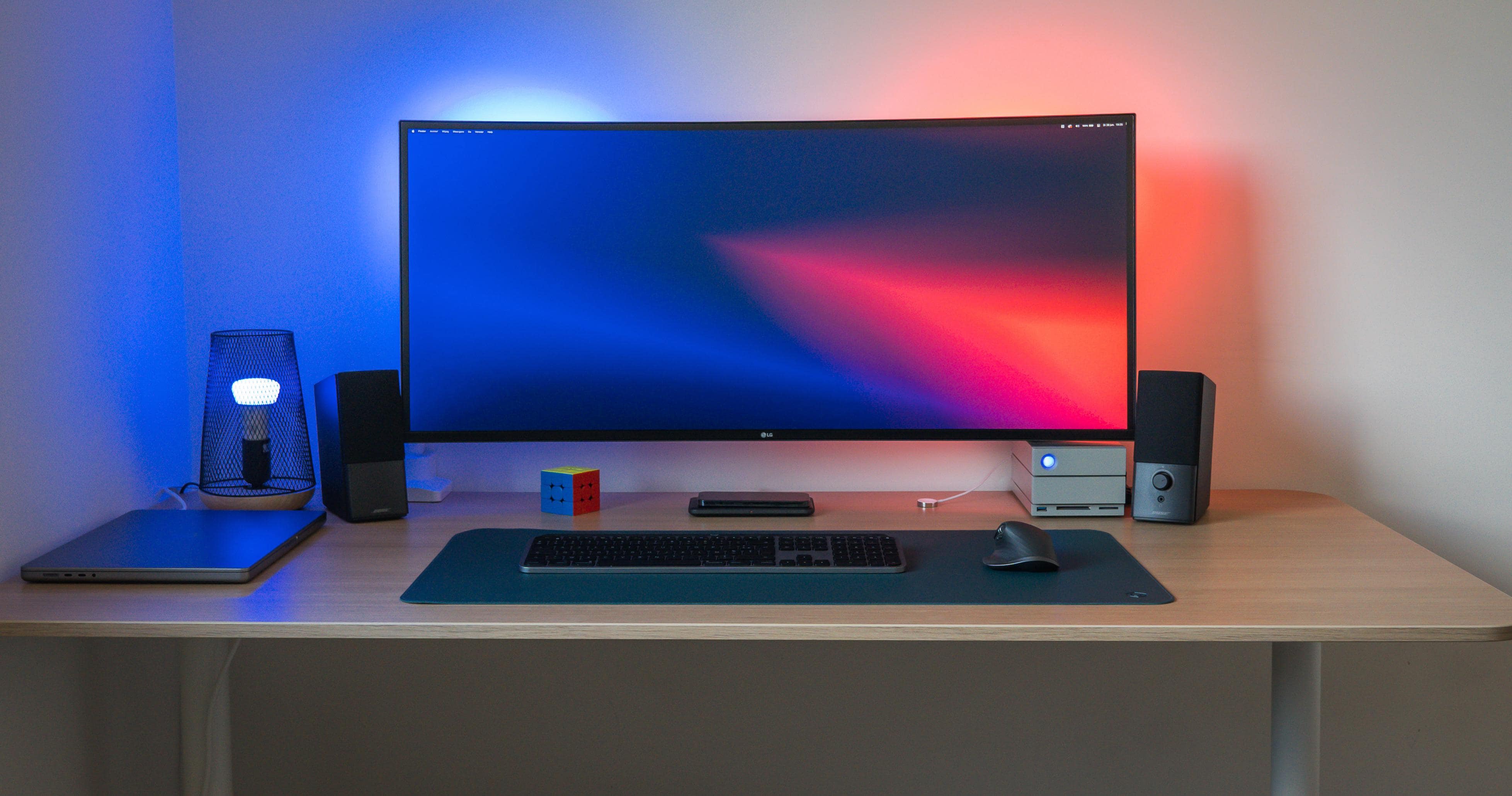
Photo: [email protected]
Video editor Gert runs a 16-inch M1 Max MacBook Pro — one of the 64GB models — on a deep desk with a 40-inch LG 5K ultrawide curved display (5120 x 2160p, 72Hz). Cables are hidden via a net drilled to the underside of the desk, keeping the result immaculate. The article focused on one of the practical questions that comes with a big ultra-wide: what is the optimal pixel density and scaling setting? “Native ppi of the monitor is 140ppi, which scales very badly on macOS,” Gert said. “I run it at 109ppi and that’s the perfect resolution and scale for me.” At 70–80cm viewing distance, the 40-inch form factor feels right; sitting any closer and it would be too much. A LaCie 2big Dock RAID solution handles the heavy-duty video storage.
Read more: M1 Max MacBook pairs nicely with 40-inch ultra-wide display
This bundle comes with Dell's U4025QW monitor. It includes 4-port USB 3.0 hub, 8-foot HDMI cable, screen cleaner and extended mouse pad (five items).

7. Mac mini user ditches Studio Display for ultra-wide OLED monitor
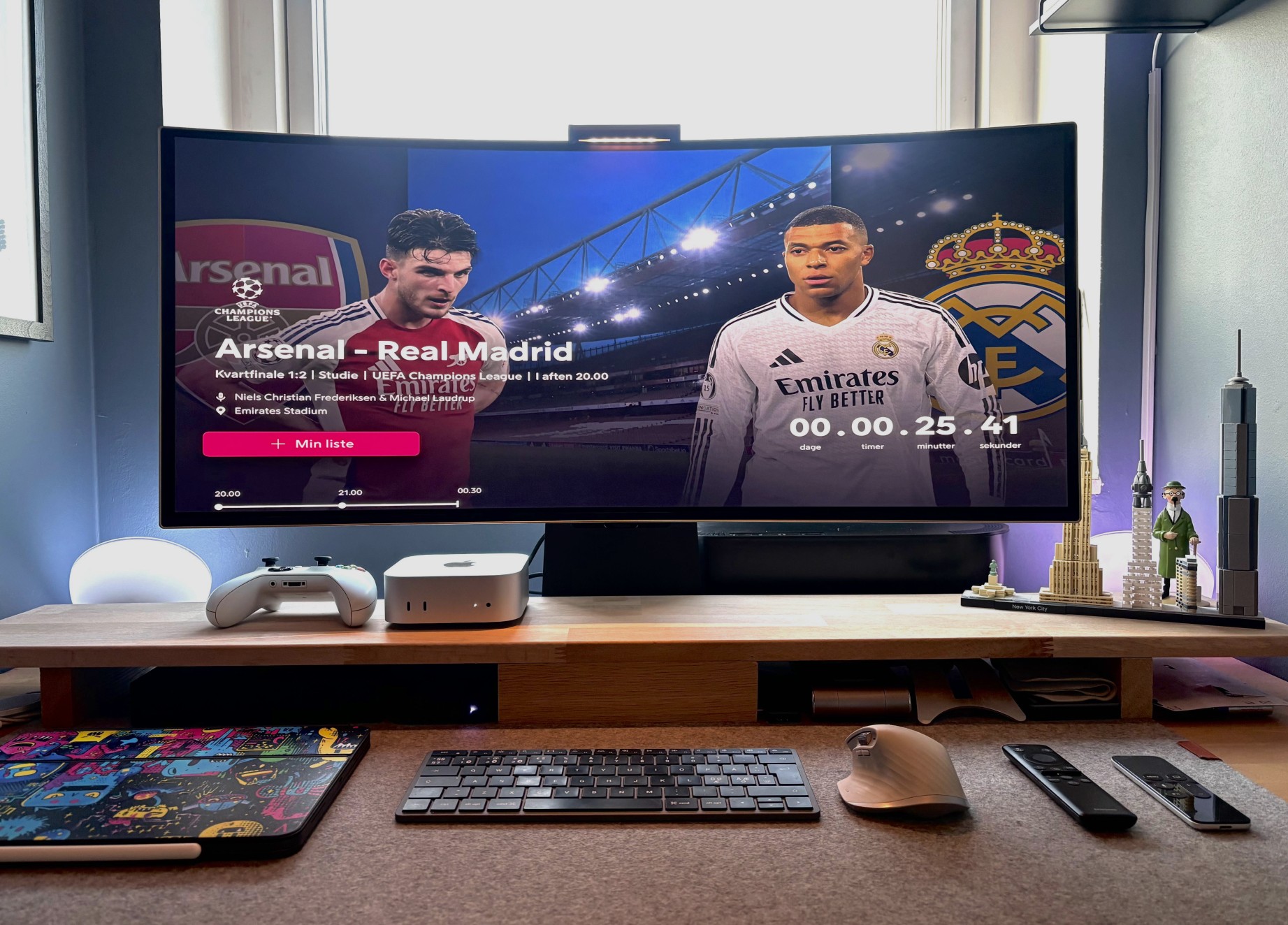
Photo: [email protected]
This setup has a great story: the user swapped their Apple Studio Display for a 34-inch Samsung Odyssey G8 QD-OLED ultrawide monitor (175Hz, 0.03ms response time) and then wrote a brutally honest post about the trade-offs. The M4 Mac mini now drives the Samsung alongside an Xbox, Apple TV and M4 iPad Pro — four devices simultaneously. “Studio Display is the best monitor for Mac, no discussion,” the user admitted, while also describing the Samsung as “just wow.” The article documents a rich comment-thread debate about whether 1440p resolution is tolerable on macOS versus 5K crispness — and the user’s answer was pragmatic. They no longer edit photos professionally, the Studio Display is overkill for gaming and video and the Samsung gives them everything they need for the price of the Studio Display alone.
Read more: Mac mini user ditches Studio Display for ultra-wide OLED monitor
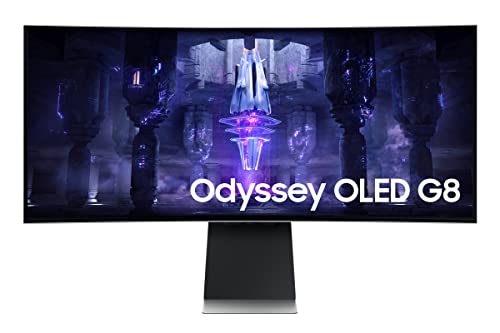
This QD-OLED ultra-wide WQHD curved gaming monitor features a 175Hz refresh rate, 0.03ms response time, DisplayHDR True Black 400 and AMD FreeSync Premium Pro technology and more (LS34BG850SNXZA, 2023).
- Fast refresh and response rates for gaming
- OLED for deep blacks
- Big, curved display
- 3440 x 1440p is sub-4K resolution
The 27-inch Apple Studio Display packs an impressive panel coupled with a six-speaker system and studio-quality microphones.
It’s not as beautiful as Apple's Pro Display XDR, but the Studio Display costs thousands less.
- Crystal clear 5K resolution
- Excellent color accuracy
- 12MP Center Stage camera
- Expensive
- Lacks HDR
- Height-adjustable stand costs extra

6. Mac Studio pairs well with LG ultra-wide 5K display
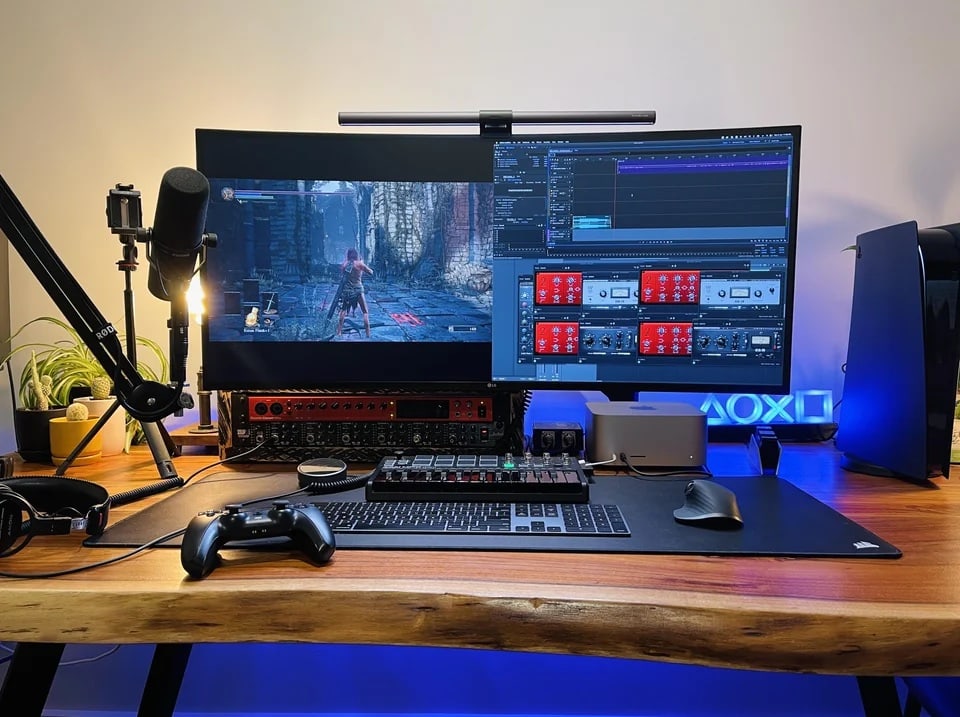
Photo: [email protected]
A Mac Studio runs alongside a PlayStation 5 in this audio-centric workstation, with a 40-inch LG 40WP95C curved ultrawide 5K2K display (5120 x 2160p) serving as the centerpiece — picked over dual Studio Displays that would have cost roughly twice as much. Podcasting and music recording gear from Focusrite Clarett rounds out the setup. “I was debating between two Studio Displays or an ultra-wide for the longest time,” the user said. “Watched a million reviews and obviously ended up settling on this. Would still love a Studio Display as a second screen but just can’t afford the crazy price tag.” This 2023 setup makes the economic case for the 5K2K ultrawide as a serious alternative to Apple’s displays.
Read more: Mac Studio pairs well with LG ultra-wide 5K display
If you want the best ultra-wide Mac monitor, look no further. This single display has acres of resolution. The built-in Thunderbolt 4 dock means you can use a single cable to charge and power your laptop and connect its peripherals.
- 2160p ultrawide display
- Built-in Thunderbolt 4 dock
- 97W charging over USB-C
- Standard 60 Hz refresh rate

5. User wants to downsize ultra-wide display, jack up refresh rate
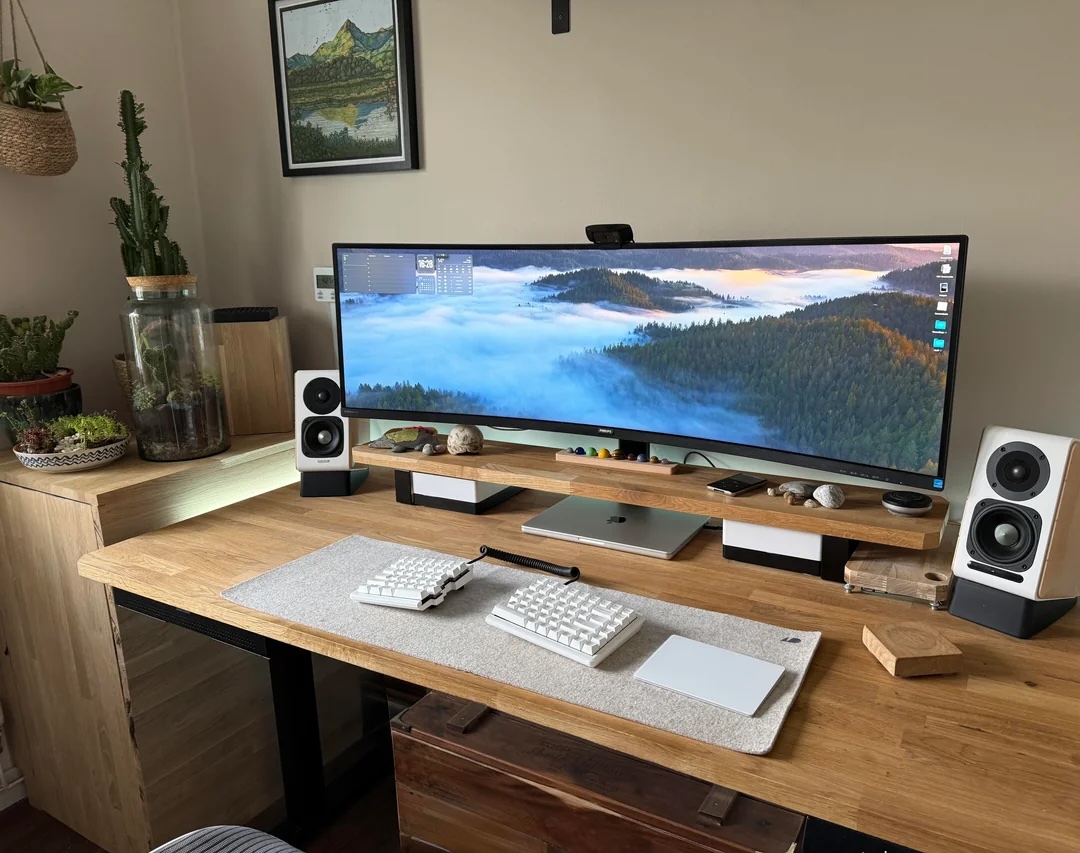
Photo: [email protected]
This is the rare setup article where the most interesting gear isn’t the gear the user owns — it’s the gear they want. The M1 Pro MacBook Pro drives a massive 49-inch curved Philips 499P9H ultrawide. And the user is happy with the scale but hungry for faster refresh. “Want to downsize and get something with more Hz, perhaps 40 inches,” they said — setting off a useful comment-thread discussion about what’s actually available in the 40-inch 5K2K category. Commenters landed on the Dell UltraSharp U4025QW with 5K2K at 120Hz. “That’s the one I’ve got my eye on,” the user replied. “The 5K2K market from 34in to 40in is really lacking on choice.” The discussion is a useful buying guide for anyone navigating the same decision.
Read more: User wants to downsize ultra-wide display, jack up refresh rate
Built for Apple Intelligence, Apple's top tablet features an Ultra Retina XDR Display, 1TB SSD, 12MP front/back camera, LiDAR Scanner, Wi-Fi 6E + 5G Cellular, Face ID, all-day battery life and more.
- Thin and light
- Beautiful display
- All-day battery life
- Expensive

Apple's popular keyboard is wireless, rechargeable and includes the popular Touch ID feature. Works with Mac computers with Apple Silicon; US English, white keys.
- Convenience of Touch ID login
- Fast and smooth typing
- Rechargeable
- Plenty of keyboards cost less

4. Pairing tiny M4 Pro Mac mini with giant curved display

Photo: [email protected]
A first-time Mac owner — a German part-time student who had long wanted a Mac — paired an M4 Pro Mac mini (24GB, 512GB) with a 40-inch Dell UltraSharp U4025QW curved 5K2K LED monitor (5120 x 2160p, 120Hz) and a Windows laptop, sharing both with Logitech peripherals via a Ugreen KVM switch. The KVM switch doubles as a MagSafe charger mount positioned at the center of the monitor stand. “The clarity is top notch!” the user said. “Dell is advertising the monitor with a macOS native calibration and it works wonders.” The article zoomed in on the Dell display specifically and the comment thread offered an unusually practical discussion of 5K2K scaling, connectivity and whether the resolution holds up for text-heavy professional work. Short answer: it does.
Read more: Pairing tiny M4 Pro Mac mini with giant curved display
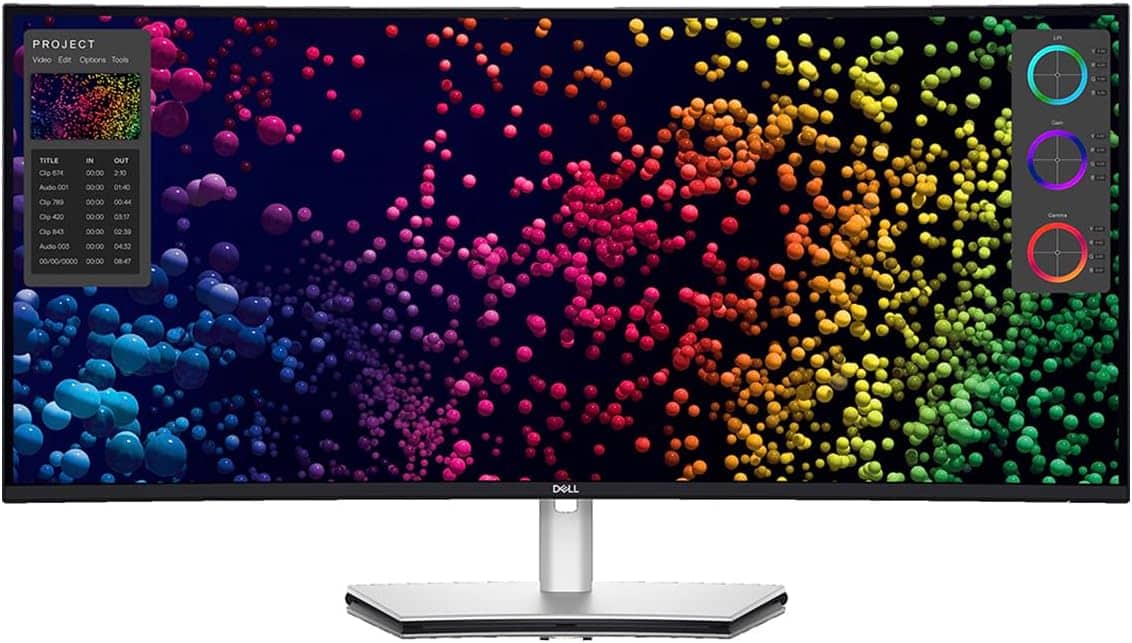
Dell's 40-inch curved ultra-wide WUHD LED display features 5K2K resolution and a 21:9 aspect ratio.
- Wide display area at 39.7 viewable inches
- Brilliant 5K2K resolution
- Broad connectivity
- Built-in KVM switch can be tricky to use
3. Portable monitor has one job in rig with curved ultrawide display
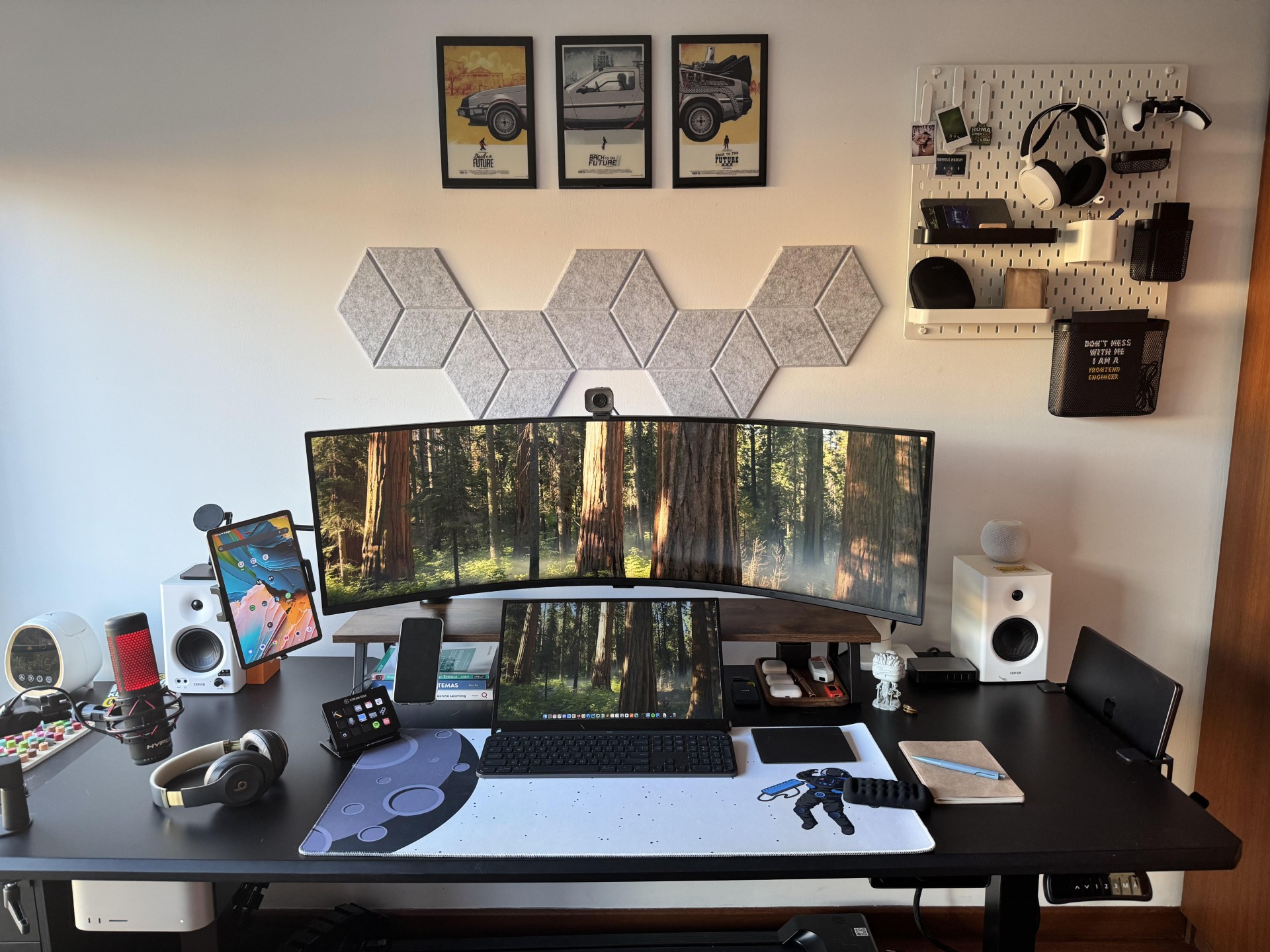
Photo: [email protected]
A Mac Studio and a midnight-black MacBook Pro together drive a large, deeply curved ultrawide display. It’s a setup already well-stocked with screen real estate. But an 18.5-inch Eviciv portable monitor sits front and center anyway, with a specific job: chat apps and reference material that the user doesn’t want cluttering the main ultrawide. “With all that screen real estate on the ultra wide, what do you use the portable monitor for?” a commenter asked, reasonably. A mounted Android tablet on a separate arm handles easy-reading tasks via a special paper-like screen. The setup is notable for its thoughtful role assignment. The ultra-wide handles the main work. The portable handles the chat layer. A single ultrawide, however large, sometimes isn’t quite enough.
Read more: Portable monitor has one job in rig with curved ultrawide display
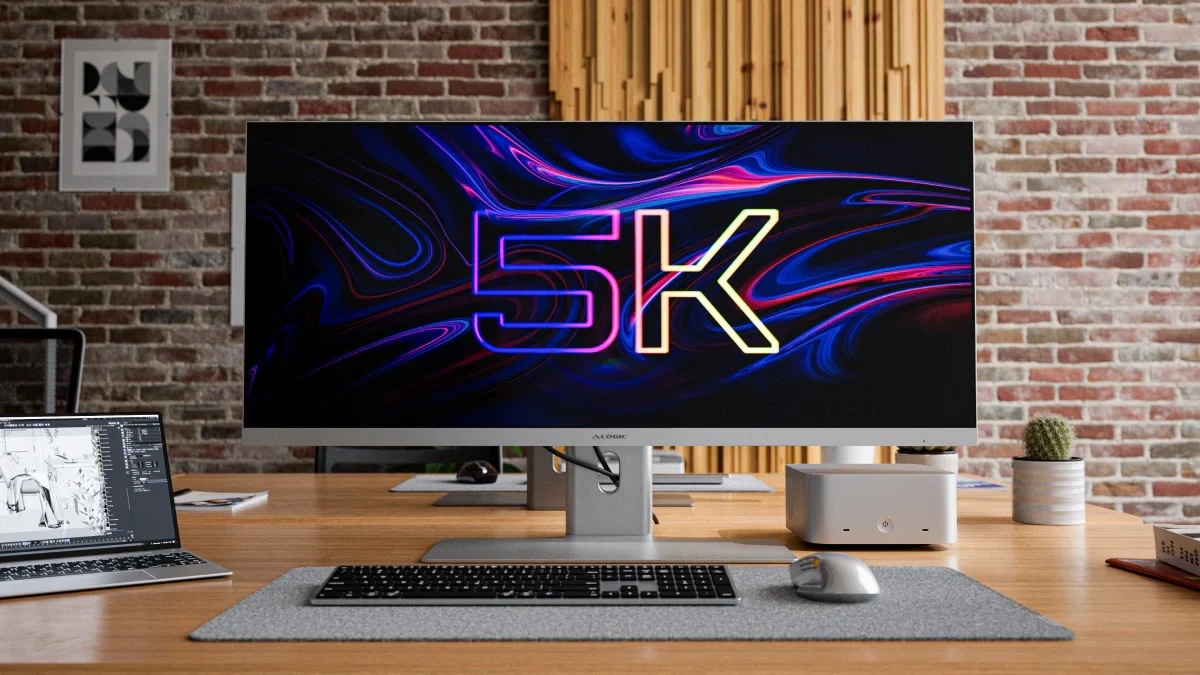
This sleek ultrawide display sports 5K2K resolution (5120 x 2160 pixels). It features a 100Hz refresh rate and a USB-C dock with plenty of connectivity options.
- Vast screen real estate
- Integrated USB-C hub
- Premium design and build quality
- Suits many workflows
- Wide orientation lowers pixel density
- Sub-OLED contrast ratios
- No webcam
- Some users may need 3rd-party app for scaling help
Perfect for extending a laptop's display, this large yet portable screen features 120Hz refresh rate, 100% sRGB, FreeSync, USB-C and HDMI connectivity, smart cover and VESA mounting.
- Spacious but portable screen
- Quick 120Hz refresh rate for gaming
- Solid connectivity options
- Newer or higher-end portables may have higher resolution

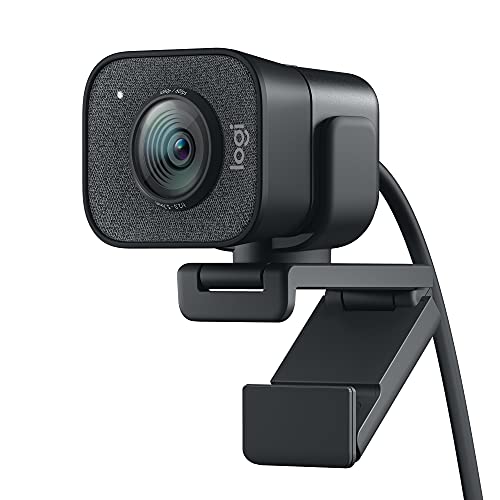
Logi's StreamCam is ideal for streaming and content creation, with full HD 1080p resolution, 60fps, a glass lens and smart auto-focus. Works with Macs and PCs.
- Better than some laptop cams
- 1080p resolution and smooth 60fps shooting
- Smart auto-focus
- Somewhat pricey
2. Powerful Mac Studio drives epic ultra-wide display
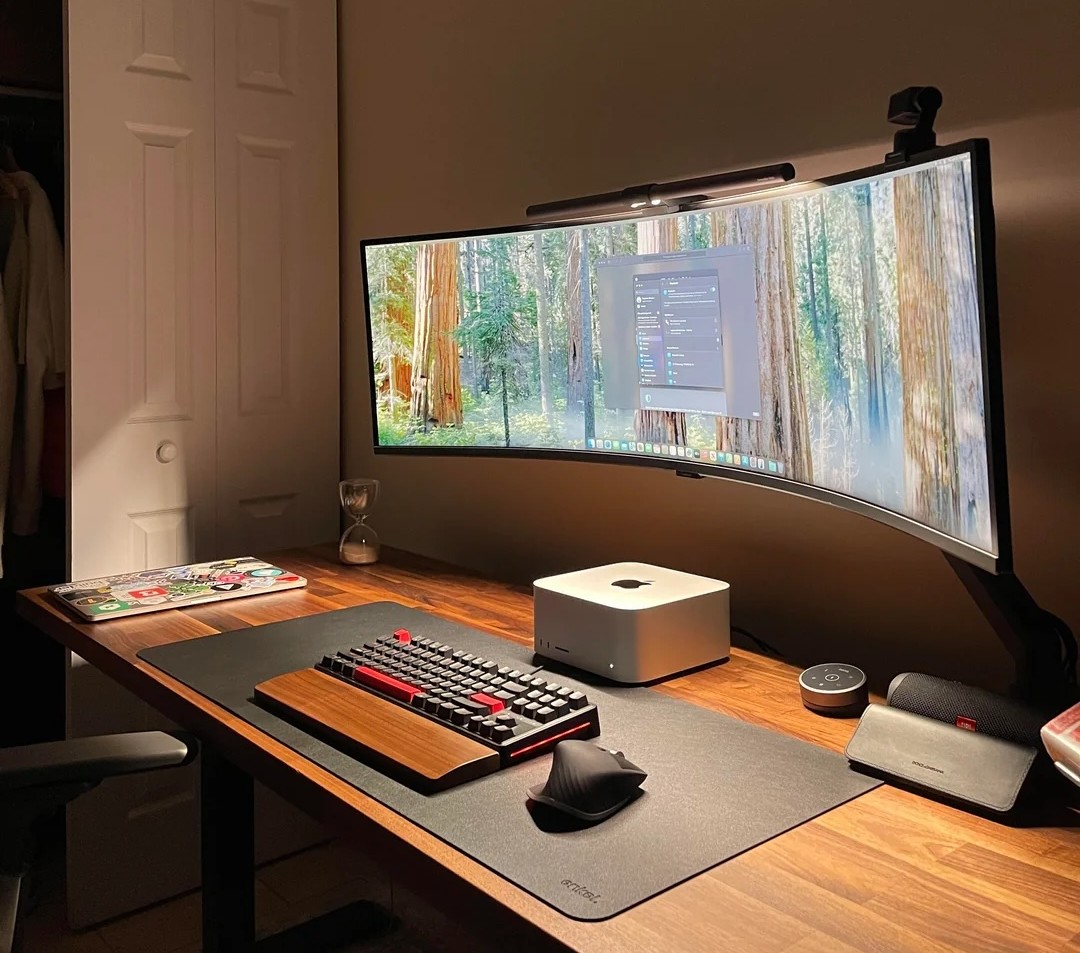
Photo: [email protected]
An M4 Max Mac Studio (36GB unified memory, 512GB SSD) drives a 49-inch Samsung G9 curved ultra-wide with DQHD resolution (5120 x 2440p) — equivalent to two 27-inch 4K displays placed edge to edge with no bezel between them. The setup was posted mid-build. “Not finished yet but we are getting there,” the user noted, with plans to add desk speakers, a microphone on an arm and a PlayStation 5. The article documents the most common question new ultra-wide owners get from commenters. How does 1440p vertical resolution hold up for real work? “I agree, sometimes it’s not enough space to work with,” the user admitted, while confirming the sweep of a 49-inch curve makes the trade-off worth it. The Mac Studio sits front and center, the monolith of the setup.
Read more: Powerful Mac Studio drives epic ultra-wide display
With DQHD resolution (5120p x 1440p) this ultra-wide display features a 144Hz refresh rate, a 32:9 screen, DisplayHDR 600, AMD FreeSync Premium Pro and an ergonomic stand (LS49FG910ENXZA, 2025).
- Huge curved screen
- Great for gaming
- Too wide for some preferences
- Comes with stand but not arm

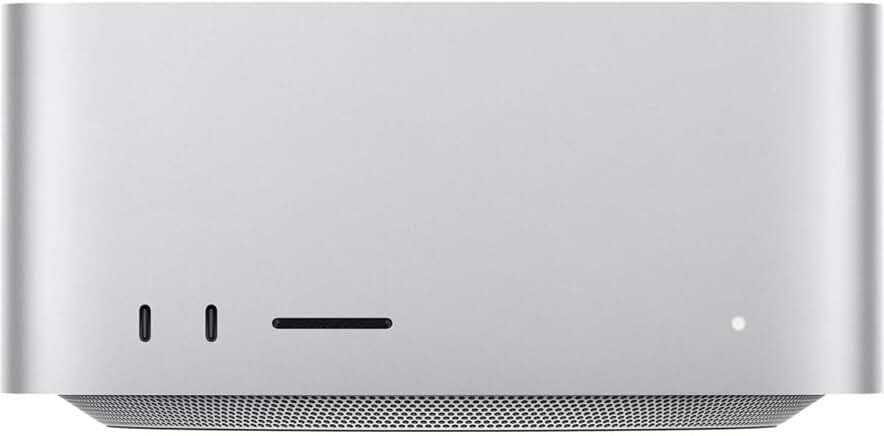
Apple calls the 2025 Mac Studio “the most powerful Mac ever made.” It runs on either an M4 Max or a new M3 Ultra chip. It delivers professional-grade performance, extensive connectivity with Thunderbolt 5, and new capabilities in a compact and quiet design.
- High-end performance
- Loads of ports, including Thunderbolt 5
- Compact chassis
- Way more power than average users need
This QMK/VIA-programmable, 87-key wired TKL-layout keeb features a gasket mount, red LED backlighting and Red switches. For Mac/Windows/Linux.
- TKL ("tenkelyess") semi-compact layout
- Gasket mount adds to build quality
- Reliable wired connectivity
- Not wireless

1. 5-computer workstation boasts gargantuan 57-inch display
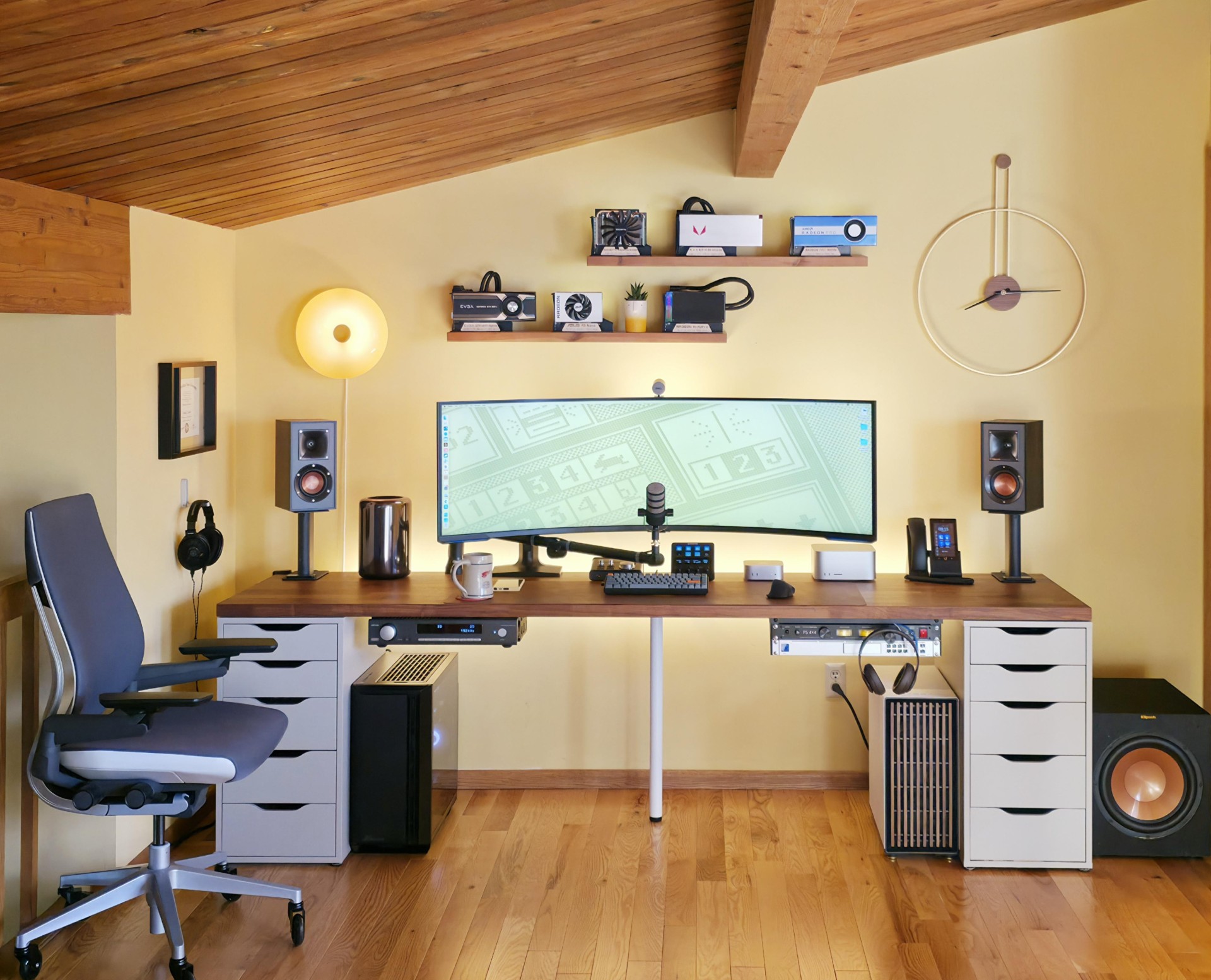
Photo: [email protected]
Five computers — an M1 Ultra Mac Studio, an M4 Pro Mac mini, a vintage trash-can Mac Pro and two Windows PCs — share a single 57-inch Samsung G95NC curved ultra-wide display with 7680 x 2160 resolution. The big display equals two 27-inch 4K monitors placed side by side without a bezel between them. And it is the largest ultrawide in the entire Setups archive. Cable Matters USB-4 switches handle KVM hot-swapping between all five machines. The 98-inch Ikea Karlby countertop provides space for Klipsch bookshelf speakers on stands, a 12-inch subwoofer, a Rode PodMic and Sennheiser open-back headphones. Each computer has its own assigned role. The Mac mini is the daily driver. The Mac Studio crunches local large language models. The vintage Mac Pro plays music through an Arcam integrated amplifier. The 57-inch Samsung is the frame that holds it all together.
Read more: 5-computer workstation boasts gargantuan 57-inch display
This big display is equivalent to dual 27-inch 4K UHD monitors. The 1000R curved gaming monitor features a 240Hz refresh rate, 1ms response time, DisplayPort 2.1 support, Quantum Mini-LED, DisplayHDR 1000 and AMD FreeSync Premium Pro (LS57CG952NNXZA, 2023).
- Massive screen real estate
- Great for gaming
- Fast refresh rate and response time
- Pretty pricey

The new Mac mini is smaller, lighter and 50× more adorable. It's super-powerful and by far the best deal in computing right now.
- Powerful M4 Pro chip
- 512GB storage
- 24GB unified memory
- Compact desktop design
- Headphone jack on front
- BYODKM (bring your own display, keyboard and mouse)


David Snow, an expert on Apple hardware and software, writes on a variety of technological and cultural topics for Cult of Mac. They include Apple news, technology buying guides, and features about computer setups and Apple TV shows and movies.
With 30 years of experience covering technology and other subjects, he has written and edited for numerous print and online publications, including CMP Media, TechTV.com, CNET, Wired News, Red Herring magazine, Law.com, The National Law Journal and Law Technology News magazine. Among other roles, he served as executive editor of the Law.com network of websites and editorial director, technology, for ALM Media.
Snow graduated with a B.A. from Syracuse University with majors in magazine journalism and psychology. While there, he worked as a reporter for The Daily Orange newspaper and associate editor of Equal Time magazine.
Founder of the blog At the Waterline, he can be reached on X (formerly Twitter) via @atthewaterline and on Mastodon via @dsnow.

