Apple wasn't always a global behemoth. Image: Ste Smith/Cult of Mac
June 27, 1997: The last day of another disappointing quarter brings an end to CEO Gil Amelio’s 500 days running Apple.
The $56 million quarterly loss contributes to an overall deficit of $1.6 billion during Amelio’s reign. The slump effectively wipes out every cent of profit Cupertino earned since fiscal 1991. After losing money for six out of the last seven quarters, Apple seems past the point of no return.
The DMA has again forced Apple to make sweeping changes to the App Store. Photo: Graham Bower/Cult of Mac
To avoid further penalties under the European Union’s Digital Markets Act, Apple has announced sweeping changes to its App Store guidelines for the EU.
However, it’s not happy with the EU’s additional demands and plans to appeal against this.
You can do it all with this AI-powered photo editor. Photo: Cult of Mac Deals
AI photo editor PicWish lets you remove backgrounds, unblur or sharpen pictures, and generally enhance your images in all kinds of ways. It’s easy to use but yields impressive results that would have been impossible (or required an advanced degree in an expensive tool like Adobe Photoshop) just a few years ago.
With this PicWish deal, you can slash the price of the credits you need to pull off these fantastic image tweaks. You can get 5,000 PicWish credits for just $59.99 (regularly $95.95).
Need a good podcast? Here are 20 Apple Podcasts thinks are the best in the past two decades. Photo: Apple
Apple celebrated 20 years of Apple podcasts on Thursday by unveiling a curated collection of 20 shows that it said helped shape the medium into what it is today. The first podcasts in iTunes debuted back in 2005, before the name “Apple Podcasts” became a thing. This new list is like a roadmap to quality content that goes back in time.
“This list is a love letter to the podcasts that left a lasting impact on us and the ones we continue to recommend again and again,” the streamer wrote. “They are shows with hosts that feel like friends, and shows that make us press play immediately on the latest episode to hear what happens next. These shows have measurably improved our lives and helped define this medium we know and love.”
Take a look at all four iPhone 17 series models (see below). Concept image: Ed Hardy/Cult of Mac
You don’t need to wait until September to see the four models in the iPhone 17 series. Images of them leaked out already, including a new glamour shot showing the entire collection, including the slim model likely called the iPhone 17 Air.
A highlight of the image is the rumored move from a camera hump to a camera bar in most of Apple’s upcoming handsets.
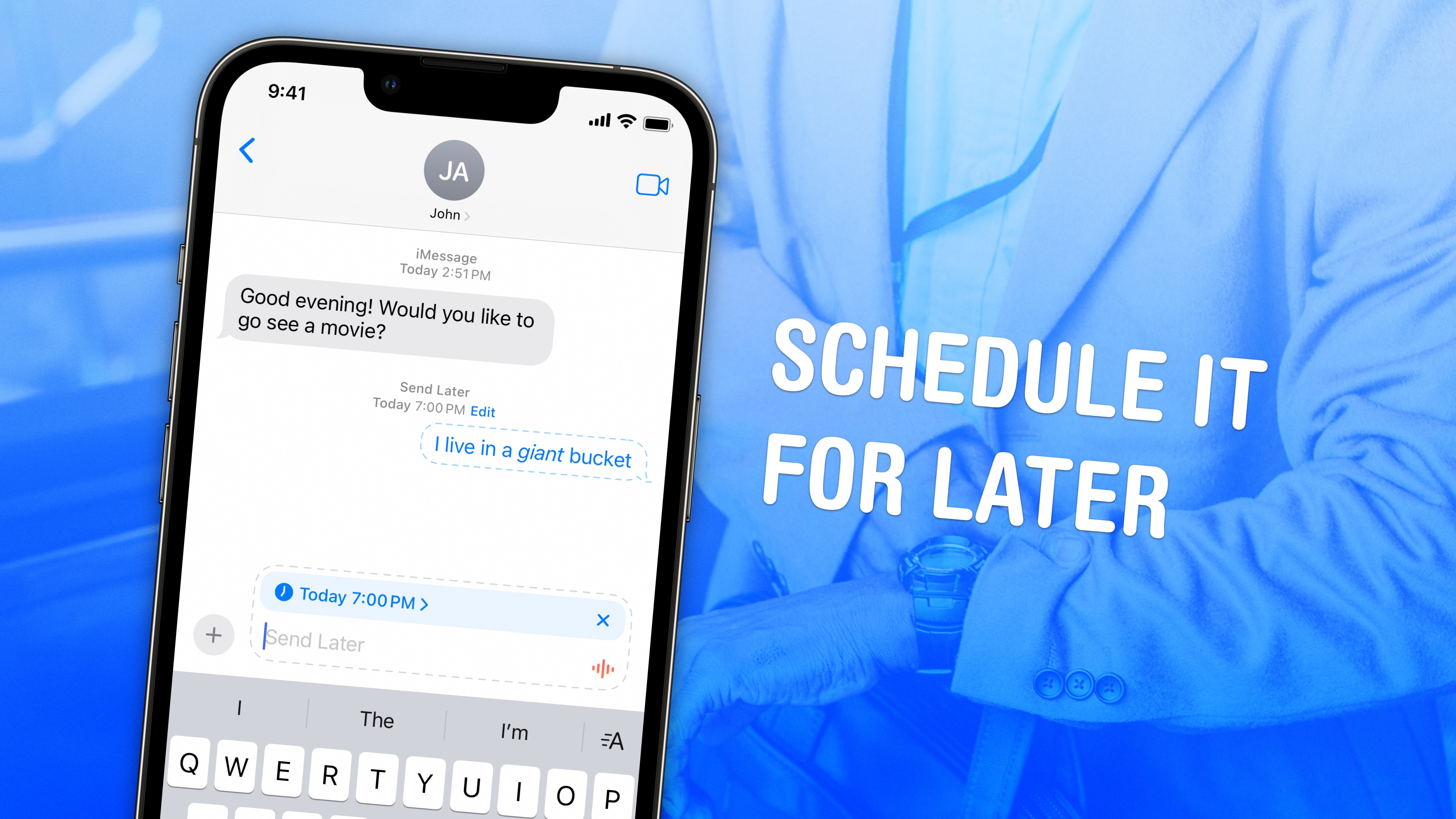
Let the computer send your text for you. Image: D. Griffin Jones/Cult of Mac
If you know how to schedule texts on iPhone, you can make sure you never forget to send a reminder, birthday greeting or early morning message for someone in a different time zone. You can schedule a whole slew of texts up to a week in advance, with links, photos, attachments and more, using the iPhone’s Send Later feature.
This can save your bacon if you’re often the type of person to forget to text someone later. And it’s really easy to do, once you figure out how to use the somewhat hidden feature.
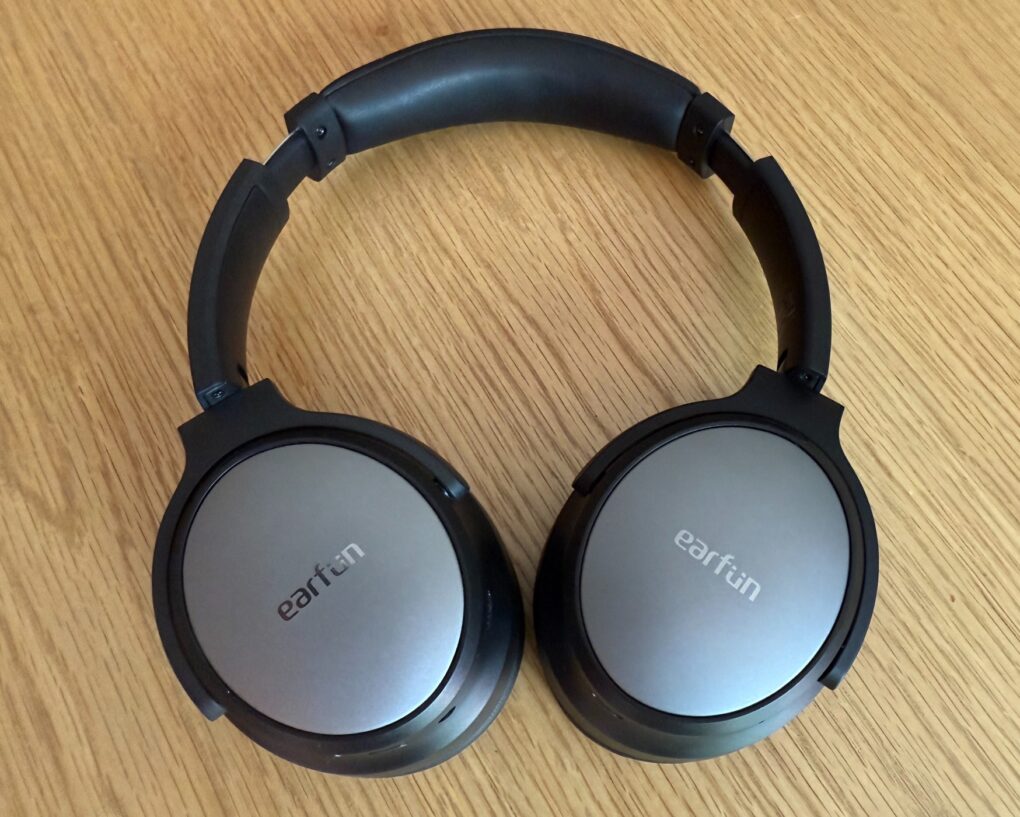
Getting these EarFun Tune Pro cans for about $56 is a steal. Photo: David Snow/Cult of Mac
I’ve been amazed lately about how incredibly good affordable headphones from brands like EarFun, Soundcore and Edifier continue to get. When I tested the recently released EarFun Tune Pro cans for a review, I had a hard time telling them apart, in several important ways, from the excellent — and much more expensive — Beats Studio Pro. And now you can get an EarFun Tune Pro headphones deal on Amazon for an even lower price — just $53.99 (for a limited time).
Make your iPad into a light notebook with a Targus VersaVu keyboard case. Photo: Targus
The goal of the new Targus VersaVu line is to upgrade the latest iPad models to a laptop-like experience. Plus, the slim keyboard case allows users to type on their tablet in either landscape or portrait mode.
It boasts a backlit keyboard, a trackpad and an adjustable kickstand.
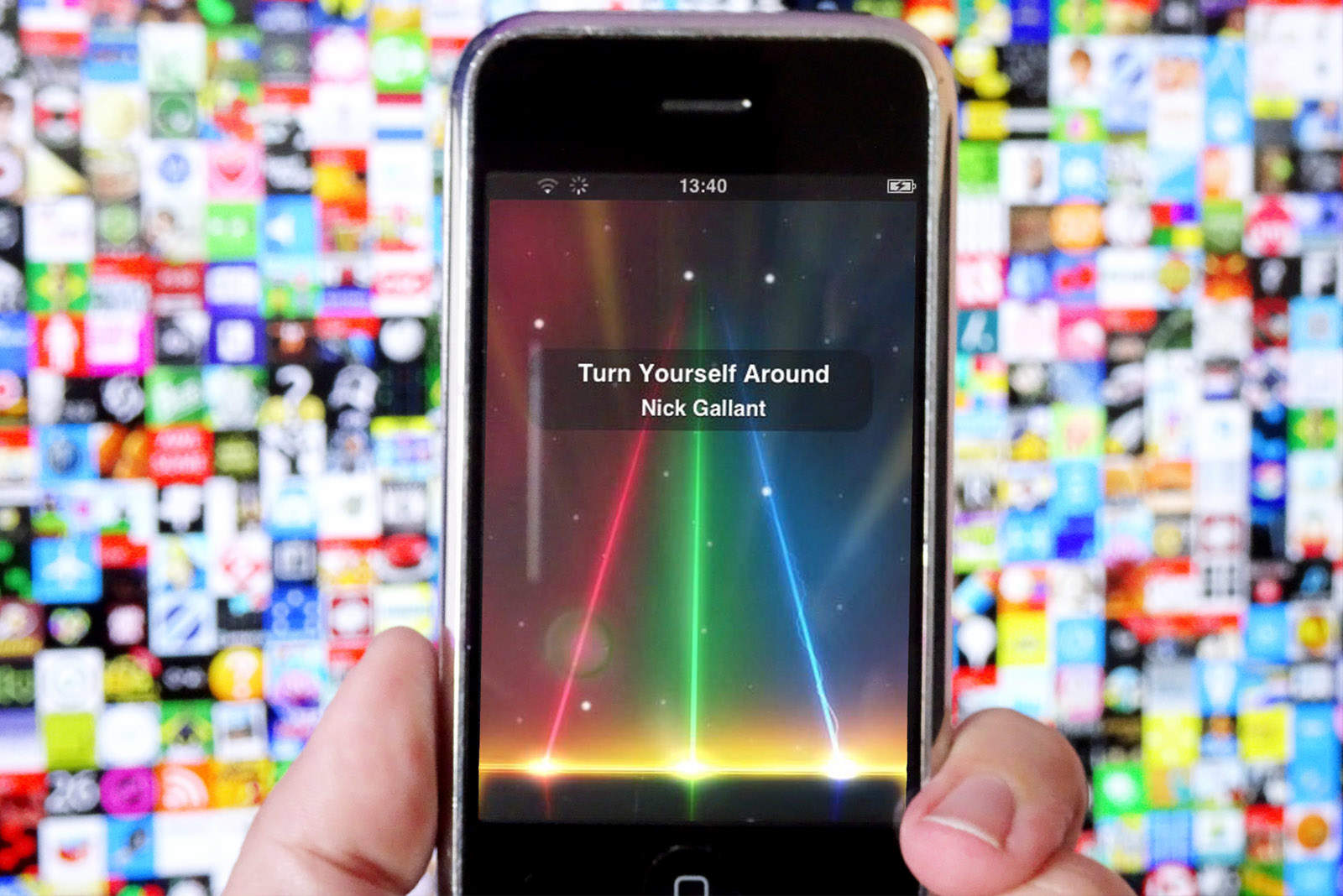
Apple started accepting App Store submissions on this day in 2008. Photo: Ste Smith/Cult of Mac
June 26, 2008: A year after the first iPhone was released, Apple sends an email to developers calling for smartphone software to be distributed in the forthcoming App Store.
Coders around the world greet the news with excitement. They hurry to submit their iPhone apps and get in on the looming App Store gold rush. Many rake in small fortunes when the App Store goes live less than a month later.
Your iPhone and Mac will work even better with iOS 26 and macOS Tahoe. Photo: Rajesh Pandey/Cult Of Mac
With every new iOS and macOS release, Apple deepens the integration between its mobile and desktop operating systems. iOS 26 is no different, building on the iPhone Mirroring feature introduced in iOS 18 and macOS Sequoia.
Check out all the new cross-device features and integrations that iOS 26 and macOS 26 (aka Tahoe) bring.
Vivo's latest foldable packs impressive Apple integration. Photo: Vivo China
Apple’s walled garden approach means you can’t use the Apple Watch with a smartphone other than the iPhone. But with its latest Android foldable, Vivo claims full support for the Apple Watch.
The Vivo X Fold 5 even promises deep iPhone and Mac integration, apparently mirroring your calls, messages, and notifications.
You can nab the new Anker Solix F3000 Portable Power Station for $1,000 off. Photo: Anker Solix
Our friends at Anker Solix built a big launch sale on Wednesday around their new rolling beast of a backup power plant for your home, appliances and Apple devices — the F3000 Portable Power Station. Right now you can get an amazing $1,000 off the electrical generator itself. And in addition to the basic F3000 Portable Power Station launch deal, you can score even more savings on bundles pairing it with other essentials, like extension batteries, solar panels and power cables.
The launch sale with all the options below runs through Wednesday, July 2.
The as-yet-untitled Apple TV+ docuseries shines a spotlight on the University of Connecticut women’s basketball team. Photo: Apple TV+
Apple TV+ subscribers will soon get an exclusive look inside one of college basketball’s greatest dynasties. It’s a new three-part documentary series focused on the University of Connecticut (UCONN) women’s basketball program. The series chronicles four decades of unprecedented success under legendary head coach Geno Auriemma. That includes the team’s most recent triumph as 2025 NCAA National Champions, of course. No other team, men or women, has won so many championships — 12.
“This series offers fans an exclusive view into 40 seasons of UConn women’s basketball, and I’m really excited for audiences to be able to see all the hard work that has built this program,” Auriemma said.
The three-part documentary series doesn’t have a title or a streaming date yet, however.
Learn how to get around the keyboard and edit text faster. Photo: Cult of Mac Deals
You want to get faster at typing? Sure, you can hold down the Backspace key or mash it really fast. But there’s a better and more precise way to backspace and delete text on the Mac, using the Option (⌥) and Command (⌘) keys. These Mac typing shortcuts can make editing text lightning-fast and seamless. Here’s how you can be a keyboard wizard.
All of these work on the iPad, too, if you have a physical keyboard connected.
The M5 iPad Pro is only a few months away. Image: Apple/Cult of Mac
The next-generation iPad Pro is on the horizon. Its OLED screen is reportedly already in production, and the launch is rumored for this autumn with a new Apple M5 processor on board.
The upcoming iPadOS 26 might do more to spur sales of the tablet than a faster processor or gorgeous screen, though.
This M3 MacBook Air setup doesn't dazzle, but it includes some cool gear. Photo: MikeBuckets171@Reddit .com
Sometimes a computer setup may look basic or boring at a glance — but it still might get the job done quite well and pack some surprisingly cool gear. Today’s featured setup, centered on an M3 MacBook Air with dual monitors, is a good example. It features not only Apple’s great lightweight laptop driving a pair of displays, but some other solid peripherals — like a Harman Kardon Bluetooth speaker I’ve never seen before in a setup featured on Cult of Mac.
And while the user seemed unsure his not-super-cool setup warranted posting on social media, he ended up getting lots of reassurance and good advice for improvements.
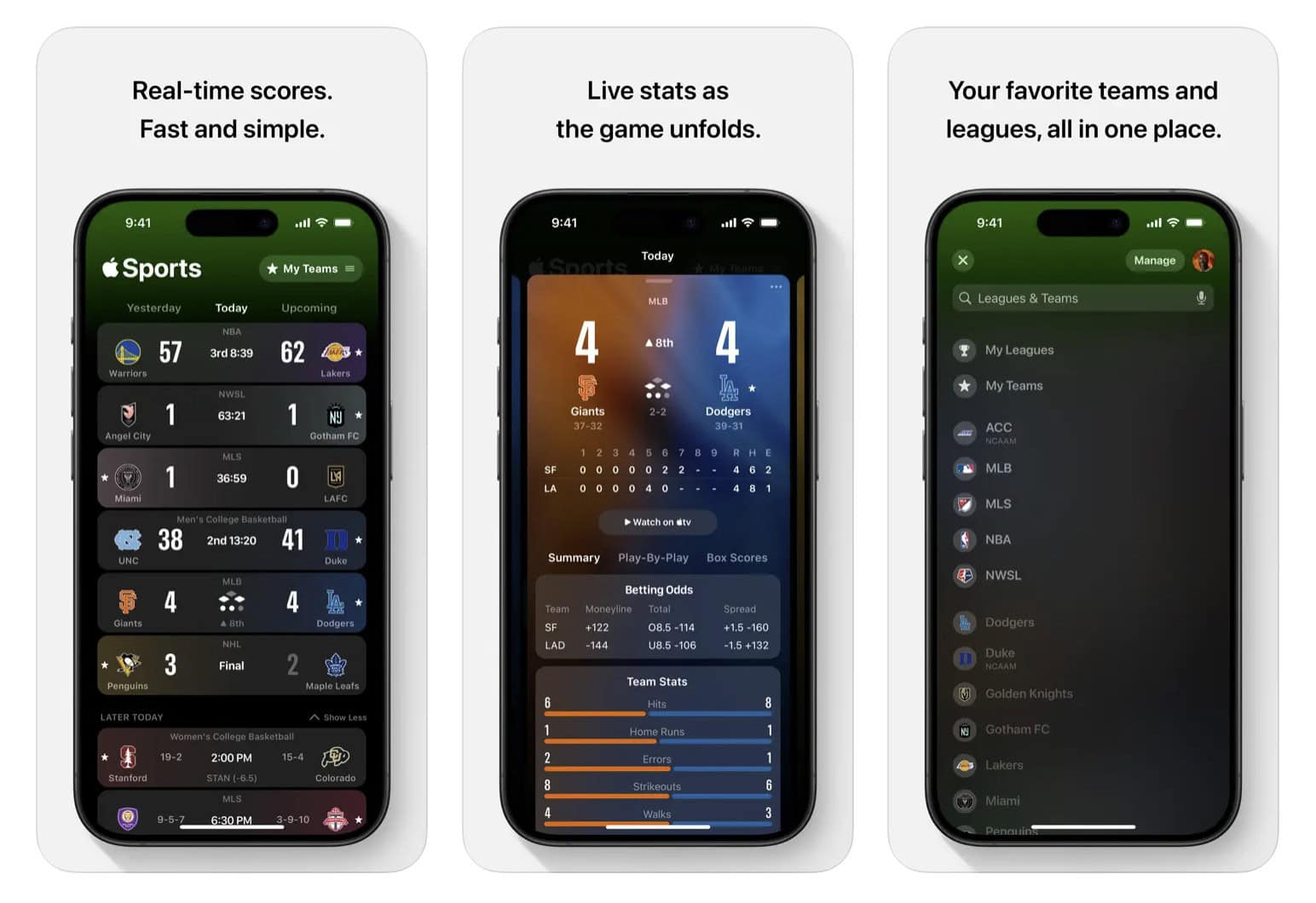
Download the Apple Sports app from the App Store to follow all your favorite teams. Photo: Apple
The new Apple Sports app version 3.0 dropped Wednesday, packing significant improvements that should make following your favorite teams and matches easier than ever on iPhone. The update brings a redesigned home screen with more personalization, some new baseball features and, more importantly for certain sports fans, new coverage of professional tennis — just in time for Wimbledon!
Bill Gates took this strategy and made himself a multibillionaire. Photo: Fulvio Obregon
June 25, 1985: Microsoft co-founder Bill Gates sends a memo to Apple execs suggesting that Cupertino should license its Mac operating system and additional technology to other companies.
Apple CEO John Sculley and Macintosh boss Jean Louis Gassée ignore the advice of the 30-year-old Gates, who at the time is best known as a Mac developer. Five months later, Microsoft releases Windows 1.0.
Some carmakers say no to Apple’s CarPlay Ultra. Image: Apple/Cult of Mac
CarPlay Ultra just hit another speed bump. Several automakers reportedly won’t use Apple’s most advanced in-dash infotainment system because it takes over too many features of the vehicle that the carmakers themselves want to control. This is especially bad news for Apple as some of these holdouts are companies that previously showed interest in implementing CarPlay Ultra.
On the other hand, there are well-known carmakers still planning on adding the system to their vehicles.
Quit struggling to turn your screen recordings into polished presentations. Photo: Cult of Mac Deals
Canvid is an AI-powered screen recorder and editor that makes creating pro-level videos fast, simple and actually kind of fun. With this affordable app for Mac or PC, you can easily take your presentations, walkthroughs, app demos and explainer videos to the next level. And you won’t need to learn complex editing tools or wrestle with clunky file exports.
With a one-time payment of just $59.99 (regularly $197), you get lifetime access to Canvid on up to three devices. Turning screen recordings into polished presentations has never been easier.
The ButterFly is the best travel charger… even more so now that the price permanently dropped. Graphic: Twelve South/Cult of Mac
I recently returned from the beach where I was reminded how much I love the ButterFly foldable wireless charger. It’s small, rugged enough to take everywhere, but is always ready to juice up your iPhone, Apple Watch or AirPods. Really, it’s simply the best.
Even so, when it launched, the travel charger was a bit expensive. Happily, its developer, Twelve South, recently cut the price by 23%. This isn’t a short-term sale — the deal on the ButterFly charger is permanent.
Battle through the Chronos Dungeon in a roguelike RPG that’s available again for iPhone and iPad. Image: Cornfox & Brothers
Adventurers can once again enjoy Oceanhorn: Chronos Dungeon, a dungeon crawler RPG with a 16-bit feel. Players battle their way through monsters on ever-changing levels.
Previously, the game by Cornfox & Brothers was included in Apple Arcade, but it’s been pulled out of Apple’s subscription gaming service and is now available to all for a flat fee.
The iPhone 4 marked the culmination of Steve Jobs' career at Apple. Photo: Apple
June 24, 2010:. The iPhone 4 release date finally arrives, bringing a sleeker design, a new video telephony service called FaceTime and a gorgeous Retina display. Simply put, it’s a stunning smartphone.
While history may remember the device for the “Antennagate” scandal caused by that new design, it is otherwise a fantastic upgrade over the iPhone 3GS. In its first weekend, Apple will sell 1.7 million iPhone 4 handsets. That’s a major triumph for Cupertino.
Why spend hundreds on a pro photographer and a business-friendly wardrobe? Photo: Cult of Mac Deals
Need a professional-looking headshot but don’t want to hire a photographer? ResumePhoto.ai’s AI headshot generator can fix that — and you won’t even need to change out of your jammies.
This AI-powered tool takes a handful of your everyday selfies — think casual, natural light, nothing fancy — and turns them into polished, studio-quality headshots that look like you hired a pro photog who actually knows your good side.
It’s incredibly affordable, too. With ResumePhoto.ai’s Basic Package, you’ll receive up to 12 professionally styled images for just $14.99, each featuring clean backdrops, business-ready attire and flattering lighting.

 June 27, 1997: The last day of another disappointing quarter brings an end to CEO Gil Amelio’s 500 days running Apple.


 June 26, 2008: A year after the






 June 25, 1985: Microsoft co-founder Bill Gates sends a memo to Apple execs suggesting that Cupertino should license its Mac operating system and additional technology to other companies.




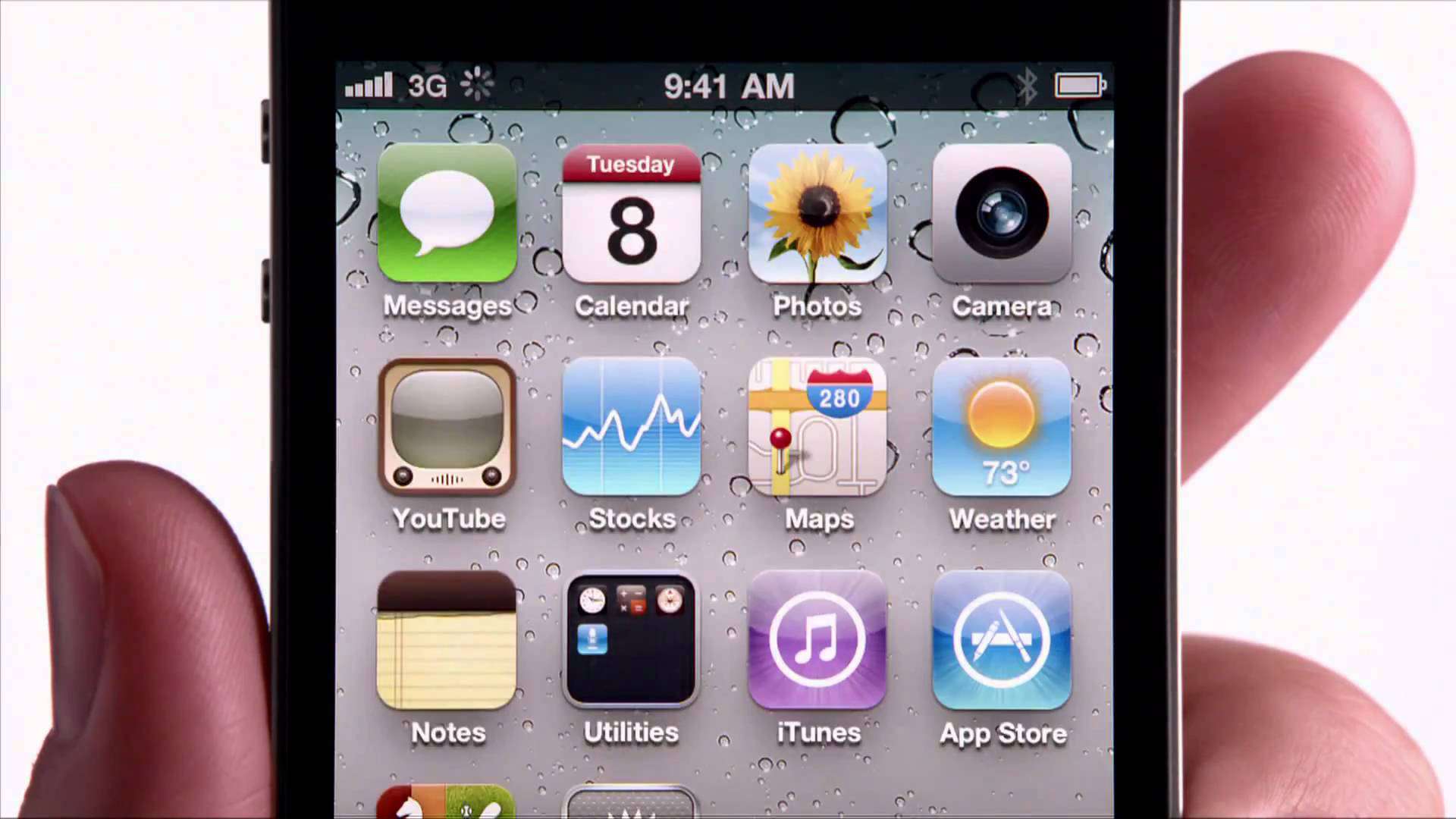
 June 24, 2010:. The iPhone 4 release date finally arrives, bringing a sleeker design, a new video telephony service called FaceTime and a gorgeous Retina display. Simply put, it’s a stunning smartphone.